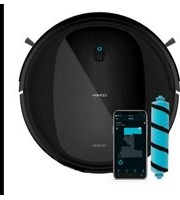
Conga Perfect & Clean Connected Titanium - Robot vacuum CECOTEC - Free user manual and instructions
Find the device manual for free Conga Perfect & Clean Connected Titanium CECOTEC in PDF.
Pick your language and provide your email: we'll send you a specifically translated version.
| Product type | Robot vacuum |
| Brand | Cecotec |
| Model | Conga Perfect & Clean Connected Titanium |
| Dimensions (L × W × H) | 34 × 34 × 9 cm |
| Weight | 3.5 kg |
| Power supply | Rechargeable Li-ion battery 14.8 V / 2600 mAh |
| Battery life | 120 minutes |
| Charging time | Approximately 4 hours |
| Connectivity | Wi-Fi, Cecotec mobile app |
| Main functions | Automatic cleaning, scheduling, suction and brushing |
| Sensors | Infrared, anti-collision, drop detection |
| Noise level | 65 dB |
| Dustbin capacity | 500 ml |
| Filter | HEPA |
| Main brush | Yes, with side brushes |
| Scheduling | Yes, via app |
| Maximum cleaning area | 150 m² |
| Voice assistant compatibility | Amazon Alexa, Google Assistant |
| Color | Black / Titanium |
| Warranty | 2 years |
Frequently Asked Questions - Conga Perfect & Clean Connected Titanium CECOTEC
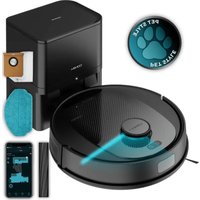
How to connect my Conga Perfect & Clean Connected Titanium to the app?
Download the Cecotec app on your smartphone, create an account, then follow the instructions to connect the vacuum via Wi-Fi. Make sure the robot is on and the Wi-Fi indicator is flashing.
What to do if the vacuum does not charge?
Check that the charging station is plugged in and the contacts are clean. Place the robot on the station, aligning the contacts. If the problem persists, try restarting the device by holding down the power button for 10 seconds.
How to schedule a cleaning?
Open the Cecotec app, go to the Scheduling section, set the desired days and times, then save. The robot will start automatically at the scheduled times.
The vacuum does not detect obstacles, what to do?
Clean the infrared sensors and the bumper with a soft cloth. Make sure no objects block the sensors. If the problem persists, recalibrate the robot via the app.
What is the actual battery life?
The battery life is approximately 120 minutes in standard mode. It can vary depending on the cleaning mode (turbo or silent) and floor type. The battery takes about 4 hours to fully charge.
Can I use the vacuum on carpet?
Yes, the Conga Perfect & Clean Connected Titanium is designed for hard floors and carpets. It automatically adjusts suction power based on floor type using its sensors.
How to clean the HEPA filter?
Remove the dustbin, then the filter. Tap it gently to remove dust, or wash it with cold water every 2 weeks. Let it dry completely before reinstalling.
The vacuum makes abnormal noise, what to check?
Check that the main brush and side brushes are not obstructed by hair or debris. Clean them regularly. If the noise persists, check if a foreign object is stuck in the motor.
How to replace the side brushes?
The side brushes can be removed by pulling firmly. Replace them with new ones (Cecotec reference). It is recommended to change them every 6 months or as needed.
My robot does not connect to Wi-Fi, why?
Make sure Wi-Fi is enabled and you are on a 2.4 GHz network (not 5 GHz). Restart the robot and the router. Check that the app is up to date. If the problem persists, contact Cecotec customer service.
User questions about Conga Perfect & Clean Connected Titanium CECOTEC
0 question about this device. Answer the ones you know or ask your own.
Ask a new question about this device
No questions yet. Be the first to ask one.
Download the instructions for your Robot vacuum in PDF format for free! Find your manual Conga Perfect & Clean Connected Titanium - CECOTEC and take your electronic device back in hand. On this page are published all the documents necessary for the use of your device. Conga Perfect & Clean Connected Titanium by CECOTEC.