
DRW24G7500APDA - Wine cellar Dacor - Free user manual and instructions
Find the device manual for free DRW24G7500APDA Dacor in PDF.


Pick your language and provide your email: we'll send you a specifically translated version.
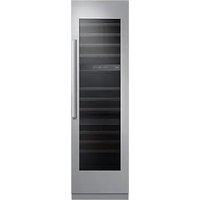
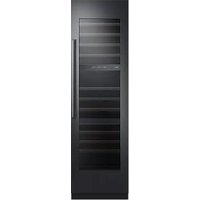
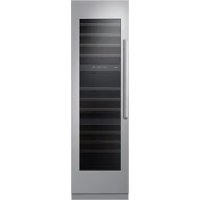
| Product Type | Built-in Wine Cellar |
| Brand | Dacor |
| Model | DRW24G7500APDA |
| Bottle Capacity | 24 bottles (estimate) |
| Number of Temperature Zones | 2 independent zones |
| Temperature Range | 5°C to 18°C |
| Cooling Type | Compressor |
| Interior Lighting | Blue LED |
| Door Type | Solid with insulating glass |
| Door Material | Stainless steel and glass |
| Handle | Integrated |
| Child Lock | Yes |
| Open Door Alarm | Yes |
| Charcoal Filter | Yes, for air purification |
| Dimensions (W x H x D) | 60.5 x 86.4 x 58.5 cm |
| Net Weight | 65 kg |
| Power Supply | 220-240 V, 50/60 Hz |
| Annual Energy Consumption | 150 kWh (estimate) |
| Noise Level | 38 dB |
| Climate Class | N-ST (temperate to subtropical) |
| Manufacturer Warranty | 2 years, parts and labor |
| Repairability | Spare parts available for 7 years |
| Maintenance and Cleaning | Clean interior with soft cloth and soapy water |
Frequently Asked Questions - DRW24G7500APDA Dacor
What is the capacity of the Dacor DRW24G7500APDA wine cellar?
The capacity is approximately 24 standard bottles, but may vary depending on bottle size.
What are the exact dimensions of the appliance?
The dimensions are: 60.5 cm width, 86.4 cm height and 58.5 cm depth (excluding handle).
How to adjust the temperature of the two zones?
Use the touch control panel. The upper zone is typically for serving (10-18°C) and the lower zone for storage (5-12°C). Press Temperature then adjust with the arrows.
How to activate the child lock?
Press and hold the Lock key (padlock icon) for 3 seconds until the symbol appears. To deactivate, repeat the operation.
What to do if the appliance does not cool sufficiently?
Check that the ambient temperature is within the allowed range (16-38°C). Make sure the ventilation grilles are not blocked and the door closes properly. If the problem persists, contact customer service.
How to clean the interior of the cellar?
Unplug the appliance, remove the shelves and clean surfaces with a soft cloth dampened with warm water and mild soap. Rinse and dry. Do not use abrasive products. Replace shelves after complete drying.
The wine cellar makes a gurgling noise, is that normal?
Yes, this noise comes from the circulation of the refrigerant in the cooling circuit. This is completely normal and does not affect performance.
Can I install the wine cellar outdoors?
No, this wine cellar is designed for indoor use only, in a dry and well-ventilated place. Exposure to rain or frost would damage the appliance.
What to do in case of prolonged power outage?
Avoid opening the door. The insulation maintains the temperature for several hours. If the outage lasts more than 8 hours, check the condition of the bottles. After power returns, wait for the temperature to stabilize before storing new bottles.
Where to find spare parts for this model?
Spare parts are available from the Dacor after-sales service or on their official website. The DRW24G7500APDA model is repairable for 7 years after the end of marketing.
User questions about DRW24G7500APDA Dacor
0 question about this device. Answer the ones you know or ask your own.
Ask a new question about this device
No questions yet. Be the first to ask one.
Download the instructions for your Wine cellar in PDF format for free! Find your manual DRW24G7500APDA - Dacor and take your electronic device back in hand. On this page are published all the documents necessary for the use of your device. DRW24G7500APDA by Dacor.
USER MANUAL DRW24G7500APDA Dacor

Manual assistant
Powered by Anthropic
Waiting for your message
Product information
Brand : Dacor
Model : DRW24G7500APDA
Category : Wine cellar