WHP-6007B - Earphones THOMSON - Free user manual and instructions
Find the device manual for free WHP-6007B THOMSON in PDF.


Pick your language and provide your email: we'll send you a specifically translated version.
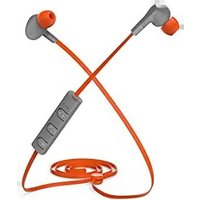
| Product type | Wireless headset |
| Brand | Thomson |
| Model | WHP-6007B |
| Dimensions (L x W x H) | approx. 18 x 16 x 7 cm |
| Weight | 250 g |
| Power source | Rechargeable lithium-ion battery |
| Battery life | Up to 30 hours |
| Connectivity | Bluetooth 5.0 |
| Range | 10 meters |
| Main functions | Voice control, passive noise reduction, foldable |
| Care and cleaning | Clean with a soft, dry cloth. Do not use chemicals. |
| Safety | Use only the included charger. Do not expose to water or heat source. |
| Spare parts and repairability | Available on the manufacturer's website. Professional repair recommended. |
| General information | 2-year warranty. Compatible with all Bluetooth devices. |
Frequently Asked Questions - WHP-6007B THOMSON
How to turn on the Thomson WHP-6007B headset?
Press the multifunction button for 3 seconds until the LED indicator lights up blue.
How to pair the headset with my phone?
Make sure the headset is in pairing mode (blue flashing light). Enable Bluetooth on your phone and select "THOMSON WHP-6007B" in the list.
What is the battery life?
The battery life can reach 30 hours under normal use. Full charge time is about 2 hours.
How to charge the headset?
Use the supplied USB-C cable and plug it into a power adapter (5V/1A). The red light indicates charging, it turns off when fully charged.
What to do if the headset does not connect?
Try resetting the headset by pressing and holding the multifunction button for 10 seconds. Remove the device from your phone's Bluetooth list and re-pair.
How to clean the headset?
Use a soft, dry cloth. Do not use solvents or abrasive products. The ear pads can be removed and washed with warm soapy water, then air dried.
Can I use the headset in wired mode?
Yes, the headset comes with a 3.5mm audio cable. Plug it into the headset jack and your device for battery-free use.
How to adjust the volume?
Use the + and - buttons on the right earcup. A short press adjusts the volume, a long press skips to the next or previous track.
Is the headset waterproof?
No, the headset is not waterproof. Avoid any exposure to water, rain, or excessive humidity.
Where to find spare parts?
Replacement ear pads and cables are available on the official Thomson website or from authorized retailers. Contact customer service for more information.
User questions about WHP-6007B THOMSON
0 question about this device. Answer the ones you know or ask your own.
Ask a new question about this device
No questions yet. Be the first to ask one.
Download the instructions for your Earphones in PDF format for free! Find your manual WHP-6007B - THOMSON and take your electronic device back in hand. On this page are published all the documents necessary for the use of your device. WHP-6007B by THOMSON.
USER MANUAL WHP-6007B THOMSON
Manual assistant
Powered by Anthropic
Waiting for your message
Product information
Brand : THOMSON
Model : WHP-6007B
Category : Earphones