
Jupiter AJ120 - Computer cooling In Win - Free user manual and instructions
Find the device manual for free Jupiter AJ120 In Win in PDF.


| Product Type | Case Fan |
| Model | Jupiter AJ120 |
| Brand | In Win |
| Fan Size | 120 mm x 120 mm x 25 mm |
| Rated Voltage | 12 V DC |
| Rated Current | 0.35 A |
| Fan Speed | 800 ~ 1800 RPM ±10% |
| Airflow | 72.1 CFM (Max) |
| Air Pressure | 2.53 mmH₂O (Max) |
| Noise Level | 14 ~ 32 dBA |
| Bearing Type | Hydraulic Bearing |
| Connector | 4-Pin PWM |
| Fan Life Expectancy | 50,000 hours |
| Weight | 120 g |
| Material | Plastic Frame, Rubber Pads |
| Mounting | Screw or Rubber Grommets |
| Color | Black |
| Usage | PC Case Cooling, CPU Cooler Replacement |
| Package Contents | 1x Fan, 4x Screws, 4x Rubber Grommets, Manual |
| Compliance | CE, RoHS |
| Warranty | 2 Years |
| Cleaning Instructions | Use a soft brush or compressed air to remove dust. Do not use water or solvents. |
| Safety Notes | Disconnect power before installation. Avoid contact with rotating blades. |
| Repair & Spare Parts | Non-user serviceable. Contact In Win support for replacement. |
Frequently Asked Questions - Jupiter AJ120 In Win
User questions about Jupiter AJ120 In Win
0 question about this device. Answer the ones you know or ask your own.
Ask a new question about this device
Download the instructions for your Computer cooling in PDF format for free! Find your manual Jupiter AJ120 - In Win and take your electronic device back in hand. On this page are published all the documents necessary for the use of your device. Jupiter AJ120 by In Win.
USER MANUAL Jupiter AJ120 In Win
High Airflow ARGB Case Fan
AJ120
User Manual


Product Story
Specially designed for RGB enthusiasts who desire superior performance from their case fans. The Jupiter AJ120 fans feature seven blades, sleeve bearings with a long lifespan, ARGB LEDs with 16.8 million color options and a one-click RGB Controller.
Package Contents
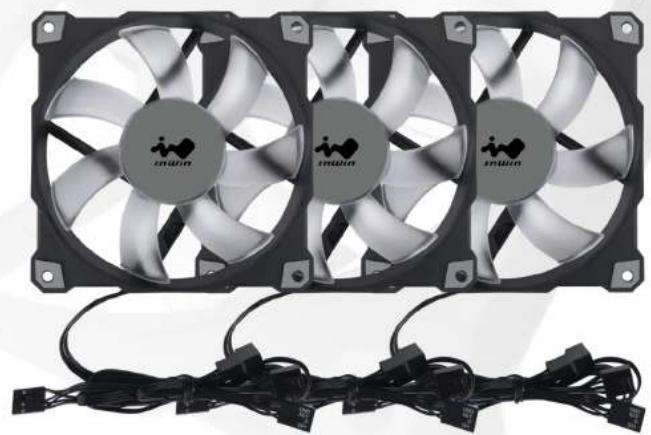
Triple Pack
- Jupiter AJ120 Fans x 3
- Addressable RGB Controller x 1
- Screws x 12
- 3-Pin Headers x 3



Single Pack
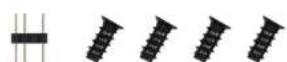
- Jupiter AJ120 Fan x 1
- Screws x 4
- 3-Pin Header x 1


Specifications
120mm
25mm
120mm


Product Name Jupiter AJ120
| Model Number | Single Pack IW-FN-AJ120-1PK |
| Triple Pack IW-FN-AJ120-3PK | |
| Fan Size 120 x 120 x 25mm | |
| Material PBT, PC | |
| Rated Voltage DC 12V | |
| Rated Power 2.4W | |
| Rated Current 0.20A | |
| ADD RGB Rated Voltage DC 5V | |
| ADD RGB Rated Power 1.1W | |
| ADD RGB Rated Current 0.22A | |
| Speed Mode | PWM 500~1800 RPM |
| Air Flow | 70.32 CFM |
| Air Pressure | 2.62mm/ H2O |
| LED | Addressable RGB |
| Connector | 4-Pin |
| Noise Level | 35 dB(A) |
| Bearing Type | Long Lifespan Sleeve Bearing |
| MTBF | >30,000 hrs |
| Net Weight | Single Pack 200gTriple Pack 600g |
| Package Dimension (H x L x W) | Single Pack 185 x 125 x 30mmTriple Pack 185 x 125 x 80 mm |
| Warranty | 2 years |
* Specifications may vary based on different regions.
* Our products comply with RoHS regulations.
Cable Information
Triple Pack

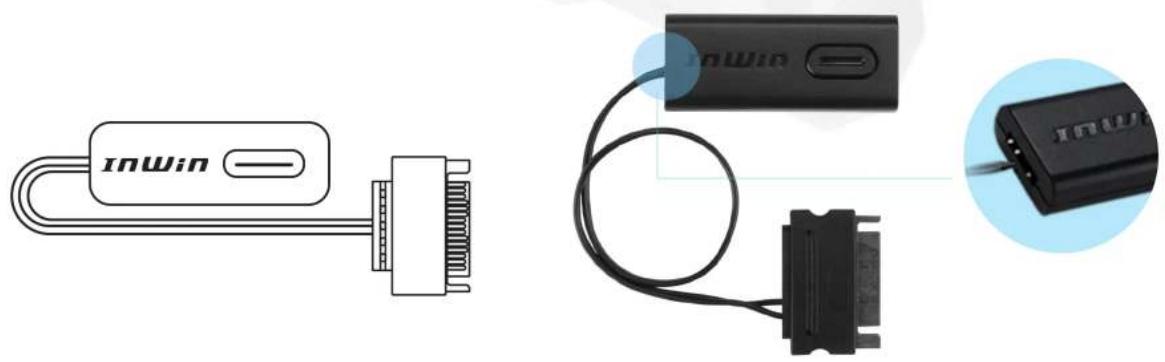
Addressable RGB Controller
Single Pack
Installation

Installation Video
-
Please make sure the power is off.
-
Install the fans in your PC case and mount them in the designated areas.
-
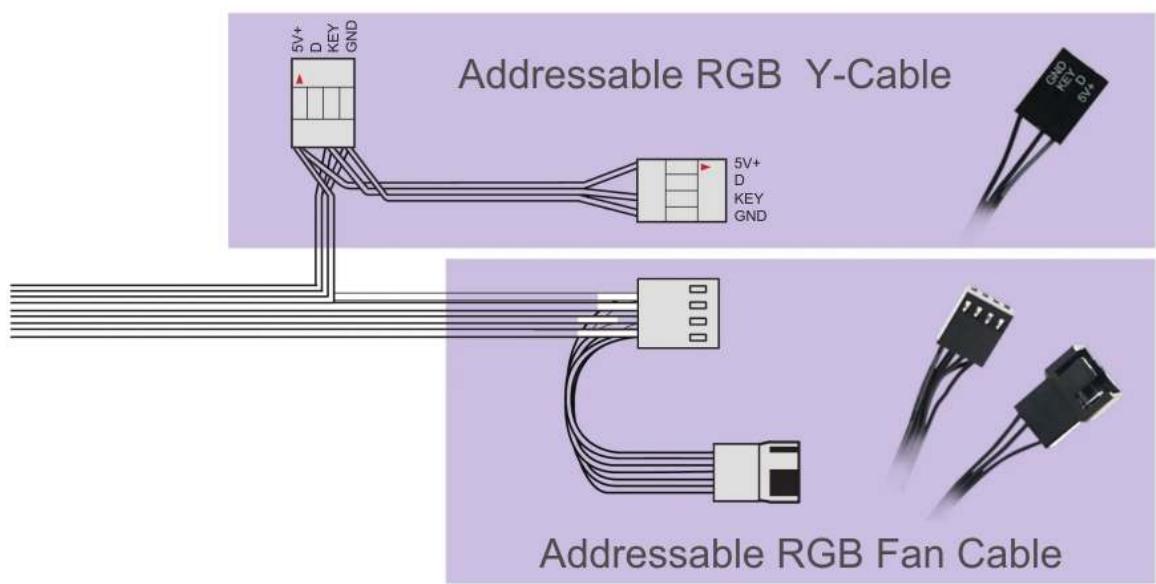
The fan cable, Addressable RGB Y-Cable and their counterparts are attached to each fan. Please connect as followed:
Connect the fan's Addressable RGB Y-Cable to a motherboard's 3-pin addressable RGB header. Connect the attached fan cable to the motherboard's fan header.
Installing the 2nd fan: Connect the Addressable RGB Y-Cable and connect it to the available 3-pin Addressable RGB header on the previous fan. Connect the fan to the available fan header from the previous fan.
![graph TD A["Motherboard's 3-pin addressable RGB header"] --> B["2nd fan's addressable RGB Y-Cable"] A --> C["2nd fan's fan cable"] A --> D["2nd fan's fan Header"] style A fill:#f9f,stroke:#333 style B fill:#ccf,stroke:#333 style C fill:#ccf,stroke:#333 style D fill:#ccf,stroke:#333](/content/2026/07/1426727/images/ff9f9b5a8afe7b1b6ffb85e23363f29f42a1b36445daf0b1ba9e1600e7961427.jpg)
- Installing the 3rd fan: Repeat

Installation

If your motherboard does not support an addressable header, please use the included Addressable RGB Controller to connect to your PSU's SATA cable and the fan's Addressable RGB Y-Cable in order to use the 11 different lighting effects. (Only in Triple Pack)
![graph TD A["1st fan's addressable RGB Y Cable"] <--> B["InWin"] B <--> C["Addressable RGB Controller"] C <--> D["PSU's SATA cable"] E["3-Pin Header"] <--> F["2nd fan's addressable RGB Y Cable"] F <--> G["3-Pin Header"]](/content/2026/07/1426727/images/ebcbb2a6ddce567ec5a561c2da149f6198be54d22855dc85b6049226e3655e0e.jpg)
Hold the button to turn on or off the lights. Tap the button to change the lighting modes.
| 1 | Rainbow 7 Diagonal Transition | |
| 2 | Breathing 8 LED-Red | |
| 3 | Full Circle 9 LED-Green | |
| 4 | Two-Tone Ring | 10 LED-Blue |
| 5 | Light at the end of the Tunnel | 11 LED-White |
| 6 | Rotating LED Trio |
* InWin reserves the right to change the lighting modes.
Troubleshooting
If your fan does not operate properly, please follow the instructions below:
- Please check your system's power.
- Please make sure all the connectors are connected properly.
Important Notes
- Please install the fans by following our instructions.
- When storing the fans, please keep this product away from high temperatures. Keep it away from machines such as heaters that might cause high temperatures.
- Please do not put anything in the impeller.
- Please do not modify the wires or the connectors provided by InWin.
- Please do not touch the fan blades when the fan is in operation.
- Please only use your fan in a computer case.
- Please keep this product away from any liquids.

InWin
CONTEMPORARY & INNOVATIVE
www.in-win.com


Brand : In Win
Model : Jupiter AJ120
Category : Computer cooling