
NR24 - Computer cooling In Win - Free user manual and instructions
Find the device manual for free NR24 In Win in PDF.


| Product Type | CPU Liquid Cooler (AIO) |
| Model | NR24 |
| Brand | In Win |
| Radiator Material | Aluminum |
| Radiator Dimensions | 274 x 120 x 27 mm |
| Fan Size | 120 mm |
| Number of Fans | 2 |
| Fan Speed Range | 800 – 2000 RPM |
| Fan Airflow | Up to 65 CFM |
| Fan Noise Level | 18 – 35 dBA |
| Pump Power Connector | 3-pin |
| Fan Connector | 4-pin PWM |
| Socket Compatibility (Intel) | LGA 1700, 1200, 115x, 2011, 2066 |
| Socket Compatibility (AMD) | AM5, AM4, sTRX4, sTR4 |
| Net Weight (with fans) | Approx. 1.2 kg |
| Warranty | 3 years |
| Maintenance | Sealed loop, no refill needed |
| Cleaning | Dust off radiator and fans with compressed air |
| Safety Certifications | CE, RoHS, FCC |
| Included Accessories | Intel/AMD mounting kit, thermal paste, fan screws |
Frequently Asked Questions - NR24 In Win
User questions about NR24 In Win
0 question about this device. Answer the ones you know or ask your own.
Ask a new question about this device
Download the instructions for your Computer cooling in PDF format for free! Find your manual NR24 - In Win and take your electronic device back in hand. On this page are published all the documents necessary for the use of your device. NR24 by In Win.
USER MANUAL NR24 In Win
Nebula Liquid CPU Cooler
User Manual

Product Video Information

NR Series Product Video

NR Series Installation Video
Product Story
Interstellar Cooling
High Performance AIO Liquid CPU Cooler NR Series will provide your build with stellar visual aesthetics. The water block is filled with crystal shimmering stars and the radiator is equipped with high static pressure fans Luna AL120. Gaze into the realms of Nebula!


Specifications
NR24

NR36

| Model NR24 NR36 | |||
| Model Number IW-LC-NR24 IW-LC-NR36 | |||
| CPU Socket Support | Intel® LGA 1700/ 1200/ 2066/ 2011-V3/ 2011/ 1366/ 1156/ 1155/ 1151/ 1150AMD® AM4/ AM3+/ AM3/ AM2+/ AM2/ FM2+/ FM2/ FM1/ TR4 | ||
| Radiator | Dimensions (L x W x H) | 277 x 120 x 27 mm(10.9 x 4.7 x 1.1") | 397 x 120 x 27 mm(15.6 x 4.7 x 1.1") |
| Materials Aluminium | |||
| Tube Length 400 mm 450 mm | |||
| Tube Material Rubber wi th Nylon Braided Sleeve | |||
| Water Block | Dimensions (L x W x H) | 87.3 x 75 x 68 mm(3.4 x 3.0 x 2.7") | |
| Materials | Copper, Glass, Plastic | ||
| Pump | Dimensions (L x W x H) | 66 x 50 x 31 mm(2.6 x 2.0 x 1.2") | |
| Materials | PPS GF | ||
| Pump Speed | 5200 +/- 10% RPM | ||
| Fan | Model | Luna Series AL120 | |
| Quantity Included | 2 PCS | 3 PCS | |
| Dimensions (L x W x H) | 120 x 120 x 25 mm(4.7 x 4.7 x 1.0") | ||
| Speed Mode | PWM 400-1800 +/- 10% RPM | ||
| Noise Level | 25 dB(A) (Normal) | ||
| Airflow | 82.96 CFM | ||
| Static Pressure | 2.31 mm / H2O | ||
| Connectors | 4-Pin (12V, PWM), 3-Pin (5V, ARGB) | ||
| Rated Voltage | DC 12V | ||
| Bearing Type | Long Lifespan Sleeve Bearing | ||
| Package Dimensions (L x W x H) | 331 x 265 x 136 mm(13 x 10.4 x 5.4") | 459 x 244 x 136 mm(18.1 x 9.6 x 5.4") | |
| Net Weight | 0.85 kg / 1.87 lb | 1.05 kg / 2.31 lb | |
| Gross Weight | 2.0 kg / 4.41 lb | 2.45 kg / 5.4 lb | |
| Warranty | 3 Years | ||
* InWin's products comply with RoHS regulation.
* Specifications may vary based on different regions.
NR24 Package Contents
a
d

b

k
©

1

m
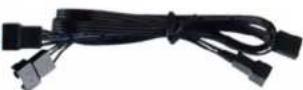
n
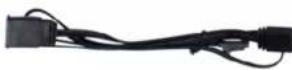
r

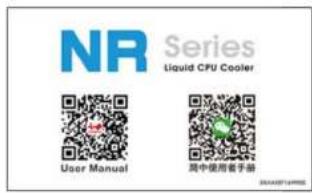
a. QR Code Card x1
b. Intel Mounting Bracket x 2
c. AMD Mounting Bracket x 2
d. Luna AL120 Fans x 2
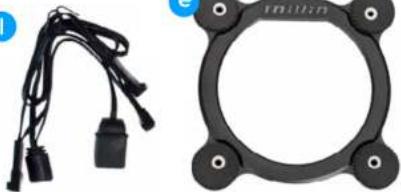
e. Intel CPU Backplate x 1
f. Standoff Screws x 4 (LGA 20XX)
g. Standoff Screws x 4 (LGA 115X/1200/1366)
h. Standoff Screws x 4 (LGA 1700)
i. Standoff Screws x 4 (AMD)
j Standoff Screws x 4 (TR4)
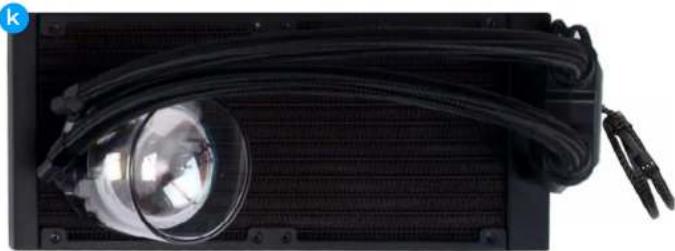
k. 240 Radiator x 1
I. ARGB Water Block Cable x1
m. ARGB Fan Cable x 1
n. PWM Fan Cable x1
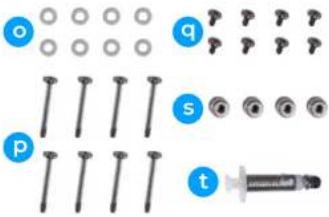
o. Washer x 8
p. Fan Screws x 8
q. Radiator Screws x 8
r. ARGB One-Click Controller x1
s. Thumbscrew Caps x 4
t. Thermal Compound x1
NR36 Package Contents
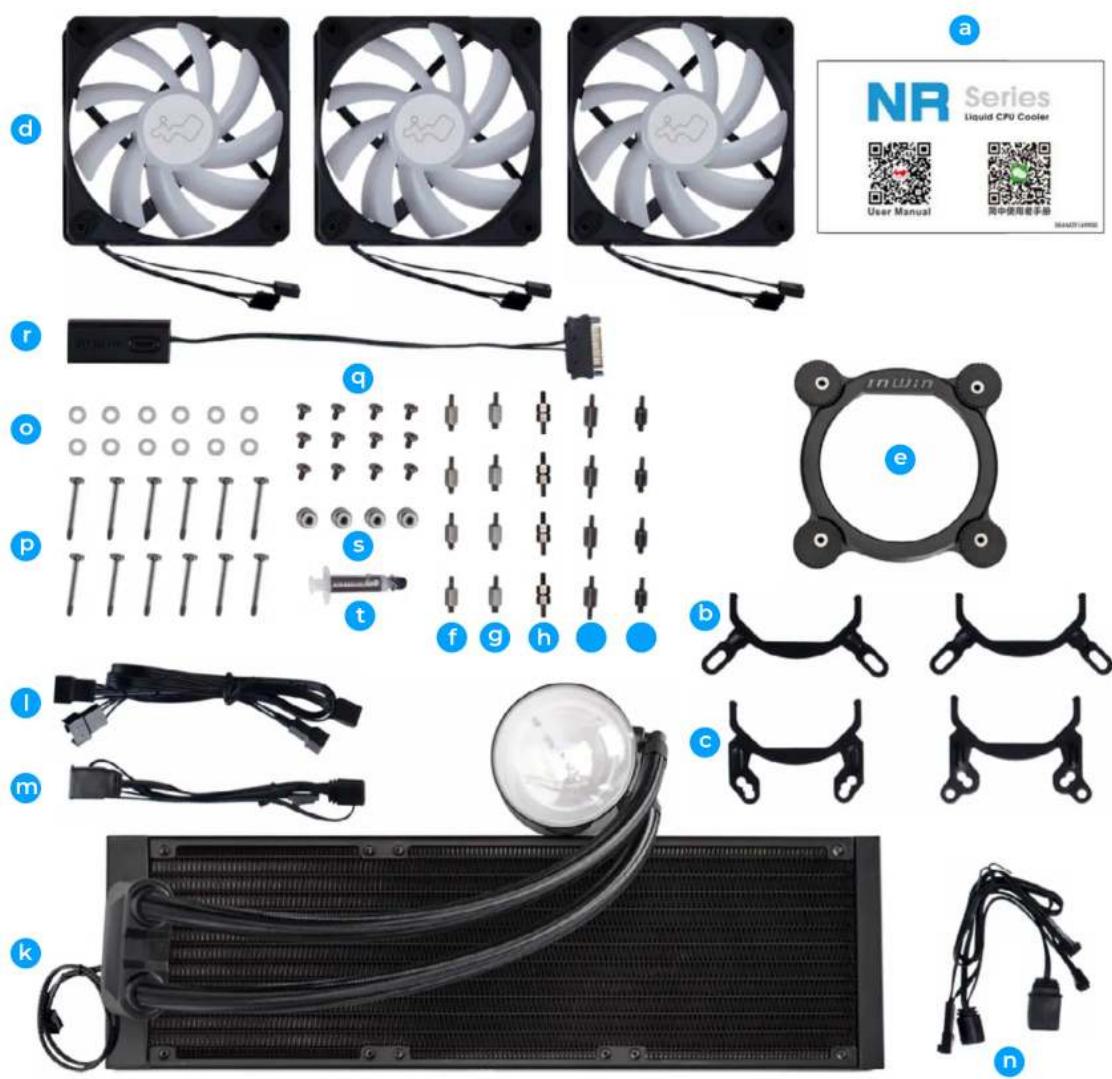
| a. QR Code Card x 1 |
| b. Intel Mounting Bracket x 2 |
| c. AMD Mounting Bracket x 2 |
| d. Luna AL120 Fans x 3 |
| e. Intel CPU Backplate x 1 |
| f. Standoff Screws x 4 (LGA 20XX) |
| g. Standoff Screws x 4 (LGA 115X/1200/1366) |
| h. Standoff Screws x 4 (LGA 1700) |
| i. Standoff Screws x 4 (AMD) |
| j Standoff Screws x 4 (TR4) |
| k. 360 Radiator x 1 |
| l. ARGB Water Block Cable x 1 |
| m. ARGB Fan Cable x 1 |
| n. PWM Fan Cable x 1 |
| o. Washer x 12 |
| p. Fan Screws x 12 |
| q. Radiator Screws x 12 |
| r. ARGB One-Click Controller x 1 |
| s. Thumbscrew Caps x 4 |
| t. Thermal Compound x 1 |
Installation Guide

* Please follow the related chapters to assemble.
* Please use the original provided accessories to avoid damage to the product.
(1) Install AL120 Fans to Radiator
Parts Required : 240 mm/360 mm radiator, Luna AL120 Fans, Washers, Fan Screws
Note : Please be sure to use a washer on each screw before installation.

(2) Install Fans and Radiator combo to your PC chassis.
Parts Required : Radiator Screws

Installation Guide
(3) Installation for motherboards
A. For Intel Motherboards (LGA 115X/1200/1366/20XX/1700)
(1) Switch the Intel backplate pins according to the CPU socket of your motherboard.
Note: Intel LGA 20XX does not require back plate installation.

(2) Attach the Intel backplate to the bottom of the motherboard.
Note: Intel LGA 20XX does not require backplate installation.
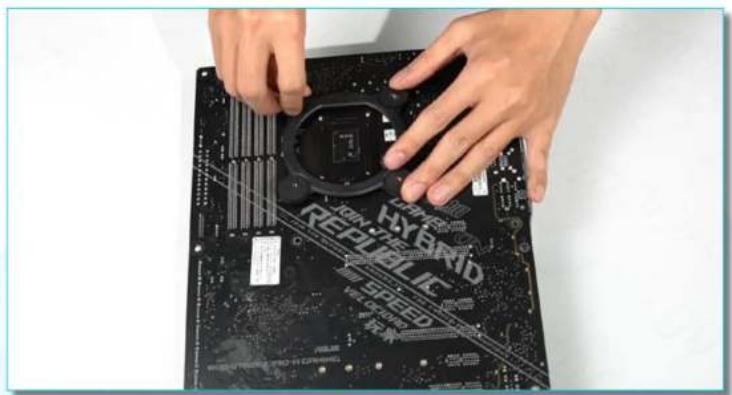
(3) Install the standoff screws onto your motherboard. Ensure to use the correct standoff screws for your CPU socket.
Parts Required : Standoff Screws (LGA115X/1200/1366/20XX/1700)
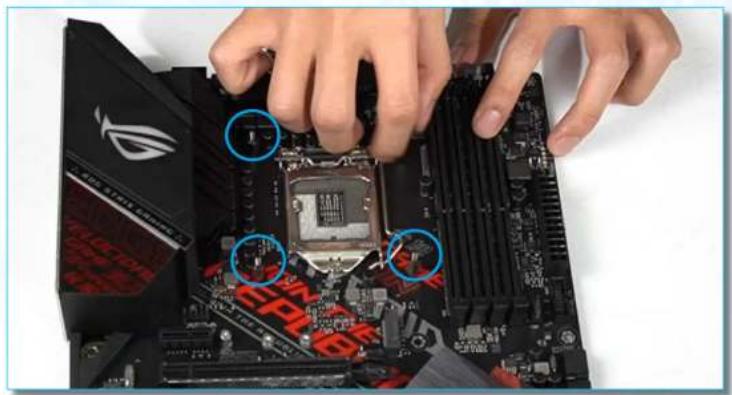
Installation Guide
B. For AMD Motherboards (AMD or TR4)
(1) Please remove the retention module. AMD's backplate comes with AMD's motherboard. Attach it to the bottom of motherboard.
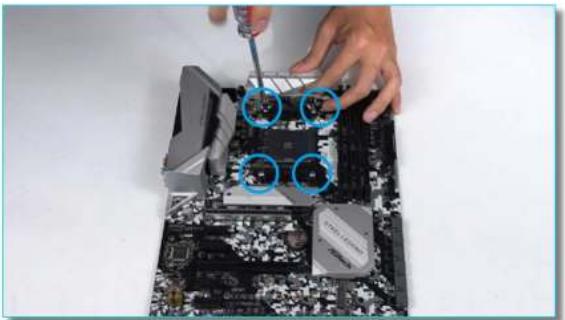

(2) Install the standoff screws onto your motherboard. Ensure to use the correct standoff screws for your CPU socket.
Parts Required : Standoff Screws (AMD or TR4)

Installation Guide
(4) Install the Pump Unit
A. Choose your Mounting Bracket according to your CPU
Parts Required: Intel or AMD Mounting Brackets, Thumbscrew Cap, Thermal Compound


B. Apply the Thermal Compound evenly on the CPU surface
C. Remove the protect film from the cold-plate


D. Install the water block and then tighten it with the Thumbscrews

Installation Guide
(5) Connection Cables
Parts Required: PWM Fan Cable, ARGB Fan Cable, ARGB Water Block Cable, Pump Cable

![graph TD A["5V ARGB Header"] --> B["5V ARGB Header to ARGB Water Block Cable"] B --> C["5V ARGB Header to AL120 Fans"] C --> D["Final 5V ARGB Header to AL120 Fans"]](/content/2026/07/1414970/images/87d434a9ef3b23771aa7e444e96e72cd53255660f0553225aae3e6f2033af46d.jpg)
Installation Guide
![graph TD A["P1"] --> B["4 Pin Header to M/B CPU_FAN"] B --> C["0"] C --> D["4 Pin Wafer to AL120 Fans"] D --> E["P2"] E --> F["4 - PWM"] E --> G["3 -"] E --> H["2 - FG +12V"] E --> I["1 - GND"] B --> J["100±5"] J --> K["P3"] K --> L["4 - PWM"] K --> M["3 - +12V"] K --> N["2 - GND"] J --> O["P4"] O -…](/content/2026/07/1414970/images/17ab8bc5931b6b5e0a7efd1cd0a0533af80da7025e980efda1476925079db640.jpg)
Pump Cable
* If your M/B does not have an AIO_Pump, you can connect the 3 Pin to a fan header, but it is recommended to set the output to DC 12V.

Installation Guide
(6) ARGB One-Click Controller Installation
If your motherboard does not support ARGB effects, please use the included ARGB One-Click Controller in order to use the 14 lighting modes.

![graph LR A["ARGB Cable Header"] <--> B["INWIN"] B --> C["PSU's SATA Cable"]](/content/2026/07/1414970/images/5aaea9420891fb9bb19f634ef27936902b3615040a17c8ce11480acdc8fb1876.jpg)
Installation Guide
Hold the button to turn on or off the lights. Tap the button to change the lighting modes.
| 1 | Rainbow | 8 | Two-Tone Ring |
| 2 | LED-Red Breathing | 9 | Diagonal Transition |
| 3 | LED-Green | 10 | Rotating LED Trio |
| 4 | LED-Blue | 11 | Full Circle |
| 5 | LED-Purple | 12 | Flow-Red |
| 6 | LED-White | 13 | Flow-Green |
| 7 | Light at the endof the Tunnel | 14 | Flow-Blue |
* InWin reserves the right to change the lighting modes.
Troubleshooting
■ If your AIO pump or fan does not operate properly, please follow the instructions below :
- Please check your system's power.
- Please make sure all the connectors are connected properly.
- For more technical support, please visit the InWin Forum website at https://forum.in-win.com/
Notices and Warranty
Notices
- Install in accordance with the user manual's instructions and safety warnings. Incorrect installation may burnout the motherboard and other system components.
- Keep this product away from areas with high temperatures such as: heat dissipation machines, air conditioners or other machines which may generate high temperatures.
- Please do not put anything in the impeller.
- Do not modify the cables and/or connectors included with this product.
- Please do not put your hands or other objects into the fan blades when the fan is in operation. And please make sure to keep away from children and pets.
- Please only use this product in a computer case.
- Please keep this product away from any liquids.
- Please use only this product's exclusively supplied cables. Other cables may not be compatible and could cause serious damage to your system and power supply
Warranty
- For more detailed warranty information, please visit the InWin retail website at www.in-win.com
- The actual product is subject to change without prior notice. IN WIN DEVELOPMENT INC. reserves the right to make any final modifications.

InWin
CONTEMPORARY & INNOVATIVE
www.in-win.com


- PRODUCT VIDEO INFORMATION
- PRODUCT STORY
- INTERSTELLAR COOLING
- SPECIFICATIONS
- NR24 PACKAGE CONTENTS
- NR36 PACKAGE CONTENTS
- INSTALLATION GUIDE
- INSTALL AL120 FANS TO RADIATOR
- INSTALL FANS AND RADIATOR COMBO TO YOUR PC CHASSIS
- INSTALLATION FOR MOTHERBOARDS
- FOR INTEL MOTHERBOARDS (LGA 115X/1200/1366/20XX/1700)
- FOR AMD MOTHERBOARDS (AMD OR TR4)
- INSTALL THE PUMP UNIT
- CHOOSE YOUR MOUNTING BRACKET ACCORDING TO YOUR CPU
- CONNECTION CABLES
- PUMP CABLE
- ARGB ONE-CLICK CONTROLLER INSTALLATION
- TROUBLESHOOTING
- IF YOUR AIO PUMP OR FAN DOES NOT OPERATE PROPERLY, PLEASE FOLLOW THE INSTRUCTIONS BELOW
- NOTICES AND WARRANTY
- NOTICES
- WARRANTY
Brand : In Win
Model : NR24
Category : Computer cooling