
SCOOBA - Cleaning Robot IROBOT - Free user manual and instructions
Find the device manual for free SCOOBA IROBOT in PDF.

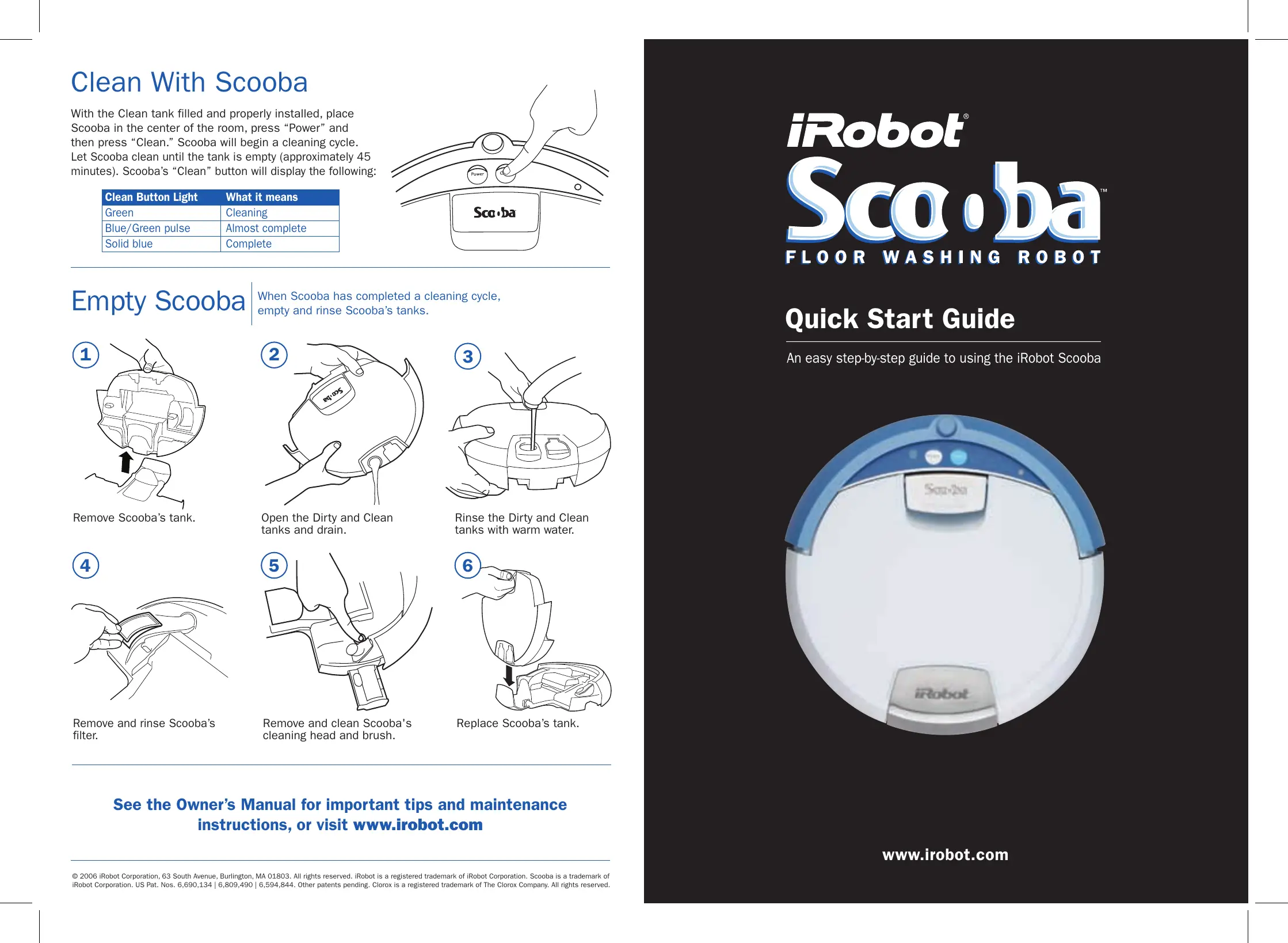

| Product Type | Floor washing robot |
| Brand | iRobot |
| Model | Scooba |
| Technology | AWARE™ Intelligence System |
| Cleaning functions | Pre-wash, wash, scrub, dry in one pass |
| Battery life | Approximately 45 minutes |
| Battery | Rechargeable |
| Charging time | First charge: 16 hours; normal charge: a few hours |
| Clean water tank capacity | Approximately 500 ml (estimated) |
| Dirty water tank capacity | Built-in, collects dirty water |
| Recommended floor types | Hard floors (tile, linoleum, etc.) |
| Movement modes | Spiral, wall following, room crossing |
| Battery indicator | Red (empty), Flashing green (charging), Solid green (charged) |
| Cleaning indicator | Green (cleaning), Flashing blue/green (nearly done), Solid blue (finished) |
| Maintenance | Empty and rinse tanks after each cycle; clean filter; clean the head and brush |
| Recommended cleaning product | Clorox Scooba solution or equivalent |
| Internal drying | Internal drying mode at end of cycle (flashing blue Clean light) |
| Included accessories | Measuring cup, cleaning solution (sample) |
| Support | Website: www.irobot.com |
Frequently Asked Questions - SCOOBA IROBOT
User questions about SCOOBA IROBOT
0 question about this device. Answer the ones you know or ask your own.
Ask a new question about this device
Download the instructions for your Cleaning Robot in PDF format for free! Find your manual SCOOBA - IROBOT and take your electronic device back in hand. On this page are published all the documents necessary for the use of your device. SCOOBA by IROBOT.
USER MANUAL SCOOBA IROBOT
Before You Get Started
Understand how iRobot Scooba cleans
Scooba's Cleaning Pattern
Scooba is a robot that cleans differently than the way most people clean their floors. Scooba uses iRobot's AWARE™ Robot Intelligence System to determine the best way to pass over and clean every section of the floor.
While Scooba is cleaning, it calculates the best path to clean your floor and it determines the best times to exhibit its various cleaning behaviors:
Spiraling: Enables Scooba to efficiently clean a concentrated dirty area
Wall following: Enables Scooba to clean the room perimeter and navigate around furniture and obstacles
Room crossing: Enables Scooba to clean new areas while crisscrossing the room
IMPORTANT: Let Scooba complete an entire cleaning cycle every time you clean
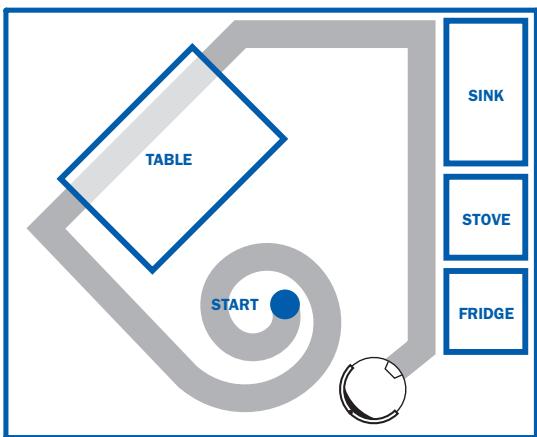
Scooba's Cleaning Pattern
Scooba's Cleaning System
Scooba performs 4 cleaning methods in one pass:
1 Prep -Picks up loose crumbs, sand, and dirt
2 Washes - Uses fresh, clean solution
3 Scrubs – Gently scrubs your floor, removing dirt, grime, and spills
4 Dries – Picks up the dirty solution, leaving the floor clean and dry*
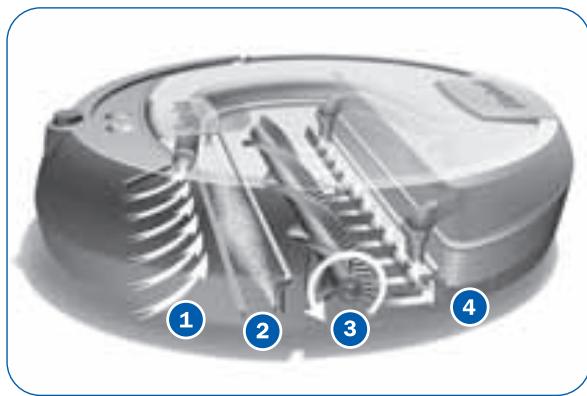
Internal Dry Mode
At the end of the cleaning cycle, Scooba will enter a brief internal drying mode to remove any liquid remaining on its brushes and inside its cleaning mechanisms. During this time Scooba's Clean light will blink blue.
- Floor drying time may vary.
Charge Scooba's Battery
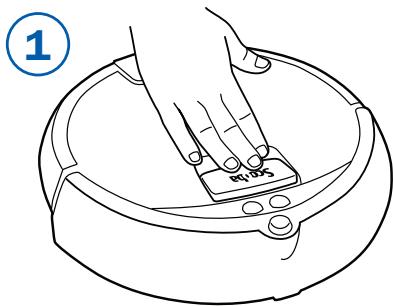
Release Scooba's tank by pushing the handle.
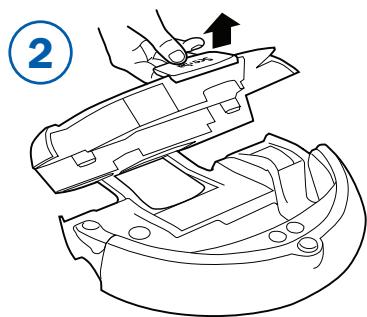
Grasp the handle and pull Scooba's tank up.

Place battery in Scooba by rotating the battery into its slot, making sure the yellow tabs fit inside the guide holes.
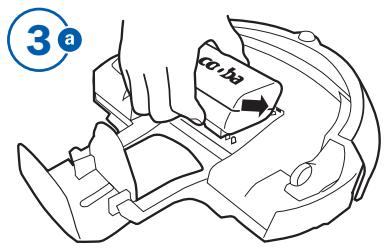
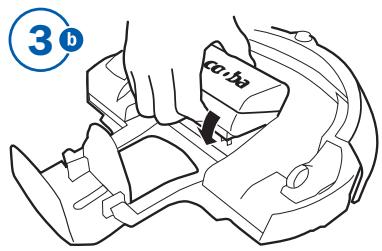

Plug the Power Supply into Scooba to charge the battery. For best performance, iRobot recommends charging Scooba's battery overnight the first time only.
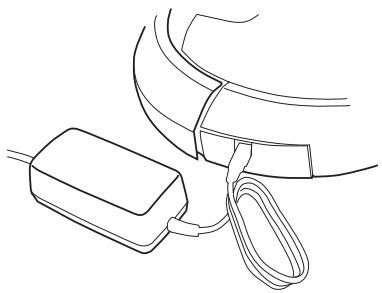
| Power Button Light | Battery Status |
| Red | Battery empty |
| Green pulse | Charging |
| Green fast pulse | 16-hour refresh charge |
| Solid Green | Fully charged |
| Blinking Red | Battery not installed |
Fill Scooba's Tank
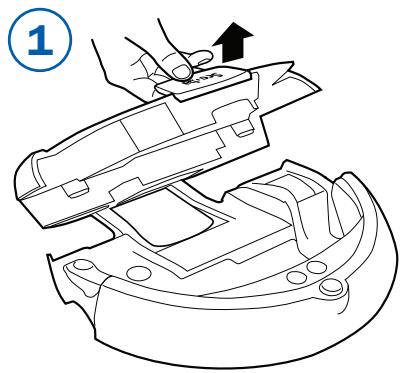
Open Scooba's tank.
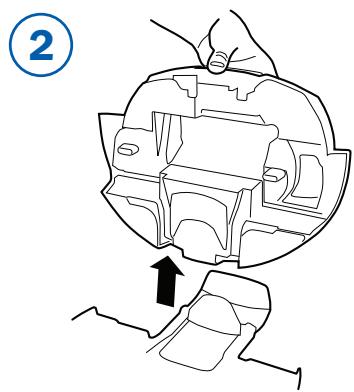
Lift the tank clear of the robot and place the tank on a flat surface.
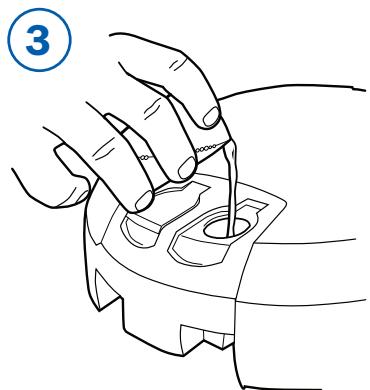
Using the included measuring cup, measure and pour Clorox Scooba cleaning solution into the Clean tank.
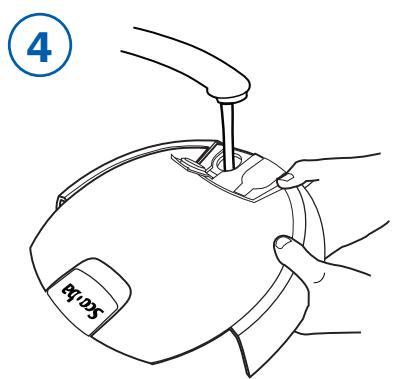
Slowly fill the remainder of the Clean tank with warm or cold tap water. Tilt the tank and ensure it is completely filled to the top.
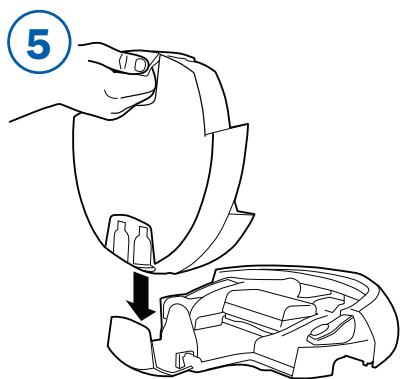
Secure the tank cap and place the tank back in the tank holder.
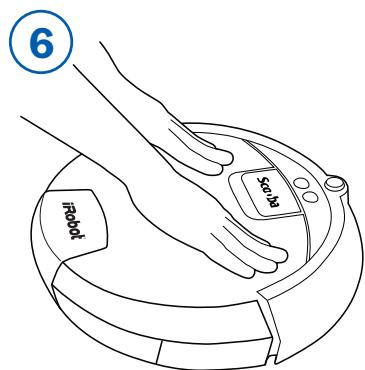
Close the tank by pressing down on the tank. You will hear a click when the tank is properly installed.

Use of plain tap water or extremely small amounts of cleaning solution reduces Scooba's ability to recognize water in the Clean tank. Always use the recommended amount of cleaning solution and water.
Clean With Scooba
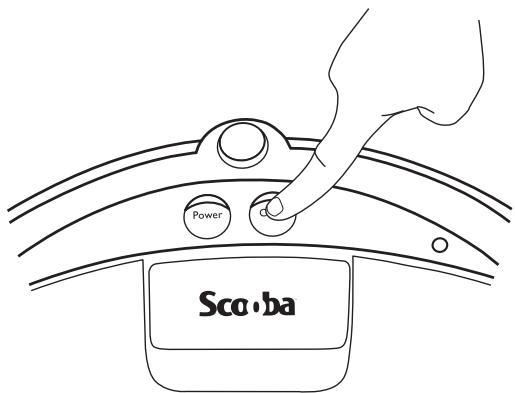
With the Clean tank filled and properly installed, place Scooba in the center of the room, press "Power" and then press "Clean." Scooba will begin a cleaning cycle. Let Scooba clean until the tank is empty (approximately 45 minutes). Scooba's "Clean" button will display the following:
| Clean Button Light | What it means |
| Green | Cleaning |
| Blue/Green pulse | Almost complete |
| Solid blue | Complete |
Empty Scooba
When Scooba has completed a cleaning cycle, empty and rinse Scooba's tanks.
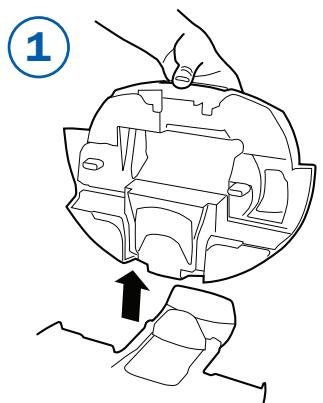
Remove Scooba's tank.
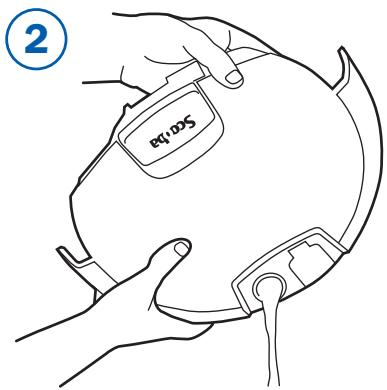
Open the Dirty and Clean tanks and drain.
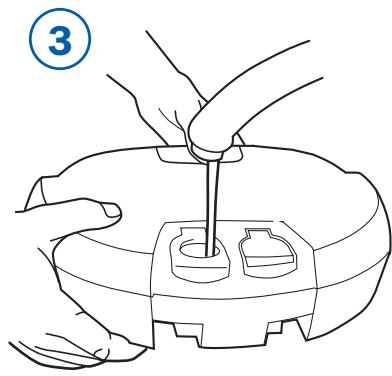
Rinse the Dirty and Clean tanks with warm water.
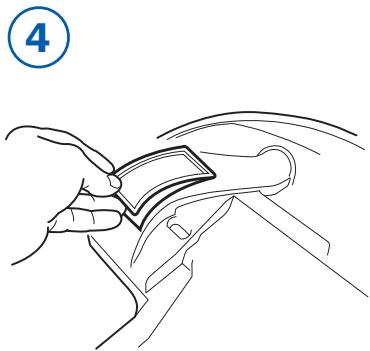
Remove and rinse Scooba's filter.
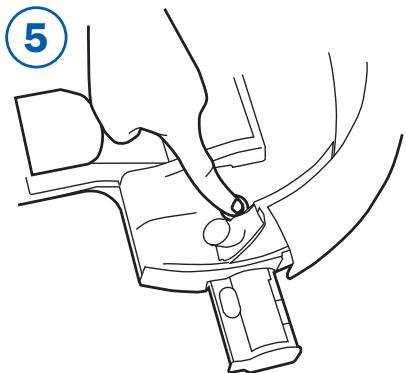
Remove and clean Scooba's cleaning head and brush.
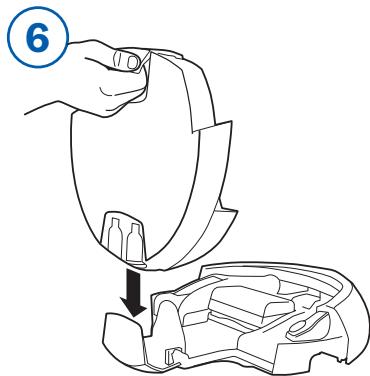
Replace Scooba's tank.
See the Owner's Manual for important tips and maintenance instructions, or visit www.irobot.com
Brand : IROBOT
Model : SCOOBA
Category : Cleaning Robot