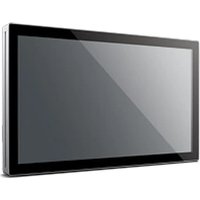
UTC-515D - Touchscreen Computer Advantech - Free user manual and instructions
Find the device manual for free UTC-515D Advantech in PDF.


Pick your language and provide your email: we'll send you a specifically translated version.
| Product Type | Industrial Touch Panel PC |
| Model | UTC-515D |
| Brand | Advantech |
| Display Size | 15 inches |
| Resolution | 1024 x 768 (XGA) |
| Touch Technology | Resistive touch |
| Processor | Intel Celeron J1900 (quad-core, up to 2.0 GHz) |
| Memory | 4 GB DDR3L |
| Storage | 32 GB SSD |
| Power Input | 12V DC |
| Power Consumption | 30 W typical |
| Dimensions (W x H x D) | 380 x 300 x 55 mm |
| Weight | 4.5 kg |
| IP Rating | IP65 (front panel) |
| Operating Temperature | 0°C to 50°C |
| Mounting | Panel mount, VESA 75/100 mm |
| Cooling | Fanless design |
| Features | Wide voltage input, anti-vibration, overcurrent protection |
| Maintenance | Clean with soft dry cloth; avoid harsh chemicals |
| Safety Certifications | CE, FCC |
| Spare Parts | Power adapter, mounting brackets, touchscreen digitizer |
Frequently Asked Questions - UTC-515D Advantech
How do I install the UTC-515D?
Installation is typically done via panel mounting. Cut a hole in the panel according to the dimensions provided in the manual, secure the unit with the included mounting clamps, and connect power and peripherals. For VESA mount, use compatible brackets.
What operating systems are supported?
The UTC-515D supports Windows 10 IoT Enterprise and various Linux distributions such as Ubuntu or Yocto. Drivers for these OS are available from Advantech's support website.
How to clean the touchscreen?
Use a soft, lint-free cloth slightly dampened with water or a mild glass cleaner. Do not use abrasive cleaners, alcohol, or ammonia-based products, as they may damage the touch layer.
What power supply is required?
The device operates on 12V DC input. A 60W power adapter is recommended. Ensure the power source can deliver at least 5A. The unit has overcurrent protection.
Is the UTC-515D fanless?
Yes, the UTC-515D features a fanless design with heat sink cooling. This makes it suitable for dusty or quiet environments and reduces maintenance.
Can I use the UTC-515D outdoors?
The front panel is rated IP65 for dust and water resistance, but the rear is not sealed. It is best suited for indoor use. If used outdoors, protect from direct rain and extreme temperatures.
What I/O ports are available?
Typical ports include USB 2.0/3.0, RS-232/422/485 COM ports, Gigabit Ethernet, audio jacks, and possibly HDMI or VGA output. Refer to the manual for exact configurations.
What is the warranty period?
Advantech typically offers a 2-year warranty for industrial panel PCs. Extended warranty options may be available through your distributor.
How to update drivers or BIOS?
Visit the Advantech support website, search for UTC-515D, and download the latest drivers, BIOS, and firmware updates. Follow the included instructions carefully.
Does the touchscreen work with gloves?
The resistive touchscreen works with any stylus or gloved hand because it responds to pressure. For capacitive touch, gloves may not be recognized unless they are conductive.
User questions about UTC-515D Advantech
0 question about this device. Answer the ones you know or ask your own.
Ask a new question about this device
No questions yet. Be the first to ask one.
Download the instructions for your Touchscreen Computer in PDF format for free! Find your manual UTC-515D - Advantech and take your electronic device back in hand. On this page are published all the documents necessary for the use of your device. UTC-515D by Advantech.
USER MANUAL UTC-515D Advantech


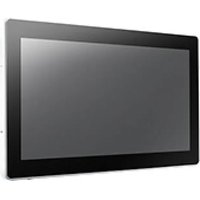
Manual assistant
Powered by Anthropic
Waiting for your message
Product information
Brand : Advantech
Model : UTC-515D
Category : Touchscreen Computer