
ROOMBA 5210 - Robot vacuum IROBOT - Free user manual and instructions
Find the device manual for free ROOMBA 5210 IROBOT in PDF.



| Product type | Robot vacuum |
| Brand | iRobot |
| Model | Roomba 5210 |
| Power supply | Rechargeable battery, automatic charging base (Home Base) |
| Charging time | 3 hours |
| Runtime | Up to 60 minutes (Clean mode) |
| Cleaning modes | Clean, Spot, Max, Dirt Detect |
| Navigation functions | Wall follow, spiral, room crossing, dirt detection |
| Sensors | Cliff sensors, dirt detector |
| Control | Remote control included |
| Included accessories | Charging base, virtual wall (Virtual Wall), remote control, cleaning tool |
| Brush maintenance | Clean every 3 uses, cut tangled hair |
| Filter maintenance | Clean or replace every 2 months |
| Dustbin emptying | Every 3 uses |
| Floor compatibility | Hard floors, carpets |
| Virtual wall range | Adjustable 1 to 3 meters |
| LED indicators | Green (fully charged), yellow, red (discharged) |
| Weight | Approximately 3.5 kg |
| Dimensions (L x W x H) | Approximately 34 x 34 x 9 cm |
Frequently Asked Questions - ROOMBA 5210 IROBOT
User questions about ROOMBA 5210 IROBOT
0 question about this device. Answer the ones you know or ask your own.
Ask a new question about this device
Download the instructions for your Robot vacuum in PDF format for free! Find your manual ROOMBA 5210 - IROBOT and take your electronic device back in hand. On this page are published all the documents necessary for the use of your device. ROOMBA 5210 by IROBOT.
USER MANUAL ROOMBA 5210 IROBOT
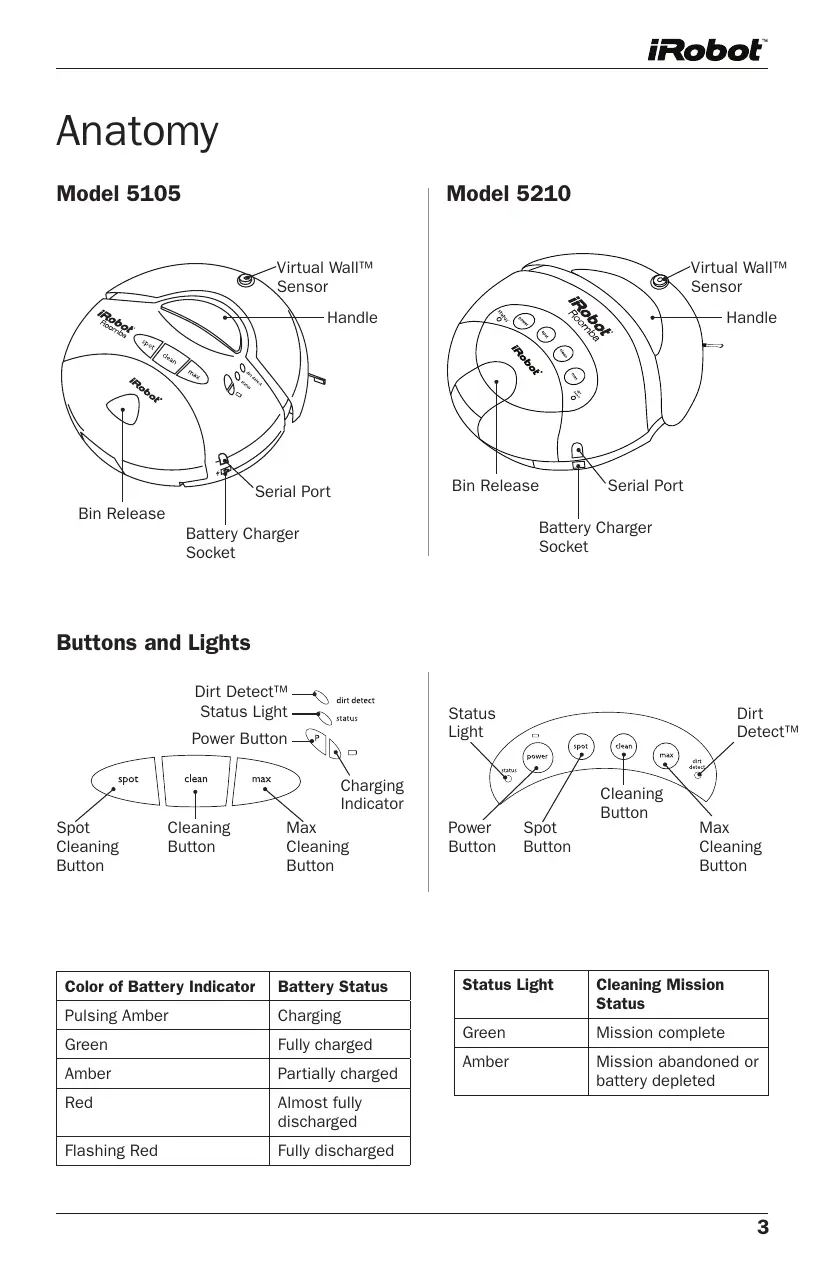
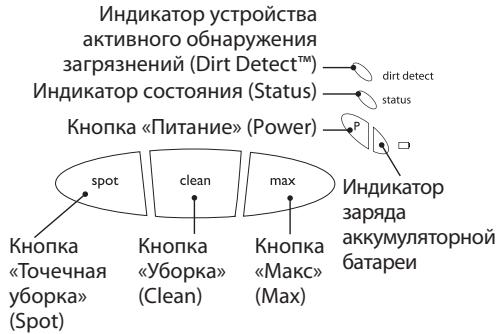
| Color of Battery Indicator | Battery Status |
| Pulsing Amber | Charging |
| Green | Fully charged |
| Amber | Partially charged |
| Red | Almost fully discharged |
| Flashing Red | Fully discharged |
| Status Light | Cleaning Mission Status |
| Green | Mission complete |
| Amber | Mission abandoned or battery depleted |
How It Works
Roomba's Cleaning Pattern
Roomba is a robot that cleans differently than the way most people clean their floors. Roomba uses iRobot's AWARE™ Robot Intelligence System to determine the best way to pass over and clean every section of the floor.
Roomba calculates the optimal cleaning path as it cleans and determines when to use its various cleaning behaviors:
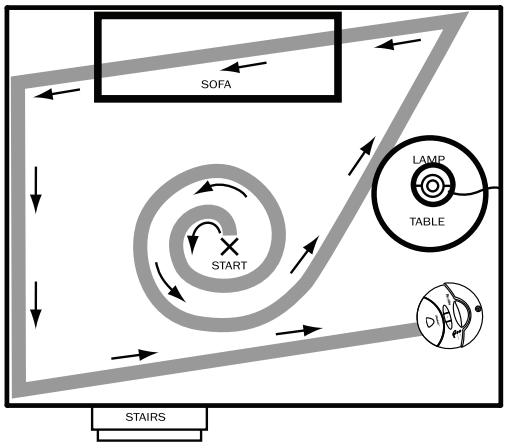
Wall Following: Cleans the perimeter of the room and navigates around furniture and obstacles.
Spiraling: Cleans a concentrated area.
Room Crossing: Ensures full coverage of an area.
Dirt Detect™: Senses dirt and cleans more intensely in that area.
TIP: Roomba takes approximately 45 minutes to clean an average room and will pass over the same area of the floor multiple times to ensure total floor coverage.
TIP: For faster cleaning, clear your floor of clutter and use a Virtual Wall to confine Roomba to one room.
TIP: Wires should be elevated off of the floor and rug tassels should be tucked under the rug to prevent Roomba from getting stuck.
Getting Started
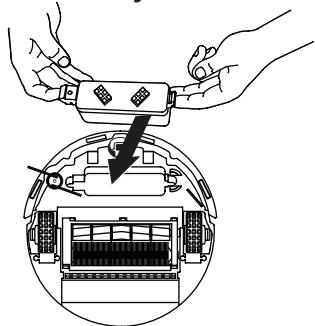
1 Place battery into Roomba.
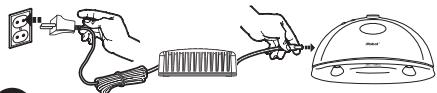
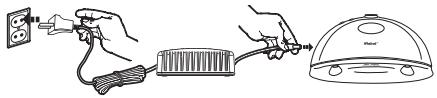
2 Set up Roomba's Self-Charging Home Base™
(included with Model 5210)
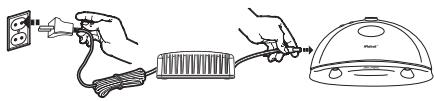
Charge Roomba in one of two ways:
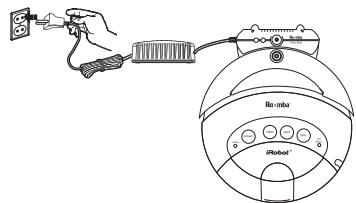
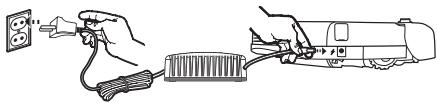
Or

Always keep Roomba plugged in or on the Home Base when not in use.
| Model | Charge Time |
| 5105 | 7 hours |
| 5210 | 3 hours |
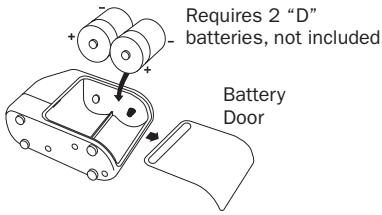
4 Set up the Virtual Wall™ to keep Roomba where you want it
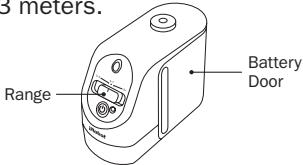
Set the Virtual Wall's range from 1 to 3 meters.
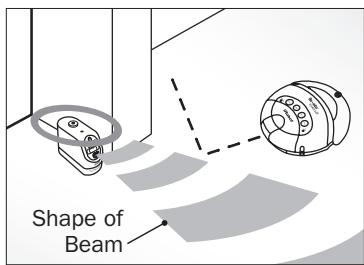
Place Virtual Wall in a doorway or other area you wish to block.
Clean With Roomba
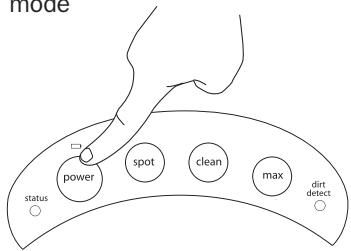
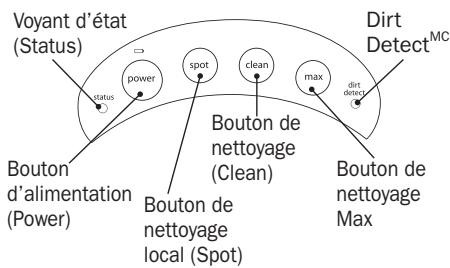
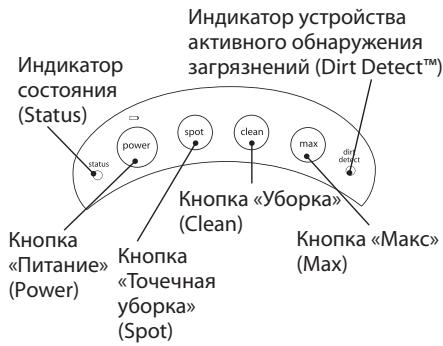
Press Power then select cleaning mode
Cleaning Modes
Roomba will clean based on the cleaning mode you select. Roomba has up to four cleaning modes, depending on your model:
Clean Mode
Roomba automatically calculates the room size and adjusts its cleaning time appropriately. Roomba may clean for up to 60 minutes.
Spot Mode
Roomba will spiral approximately 1 meter in diameter and then spiral back to where it started, intensely cleaning a localized area.
Max Mode
Roomba runs until its battery is nearly depleted.
Dirt Detect™
The blue Dirt Detect light will illuminate when Roomba has detected dirt and it will clean more intensely in that area.
Tips For Best Performance
- Roomba is very effective at picking up hair. Remove and clean Roomba's brushes after every 3 uses.
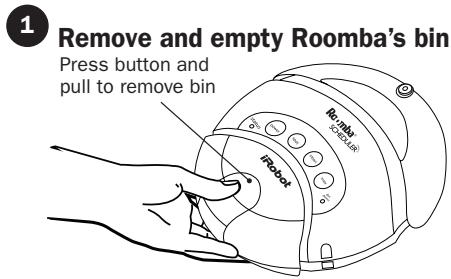
- Empty Roomba's bin and clean its filter after every 3 uses.
- To extend battery life, store Roomba connected to its charger or Home Base™.
- Use the Virtual Walls to keep Roomba cleaning where you want it.
- Keep wheels and brush free of hair and debris by inspecting and cleaning the bottom of the robot regularly.
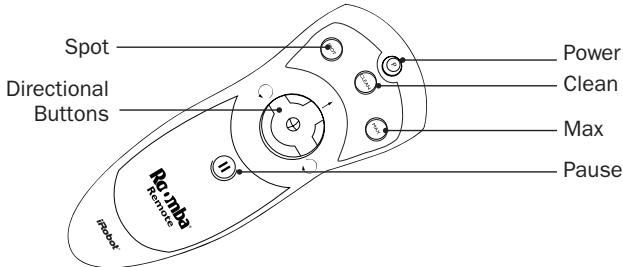
Remote Control
The Roomba Remote Control lets you conveniently control Roomba's functions.
Maintenance
To keep Roomba running at peak performance, it is recommended that you perform the following maintenance tasks every three uses:
2 Clean Roomba's filter compartment
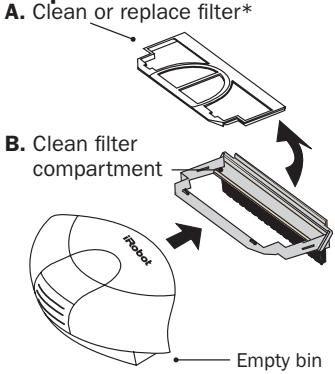
*Replace filter every 2 months
3 Inspect and wipe sensors clean each month
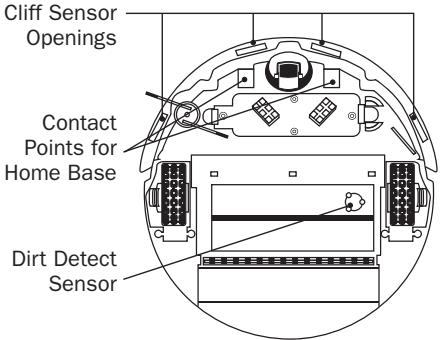
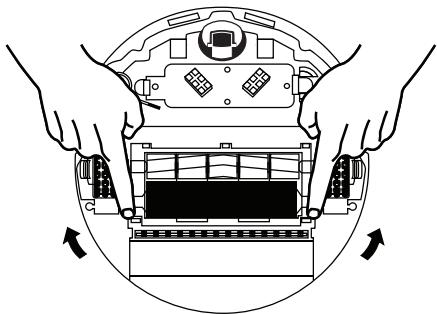
Clean Roomba's brushes regularly
A. Remove brush guard by pulling both yellow tabs
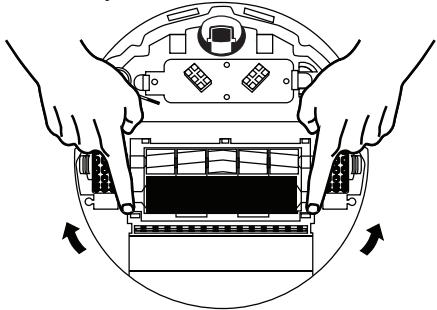
B. Remove both brush caps from end of bristle brush and use scissors to cut any hair wrapped around the brush.
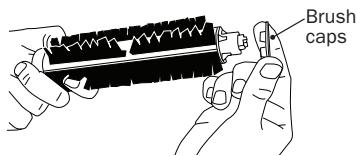
C. Use the Roomba cleaning tool to comb hair from brush.
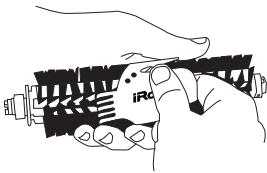
D. Remove and clean hair and dirt from Roomba's brush bearings.
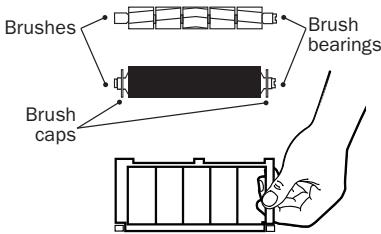
Additional information in English and instructional photos are available at www.irobot.com/usetips
Anatomie
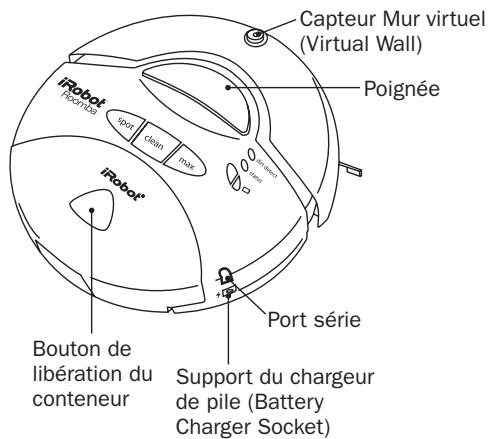
Modèle 5105
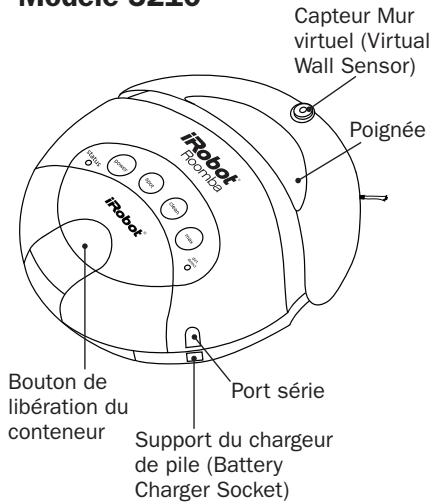
Modèle 5210
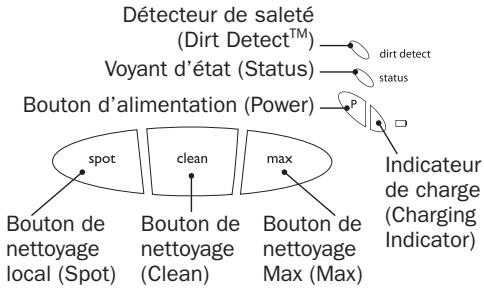
Boutons et voyants
A. Remove brush guard by pulling both yellow tabs
Monte a Base de auto-carregamento (Self-Charging Home BaseTM) do RoombaTM
(incluidacomodelo5210)
KhoNk n cBeToBbIe HndnKaToPbI
Tips for best ytelse
2 Koppla in Roombas Self-Charging Home BaseTM
(inkluderas med modell 5210)
3 Check ogrens sensorene haver maned.
Skrænt sensor (Cliff Sensor) abning.
- How It Works
- Roomba's Cleaning Pattern
- Roomba calculates the optimal cleaning path as it cleans and determines when to use its various cleaning behaviors:
- Getting Started
- Cleaning Modes
- Clean Mode
- Spot Mode
- Max Mode
- Dirt Detect™
- Tips For Best Performance
- Remote Control
- Maintenance
- Clean Roomba's filter compartment
- Inspect and wipe sensors clean each month
- Clean Roomba's brushes regularly
- Anatomie
- Monte a Base de auto-carregamento (Self-Charging Home BaseTM) do RoombaTM
- Tips for best ytelse
- Koppla in Roombas Self-Charging Home BaseTM
- Check ogrens sensorene haver maned.
Brand : IROBOT
Model : ROOMBA 5210
Category : Robot vacuum