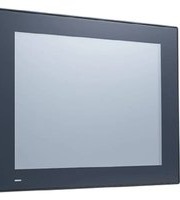
PPC-412 - Industrial computer Advantech - Free user manual and instructions
Find the device manual for free PPC-412 Advantech in PDF.


Pick your language and provide your email: we'll send you a specifically translated version.
| Product type | Industrial PC with touch screen |
| Brand | Advantech |
| Model | PPC-412 |
| Screen diagonal | 12.1 inches |
| Screen type | TFT LCD XGA |
| Resolution | 1024 x 768 pixels |
| Touch technology | 5-wire resistive |
| Processor | Intel Atom N2600 (1.6 GHz) |
| RAM memory | 2 GB DDR3 |
| Storage | SATA 2.5-inch 320 GB hard drive |
| Operating system | Windows Embedded Standard 7 |
| Power supply | 12 VDC input, 100-240 VAC power adapter |
| Max power consumption | 45 W |
| Dimensions (WxHxD) | 320 x 260 x 60 mm |
| Weight | 4.5 kg |
| Enclosure protection | IP65 (front panel) |
| Operating temperature | 0 °C to 50 °C |
| Relative humidity | 20% to 80% (non-condensing) |
| Connectivity | 2x USB 2.0, 2x RS-232, 1x VGA, 1x RJ45 Gigabit Ethernet |
| Maintenance and cleaning | Clean the screen with a soft cloth and non-abrasive cleaner |
| Safety | Grounding mandatory, do not open the enclosure while powered on |
| Spare parts | Available upon request from the manufacturer |
| Repairability | Repairability index not provided |
| Warranty | 2 years parts and labor |
| Included accessories | Power adapter, VGA cable, mounting kit |
Frequently Asked Questions - PPC-412 Advantech
How to turn on the PPC-412?
Press the power button located on the side or front panel. Wait for the operating system to boot.
How to connect a USB device?
Plug the device into one of the USB 2.0 ports on the back or side. The system will recognize it automatically.
Can I install another operating system?
Yes, the PPC-412 supports Windows and Linux. Check the manual for driver compatibility.
How to clean the touch screen?
Use a slightly damp soft cloth (water or mild cleaning product). Avoid solvents and abrasive cleaners.
The fan is noisy, is that normal?
Yes, the internal fan turns on to cool the processor. If it is abnormally loud, check that the air intakes are not obstructed.
How to reset the PPC-412 to factory settings?
Start the system and press the F8 key during startup to enter recovery mode. Follow the on-screen instructions.
What to do if the screen does not turn on?
First check the power: is the power adapter plugged in and the indicator lit? Then test with another cable if possible.
How to mount the PPC-412 on an arm?
Use the VESA 75x75 mm mounting holes on the back of the device. Attach the appropriate bracket and screw securely.
Is the PPC-412 waterproof?
The front panel is protected against water splashes and dust (IP65). The back must be protected from moisture.
How to update the BIOS?
Download the latest BIOS version from the Advantech website. Copy the file to a USB drive, start up and press F2 to enter BIOS, then use the update tool.
User questions about PPC-412 Advantech
0 question about this device. Answer the ones you know or ask your own.
Ask a new question about this device
No questions yet. Be the first to ask one.
Download the instructions for your Industrial computer in PDF format for free! Find your manual PPC-412 - Advantech and take your electronic device back in hand. On this page are published all the documents necessary for the use of your device. PPC-412 by Advantech.
USER MANUAL PPC-412 Advantech


Manual assistant
Powered by Anthropic
Waiting for your message
Product information
Brand : Advantech
Model : PPC-412
Category : Industrial computer