
TREDANSEN 105.124.39 - Roller blind IKEA - Free user manual and instructions
Find the device manual for free TREDANSEN 105.124.39 IKEA in PDF.


| Product type | Roller blind |
| Brand | IKEA |
| Model | TREDANSEN 105.124.39 |
| Dimensions (W x H) | 105 cm x 195 cm |
| Weight | 0.8 kg |
| Fabric material | Polyester with aluminum coating |
| Blackout type | Total blackout |
| Mechanism | Cordless (spring system) |
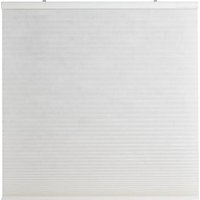
| Color | White |
| Mounting | Wall or ceiling (mounting hardware included) |
| Use | Indoor |
| Cleaning | Soft dry cloth or vacuum with brush |
| Safety | Cordless design to prevent entanglement risks |
| Repairability | Spare parts available (rails, springs, brackets) |
| Warranty | 1 year |
| Power source | None (manual mechanical) |
Frequently Asked Questions - TREDANSEN 105.124.39 IKEA
User questions about TREDANSEN 105.124.39 IKEA
0 question about this device. Answer the ones you know or ask your own.
Ask a new question about this device
Download the instructions for your Roller blind in PDF format for free! Find your manual TREDANSEN 105.124.39 - IKEA and take your electronic device back in hand. On this page are published all the documents necessary for the use of your device. TREDANSEN 105.124.39 by IKEA.
USER MANUAL TREDANSEN 105.124.39 IKEA
This appliance can be used by children aged from 8 years and above and persons with reduced physical, sensory or mental capabilities or lack of experience and knowledge if they have been given supervision or instruction concerning use of the appliance in a safe way and understand the hazards involved by a person responsible for their safety. Children shall not play with the appliance.
Cleaning and user maintenance shall not be made by children without supervision.
WARNING:
Follow all instructions since incorrect installation can lead to severe injury.
Save these instructions for future use.
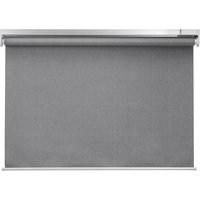
This package includes one wireless blind (1), one remote (2), one signal repeater (3), one power supply unit (4) and one battery pack (5).

Blind (1)
Remote (2)
Signal repeater (3)
Power supply unit (4)
Battery pack (5)
These products are already paired to each other, so you only need to connect the power supply unit to the signal repeater and then to a nearby wall socket. Then mount the blind to your window frame and insert the battery pack to get started.
Instructions for use

Connect the power supply unit into the wall socket, insert the signal repeater into the free slot.
When charging, only use recommended USB cables for your device and replace faulty cables immediately.
Remote functions

Press to raise your wireless blind.

Down:
Press to lower your wireless blind.

Pairing: Used to add IKEA Home smart products to your system.
IMPORTANT: The signal repeater needs to be plugged in and powered to be able to control your blind with the remote!
Signal repeater function
With TRÄDFRI signal repeater you can expand the signal reach of your IKEA Home smart products.
Using your wireless blind
To raise blind to top position:
Press the up button once (short press) on the remote or on the blind.
To lower blind to bottom position:
Press the down button once (short press) on the remote or on the blind.
To raise the blind:
Press and hold the up button on the remote or on the blind.
While pressing the button, the blind will rise. Release the button once the desired height or maximum height is reached.
To lower the blind:
Press and hold the down button on the remote or on the blind.
While pressing the button, the blind will lower. Release the button once the desired height or the maximum extension is reached.
Setting desired minimum height:
Only the buttons on the blind can be used to set this level.
Move the blind to the desired height. Afterwards, short press either the up or down button on the blind twice to save this position as the new minimum height.
The blind will move slightly up and down to confirm the setting.
Resetting minimum height:
To change the minimum height or revert to the default minimum height setting, first move the blind to the top position. Afterwards, press either the up or down button on the blind twice.
The blind will move slightly up and down to confirm the setting.
Repeat the above steps to set a new desired minimum height.
Correcting unbalanced blind

If the blind gets stuck when lowering, it might become unbalanced.
Raise the blind completely to level it again.
Adding devices to your remote
Pairing: Used to add IKEA Home smart products to your system.

Follow these steps to add more wireless blinds to your system. Make sure that your wireless blind is turned on.
- Open the back cover of the remote and find the pairing button.
- Short press both buttons on the blind. This will wake up the device and it is ready for pairing for 2 minutes.
- Hold the remote close to the wireless blind you want to add: no more than 5 cm away from (1).
- Press and hold the pairing button on the remote for at least 10 seconds.
- A red LED light will illuminate on the remote. On your wireless blind, a white LED light will begin to dim and flash until the devices have been successfully paired.
Up to 10 wireless blinds can be paired with 1 remote.
Make sure to pair one blind at a time. If you have difficulties pairing multiple blinds, temporarily disconnect those that have already been paired by disconnecting the battery pack inside the blind. This will help with the pairing process.
Changing the remote's battery
When the remote is used regularly and as intended, the battery will last for approximately 2 years.
When it's time to replace the battery, a red LED light will flash when you use the remote.
Open the rear cover and replace the battery with a new CR2032 battery.
WARNING!
Risk of explosion if battery is replaced by an incorrect battery type. Dispose of used batteries according to the instructions.
Charging the battery pack
The included battery pack for wireless blind can be charged through the signal repeater unit.
Use the included USB cable for charging.
Upon normal use, the battery pack should be charged every 6 months.
A LED indicator on the battery pack will display the status.
LED indicator status:
Charging in progress: LED on.
Charging complete: LED off.
Error: LED flashes.
Factory reset your devices
After resetting the signal repeater, you must pair the remote to the signal repeater and then pair the remote to the wireless blind again.
Signal repeater:
Push a pin into the pinhole on the bottom of the signal repeater for at least 5 seconds.


Remote:
Press the pairing button 4 times
within 5 seconds. A red LED light will flash, indicating that it has been reset.
Wireless blind:
Press and hold both buttons for 5 seconds.
A white LED light will flash 4 times, indicating the blind has been reset.
Good to know
- The power supply unit can be used to charge the wireless blind's battery pack.
- USB cable length and quality influence the charging speed and performance. • Devices may become warm during charging. This is completely normal and they will gradually cool down again after they are fully charged.
- Unplug the power supply unit from the wall socket before cleaning and when it is not in use.
- The battery pack should not be left discharged for a longer period of time.
- The battery pack should not be charged while in contact with flammable materials like textiles.
- This battery pack can only be used with IKEA products.
IMPORTANT!
Wireless blind package:
- The included devices are for indoor use only and can be used in temperatures ranging from 0°C to 40°C (32°F to 104°F). • Storage temperature: -20°C to 25°C (4°F to 77°F).
- Do not leave any device in direct sunlight or near any heat source, since it may overheat.
- The range between the transmitter and the receiver is measured in open air.
- Different building materials and placement of the units can affect the wireless connectivity range.
WARNING:
Power supply unit:
- The wall socket must be located near the equipment and must be easily accessible.
- If any device is damaged, it should not be used and should immediately be disposed of.
- Do not subject the units to wet, moist or excessively dusty environments since this can cause damage to the units.
- Never use a damaged or faulty USB cable for charging, since this can damage the product and harm your device.
Recommended precautionary measures and technical data, see the back of the power supply unit.
WARNING
Battery pack:
- Do not modify, disassemble, open, drop, crush, puncture, or shred the battery.
- Do not expose the battery to rain or water.
- Risk of fires and burns. Do not subject the battery to a temperature over 60°C and do not incinerate the battery.
- Keep the battery away from open flames or sunlight to prevent heat build-up.
- Keep the battery away from high voltage devices.
- This product is not a toy, keep away from children. Ensure that all persons who use this product read and follow these warnings and instructions.
- Do not short-circuit the battery or its cells.
- In the event of a battery cell leaking, do not allow the liquid to come in contact with the skin or eyes.
Product servicing
Do not attempt to repair these products yourself, since opening or removing covers may expose you to dangerous voltage points or other risks.
Technical data
| Type: E2103 | TREDANSEN | E1746 wireless signal repeater | E1766 Open/Close remote |
| Input: 7.2V DC, 2.0A 5.0V | V DC, 1.0A 3.0V, CR2032 battery | ||
| Range: 10 m in open air | |||
| For indoor use only | |||
| Operating frequency: | 2400-2483.5 MHz | ||
| Output power: 9.6 dBm | (EIRP) 9.6 dBm (EIRP) 7.3 dBm (EIRP) | ||
Power supply unit
Type: ICPSW5-5EU-1A
ICPSW5-5GB-1
Input: 100-240 VAC, 50/60 Hz, 0.2A
Output: 5.0V DC
Max total load: 1.0A, 5.0W
Average active efficiency: 78.3%
Efficiency at low load (10%): 66.9%
No load power consumption: 0.03W
Battery pack
Model: BRAUNIT battery pack
Type: ICBL7.2-18-USB-A1
Capacity: 2600mAh/18.72Wh
Input:
5.0V DC, 1.0A (Micro USB)
8.4V DC, 2.0A (4 pin connector)
Output: 7.2V DC, 2.0A
Rechargeable Li-Ion battery cell inside.
Indoor use only
Manufacturer: IKEA of Sweden AB
(commercial registration number: 556074-7551)
Address: Box 702, SE-343 81 Älmhult, SWEDEN

The crossed-out wheeled bin symbol indicates that the item should be disposed of separately from household waste. The item should be handed in for recycling in accordance with local environmental regulations for waste disposal. By separating a marked item from household waste, you will help reduce the volume of waste sent to incinerators or land-fill and minimize any potential negative impact on human health and the environment. For more information, please contact your IKEA store.
Roller blind (1)
Remote control (2)

Remote control:
Programming button within
5.0 V DC, 1.0 A (Micro-USB)
Smart blind (1)
Remote control (2)

Remote control:
Type: ICBL7,2-18-USB-A1
Rechargeable Li-ion battery included.
Manufacturer: IKEA of Sweden AB
Roller blind (1)
Remote control (2)
Signal amplifier (3)
Power adapter (4)
Battery pack (5)

Remote control:
Max. total load: 1.0 A, 5.0 W
Type: ICBL7.2-18-USB-A1
Capacity: 2600 mAh/18.72 Wh
Input current:
5.0 V DC, 1.0 A (micro-USB)
Roller blind (1)
Remote control (2)

Remote control:
Press the button 4 times
Max. total current load: 1.0 A, 5.0 W
Average efficiency in
Type: ICBL7.2-18-USB-A1
Capacity: 2600 mAh/18.72 Wh
Input power:
5 V DC, 1.0 A (micro-USB)
Manufacturer: IKEA of Sweden AB
(VAT number: 556074-7551)

Remote control:
press the pairing button
Manufacturer: IKEA of Sweden AB
(company registration number: 556074-7551)
Address:
Box 702, SE-343 81 Älmhult, SWEDEN"

Blinds (1)
Remote control (2)
Signal amplifier (3)
Power supply (4)
Battery pack (5)

Remote control:
Press the reset button 4
times within 5 seconds. A red LED will blink, indicating that it has been reset.
Wireless blind:
Maximum total load: 1.0 A, 5.0 W
Average active efficiency: 78.3%
Type: ICBL7.2-18-USB-A1
Capacity: 2600 mAh / 18.72 Wh
Input:
5 V DC, 1.0 A (Micro-USB)
8.4 V DC, 2.0 A (4-pin connector)
Output power: 19.0 V DC, 1.0 A, 19.0 W
Rechargeable Li-Ion battery cell inside.
Manufacturer: IKEA of Sweden AB

Remote control:
5.0 V DC; 1.0 A (Micro-USB)
Roller blind (1)
Remote control (2)

Remote control:
Roller blind (1)
Remote control (2)

Remote control:
5.0 V DC, 1.0 A (Micro USB)
Roller blind (1)

Remote control:
Type: ICBL7.2-18-USB-A1

Remote control:
Output voltage: 5.0 V DC
Maximum total load: 1.0 A, 5.0 W
Type: ICBL7.2-18-USB-A1
5.0 V DC, 1.0 A (Micro USB)

Remote control:

Manufacturer: IKEA of Sweden AB
Keep these instructions.


Remote control:
Press and hold the button for 5 seconds
5.0 V DC, 1.0 A (Micro USB)
8.4 V DC, 2.0 A (4-pin connection)
Output: 7.2 V DC, 2.0 A
Manufacturer: IKEA of Sweden AB
(Company registration number: 556074-7551)
Address: Box 702, SE-343 81 Älmhult, SWEDEN

Blind (1)

Remote control:
Hold the button pressed for 5 seconds.
Type: ICBL7.2-18-USB-A1
Capacity: 2600mAh/18.72Wh
Input:
5.0V DC, 1.0A (Micro USB)
8.4V DC, 2.0A (four-pin connector)
Output: 7.2V DC, 2.0A
Blind (1)
Remote control (2)
Signal repeater (3)

Remote control:
Type: ICBL7.2-18-USB-A1
Talpa: 2600 mAh/18.72 Wh
lèja:
5.0 V DC, 1.0 A (Micro USB)

Comando:
Type: ICBL7.2-18-USB-A1
5.0 V DC, 1.0 A (Micro USB)
Stor (1)
Remote control (2)
Signal repeater unit (3)

Remote control:
Type: ICBL7.2-18-USB-A1
Capacity: 2600mAh/18.72Wh
Input power:
5.0V DC, 1.0A (Micro USB)
8.4V DC, 2.0A (4-pin connector)
Output power: 7.2V DC, 2.0A
Shutter (1)
If the shutter gets stuck while lowering, it may become unbalanced.
Raise the shutter completely to rebalance it.
Add devices to the remote control


Remote control:
5.0 V DC, 1.0 A (Micro USB)
Shutter (1)
Remote (2)

Remote control:
Shutter (1)
Connect the power unit to a wall outlet, insert the signal transmitter into the free slot.
Follow these steps to add more wireless shutters to the system. Be sure to power on the wireless shutter.
The included battery for the wireless shutter can be charged via the signal transmitter unit. Use the included USB cable for charging.

Remote:
Press the pairing button 4 times within 5 seconds. The red LED light will blink, indicating that it has been restarted.
Wireless start curtain:

Output power: 5.0 V DC
Max. total power supply: 1.0 A, 5.0 W
Type: ICBL7.2-18-USB-A1
Capacity: 2600 mAh/18.72Wh
Input power:
5.0 V DC, 1.0 A (micro USB)
8.4 V DC, 2.0 A (4-pin connector)
Output power: 7.2 V DC, 2.0 A
Rechargeable Li-Ion battery inside.
Indoor use only
Curtain (1)
Remote control (2)

Control:
Blinds (1)

Blinds (1)

Shade (1)
Connect the power unit to a wall outlet, insert the signal transmitter into the free openings.
Follow these steps to add more wireless shades to the system. The wireless shade must be turned on.
- Open the cover on the back of the remote control and find the pairing button.
- Briefly press both buttons on the shade. This will wake the device and it will be ready for pairing for a period of 2 minutes.
- Hold the remote control close to the wireless shade you want to add: no further than 5 cm from (1).
- Press and hold the pairing button on the remote control for at least 10 seconds.
- A red LED light will light up on the remote control. On the wireless shade, a white LED light will start to blink until the devices connect.
You can pair up to 10 wireless shades with 1 remote control.
Pair one shade at a time. If there are difficulties pairing multiple shades, temporarily disconnect the already paired ones by removing the battery from the shade. This will help you in the pairing process.
When the remote control is used regularly and as intended, the battery will last approximately 2 years. When it is time to replace the battery, the red LED light will start blinking while the remote control is being used.
Open the cover on the back and replace the battery with a new CR2032 battery.
WARNING!
Risk of explosion if the battery is replaced with an incorrect type of battery. Dispose of used batteries according to the instructions.
Charging the battery

The battery for the wireless shade that comes with the product can be charged via the signal transmitter.
Use the USB cable that comes with the product for charging.

Remote:
Press and hold both buttons for 5 seconds. The white LED light will blink 4 times, indicating that the shade has been restarted.
Useful information
- The power unit can be used to charge the battery for wireless shades.
- The length and quality of the USB cable affect the charging speed and performance.
- Devices may heat up during charging. This is perfectly normal and they will gradually cool down again after they are fully charged.
- Unplug the power unit from the wall outlet before cleaning and when not in use.
- The battery should not be left empty for an extended period of time.
- The battery must not be charged while in contact with flammable materials such as textiles.
- The battery can only be used with IKEA products.
IMPORTANT!
Packaging of the wireless blind:
- The included devices are intended for indoor use only and can be used at temperatures from 0°C to 40°C. • Storage temperature: -20°C to 25°C.
- Do not leave the device in direct sunlight or near a heat source as it may overheat.
- The range between the transmitter and receiver is measured outdoors.
- Different building materials and the placement of the units can affect the range of the wireless connection.
WARNING:
Power supply:
- The wall outlet must be located near the equipment and must be easily accessible.
- If any device is damaged, it must not be used and should be disposed of immediately.
- Do not expose the units to wet, damp, or very dusty environments, as this may damage them.
- Never use a damaged or defective USB cable for charging, as this may damage your device.
For recommended precautions and technical data, see the back of the power supply unit.
WARNING
Batteries:
Shade (1)
Remote control (2)
Signal amplifier (3)
Power supply unit (4)
Battery pack (5)

Controller:
Press and hold both buttons simultaneously for 5 seconds. The white LED will flash 4 times, indicating that the shade has been reset.
Good to know
Type: ICBL7.2-18-USB-A1
Capacity: 2600 mAh/18.72 Wh
Input voltage:
5.0 V DC, 1.0 A (Micro USB)
8.4 V DC, 2.0 A (4-pin connector)
Output voltage: 7.2 V DC, 2.0 A

Remote control:
Wireless curtain:
Capacity: 2600mAh/18.72Wh
Input:
5.0V DC, 1.0A (Micro USB)
8.4V DC, 2.0A (4-pin connector)
Output: 7.2V DC, 2.0A


- WARNING
- SAVE THESE INSTRUCTIONS FOR FUTURE USE
- INSTRUCTIONS FOR USE
- REMOTE FUNCTIONS
- DOWN
- SIGNAL REPEATER FUNCTION
- USING YOUR WIRELESS BLIND
- TO RAISE BLIND TO TOP POSITION
- TO LOWER BLIND TO BOTTOM POSITION
- TO RAISE THE BLIND
- TO LOWER THE BLIND
- SETTING DESIRED MINIMUM HEIGHT
- RESETTING MINIMUM HEIGHT
- CORRECTING UNBALANCED BLIND
- ADDING DEVICES TO YOUR REMOTE
- FACTORY RESET YOUR DEVICES
- SIGNAL REPEATER
- REMOTE
- GOOD TO KNOW
- IMPORTANT
- WIRELESS BLIND PACKAGE
- POWER SUPPLY UNIT
- BATTERY PACK
- PRODUCT SERVICING
- INDOOR USE ONLY
- MANUFACTURER: IKEA OF SWEDEN AB
- REMOTE CONTROL
- INPUT CURRENT
- AVERAGE EFFICIENCY IN
- INPUT POWER
- ADDRESS
- KEEP THESE INSTRUCTIONS
- COMANDO
- ADD DEVICES TO THE REMOTE CONTROL
- WIRELESS START CURTAIN
- CONTROL
- CHARGING THE BATTERY
- USEFUL INFORMATION
- PACKAGING OF THE WIRELESS BLIND
- POWER SUPPLY
- BATTERIES
- CONTROLLER
- INPUT VOLTAGE
Brand : IKEA
Model : TREDANSEN 105.124.39
Category : Roller blind