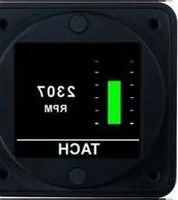
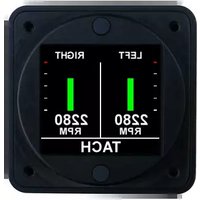
TM200S - Odometer Aerospace Logic - Free user manual and instructions
Find the device manual for free TM200S Aerospace Logic in PDF.


Pick your language and provide your email: we'll send you a specifically translated version.
| Product Type | Digital Odometer |
| Brand | Aerospace Logic |
| Model | TM200S |
| Category | Odometer |
| Display Type | LCD |
| Measurement Units | Miles / Kilometers |
| Power Supply | 12-24V DC |
| Dimensions (WxHxD) | 2.5 x 1.5 x 1.0 inches |
| Weight | 0.3 lbs |
| Operating Temperature | -20°C to 70°C |
| Key Functions | Distance measurement, trip reset, speed display, backlight |
| Mounting Type | Panel mount |
| Accuracy | ±0.1% |
| Maintenance | Clean with dry cloth |
| Safety | Fuse protected, shock resistant |
| Spare Parts | Replacement lenses and buttons available |
| Repairability | Modular design, serviceable by qualified technician |
| Compliance | FCC, CE |
Frequently Asked Questions - TM200S Aerospace Logic
How do I reset the trip odometer?
Press and hold the TRIP button for 3 seconds until the trip reading resets to zero.
What power source does the TM200S require?
The TM200S operates on 12-24V DC power, typically from the vehicle's electrical system.
Can I switch between miles and kilometers?
Yes, you can switch units by accessing the setup menu or using a toggle switch on the back of the unit.
How accurate is the TM200S odometer?
The odometer has an accuracy of ±0.1%, which is suitable for most aviation and automotive applications.
What do I do if the display is blank?
Check the power connection and fuse. Ensure the unit is receiving proper voltage. If still blank, contact support.
Is the TM200S waterproof?
It is water-resistant but not fully waterproof. Avoid direct exposure to heavy rain or submersion.
How do I clean the device?
Use a soft, dry cloth to wipe the case and lens. Do not use abrasive cleaners.
Can I install the TM200S myself?
Yes, installation is straightforward for those with basic electrical knowledge. Follow the wiring diagram in the manual.
Does the TM200S have a backlight?
Yes, it features a green backlight for easy reading in low light conditions.
Where can I buy replacement parts?
Replacement parts are available through Aerospace Logic authorized dealers or our website.
User questions about TM200S Aerospace Logic
0 question about this device. Answer the ones you know or ask your own.
Ask a new question about this device
No questions yet. Be the first to ask one.
Download the instructions for your Odometer in PDF format for free! Find your manual TM200S - Aerospace Logic and take your electronic device back in hand. On this page are published all the documents necessary for the use of your device. TM200S by Aerospace Logic.
USER MANUAL TM200S Aerospace Logic

Manual assistant
Powered by Anthropic
Waiting for your message
Product information
Brand : Aerospace Logic
Model : TM200S
Category : Odometer