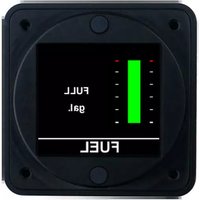
FL201 - Measuring equipment Aerospace Logic - Free user manual and instructions
Find the device manual for free FL201 Aerospace Logic in PDF.


Pick your language and provide your email: we'll send you a specifically translated version.
| Product Type | Digital Multimeter |
| Brand | Aerospace Logic |
| Model | FL201 |
| Dimensions | 150 x 80 x 30 mm |
| Weight | approx. 250 g (with batteries) |
| Power Supply | 2 x 1.5V AA batteries (not included) |
| Display | LCD, 3 1/2 digits, max 1999 |
| DC Voltage Range | 200 mV to 600 V |
| AC Voltage Range | 200 V to 600 V (50/60 Hz) |
| DC Current Range | 200 µA to 10 A |
| Resistance Range | 200 Ω to 20 MΩ |
| Continuity Test | Audible buzzer for < 50 Ω |
| Diode Test | Open circuit voltage approx. 2.8 V |
| Capacitance Measurement | 2 nF to 20 µF |
| Safety Rating | CAT II 600 V |
| Overload Protection | 600 V DC/AC RMS |
| Input Impedance | 10 MΩ (DCV) |
| Operating Temperature | 0°C to 40°C |
| Storage Temperature | -10°C to 50°C |
| Accessories Included | Test leads, user manual |
| Maintenance | Clean with a dry cloth; avoid moisture |
| Spare Parts | Test leads, batteries, fuse |
| Reparability | Designed for professional repair; replace fuse and leads as needed |
Frequently Asked Questions - FL201 Aerospace Logic
How to measure DC voltage with the FL201?
Set the rotary switch to the appropriate DCV range. Connect the black test lead to COM and red to VΩ. Apply the probes to the circuit. Read the displayed voltage.
What is the maximum voltage the FL201 can measure?
The FL201 can measure up to 600 V DC or AC RMS. Do not exceed this limit to avoid damage or injury.
How to perform a continuity test?
Turn the dial to the continuity (sound wave) symbol. Insert the probes as for resistance. If the circuit resistance is less than 50 Ω, the buzzer will sound.
Can the FL201 measure AC current?
Yes, the FL201 can measure AC current up to 10 A. Set the rotary switch to ACA range and connect the probes in series with the circuit.
What does 'CAT II 600V' mean?
CAT II refers to overvoltage category for measuring mains-connected equipment. It indicates the meter can withstand transient surges up to 600 V.
How to replace the fuse in the FL201?
Disconnect the meter and remove the battery cover. Locate the fuse holder (usually ceramic). Replace with a fuse of the same rating (e.g., 0.2A/250V).
Why does the display show '1' or 'OL'?
This indicates overload or out-of-range reading. Select a higher range or check that the probes are correctly connected.
How to clean and maintain the FL201?
Use a damp cloth with mild detergent. Never submerge in water. Keep the meter dry and store at room temperature.
Can I measure capacitance with the FL201?
Yes, the FL201 has a capacitance function up to 20 µF. Discharge the capacitor before measurement for accurate results.
Where can I download the user manual?
The manual is available for free on notice-facile.com in PDF format. Select your language and download directly.
User questions about FL201 Aerospace Logic
0 question about this device. Answer the ones you know or ask your own.
Ask a new question about this device
No questions yet. Be the first to ask one.
Download the instructions for your Measuring equipment in PDF format for free! Find your manual FL201 - Aerospace Logic and take your electronic device back in hand. On this page are published all the documents necessary for the use of your device. FL201 by Aerospace Logic.
USER MANUAL FL201 Aerospace Logic

Manual assistant
Powered by Anthropic
Waiting for your message
Product information
Brand : Aerospace Logic
Model : FL201
Category : Measuring equipment