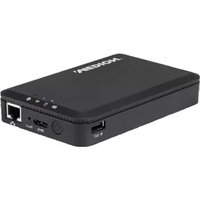
LIFE S88411 (MD 92411) - External hard drive MEDION - Free user manual and instructions
Find the device manual for free LIFE S88411 (MD 92411) MEDION in PDF.


Pick your language and provide your email: we'll send you a specifically translated version.
| Product Type | External Hard Drive |
| Brand | Medion |
| Model | LIFE S88411 (MD 92411) |
| Capacity | 1 TB |
| Interface | USB 3.0 (compatible with USB 2.0) |
| Data Transfer Rate | Up to 5 Gbps (USB 3.0) |
| Dimensions (L x W x H) | 118 x 78 x 14 mm |
| Weight | Approx. 150 g |
| Power Supply | Bus-powered via USB |
| Compatible Operating Systems | Windows 10/11, macOS 10.12 or later |
| Form Factor | 2.5-inch portable |
| Material | Plastic casing |
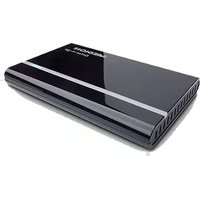
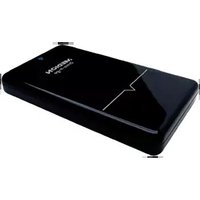
| Color | Black |
| LED Indicator | Yes (power/activity) |
| Plug and Play | Yes (no driver installation required) |
| Included Accessories | USB 3.0 cable, quick start guide |
| Security | No built-in encryption; third-party software may be used |
| Maintenance | Wipe with a dry cloth; avoid liquids |
| Spare Parts and Repairability | Not user-serviceable; warranty covers defects |
| General Information | Portable external storage for backup and file transfer |
Frequently Asked Questions - LIFE S88411 (MD 92411) MEDION
Is the Medion LIFE S88411 compatible with my computer?
Yes, it works with Windows 10/11 and macOS 10.12 or later via USB. It is plug and play, so no driver installation is needed.
Can I use this hard drive with a USB 2.0 port?
Yes, it is backward compatible with USB 2.0, but transfer speeds will be slower (up to 480 Mbps).
Does the drive require external power?
No, it is bus-powered through the USB cable. Just connect it to a USB port and it works.
How do I format the drive for my Mac?
You can format it to APFS or HFS+ using Disk Utility on macOS. Be aware that formatting erases all data.
Can I use the drive for automatic backups?
Yes, you can use built-in backup tools like Windows File History or macOS Time Machine with this drive.
What is the actual storage capacity?
The drive is advertised as 1 TB, but the usable capacity is slightly less due to formatting and system files, typically around 931 GB.
Why is the drive not recognized by my computer?
Check the USB connection, try a different port or cable. Ensure the drive is powered (LED should light up). If still not recognized, test on another computer.
Does this drive have any security features?
It does not include hardware encryption. You can use third-party software like VeraCrypt to encrypt the drive if needed.
Can I open the drive to replace the hard disk inside?
The casing is not designed to be opened. Attempting to disassemble may void the warranty. It is not user-serviceable.
How do I safely eject the drive?
On Windows, use Safely Remove Hardware icon in the taskbar. On macOS, drag the drive icon to the Trash (which becomes an Eject icon). Always eject before disconnecting to prevent data loss.
User questions about LIFE S88411 (MD 92411) MEDION
0 question about this device. Answer the ones you know or ask your own.
Ask a new question about this device
No questions yet. Be the first to ask one.
Download the instructions for your External hard drive in PDF format for free! Find your manual LIFE S88411 (MD 92411) - MEDION and take your electronic device back in hand. On this page are published all the documents necessary for the use of your device. LIFE S88411 (MD 92411) by MEDION.
USER MANUAL LIFE S88411 (MD 92411) MEDION
Manual assistant
Powered by Anthropic
Waiting for your message
Product information
Brand : MEDION
Model : LIFE S88411 (MD 92411)
Category : External hard drive