
ADDERView 4 PRO VGA - Switch Adder - Free user manual and instructions
Find the device manual for free ADDERView 4 PRO VGA Adder in PDF.


Pick your language and provide your email: we'll send you a specifically translated version.
| Product Type | KVM Switch |
| Brand | Adder |
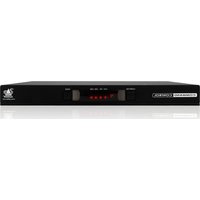
| Model | ADDERView 4 PRO VGA |
| Number of Ports | 4 |
| Video Type | VGA |
| Max Resolution | 1920x1440 @ 75Hz |
| Control Method | Front panel push buttons, keyboard hotkeys |
| Dimensions (W x D x H) | 254 x 150 x 44 mm |
| Weight | 0.9 kg |
| Power Supply | External 5V DC adapter |
| Power Consumption | 5W maximum |
| Operating Temperature | 0°C to 40°C |
| Storage Temperature | -20°C to 60°C |
| Humidity | 20% to 80% non-condensing |
| Switch Access | Direct port selection via front panel |
| Keyboard/Mouse Support | PS/2 and USB combination |
| AutoScan Feature | Yes, with adjustable interval |
| LED Indicators | Port status and power |
| Chassis Material | Metal |
| Ventilation | Passive (no fan) |
| Maintenance | Clean with a soft, dry cloth |
| Safety Precautions | Keep away from liquids and avoid overloading power source |
| Spare Parts / Repairability | No user-serviceable parts; contact authorized service center |
| Compliance | CE, FCC |
Frequently Asked Questions - ADDERView 4 PRO VGA Adder
Can I connect VGA and DVI computers to this switch?
No, the ADDERView 4 PRO VGA only supports VGA input. For DVI, consider a compatible model.
What is the maximum video resolution supported?
The switch supports up to 1920x1440 @ 75Hz VGA resolution.
How do I switch between computers?
You can switch by pressing the corresponding front panel button, using keyboard hotkeys (e.g., Ctrl+Alt+Shift+1-4), or enabling AutoScan mode.
Does it require external power?
Yes, it uses an external 5V DC power adapter (included). Power consumption is 5W maximum.
Can I use a wireless keyboard and mouse?
Yes, as long as the wireless receiver connects via USB. The switch supports USB HID devices.
What does AutoScan do?
AutoScan automatically cycles through connected computers at a user-adjustable interval, allowing you to monitor multiple systems.
How do I clean the switch?
Use a soft, dry cloth. Do not use liquids or abrasive cleaners.
Is there any software to configure the switch?
No, all configuration is done via front panel buttons or keyboard hotkeys. No software required.
What should I do if the switch stops working?
Check power and cable connections. If issues persist, try power cycling. If still defective, contact Adder support for repair.
Does this switch support audio?
No, this model does not include audio switching. It only switches VGA video and USB keyboard/mouse.
User questions about ADDERView 4 PRO VGA Adder
0 question about this device. Answer the ones you know or ask your own.
Ask a new question about this device
No questions yet. Be the first to ask one.
Download the instructions for your Switch in PDF format for free! Find your manual ADDERView 4 PRO VGA - Adder and take your electronic device back in hand. On this page are published all the documents necessary for the use of your device. ADDERView 4 PRO VGA by Adder.
USER MANUAL ADDERView 4 PRO VGA Adder


Manual assistant
Powered by Anthropic
Waiting for your message
Product information
Brand : Adder
Model : ADDERView 4 PRO VGA
Category : Switch