
S1156-8 PC - Water pump Nibe - Free user manual and instructions
Find the device manual for free S1156-8 PC Nibe in PDF.


Pick your language and provide your email: we'll send you a specifically translated version.
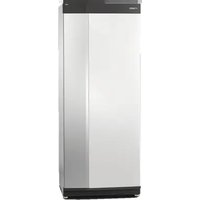
| Product Type | Water Pump (Circulation Pump) |
| Brand | Nibe |
| Model | S1156-8 PC |
| Dimensions (H x W x D) | 800 x 600 x 600 mm |
| Weight | 50 kg |
| Power Supply | 230 V, 50 Hz |
| Power Consumption | 200 W |
| Max Flow Rate | 8 m³/h |
| Max Head | 10 m |
| Fluid Temperature Range | 2 °C to 95 °C |
| Ambient Temperature Range | 0 °C to 40 °C |
| Insulation Class | F |
| Enclosure Protection | IP44 |
| Noise Level | ≤ 45 dB(A) |
| Connection Ports | G 1.5 inch (DN40) |
| Main Functions | Circulation of water in heating systems; variable speed control; overheat protection; dry-run protection |
| Maintenance | Clean filter annually; check pump for leaks; lubricate bearings every 2 years |
| Safety Features | Thermal overload protection; IP44 rated; automatic shut-off on fault |
| Spare Parts Availability | Available from Nibe authorized dealers; includes gaskets, impeller, motor |
| Warranty | 2 years (standard) |
| Certifications | CE, RoHS |
Frequently Asked Questions - S1156-8 PC Nibe
How do I install the Nibe S1156-8 PC water pump?
Installation should be performed by a qualified professional. Ensure the pump is mounted securely on a level surface, connected to the correct power supply (230V, 50Hz), and the piping is properly aligned. Refer to the manual for detailed steps.
What type of fluid can I use with this pump?
The pump is designed for clean water or water-glycol mixtures up to a maximum of 50% glycol. Avoid abrasive or corrosive fluids. The fluid temperature should be between 2 °C and 95 °C.
How do I clean the filter?
Turn off the pump and isolate it from the power supply. Loosen the filter cover, remove the filter screen, and rinse it with warm water. Reinstall and tighten. Perform this annually or when flow decreases.
What should I do if the pump is not starting?
Check the power supply and ensure the circuit breaker is not tripped. Verify that the pump is not blocked (turn off power and manually rotate the shaft). If the problem persists, contact a technician.
What is the warranty period for this pump?
The standard warranty is 2 years from the date of purchase. It covers manufacturing defects but not damage from improper installation or misuse. Register your product online to activate warranty.
Can the pump run dry?
No. The pump has dry-run protection, but it is not recommended to operate without fluid. Dry running can damage the mechanical seal and motor. Ensure the system is filled before starting.
How do I adjust the pump speed?
The S1156-8 PC features variable speed control. Use the control panel or external signal (0-10V or PWM) to adjust the speed to match system demand. Higher speed increases flow but also noise.
Is the pump suitable for hot water?
Yes, the pump can handle fluid temperatures up to 95 °C. For continuous operation above 80 °C, ensure adequate ventilation and check the ambient temperature limits.
How do I troubleshoot abnormal noise?
Noise may be caused by cavitation, air in the system, or debris. Bleed the system to remove air, check for debris in the impeller, and verify the pump is not operating against a closed valve.
Where can I find spare parts?
Spare parts such as gaskets, impellers, and motors are available from Nibe authorized distributors. Use the model number S1156-8 PC when ordering. Refer to the manual for part numbers.
User questions about S1156-8 PC Nibe
0 question about this device. Answer the ones you know or ask your own.
Ask a new question about this device
No questions yet. Be the first to ask one.
Download the instructions for your Water pump in PDF format for free! Find your manual S1156-8 PC - Nibe and take your electronic device back in hand. On this page are published all the documents necessary for the use of your device. S1156-8 PC by Nibe.
USER MANUAL S1156-8 PC Nibe


Manual assistant
Powered by Anthropic
Waiting for your message
Product information
Brand : Nibe
Model : S1156-8 PC
Category : Water pump