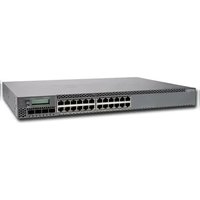
EX3300 - Switch Juniper - Free user manual and instructions
Find the device manual for free EX3300 Juniper in PDF.


Pick your language and provide your email: we'll send you a specifically translated version.
| Product Type | Managed 10/100/1000BASE-T Switch |
| Model | EX3300 |
| Brand | Juniper Networks |
| Dimensions (W x H x D) | 17.5 x 1.75 x 18.5 in (44.5 x 4.5 x 47 cm) |
| Weight | 10.8 lb (4.9 kg) |
| Power Supply | AC 100-240 V, 50-60 Hz, internal redundant optional |
| Power Consumption | Max 105 W (without PoE), up to 450 W with PoE+ |
| Port Density | 24 or 48 x 10/100/1000BASE-T ports |
| PoE+ Support | Yes, up to 30W per port (PoE+ models) |
| Uplink Ports | 4 x SFP+ 1/10 GbE (depending on model) |
| Switching Capacity | Up to 176 Gbps |
| Forwarding Rate | Up to 131 Mpps |
| Operating System | Junos OS |
| Management | CLI, Web GUI, SNMP, NMS support |
| VLAN Support | Yes, up to 4096 VLANs |
| Security Features | MACsec, ACL, DHCP Snooping, Dynamic ARP Inspection |
| Cooling | Internal fan; airflow from side to side |
| Operating Temperature | 32°F to 104°F (0°C to 40°C) |
| Storage Temperature | -40°F to 158°F (-40°C to 70°C) |
| Humidity | 10% to 85% non-condensing |
| Mounting | Rack-mount (1U), wall-mount optional |
| Included Accessories | Power cord, rackmount kit, console cable, documentation |
| Certifications | FCC, CE, UL, etc. |
Frequently Asked Questions - EX3300 Juniper
How to perform factory reset on Juniper EX3300?
Press and hold the Config button on the front panel for about 10 seconds until the LED blinks. Alternatively, use the request system reboot command or reset via CLI.
What is the default username and password for EX3300?
Default login is root with no password. You must set a password on first login.
How to enable PoE+ on EX3300?
PoE+ is enabled by default on ports 1-24 (or 1-48) on PoE model. Use set interfaces ge-0/0/0 poe to configure per port.
How to configure VLAN on EX3300?
Create VLAN with set vlans vlan-id and assign interfaces with set interfaces ge-0/0/0 unit 0 family ethernet-switching vlan members
What SFP+ modules are compatible with EX3300?
Use Juniper SFP+ optics (e.g., JNP-SFP-10GE-SR) or third-party modules. Ensure they are supported; some need license.
How to upgrade Junos OS on EX3300?
Download the .tgz package, copy to /var/tmp, then run request system software add /var/tmp/junos-...tgz, then reboot.
How to monitor switch temperature?
Use show chassis environment to view temperature sensors. Normal operating range is 0-40°C.
How to reset to factory defaults via CLI?
Enter request system zeroize to erase all configs and return to factory defaults.
What is the maximum number of ports with PoE?
On EX3300 with PoE+, all 48 ports can provide up to 30W each, but total PoE budget is 450W, limiting simultaneous usage.
How to configure link aggregation (LAG) on EX3300?
Create an ae interface: set interfaces ae0 aggregated-ether-options link-speed 1000, then assign member interfaces with set interfaces ge-0/0/0 ether-options 802.3ad ae0.
User questions about EX3300 Juniper
0 question about this device. Answer the ones you know or ask your own.
Ask a new question about this device
No questions yet. Be the first to ask one.
Download the instructions for your Switch in PDF format for free! Find your manual EX3300 - Juniper and take your electronic device back in hand. On this page are published all the documents necessary for the use of your device. EX3300 by Juniper.
USER MANUAL EX3300 Juniper


Manual assistant
Powered by Anthropic
Waiting for your message
Product information
Brand : Juniper
Model : EX3300
Category : Switch