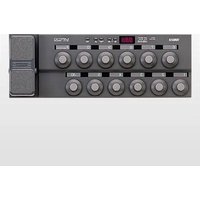
MFC10 - MIDI Keyboard YAMAHA - Free user manual and instructions
Find the device manual for free MFC10 YAMAHA in PDF.


Pick your language and provide your email: we'll send you a specifically translated version.
| Product Type | MIDI Foot Controller / Pedalboard |
| Brand | Yamaha |
| Model | MFC10 |
| Dimensions (W x D x H) | 540 mm x 170 mm x 60 mm |
| Weight | 2.3 kg |
| Power Supply | 9V DC (center positive) or 6 x AA batteries |
| Current Consumption | 200 mA (with DC adapter) |
| Number of Foot Switches | 10 (assignable) |
| Expression Pedal Input | 1 x 1/4" TRS (for optional pedal) |
| MIDI Connectors | IN, OUT, THRU (5-pin DIN) |
| MIDI Channels | 1-16, assignable per switch |
| Programmable Memory | Up to 10 banks with preset configurations |
| Operating Temperature | 0°C to 40°C |
| Included Accessories | Owner's manual, AC adapter (Yamaha PA-3C or similar) |
| Cleaning Instructions | Wipe with a soft, dry cloth; avoid solvents and abrasive cleaners |
| Safety Features | Non-slip rubber feet; auto power-off after 30 minutes of inactivity (battery mode) |
| Spare Parts Availability | Foot switches, rubber feet, power jack available from authorized Yamaha service centers |
| Repairability | Modular design; most components can be replaced by qualified technicians |
| General Information | Designed for live performance and studio control of MIDI devices such as synthesizers, effects processors, and software |
Frequently Asked Questions - MFC10 YAMAHA
How do I power the MFC10?
You can power the MFC10 using a 9V DC adapter (center positive, 200 mA minimum) or with six AA batteries. When using batteries, ensure they are inserted correctly and replace them when the low-battery indicator appears.
How do I connect the MFC10 to my computer?
The MFC10 has standard 5-pin MIDI ports. To connect to a computer, you need a MIDI interface or a USB-to-MIDI adapter. Connect the MIDI OUT of the MFC10 to the MIDI IN of your interface, and vice versa if you need bidirectional communication.
Can I assign different MIDI functions to each foot switch?
Yes, each of the 10 foot switches can be assigned to send specific MIDI messages such as program change, control change, note on/off, or even start/stop commands. Use the EDIT mode to configure assignments per switch and save them to a bank.
What is the purpose of the expression pedal input?
The expression pedal input (1/4" TRS) allows you to connect an optional Yamaha FC-7 or similar pedal to control a continuous MIDI controller (e.g., volume, wah, modulation). The pedal type can be set in the system settings.
How do I change the MIDI channel of a switch?
Enter EDIT mode, select the switch you want to edit, then use the numeric buttons to set the desired MIDI channel (1-16). Press STORE to save the setting to the current bank.
What does the 'BANK' button do?
The BANK button allows you to switch between up to 10 different memory banks. Each bank stores the complete configuration of all foot switches, so you can have different setups for different songs or devices.
Can I daisy-chain multiple MFC10 units?
Yes, you can connect the MIDI THRU of the first MFC10 to the MIDI IN of a second MFC10. However, each unit should be assigned separate MIDI channels to avoid conflicts.
How do I reset the MFC10 to factory defaults?
Press and hold the STORE button while powering on the unit. Continue holding until the LEDs flash, then release. This will erase all user settings and restore factory presets.
What type of batteries should I use?
Use six AA alkaline or rechargeable batteries. Rechargeable batteries (Ni-MH) are recommended for frequent use. Do not mix old and new batteries or different types.
How do I clean the foot controller?
Unplug the power and remove batteries. Wipe the surface with a soft, slightly damp cloth. Do not use alcohol, solvents, or abrasive cleaners. Avoid getting moisture into the switches or ports.
User questions about MFC10 YAMAHA
0 question about this device. Answer the ones you know or ask your own.
Ask a new question about this device
No questions yet. Be the first to ask one.
Download the instructions for your MIDI Keyboard in PDF format for free! Find your manual MFC10 - YAMAHA and take your electronic device back in hand. On this page are published all the documents necessary for the use of your device. MFC10 by YAMAHA.
USER MANUAL MFC10 YAMAHA


Manual assistant
Powered by Anthropic
Waiting for your message
Product information
Brand : YAMAHA
Model : MFC10
Category : MIDI Keyboard