EOE-4530 BK - Oven EDESA - Free user manual and instructions
Find the device manual for free EOE-4530 BK EDESA in PDF.


Pick your language and provide your email: we'll send you a specifically translated version.
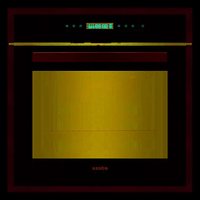
| Product type | Built-in oven |
| Brand | Edesa |
| Model | EOE-4530 BK |
| Color | Black |
| Dimensions (W x H x D) | 59,5 x 59,5 x 57,5 cm |
| Net weight | 34 kg |
| Power supply | 230 V / 50 Hz |
| Total power | 2800 W |
| Oven capacity | 70 L |
| Number of cooking functions | 8 |
| Main functions | Natural convection, fan-forced, grill, ventilated grill, bottom heat, top heat, defrost, lighting |
| Cleaning | Easy-clean enamel walls |
| Child safety | Yes, control lock |
| Automatic safety shutdown | Yes |
| Cold door | Yes, double glazing |
| Interior lighting | Yes |
| Timer | Yes, with automatic shut-off |
| Thermostat | Yes, adjustable from 50 to 250 °C |
| Energy class | A |
| Spare parts | Available from Edesa after-sales service |
| Repairability | Repairability index: 7.0/10 |
Frequently Asked Questions - EOE-4530 BK EDESA
How to install the Edesa EOE-4530 BK oven?
The oven must be installed by a qualified professional. Make sure it is properly built into a compatible cabinet and that the power supply matches the specifications (230 V / 50 Hz). Leave sufficient ventilation space.
How to preheat the oven correctly?
Select the desired function (e.g., fan-forced) and set the temperature. Wait for the preheating indicator to turn off, indicating that the temperature has been reached. The preheating time varies depending on the temperature.
What cooking functions are available?
The oven offers 8 functions: natural convection, fan-forced, grill, ventilated grill, bottom heat, top heat, defrost, and lighting. Use the function suited to your dish.
How to clean the inside of the oven?
Wait for the oven to cool down. Clean the enamel walls with a damp cloth and mild detergent. Avoid abrasive products. The racks and trays can be washed by hand or in the dishwasher.
Does the oven have a child lock?
Yes, the oven is equipped with a control lock. To activate it, press the lock button (often a padlock symbol) for a few seconds. Refer to the manual for the exact procedure.
What should I do if the oven does not heat?
First check the power supply (fuse, circuit breaker). Make sure the cooking mode and temperature are set correctly. If the problem persists, contact Edesa after-sales service.
How to change the oven light bulb?
Unplug the oven. Remove the glass protective cover (turn left). Replace the bulb with a new one of the same type (often 25 W, 300 °C). Put the cover back on and plug in. Caution, the bulb may be hot.
The oven makes noise during operation, is this normal?
A slight noise from the convection fan is normal. If the noise is loud or unusual, check that nothing is blocking the ventilation. If it continues, have the appliance checked.
What is the power consumption of the oven?
The total power is 2800 W. Consumption depends on the temperature and duration of use. The oven is energy class A, which is economical.
Where can I find spare parts for this oven?
Spare parts are available from Edesa after-sales service or on specialized websites. You can order online by indicating the model EOE-4530 BK. Refer to the manual for references.
User questions about EOE-4530 BK EDESA
0 question about this device. Answer the ones you know or ask your own.
Ask a new question about this device
No questions yet. Be the first to ask one.
Download the instructions for your Oven in PDF format for free! Find your manual EOE-4530 BK - EDESA and take your electronic device back in hand. On this page are published all the documents necessary for the use of your device. EOE-4530 BK by EDESA.
USER MANUAL EOE-4530 BK EDESA
Manual assistant
Powered by Anthropic
Waiting for your message
Product information
Brand : EDESA
Model : EOE-4530 BK
Category : Oven