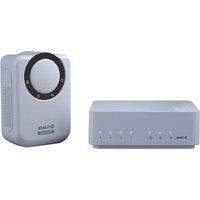
DHP-343 - Powerline Adapter D-LINK - Free user manual and instructions
Find the device manual for free DHP-343 D-LINK in PDF.


Pick your language and provide your email: we'll send you a specifically translated version.
| Product Type | Powerline Adapter (HomePlug AV) |
| Model | DHP-343 |
| Brand | D-Link |
| Dimensions (approx.) | 95 x 60 x 35 mm |
| Weight | ~150 g |
| Power Supply | AC 100-240V, 50/60Hz via integrated power plug |
| Power Consumption | < 5 W (typical), < 0.5 W standby |
| Data Transfer Rate | Up to 500 Mbps (physical) |
| Interface | 1x 10/100 Fast Ethernet port |
| Frequency Band | 2-86 MHz (Powerline) |
| Encryption | 128-bit AES |
| Security | Pairing button for secure connection |
| LED Indicators | Power, Link/Activity |
| Standards | HomePlug AV, IEEE 802.3, IEEE 802.3u |
| Operating Temperature | 0°C to 40°C |
| Storage Temperature | -20°C to 70°C |
| Humidity | 10% to 90% non-condensing |
| Certifications | CE, FCC |
| Maintenance & Cleaning | Wipe with dry cloth; disconnect before cleaning |
| Safety | Do not immerse in water; keep away from heat sources |
| Spare Parts & Repairability | No user-serviceable parts; contact support for issues |
| Package Contents | Powerline adapter, Ethernet cable, quick install guide |
Frequently Asked Questions - DHP-343 D-LINK
How do I set up the D-Link DHP-343 Powerline adapter?
Plug one adapter into a wall outlet near your router and connect it via Ethernet cable. Plug the second adapter into another outlet in the room where you need internet. Press the Pair button on both adapters to create a secure connection.
Why is the power LED not lighting up?
Ensure the adapter is plugged directly into a wall outlet (not a power strip). Try a different outlet. If still off, the adapter may be defective; contact D-Link support.
Can I use the DHP-343 with adapters from other brands?
The DHP-343 uses the HomePlug AV standard and should work with other HomePlug AV certified adapters, but compatibility is not guaranteed. For best performance, use D-Link adapters.
What is the maximum data transfer speed?
The theoretical speed is up to 500 Mbps. Actual throughput depends on electrical wiring quality, distance, and interference.
How far apart can the two adapters be?
Powerline adapters can work within the same electrical circuit, typically up to 300 meters (1000 feet) of wiring, but performance degrades with distance and number of circuit breakers.
Does the DHP-343 support Gigabit Ethernet?
No, it has a Fast Ethernet (10/100 Mbps) port, so maximum wired speed is 100 Mbps.
How do I reset the DHP-343 to factory defaults?
Locate the Reset button (usually a pinhole) on the device. Use a paperclip to press and hold for about 10 seconds until the LEDs flash. Release and wait for reboot.
Can I plug the adapter into a power strip or extension cord?
It is recommended to plug directly into a wall outlet to avoid signal degradation. Power strips with filters can block the powerline signal.
What do the LED indicators mean?
The Power LED should be solid green when powered on. The Link/Activity LED lights up when connected to another powerline device and blinks during data transfer.
Is the DHP-343 compatible with my router?
Yes, any router with a standard Ethernet port works. Connect via the included cable and configure as needed.
User questions about DHP-343 D-LINK
0 question about this device. Answer the ones you know or ask your own.
Ask a new question about this device
No questions yet. Be the first to ask one.
Download the instructions for your Powerline Adapter in PDF format for free! Find your manual DHP-343 - D-LINK and take your electronic device back in hand. On this page are published all the documents necessary for the use of your device. DHP-343 by D-LINK.
USER MANUAL DHP-343 D-LINK


Manual assistant
Powered by Anthropic
Waiting for your message
Product information
Brand : D-LINK
Model : DHP-343
Category : Powerline Adapter