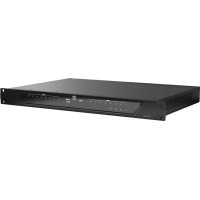
ZONE X 1208 D - Processor LD Systems - Free user manual and instructions
Find the device manual for free ZONE X 1208 D LD Systems in PDF.


Pick your language and provide your email: we'll send you a specifically translated version.
| Product type | Digital audio processor DSP |
| Brand | LD Systems |
| Model | ZONE X 1208 D |
| Dimensions (W x H x D) | 48.3 x 4.4 x 20.0 cm (1U rack) |
| Weight | Approximately 5.0 kg |
| Power supply | 100-240 V AC, 50/60 Hz |
| Audio inputs | 8 analog XLR inputs, 12 digital inputs via Dante |
| Audio outputs | 8 analog XLR outputs |
| Main functions | Equalization, crossover, delay, compression, limiting, mixing matrix |
| Network connectivity | Ethernet for control and Dante audio |
| Maintenance and cleaning | Clean with a dry, lint-free cloth. Do not use solvents. |
| Safety | Disconnect before any maintenance. Use only in a dry environment. |
| Spare parts and repairability | Contact LD Systems support for any repairs. Parts available on request. |
| General information | Device designed for fixed installation in a 19-inch rack. |
Frequently Asked Questions - ZONE X 1208 D LD Systems
How to connect the ZONE X 1208 D to my audio system?
Use the analog XLR inputs for standard sources or Dante inputs for a digital network. XLR outputs connect to amplifiers. Refer to the wiring diagram in the manual.
How to configure the equalization on the device?
Access the control software via Ethernet. Select the desired channel and adjust the parametric equalization bands. Save the configuration in one of the device's memories.
Can I use multiple ZONE X 1208 D together?
Yes, they can be synchronized via Dante and controlled from the same network. Each unit must have a unique IP address.
What cables are recommended for connections?
For analog inputs/outputs, use good quality balanced XLR cables. For Dante, an Ethernet cable CAT5e or higher is required.
How to reset the device to factory settings?
Hold down the 'Reset' button on the back for 5 seconds. All parameters will be erased and the device will restart with default settings.
The 'Signal' indicator does not light up on an input. What to do?
Check that the source is on and the XLR cable is properly connected. Test with another source or cable. If the problem persists, contact support.
What is the audio latency of the processor?
Latency is less than 1 ms in analog mode and about 1 ms in Dante mode, depending on network configuration.
How to update the firmware?
Download the latest firmware from the LD Systems website. Use the update software via Ethernet. Follow the on-screen instructions, do not cut off power during the process.
Does the device heat up normally?
Slight warmth is normal. Ensure vents are not obstructed and the device is in a well-ventilated rack. In case of overheating, the system automatically reduces power.
Where to find the serial number?
The serial number is on a label on the back of the device, near the power connector. Note it for any support requests.
User questions about ZONE X 1208 D LD Systems
0 question about this device. Answer the ones you know or ask your own.
Ask a new question about this device
No questions yet. Be the first to ask one.
Download the instructions for your Processor in PDF format for free! Find your manual ZONE X 1208 D - LD Systems and take your electronic device back in hand. On this page are published all the documents necessary for the use of your device. ZONE X 1208 D by LD Systems.
USER MANUAL ZONE X 1208 D LD Systems
Manual assistant
Powered by Anthropic
Waiting for your message
Product information
Brand : LD Systems
Model : ZONE X 1208 D
Category : Processor