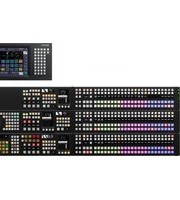
MVS-6530 - Video switch SONY - Free user manual and instructions
Find the device manual for free MVS-6530 SONY in PDF.


Pick your language and provide your email: we'll send you a specifically translated version.
| Product Type | Color Video Monitor |
| Brand | Sony |
| Model | MVS-6530 |
| Display Technology | CRT (Cathode Ray Tube) |
| Screen Size | 20 inches (51 cm) viewable |
| Dimensions (W x H x D) | 465 x 430 x 470 mm |
| Weight | 17.5 kg |
| Power Requirements | 100-240 V AC, 50/60 Hz |
| Power Consumption | 90 W (max) |
| Video Inputs | Composite, S-Video, RGB (BNC connectors) |
| Resolution | 600+ TV lines (horizontal) |
| Main Functions | On-Screen Display (OSD), color temperature adjustment, underscan/overscan, pulse cross |
| Cleaning Instructions | Wipe with a soft, dry cloth; do not use liquid cleaners. |
| Safety Precautions | Operate in a well-ventilated area; do not remove cover; qualified service only. |
| Spare Parts Availability | Contact Sony authorized service centers for replacement parts |
| Repair Information | Refer to service manual for internal adjustments; high voltage present. |
| Environmental Conditions | Temperature: 0°C to 40°C, Humidity: 20% to 80% (non-condensing) |
| Accessories Included | Power cord, BNC connector adapters, user manual |
| Intended Use | Professional video monitoring in broadcast, medical, or industrial applications |
| Certifications | Complies with FCC Class A, CE, UL |
Frequently Asked Questions - MVS-6530 SONY
What video signals are supported by the Sony MVS-6530?
The MVS-6530 supports composite video, S-Video (Y/C), and RGB signals via BNC connectors. It can handle standard NTSC/PAL formats.
How do I adjust the picture settings on the MVS-6530?
Use the On-Screen Display (OSD) menu accessed via the front panel buttons. You can adjust brightness, contrast, color, sharpness, and color temperature.
Why is there no picture on the monitor?
First, verify that the power cord is connected and the power switch is on. Check that a valid video source is connected and the input selection matches. Also ensure the signal source is active.
Can I use the MVS-6530 with a computer?
Yes, if your computer has an RGB video output (e.g., VGA via a converter) or composite/S-Video. However, the monitor is optimized for standard definition video signals.
How do I clean the screen of the MVS-6530?
Turn off and unplug the monitor. Wipe the screen gently with a soft, dry cloth. Do not use any liquid cleaners, as they may damage the anti-glare coating.
What is the weight of the Sony MVS-6530?
The monitor weighs approximately 17.5 kg (38.6 lbs). It is recommended to use two people for lifting and installation.
Is the MVS-6530 suitable for medical imaging?
Yes, it is often used in medical environments due to its high resolution and accurate color reproduction. However, verify with your specific application requirements.
How can I reset the monitor to factory defaults?
Access the OSD menu and navigate to the 'Setup' or 'System' section. Look for 'Factory Reset' or 'Initialize' option. Confirm the action to reset all settings.
What should I do if the monitor emits a burning smell?
Immediately unplug the monitor and stop use. A burning smell could indicate an electrical fault. Contact a qualified technician or Sony service center for inspection.
Where can I download the user manual for the MVS-6530?
The user manual is available for free download on notice-facile.com. Search for Sony MVS-6530 and select your preferred language.
User questions about MVS-6530 SONY
0 question about this device. Answer the ones you know or ask your own.
Ask a new question about this device
No questions yet. Be the first to ask one.
Download the instructions for your Video switch in PDF format for free! Find your manual MVS-6530 - SONY and take your electronic device back in hand. On this page are published all the documents necessary for the use of your device. MVS-6530 by SONY.
USER MANUAL MVS-6530 SONY
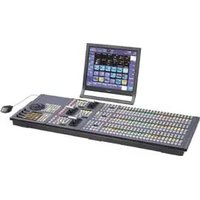


Manual assistant
Powered by Anthropic
Waiting for your message
Product information
Brand : SONY
Model : MVS-6530
Category : Video switch