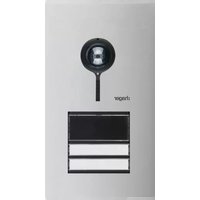
REQ602X - Intercom HAGER - Free user manual and instructions
Find the device manual for free REQ602X HAGER in PDF.


Pick your language and provide your email: we'll send you a specifically translated version.
| Product Type | Intercom |
| Brand | Hager |
| Model | REQ602X |
| Dimensions (H x W x D) | 120 x 80 x 30 mm |
| Weight | 200 g |
| Power Supply | 12V DC via door station or transformer |
| Current Consumption | < 100 mA |
| Audio Type | Full-duplex hands-free |
| Door Release | Supports electric strike release |
| Connection Type | 2-wire bus compatible with Hager door stations |
| Operating Temperature | -10°C to +40°C |
| Mounting | Wall-mounted (flush or surface box) |
| LED Indicators | Power and call status |
| Call Button | Yes, for internal calls or door opener |
| Volume Control | Adjustable via internal potentiometer |
| Cleaning Instructions | Wipe with a soft, dry cloth; do not use solvents |
| Safety Class | Low voltage (SELV) |
| Spare Parts | Contact Hager customer service |
| Compatibility | Works with Hager door stations and third-party locks |
| Warranty | 2 years |
Frequently Asked Questions - REQ602X HAGER
How do I install the REQ602X intercom?
Mount the unit onto a standard flush or surface box. Connect the 2-wire bus to the door station following the polarity markings. Ensure the power supply is 12V DC and does not exceed the rated current.
What type of wire should I use for connection?
Use a 2-wire twisted pair cable, minimum 0.5 mm² cross-section, suitable for low-voltage indoor installations.
Can I use the REQ602X with other brands of door stations?
The REQ602X is designed for Hager door stations. Third-party compatibility is not guaranteed unless the door station uses a standard 2-wire audio protocol.
How do I adjust the volume?
Open the housing and locate the small potentiometer on the PCB. Turn it clockwise to increase volume or counterclockwise to decrease. Reassemble carefully.
The intercom is not working. What should I check?
First, verify the power supply (12V DC). Check the wiring connections for polarity and continuity. Ensure the door station is powered and properly configured.
How do I connect an electric door strike?
Connect the door strike to the 'LOCK' terminals on the intercom. Ensure the strike operates at 12V DC and does not draw more than 1A.
Is the REQ602X weatherproof?
No, the REQ602X is intended for indoor use only. Protect it from moisture and extreme temperatures.
Can I have multiple intercom units on the same system?
Yes, multiple REQ602X units can be connected in parallel on the same 2-wire bus. Each unit will respond to calls from the door station.
How do I clean the intercom?
Use a soft, dry cloth to wipe the surface. Do not use liquid cleaners, sprays, or abrasive materials.
Where can I find the user manual or spare parts?
The user manual is available for free download on notice-facile.com. For spare parts, contact Hager customer support with your model number.
User questions about REQ602X HAGER
0 question about this device. Answer the ones you know or ask your own.
Ask a new question about this device
No questions yet. Be the first to ask one.
Download the instructions for your Intercom in PDF format for free! Find your manual REQ602X - HAGER and take your electronic device back in hand. On this page are published all the documents necessary for the use of your device. REQ602X by HAGER.
USER MANUAL REQ602X HAGER
Manual assistant
Powered by Anthropic
Waiting for your message
Product information
Brand : HAGER
Model : REQ602X
Category : Intercom