MMV1175JW - Microwave Oven MAYTAG - Free user manual and instructions
Find the device manual for free MMV1175JW MAYTAG in PDF.


Pick your language and provide your email: we'll send you a specifically translated version.
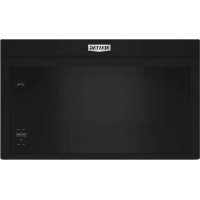
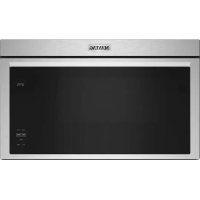
| Product Type | Over-the-Range Microwave |
| Brand | Maytag |
| Model | MMV1175JW |
| Capacity | 1.7 cu ft |
| Power Output | 1000 Watts |
| Voltage | 120 V ~ 60 Hz |
| Dimensions (W x H x D) | 29.9 x 16.5 x 15.6 inches |
| Weight | 55 lbs |
| Color | Stainless Steel |
| Control Type | Electronic Touch Keypad |
| Turntable | Yes, 12-inch glass |
| Exhaust Fan | 300 CFM, recirculating or vented |
| Interior Light | LED |
| Child Lock | Yes |
| Auto Defrost | Yes, by weight |
| Sensor Cooking | Yes, with moisture sensor |
| Popcorn Button | Yes |
| Cleaning | Easy-clean, stainless steel interior |
| Safety | Child lock, auto shut-off |
| Warranty | 1 Year Limited |
Frequently Asked Questions - MMV1175JW MAYTAG
How do I set the clock on my Maytag MMV1175JW?
Press the Clock button, then enter the time using the number pads, then press Clock again to confirm.
How do I use the sensor cooking feature?
Select the Sensor Cook option from the menu. The microwave automatically detects moisture and adjusts cooking time. Do not open the door until cooking is complete.
Why is my microwave not heating?
Check that the door is fully closed. If the issue persists, ensure the power cord is properly plugged in. If still not heating, a magnetron or high-voltage capacitor may need replacement.
How do I clean the microwave interior?
Wipe the interior with a damp cloth and mild detergent. For tough stains, place a bowl of water with lemon slices and microwave for 2-3 minutes to loosen residue. Do not use abrasive cleaners.
Can I replace the charcoal filter?
Yes, the charcoal filter should be replaced every 6-12 months. Remove the vent grille, take out the old filter, and insert a new one. Model number: W10248898.
How do I install the microwave?
Installation requires mounting to a cabinet above the range. Follow the installation manual for proper clearance. Ensure the ventilation system is correctly connected.
The turntable is not rotating. What should I do?
Make sure the glass tray is properly seated on the turntable hub. If it still doesn't rotate, check the drive coupling under the microwave floor.
How do I use the child lock?
Press and hold the Stop/Clear button for 3 seconds to lock the control panel. Repeat to unlock. The Child Lock icon will appear on the display.
What does the 'PF' error code mean?
The PF code indicates a power failure. Reset the clock and the error will disappear. If it persists, contact service.
How do I order replacement parts?
Visit the Maytag parts website or call customer service. Common parts include the grease filter (part #W10248897) and charcoal filter (part #W10248898).
User questions about MMV1175JW MAYTAG
0 question about this device. Answer the ones you know or ask your own.
Ask a new question about this device
No questions yet. Be the first to ask one.
Download the instructions for your Microwave Oven in PDF format for free! Find your manual MMV1175JW - MAYTAG and take your electronic device back in hand. On this page are published all the documents necessary for the use of your device. MMV1175JW by MAYTAG.
USER MANUAL MMV1175JW MAYTAG

Manual assistant
Powered by Anthropic
Waiting for your message
Product information
Brand : MAYTAG
Model : MMV1175JW
Category : Microwave Oven