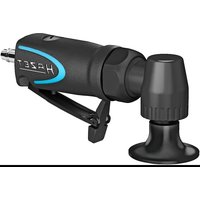
9033-480/10 - Sander Hazet - Free user manual and instructions
Find the device manual for free 9033-480/10 Hazet in PDF.


Pick your language and provide your email: we'll send you a specifically translated version.
| Product type | Random orbital sander |
| Brand | Hazet |
| Model | 9033-480/10 |
| Dimensions (L x W x H) | Approx. 300 x 150 x 180 mm |
| Weight | Approx. 2.5 kg |
| Power supply | Mains 230 V ~ 50 Hz |
| Power consumption | 500 W |
| No-load speed | 6000 - 12000 rpm (variable) |
| Pad diameter | 150 mm |
| Vibration damping | Yes |
| Paper fixing system | Velcro (hook-and-loop) |
| Dust extraction connection | Yes, with adapter |
| Sound level | 85 dB(A) |
| Power cable | 2.5 m |
| Warranty | 2 years |
| Box contents | Sander, pad, set of sanding sheets, wrench, instructions |
Frequently Asked Questions - 9033-480/10 Hazet
How to change the sandpaper?
To change the paper, unlock the pad by turning the fixing screw (if present) or lift the edge of the used paper. Clean the pad's Velcro, then place the new paper aligning it well. Press firmly so it adheres.
What type of abrasive to use?
Use abrasive discs of 150 mm diameter, with Velcro (hook-and-loop) attachment. The grit depends on the work: coarse grit (P40-P60) for roughing, medium grit (P80-P120) for sanding, fine grit (P180+) for finishing.
How to adjust the speed?
Use the adjustment wheel located on top of the sander. Turn it to increase or decrease the speed. Adapt the speed to the material: low speed for plastic, high for wood.
Can I use the sander without dust extraction?
Yes, but dust will be expelled. It is recommended to connect a vacuum cleaner to the dust extraction port for cleaner work and to protect your health. Use an adapter if necessary.
How to clean the sander after use?
Unplug the appliance. Remove the pad and blow out the dust with a compressed air jet or a soft brush. Clean the ventilation slots. Never immerse the sander in water.
What are the safety precautions?
Always wear safety goggles and a dust mask. Do not wear loose clothing. Ensure the workpiece is well secured. Hold the sander firmly with both hands. Unplug it before changing the abrasive.
The pad no longer rotates: what to do?
First check that the appliance is properly plugged in and the on/off switch works. If the motor runs but the pad does not, the transmission or pad is damaged. Consult an authorized repairer.
Where to find spare parts?
Spare parts (pad, switch, brushes) are available from Hazet's after-sales service or authorized dealers. Consult the manual for part numbers.
Is the warranty valid for professional use?
The standard 2-year warranty covers domestic use. For professional use, the warranty may be reduced. Check the specific conditions with Hazet or the dealer.
How to know if the pad is worn?
Inspect the pad: if it is cracked, deformed, or the Velcro no longer holds the abrasives well, it must be replaced. A worn pad can cause excessive vibration and uneven sanding.
User questions about 9033-480/10 Hazet
0 question about this device. Answer the ones you know or ask your own.
Ask a new question about this device
No questions yet. Be the first to ask one.
Download the instructions for your Sander in PDF format for free! Find your manual 9033-480/10 - Hazet and take your electronic device back in hand. On this page are published all the documents necessary for the use of your device. 9033-480/10 by Hazet.
USER MANUAL 9033-480/10 Hazet
Manual assistant
Powered by Anthropic
Waiting for your message
Product information
Brand : Hazet
Model : 9033-480/10
Category : Sander