
FK102 - Fax machine KONICA MINOLTA - Free user manual and instructions
Find the device manual for free FK102 KONICA MINOLTA in PDF.


| Product Type | Fax machine (optional kit for KONICA MINOLTA copier 7022/7130) |
| Brand | KONICA MINOLTA |
| Model | FK102 |
| Image Memory | 2 MB |
| Memory Capacity (pages) | Approximately 94 A4 pages at Fine resolution |
| Transmission Resolutions | Normal, Fine, Ultra-Fine |
| Transmission Modes | Memory, Direct, Manual, Delayed, Broadcast, Group, International |
| Reception Modes | Automatic (fax only), Manual (phone only), Memory Substitution |
| Maximum Transmission Speed | 33,600 bps (Super G3) |
| Advanced Transmission Functions | 2 in 1, Page by page, Edge erase, Long original, Folded original, Different originals, Reverse side inversion, ECM disabled, V34 disabled |
| Advanced Reception Functions | Transfer after reception, Confidential mailbox reception |
| Abbreviated Dialing | 200 numbers (00-99 and *00-*99) |
| One-Touch / Programmable Keys | 40 keys (01-40) |
| Dialing Groups | 20 groups (01-20) |
| Mailbox Functions | Confidential, Deposit/Retrieve |
| Relay Transmission | Yes (relay transmission request) |
| Access Code Transmission | Yes |
| Printable Reports | Communication journal, Transmission/reception reports, Abbreviated dial lists, etc. |
| Scanning | Automatic document feeder (single-sided, duplex, cover) and platen glass |
| Power Supply | Via the host copier (AC 220-240 V, 50/60 Hz) |
| Safety | WARNING: do not block vents, unplug before maintenance; CAUTION: avoid shocks, do not use flammable substances |
| Maintenance | Clean the platen glass and feeder with a soft cloth; avoid solvents |
| Spare Parts / Repairability | Contact customer service for parts and repairs; do not disassemble yourself |
Frequently Asked Questions - FK102 KONICA MINOLTA
User questions about FK102 KONICA MINOLTA
0 question about this device. Answer the ones you know or ask your own.
Ask a new question about this device
Download the instructions for your Fax machine in PDF format for free! Find your manual FK102 - KONICA MINOLTA and take your electronic device back in hand. On this page are published all the documents necessary for the use of your device. FK102 by KONICA MINOLTA.
USER MANUAL FK102 KONICA MINOLTA
Mémoire desubstitution ....7-2
Impression manuelle 11-8
Impression automatique ....11-8
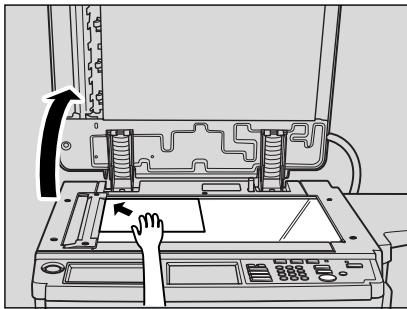
natural_image
Diagram of a printer's internal structure with a hand pressing a button, showing no text or symbols.
Conseil
natural_image
Abstract geometric diagram of overlapping rectangles (no text or symbols)
Conseil
natural_image
Line drawing of a printer or printer with a paper sheet, no text or symbols present
Conseil
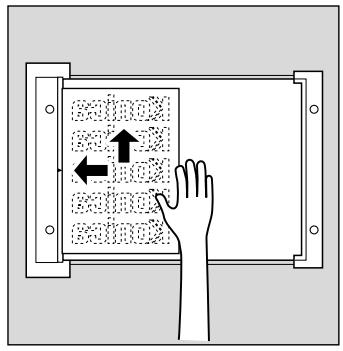

Conseil

natural_image
Diagram showing a hand pressing down on an open book with arrows indicating left and right motion (no text or symbols)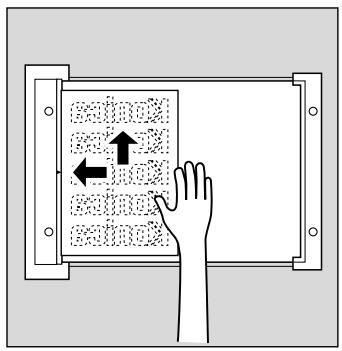


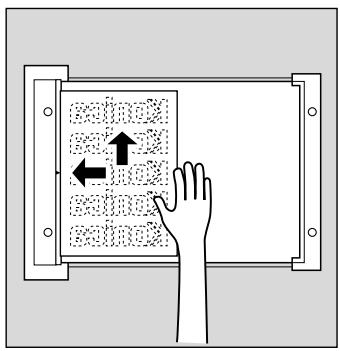

Conseil
natural_image
Line drawing of a handheld device emitting sound waves next to a grid-patterned keypad (no text or symbols)natural_image
Line drawing of a handheld device emitting sound waves to a digital keypad (no text or symbols)Original long....6-24
Inv. verso 6-26
natural_image
Abstract geometric diagram composed of overlapping rectangles (no text or symbols)natural_image
Illustration of a hand pressing down on a device with arrows indicating motion (no text or symbols)natural_image
Line drawing of a mechanical device with a paper sheet and handle (no text or symbols)natural_image
Illustration of a hand pressing down on a document with arrows indicating motion (no text or symbols)

Conseil
Chapitre

Dépôt/relève
Dépôt 8-2
Relève....8-4
Transmit reservation report
P.1
01/02/2002 16:03
26WF00001
TC:5284
| REMOTE STATION | START | TIME | Pages | REMARKS |
| 1 | 01-17 16:03 | 00:00 36 | 000 | TMR |
REMARKS TMR:Timer,POL:Poll,TRN:Turn around,2IN:2in1 Tx,ORG:Original size set,DPG:Book Tx,FME:Frame erase TX
MIX:Mixed original,CALL:Manual-Com,KRDS:KRDS,FWD:FORWARD,FLP:Flip Side 2,SP:Special Original
FCODE:Fcode,MBX:Confidential,BUL:Bulletin,RLY:Relay,RTX:Re-Tx,PC:PC-FAX
S-OK:Stop communication, Busy:Busy, Cont.:Continue, No ans:No answer
M-full:Memory full, PW-OFF:Power switch OFF, TEL:Rx from TEL
REMOTE STATION
Polled Tx reserve report
P.1
01/02/2002 12:58
26WF00001
TC:5306
| REMOTE STATION | CREATE | START | Países | REMARKS |
| 01-18 12:58 | --:- | 001 | POL005 |
REMARKS TMR:Timer,POL:Poll,TRN:Turn around,2IN:2in1 Tx,ORG:Original size set,DPG:Book Tx,FME:Frame erase TX
MIX:Mixed original, CALL:Manual-Com, KRDS:KRDS, FWD:FORWARD, FLP:Flip Side 2, SP:Special Original
FCODE:Fcode,MBX:Confidential,BUL:Bulletin,RLY:Relay,RTX:Re-Tx,PC:PC-FAX
S-OK:Stop communication, Busy:Busy, Cont.:Continue, No ans:No answer
M-full:Memory full, PW-OFF:Power switch OFF, TEL:Rx from TEL
REMOTE STATION
Polled Tx result report
P.1
01/02/2002 18:59
26WF00001
TC:25007
| REMOTE STATION | START | TIME | Pages | RESULT | REMARKS |
| 01-20 12:18 | 00:00 08 | 001/001 | OK | POL003 BULL BoxNo003. |
REMARKS TMR:Timer,POL:Poll,TRN:Turn around,2IN:2in1 Tx,ORG:Original size set,DPG:Book Tx,FME:Frame erase TX MIX:Mixed original,CALL:Manual-Com,KRD5:KRDS,FWD:FORWARD,FLP:Flip Side 2,SP:Special Original FCODE:Fcode,MBX:Confidential,BUL:Bulletin,RLY:Relay,RTX:Re-Tx,PC:PC-FAX S-OK:Stop communication,Busy:Busy,Cont.:Continue,No ans:No answer M-full:Memory full, PW-OFF:Power switch OFF, TEL:Rx from TEL
REMOTE STATION
Sync transmit reservation report
P.1
01/02/2002 12:13
26WF00001
TC:25003
| REMOTE STATION | CREATE | START | Países | REMARKS |
| ABCDEFGHIJKLMNOPORST | 01-20 12:1301-20 12:13 | 12:1312:13 | 001001 | TMRTMR |
REMARKS TMR:Timer,POL:Poll,TRN:Turn around,2IN:2in1 Tx,ORG:Original size set,DPG:Book Tx,FME:Frame erase TX
MIX:Mixed original, CALL:Manual-Com, KRDS:KRDS, FWD:FORWARD, FLP:Flip Side 2, SP:Special Original
FCODE:Fcode,MBX:Confidential,BUL:Bulletin,RLY:Relay,RTX:Re-Tx,PC:PC-FAX
REMOTE STATION
Sync transmit result report
P.1
01/02/2002 12:13
26WF00001
TC:25003
| REMOTE STATION | START | TIME | Países | RESULT | REMARKS |
| ABCDEFGHIJKLMNOPORST | 01-20 12:1301-20 12:13 | 00:00 0800:00 08 | 001/001001/001 | OKOK | TMRTMR |
REMARKS TMR:Timer,POL:Poll,TRN:Turn around,2IN:2in1Tx,ORG:Original size set,DPG:Book Tx,FME:Frame erase TX MIX:Mixed original,CALL:Manual-Com,KRDS:KRDS,FWD:FORWARD,FLP:Flip Side 2,SP:Special Original FCODE:Fcode,MBX:Confidential,BUL:Bulletin,RLY:Relay,RTX:Re-Tx,PC:PC-FAX S-OK:Stop communication,Busy:Busy,Cont.:Continue,No ans:No answer M-full:Memory full, PW-OFF:Power switch OFF, TEL:Rx from TEL
REMOTE STATION
Polled Rx result report
P.1
01/02/2002 12:58
26WF00001
TC:5306
| REMOTE STATION | START | TIME | Pages | RESULT | REMARKS |
| 01-18 12:58 | 00:0038 | 001 | OK | POL 002 |
REMARKS TMR:Timer,POL:Poll,TRN:Turn around,2IN:2in1 Tx,ORG:Original size set,DPG:Book Tx,FME:Frame erase TX
MIX:Mixed original,CALL:Manual-Com,KRDS:KRDS,FWD:FORWARD,FLP:Flip Side 2,SP:Special Original
FCODE:Fcode,MBX:Confidential,BUL:Bulletin,RLY:Relay,RTX:Re-Tx,PC:PC-FAX
S-OK:Stop communication, Busy:Busy, Cont.:Continue, No ans:No answer
M-full:Memory full, PW-OFF:Power switch OFF, TEL:Rx from TEL
REMOTE STATION
Sequential poll. Rx reservation report
P.1
01/02/2002 14:40
26WF00001
TC:5610
| REMOTE STATION | CREATE | START | Países | REMARKS |
| 2 | 01-20 14:40 | 14:43 | 000 | TMR POLO02 FCODE |
| 4 | 01-20 14:40 | 14:43 | 000 | TMR POLO02 FCODE |
REMARKS TMR:Timer,POL:Poll,TRN:Turn around,2IN:2in1 Tx,ORG:Original size set,DPG:Book Tx,FME:Frame erase TX MIX:Mixed original,CALL:Manual-Com,KRD5:KRDS,FWD:FORWARD,FLP:Flip Side 2,SP:Special Original FCODE:Fcode,MBX:Confidential,BUL:Bulletin,RLY:Relay,RTX:Re-Tx,PC:PC-FAX S-OK:Stop communication,Busy:Busy,Cont.:Continue,No ans:No answer M-full:Memory full, PW-OFF:Power switch OFF, TEL:Rx from TEL
REMOTE STATION
Sequential poll. Rx result report
P.1
01/02/2002 12:16
26WF00001
TC:25006
| REMOTE STATION | START | TIME | Pages | RESULT | REMARKS |
| KLMNOPORSTUVWXYZ | 01-20 12:1501-20 12:16 | 00:00 0800:00 09 | 001001 | OKOK | POL002POL002 |
REMARKS TMR:Timer,POL:Poll,TRN:Turn around,2IN:2in1 Tx,ORG:Original size set,DPG:Book Tx,FME:Frame erase TX MIX:Mixed original,CALL:Manual-Com,KRD5:KRDS,FWD:FORWARD,FLP:Flip Side 2,SP:Special Original FCODE:Fcode,MBX:Confidential,BUL:Bulletin,RLY:Relay,RTX:Re-Tx,PC:PC-FAX S-OK:Stop communication,Busy:Busy,Cont.:Continue,No ans:No answer M-full:Memory full, PW-OFF:Power switch OFF, TEL:Rx from TEL
REMOTE STATION
Confidential Rx report
P.1
01/02/2002 18:51
26WF00001
TC:5520
| REMOTE STATION | START | TIME | Países | RESULT | REMARKS |
| 01-19 18:51 | 00:00 11 | 002 | OK | MBX BoxNo002 |
REMARKS TMR:Timer,POL:Poll,TRN:Turn around,2IN:2in1 Tx,ORG:Original size set,DPG:Book Tx,FME:Frame erase TX
MIX:Mixed original, CALL:Manual-Com, KRDS:KRDS, FWD:FORWARD, FLP:Flip Side 2, SP:Special Original
FCODE:Fcode,MBX:Confidential,BUL:Bulletin,RLY:Relay,RTX:Re-Tx,PC:PC-FAX
S-OK:Stop communication, Busy:Busy, Cont.:Continue, No ans:No answer
M-full:Memory full, PW-OFF:Power switch OFF, TEL:Rx from TEL
REMOTE STATION
Polled Tx result report
P.1
01/02/2002 11:42
26WF00001
TC:3555
| REMOTE STATION | START | TIME | Pages | RESULT | REMARKS |
| 01-25 11:42 | 00:00 08 | 001/001 | OK | POL004 BULL BoxNo006 |
REMARKS TMR:Timer,POL:Poll,TRN:Turn around,2IN:2in1 Tx,ORG:Original size set,DPG:Book Tx,FME:Frame erase TX MIX:Mixed original,CALL:Manual-Com,KRD5:KRD5,FWD:FORWARD,FLP:Flip Side 2,SP:Special Original FCODE:FCode,MBX:Confidential,BUL:Bulletin,RLY:Relay,RTX:Re-Tx,PC:PC-FAX S-OK:Stop communication,Busy:Busy,Cont.:Continue,No ans:No answer M-full:Memory full, PW-OFF:Power switch OFF, TEL:Rx from TEL
REMOTE STATION
Factor Cancel:Stop PC-Fax job, ID differ:EKC user ID differ, Limit over:EKC counter limit over HD full:Hard Drive full, Mem full:Memory over
Failed to PC-Fax Tx. Please check and try PC-Fax Tx again!
REMOTE STATION
Relay Request Rx report
P.1
01/02/2002 12:20
26WF00001
TC:25008
| REMOTE STATION | START | TIME | Pages | RESULT | REMARKS |
| 01-20 12:20 | 00:00 07 | 001 | OK | RLY BoxNo100 |
| REMARKS | TMR:Timer,POL:Poll,TRN:Turn around,2IN:2in1 Tx,ORG:Original size set,DPG:Book Tx,FME:Frame erase TXMIX:Mixed original,CALL:Manual-Com,KRD5:KRDS,FWD:FORWARD,FLP:Flip Side 2,SP:Special OriginalFCODE:Fcode,MBX:Confidential,BUL:Bulletin,RLY:Relay,RTX:Re-Tx,PC:PC-FAXS-OK:Stop communication,Busy:Busy,Cont.:Continue,No ans:No answerM-full:Memory full, PW-OFF:Power switch OFF, TEL:Rx from TEL |
REMOTE STATION
Relay Sync Tx result report
P.1
01/02/2002 12:22
26WF00001
TC:25009
| REMOTE STATION | START | TIME | Países | RESULT | REMARKS |
| ABCDEFGHIJKLMNOPQRSTUVWXYZ | 01-20 12:20 | 00:00 08 | 001/001 | OK | RLY BoxNo100 |
| 01-20 12:21 | 00:00 08 | 001/001 | OK | RLY BoxNo100 | |
| 01-20 12:22 | 00:00 07 | 001/001 | OK | RLY BoxNo100 |
REMARKS TMR:Timer,POL:Poll,TRN:Turn around,2IN:2in1 Tx,ORG:Original size set,DPG:Book Tx,FME:Frame erase TX MIX:Mixed original,CALL:Manual-Com,KRD5:KRDS,FWD:FORWARD,FLP:Flip Side 2,SP:Special Original FCODE:Fcode,MBX:Confidential,BUL:Bulletin,RLY:Relay,RTX:Re-Tx,PC:PC-FAX S-OK:Stop communication,Busy:Busy,Cont.:Continue,No ans:No answer M-full:Memory full, PW-OFF:Power switch OFF, TEL:Rx from TEL
REMOTE STATION
| Item | Setting |
| Resolution...... | Normal |
| Image quality.... | Text |
| Density...... | Auto |
| RADF...... | One sided |
| Abbr | 04 |
No.05 TEST05
| Item | Setting |
| Abbr | 05 |
No.06 TEST06
| Item | Setting |
| Abbr | 06 |
| Item | Setting |
| FAXID No/name entry Name |
Send/Receipt info
| Item | Setting | Item | Setting |
| TTI | Outside | RTI | OFF |
Line parameter set
| Item | Setting | Item | Setting |
| Dialinó methodNum.of rindsRedial intervalLine monitor lev.(0-31) | PB2times3 min12 | Receive mode (Auto/Man)Num.of redialsLine monitor audio | Auto Rx3timesOFF |
Tx/Rx mode set
| Item | Setting | Item | Setting |
| Transmission mode2 in 1 printShifting to power saveRx paper selectionPaste divided printPolling Tx file delete | Memory TxOFFNormalAutomaticOFFYES | Reception output modeTray selection for RxInch paper priorityReduction for recordRx feed tray(fix)Rx print quantity set2sided reception | After all3OFF96Auto1OFF |
Report output set
| Item | Setting | Item | Setting |
| Communication Journal | 100 com. | Transmission report | Only error |
| Sequential Tx report | ON | Tx reservation report | ON |
| Confidential Rx report | ON | Bulltein Tx report | ON |
| Relay Tx result report | ON | Relay Request Rx report | ON |
| PC-Fax Tx Error Report | ON | Sync. Result Rnt output | All stn |
| Tx result report select | OFF | Paper tray for reports | Trav2 |
| Eixt tray for reports | 3 |
PBX CN mode set
| Item | Setting | Item | Setting |
| PBX (Ext access code) | OFF |
Special set
| Item | Setting | Item | Setting |
| FAX KRDS | ON |
| Item | Setting | Item | Setting |
| Confidential com. | ON | Relay communication Bundled Tx | ON ON |
Forward Tx setting
| Item | Setting |
| Tx/PrintTx No. | No forward Tx |
| Item | Setting |
| Item | Setting | Item | Setting |
Compulsory mem. Rx
| Item | Setting | Item | Setting |
| Compulsory mem. | OFF |
File Re-Tx
| Item | Setting | Item | Setting |
| File Re-Tx | OFF | File keep time | 12 |
Closed area Rx
| Item | Setting | Item | Setting |
| Closed area Rx | OFF |
OFF mode print set
| Item | Setting |
| Print during OFF modeSet print inhibit time/OFF mode | YESSTART --:--END --:-- |
PC-Fax Rx set
| Item | Setting |
| PC-Fax Rx setRx Output BoxPrint functionCheck Password | OFFFixed BoxNONO |
Fax setting list
P.3
01/02/2002 15:40
26WF00001
ROM Ver.00 0079
Confi/Bulletin list
| No. | Name | Password | Class |
| 001 | sRfjsfJA | 1234 | Confiden. |
| 002 | sRfjsfJ | 1234 | Confiden. |
| 003 | TSC | ???? | Bulletin |
| 004 | 2222 | Confiden. | |
| 005 | %t | ???? | Bulletin |
| 006 | None | - | - |
| 007 | None | - | - |
| 008 | None | - | - |
| 009 | None | - | - |
| 010 | None | - | - |
| 011 | None | - | - |
| 012 | None | - | - |
| 013 | None | - | - |
| 014 | None | - | - |
| 015 | None | - | - |
| 016 | None | - | - |
| 017 | None | - | - |
| 018 | None | - | - |
| 019 | None | - | - |
| 020 | None | - | - |
Relay list
| No. | Group No. | Password |
| 100 | 10 | 1234 |
| 101 | - | None |
| 102 | - | None |
| 103 | - | None |
| 104 | - | None |
Liste autres boîtes
natural_image
Line drawing of a hand pressing a button on a vehicle's side panel (no text or symbols)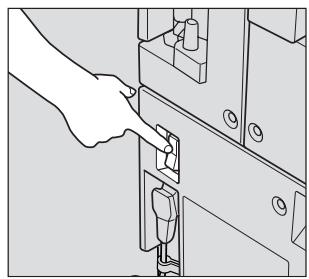
natural_image
Line drawing of a hand inserting a plug into a device panel (no text or symbols)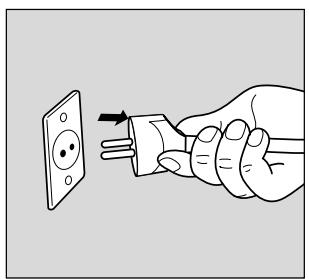
natural_image
Illustration of a hand inserting an electrical socket into a plug (no text or symbols)Annexes
Mode Responsible 10-11, 10-30
Brand : KONICA MINOLTA
Model : FK102
Category : Fax machine