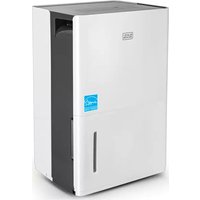
BXEH60002GB - Dehumidifier BLACK & DECKER - Free user manual and instructions
Find the device manual for free BXEH60002GB BLACK & DECKER in PDF.


Pick your language and provide your email: we'll send you a specifically translated version.
| Product Type | Dehumidifier |
| Brand | Black & Decker |
| Model | BXEH60002GB |
| Dimensions (W x D x H) | 38.5 x 24.5 x 59.5 cm |
| Weight | 13.2 kg |
| Power Supply | 220-240 V ~ 50 Hz |
| Power Consumption | 320 W |
| Dehumidification Capacity | 20 L/day (at 30°C, 80% RH) |
| Tank Capacity | 4.5 L |
| Air Flow | 180 m³/h |
| Refrigerant | R410A |
| Operating Temperature Range | 5°C - 35°C |
| Noise Level | ≤ 48 dB(A) |
| Functions | Continuous drain, auto shut-off, turbo mode, timer, laundry mode |
| Controls | Electronic control panel with LED display |
| Filter | Washable mesh filter |
| Air Purification | Ionizer (optional) |
| Defrost Protection | Automatic defrost |
| Safety Features | Overheat protection, tank full indicator, child lock |
| Maintenance | Clean filter every 2 weeks; empty tank regularly |
| Warranty | 2 years |
| Accessories Included | Continuous drain hose (1.2 m), user manual |
| Repairability Index | 6.5 / 10 |
Frequently Asked Questions - BXEH60002GB BLACK & DECKER
How do I set the desired humidity level?
Press the Humidity Set button repeatedly to cycle through levels from 30% to 80% in 5% increments. The display will show the target humidity.
Can I use the dehumidifier continuously without emptying the tank?
Yes, you can use the Continuous Drain option. Attach the included hose to the drain outlet and route it to a floor drain or sink. The unit will then drain automatically.
How often should I clean the filter?
Clean the washable mesh filter every two weeks under normal use. Remove the filter from the back, rinse with water, dry thoroughly, and reinsert.
What does the 'Defrost' indicator mean?
The Defrost indicator lights up when the unit automatically defrosts the evaporator coils. This is normal at low temperatures. The fan may run but the compressor stops briefly.
Why is the dehumidifier not collecting water?
Check if the tank is full (indicator on) or if the room humidity is below the set level. Ensure the filter is clean and the room temperature is above 5°C.
Can I use an extension cord?
It is recommended to plug the dehumidifier directly into a grounded outlet. If an extension cord is necessary, use a heavy-duty cord rated for at least 15 amps and keep it as short as possible.
How do I activate the child lock?
Press and hold the Child Lock button (often marked with a padlock icon) for 3 seconds. The display will show a lock symbol. Repeat to unlock.
What is the 'Turbo' mode for?
Turbo mode runs the fan at maximum speed for faster dehumidification. It is useful when entering a very humid room or drying laundry.
How do I reset the filter cleaning reminder?
After cleaning the filter, press and hold the Filter Reset button for 3 seconds until the indicator light turns off.
What should I do if the dehumidifier makes unusual noises?
Check if the unit is level on a flat surface. Remove any objects on top. If noise persists, clean the filter and ensure the tank is properly inserted.
User questions about BXEH60002GB BLACK & DECKER
0 question about this device. Answer the ones you know or ask your own.
Ask a new question about this device
No questions yet. Be the first to ask one.
Download the instructions for your Dehumidifier in PDF format for free! Find your manual BXEH60002GB - BLACK & DECKER and take your electronic device back in hand. On this page are published all the documents necessary for the use of your device. BXEH60002GB by BLACK & DECKER.
USER MANUAL BXEH60002GB BLACK & DECKER

Manual assistant
Powered by Anthropic
Waiting for your message
Product information
Brand : BLACK & DECKER
Model : BXEH60002GB
Category : Dehumidifier