
UE50DU7000U - Television SAMSUNG - Free user manual and instructions
Find the device manual for free UE50DU7000U SAMSUNG in PDF.


| Product Type | LED 4K UHD TV |
| Model | UE50DU7000U |
| Brand | Samsung |
| Screen Size | 50 inches (126 cm) |
| Resolution | 3840 x 2160 pixels (4K UHD) |
| Picture Quality Index | 2000 PQI (Picture Quality Index) |
| Backlight Technology | Crystal LED |
| HDR | HDR10+ |
| Operating System | Tizen 2024 |
| Audio Power | 20 W (2.0 channels) |
| Connectivity | Wi-Fi 5, Bluetooth 5.2, Ethernet |
| HDMI Inputs | 3 x HDMI 2.0 |
| USB Inputs | 2 x USB 2.0 |
| Dimensions with Stand (W x H x D) | 112.2 x 67.48 x 24.8 cm |
| Dimensions without Stand (W x H x D) | 112.2 x 64.54 x 6.07 cm |
| Weight with Stand | 12.8 kg |
| Weight without Stand | 12.5 kg |
| Power Supply | 220-240 V ~ 50/60 Hz |
| Standby Power Consumption | < 0.5 W |
| Annual Typical Consumption | Approximately 95 kWh |
| Main Features | Smart TV, voice assistant, AirPlay 2, Samsung Gaming Hub, Multi View |
| Care and Cleaning | Use a dry microfiber cloth. No chemicals. |
| Safety | Requires wall mounting to prevent tipping |
| Spare Parts and Repairability | Repairability index: 7.8/10. Parts available on Samsung website. |
| General Information | Manufacturer warranty 2 years. Made in Malaysia. |
Frequently Asked Questions - UE50DU7000U SAMSUNG
User questions about UE50DU7000U SAMSUNG
0 question about this device. Answer the ones you know or ask your own.
Ask a new question about this device
Download the instructions for your Television in PDF format for free! Find your manual UE50DU7000U - SAMSUNG and take your electronic device back in hand. On this page are published all the documents necessary for the use of your device. UE50DU7000U by SAMSUNG.
USER MANUAL UE50DU7000U SAMSUNG
Thank you for purchasing this Samsung product.
To receive more complete service, please register your product at www.samsung.com
Model ____ Serial No. ____
Before Reading This Simple User Guide
This TV comes with this Simple User Guide and an embedded User guide (☑) > ≡ (left directional button) > ⚙️ Settings > Support > Open User guide).
Warning! Important Safety Instructions
Please read the Safety Instructions before using your TV. Refer to the table below for an explanation of symbols which may be on your Samsung product.
| CAUTION | |
| RISK OF ELECTRIC SHOCK. DO NOT OPEN. | |
| CAUTION: TO REDUCE THE RISK OF ELECTRIC SHOCK, DO NOT REMOVE COVER (OR BACK). THERE ARE NO USER SERVICEABLE PARTS INSIDE. REFER ALL SERVICING TO QUALIFIED PERSONNEL. | |
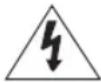 | This symbol indicates that high voltage is present inside. It is dangerous to make any kind of contact with any internal part of this product. |
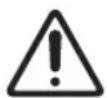
 | This symbol indicates that this product has included important literature concerning operation and maintenance. |
 | Class II product: This symbol indicates that a safety connection to electrical earth (ground) is not required. If this symbol is not present on a product with a mains lead, the product MUST have a reliable connection to protective earth (ground). |
 | AC voltage: Rated voltage marked with this symbol is AC voltage. |
 | DC voltage: Rated voltage marked with this symbol is DC voltage. |
 | Caution. Consult instructions for use: This symbol instructs the user to consult the Simple User Guide for further safety related information. |
Power
- Do not overload wall outlets, extension cords, or adapters beyond their voltage and capacity. It may cause fire or electric shock. Refer to the power specifications section of the manual or the power supply label on the product for voltage and amperage information.
- Power-supply cords should be placed so that they are not likely to be walked on or pinched by items placed upon or against them. Pay particular attention to cords at the plug end, at wall outlets, and at the point where they exit from the appliance.
- Never insert anything metallic into the open parts of this apparatus. This may cause electric shock.
- To avoid electric shock, never touch the inside of this apparatus. Only a qualified technician should open this apparatus.
- Be sure to plug in the power cord until it is firmly seated. When unplugging the power cord from a wall outlet, always pull on the power cord's plug. Never unplug it by pulling on the power cord. Do not touch the power cord with wet hands.
- If this apparatus does not operate normally - in particular, if there are any unusual sounds or smells coming from it - unplug it immediately and contact an authorised dealer or Samsung service centre.
- To protect this apparatus from a lightning storm, or to leave it unattended and unused for a long time, be sure to unplug it from the wall outlet and disconnect the antenna or cable system.
– Accumulated dust can cause an electric shock, an electric leakage, or a fire by causing the power cord to generate sparks and heat or by causing the insulation to deteriorate.
• Use only a properly grounded plug and wall outlet. - An improper ground may cause electric shock or equipment damage. (Class I Equipment only.) - To turn off this apparatus completely, disconnect it from the wall outlet. To ensure you can unplug this apparatus quickly if necessary, make sure that the wall outlet and power plug are readily accessible.
Installation
- Do not place this apparatus near or over a radiator or heat register, or where it is exposed to direct sunlight.
- Do not place vessels (vases etc.) containing water on this apparatus, as this can result in a fire or electric shock.
- Do not expose this apparatus to rain or moisture.
- Be sure to contact an authorised Samsung service centre for information if you intend to install your TV in a location with heavy dust, high or low temperatures, high humidity, chemical substances, or where it will operate 24 hours a day such as in an airport, a train station, etc. Failure to do so may lead to serious damage to your TV.
- Do not expose this apparatus to dripping or splashing.
Mounting the TV on a wall

If you mount this TV on a wall, follow the instructions exactly as set out by the manufacturer. If it is not correctly mounted, the TV may slide or fall and cause serious injury to a child or adult and serious damage to the TV.
- To order the Samsung wall mount kit, contact Samsung service centre.
- Samsung is not responsible for any damage to the product or injury to yourself or others if you choose to install the wall mount on your own.
- Samsung is not liable for product damage or personal injury when a non-VESA or non-specified wall mount is used or when the consumer fails to follow the product installation instructions.
- You can install your wall mount on a solid wall perpendicular to the floor. Before attaching the wall mount to surfaces other than plaster board, contact your nearest dealer for additional information. If you install the TV on a ceiling or slanted wall, it may fall and result in severe personal injury.
- When installing a wall mount kit, we recommend you fasten all four VESA screws.
- If you want to install a wall mount kit that attaches to the wall using two top screws only, be sure to use a Samsung wall mount kit that supports this type of installation. (You may not be able to purchase this type of wall mount kit, depending on the geographical area.)
- Do not mount the TV at more than a 15 degree tilt.
- Standard dimensions for wall mount kits are shown in the table on the Unpacking and Installation Guide.
Do not install your wall mount kit while your TV is turned on. This may result in personal injury from electric shock.
- Do not use screws that are longer than the standard dimension or do not comply with the VESA standard screw specifications. Screws that are too long may cause damage to the inside of the TV set.
- For wall mounts that do not comply with the VESA standard screw specifications, the length of the screws may differ depending on the wall mount specifications.
- Do not fasten the screws too firmly. This may damage the product or cause the product to fall, leading to personal injury. Samsung is not liable for these kinds of accidents.
- Always have two people mount the TV onto a wall.
- For 82 inch or larger models, have four people mount the TV onto a wall.
Providing proper ventilation for your TV
When you install your TV, maintain a distance of at least 10 cm between the TV and other objects (walls, cabinet sides, etc.) to ensure proper ventilation. Failing to maintain proper ventilation may result in a fire or a problem with the product caused by an increase in its internal temperature.
- When you install your TV with a stand or a wall mount, we strongly recommend you use parts provided by Samsung only. Using parts provided by another manufacturer may cause difficulties with the product or result in injury caused by the product falling.
Safety Precaution
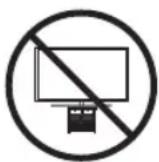
Caution: Pulling, pushing, or climbing on the TV may cause the TV to fall. In particular, do not hang on or destabilize the TV. This action may cause the TV to tip over, causing serious injuries or death. Follow all safety precautions provided in the Safety Flyer included with your TV. For added stability and safety, you can purchase and install the anti-fall device, referring to "Preventing the TV from falling".

WARNING: Never place a television set in an unstable location. The television set may fall, causing serious personal injury or death. Many injuries can be avoided by taking simple precautions such as:
• Always use cabinets or stands or mounting methods recommended by Samsung. • Always use furniture that can safely support the television set. - Always ensure the television set is not overhanging the edge of the supporting furniture.
- Always educate about the dangers of climbing on furniture to reach the television set or its controls.
- Always route cords and cables connected to your television so they cannot be tripped over, pulled or grabbed. • Never place a television set in an unstable location.
- Never place the television set on tall furniture (for example, cupboards or bookcases) without anchoring both the furniture and the television set to a suitable support.
- Never place the television set on cloth or other materials that may be located between the television set and supporting furniture.
- Never place items that might tempt to climb, such as toys and remote controls, on the top of the television or furniture on which the television is placed. If the existing television set is going to be retained and relocated, the same considerations as above should be applied.
- When you have to relocate or lift the TV for replacement or cleaning, be sure not to pull out the stand.
Preventing the TV from falling
★ : Wall-anchor (not supplied)
- Using the appropriate screws, firmly fasten a set of brackets to the wall. Confirm that the screws are firmly attached to the wall.
- You may need additional material such as wall anchors depending on the type of wall.
- Using the appropriately sized screws, firmly fasten a set of brackets to the TV.
- For the screw specifications, refer to the standard screw part in the table on the Unpacking and Installation Guide.
- Connect the brackets fixed to the TV and the brackets fixed to the wall with a durable, heavy-duty string, and then tie the string tightly.
- Install the TV near the wall so that it does not fall backwards.
- Connect the string so that the brackets fixed to the wall are at the same height as or lower than the brackets fixed to the TV.
Operation
- This apparatus uses batteries. In your community, there might be environmental regulations that require you to dispose of these batteries properly. Please contact your local authorities for disposal or recycling information.
- Store the accessories (remote control, batteries, or etc.) in a location safely out of the reach.
- Do not drop or strike the product. If the product is damaged, disconnect the power cord and contact a Samsung service centre.
- Do not dispose of remote control or batteries in a fire.
- Do not short-circuit, disassemble, or overheat the batteries. • After removing the screen protective film, never remove the Polarising film.
– If the protective film removal label is not found, the protective film has already been removed.
- CAUTION: There is danger of an explosion if you replace the batteries used in the remote with the wrong type of battery. Replace only with the same or equivalent type.
- WARNING - Do not use liquid fumigators containing chemicals, such as mosquito repellent or air freshener, around the product.
- If steam comes in contact with the product surface or enters the product, it may cause stains or malfunction.
- WARNING - TO PREVENT THE SPREAD OF FIRE, KEEP CANDLES AND OTHER ITEMS WITH OPEN FLAMES AWAY FROM THIS PRODUCT AT ALL TIMES.

Caring for the TV
- To clean this apparatus, unplug the power cord from the wall outlet and wipe the product with a soft, dry cloth. Do not use any chemicals such as wax, benzene, alcohol, thinners, insecticide, aerial fresheners, lubricants, or detergents. These chemicals can damage the appearance of the TV or erase the printing on the product.
- The exterior and screen of the TV can get scratched during cleaning. Be sure to wipe the exterior and screen carefully using a soft cloth to prevent scratches.
- Do not spray water or any liquid directly onto the TV. Any liquid that goes into the product may cause a failure, fire, or electric shock.
01 What's in the Box?
Make sure the following items are included with your TV. If any items are missing, contact your dealer.
- Simple User Guide • *Samsung Smart Remote • *Remote Control & Batteries • *CI Card Adapter
- TV Power Cord
- Warranty Card / Regulatory Guide (Not available in some locations)
*: Some of the items specified above may not be included in the package, depending on the model or geographical area.
• The type of battery may vary depending on the model. - The items' colours and shapes may vary depending on the models. • Cables not included can be purchased separately. - Check for any accessories hidden behind or in the packing materials when opening the box.

Warning: Screens can be damaged from direct pressure when handled incorrectly. We recommend lifting the TV at the edges, as shown. For more information about handling, refer to the Unpacking and Installation Guide came with this product.

02 Initial Setup
When you turn on your TV for the first time, it immediately starts the Initial Setup. Follow the instructions displayed on the screen and configure the TV's basic settings to suit your viewing environment.
- You will need a Samsung Account to access our network-based smart services. If you choose not to log in, you will only get a connection to terrestrial TV (applicable to devices with tuners only) and external devices, e.g. via HDMI.
Using the TV Controller
You can turn on the TV with the TV Controller button at the bottom of the TV, and then use the Control menu. The Control menu appears when the TV Controller button is pressed while the TV is On.
- The position and shape of the buttons at the bottom of the TV may differ depending on the model.
- The screen may dim if the protective film on the SAMSUNG logo or the bottom of the TV is not detached. If protective film is attached, remove the film.

A Control menu B TV Controller button / Remote control sensor
03 Troubleshooting and Maintenance
Troubleshooting
For more information, refer to "Troubleshooting" in the User guide.
≡ (left directional button) > Settings > Support > Open User guide > Troubleshooting
If none of the troubleshooting tips apply, please visit "www.samsung.com" and click Support or contact the Samsung service centre.
- This panel is made up of sub pixels which require sophisticated technology to produce. There may be, however, a few bright or dark pixels on the screen. These pixels will have no impact on the performance of the product.
- To keep your TV in optimum condition, upgrade to the latest software. Use the Update Now or Auto update functions on the TV's menu (💡 > ≡ (left directional button) > ⚙️ Settings > Support > Software Update > Update Now or Auto update).
The TV won't turn on.
- Make sure that the power cord is securely plugged into the product and the wall outlet.
- Make sure that the wall outlet is working and the remote control sensor at the bottom of the TV is lit and glowing a solid red.
- Try pressing the TV Controller button at the bottom of the TV to make sure that the problem is not with the remote control. If the TV turns on, refer to "The remote control does not work".
The remote control does not work.
- Check if the remote control sensor at the bottom of the TV blinks when you press the ⏻ button on the remote control. - DU7 Series: If it does not blink, replace the remote control's batteries. Make sure that the batteries are installed with their poles (+/-) in the correct direction. Alkaline batteries are recommended for longer battery life. - Other models: When the remote's battery is discharged, charge the battery using the USB charging port (C-type), or turn over the remote to expose the solar cell to light.
- Try pointing the remote directly at the TV from 1.5-1.8 m away.
- If your TV came with a Samsung Smart Remote (Bluetooth Remote), make sure to pair the remote to the TV. To pair a Samsung Smart Remote, press the 📋 and 🔊 buttons together for 3 seconds.
Eco Sensor and screen brightness
Eco Sensor adjusts the brightness of the TV automatically. This feature measures the light in your room and optimises the brightness of the TV automatically to reduce power consumption. If you want to turn this off, go to 📄 > 📈 (left directional button) >
Settings > All Settings > General & Privacy > Power and Energy Saving > Brightness Optimisation.
- The eco sensor is located at the bottom of the TV. Do not block the sensor with any object. This can decrease picture brightness.
04 Specifications and Other Information
Specifications
Display Resolution
3840 × 2160
Sound (Output)
DU7/Q6*D Series: 20 W
Operating Temperature
10 °C to 40 °C (50 °F to 104 °F)
Operating Humidity
10 % to 80 %, non-condensing
Storage Temperature
-20 °C to 45 °C (-4 °F to 113 °F)
Storage Humidity
5 % to 95 %, non-condensing
Notes
• This device is a Class B digital apparatus. - For information about the power supply, and more information about power consumption, refer to the information on the label attached to the product. - On most models, the label is attached to the back of the TV. (On some models, the label is inside the cover terminal.) - To connect a LAN cable, use a CAT 7 (*STP type) cable for the connection. (100/10 Mbps) * Shielded Twisted Pair - The images and specifications of the Unpacking and Installation Guide may differ from the actual product. - Figures and illustrations in this Simple User Guide are provided for reference only and may differ from the actual product appearance. Product design and specifications may change without notice.
An administration fee may be charged in the following situations:
(a) An engineer is called out at your request, but it is found that the product has no defect (i.e., where the user manual has not been read). (b) You bring the unit to the Samsung service centre, but it is found that the product has no defect (i.e., where the user manual has not been read).
You will be informed of the administration fee amount before a technician visits.
Following the repair by a non-authorised service provider, self-repair or non-professional repair of the product, Samsung is not liable for any damage to the product, any injury or any other product safety issue caused by any attempt to repair the product which does not carefully follow these repair and maintenance instructions. Any damage to the product caused by an attempt to repair the product by any person other than a Samsung certified service provider will not be covered by the warranty.
Decreasing power consumption
When you shut the TV off, it enters Standby mode. In Standby mode, it continues to draw a small amount of power. To decrease power consumption, unplug the power cord when you don't intend to use the TV for a long time.
★ : Wall mount (not supplied)
* Shielded Twisted Pair
* Shielded Twisted Pair
* Shielded Twisted Pair
* Shielded Twisted Pair
Prevent the TV from falling

A Control menu
B TV control button / Remote control sensor
* Shielded Twisted Pair
Contact SAMSUNG WORLD WIDE If you have any questions or comments relating to Samsung products, please contact the Samsung service centre.
| Country/Region | Samsung Service Centre | Website |
| NIGERIA 0800-726-7864 | www.samsung.com/africa_en/support | |
| GHANA 0800-100-077 | ||
| COTE D'IVOIRE 8000 0077 | www.samsung.com/africa_fr/supportSENEGAL 200 077 | |
| CAMEROON 67095-0077 | ||
| KENYA 0800 545 545 | www.samsung.com/africa_en/supportUGANDA 0800 300 300 | |
| TANZANIA 0800 780 089 | ||
| SUDAN 1969 www.samsung.com/eg/support | ||
| SOUTH AFRICA 0860 SAMSUNG (726 7864) www.samsung.com/za/support | ||
| NAMIBIA 08 197 267 864 www.samsung.com/africa_en/support | ||
| MOZAMBIQUE | 84 726 7864 | www.samsung.com/africa_pt/support |
| ALGERIA | 0800 100 001 | www.samsung.com/n_africa/support |
| TUNISIA | 80 100 012 | |
| MAURITIUS | 800 5050 | www.samsung.com/africa_en/support |
| REUNION 0262 50 88 80 www.samsung.com/africa_fr/support | ||
| MOROCCO 080 100 22 55 www.samsung.com/n_africa/support | ||
| EGYPT | 08000-726786416580WhatsApp 010 000 16580 | www.samsung.com/eg/support |
- BEFORE READING THIS SIMPLE USER GUIDE
- WARNING! IMPORTANT SAFETY INSTRUCTIONS
- POWER
- INSTALLATION
- MOUNTING THE TV ON A WALL
- PROVIDING PROPER VENTILATION FOR YOUR TV
- SAFETY PRECAUTION
- ★ : WALL-ANCHOR (NOT SUPPLIED)
- OPERATION
- CARING FOR THE TV
- WHAT'S IN THE BOX
- INITIAL SETUP
- USING THE TV CONTROLLER
- TROUBLESHOOTING AND MAINTENANCE
- TROUBLESHOOTING
- THE TV WON'T TURN ON
- THE REMOTE CONTROL DOES NOT WORK
- ECO SENSOR AND SCREEN BRIGHTNESS
- SPECIFICATIONS AND OTHER INFORMATION
- SPECIFICATIONS
- NOTES
- DECREASING POWER CONSUMPTION
- ★ : WALL MOUNT (NOT SUPPLIED)
- PREVENT THE TV FROM FALLING
Brand : SAMSUNG
Model : UE50DU7000U
Category : Television