7200 - Sewing machine ELNA - Free user manual and instructions
Find the device manual for free 7200 ELNA in PDF.


User questions about 7200 ELNA
0 question about this device. Answer the ones you know or ask your own.
Ask a new question about this device
Download the instructions for your Sewing machine in PDF format for free! Find your manual 7200 - ELNA and take your electronic device back in hand. On this page are published all the documents necessary for the use of your device. 7200 by ELNA.
USER MANUAL 7200 ELNA
IMPORTANT SAFETY INSTRUCTIONS
Your Elna 7200 sewing machine is designed and constructed for HOUSEHOLD use only. Read all instructions before using this machine.
DANGER –To reduce the risk of electric shock:
- Your sewing machine should never be left unattended when plugged in. Always unplug the machine from the electrical outlet immediately after using and before cleaning.
- Always unplug before replacing light bulb. Replace bulb with same type rated 12 Volts, 5 watts.
- Do not reach for the machine if it has fallen into water. Unplug immediately.
- Do not place or store machine where it can fall or be pulled into a tub or sink. Do not place it in or drop it into water or other liquid.
WARNING - To reduce the risk of burns, fire, electrical shock or injury:
- Do not allow machine to be used as a toy. Supervision is necessary when this machine is used by or near children.
- Use this sewing machine only for its intended use as described in this manual. Only use attachments recommended by the manufacturer as described in this manual.
- Never operate this machine if it has a damaged cord or plug, is not working properly, has been dropped or damaged or dropped into water. Return the machine to the nearest authorized dealer or service center for examination, repair, electrical or mechanical adjustment.
- This machine is equipped with a special connection cord which, if damaged, must be replaced by an identical cord. This can be obtained from your dealer.
- Never operate the sewing machine with any air opening blocked. Keep ventilation openings of the sewing machine and foot control free from the accumulation of lint, dust and fibers.
- Never drop or insert any object into any opening.
- Do not use outdoors.
- Do not operate where aerosol (spray) products are being used or where oxygen is being administered.
- To disconnect, turn machine off and remove plug from outlet.
- Do not unplug by pulling on cord. To unplug, grasp the plug, not the cord.
- Keep fingers away from all moving parts, especially the needle.
- Always use the proper needle plate. The wrong plate can cause the needle to break.
- Do not use bent needles.
- Do not pull or push fabric while stitching. This may deflect the needle causing it to break.
- Switch the sewing machine off when making any adjustment in the needle area, such as threading needle, changing needle, threading bobbin, changing presser foot, etc.
- Always unplug the sewing machine from the electrical outlet when removing covers, lubricating or making any other servicing adjustments mentioned in the instruction manual.
SAVE THESE INSTRUCTIONS
IMPORTANT
Be sure to keep machine away from static electricity, heat sources, humidity and direct sunlight.
USA only
Your machine comes equipped with a polarized plug (one prong wider than the other). A polarized plug reduces the risk of electrical shock. This plug is intended to fit into a polarized outlet. If the plug does not fit fully into the outlet, reverse the plug. If it still does not fit, contact a qualified electrician to install the proper outlet. Do not modify the plug in any way.
Use only foot control Model 21371 (UL, CSA).
TABLE OF CONTENTS
SECTION I - Machine Parts and Functions
Part Names 3
Standard Accessories 4
Presser Foot and Accessory Definitions 5-6
How to Attach Stitch Chart Brackets 7
StitchChart. 7
Write'nClipBoard 7
Quilt Table 8
Knee Lifter 8
Connecting Machine to Power Supply 9
Main Function of Keys 10
Keyboard Selection Keys 11-13
Setting Quick Resumption, Sound and Language Modes 14-15
Controlling Sewing Speed 15
Foot Pressure Dial 15
How to Drop the Feed Dog 16
Presser Foot Lever 16
Additional Presser Foot Clearance 16
Attaching and Removing Presser Feet 17
Attaching and Removing Shank. 17
Seam Allowance Lines 17
Centimeter/Inch Quick Measurements 17
Adjusting Needle Thread Tension 18
Using the Fine Adjustment Screw 19
SECTION II - Getting Ready to Sew
Selecting the Correct Needle and Thread 20
Changing Needles 20
Needle Definitions 21
Winding a Bobbin 22-23
Inserting the Bobbin 24
Threading the Machine 25-26
Built-in Needle Threader 27
Drawing Up the Bobbin Thread 28
SECTION III - Basic Sewing
How to Select a Stitch 29
StraightStitch 29
Starting to Sew 29
Finishing Off a Seam 29
Cutting the Threads 30
Changing Sewing Direction 30
Adjusting Needle Position 30
AdjustingStitchLength 31
Programming My Personal Settings 31-32
Sewing on Heavy Fabrics 33
Gathering 33
Zipper Insertion 34-35
Rolled Hem 36
ZigzagStitch 37
Overcasting. 37
SatinStitchApplique 38
3-Step Zigzag 38
Mending a Tear 39
Serpentine Stitch - Applying Elastic 39
Blind Hem Stitches 40
Buttonhole Variations 41
Sensor Buttonholes 42-45
Cored Buttonhole 46
4 Step Memory Classic Buttonhole 47-48
4 Step Memory Bound Buttonhole 49-50
How to Sew on a Button 51
Triple Seam 52
Shell Tuck 52
Stretch Seam 52
Super Overlock Stitch 53
Super Stretch Stitch 53
Double Overlock Stitch 53
Overcast Stitch 54
Arrowtack 54
Bartacks 55
Darning 56
Eyelets 57
SECTION IV - Quilting
Piecing Fabrics Together 58
Perfect Start Angle Lines 58
Quilt Stitches 58
Walking Foot 59
Walking Foot with Quilt Guide 59
Quilt Guide 60
Straight Stitch Needle Plate 60
Buttonhole Applique 61
Patchwork 62
Free Motion Quilting or Stippling 62
StipplingStitch 63
BastingStitch 63
SECTION V - Heirloom
Pintucks 64
Bridging (Fagoting) 64
Hemstitches 65
Fringing 66
Drawn Work 66
Smocking 67
SECTION VI - Decorative Sewing
French Knots 68
Scallop Edges 68
Cored Trim 69
Single Cord For Gathering Heavy Fabric 69
Twin Needle Sewing 70-71
Satin Stitches - Elongation 72
Face to Face 72
Mirror Image 72
SECTION VII - Programming Combinations
Single Repeat with Memory Auto-Lock 73
Combining a Sequence 74
Inserting a Second Color 74-75
Reset Combined Sequence to Beginning 75
Reset Combined Sequence to Beginning of Incomplete Stitch 75
Combining Letters 76
How to Preview the Combined Sequence 77
Editing 77
Uniformly Adjusting Stitch Width or Length 78
Individually Adjusting Stitch Width or Length 79
Alignment of Stitches within a Sequence 79
Permanent Memory
Saving, Overwriting, Recalling and Deleting 80-81
SECTION VIII - Taking Care of Your Machine
Cleaning the Hook Area and Feed Dog 82
Replacing the Bobbin Case 83
Changing the Light Bulb 83
STITCH CHART 84
OPTIONAL ACCESSORIES 85
WARNING MESSAGES 86-87
TROUBLESHOOTING 88
INDEX 89-90
NOTE: Information found in this instruction manual is current at the time of printing. Elna reserves the right to change and update specifications and information as needed.
SECTION I
Machine Parts and Functions
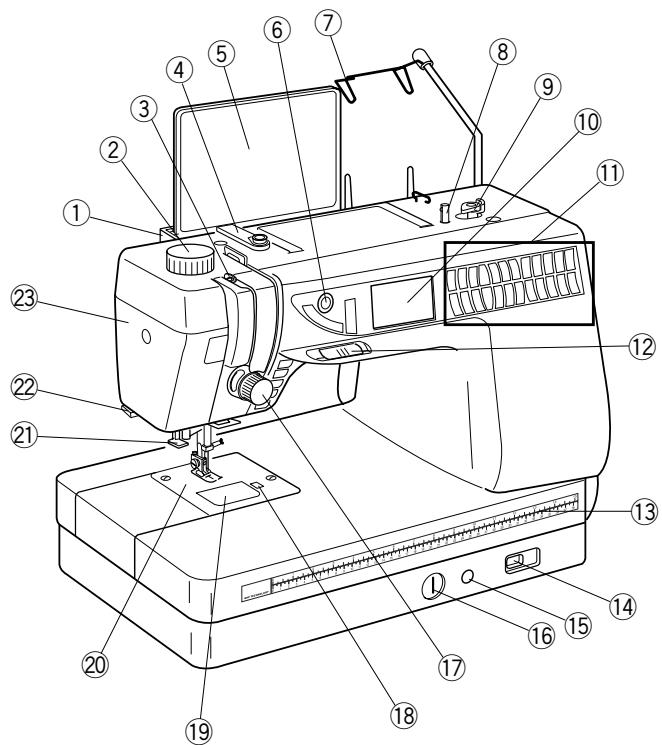
Part Names
- Stitch chart brackets (to attach, see page 7)
- Foot pressure dial
- Thread take-up lever
- Thread guide plate
- Stitch chart
- LCD screen brightness control
- Retractable thread guide (pull up)
- Bobbin winder spindle
- Bobbin winder stop
- LCD screen
- Selection keys (see pages 11-13)
- Speed control lever
- Centimeter/inch quick measurements
- Feed dog lever
- Knee lifter insert channel
- Fine adjustment screw
- Thread tension dial
- Bobbin cover plate release button
- Bobbin cover plate
- Needle plate
- Built-in needle threads
- Thread cutter
- Face plate
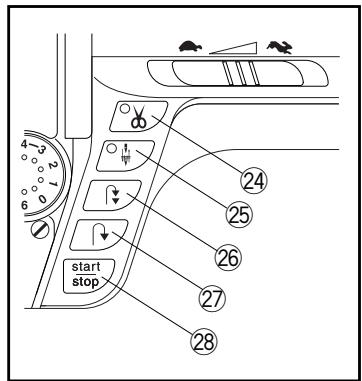
- Auto-thread cut key
- Up/down needle key
- Auto-lock key
- Reverse key
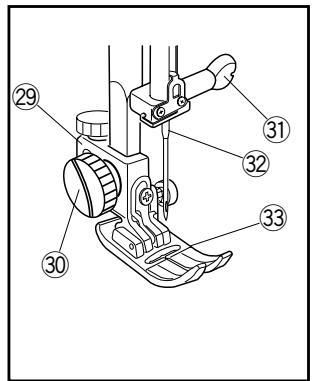
- Start/stop key
- Shank
- Thumbscrew
- Needle clamp screw
32.Needle - Presser foot
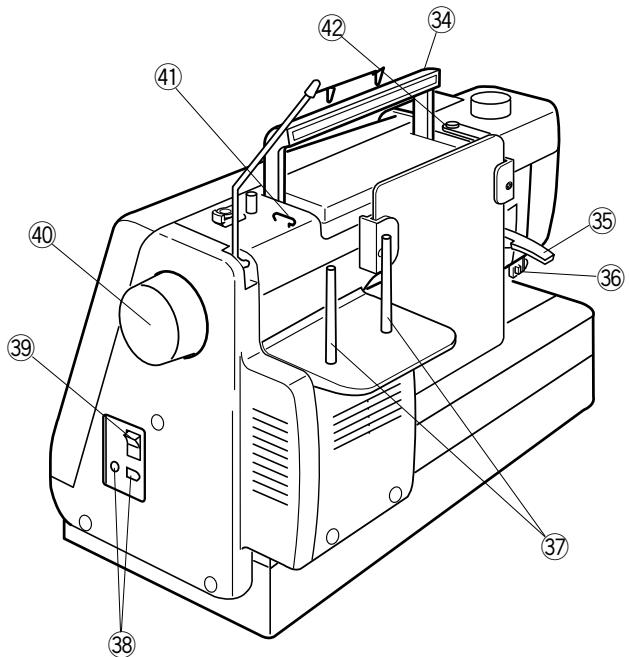
- Carrying handle
- Presser foot lever
- Buttonhole lever
- Spool pins
- Machine sockets
- Power switch
- Flywheel (always turn toward you)
- Upper thread guide
- Bobbin winding tension disc
Standard Accessories
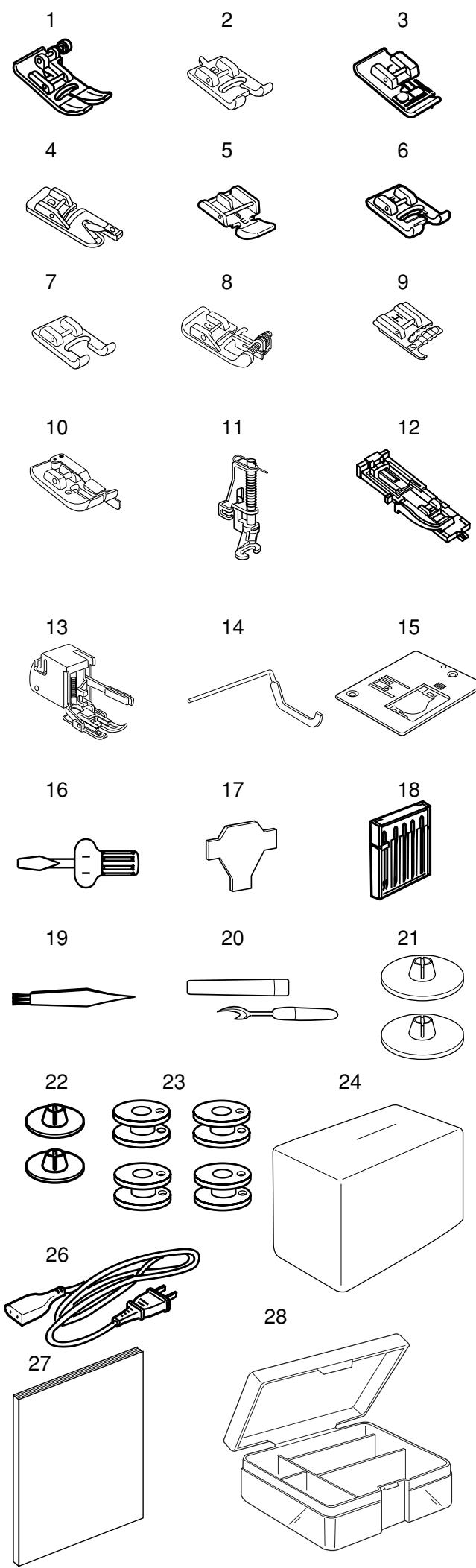
- A: Standard metal foot (attached to machine)
- B:Buttonhole foot (4-step)
- C: Overlock foot
- D: Hemmer foot
- E:Zipper foot
- F: Satin stitch foot
- F-2:Open toe satin stitch foot
- G:Blind hem foot
- H: Multi-cord foot
- Scant 1 / 4'' foot
- P-2:Open toe embroidery/darning foot
- R: Automatic buttonhole foot
- Open toe walking foot
- Quilt guide
- Straight stitch needle plate
- Screwdriver
- Screw key
- Set of needles
- Lint brush
- Seam ripper
- Large spool holders (2)
- Small spool holders (2)
- Bobbins (5 total, 1 in machine)
- Dust cover
- Quilt table
- Power supply cord
- Instruction book
- Accessory box
- Foot control
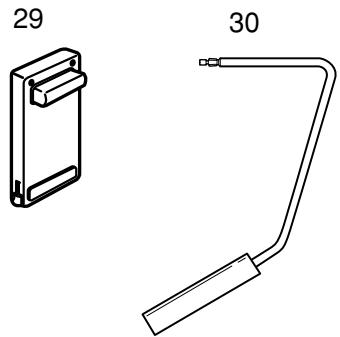
- Knee lifter
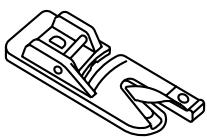
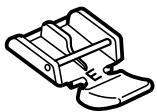
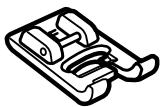
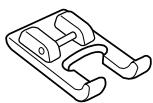
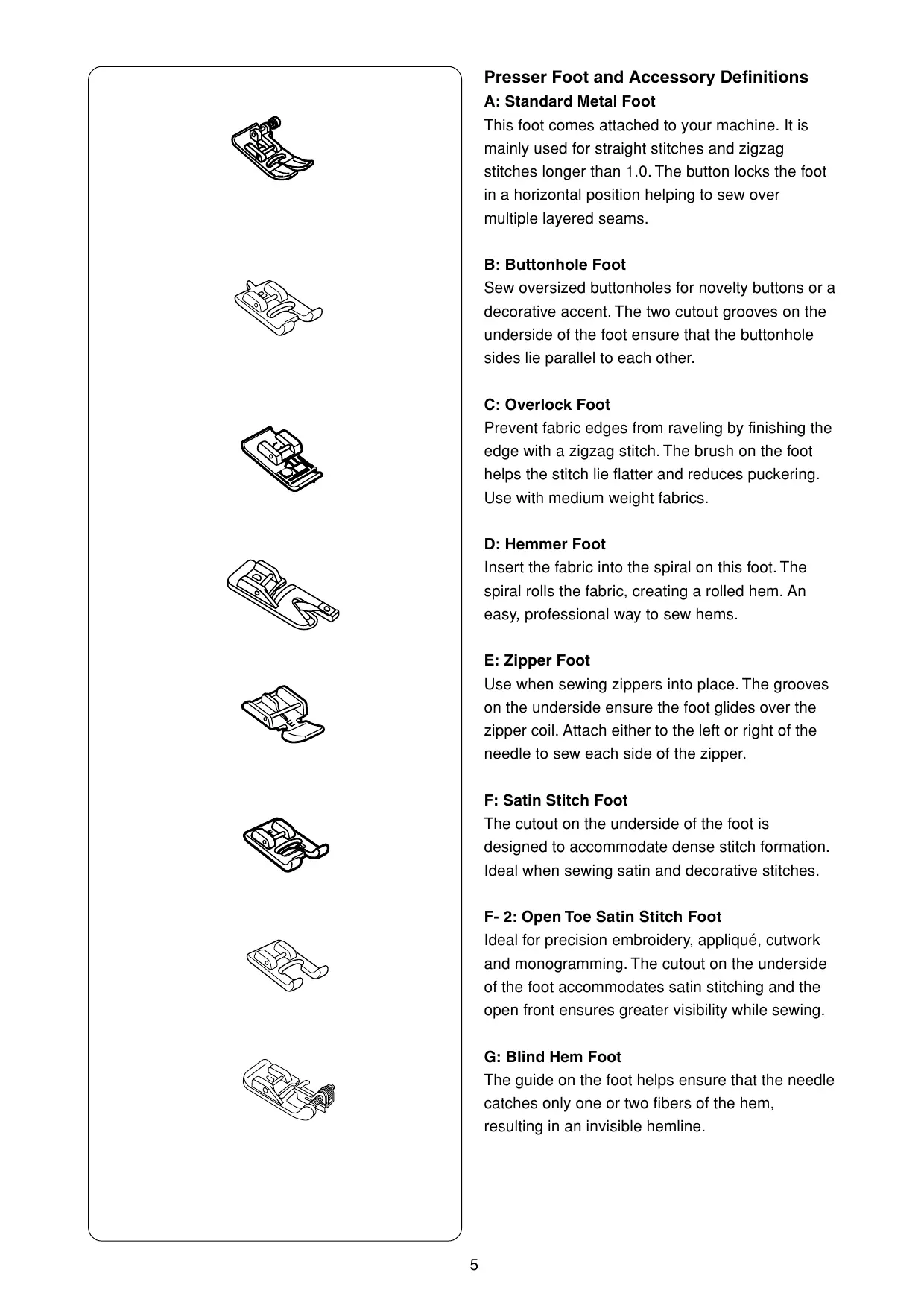
Presser Foot and Accessory Definitions
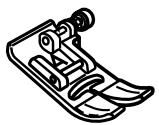
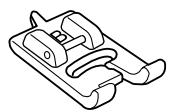
A: Standard Metal Foot
This foot comes attached to your machine. It is mainly used for straight stitches and zigzag stitches longer than 1.0. The button locks the foot in a horizontal position helping to sew over multiple layered seams.
B:Buttonhole Foot
Sew oversized buttonholes for novelty buttons or a decorative accent. The two cutout grooves on the underside of the foot ensure that the buttonhole sides lie parallel to each other.
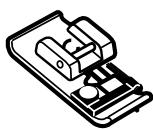
C: Overlock Foot
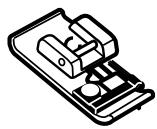
Prevent fabric edges from raveling by finishing the edge with a zigzag stitch. The brush on the foot helps the stitch lie flatter and reduces puckering. Use with medium weight fabrics.
D: Hemmer Foot
Insert the fabric into the spiral on this foot. The spiral rolls the fabric, creating a rolled hem. An easy, professional way to sew hems.
E:Zipper Foot
Use when sewing zippers into place. The grooves on the underside ensure the foot glides over the zipper coil. Attach either to the left or right of the needle to sew each side of the zipper.
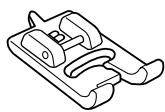
F: Satin Stitch Foot
The cutout on the underside of the foot is designed to accommodate dense stitch formation. Ideal when sewing satin and decorative stitches.
F- 2: Open Toe Satin Stitch Foot
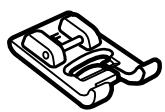
Ideal for precision embroidery, appliqué, cutwork and monogramming. The cutout on the underside of the foot accommodates satin stitching and the open front ensures greater visibility while sewing.
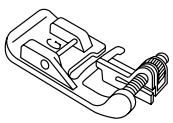
G: Blind Hem Foot
The guide on the foot helps ensure that the needle catches only one or two fibers of the hem, resulting in an invisible hemline.
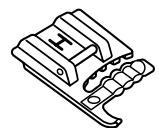
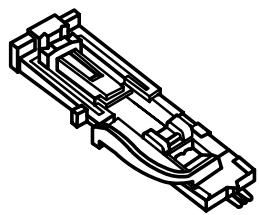
H: Multi-Cord Foot
Design your own braids or trims. Place one to three cords in the foot and sew over cord(s) for a simple couching method. Or sew over one cord with a zigzag to gather heavier weight fabrics.
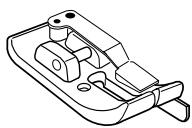
Scant 1/4" Foot
Accuracy is the key to successful patchwork/quilt sewing. Sewn from 3.5 needle position; the edge of the foot provides a perfect 1/4'' seam guide. Or use 4.5 needle position and achieve the desirable scant 1/4'' often requested by quilters.
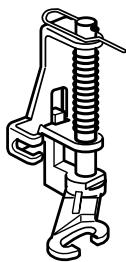
P-2: Open Toe Embroidery/Darning Foot
Skipped stitches are no longer a concern when sewing free motion embroidery, stippling, darning and monogramming. The spring-loaded foot moves up and down at the same time as the needle. Another benefit when using this foot is the front cutout provides maximum visibility.
R: Automatic Buttonhole Foot
Place button in foot to determine the buttonhole size. The machine will automatically sew the corresponding buttonhole.
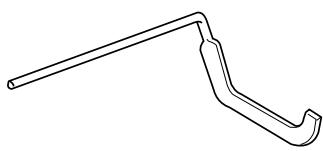
Quilt Guide
The quilt guide is helpful when sewing parallel, evenly spaced rows of stitching. May be used with a walking foot.
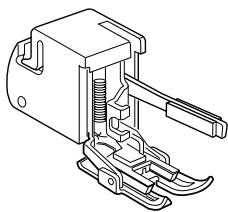
Open Toe Walking Foot
Great for keeping quilt layers from shifting when sewing and keeping stripes and checks matched. Fabrics lie between an upper feed dog (on walking foot) and lower feed dog (on machine) to move fabrics simultaneously, preventing them from slipping.
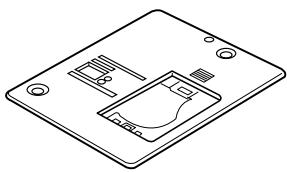
Straight Stitch Needle Plate
Skipped stitches or puckered fabric? The small needle entry hole in this plate prevents the needle from pushing your fabric underneath the needle plate. (Must use center needle position.)
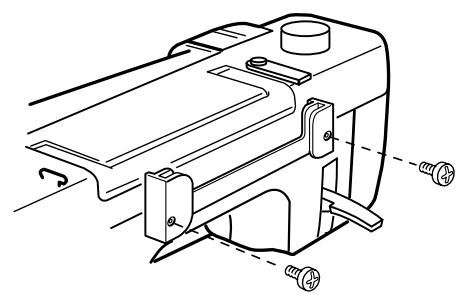
How to Attach Stitch Chart Brackets
Align the screws with the holes on the backside of the machine. Firmly tighten screws with screwdriver.
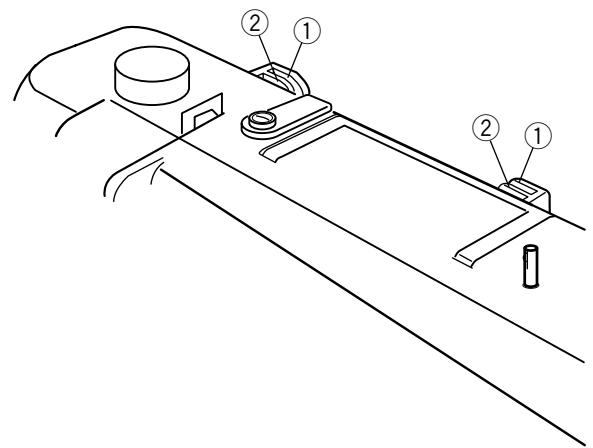
Stitch Chart
The stitch chart can be placed in two positions on the chart bracket, store or view.
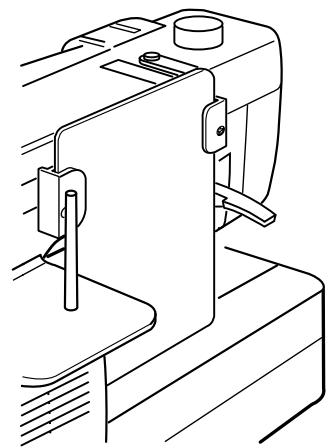
(3)
Store Position
The back slots ① on the bracket are for store position ③ . Slide stitch chart down between the back slots until the stitch chart rests against machine bed.
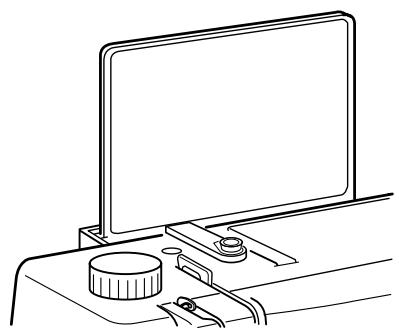
(4)
View Position
The front slots ② on the brackets are for view position ④ . Pull up and out the stitch chart from back slots. Slide stitch chart down between the front slots.
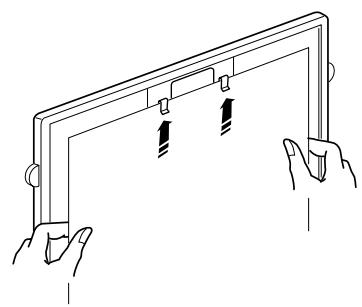
Write 'n Clip Board
Need a handy place for posting information? Flip over the stitch chart to write messages and then clip paper or sewing instructions, notes, etc., to board.
NOTES: Do not clip multiple layers of paper or cardboard. Slide paper under clips; do not raise clips.
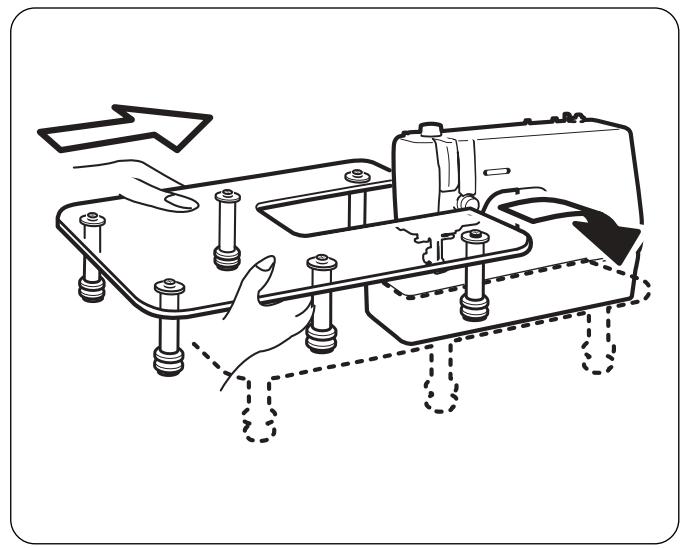
Quilt Table
The table provides more sewing surface to support large fabric pieces to make sewing easier.
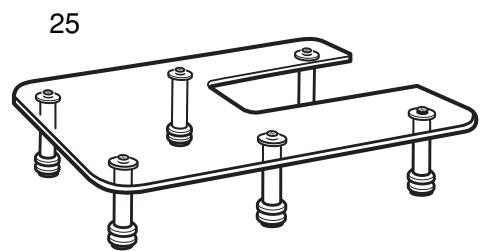
Assemble table by attaching six legs to underside of quilt table with screws.
Attaching Table to Machine
Fit the table around the machine, as shown in the illustration. If necessary, adjust height of legs to level table with machine bed by tightening or loosening leg screws.
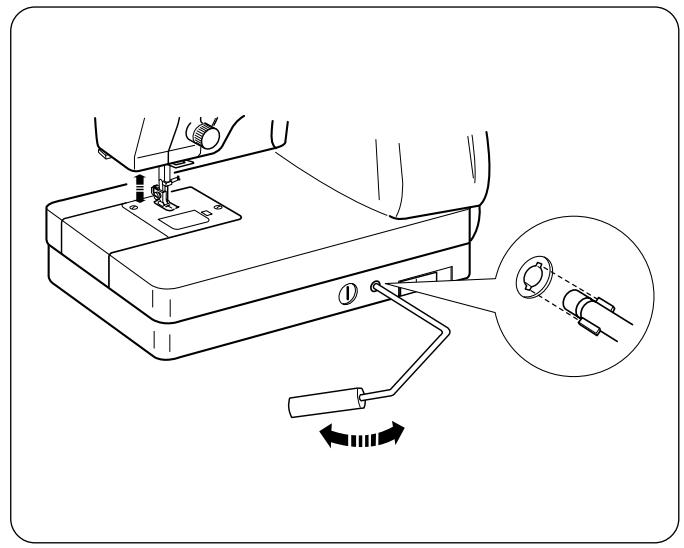
Knee Lifter
The knee lifter allows you to raise or lower the presser foot without using your hands. This is especially beneficial when pivoting corners or sewing patchwork pieces.
Insert knee lifter aligning the slots with the notches.
The presser foot rises equal to the amount of pressure applied to the knee lifter. Stop sewing before moving the knee lifter to the right to raise the presser foot. Release the knee lifter to lower the presser foot.
CAUTION:
Do not touch the knee lifter while sewing because the tension discs will open resulting in the upper thread tension loosening. In addition, the fabric will not feed properly.
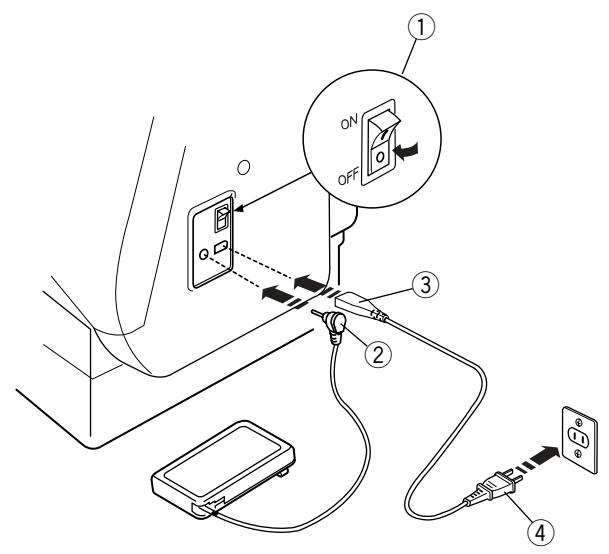
Connecting Machine To Power Supply
Before connecting the power cord, make sure the voltage and frequency shown on the machine are identical to your electrical power.
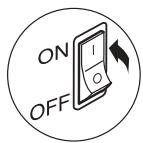
To connect machine to power supply, turn off the power switch ①. Insert the foot control plug ② and machine plug ③ into the machine and the power supply plug ④ into the wall socket.
Your machine may come equipped with a polarized plug (one prong wider than the other). A polarized plug reduces the risk of electrical shock. This plug is intended to fit into a polarized outlet. If the plug does not fit fully into the outlet, reverse the plug. If it still does not fit, contact a qualified electrician to install the proper outlet. Do not modify the plug in any way.
IMPORTANT: When using your sewing machine the first few times, place waste fabric under the presser foot and run the machine without thread for a few minutes. Wipe away excess oil.
NOTE: After turning off the machine, wait 5 seconds before turning it on again.
For Your Safety
Do not use extension cords or plug adapters.
Do not touch plug with wet hands.
Always turn off the power/light switch first and then unplug from the electrical outlet. Examples:
- when leaving the machine unattended
- when cleaning the machine
Always turn off the power/light switch:
- when attaching or removing parts such as needle, presser foot, needle plate
- when threading needle or bobbin
Do not place anything on the foot control.
Do not place heavy items on cords. Do not subject cords to heat. Do not use damaged cords. Have the cord repaired immediately.
While the machine is in operation, always keep your eye on the sewing area and do not touch any moving parts such as the thread take-up lever, flywheel or needle.
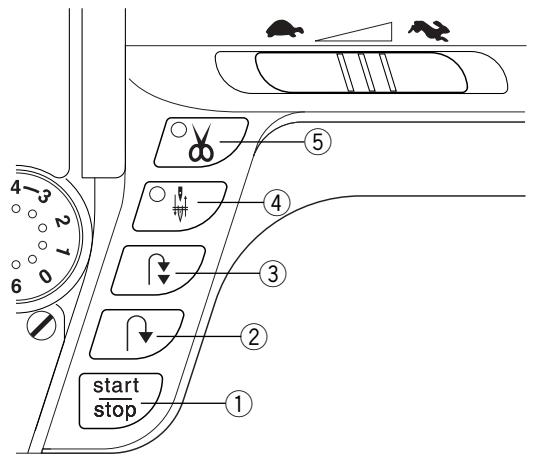
Main Function of Keys
① Start/Stop Key (changes color to indicate function)
Press this (green) key to start the machine. The first few stitches will be sewn at a slow speed and then machine sews at the speed set by the speed control lever. Press (red) key again to stop machine. Press and continue to hold key down to sew at slow speed, release key to sew at set speed. Press key again to stop.
NOTE: The foot control must be detached to use this key.
② Reverse Key
If you are sewing 1 (straight stitch), 2 (zigzag stitch) or 3 (3-step zigzag stitch), press and hold this key. The machine will sew in reverse until you release the key while using the foot control or Start/Stop key. If the foot control is disconnected, the machine will sew in reverse until you release the key with or without using the Start/Stop key.
If you are sewing any other stitches, utility or decorative, the machine will immediately stop and sew a lockstitch when you press this key.
③ Auto-Lock Key
Press this key while sewing 1 (straight stitch), 2 (zigzag stitch) or 3 (3-step zigzag stitch) and the machine will sew a few stitches in place and stop automatically.
Press this key while sewing utility or decorative stitches and the machine will complete the stitch, lockstitch and stop.
④ Up/Down Needle Key
If the needle is up when you press this key, the needle will go down to its lowest position and the LED signal will turn on. The needle will continue to stop in the down position
If the needle is down when you press this key, the needle will go to its highest position and the LED signal will turn off. The needle will continue to stop in the up position.
NOTE: The needle will always stop in the up position after auto thread cutting or buttonholes.
⑤ Auto Thread Cut Key
When the machine has stopped sewing, press this key to cut the needle and bobbin threads. (The LED signal blinks during auto thread cutting.)
CAUTION: Use the thread cutter on the face plate for threads heavier than 30 wt. or decorative threads.
Clean the auto thread cut mechanism regularly. See page 82.
After auto thread cutting, pull the needle and bobbin threads up and back under the foot.
Auto thread cutting is not recommended when a thread spool is almost empty, as thread will not unwind smoothly, causing the thread to bunch or slip.

Keyboard Selection Keys
1. LCD Screen Brightness Control
Lighten or darken the screen with this dial.
| 2. | Stitch Width and Needle Position Key Press “-” or “+” side of key to change setting. Press “-” or “+” to move needle position left or right. Straight stitches (1, 6, 011, 012, 061, 062 and 063) can be sewn from many needle positions by pressing the “-” or “+” side of the key. Center needle position is 3.5. |
| 3. | Stitch Length Key Press “-” or “+” side of key to change setting. Depending on the stitch selected, stitch length can be set between 0.0 and 5.0. NOTE: Fine fabrics should have a stitch length between 1.5 and 2.5, medium fabrics between 2.0 and 3.0 and heavier fabrics between 3.0 and 4.0. |
| 4. | Bobbin Winding Key Press this key to wind a bobbin. The machine features a separate motor for bobbin winding making it possible to sew and wind a bobbin at the same time. |
| 5. | Twin Needle Key Press this key to reduce the width of an individual stitch. The twin needle symbol is shown in the LCD screen when it is activated. Press the key again to cancel twin needle function. |
| 6. | Elongation Key Satin stitches 081 to 089 can be lengthened up to five times their regular size without the stitch length varying. Press this key to change the elongation. The LCD screen displays the elongated size: X1, X2, X3, X4 or X5. |
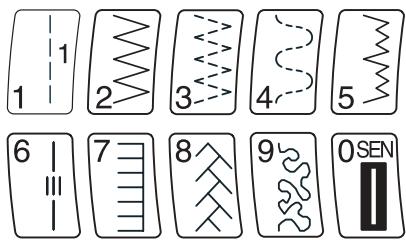
| 7. | Select Mode Key When you switch on the machine, the Direct Select Mode is active. You can select the first ten stitches (illustrated on the keyboard) with a single touch of the key. Touch the “MODE” key to activate the 3 Digit Mode. You can select all stitches by entering the 3 digits for the desired stitch. Touch “MODE” key again to reactivate the Direct Select Mode. |
| M | 8. Memory Save/Recall Key The 3 Digit Mode has four separate memories for saving a sequence of stitches. Press this key to activate memory 1 (M1). Press key again to activate M2. Continue to press this key to access M3, M4 or to exit memory. Once a memory is activated, press the “ENTER” key to save the sequence. To recall a saved memory, press “M” key until desired memory appears. To activate the saved sequence, press “Mirror Image” key. |
| ENTER | 9. Enter Key Press this key after selecting a stitch in the 3 Digit Mode and that stitch will be memorized. Up to 50 stitches can be combined together. These stitches cannot be memorized into a sequence: 010, 011, 071 – 076, 078 and 079. |
| M | 10. Memory Auto-Lock Key After combining a sequence of stitches in the 3 Digit Mode with the ENTER key, press this key. Begin sewing; at the end of the sequence the machine will automatically lock the last stitch and stop. • symbol will appear in LCD screen. |
| 11. Face to Face Key When this key is pressed after selecting a stitch, the stitch will be flipped vertically (as it appears on the stitch chart) and a symbol will appear in the LCD screen. Stitches that are compatible with this key are identified on the stitch chart with an “F” directly following the stitch number. | |
| 12. Mirror Image Key When this key is pressed after selecting a stitch, the stitch will be flipped horizontally (as it appears on the stitch chart) and a symbol will appear in the LCD screen. If you have activated the permanent memories (M1, M2, M3, M4), press this key to recall the saved sequence. | |
| PS | 13. My Personal Setting Key Select a stitch in Direct Select Mode or 3 Digit Mode and override the factory settings by changing width/needle position, length, face to face, mirror image or elongation. Press this key after changing settings. Press “ENTER” key. New settings will now be saved as the default settings with PS symbol in LCD screen. |
| C | 14. Clear Key When this key is pressed, the last memorized stitch or the stitch that is above the cursor will be cleared. Press and hold the “C” key; the entire sequence is cleared. If this key is pressed after sewing a sequence, the sequence will be deleted. |
| 15. Review Memory Left Key Use this key to review stitches in a memorized sequence when all stitches do not appear on the screen. OR Press this key to move the cursor left until it is under the stitch that will be edited. |

16. Review Memory Right Key
Use this key to review stitches in a memorized sequence when all stitches do not appear on the screen.
OR
Press this key to move the cursor right until it is under the stitch that will be edited.
17. Memory Auto Thread Cut Key
Press this key after selecting a stitch and when the Auto-Lock key is pressed the machine will automatically cut threads after lockstitching is completed.
Press this key after the last stitch in a sequence and when the sequence finishes sewing, the machine will automatically cut the threads.
NOTE:After this key is pressed, the Auto Thread Cut Key LED signal turns on.
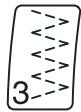

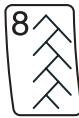
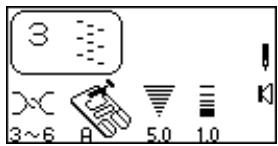
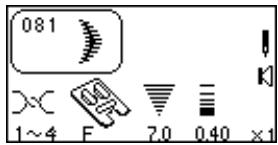
18. Stitch Selection Keys
You can select a stitch in the Direct Select Mode by pressing the key that is illustrated with the desired stitch.
To select stitches in the 3 Digit Mode, simply press the three digits for the desired stitch. To cancel the stitch you selected, press the "C" key or select a different stitch.
a.

b.

C.

d.

e.

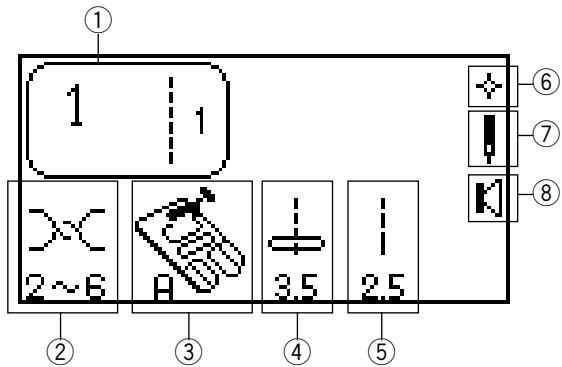
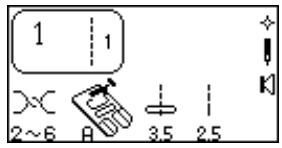
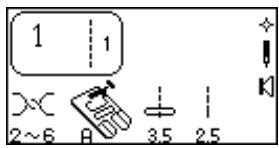
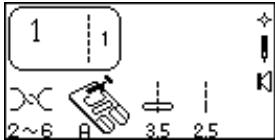
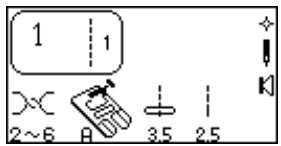
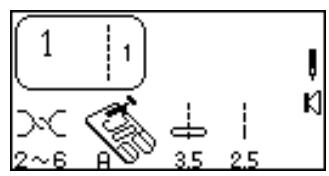
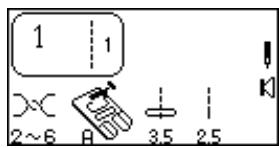
19. Symbols in the LCD Screen
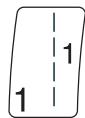
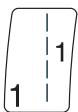
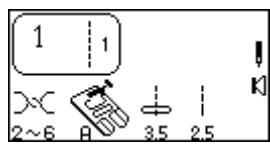
(1) Selected stitch. (The number 1 to the right of the stitch illustration means only one stitch will be sewn if used in a sequence.)
(2) Recommended range for setting needle thread tension dial.
(3) Elna recommends using this presser foot for best sewing results.
④ Stitch width or needle position – computer automatically sets width or needle position after a stitch is selected.
⑤ Stitch length - computer automatically sets length after a stitch is selected.
⑥ Quick Resumption Mode. Switch off the machine. The last stitch(es) that were sewn will appear when machine is switched on. See page 14.
⑦ Twin or single needle. See page 11.
⑧ Sound Mode. Machine beeps after touching any key. See page 14.
Other symbols that can appear:
a. My Personal Settings are applied to this stitch.
b. Face to Face is active for this stitch.
c. Mirror Image is active for this stitch.
d. Face to Face and Mirror Image are active for this stitch.
e. Elongation is available for this stitch.
ENTER


1
Normal set
Resumption set
2

Normal set
Resumption set

3
1
2

1.
2.
3.
4.())

3
1
-
ENGLISH
-
ESPANOL
3.FRANCAIS
4.DANISH

2

-
ENGLISH
-
ESPANOL
3.FRANCAIS
4.DANISH

3
Setting Quick Resumption, Sound and Language Modes
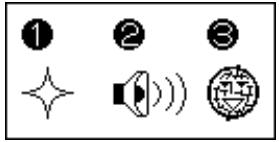
These three modes/functions can be set according to your preferences. Each new setting requires you to turn OFF the power switch. Turn ON the power switch while pressing "ENTER" key. Message screen appears. Press "1" key to change quick resumption or "2" key to change sound or "3" key to change language.
Quick Resumption – The last stitch or memorized sequence of stitches that were sewn will appear when machine is switched on.
Press "1" key.
2 Press "1" or "2" key to change setting between Normal Set and Resumption Set.
Press "ENTER" key.
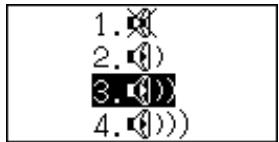
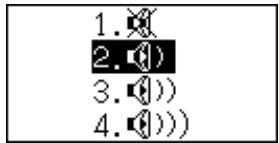
Sound - Turn off the beep sound (warning beep sounds will not be turned off) or change the beep volume.
Press "2" key.
Press "1", "2", "3", or "4" key to change between settings.
Press "ENTER" key.
Language - Choose one of the 10 languages: English, Spanish, French, Danish, German, Italian, Dutch, Russian, Slovenian, or Swedish.
Press "3" key.
2 Press "Review Memory Right" key or "Review Memory Left" key to change between languages.
Press "ENTER" key.



Reset to Factory Default
It is possible to reset the machine to the factory defaults with English language as default.
Turn OFF the power switch. Press "ENTER" key while turning power switch ON. Message screen appears.
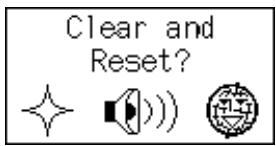
Press "0" key. Message screen appears.
Press "ENTER" key to confirm and reset to factory default.
OR
Turn off power switch to cancel the reset.
Controlling Sewing Speed
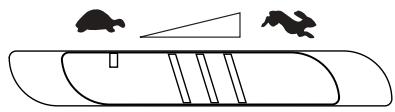
Sewing speed can be varied with the foot control. The harder you press on the foot control, the faster the machine runs.
The maximum sewing speed can be varied by sliding the speed control lever. For a faster speed, slide it to the right; for a slower speed, slide it to the left.
Foot Pressure Dial
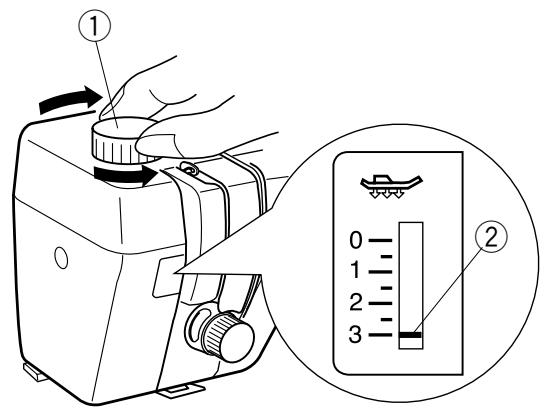
Change the pressure on the presser foot by rotating the foot pressure dial ① to move the indicator ②.
Set the pressure at "3" for regular sewing.
Reduce the pressure to "2" for appliqué, cutwork, drawn work, basting and embroidery.
Velours and knits with a lot of stretch may require a "1" setting.
NOTE: Never reduce the pressure below "0".
How To Drop the Feed Dog
The feed dog can be dropped out of position for special sewing techniques: free motion embroidery, stippling, button sewing, etc.
The feed dog must always be up for regular sewing. The machine will run with the feed dog down if the following stitches are selected: 1, 2, 3, 4, 011, 014, 015, 016, 017, 042, 061 and 062. The machine will not sew with the feed dog down if any other stitches are selected.
NOTE: The foot displayed in the LCD screen changes to the open toe embroidery/darning foot when the feed dog is down, except after selecting stitch 2.
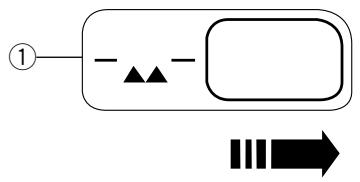
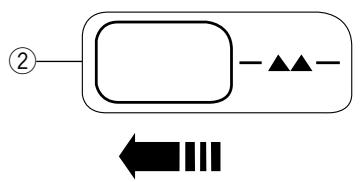
Locate the feed dog lever on the front right side of the machine. Slide the lever either to the right (down) ① or to the left (up) ②. To bring up the feed dog, hand turn the flywheel after sliding lever to the left.
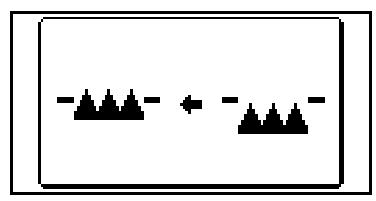
If the feed dog is down, a message illustration will appear in the LCD screen when sewing begins.
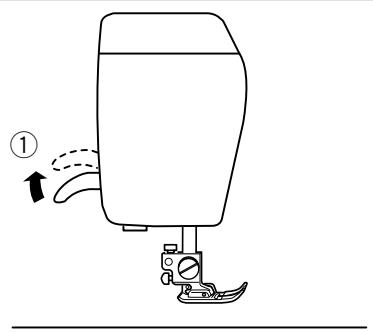
Presser Foot Lever
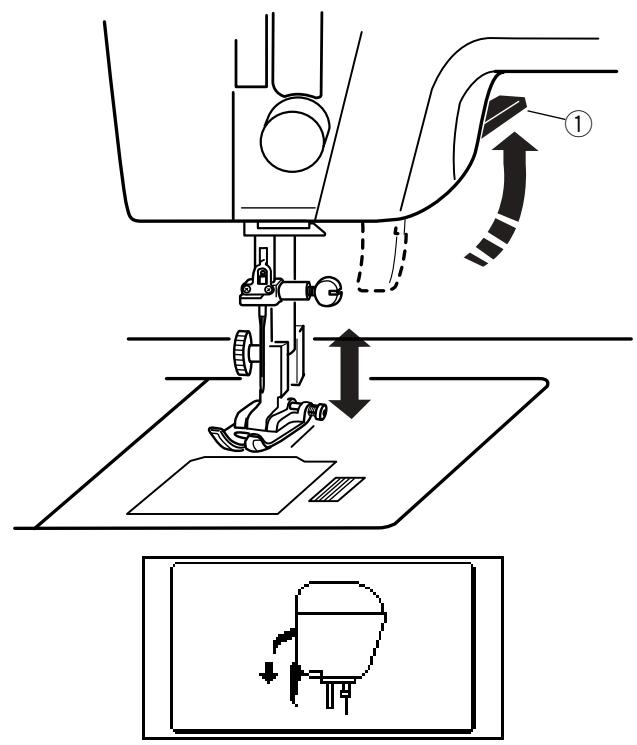
Raise and lower the foot with this lever ①.
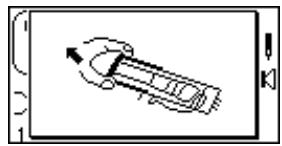
Before sewing can occur the presser foot must be lowered to close the tension discs. If you attempt to sew with the foot in the up position, the LCD screen will show this message illustration to remind you to lower the foot.
Additional Presser Foot Clearance
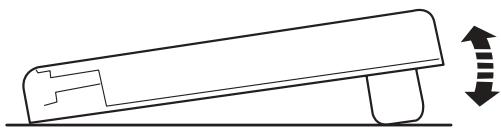
You can raise the presser foot about 6.5 mm (1/4^) higher than the normal up position for easy removal of the presser foot or to place heavy fabrics under the presser foot. Pull the presser foot lever ① up beyond the normal up position.
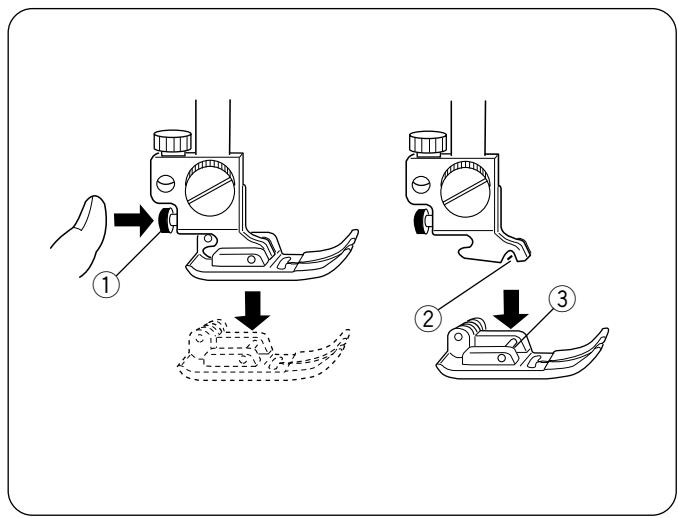
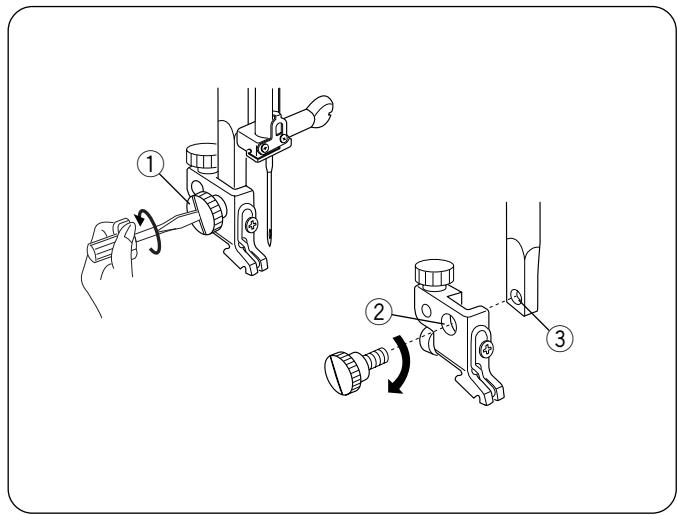
Attaching and Removing Presser Feet
Press the "Up/Down Needle" key until the needle is in the raised position.
Turn OFF the power switch. Raise the presser foot and press the red button ① on back of the shank. The presser foot will drop off.
Place the selected presser foot so the pin ③ on the foot lies just under the groove ② of the shank. Lower the presser bar and attach the foot.
Attaching and Removing Shank
Turn OFF the power switch. Raise the presser bar.
Turn the thumbscrew ① counterclockwise with the screwdriver to remove the shank.
To attach, match the hole in the shank ② with the hole in the presser bar ③ . Put thumbscrew in hole and turn clockwise to tighten.
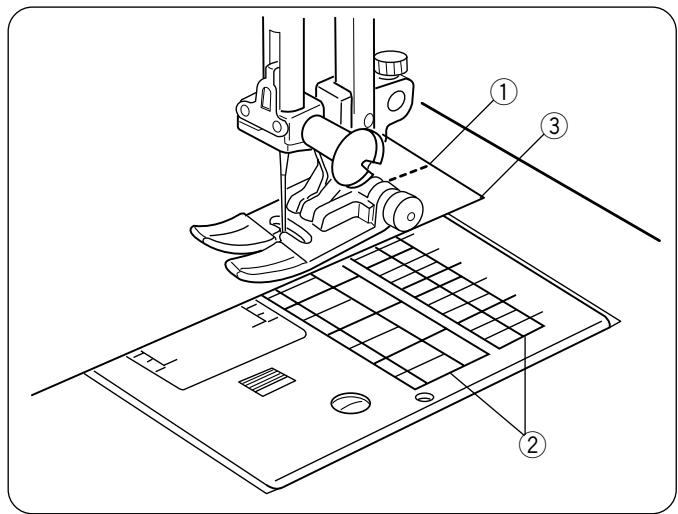
Seam Allowance Lines
The lines on the needle plate and bobbin cover plate help you measure seam width.
The numbers indicate the distance (in millimeters and inches) between the center needle position 3.5 ① and the seam allowance line ② . Use the seam allowance line as a guide for the fabric edge ③ .
Centimeter/Inch Quick Measurements
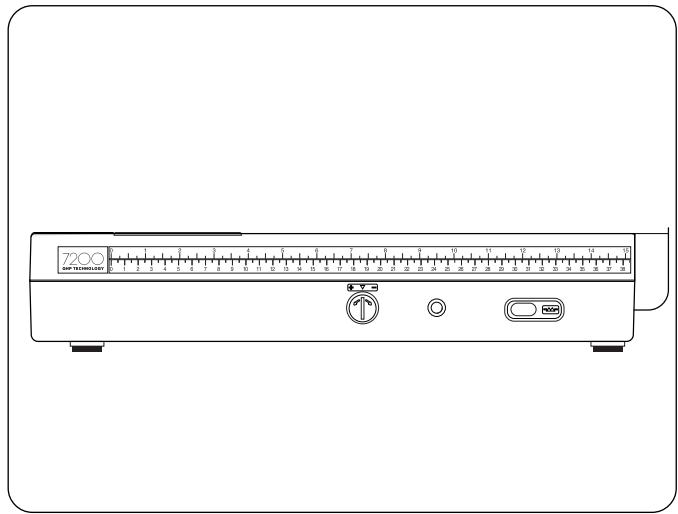
Use this handy tool located on the machine base for quick measurements.
Adjusting the Needle Thread Tension
Choosing the Correct Tension - Straight Stitch
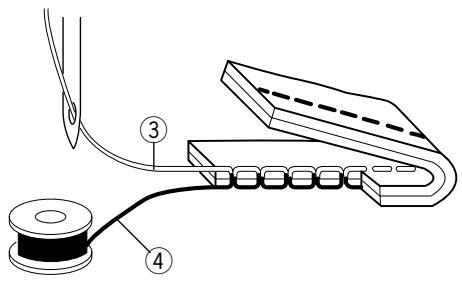
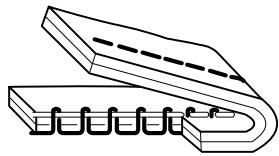
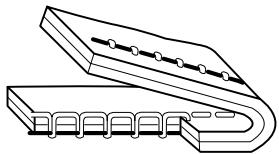
The ideal straight stitch will have threads locked between the two layers of fabric.
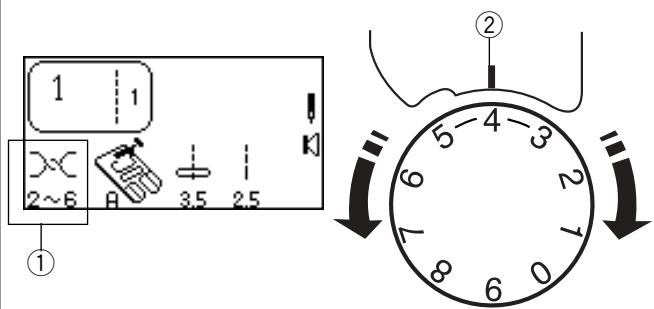
According to the LCD screen, needle thread tension can range from 2-6 ① and is normally set on 4. Align the number 4 on the tension dial with the setting mark ②
If you look at the needle thread ③ (top thread) and bobbin thread ④ (bottom thread), you will notice that there are no gaps. Each stitch is smooth and even.
Occasionally the needle thread tension needs to be adjusted. Examples:
— stiff or heavy fabric
— sewing more than two layers of fabric
type of stitch
— thread
When adjusting needle thread tension, the higher numbers tighten, the lower numbers loosen.
Tension is too tight
The bobbin thread shows through on the topside of the fabric and it will feel bumpy.
Turn the dial to a lower number to loosen the needle thread tension.
- Tension is too loose
The needle thread shows through on the underside of the fabric and it will feel bumpy.
Turn the dial to a higher number to tighten the needle thread tension.
- Adjusting Tension for Zigzag and Satin Stitches
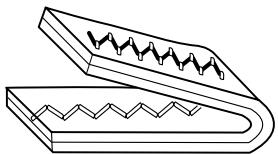
The upper thread tension should be slightly looser when sewing a zigzag or a satin stitch. The upper thread should appear slightly on the underside of the fabric.
Using the Fine Adjustment Screw
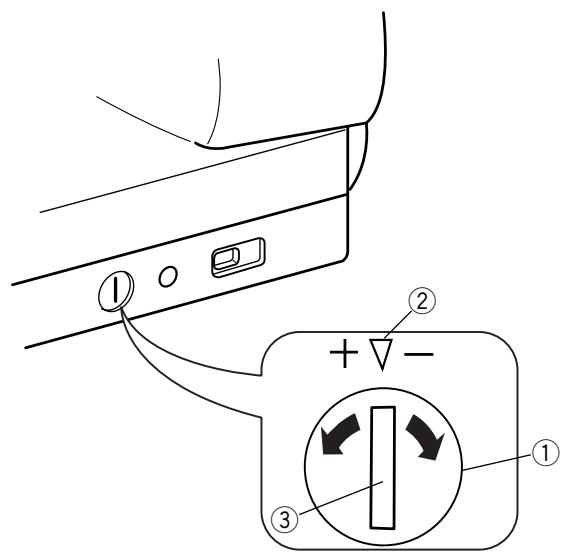
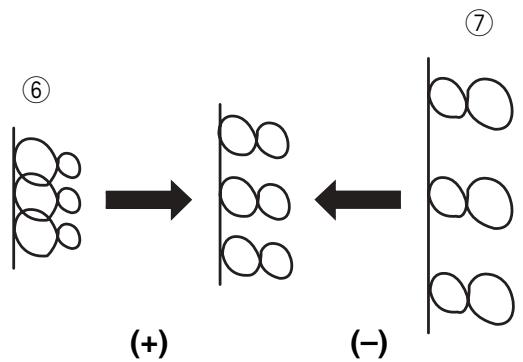
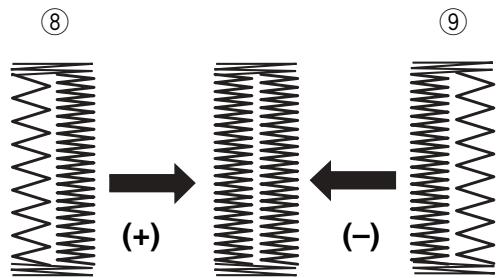
Choice of fabrics and threads may affect the stitch formation when sewing decorative stitches, letters and numbers or classic 4 step memory buttonhole (071). The fine adjustment screw can be used to either lengthen or shorten the stitch.
① Fine adjustment screw
(2) Standard mark
③ Setting mark
To fine tune, use a screwdriver to move the setting mark.
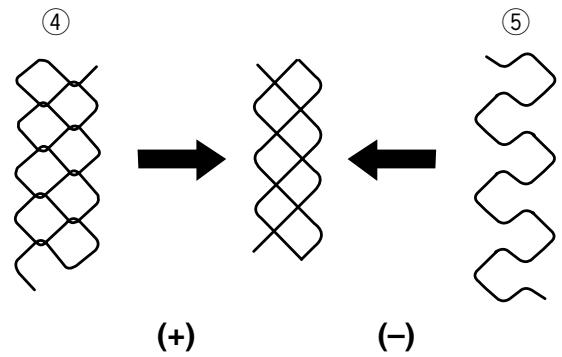
- If stitches are too short ④, correct by turning the screw in the direction of “+”.
-
If stitches are too long (5), correct by turning the screw in the direction of “-”.
-
If letters are overlapped ⑥ , correct by turning the screw in the direction of “+”.
- If letters are too spread out ⑦ , correct by turning the screw in the direction of “—”.
071 Classic 4 Step Memory Buttonhole (Applies only to this style.)
Always make the adjustment according to the left side. When adjustment screw is turned, it changes both sides of the buttonhole.
- If left side of buttonhole is less dense (too open) ⑧ compared to right side, corrected by turning screw in direction of “+”.
- If left side of buttonhole is more dense (too closed)
- compared to right side, corrected by turning screw in direction of “-”.
NOTE: After making any fine turning adjustment press "Enter" key or reselect buttonhole to reset machine.
| Weight | Fabric | Needle Type | Needle Size |
| Very Light | Chiffon, Fine Lace, Organdy | UniversalBall Point | 9 (65)9 (65) |
| Light | Batiste, Lawn, Crepe de Chine, Challis, Handkerchief Linen, Crepe, Taffeta, Satin | StretchUniversal | 11 (75)11 (75)12 (80) |
| Single Knits, Jersey, Swimwear, Tricot | StretchBall Point | 11 (75)11 (75) | |
| Leather, Suede | Leather | 11(75) | |
| Medium | Flannel, Velour, Velvet, Velveteen, Corduroy, Linen, Gabardine, Wool, Terry, Burlap | Universal | 14 (90) |
| Double Knits, Stretch Velour, Stretch Terry, Sweater Knits | Ball Point | 14 (90) | |
| Leather, Vinyl, Suede | Leather | 14 (90) | |
| Heavy | Denim, Sailcloth, Ticking | Denim | 16 (100) |
| Coating, Polar Fleece, Drapery, and Upholstery Fabrics | Universal | 16 (100) | |
| Leather, Suede | Leather | 16 (100) | |
| Very Heavy | Canvas, Duck, Upholstery Fabrics | Universal | 18 (110) |
| Topstitching for Special Finish | Topstitching | 11 (75)14 (90) |
1
2
3
SECTION II
Getting Ready to Sew
Selecting the Correct Needle and Thread
There are many kinds of fabrics, threads and needles. It is important to use the correct ones together.
Always purchase good quality thread. It should be strong, smooth and even in thickness. Use the same thread for needle and bobbin. Always test thread and needle size on a scrap piece of fabric.
In general, fine threads (the larger the number, the finer the thread) and needles (the smaller the number, the finer the needle) are used for sewing lightweight fabrics and heavier threads and larger needles are used for sewing heavyweight fabrics. There are many specialty needles available from your sewing machine dealer.
Check your needles frequently for rough or blunt tips. Snags and runs in knits, fine silks and silklike fabrics are permanent and are often caused by damaged needles.
NOTE: A universal needle size 14/90 comes inserted in your machine
Changing Needles
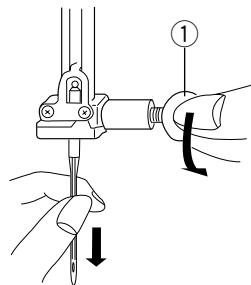
1 Turn ON the power switch. Press the "Up/ Down Needle" key to raise the needle. Lower the presser foot. Turn OFF the power switch. Turn the needle clamp screw ① counterclockwise to loosen. Remove the needle from the clamp.
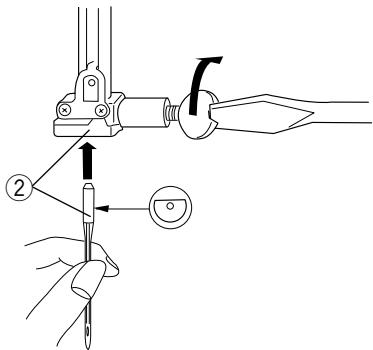
2 Insert the new needle into needle clamp with the flat side to the back, pushing it up as far as it will go ②. Tighten the clamp screw firmly.
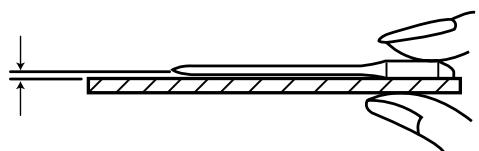
3 To determine if the needle is defective, place the flat side of the needle on something flat (a needle plate, piece of glass, etc.). The gap between the needle and the flat surface should be consistent.
Never use a bent or blunt needle, as it may cause skipped stitches or thread breakage. Defective needles can ruin the fabric. Always purchase good quality needles. Change needles often.

Needle Definitions
The illustration identifies the main parts of a sewing machine needle.
① Body
② Shaft
③ Long groove (round side of needle)
④ Short groove (flat side of needle)
⑤ Eye
⑥ Point
Universal - an all-purpose needle that handles most woven and knit fabrics.
Ball point – the point spreads the fibers, preventing tears and is especially suited for loose knits and interlock knits. Not recommended for embroidery.
Stretch - specially designed to prevent skipped stitches in synthetic suedes and elasticized knits (swimwear).
Denim – the sharp point effectively pierces densely woven fabrics such as denim and canvas.
Topstitching – the extra sharp point penetrates layers of fabrics; extra large eye and large groove accommodate heavyweight topstitching thread.
Metallic – the large grooved shaft helps prevent delicate metallic threads from shredding. Another plus, a larger than average eye makes for easier threading.
Embroidery - a slightly rounded tip minimizes breakage and skipped stitching when using specialty threads like rayon, acrylic or other highsheen threads during machine embroidery.
Self-Threading - the needle eye has a slit opening on the side to allow the thread to be easily inserted.
Leather – the cutting point creates small holes in leather and suede. Holes remain after stitching is removed.
Quilt - the tapered point easily penetrates through multiple layers and crossed seams.
Wing/Hemstitch – wide flat edges (wings) extend outwards near the eye; they separate fibers and create holes for beautiful heirloom stitches.
Twin/Double - 2 needles are joined on a crossbar and share a single shaft. Sews two parallel rows of stitching. Available in universal and ballpoint.
Winding a Bobbin
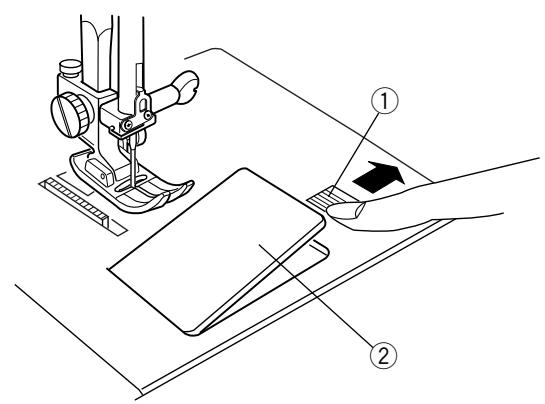
To remove bobbin, slide bobbin cover plate release button ① to the right and lift away the bobbin cover plate ②.
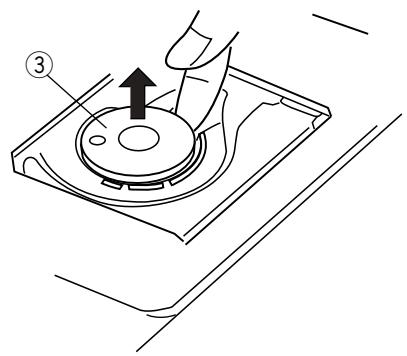
Lift out the bobbin ③
Turn ON the power switch.
CAUTION: Avoid using a bobbin if it is almost empty, as thread may tangle.
Always use bobbin type supplied with machine.
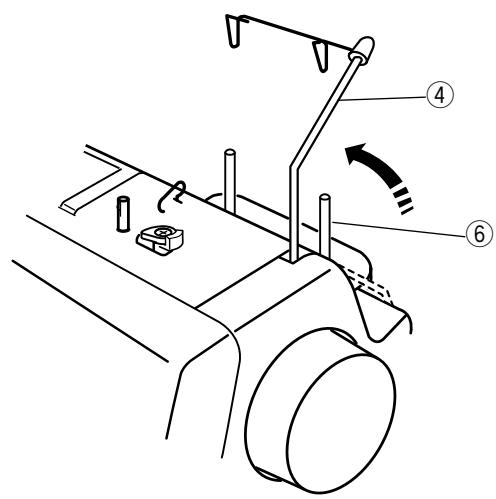
Pull up the retractable thread guide ④.
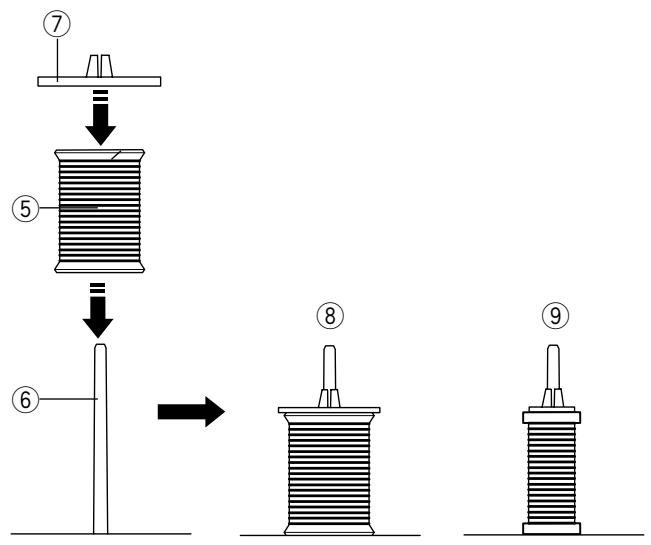
Place the spool of thread ⑤ on the right side spool pin ⑥ with the thread coming off the spool as shown. Attach the spool holder ⑦ and press it firmly against the spool of thread.
NOTE: Spool holder needs to be changed according to the type of thread spool
Large spool
⑨ Small spool
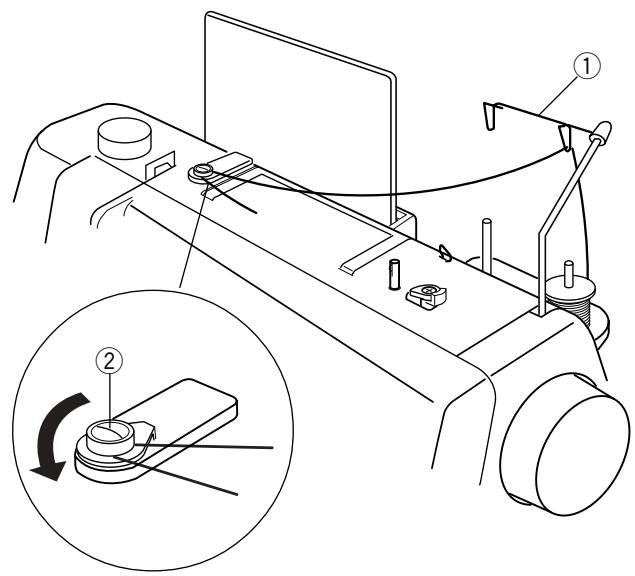
Pull the thread up and through the right retractable thread guide ① from behind.
Pull the thread under and around the bobbin winding tension disc ②.
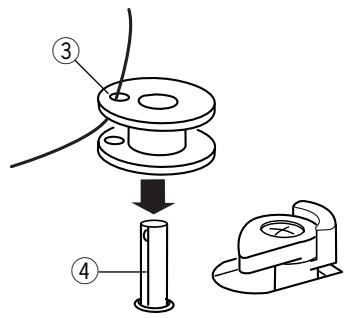
Pass the thread through the hole in the bobbin ③ from inside to the outside. Place the bobbin on the bobbin winder spindle ④ .
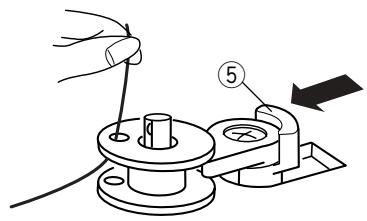
Push bobbin winder stop ⑤ to the left.
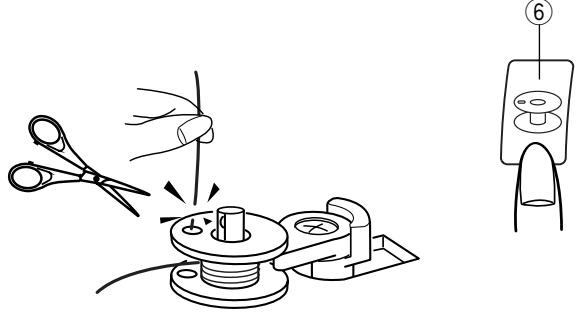
Holding the free end of the thread, press the "Bobbin Winding" key ⑥ . (A separate motor winds the bobbin, allowing you to sew at the same time bobbin winding occurs.)
Press the "Bobbin Winding" key to STOP bobbin winding after the bobbin has made a few turns. Cut the thread tail close to the hole in the bobbin.
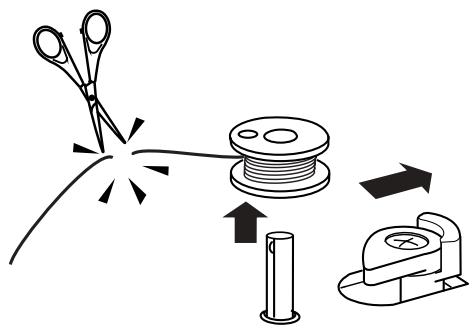
Press the "Bobbin Winding" key again. When the bobbin is fully wound, bobbin winding is stopped and bobbin winder stop will automatically move right. If you do not wind a full bobbin, stop bobbin winding and return bobbin winder stop to the right.
Cut thread.
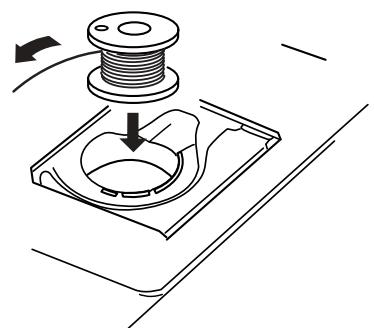
Inserting the Bobbin
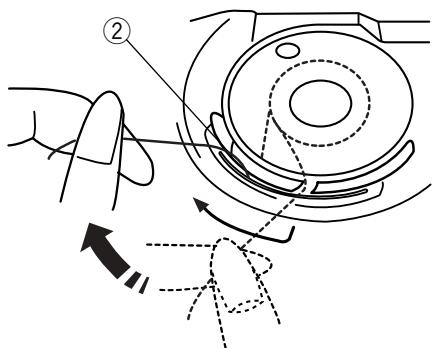
Place the bobbin in the bobbin case with the thread running counterclockwise.
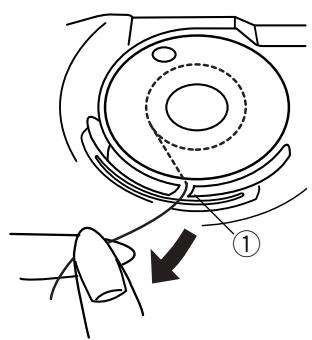
Guide the thread into notch ① on the front side of the bobbin case.
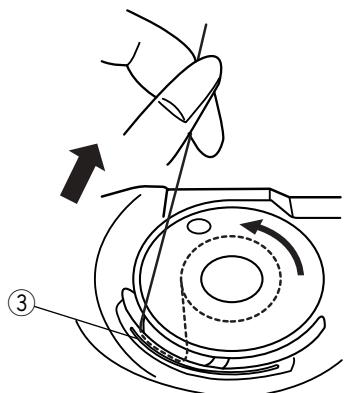
Hold the bobbin with your right hand and pull the thread to the left, through the tension spring blades ②.
Continue pulling the thread lightly until the thread slips into notch ③.
Pull out about 15 cm (6") of thread.
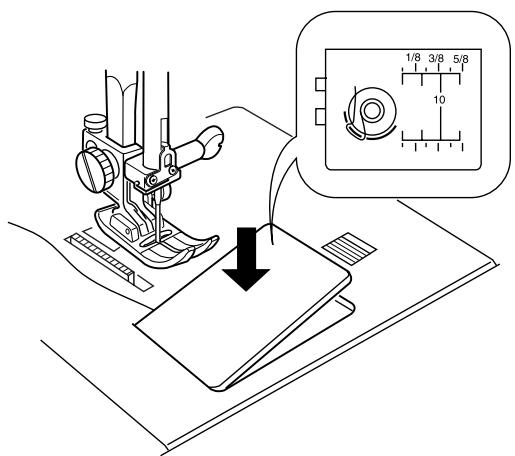
Replace the bobbin cover plate.
Refer to the chart shown on the bobbin cover plate to check the threading.
Threading the Machine
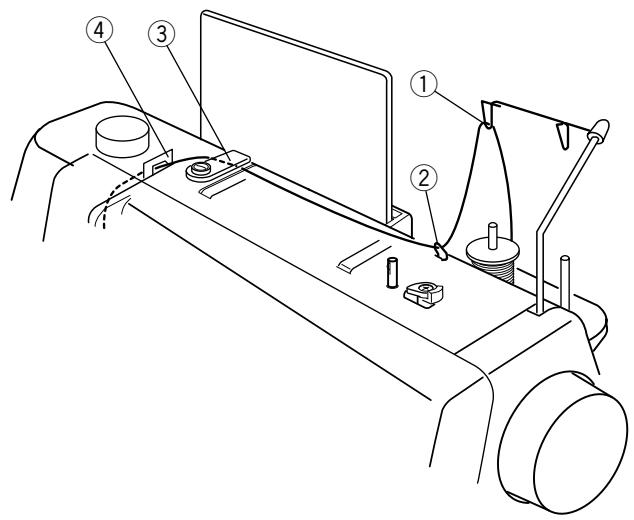
Raise the presser foot. Press the "Up/down Needle" key until the needle is in an up position.
Place the spool of thread on the left spool pin with the thread coming off the spool as shown and attach the spool holder.
Pull the thread up and through the left retractable thread guide ① from behind.
Pull the thread under the upper thread guide ②.
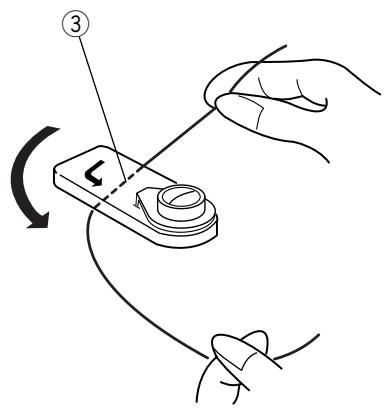
Using both hands, firmly insert the thread under the thread guide plate ③.
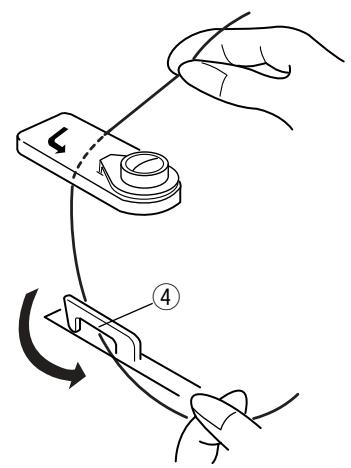
Pull thread forward under the left thread guide ④.
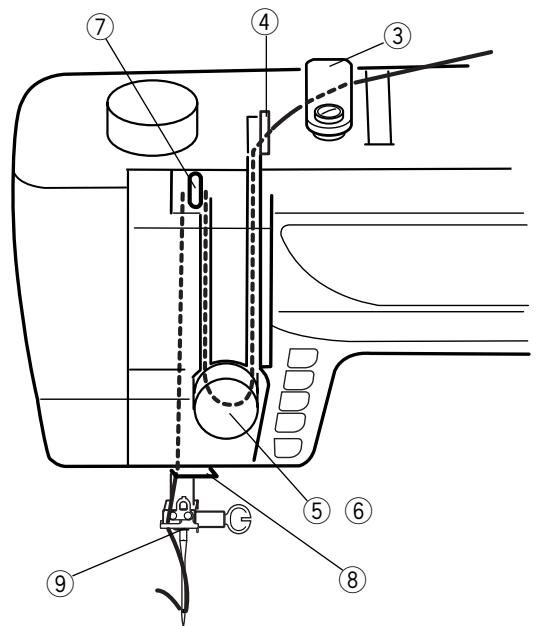
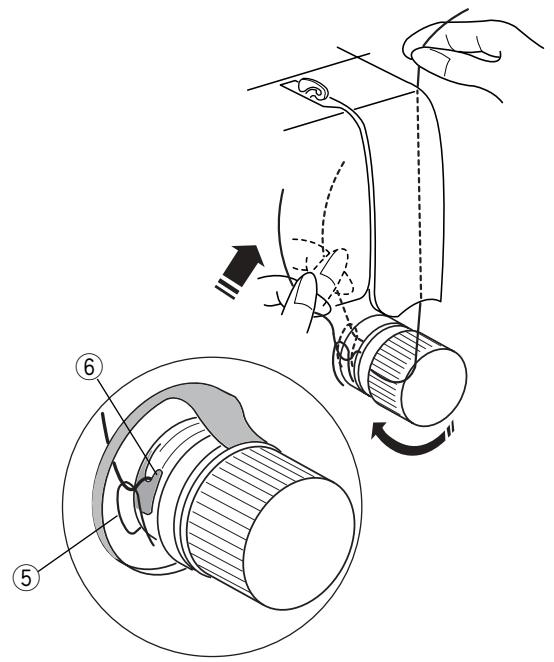
Continue to pull the thread down into the right channel and around the tension dial from right to left.
Pull up on the thread until it is inserted between the tension discs and under the loop of the check spring ⑤. Check that the thread is coming out over the notch ⑥ of the disc.
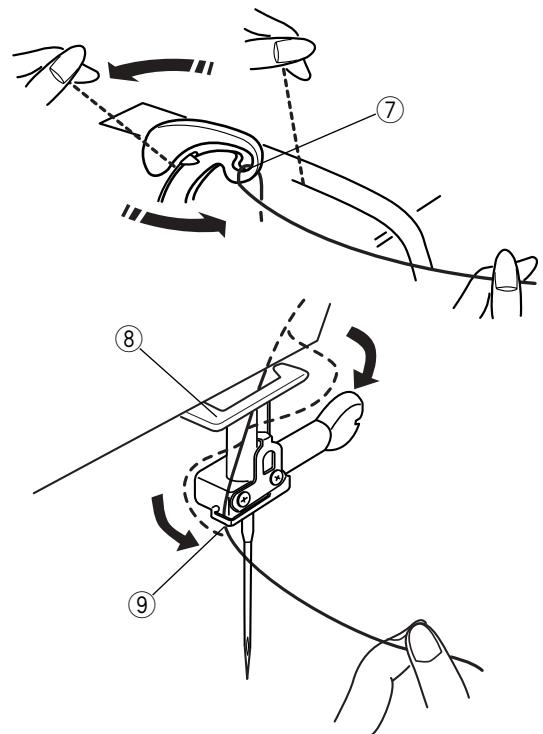
Pull thread up the left channel to the take-up lever. Pass thread from right to left side down into eye of take-up lever ⑦.
Proceed down to the lower thread guide ⑧ and pull thread left. Slide the thread right behind the needle bar thread guide ⑨ .
Thread the needle from front to back manually or use the built-in needle threads.
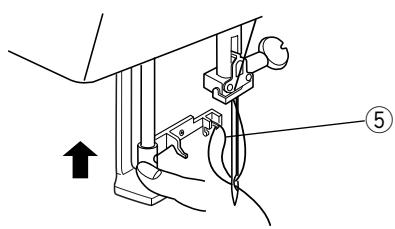
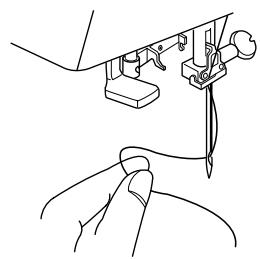
Built-in Needle Threader
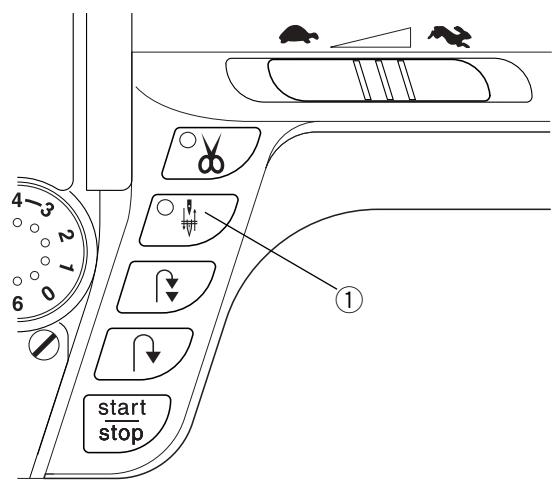
Press the "Up/Down Needle" key ① until the needle is in an up position. Turn OFF the power switch. Lower the presser foot.
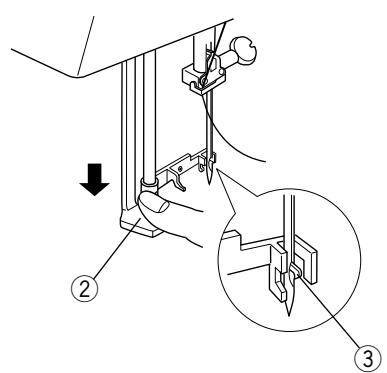
Lower the needle threads lever ② as far as it will go. Hook ③ is automatically inserted into the needle eye.
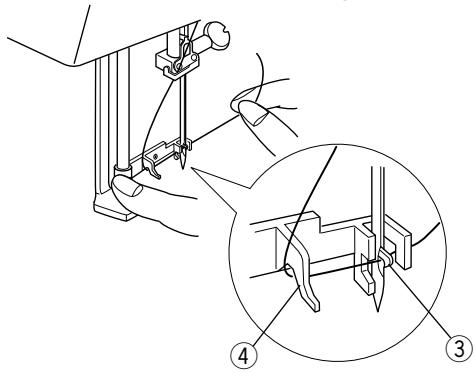
Bring the thread around guide ④ and under hook ③
Slowly release the lever while holding the thread end and let the needle threads return to its original position. A loop of thread ⑤ is pulled through the needle eye.
Pull the thread loop off the guide to the back and manually bring the thread through the needle eye.
- The needle threads can be used with #11 to #16 size needles. Thread weight may vary from 30 to 100.
NOTE: Needle threads cannot be used with a twin needle or wing needle.
If the needle threads does not catch a thread loop, check the needle and positioning.
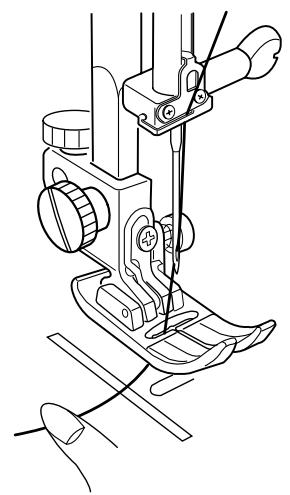
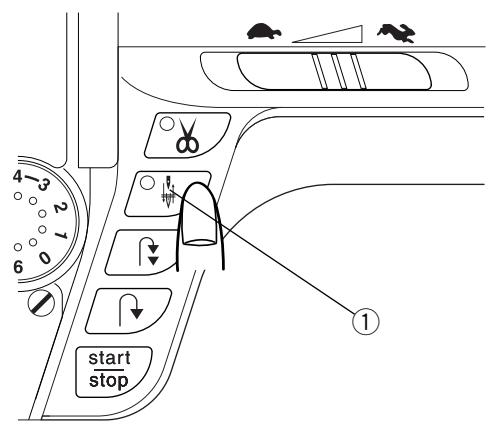
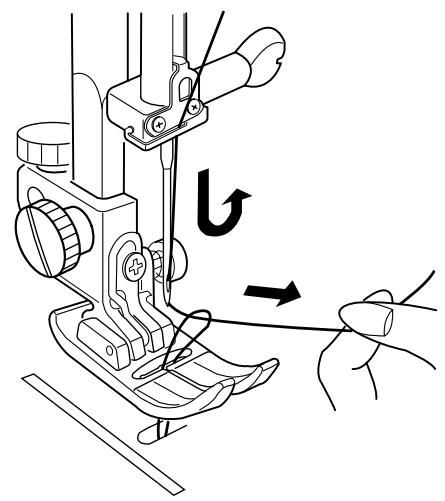
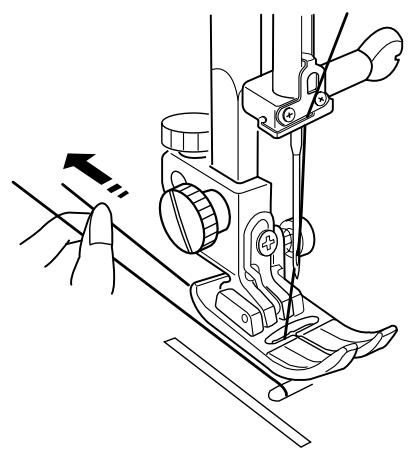
Drawing Up the Bobbin Thread
Turn ON the power switch. Raise the presser foot and hold the needle thread lightly with your left hand.
Press the "Up/Down Needle" key ① twice to pick up the bobbin thread.
Draw up the needle thread together with a loop of bobbin thread.
Slide 10cm(4^ ) of both threads to the back under the presser foot.
1
2



SECTION III Basic Sewing
How to Select a Stitch
1 Select stitches 1 - 0 in Direct Select Mode by touching the corresponding key.
2 Select stitches in the 3 Digit Mode by pressing "MODE" key and then the 3 corresponding keys.
Set-up your machine according to the LCD screen. See page 13.
Straight Stitch
When the machine is turned on, it is automatically set to sew a straight stitch in the center needle position (Exception: Quick Resumption Mode. See page 14).
The straight stitch is used to sew a seam in woven fabrics. The straight stitch can also be used for gathering, basting, sewing in a zipper, pintucks, rolled hems and twin needle hems.
NOTE: Test sew a swatch of fabric and check thread tension. Adjust tension dial if necessary. See page 18.
Starting To Sew
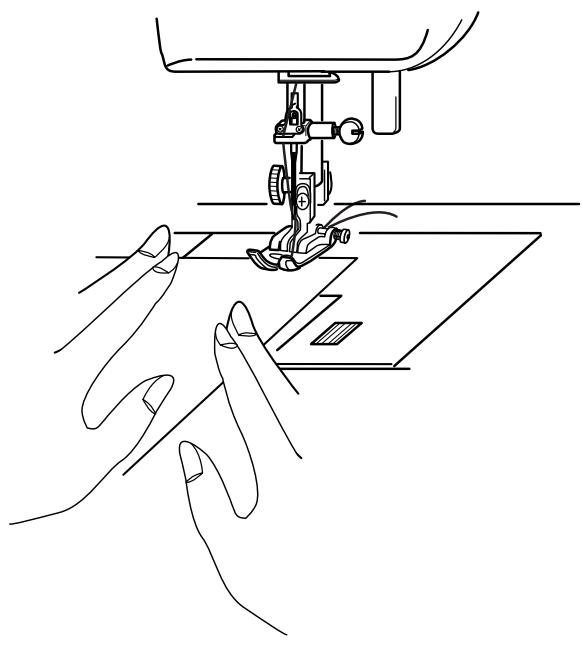
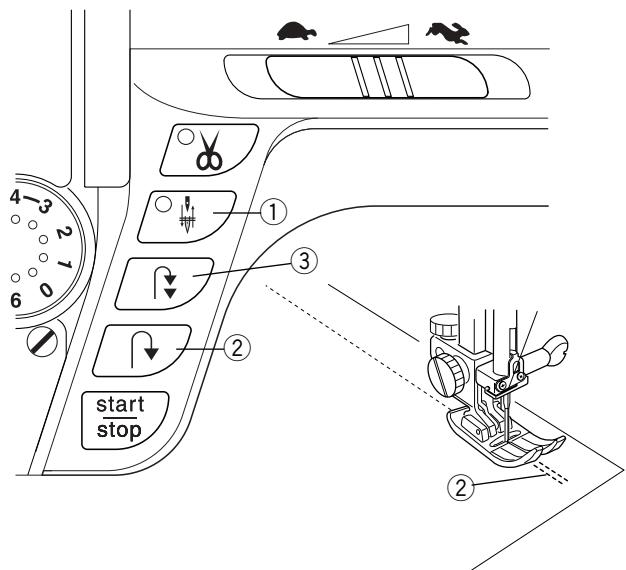
Raise the presser foot and position the fabric next to a seam allowance line on the needle plate. Pull the threads under the foot towards the back and lower the presser foot. Press the "Up/Down Needle" key ① (LED signal turns on) to lower the needle.
Press the foot control or "START/STOP" key.
Gently guide the fabric along the seam allowance line letting the fabric feed naturally.
Press the "START/STOP" key or remove foot from foot control to stop sewing.
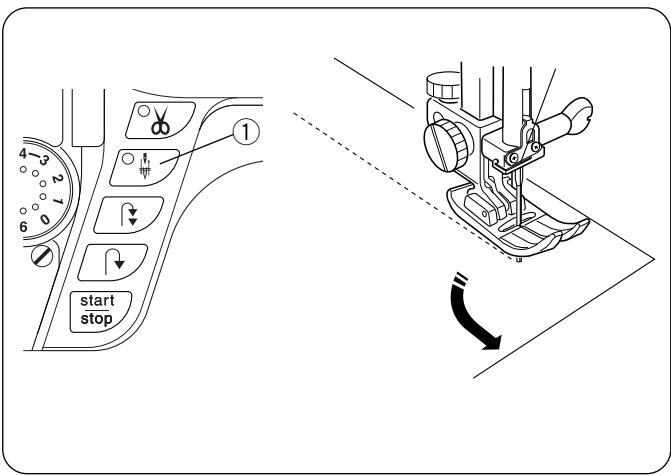
Finishing Off a Seam
To fasten the threads at the beginning or end of a seam, press and hold the “Reverse” key ②. OR
To lockstitch threads at the beginning or end of a seam, press the "Auto-Lock" key ③ before sewing begins or when reaching end of sewing.
Cutting the Threads
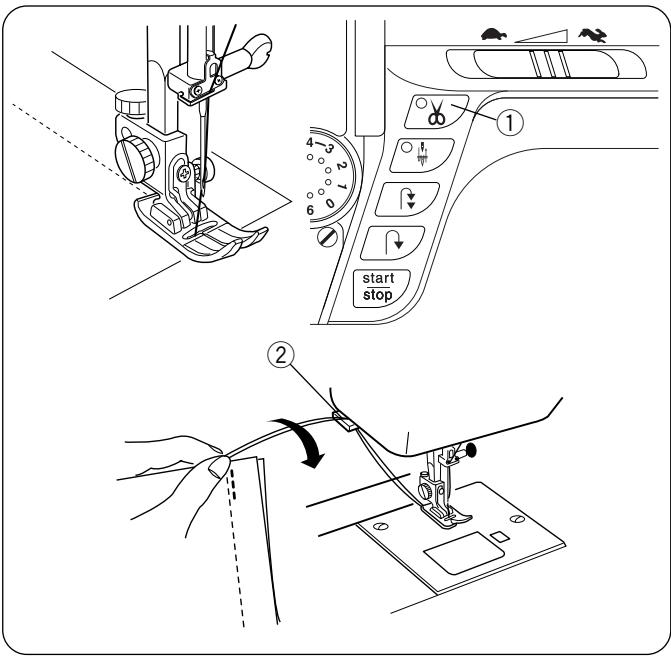
After sewing is stopped, press the "Auto Thread Cut" key (①) (LED signal turns on). (Needle should be in down position before using auto thread cutting mechanism to avoid extra needle penetrations.)
Raise the presser foot and remove the fabric.
Pull both threads to the back under the presser foot so they are ready for sewing again.
OR
Specialty or heavy decorative threads: Press the "Up/Down Needle" key to raise the needle. Raise the presser foot. Remove the fabric; pull the threads to the back and cut threads using the thread cutter ② . (The threads are cut the proper length to start the next seam.)
Changing Sewing Direction
Stop the machine and press the "Up/Down Needle" key ① to bring the needle down into the fabric. Raise the presser foot using either the presser foot lever or knee lifter.
Pivot the fabric around the needle to change sewing direction. Lower the presser foot. Sew in new direction.
Adjusting Needle Position
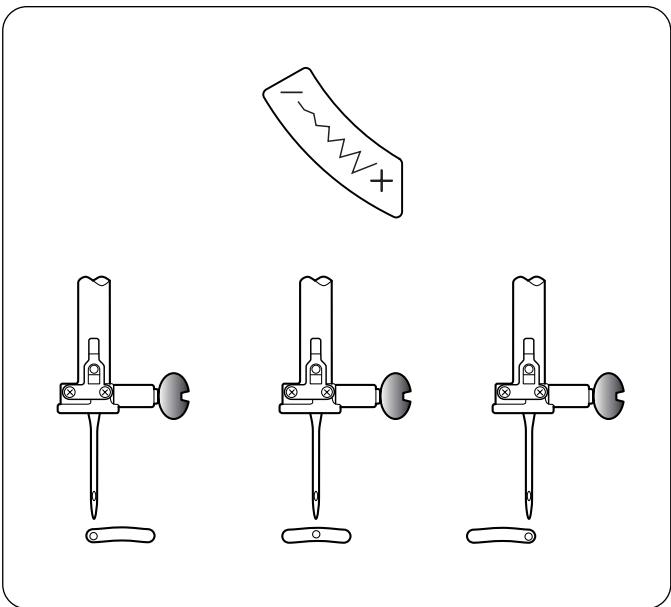
When you press the "Stitch Width/Needle Position" key, the needle position can be set between 0.0 and 7.0.
Press the top/left “-” side of the key to move needle left.
Press the bottom/right "+" side of the key to move needle right.
① Left position
② Center position
③ Right position
The following stitches also have variable needle position: 6, 011, 012, 060, 061, 062 and 063.
Adjusting Stitch Length
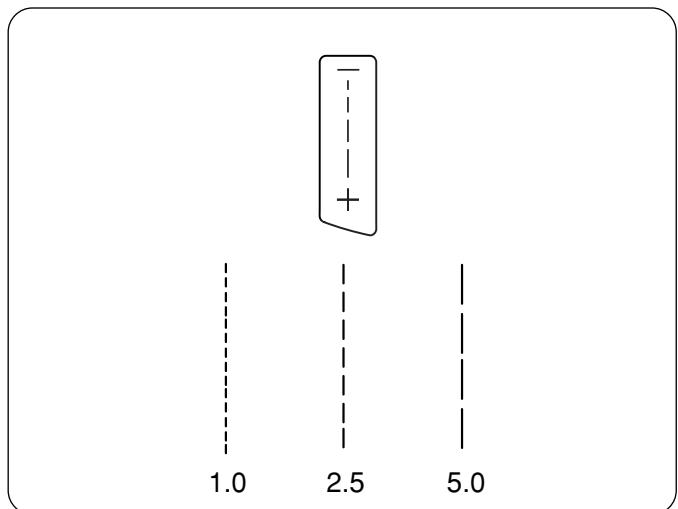
When you press the "Stitch Length" key, the stitch length can be set at 0.00 or between 1.0 and 5.0.
Press the top “-” side of the key to shorten the stitch length.
Press the bottom "+" side of the key to lengthen the stitch length.
Programming My Personal Settings
Stitches 1-126 can be programmed to override the factory default settings.
1
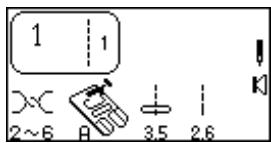
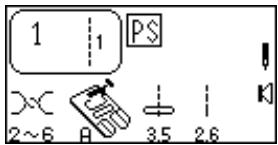
1 Change stitch length to 2.6.

2
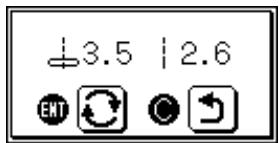
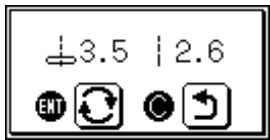
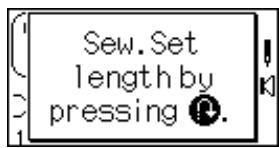
Press "My Personal Setting" key. Message screen appears.

3
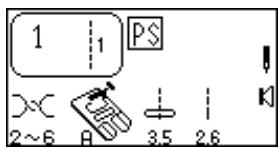
Press "ENTER" key to save personal setting. PS symbol appears in LCD screen to indicate stitch has been altered from factory default settings.
1

2

3
Reset Stitch To Factory Default Settings
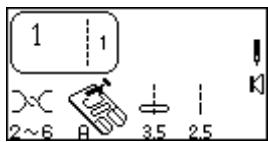
It is possible to reset the machine so personal settings for an individual stitch revert to the factory default settings.
1 Display the stitch you want to reset in the LCD screen.
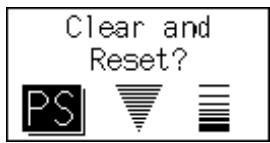
Press "My Personal Setting" key. Message screen appears.
3 Press "C" key. PS symbol disappears and factory default settings are displayed.
Reset All Stitches To Factory Default Settings
It is possible to reset the machine so all personal settings for all stitches revert to the factory default settings.
1

2

3
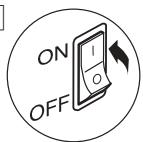
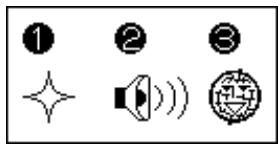
1 Turn OFF the power switch. Press "ENTER" key while turning power switch ON. Message screen appears.
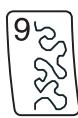
Press "9" key. Message screen appears.
3 Press "ENTER" key to confirm and reset to factory default.
OR
Turn off power switch to cancel the reset and retain personal settings.
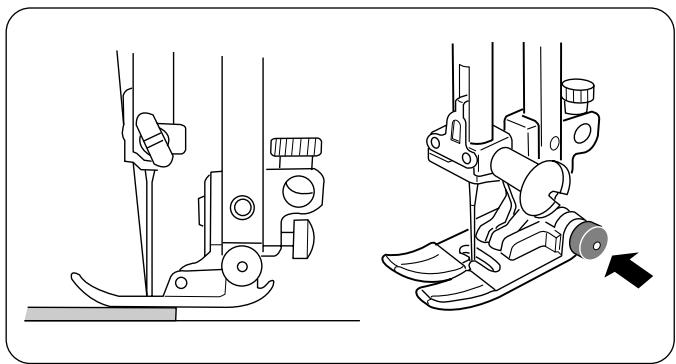
Sewing On Heavy Fabrics
The black button on presser foot "A" locks the foot in a horizontal position when pushed in before lowering the presser foot. This ensures even feeding at the beginning of seams and helps when sewing many layers of fabric such as welt seams used to hem jeans.
When the point of an increased thickness is reached, lower the needle and raise the presser foot. Press in the black button. Lower the foot and continue sewing.
This button releases automatically after a few stitches have been sewn.
NOTE: Increase stitch length between 3.0 and 4.0 for heavier fabrics.
Gathering
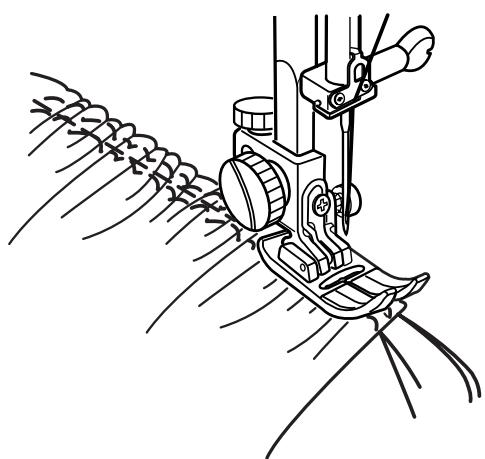
Gathering/shirring evenly distributes fullness in an area with very tiny pleats. Gathering is one row or two parallel rows. Shirring is three or more parallel rows. Light to medium weight fabrics provide the best results.
Decrease thread tension dial to between 1 and 3. Increase stitch length to 5.0.
Sew two rows of parallel stitches. Sew first row next to raw edge using foot edge as guide. Sew second row next to first row using foot edge as guide. Leave long thread tails at beginning and end of each row.
Pull the bobbin threads simultaneously from each end of the fabric until the desired amount is gathered. Knot the threads at each end and distribute the gathers evenly.
Reset thread tension dial to 4 and decrease stitch length to 2.5.
Sew between two rows of stitching to secure gathering.
OR
Lay gather fabric over flat fabric and sew the two fabrics together directly on the second row of gathering stitches.
Zipper Insertion
Lapped Application
Lapped zippers are usually inserted into a side seam of skirts or pants, for example.
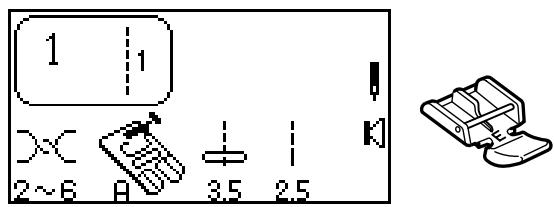
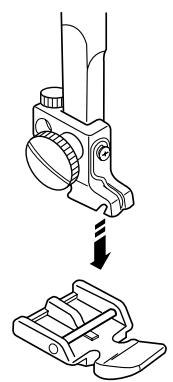
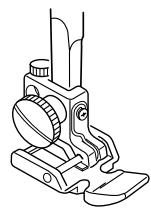
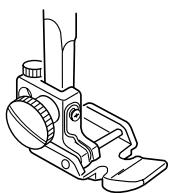
Use zipper foot E instead of standard metal foot A.
Attach the pin on zipper foot E to the groove on the shank.
- To sew the left side of the zipper, attach the zipper foot on the right-hand side.
- To sew the right side of the zipper, attach the zipper foot on the left-hand side.
Fabric Preparation
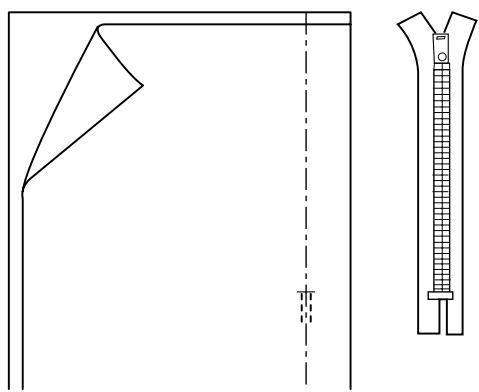
Add 1 cm (3/8^) to the zipper size. Use this measurement and mark the opening for the zipper.
Place right sides of fabric together and sew the seam located below zipper placement. (Make sure to reverse sew the stitches directly below the zipper placement.)
Increase stitch length to 5.0 and baste the zipper opening closed. Press the seam and basting seam open.
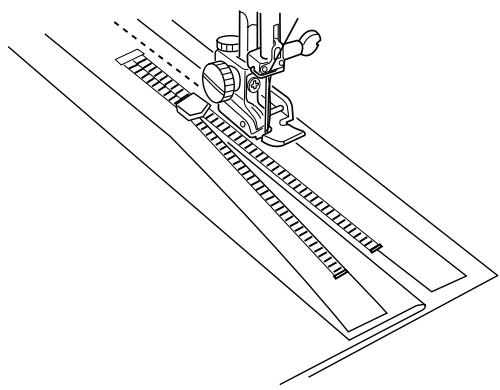
Open zipper and place it face down on the seam allowance. Teeth are on the seam line and zipper top is 1cm (3 / 8^ ) from fabric top edge. Attach foot with left side pin. Baste zipper in place, sewing from bottom to top.
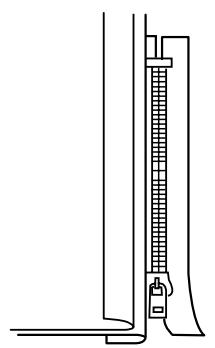
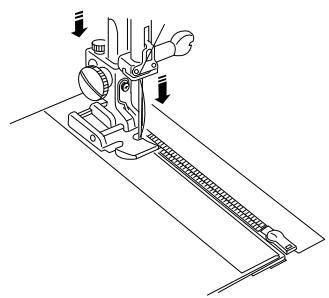
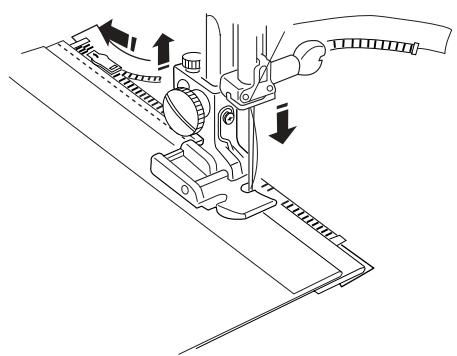
Close zipper. Turn zipper face up (right seam allowance forms a small fold at basting line) and smooth zipper teeth away from seam. Attach foot with right side pin. Reset straight stitch length to 2.5. Starting at the bottom, sew through the folded seam allowance and zipper tape.
Stop just before the zipper foot reaches the slider on the zipper tape. Lower the needle slightly into the fabric. Raise the zipper foot and open the zipper. Lower the foot and stitch the remainder of the seam.
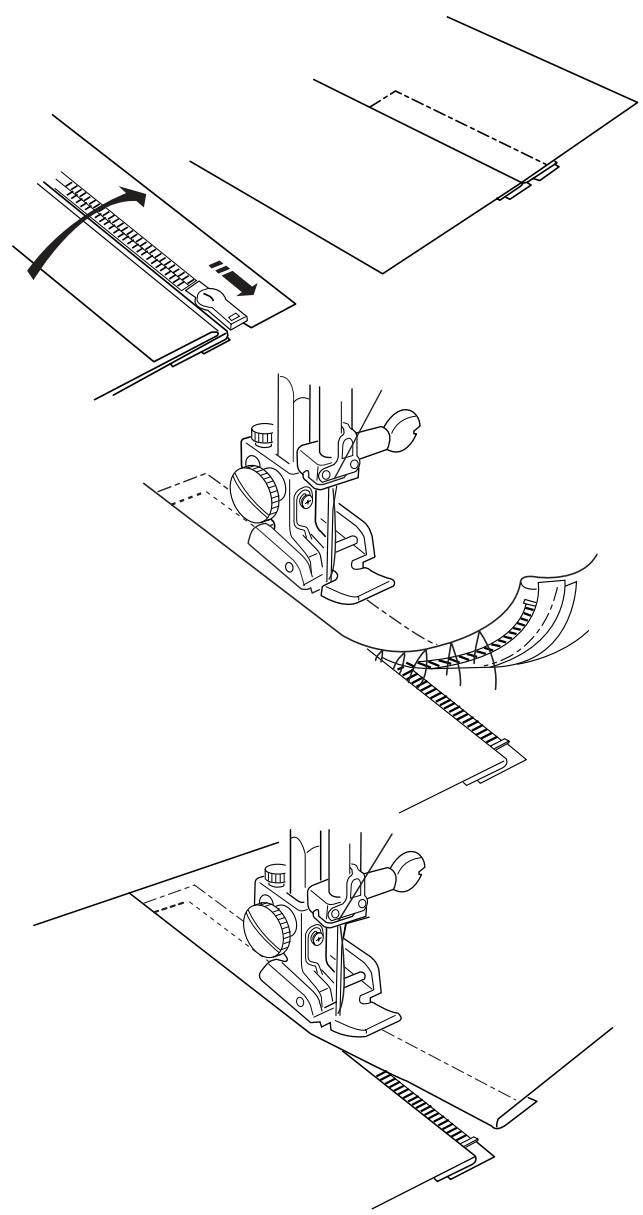
Close the zipper and spread the fabric flat with the right side facing up. Baste through the opened seam allowance and zipper tape.
Move the zipper foot to the left side pin. Guide the edge of foot along the zipper teeth and stitch through the garment and zipper tape. Stop about 5 cm (2^) from the top of the zipper. Slightly lower the needle into the fabric. Raise the foot, remove the basting stitches from seam line and open the zipper.
Lower the foot and stitch the remainder of the seam, making sure the fold is even.
Remove remaining basting stitches.
Rolled Hem
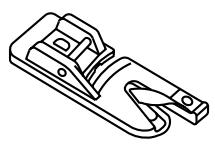
An easy, professional way to sew hems. The spiral on the hemmer foot guides the fabric edge to create a rolled hem. Recommended for fine, sheer fabrics used in bridal wear.
Attach hemmer foot D.
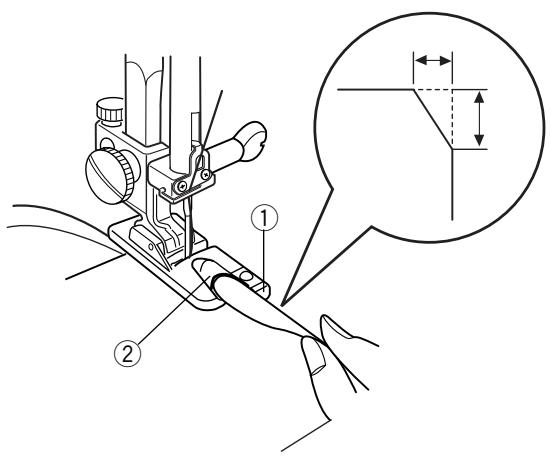
Trim about 6.5 mm (1/4^) from corners to reduce bulk.
Make a double 3mm (1/8^ ) fold approximately 8 cm (3^ ) in length.
Align fabric hem edge with the inside of right extension of foot ① . Use this placement on foot as guide. Lower presser foot. Sew 3 or 4 stitches while holding needle and bobbin threads. Stop sewing.
Lower needle into fabric and raise presser foot. Insert folded portion of fabric into spiral of foot ②.
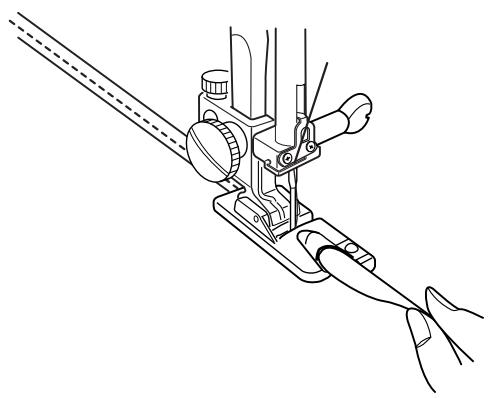
Lower presser foot and sew; lift up edge of fabric to keep it feeding smoothly.
NOTE: Use zigzag with stitch width 1.0 - 2.0 for variation.

①

(2)

(3)

(4)
Zigzag Stitch
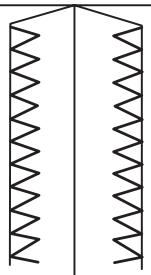
The zigzag stitch is a very versatile stitch. Simply change its width and length. Use the zigzag to finish raw seam edges, sew narrow hems, sew satin stitch appliques and create beautiful monograms.
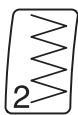
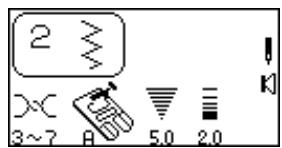
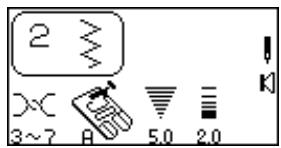
Select 2.
Adjusting Stitch Width and Length
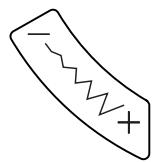
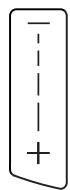
Press the “-” or “+” side of the keys to change the stitch width and length.
① Narrower width (lower number)
② Wider width (higher number)
③ Shorter stitch (lower number)
④ Longer stitch (higher number)
NOTE: Settings can be altered during sewing.
Overcasting
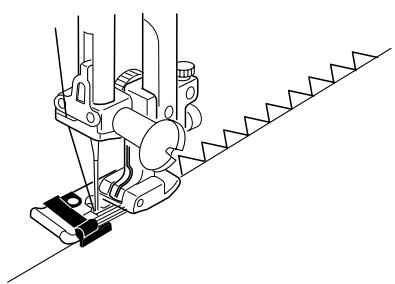
Simple zigzag stitching is used for finishing raw seam edges (overcasting) on most woven fabrics to prevent fabric from unraveling. This is the fastest way to finish an edge.
Select 2.
Attach overlock foot C.
- Do not set the stitch width lower than 5.0 when using overlock foot C because the needle could hit wires on the foot.
Place the fabric edge against the black guide on the foot. Sew.
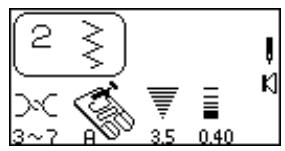
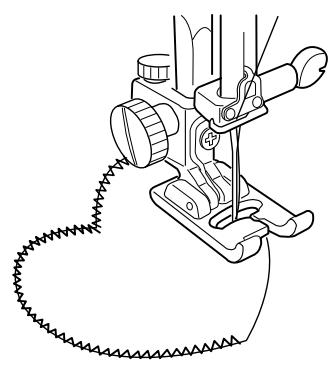
The zigzag stitch is commonly used for appliqué, monogramming, stems of flowers and petals. (A short zigzag stitch length creates the satin stitch.) Threads of 100% cotton, rayon or silk provide the best results.
- Apply stabilizer to the fabric for the stitch to form correctly.
Select 2.
Attach satin stitch foot F.
Decrease stitch width to 3.5 and stitch length to 0.40.
Applique Preparation
- Press fusible webbing to the wrong side of a lightweight fabric.
- Cut out design shape. Fuse design to main fabric.
- Sew design to fabric with the needle swinging off the appliqué.
- When you reach a place where you need to turn, lower the needle into the fabric at the outer edge of the turn. Raise the presser foot, turn fabric, lower the presser foot and continue sewing. (You may need to set the foot pressure dial to 2.)
3-Step Zigzag
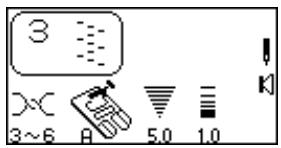
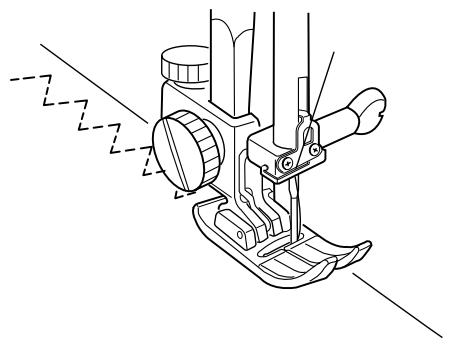
The 3-step zigzag (sometimes called a multiple zigzag) is used to finish raw seam edges on synthetics and other fabrics that tend to pucker. This stitch gives a flatter edge finish than the regular zigzag and is excellent for darning and mending tears in fabric.
Select 3.
Place the fabric under the presser foot so the needle swings off the fabric to the right or trim away any excess fabric.

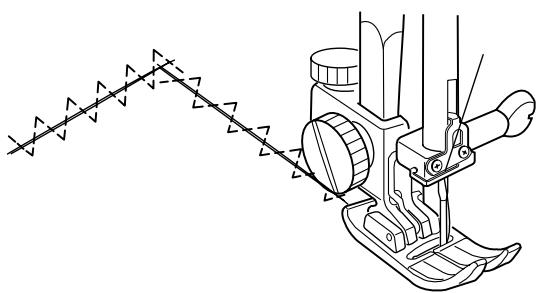
Mending a Tear
Pull torn edges together and fuse a piece of interfacing slightly larger than the tear to the wrong side of the garment.
Select 3.
Decrease stitch length to 0.20 - 0.50.
Begin sewing above the tear. Stitch down the middle, pulling edges together. Stop sewing just beyond end of tear. Depending on the tear, you might need to stitch area 2 or 3 times.
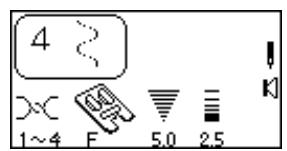

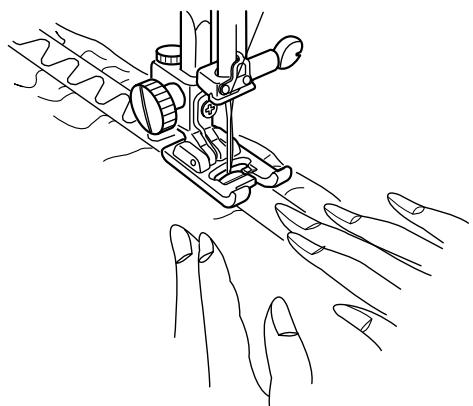
Serpentine Stitch
A delicate curve that is great for topstitching or for applying elastic directly to fabric without making an elastic casing.
Applying elastic
Select 4.
Attach satin stitch foot F.
- Mark elastic and fabric into equal parts.
- Match marks on elastic to fabric.
- Place middle of elastic under center of presser foot and stitch into place, making sure elastic is evenly stretched.
HINT: Use stitches 3, 013 or 014 to apply elastic for a different look. (Stitch length should be 2.5 or higher.)
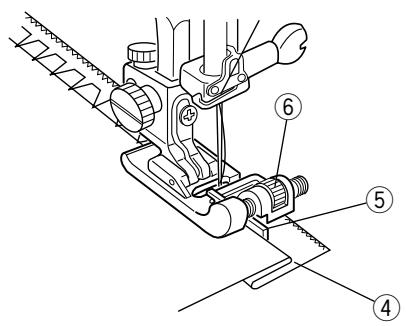
Blind Hem Stitches
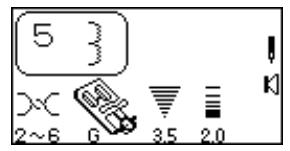
The stretch blind hem (5) is a great method for finishing a hemline or sleeve.
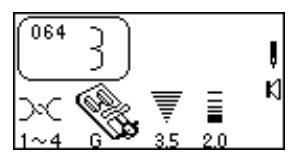
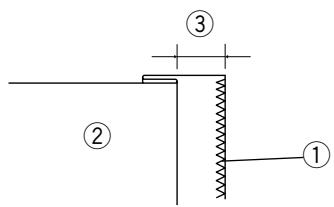
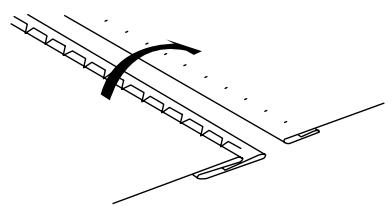
Use the woven blind hem (064) on non-stretch fabrics. Finish the raw hem edge with a zigzag or 3 step zigzag ① before sewing the blind hem.
Select 5 or press "MODE" key and select 064.
Fold up the hem allowance and press. Fold under the hem toward right side of garment. Leave a 6.5 - 10 mm (1/4" to 3/8") extension ③ at the right.
② Wrong side of the fabric
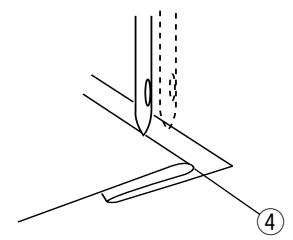
Position the fabric (wrong side up) so the folded edge ④ is to the left side of the guide ⑤. Lower the presser foot. Hand turn the flywheel and check if wide zigzag catches only one or two fibers of the fold. The straight stitch (or narrow zigzag) will be sewn on the single fabric layer.
If the guide needs adjustment: raise needle out of fabric, lift presser foot, turn the adjustment nut ⑥ and move the guide to the right or left. Reposition fabric against guide, check needle swing by turning flywheel, lower presser foot and sew hemline.
Unfold and open fabric right side facing up. Stitches should be almost invisible.
NOTE: If the needle catches too much of the fold, the stitches will show on the right side.
Buttonhole Variations
All buttonholes should use interfacing that is the same weight as the fabric. Interfacing is especially important when sewing on stretch fabrics.
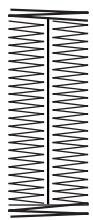
| 0 or 071 | Classic Buttonhole (Sensor or 4 Step Memory) The most common buttonhole, found on blouses, shirts, pants, etc. It consists of a bartack at each end and a compact zigzag stitch along each side. | |
| 072 | Classic Keyhole Buttonhole Accommodates the shank found on large buttons used on heavy coats and jackets. | |
| 073 | Rounded Buttonhole Use this buttonhole for large buttons on lightweight fabric. | |
| 074 | Stretch Buttonhole Designed for non-woven fabrics such as knit and jersey. It provides a decorative touch. | |
| 075 | Knit Buttonhole A simplified version of the stretch buttonhole. | |
| 076 | Bound Buttonhole (4 Step Memory) Made through the garment and interfacing before the facing is applied, resulting in finished fabric edges, a custom tailored touch. Often found on garments made from natural fibers. | |
Test sew the buttonhole on a sample swatch of the same fabric. Include the interfacing and any seam allowances that will be in the actual garment. This is very important to ensure the buttonhole style and fabric are compatible.

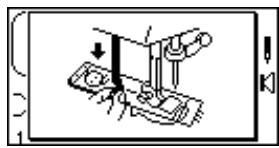
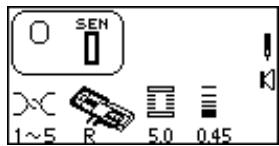
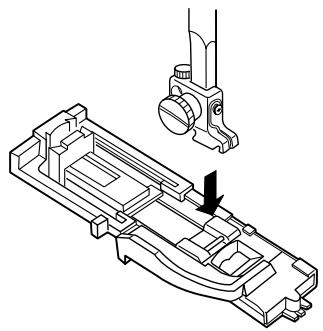
Sensor Buttonholes (Totally Automated Buttonholes)
Select a buttonhole - 0, 072 thru 075.
The LCD screen will briefly show a message advising that the buttonhole lever must be lowered. Alter the buttonhole width to match the fabric and thread. See page 45.
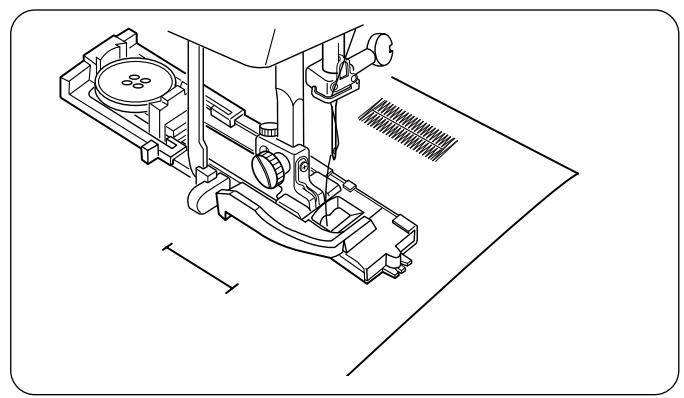
When attaching buttonhole foot (R), make sure the button opening is at the back of the foot.
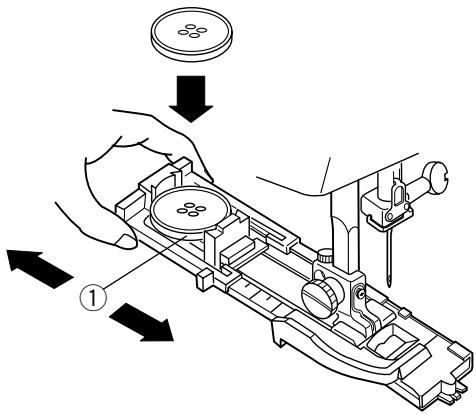
Extend the buttonholder ① to the back and place the button in it. Push the holder together tightly around the button.
Placing the button in the automatic buttonhole foot (R) automatically sets the size of the buttonhole. The buttonholder adjusts for buttons with a diameter between 0.5cm (3/16^ ) to 2.5cm (1^ ) . If your button is larger than 2.5cm (1^ ) , see page 47.
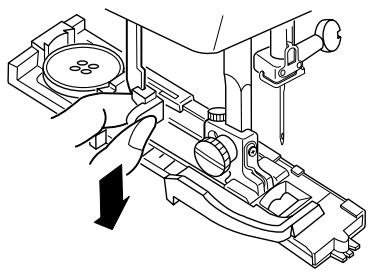
Pull the buttonhole lever down as far as it will go.
①

(2)
(3)
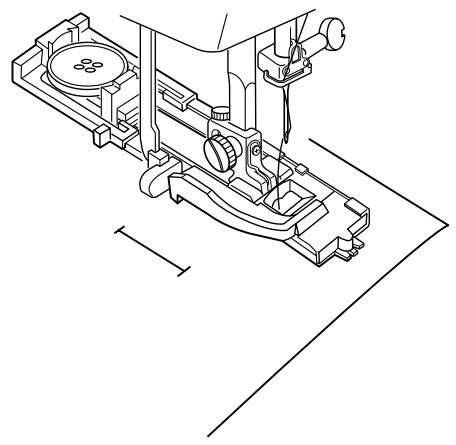
Mark the buttonhole area on the fabric. Place both threads to the left under the foot. Insert the garment under the foot and hand turn the flywheel to lower the needle at the starting point. Lower the buttonhole foot.
Memory Auto Thread Cut Key
It is possible to program the machine to automatically cut the threads when a buttonhole is completed. To program - press the "Memory Auto Thread Cut" key ① after selecting the buttonhole and before sewing begins; the LED light ② will turn on.
Begin sewing. If the buttonhole lever is not lowered, the machine will stop and show a warning in the LCD screen. Pull down the buttonhole lever and sew.
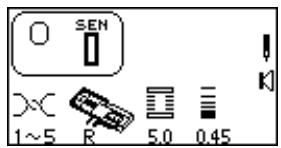
While sewing a buttonhole, the LCD screen shows which portion is currently being sewn.
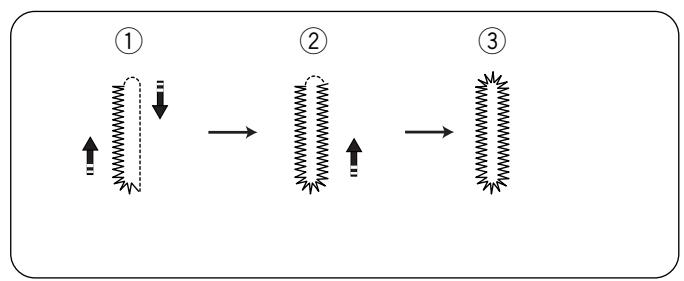
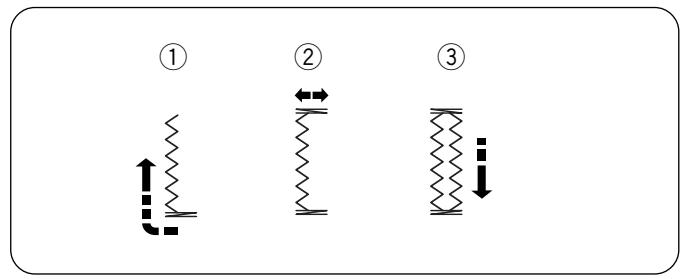
0 Classic Buttonhole (Sensor)
The buttonhole will automatically sew:
(1) the front bartack, zigzag backwards on left side and straight stitch forward on right side to front bartack
② zigzag backwards on right side
③ back bartack and stop
Variation - Reinforced Buttonhole
Suitable for heavyweight fabric. When Classic Buttonhole sewing is complete, do not lift up presser foot. Simply begin sewing again and sew over first buttonhole.
Press "MODE" key to access 3 Digit Mode for Buttonholes 072 - 076.
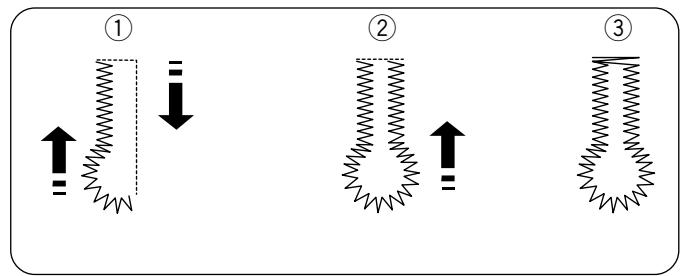
072 Classic Keyhole Buttonhole
The buttonhole will automatically sew:
① the front left half of keyhole, zigzag backwards on left side and straight stitch on right side to front
② front right half of keyhole and zigzag backwards on right side
③ back bartack and stop
073 Rounded Buttonhole
The buttonhole will automatically sew:
(1) the front left half, zigzag backwards on left side and straight stitch on right side to front
(2) front right half and zigzag backward on right side
(3) back rounded end and stop
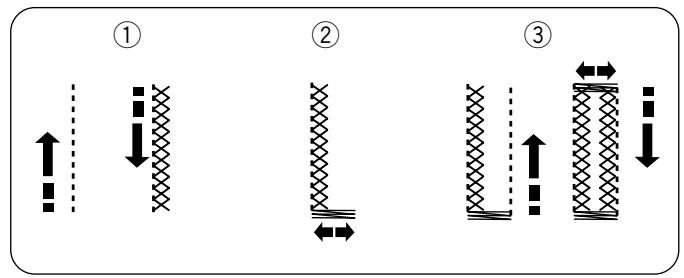
074 Stretch Buttonhole
The buttonhole will automatically sew:
(1) straight stitch on left side backwards and cross stitch forward on left side
② frontbartack
③ straight stitch on right side backwards, back bartack, cross stitch forward on right side and stop
075 Knit Buttonhole
The buttonhole will automatically sew:
① front bartack and triple zigzag backwards on left side
② back bartack
③ triple zigzag forward on right side and stop.
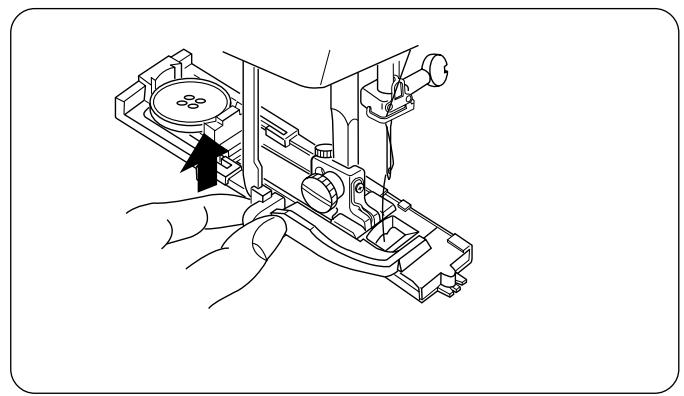
After the buttonhole is completed and the machine stops sewing, raise the presser foot.
Sewing Additional Buttonholes
To sew another buttonhole - raise foot, move fabric, lower foot and sew.
When buttonhole sewing is finished, push the buttonhole lever upward as far as it will go.
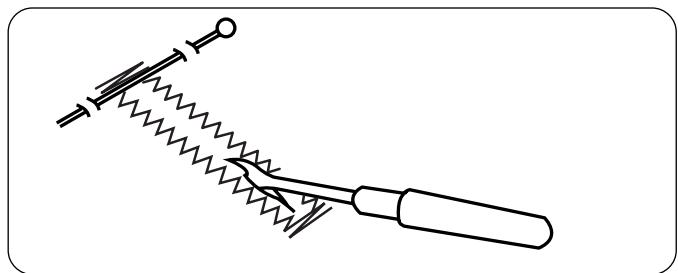
Cutting Open Buttonhole
Place a pin just inside the bartack at each end to prevent accidentally cutting bartacks. Cut buttonhole open with the seam ripper.
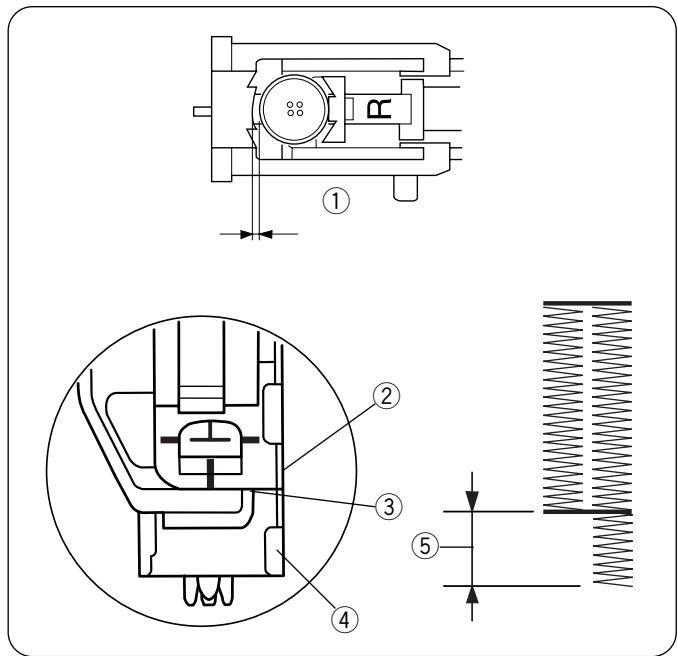
Troubleshooting Tips
If the button is extremely thick and difficult to fit through the test buttonhole, you can lengthen the buttonhole by pulling the buttonholder on the foot back a little extra. The length of the hole will increase by that same amount.
Make sure there is not a gap between the slider and the spring holder. If there is a gap, the sides of the buttonhole will be different lengths ⑤.
① Buttonholder
② Slider
③ There should be no gap
④ Spring holder
⑤ Incorrect buttonhole
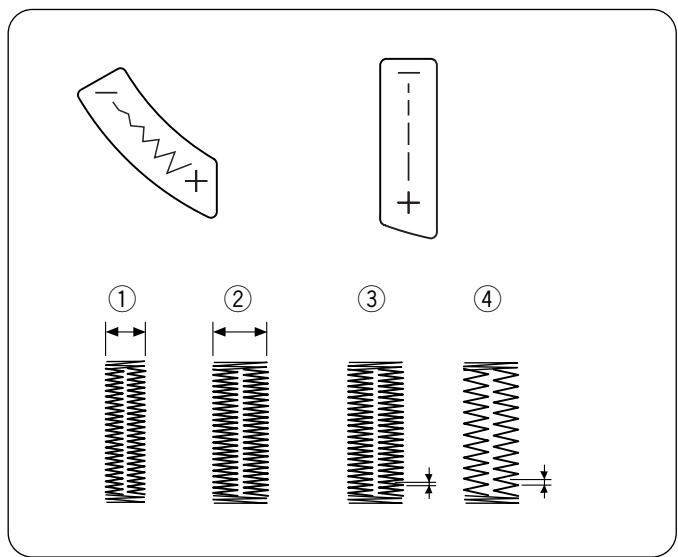
- How to Alter Buttonhole Stitch Width and Length
Press the “-” or “+” side of the keys to alter the buttonhole for different weights of fabric and thread.
① Narrower width
② Wider width
③ Shorter stitch
④ Longer stitch
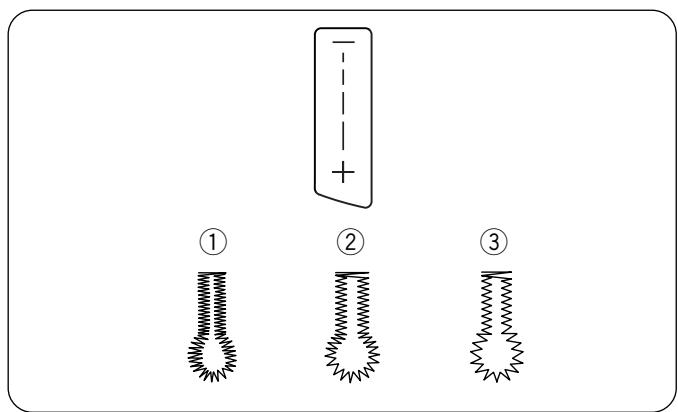
- Alter Keyhole Buttonhole Stitch Length According to Fabric and Thread
(1) 0.3 - Lightweight fabric (for lawn and batiste)
(2) 0.4 - Mediumweight fabric (for gabardine, linen and wool)
(3) 0.8 - Heavyweight fabric (for coating and polar fleece)
Coreded Buttonhole
Cored buttonholes are found on coats and other garments that require extra strong buttonholes. The cording reinforces and accentuates the buttonhole.
Sew a corded buttonhole using the same procedure as described for a classic buttonhole.
- Set the stitch width to match the thickness of the cording.
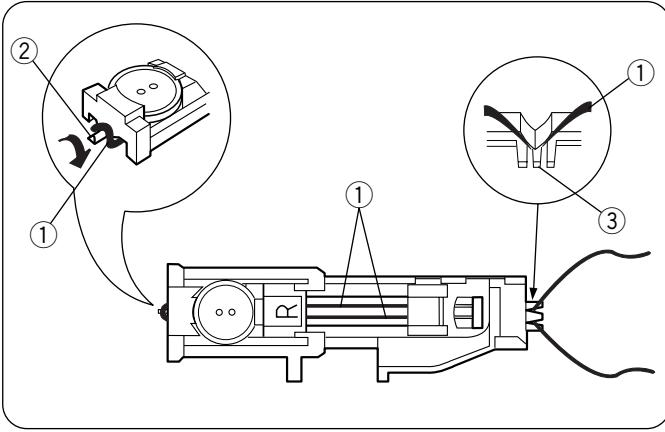
With the buttonhole foot raised, hook the filler cord ① on the spur ② at the back of the buttonhole foot. Bring the ends forward under the buttonhole foot.
Position the cord into the forks ③ on the front of the foot to hold the ends tight.
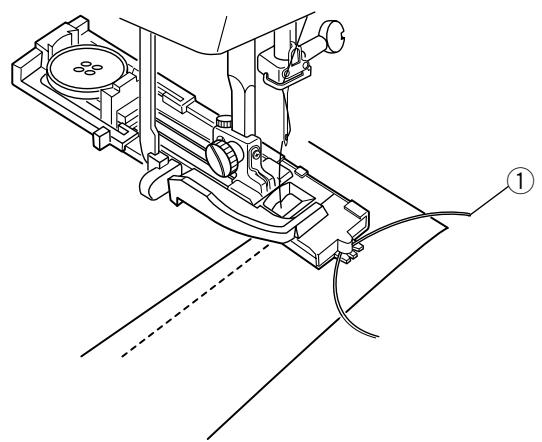
Hand turn the flywheel to lower the needle into the garment where the buttonhole will start and lower the presser foot.
Press the foot control and slowly sew the buttonhole. Each side of the buttonhole and the bartacks will be sewn over the cord ①. Remove the fabric from the machine and cut only the sewing threads.
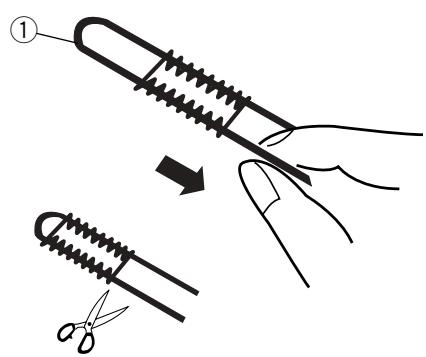
Pull the left end of the cord ① to tighten it. Thread the end through a darning needle, draw to the wrong side of the fabric and cut.
Cut open buttonhole.
071 Classic Buttonhole (4 Step Memory)
The classic buttonhole is especially suited for oversized novelty buttons or larger decorative openings for weaving curtain rods and scarves, for example. All buttonholes should use interfacing suitable for the fabric weight.
Test sew the buttonhole on sample swatch.
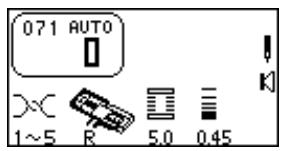
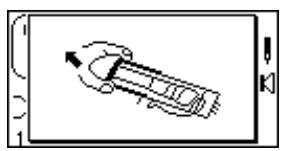
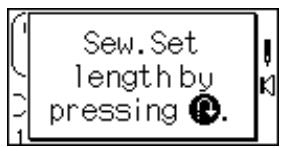
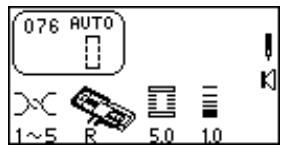
Select 071. The LCD will briefly show two messages.
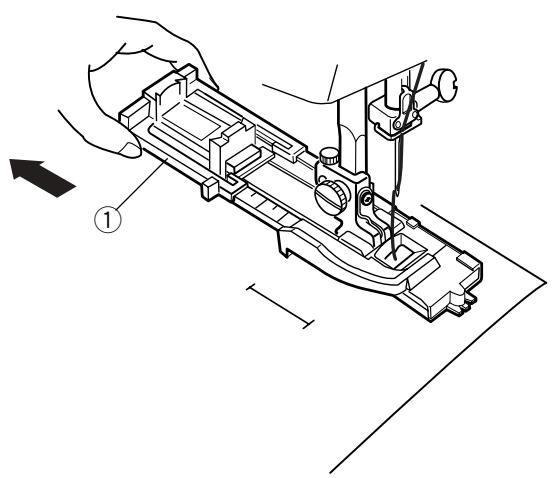
Use either the R or B buttonhole foot. If you use the R foot, fully extend open the buttonholder ① (maximum buttonhole size with this foot is 3.2cm or 11/4'' ).
DO NOT pull down the buttonhole lever.
Alter the buttonhole width to match the fabric and thread. See page 45.
Mark the buttonhole area on the fabric. Place both threads to the left under the foot. Insert the garment under the foot and hand turn the flywheel to lower the needle at the starting point. Lower the buttonhole foot.
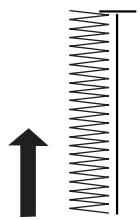
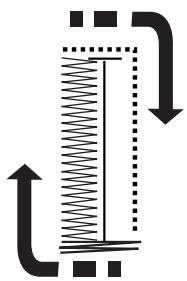
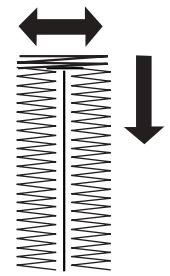
Start sewing - zigzag backwards on left side. Stop sewing when you reach the desired buttonhole length.
Press "Reverse" key.
Start sewing - back bartack and zigzag forward on right side. Stop sewing when you are opposite the starting point.
Press "Reverse" key.
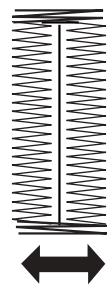
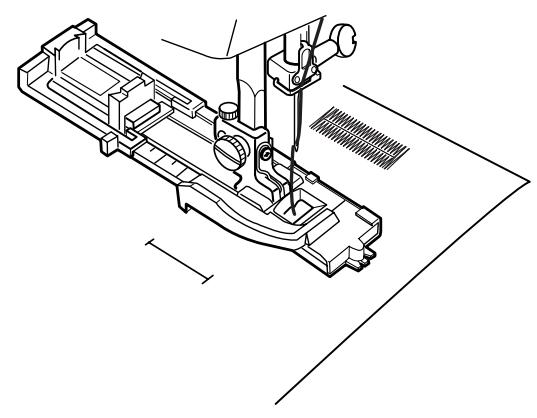
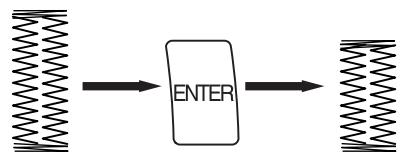
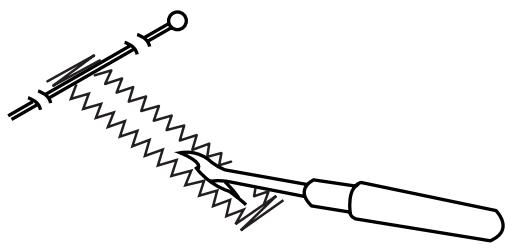
Start sewing - front bartack, lockstitch. Machine will automatically stop when buttonhole is completed.
Sewing Additional Buttonholes
To sew another buttonhole the same size - raise foot, move fabric, lower foot and sew.
Reset Buttonhole Size
To sew a buttonhole a different size (or to adjust stitch length), reset the machine by pressing "ENTER" key or reselect buttonhole. Sew new buttonhole size using same method.
Cutting Open Buttonhole
Place a pin just inside the bartack at each end to prevent accidentally cutting bartacks. Cut buttonhole open with the seam ripper.
Troubleshooting Tips
If there is a difference in stitch length (density) between the right and left sides of the buttonhole, use the fine adjustment screw. See page 19.
076 Bound Buttonhole (4 Step Memory)
Great for oversized buttons requiring tailored buttonholes, welt pockets or larger decorative openings. All buttonholes should use interfacing suitable for the fabric weight. Test sew the buttonhole on sample swatch.
Select 076. The LCD screen will briefly show two messages.
Increase stitch length so it is appropriate for your fabric weight.
Attach buttonhole foot B. (You could use the R buttonhole foot. If you use R foot, fully extend the buttonholder open.)
DO NOT pull down the buttonhole lever.
12
3
4

5
6
7
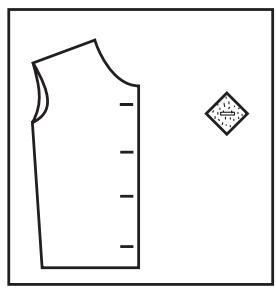
1 Prepare bias cut squares. Mark buttonhole on right side of garment and wrong side of bias squares. To determine the buttonhole length, add the diameter of the button to the thickness of the button.
Place bias cut squares on fabric with right sides together matching guidemarks.
Place both threads to left under foot. Insert the garment under the foot and hand turn the flywheel to lower the needle at the starting point. Lower the B buttonhole foot.
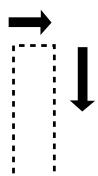
4 Start sewing - straight stitch backwards on left side. Stop sewing when you reach the desired buttonhole length.
Press "Reverse" key.
6 Start sewing - straight stitch back edge and straight stitch forward on right side. Stop sewing when you are opposite the starting point.
7 Press "Reverse" key.
8

9
10
11
12
13
14
1516
17
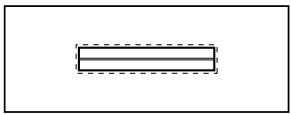
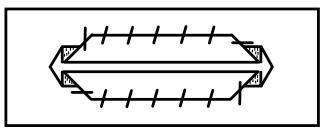
8 Start sewing - straight stitch front edge, lockstitch. Machine will automatically stop when buttonhole is completed.
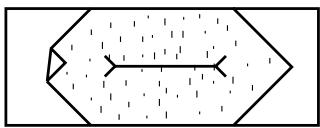
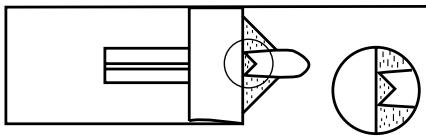
Cut down center of sewn rectangle, snipping into each corner.
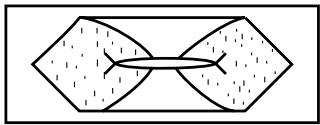
10 Pass the bias square through slit and pull to wrong side of garment to form the lips of buttonhole.
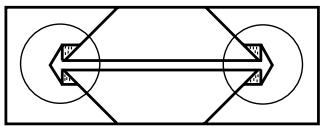
11 From wrong side, press lips into center and fold bias fabric over lips forming a tuck at each end.
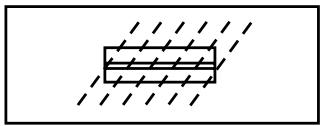
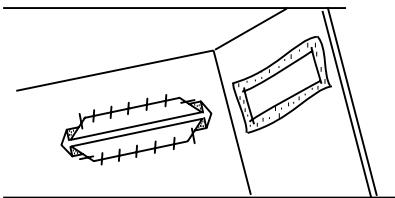
12 From right side, align lips. Baste and press.
13 Reinforce both ends by folding right sides together at buttonhole end and straight stitch in along the stitch line.
14 Trim away excess bias fabric. Fasten bias fabric by hand.
15 Repeat steps 1 to 11 to form underside of buttonhole on facing of garment.
16 Pass bias fabric through slit and pull to wrong side of fabric. Press flat.
17 "Stitch in the ditch" around outer edges of bound buttonhole opening with a straight stitch.
How To Sew On a Button
Hand sewing buttons to a garment is very timeconsuming.
Sew them on in one quick, easy step.
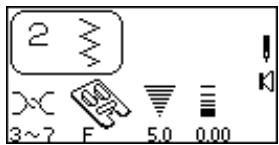
Select 2.
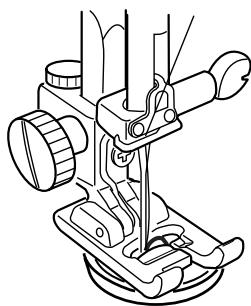
Attach satin stitch foot F.
Drop the feed dog. See page 16.
- Set the stitch width according to the position of the holes in the button.
Mark button placement on fabric. Use washable glue or transparent tape to temporarily secure the button. Place the button and fabric under the presser foot. Match the holes in the button to the horizontal slot on the presser foot.
Turn the flywheel by hand until the needle is down inside the left hole of the button. Lower the presser foot.
Turn the flywheel by hand to position the needle above the right hole of the button. Press the "Stitch Width/Needle Position" key to adjust the needle over the right hole.
NOTE: The LCD screen will display a warning to raise the feed dog. Simply ignore and start sewing again.
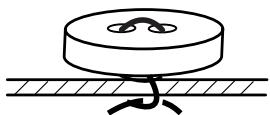
Stitch several times.
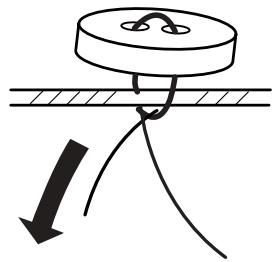
After you finish sewing, cut the thread leaving 10-15 cm (4-6") of thread at the button.
Pull the thread to the reverse side of the fabric and tie the threads.
Raise the feed dog after sewing on buttons.
NOTE: The optional Sewing on Button foot grips the button better and also allows you to create a thread shank.
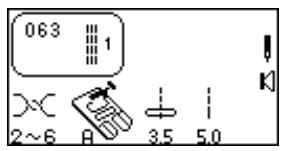
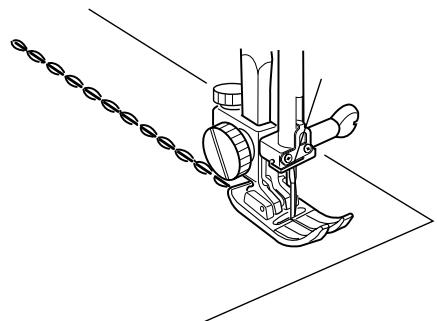
Triple Seam
This strong, durable stitch is recommended where both elasticity and strength are needed. Because of its durability, once in place, this stitch is not easily removed. Use it to reinforce areas such as crotch and armhole seams or to construct items such as backpacks. This stitch can also be used for topstitching.
Elna invented this stitch in 1952.
Using a straight stitch (stitch length 4.0), baste a seam together. Verify the fit.
Select 063.
Sew final seam.
NOTE: The number 1 to the right of the stitch illustration means only one stitch will be sewn if used in a sequence.
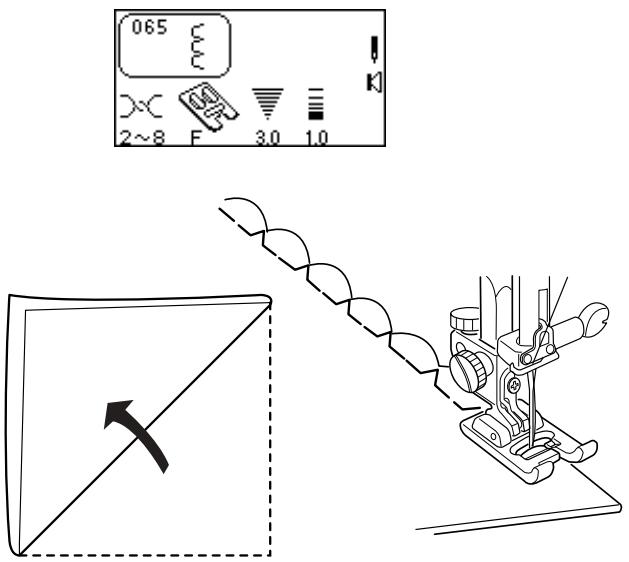
Shell Tuck
This is a pretty hem finish for lingerie and tricot fabrics. You can sew shell stitches in any direction on knits or soft silky wovens.
Select 065.
Use a lightweight fabric. Fold and stitch on the bias. Allow the needle to just clear the folded edge of the fabric when it swings off the fabric to the right.
If you sew rows of shell stitches, space the rows at least 1.5cm (5 / 8^ ) apart.
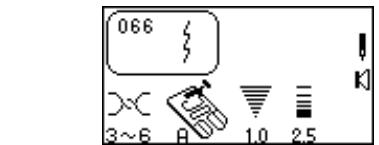
Stretch Seam
A narrow stretch stitch that eliminates puckering on knit fabrics and bias seams. The seam can be pressed flat and opened.
Select 066.
Sew seam and press it open.
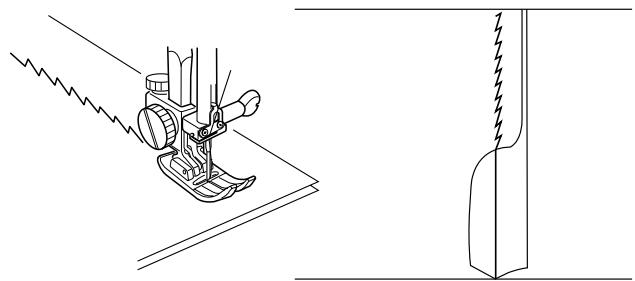
Super Overlock Stitch
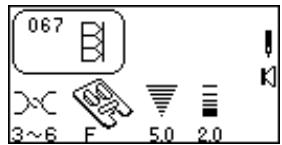
This industrial inspired overlock stitch is excellent for assembling and finishing fabrics together in one step. Apply ribbing to knits and garment retains its shape.
Elna invented this stitch in 1982.
Select 067.
Place the fabric edges together under the presser foot next to the right side edge of the presser foot.
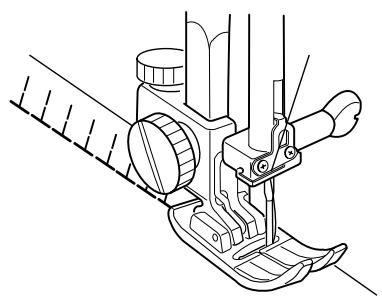
Super Stretch Stitch
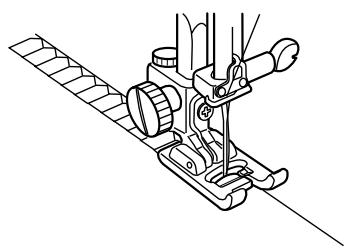
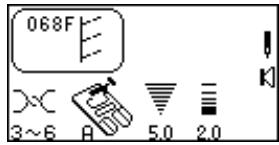
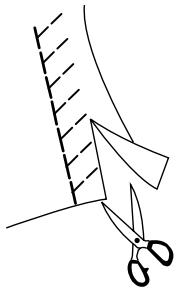
This stitch is recommended for sewing fabrics such as swimwear and stretch velour as it provides great stretchability and strength. Seams lie flat and do not lose their shape.
Select 068.
Foot pressure may need to be changed to 2 for fabric to maintain its shape.
Place the fabric edges together under the presser foot. Sew seam. Trim away any excess seam allowance.
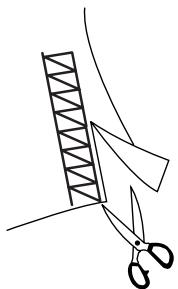
Double Overlock Stitch
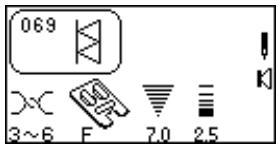
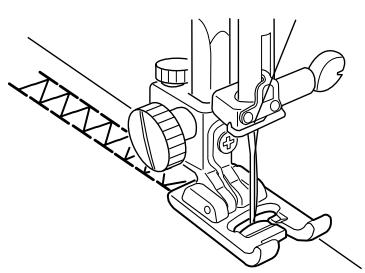
This stitch finishes the edges of your seams similar to a commercial overlock machine stitch.
Elna invented this stitch in 1976.
Select 069.
Place the fabric edges together under the presser foot. Sew seam. Trim away any excess seam allowance.
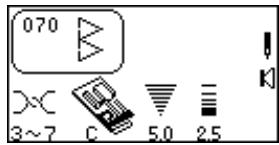
Overcast Stitch
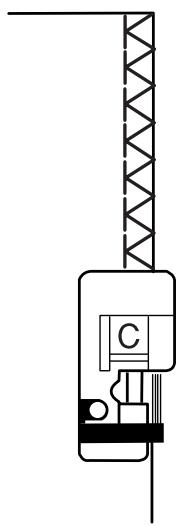
A reinforced straight stitch and zigzag are sewn simultaneously. If your seam does not need to be opened flat, this stitch will sew the seam and overcast the edge in one operation.
Select 070.
NOTE: Do not set the stitch width lower than 5.0 when using overlock foot C because the needle could hit wires on the foot.
Place the fabric edge against the black guide on the foot. Sew seam.
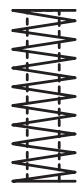
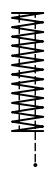
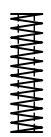
Arrowtack
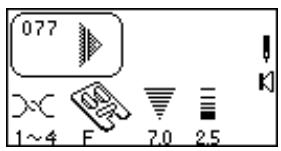
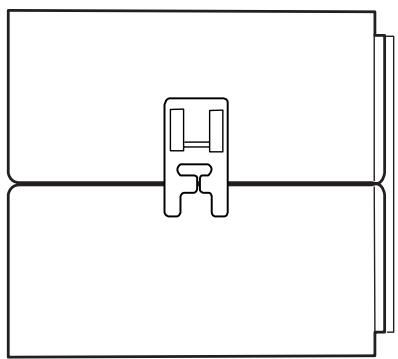
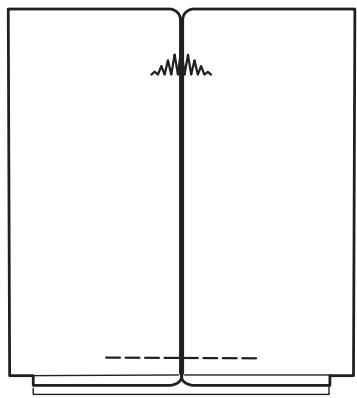
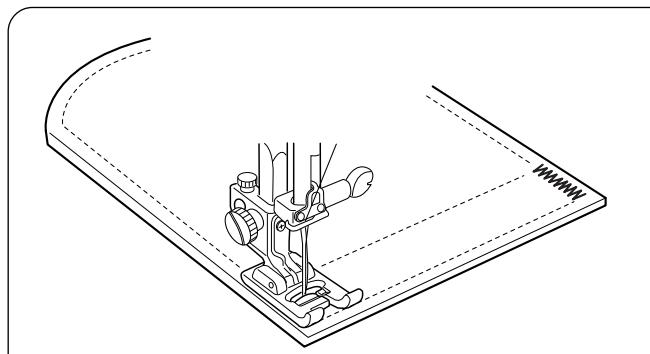
This stitch is used to reinforce the corners of pockets and pleats.
Select 077.
Place fabric under foot so center pleat line is horizontal in front of you. Lower presser foot so the center bar lines up with the pleat line. (This allows the widest part of the stitch to be sewn in the pleat center.)
Press "Memory Auto-Lock" key, "Memory Thread Cut" key and begin sewing. Machine will complete arrowtack, sew locking stitch, cut threads and automatically stop.
NOTE: Adjust foot pressure and fine adjustment screw (see page 19) for best results on very heavy fabrics.


Bartacks
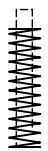
A bartack is a reinforced stitch used on garment areas that receive extra stress like pockets, belt loops and zippers.
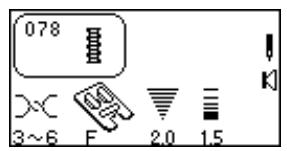
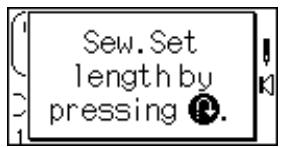
Select 078. The LCD screen will briefly show a message.
Automatic Bartack
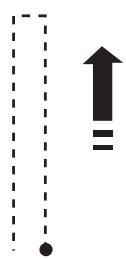
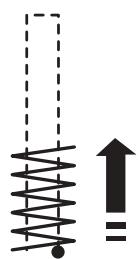
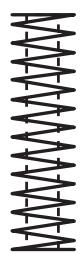
Place the fabric under presser foot. Lower presser foot. Sew until the machine automatically stops. A 1.5 cm (5/8") bartack is sewn.
Press the "Stitch Width/Needle Position" or "Stitch Length" key to adjust bartack.
Setting Memory Bartack Size
It is possible to sew a bartack length shorter than 1.5cm (5 / 8^ )
Place the fabric under presser foot. Lower presser foot. Sew until the desired bartack length is sewn. Stop and press the "Reverse" key. Sew until the machine automatically stops.
To sew another bartack the same size - raise foot, move fabric, lower foot and sew.
Reset Bartack Size
To sew a bartack a different size (or width/length adjusted), reset the machine by pressing "ENTER" key or reselect 078. Sew new bartack size using same method.
Fine Adjustment Screw - Very heavy fabrics may require the use of the fine adjustment screw. See page 19.




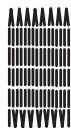
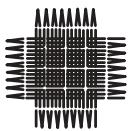
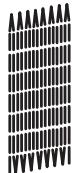
d5
(一)
d4
d5
(+)
d6
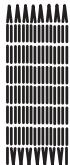
Darning
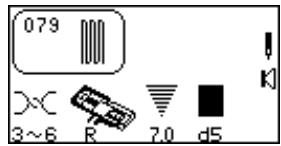
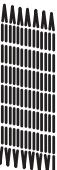
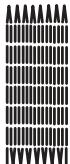
Darning with a sewing machine saves a lot of time. It is used for repairing very worn areas (not holes) in fabric.
Select 079. The LCD screen will briefly show two messages.
Automatic Darning
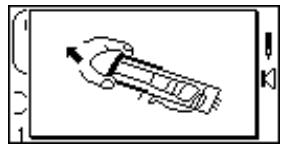
Extend the buttonholder ① completely open. Place both threads to the left under the foot. Insert fabric under the foot and lower the needle at the starting point ②. Lower the foot. Sew.
The size of one darning cycle is variable.
However, the maximum darning cycle length ③ is 2cm (3 / 4^ ) and the maximum darning cycle width ④ is 7mm (1 / 4^ )
Setting Memory Darning Size
To darn a length less than 2cm (3 / 4^ ) (5), stop the machine after sewing the desired length and press the "Reverse" key. The darning length has now been determined. Restart and sew until the machine stops automatically.
To sew another darning cycle with same size - raise foot, move fabric, lower foot and sew.
Reset Darning Cycle Size
To sew darning with a different size (or width/length adjusted), reset the machine by pressing "ENTER" key or reselect 079. Sew new darning size using same method.
To Adjust the Evenness of Darning Stitches
Fabric and the number of layers can affect darning. If one side of darning is higher or lower than the other, make them even by pressing the "Stitch Length" key.
If left corner is lower than right side, press - . If left corner is higher than right side, press + ·
NOTE: d5 is default setting. Evenness can be set between d1 and d9.
Eyelets
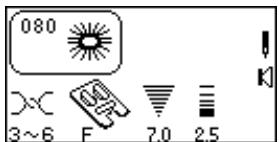
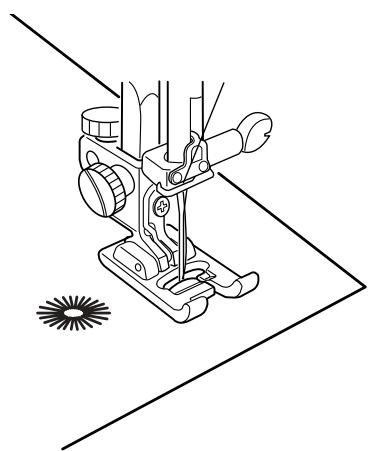
Small eyelets may be sewn on belts, used for lacing cords or simply used for a decorative effect.
Select 080.
The machine will sew an eyelet and automatically stop. Cut open the eyelet with a seam ripper, pointed scissors or an awl.
SECTION IV
Quilting
Piecing Fabrics Together
Accuracy is the key when sewing together fabric pieces for a quilt. Be sure to precisely cut your fabric pieces with 6.5cm (1/4") seam allowances.
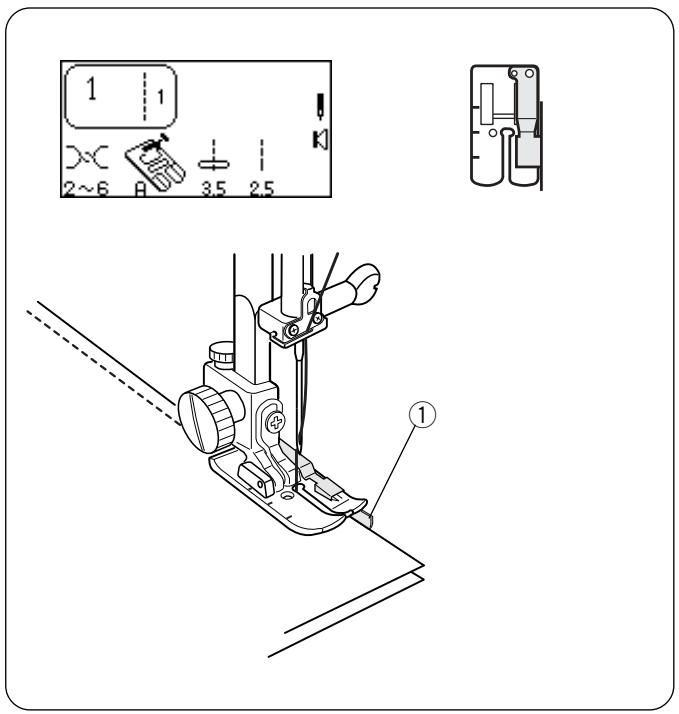
Select 1.
Attach scant 1/4" foot.
The bar on the foot is a perfect 1/4'' seam guide from center needle position (3.5). Place fabric edges (right sides together) under foot against the guide ① and sew a perfect 1/4'' seam.
OR
Use 4.5 needle position for a scant 1/4'' seam.
Perfect Start Angle Lines
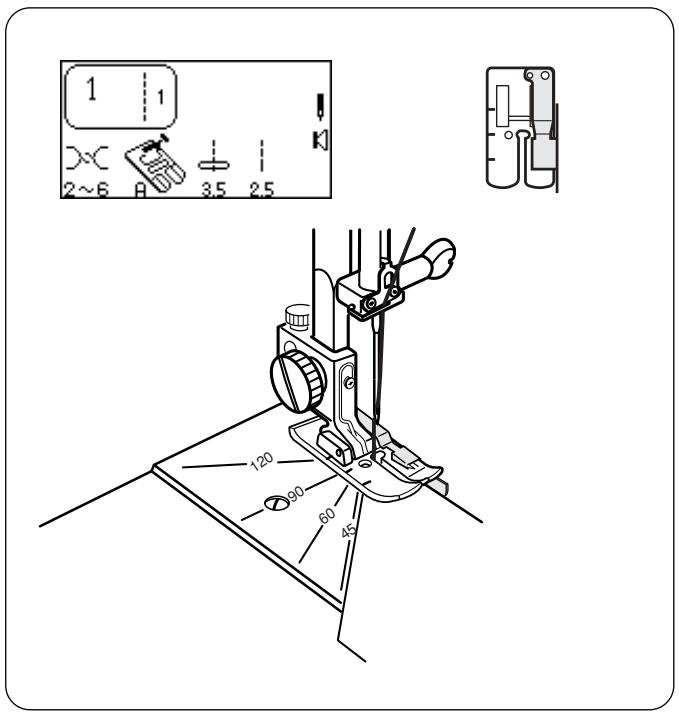
A labor saving feature on the needle plate, the perfect start angle lines are the smart alternative to either marking fabrics with a 1/4'' seam allowance or paper piecing. The angles are located 1/4'' behind the needle position at 45^ , 60^ , 90^ and 120^ .
Select 1.
Attach scant 1 / 4^ foot.
Place fabrics under presser foot against the guide, aligning angle with appropriate marking on needle plate. Lower presser foot.
Press "Auto-Lock" key.
Sew seam.
Quilt Stitches
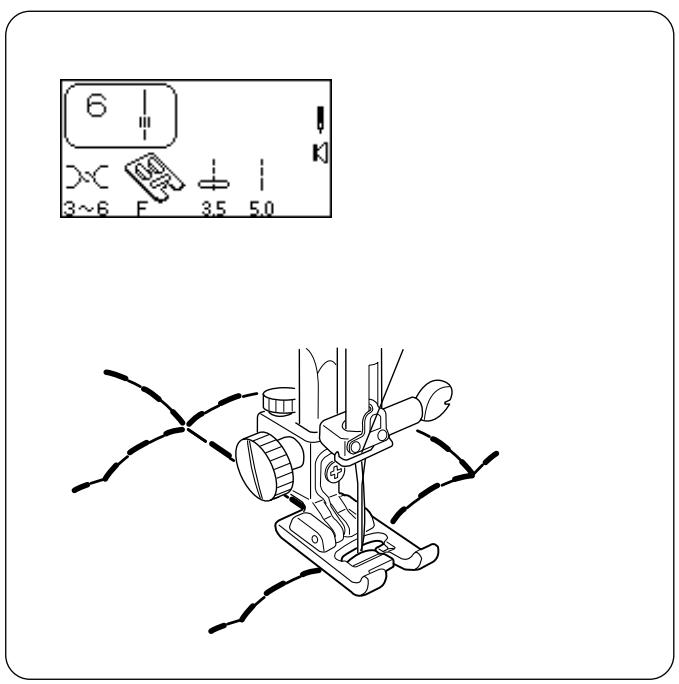
The quilt stitches add a three dimensional effect when outlining designs.
Select 6 or 012.
Place monofilament (clear invisible) thread in the needle and 60 weight cotton thread on the bobbin (color matches quilt back).
Use a washable fabric marker to draw design lines on quilt top. Place batting (wadding) between quilt top and backing fabric. Sew over design lines.
NOTE: Upper tension may need to be increased depending on thickness of batting/wadding.
Walking Foot
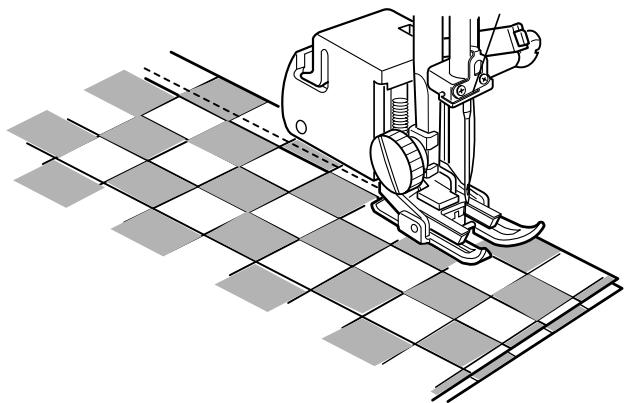
Great for keeping quilt layers from shifting when sewing and keeping stripes and checks matched.
How To Attach Open Toe Walking Foot
Press the "Up/Down Needle" key until the needle is in an up position. Raise the presser foot.
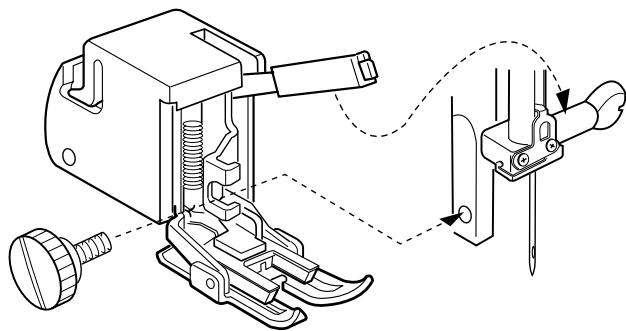
Turn OFF power switch. Loosen thumbscrew and remove shank. Place the open toe walking foot on the presser bar with the lever over the needle clamp screw; tighten thumbscrew. Turn ON power switch.
Select 1.
Set stitch length 2.4 - 3.5.
Set foot pressure dial between 2 and 3.
Sewing Quilt Layers
Pin quilt layers together (backing, batting/wadding and quilt top). Draw quilting lines with a washable fabric marker. Place quilt layers under walking foot. Lower open toe walking foot. Sew over drawn lines.
Sewing Plaids
Match and pin plaids together. Place fabrics under foot. Lower open toe walking foot. Remove pins as you sew; do not sew over pins with the open toe walking foot.
Optional: Attach Quilt Guide
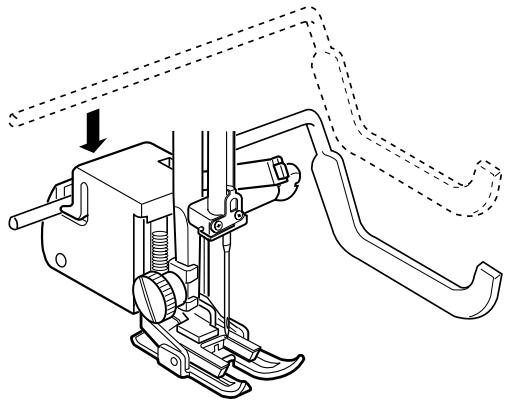
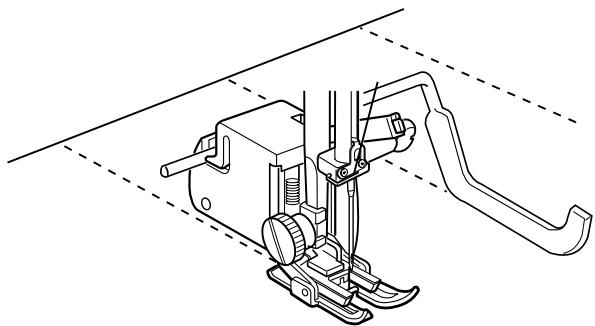
Snap quilt guide down into groove on back of open toe walking foot. Slide the quilt guide in the opening until the desired width between the stitching rows is set.
Pin quilt layers together. Follow marking and sewing instructions described on page 60.
Quilt Guide
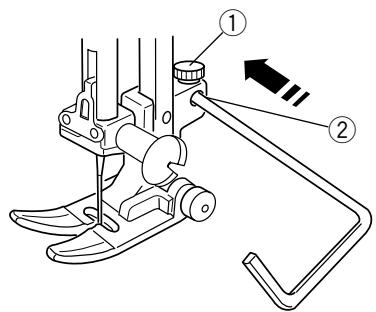
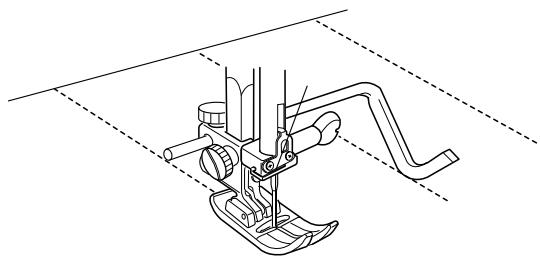
The quilt guide is helpful when sewing parallel, evenly spaced rows of stitching.
Loosen the quilt guide holding screw ①, slide the quilt guide in the opening ② until the desired width is set and tighten the screw.
Use a washable marker to draw the first line for stitching. Sew over line. When sewing subsequent rows of stitching, the quilt guide will rest on the previous row of stitching.
Straight Stitch Needle Plate
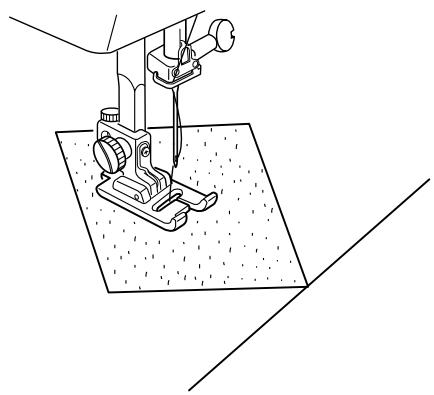
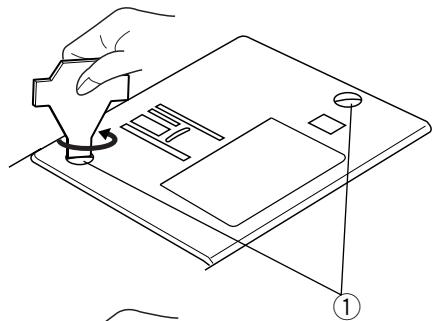
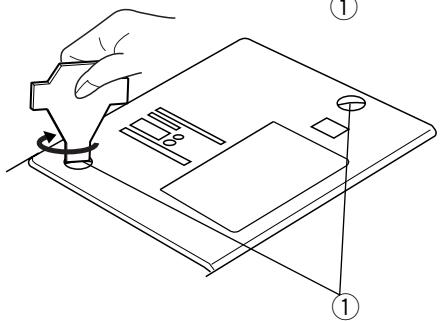
The small needle entry hole on the plate prevents puckering and skipped stitches on fabrics when straight stitch sewing (center needle position only).
How to Attach Straight Stitch Needle Plate
Press the "Up/Down Needle" key until the needle is in an up position. Raise the presser foot.
Turn OFF the power switch. Remove the presser foot and needle. Remove the screws ① in the needle plate.
Remove the standard needle plate. Position the straight stitch needle plate. Replace the screws ① . Turn ON power switch.
Select 1.
Place fabric under presser foot. Check that needle is in center position. Lower presser foot and sew.
CAUTION: Only use a straight stitch in center needle position. Any stitch with sideways movement (Example: zigzag) will cause the needle to break because it will hit the plate.
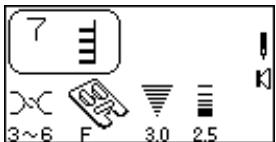
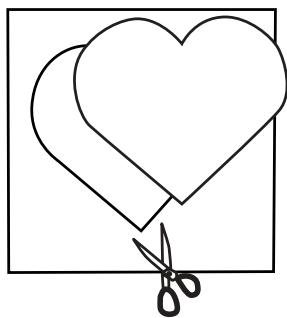
1
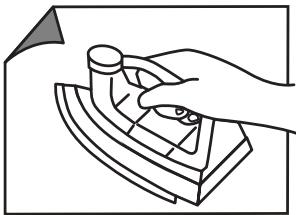
2
3
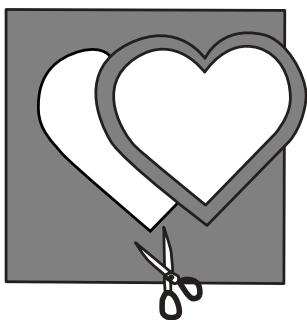
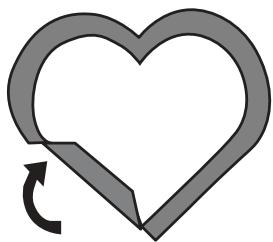
4
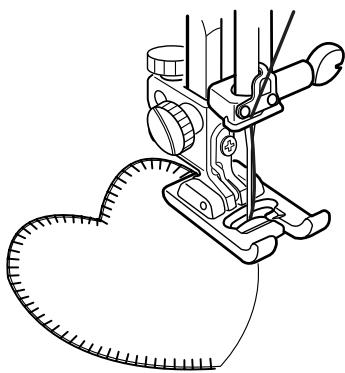
5
Buttonhole Appliqué
A favorite method of applying small pieces of fabric to quilts for decoration.
Use fine embroidery thread (50 weight or finer) and needle appropriate to fabric. You may need to set the foot pressure dial to 2.
1 In this type of appliqué, raw edges are folded under. To prepare raw edge, first cut appliqué design out of paper.
Press fusible webbing to wrong side of appliqué fabric.
3 Cut the fabric slightly larger than paper pattern.
4 Fold fabric under to match paper pattern size. Remove pattern. Press only the edge to form a perfectly shaped design. NOTE: Clip curves where necessary.
Press appliqué in place and sew. Straight edge of the stitch is sewn next to folded edge of appliqué.
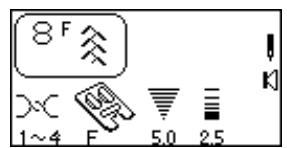

Patchwork
A fun method of decorating your quilt (often called "Crazy Quilting") is to sew a patchwork stitch over the opened seam.
Select 1. Sew a straight stitch seam and press seam allowance open.
Select a patchwork stitch: 8, 013, 014 and 025 – 040.
Sew with stitching centered over the seam.
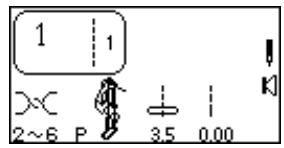
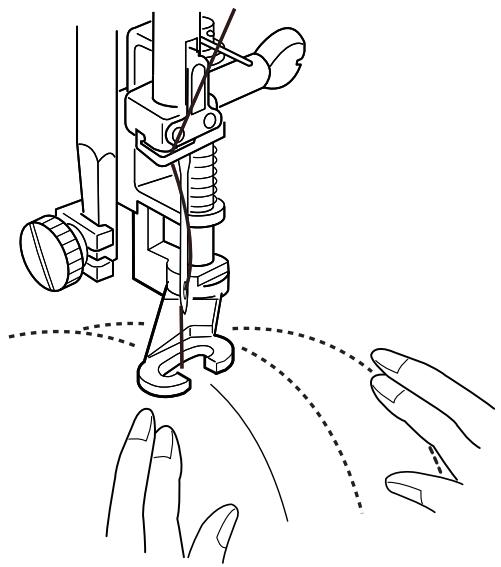
Free Motion Quilting or Stippling
Add dimension to your quilt by stitching down the surrounding background fabric around larger designs, like hearts or flowers. Lower the feed dog and sew fabric layers in a random pattern without the stitching lines crossing each other. The more compact the stitching, the more the background will flatten and make surrounded designs stand out. This is a technique commonly referred to as stippling.
Attach open toe embroidery/darning foot P-2. See page 63.
Use the straight stitch needle plate. See page 60.
Select 1.
Lower the feed dog.
Set foot pressure dial to 2 or 1.
Test sew using exact conditions (fabric, thread, etc.) of finished project. Place batting between quilt top and backing fabric. Place all fabric layers under foot and lower foot.
Press "Up/Down Needle" key and bring bobbin thread to top. Pull both threads under foot and to the back. Sew several stitches in place to lock threads at beginning. Move fabric layers while sewing and check tension. Adjust tension until it is balanced inside the batting (no thread loops on top or bottom).
HINT: Establish a good sewing rhythm by moving the fabrics slower than the machine speed in an even, consistent manner. Keep the fabrics flat against the machine bed.
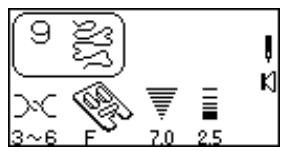
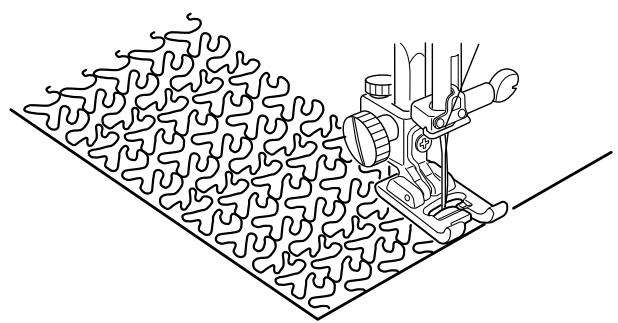
Stippling Stitches
A pre-programmed stippling stitch is a fast and easy method to quilt small areas.
Select 9, 015 or 016.
Place batting (wadding) between quilt top and backing fabric.
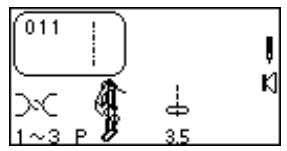
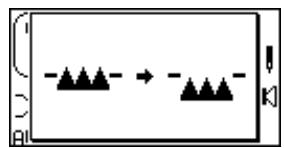
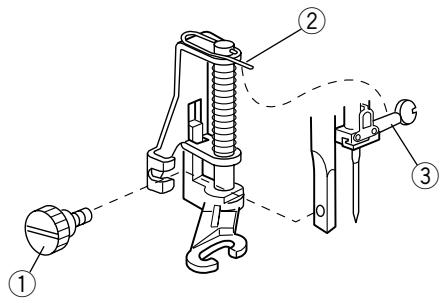
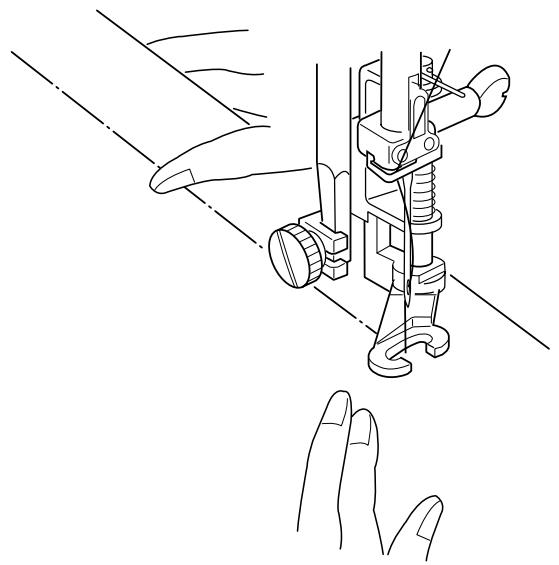
Basting Stitch
The basting stitch can be used to temporarily hold together two or more layers of fabric. Use a fine needle to avoid leaving permanent needle marks.
Select 011. Lower the feed dog. Set foot pressure dial to 2 or 1. Loosen needle tension to 3.
The LCD screen will briefly show a message.
How To Attach Open Toe Embroidery/Darning Foot
Press the "Up/Down Needle" key until the needle is in an up position. Raise the presser foot.
Turn OFF power switch. Loosen thumbscrew ① and remove shank. Place the open toe embroidery/ darning foot on the presser bar with the pin ② over the needle clamp screw ③ ; tighten thumbscrew. Turn ON power switch.
Pull needle and bobbin threads behind the presser foot leaving 10- 15 cm (4- 6 inch) thread tail. Place fabric under foot and lower presser foot. Start machine. The machine will sew one stitch and stop.
Hold the fabric firmly and move it to the area for the next stitch. Start machine.
Continue the procedure until all basting is complete.
When basting is complete, reset foot pressure dial, remove open toe embroidery/darning foot, attach shank and raise the feed dog.
CAUTION: Do not pull the fabric when sewing, the needle could be deflected and break.
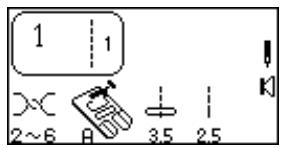
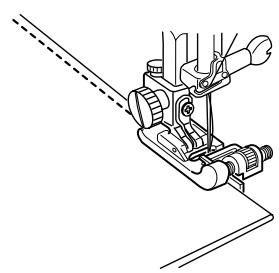
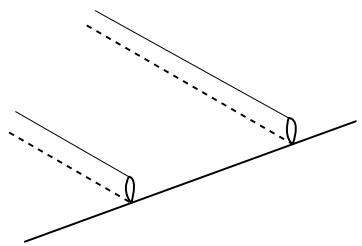
SECTION V
Heirloom
Pintucks
A beautiful accent to any project. Pintucks should be added to your fabric before cutting out the pattern piece.
Select 1.
Use a washable marker to draw parallel lines for pintucks on fabric right side. Fold fabric on first line with wrong sides together. Place fold under foot and use foot edge as guide. Move needle position to determine the width of the pintuck. Sew pintuck. Sew remaining pintucks using same method.
Remove marking lines. Press pintucks to one side.
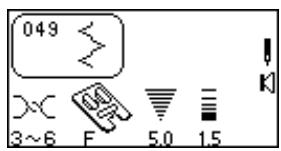
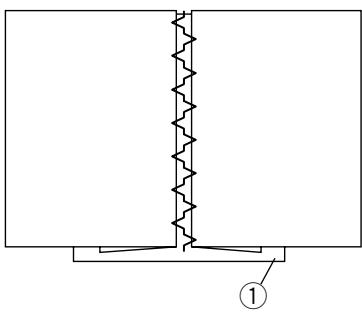
Bridging (Fagoting)
Two folded edges are joined together by threads over an open area. Use linen, cotton or blend of linen/cotton.
Select 049 or 054.
Thread machine, needle and bobbin with fine embroidery thread (50 weight or finer). Use spray starch to stabilize fabric.
Fold and press under seam allowance to wrong side of fabric. Baste folded edges of fabric on top of thin paper or water-soluble stabilizer ①. Center stitching over the paper/fabric. Lower the presser foot. Sew, catching the folded edges of fabric.
Remove paper or wash away stabilizer and basting stitches.
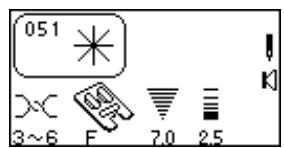
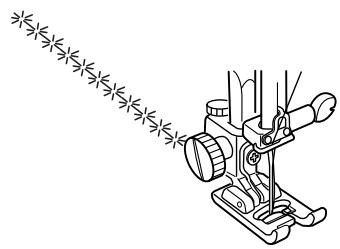

Hemstitches
Hemstitching, also known as French hand sewing, was traditionally only a hand sewn art. There are several stitches to choose from that will add an "old world charm". Best results require the use of linen, cotton or a blend of linen/cotton.
Thread machine, needle and bobbin with a fine cotton embroidery thread (50 weight or finer). Insert a universal needle size #100, #110 or a wing needle (see cautions below). Use spray starch and press to stabilize fabric.
CAUTION: Only insert a wing needle when sewing the stitches listed below. A wing needle is wider than a regular needle. Hand turn the flywheel a few times to ensure needle does not touch needle plate. If needle touches needle plate, narrow the stitch width.
CAUTION: Built-in needle threader does not function if a wing needle is inserted.
051 Daisy
052 Point de Paris or Pinstitch
053 Turkish
054 Venetian or Entreaux
055 Rhodes
056 Square
057 Rickrack
058 Filgree
059 Mesh
Draw design lines with a washable fabric marker. Sew slowly over design lines.
Troubleshooting Tip: Adjust fine adjustment screw until needle precisely penetrates each repeat hole. See page 19.
Remove wing needle after sewing is complete.
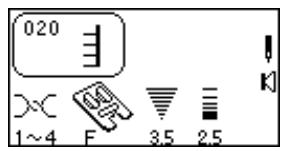
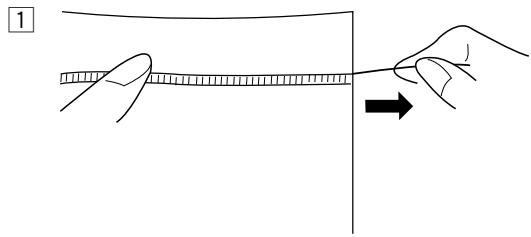
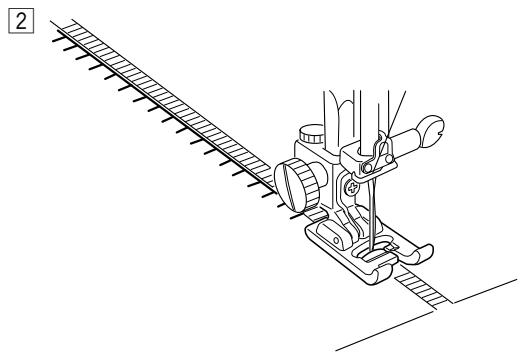
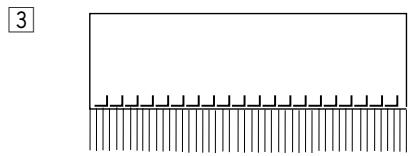
Fringing
Fringing adds a special touch on table linens and shawls. Choose a firm, woven fabric like linen where threads can be removed easily.
Select 052 (Mirror Image) or 020.
1 Carefully cut the fabric on grain. Remove a single yarn or thread where the fringing is to begin.
2 Sew down the left side so the right hand stitches fall in the open space.
3 Remove all excess yarn located to the right of stitching and create fringe.
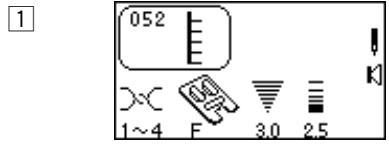
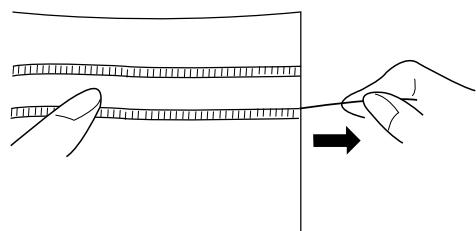
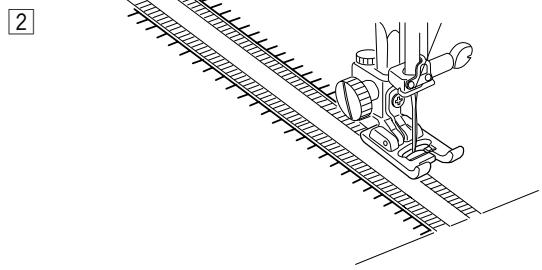
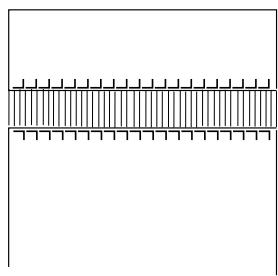
Drawn Work
Drawn work uses the same method as fringing. Choose a firm, woven fabric like linen where threads can be removed easily.
Select 052 or 020 (Mirror Image).
1 Carefully cut fabric on grain. Determine width of the drawn work and remove one yarn or fabric thread at each end.
2 Sew down right side, guiding fabric so left hand stitches fall in open space. After finishing left side, turn the fabric around 180^ . Sew down other side.
3 Remove the yarn or fabric threads between the stitching.
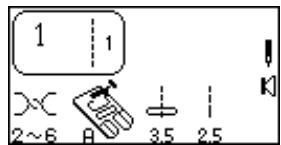
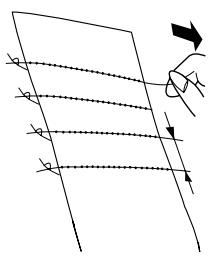
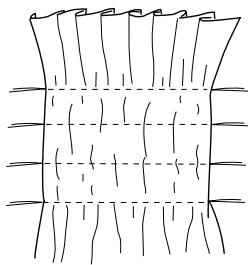
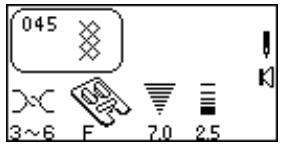
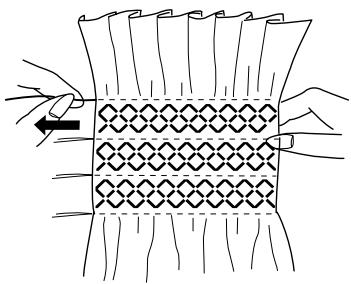
Smocking
Smocking is a delicate, decorative treatment on children's clothing or women's blouses. Choose a soft, lightweight fabric such as batiste, gingham or challis. Cut the fabric three times the finished width.
Select 1.
Increase stitch length to 5.0.
Sew rows of straight stitches about 10-13mm (3/8"-1/2") apart, across the area to be smocked. (A looser needle thread tension will make gathering easier.)
Tie the threads along one edge. Pull the bobbin threads to distribute the gathers evenly. Secure the threads at the other end.
Select 045, 031 or 032.
Sew smocking stitch between the straight stitches. (Pressure may need to be reduced.) Pull out the straight stitching lines.
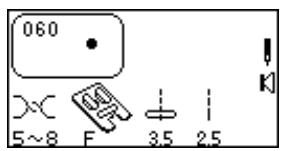
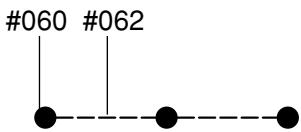
SECTION VI
Decorative Sewing
French Knots
Why spend time sewing French Knots by hand?
Select 060.
Tighten needle tension 5-8.
Place fabric under foot and sew one French Knot. Lift up presser foot, move fabric, lower presser foot and sew next French Knot.
NOTE: If you want to sew a row of evenly spaced French Knots, you must program straight stitches after the French Knot. See Combining a Sequence on page 74.
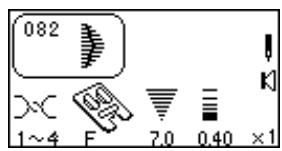
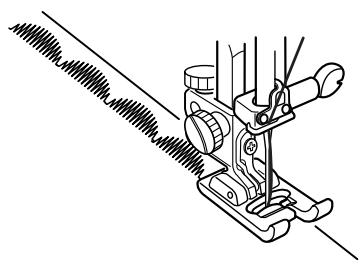
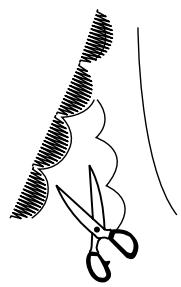
Scallop Edges
Attractively finish edges of collars, pockets and placemats.
Select 081 or 082.
To edge a collar, place interfacing/stabilizer between upper and under collar and sew scallop on seam line.
After sewing, trim fabric close to stitching taking care not to cut scallops.
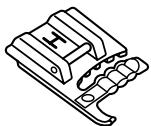
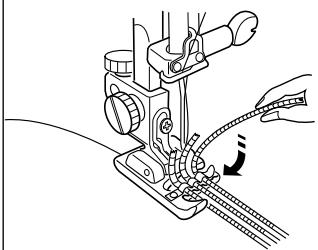
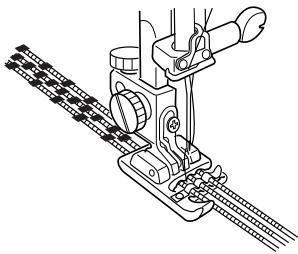
Coreded Trim
Sew over three strands of cording to create unique borders and trims. Pearl cotton, knitting yarn, embroidery floss, lace thread, fine wool or lily yarn may be used as cording.
Select 089.
Slide the sewing threads to the left and insert three strands of cording into the slots of H cording foot with 5 cm (2") extending behind the foot. Knot together the strand ends. (The slots on H foot will hold the lengths of cording while stitches form over them.)
Mark design on the right side of the fabric with a washable marker.
Stitch slowly and smoothly, turning the fabric as you sew while guiding the cording over the design lines.
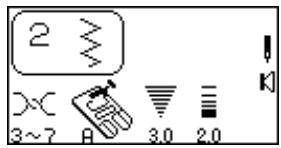
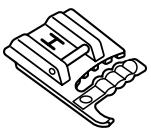
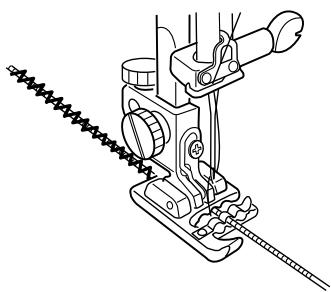
Single Cord For Gathering Heavy Fabric
Select 2.
Decrease stitch width to 3.0.
Insert a single cord in center groove of H foot. Sew over cord.
Pull cord for desired amount of gathering. Secure ends and distribute gathers evenly.
Lay gathered fabric over flat fabric and sew the two fabrics together using straight stitch with stitch length at 3.0 or higher.
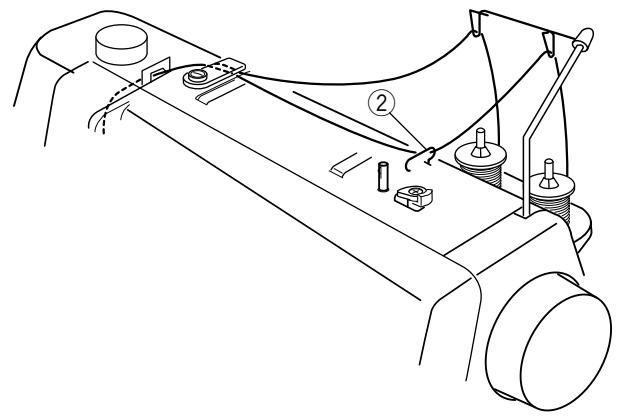
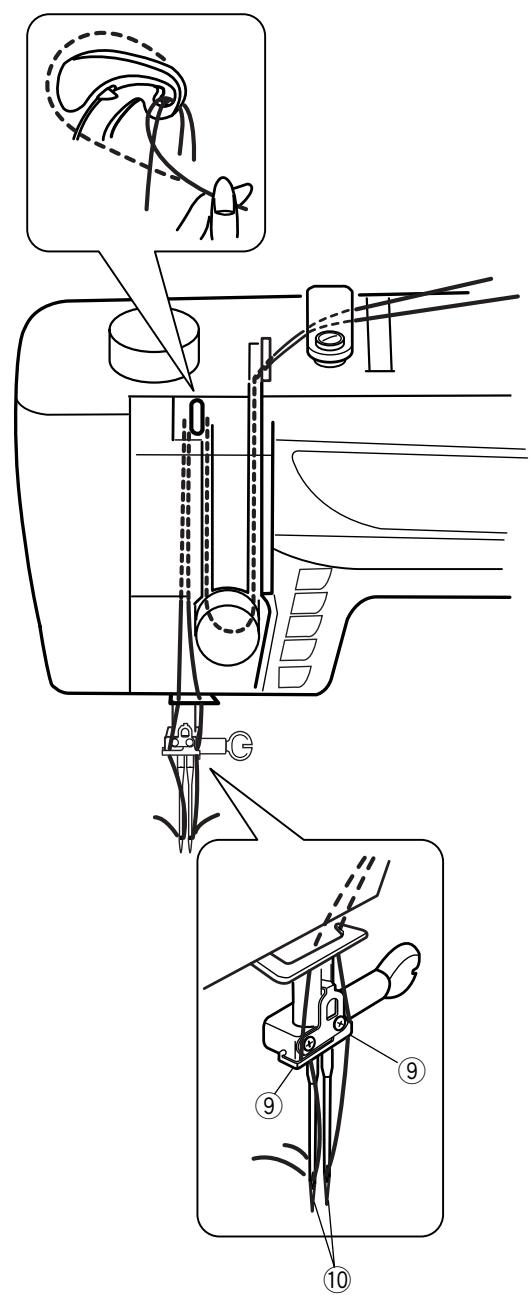
Twin Needle Sewing
As the name implies, the twin needle results in two identical parallel rows of stitches – utility or decorative.
The "Twin Needle" key should be pressed whenever using a twin needle. Be sure to test the stitch before sewing because twin needles are available in a variety of widths. The maximum stitch width available with the "Twin Needle" key activated is 3.0 and that maximum width is based on a standard 2mm wide twin needle.
Turn OFF the power switch and insert a twin needle.
Threading the Machine
Place a spool of thread on each spool stand. Pull up threads and follow the same procedure as single threading except at points ②, ⑨, and ⑩.
② Right spool is in upper thread guide, left spool is not.
One thread is on right side of needle bar and the other on the left.
⑩ Thread by hand each needle from front to back.
NOTE: The built-in needle threads cannot be used with a twin needle.
Turn ON the power switch.
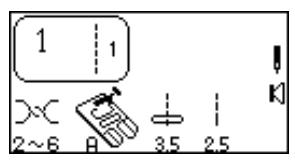
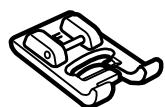
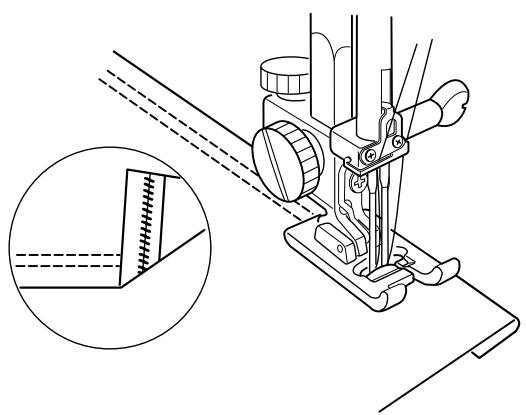
Twin Needle Hem
A twin needle hem is quick and easy. This is an excellent hemming method for knit fabrics because the bobbin thread zigzags, allowing the hem to stretch with the fabric. Be sure to use a stretch twin needle when sewing knit fabrics.
Select 1. Press the "Twin Needle" key. Attach satin stitch foot F.
Fold the hem up desired amount and topstitch with the twin needle. Carefully trim away excess fabric using sharp scissors.
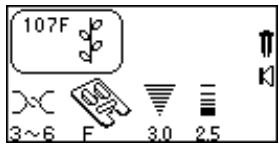

Twin Needle Decorative Stitches
Why not try two different thread colors in the needles?
Select a decorative stitch. "Twin Needle" key should still be selected. Hand turn flywheel to test if needles hit the foot.
Place fabric and stabilizer under foot and sew.
After completing twin needle sewing, Turn OFF the power switch. Remove twin needle. Set up machine for single needle sewing.
NOTE: If a stitch is not compatible with a twin needle, a warning message will appear in the LCD screen. Alphabets and monograms (300 and 500 stitch numbers) will not function with the Twin Needle Key.

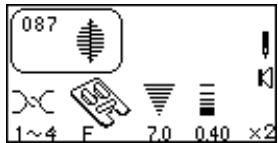
X1
X2
X3
X4
X5




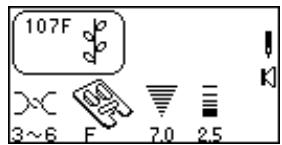
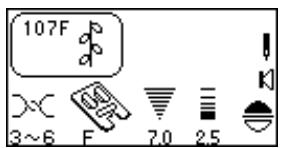
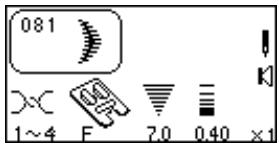
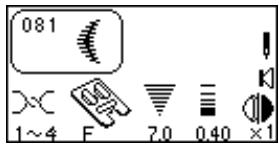
Satin Stitches – Elongation
Satin stitches 081 - 089 can be lengthened up to five times their original size without the stitch length varying.
Select 087.
Press "Elongation" key. (Each touch changes readout to next elongation.)
Place fabric and stabilizer under foot and sew. Press "Auto-Lock" key while sewing and machine will complete the design, lockstitch and automatically stop. Press "Auto Thread Cut" key.
HINT: Change the stitch width or length for maximum options when combined with elongation.
Face to Face
Expand the possibilities by vertically flipping the stitch.
Select 107.
Press "Face to Face" key.
Place fabric and stabilizer under foot and sew. Press "Auto-lock" key while sewing and machine will complete the design, lockstitch and automatically stop. Press "Auto Thread Cut" key.
Mirror Image
Expand the possibilities by horizontally flipping the stitch.
Select 081.
Press "Mirror Image" key.
Place fabric and stabilizer under foot and sew. Press "Auto-lock" key while sewing and machine will complete the design, lockstitch and automatically stop. Press "Auto Thread Cut" key.
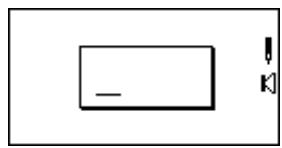

1
2
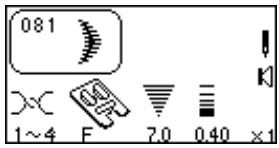

3
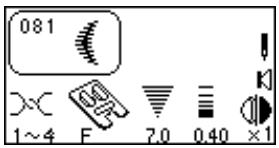
4
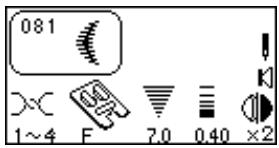

5
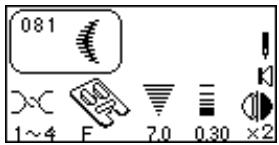
6
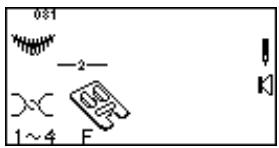
7
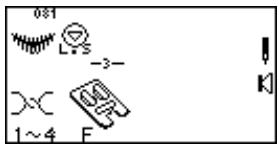

8
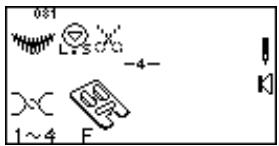
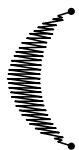
SECTION VII
Programming Combinations (Must have 3 Digit Mode Activated)
Single Repeat with Memory Auto-Lock
1 Select 081.
Machine automatically converts to show selected stitch image and information after third digit is pressed.
Press "Mirror Image" key.
3 Press "Elongation" key.
4 Press "Stitch Length" key and change stitch length to 0.30.
Press "ENTER" key to memorize. A blinking cursor will appear to indicate where next selected and entered stitch will be memorized within the sequence.
6 Press "Memory Auto-Lock" key.
NOTE: It is not possible to add a stitch at the end of a sequence following the memory auto-lock stitch.
7 Press "Memory Auto Thread Cut" key. (The Auto Thread Cut LED signal light turns on.)
Place fabric and stabilizer under foot and sew. Machine will complete the design, lockstitch, cut threads and automatically stop.
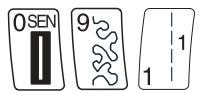
1
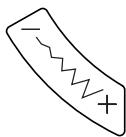

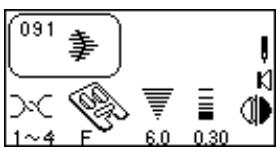

2
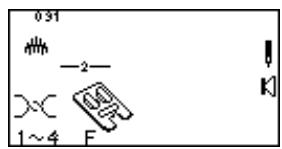

3
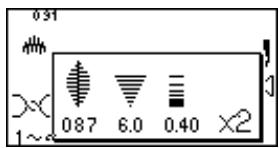


4
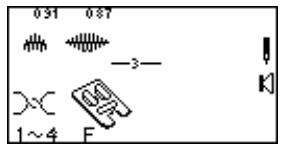

5
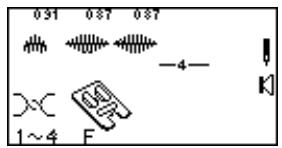

6
Combining a Sequence
1 Select 091.
(Press "Mirror Image" key and change stitch width or length if desired.)
Press "ENTER" key to memorize. A blinking cursor will appear to indicate where next selected and entered stitch will be memorized within the sequence.
3 Select 087.
(Press "Elongation" key and change stitch width or length if desired.)
4 Press "ENTER" key.
Press "ENTER" key.
Place fabric and stabilizer under foot and sew memorized sequence repeatedly.
NOTE: Total capacity of one sequence is 50.
Inserting a Second Color
1 Select 117. Press "ENTER" key.
2 Select 061. Press "ENTER" key.
3 Select 117. Press "Face to Face" key. Press "ENTER" key.
Place fabric and stabilizer under foot and sew memorized sequence twice.
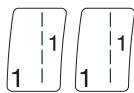
1


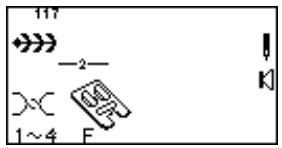
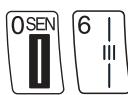
2


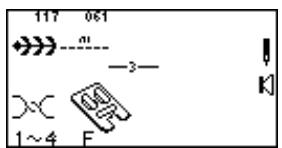
3
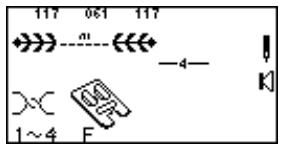
4

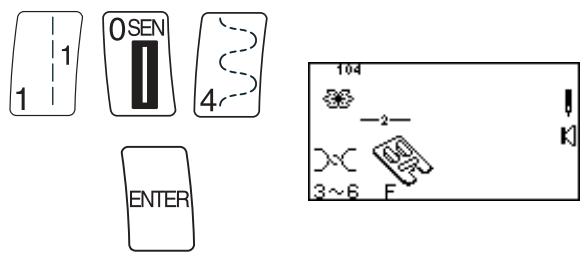
6 7
8
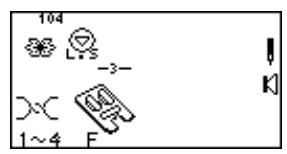
9 10
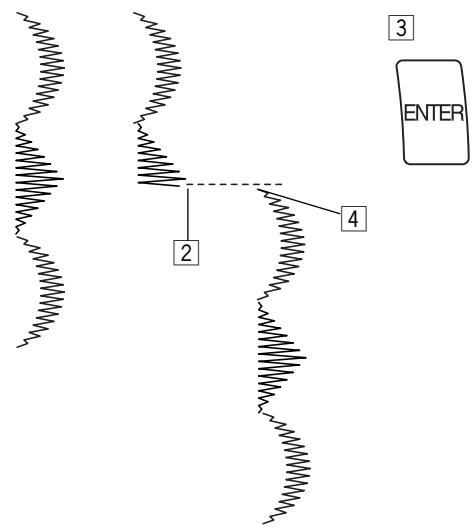
1
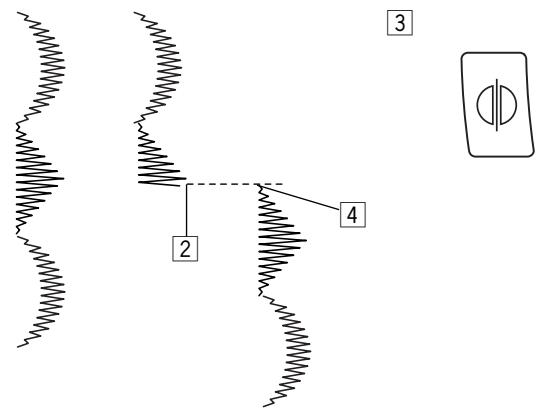
1
Change thread color.
Select 104. Press "ENTER" key.
Press "Memory Auto-Lock" key.
9 Place fabric and stabilizer under foot and sew over straight stitch, placing flower between leaves.
Cut connecting threads.
Reset Combined Sequence to Beginning
It is possible to partially sew the combined sequence and restart the machine at the beginning.
1 Combine a sequence.
2 Begin sewing. Stop sewing.
Press "ENTER" key.
4 Reposition fabric and stabilizer under foot and sew. The machine sews from the beginning of the combined sequence.
Reset Combined Sequence to Beginning of Incomplete Stitch
1 Combine a sequence.
2 Begin sewing. Stop sewing.
Press "Mirror Image" key.
4 Reposition fabric and stabilizer under foot and sew. The machine sews from the beginning of the incomplete stitch.
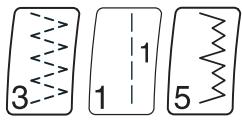
1
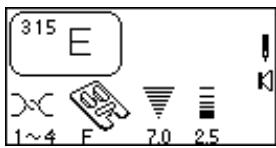

2
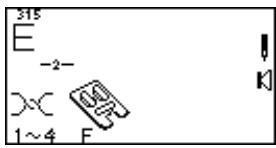
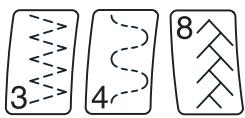
3
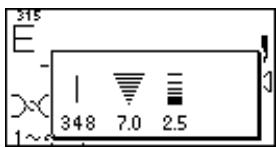

4
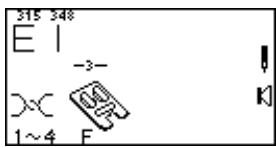
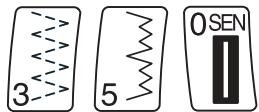
5
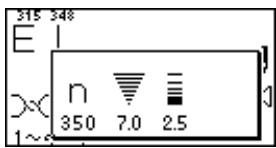

6
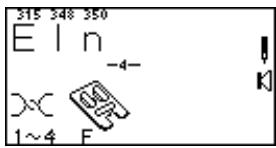
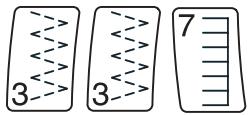
7
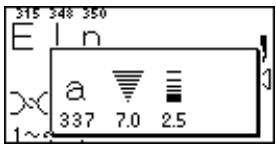

8
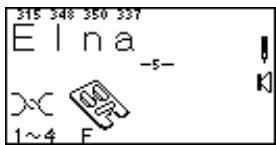
9
Combining Letters
There are 2 font styles:
Block letters (300 stitch numbers)
Script or Monogram letters (500 stitch numbers)
1 Select 315.
Press "ENTER" key.
3 Select 348.
4 Press "ENTER" key.
5 Select 350.
6 Press "ENTER" key.
Select 337.
Press "ENTER" key.
9 Place fabric and stabilizer under foot and sew. Cut connecting threads.
NOTE: Total capacity of one sequence is 50.
If you want to reduce letter height to 2/3 size, press "−" side of "Stitch Width/Needle Position" key before pressing "ENTER" key.
If letters overlap or are too spread out, use the fine adjustment screw. See page 19.
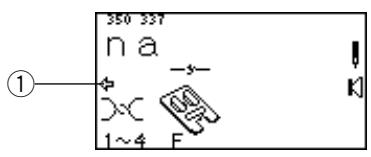

How to Preview the Combined Sequence (Utility, Satin, Decorative or Letters)
Program the following stitches using the "ENTER" key: 519, 094, 523, 535, 315, 348, 350 and 337.
The LCD screen will show a maximum of 8 stitches at one time. The ARROW symbol ① located under the sequence indicates that there are more stitches off screen in that direction.
Press "Review Memory Left" key (or "Review Memory Right" key) to move cursor and preview the entire sequence.
Editing
How to Delete Stitches
The location of the cursor determines which stitch will be deleted.
1
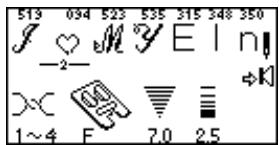
Press "Review Memory Left" key or "Review Memory Right" key to move cursor under stitch 094.

2
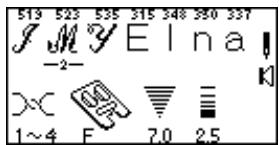
Press "C" key to delete the heart.
How to Add Stitches
The location of the cursor determines where the new stitch will be added. Cursor should be under stitch 523.
3
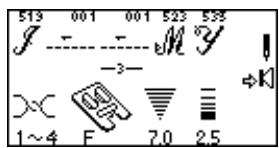
3 Select 001. Press "ENTER" key to add the stitch 001 between stitch 519 and 523. Move the cursor under the stitch 001, then press "ENTER" key.
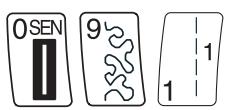
4
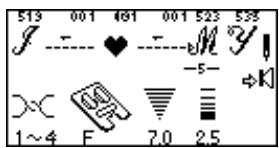

4 Select 091. Press "ENTER" key.
NOTE: It is possible to edit after sewing out a sequence. Before selecting new stitch, press one of the "Review Memory" keys to have blinking cursor appear.
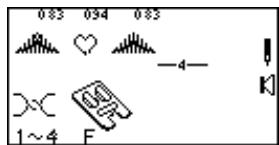
1
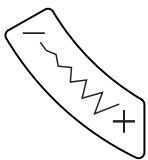
2
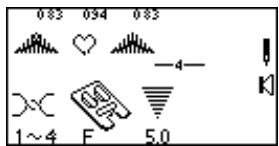

3
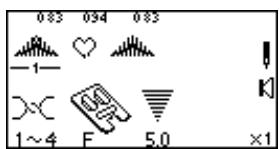

4
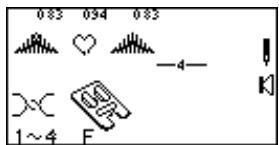
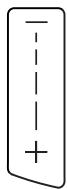
5

6
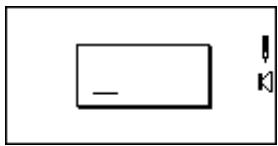

7
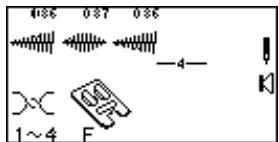
8
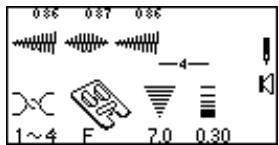

9
Uniformly Adjusting Stitch Width or Length
If the cursor is positioned to the right of the last stitch in the programmed sequence, the stitch width or length adjustment is applied to the entire sequence.
Stitch Width:
1 Program 083, 094 and 083. (Cursor must be to the right of last stitch in sequence.)
Press “-” on "Stitch Width/Needle Position" key.
Place fabric and stabilizer under foot and sew. All stitches within the sequence will have the same stitch width.
Stitch Length:
4 Press "Review Memory Right" key to move cursor after last stitch in sequence.
Press " - " on "Stitch Length" key. (BEEP will sound.)
NOTE: It is not possible to uniformly adjust stitch length within a sequence if it contains different styles of stitches (satin stitches vs. decorative or utility stitches).
6 Press and hold "C" key.
7 Program 086, 087 and 086. (Cursor must be to the right of last stitch in sequence.)
8 Press “-” on "Stitch Length" key.
9 Place fabric and stabilizer under foot and sew. All stitches within the sequence will have the same stitch length.
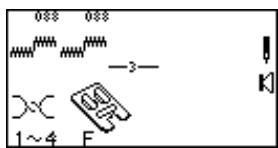
1
2
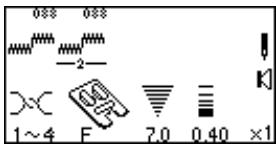
3
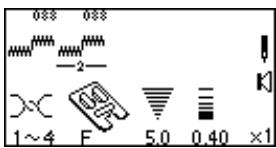
4
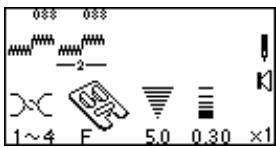
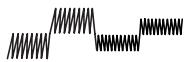
5

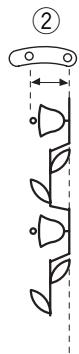
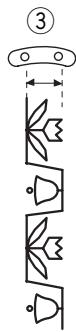

Individually Adjusting Stitch Width or Length
If the cursor is positioned under a stitch in the programmed sequence, the stitch width or length adjustment is applied only to that stitch.
1 Program 088 two times.
Press "Review Memory Left" key to move cursor.
3 Press “-” on "Stitch Width/Needle Position" key.
4 Press “-” on "Stitch Length" key.
Place fabric and stabilizer under foot and sew.
NOTE: If the cursor is to the right of the last stitch in the sequence and either the "Stitch Width/Needle Position" key or "Stitch Length" key is pressed then all individually adjusted settings will be replaced with the uniformly adjusted setting.
Alignment of Stitches Within a Sequence
Often stitches in a sequence have different needle start positions – left, center or right. Your machine will automatically determine a common alignment point based on the stitches in the sequence. There are 4 possibilities:
① Left and center needle positions are aligned to left.
② Right and center needle positions are aligned to right.
③ Left and right needle positions are aligned to center.
④ Left, center and right needle positions are aligned to center.
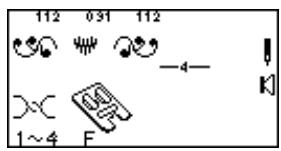
1

2
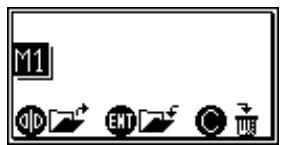

3
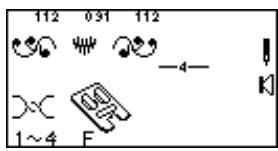
Permanent Memory
It is possible to retain a sequence for future use even if the machine is turned off. Simply save the sequence in one of the four permanent memories. Each memory has a capacity of 50 stitches.
Saving Memory
1 Program 112 (Face to Face), 091 and 112.
Press "M" key 1 time to activate Memory 1 (M1).
Press "ENTER" key to store. (An hourglass will briefly appear.)
NOTE: Activate Memory 2 (M2) by pressing "M" key 2 times. Activate Memory 3 (M3) by pressing "M" key 3 times. Activate Memory 4 (M4) by pressing "M" key 4 times. Save a sequence in M2, M3 or M4 using same method.
1

2


3
Overwriting Memory
1 Program 507, 502 and 510 2 times.
Press "M" key.
Press "ENTER" key to overwrite. (An hourglass will briefly appear.)
NOTE: If you do not want to overwrite M1, press “M” key 4 times to exit memory options.

1
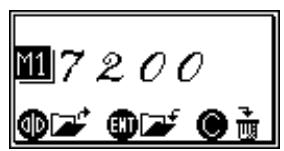
2
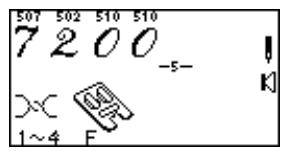
Recalling Memory
Press "M" key.
Press "Mirror Image" key. (An hourglass will briefly appear.)
Deleting an Individual Memory
1
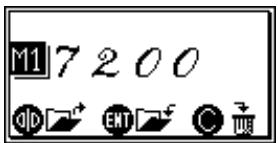

2
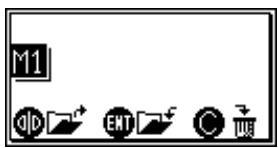
Press "M" key.
Press "C" key to delete.
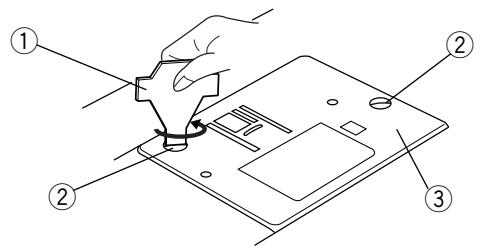
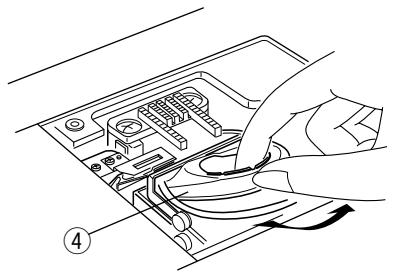
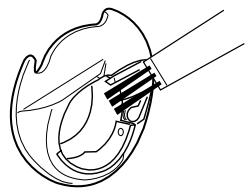
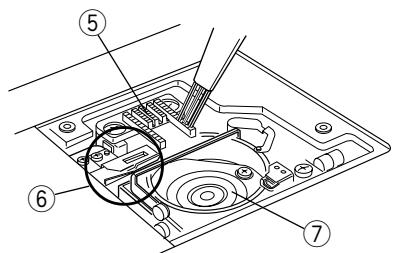
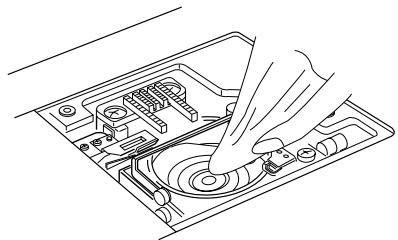
SECTION VIII
Taking Care of Your Machine
Your machine has been meticulously designed and manufactured to give you a lifetime of sewing pleasure. Do not store the machine in a high humidity area, near a heat radiator or in direct sunlight. The machine is self-lubricating, however, the area around the bobbin and hook must be cleaned each time the machine has had extensive use. Do not dismantle the machine further than explained on these pages. Clean the outside of the machine with a soft cloth and pure soap.
Cleaning the Hook Area and Feed Dog
Loose threads and dust may cause puckered stitches and thread breakage during stitching. Check for lint buildup after each project is completed.
Press the "Up/Down Needle" key until the needle is raised. Turn Off power switch. Unplug the machine before cleaning.
Remove the presser foot and needle. Use the screw key ① supplied with the machine to remove the screws ②. Lift away the needle plate ③.
Take out the bobbin. Lift up and remove the bobbin case ④.
Clean the bobbin case with the lint brush and soft dry cloth.
Clean the feed dog ⑤ , auto thread cut mechanism ⑥ and hook area ⑦ with the lint brush.
Wipe out gently with soft, dry cloth. (You can also use a small vacuum cleaner.)
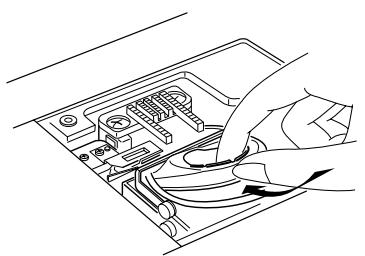
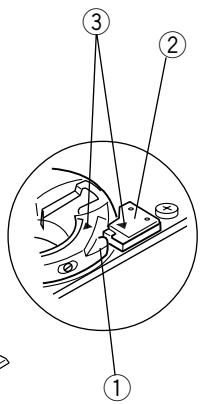
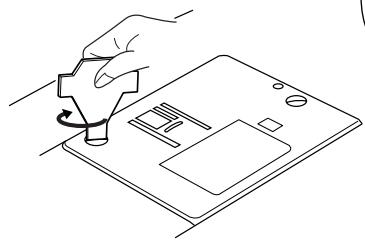
Replacing the Bobbin Case
Insert the bobbin case so the knob ① fits next to the stopper ② in the hook area. The red triangle marks ③ on the bobbin case and stopper must align with each other.
Attach the needle plate and tighten the screws.
After cleaning, be sure to replace the needle, presser foot and bobbin.
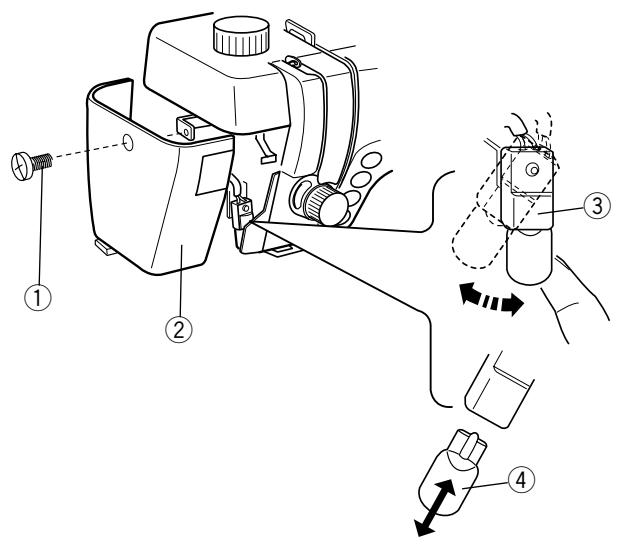
Changing the Light Bulb
Turn OFF the power switch. Unplug the machine. Wait until the bulb has cooled before touching it.
Remove screw ①. Pull away face plate ②.
Swing light socket ③ to left and pull out light bulb 4.
Insert light bulb into light socket. Return light socket to original position.
Replace face plate and tighten screw.
NOTE: Only use same type light bulb rated 12 Volts, 5 watts.
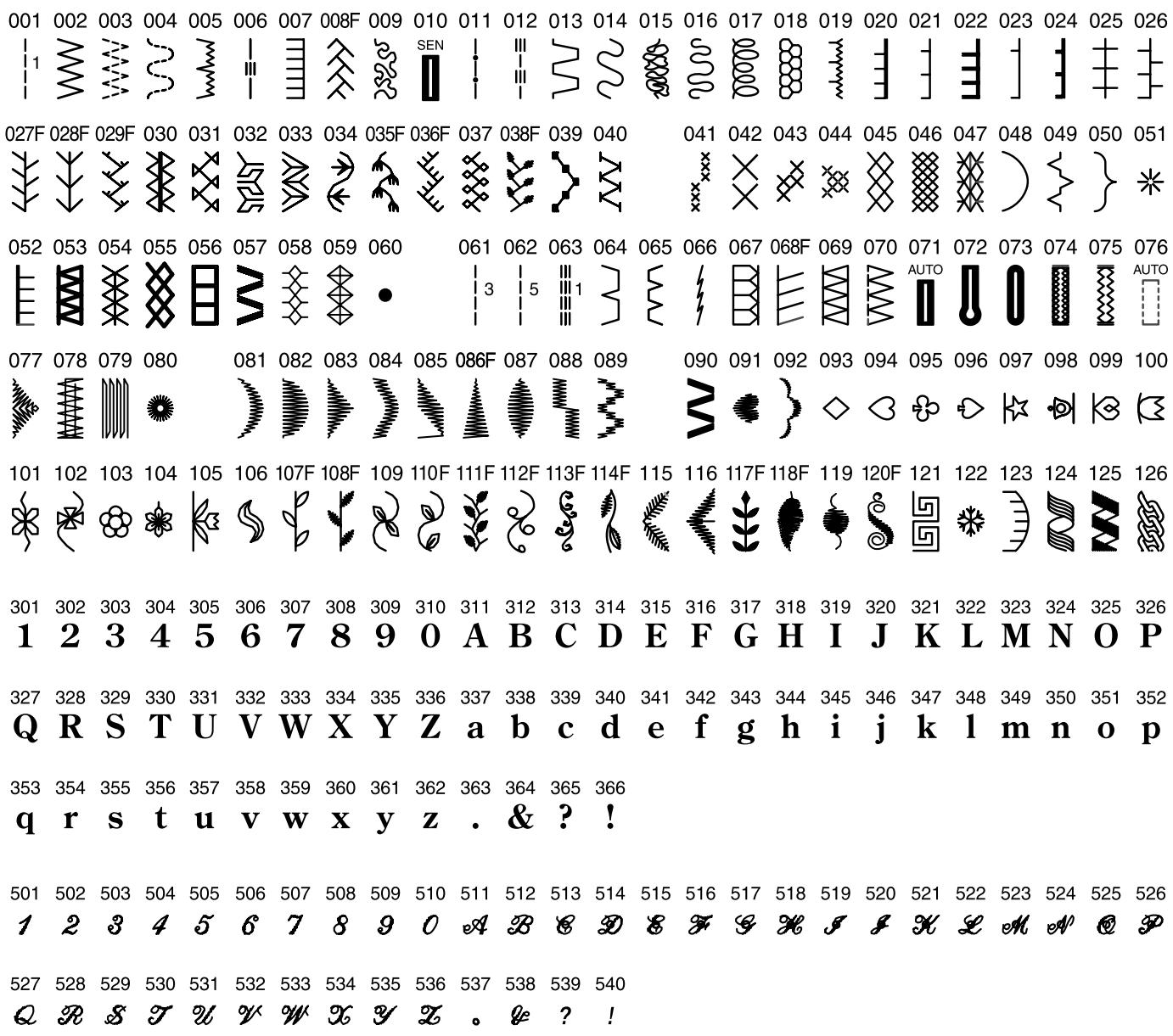
Stitch Chart
NOTE:
Stitches 001, 061, 062 and 063 have a number to the right of the stitch illustration. This number indicates how many stitches will be sewn if programmed into a sequence.
Stitches that are compatible with the Face to Face key are identified on the stitch chart with an "F" directly following the stitch number.
Buttonholes 010 and 071 are both the classic buttonhole style but are sewn using 2 different methods. To easily identify which method is being used, they are identified with either SEN or AUTO. SEN indicates that the button-hole lever is lowered and the “R” buttonhole foot should be attached. AUTO indicates that the buttonhole lever is NOT lowered and you can use either the “B” or “R” buttonhole foot. Buttonholes 072–075 can only be sewn by lowering the buttonhole lever and attaching the “R” buttonhole foot.
Optional Accessories
Elna is pleased to offer the following optional accessories for your machine. This listing is current at time of printing but we are always developing new accessories to make sewing easier. Contact your authorized Elna dealer or service center to learn more about the latest innovations OR visit us at our website: www.elna.com.
| Part Number | Accessory Name | Part Number | Accessory Name |
| 495100-20 | Open Toe Satin Stitch Foot | 395719-26 | Walking Foot |
| 495470-20 | Appliqué Foot | 395719-90 | Walking Foot w/Quilt Guide |
| 395719-13 | Piping Foot | 395719-22 | Quarter Inch Foot |
| 395719-27 | Fringe/Looping Foot | 395719-28 | Ruffler |
| 395719-14 | Pintuck Foot, Narrow | 395719-12 | Gathering Foot |
| 395719-15 | Pintuck Foot, Wide | 395719-33 | Hemmer Foot, 2 mm |
| 395719-09 | Pearl/Bead Foot 2 mm | 395719-19 | Roller Foot |
| 395719-10 | Pearl/Bead Foot 4 mm | 395719-21 | Teflon Foot |
| 395719-18 | Ribbon/Sequin Foot | 495010-20 | Zipper Foot, Invisible |
| 495050-20 | Embroidery/Darning Foot | 395719-78 | Button Sewing Foot |
| 395719-11 | Bias Binder Foot | 424630-10 | Rug Making Fork |
| 394719-20 | Straight Stitch Foot |
Three beep sounds will alert you to machine problems. The LCD screen will show one of these messages.
Warning Messages
| Message | Reason | What to Do |
| Power switch is turned on while foot control is pressed. | Release the foot control. | |
| Power switch is turned on with the needle in the down position. | Press the “Up/Down Needle” key. | |
| Press key | ||
| Presser foot is up when sewing is attempted. | Lower presser foot. | |
| While sewing, presser foot is raised. | Lower presser foot. | |
| Presser foot is up when Auto Thread Cut Key was pressed. | Lower presser foot and press “Auto Thread Cut” key. | |
| If the buttonhole lever is not lowered, the machine will stop sewing. | Lower buttonhole lever and begin sewing. | |
| Finish lockstitch | The machine was stopped before lockstitch was completed. | Start machine and allow lockstitch to complete. |
| Power switch has been turned on but machine has not sewn when the Auto Thread Cut Key is pressed. | Press the “Auto Thread Cut” key only after machine has been sewing. | |
| Auto Thread Cut Key cannot be used consecutively 4 times | ||
| Machine will not sew with the Start/Stop key because the foot control is connected. | Unplug the foot control. | |
| The Twin Needle Key has been pressed after selecting a stitch that is not compatible with a twin needle inserted. | Select a different stitch or sew with a single needle. | |
| The Elongation Key has been pressed after selecting a stitch that cannot be elongated. | Elongation can only be used with satin stitches 081 - 090. | |
| Auto thread cutting was interrupted by power switching off machine. Power switch is turned on again and auto thread cutting must be completed. The pressor foot was raised and auto thread cutting was not completed. | Press the “Auto Thread Cut” key. Lower pressor foot. Press the “Auto Thread Cut” key. | |
| Machine stops because thread is not in take up lever or tangled in bobbin area. Feed dog was lowered during sewing. Bobbin winder spindle locks during bobbin winding. | Place thread in take up lever or remove tangled thread from bobbin area and auto thread cutting mechanism. Wait 15 seconds before restarting. Do not move feed dog lever during sewing. Turn off power switch. Remove tangled thread. | |
| The machine is malfunctioning because of the item indicated. Example: “BM init error” - error in initialization of stepping motor. The LCD screen is abnormal. | Contact your authorized Elna dealer or service center where you purchased your machine. Turn power switch off. Wait 5 seconds and turn power switch on. | |
| E1 Error |
TROUBLESHOOTING
| Condition | Cause | See page(s) |
| Needle thread breaks | 1. The needle is not threaded properly. 2. The needle thread tension is too tight. 3. The needle is bent or blunt. 4. The needle is not inserted correctly. 5. The needle thread and bobbin thread are not properly under (drawn to the back of) the presser foot when starting to sew. 6. The fabric is not moved to the back when sewing is finished. 7. The thread is either too heavy or too fine for the needle. 8. The thread is tangled around spool. | 25-26 18 20 20 29 30 20 22 |
| Bobbin thread breaks | 1. The bobbin thread is not threaded correctly in the bobbin case. 2. Lint has collected in the bobbin case. 3. The bobbin is damaged and does not turn smoothly. | 24 82-83 change bobbin |
| Needle breaks | 1. The needle is not inserted correctly. 2. The needle is bent or blunt. 3. The needle clamp screw is loose. 4. The needle thread tension is too tight. 5. The fabric is not moved to the back when sewing is finished. 6. The needle is too fine for the fabric being sewn. 7. The wrong presser foot is used. | 20 20 20 18 30 20 13 |
| Skipped stitches | 1. The needle is not inserted correctly. 2. The needle is bent or blunt. 3. The needle and/or the thread are not suitable for the fabric being sewn. 4. A stretch needle is not being used for sewing stretch, very fine and synthetic fabrics. 5. The needle thread is not threaded properly. 6. The foot pressure dial is not adjusted correctly. 7. The wrong needle is being used. | 20 20 20 21 25-26 15 20 |
| Seam puckering | 1. The needle thread tension is too tight. 2. The machine is not threaded correctly. 3. The needle is too large for the fabric being sewn. 4. The stitch length is too long for the fabric. 5. The foot pressure dial is not adjusted correctly. Place lightweight stabilizer under lightweight fabrics. | 18 24-26 20 11 15 |
| Slipping fabric | 1. The foot pressure dial is not adjusted correctly. 2. The correct presser foot is not being used. | 15 13 |
| Fabric does not feed smoothly | 1. The feed dog is packed with lint. 2. The pressure foot dial is not adjusted correctly. 3. The stitches are too short. 4. The feed dog was not raised after being lowered. 5. The correct presser foot is not being used. | 82-83 15 11 16 13 |
| Gathering | 1. The needle thread tension is too tight. 2. The needle is either too large or too small for the thread. 3. The stitches are too long for fabric weight. | 18 20 11 |
| Machine does not work | 1. The machine is not plugged in. 2. A thread is caught in the hook area or auto thread cut mechanism. 3. Presser foot is in up position. | 9 82-83 lower foot |
| Stitches are distorted | 1. The fine adjustment screw is not adjusted properly. 2. The correct presser foot is not being used. 3. The needle thread tension is too tight. 4. The stitch length is not suitable for the fabric being sewn. 5. Use interfacing/stabilizer for fine or stretch fabrics. | 19 13 18 11 use stabilizer |
| Sensor buttonholes do not work | 1. The stitch length is not suitable for the fabric being sewn. 2. Interfacing is not being used with fabrics. 3. There is a gap between the slider and spring holder. 4. Buttonhole lever is not pulled down. | 11 41 45 43 |
| Noisy operation | 1. Threads have been caught in the hook area. 2. Lint has built up in the bobbin case or hook area. | 82-83 82-83 |
| Fabric layers shift | 1. The pressure foot dial is not adjusted correctly. 2. The correct presser foot is not being used. | 15 13 |
| Auto thread cut LED blinks | 1. Presser foot was raised before auto thread cutting was completed. 2. Threads are tangled in the auto thread cutting mechanism. | 30 82-83 |
You may hear a faint humming sound coming from your machine's internal motors. This is normal and no cause for concern.
INDEX
A
Accessories 4,85
Accessory Definitions 5-6
Accessory Storage 4
Alignment of Stitches within a Sequence 79
Alphabets 76,84
Angle Lines 58
Applique 38,61
Arrowtack 54
Auto-Lock Key 3, 10
Auto Thread Cut Key 3, 10, 86
B
Bartacks 55
Basting 33,63
Blind Hem Stitches 40
Block Letters 76,84
Bobbin Drawing Up Bobbin Thread 28
Inserting 24
Winding 22-23
Bobbin Case 24,82-83
Bobbin Winding Key 11, 23
Bound Buttonhole 41, 49-50
Bridging 64
Button Sewing 51
Buttonhole Applique 61
Buttonholes 41-50
C
Centimeter Measurements 3, 17
Check Spring 26
ClassicButtonhole 41,43,47
Classic Keyhole Buttonhole 41, 44
Cleaning 82-83
Clear Key 12
Combining Sequence 73-77
Connecting Machine to Power Supply 9
Cord For Gathering Heavy Fabrics 69
Cored Buttonhole 46
Corded Trim 69
Cutting Threads 3, 10, 13
D
Daisy Hemstitch 65
Darning 56
DeletingMemory 77,81
Direct Select Mode 11, 13, 29
Double Overlock Stitch 53
Drawn Work 66
Dust Cover 4
E
Editing 77
Elastic 39
Elongation Key 11, 72, 73
Enter Key 12
Entredieux 65
Eyelets 57
F
Fabric 20
Face Plate 3,83
Face to Face Key 2, 72
Factory Default Settings 12, 15, 31, 32
Fagoting 64
Feed Dog 3, 16, 82
Filigree Hemstitch 65
Fine Adjustment Screw. 3, 19
Flywheel 3
Foot Control 1,4,9,10,15
Foot Pressure Dial 3, 15
Four Step Memory Buttonholes 41, 47-50
Free Motion Quilting/Stippling 62
French Knots 68
Fringing 66
Function Keys 10-13
G
Gathering 6,33,67,69
H
Heavy Fabrics 16,33,69
Hems 36,40
Hemstitches 65
1
Icons 13
Inch Measurements 3, 17
Incomplete Stitches, Resetting 75
Interfacing 38, 39, 41, 47, 64, 68, 71, 72
K
Keyhole Buttonhole 41, 44, 45
Keys 10-13
Knee Lifter 3,4,8
Knit Buttonhole 41, 44
L
LCD Screen 11-13
LCD Screen Brightness Control 3, 11
Language Selection 14
Lapped Zipper 34-35
Letters/Numbers 76,84
LightBulb 1,83
M
Maintenance 82-83
Memory Saving, Overwriting, Recalling and. 12, 80-81
Memory Auto-Lock Key 12, 73
Memory Auto Thread Cut Key 13
Mending a Tear 39
Mesh Hemstitch 65
Mirror Image Key 12, 72
Mode Key 11, 29
Monograms 76,84
My Personal Setting Key 12, 31-32
N
Needle Plate 1,3,4,17
Needle Position 10, 11, 30
Needle Threader 3,26,27
Needles 20-21, 65, 70
Numbers/Letters 76,84
0
Optional Accessories 85
OvercastStitch 54
Overcasting 37,54
Overwriting Memory 80
P
Part Names 3, 10-13
Patchwork 62
Perfect Start Angle Lines 58
Permanent Memory 80-81
Piecing Fabrics 58
Pinstitch 65
Pintucks 64
Plaids 59
Plugs 1,3,9
Point de Paris 65
Power/Light Switch 3,9
Presser Feet
Attaching and Removing 17
Clearance 16
Definitions 5-6
Presser Foot Lever 16
Preview Combined Sequence 77
Programming 73-76
Q
Quarter Inch 4,6,58
Quick Measurements 3, 17
Quick Resumption Mode 14
Quilt Guide 4,6,59-60
Quilt Stitch 58
Quilt Table 4,8
Quilting 58-63
R
Recalling Memory 81
Reinforced Buttonhole 43
Retractable Thread Guide 3, 22
Reverse Key. 3, 10
Review Memory Left Key 12
Review Memory Right Key 13
Rhodes Hemstitch 65
Rickrack 65
Rolled Hem 36
RoundedButtonhole 41,44
s
Satin Stitches-Elongation 11,72
Saving Memory 12,80-81
Scallop Edges 68
Script Letters 76,84
Seam Allowance Lines 17
Select Mode Key 11,29
Sensor Buttonholes 42-45
SerpentineStitch 39
Shank 3,17
Shell Tuck 52
Single Repeat Sequence 73
Smocking 67
Sound Mode 14
Speed Control 3, 15
Spool Pins 3,22
Square Hemstitch 65
Stabilizer 38, 39, 41, 47, 64, 68, 71, 72
Start/Stop Key 3,10
StipplingStitch 62,63
StitchChart. 3,7
Stitch Length Key 11, 13, 37, 78
Stitch Selection Keys 11, 13
Stitch Width Key 11, 13, 37, 78
StraightStitch 29
StraightStitchNeedlePlate 4,6,60
StretchButtonholes 41,44
Stretch Seam 52
Super Overlock Stitch 53
Super Stretch Stitch 53
Symbols 13
T
Thread 20
Thread Cut Mechanism 10,81
Thread Cutting 3, 10, 13, 30, 43
Thread Tension 3, 18
Threading 24-27, 70
Three Digit Mode 11, 12, 29
Three Step Zigzag 38
Triple Seam 52
Turkish Hemstitch 65
Twin Needle 11, 21, 70-71
Twin Needle Key 11
U
Uniformly Adjusting Stitch Width or Length 78
Up/Down Needle Key 3,10
V
Venetian Hemstitch 65
W
Walking Foot 4,6,59
Wing Needle 21,65
Write n Clip 7
Z
ZigzagStitch 37,38,51
Zippers 34-35