Vivo S3 Pro - Piano Dexibell - Free user manual and instructions
Find the device manual for free Vivo S3 Pro Dexibell in PDF.


Pick your language and provide your email: we'll send you a specifically translated version.
| Product Type | Stage Piano / Digital Piano |
| Brand | Dexibell |
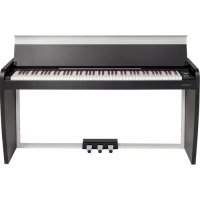
| Model | Vivo S3 Pro |
| Number of Keys | 88 |
| Keyboard Action | Weighted Hammer Action |
| Sound Engine | DEXIBELL True to Life (T2L) with up to 320 oscillators |
| Polyphony | 320 voices |
| Number of Sounds | 12 (including grand piano, e-piano, organ, etc.) |
| Effects | Reverb, Chorus, Delay, etc. |
| Connectivity | USB-MIDI, 1/4" headphone out, 1/4" line out, sustain pedal, damper pedal |
| Bluetooth | Yes (for audio and MIDI) |
| Dimensions (W x D x H) | 1300 x 360 x 145 mm (approx.) |
| Weight | 18 kg (approx.) |
| Power Supply | 12V DC, 2.5A (AC adapter included) |
| Power Consumption | 15 W (max) |
| Speakers | 2 x 30 W (approx.) |
| Display | Multifunction OLED display |
| Storage | Internal memory for user settings, USB flash drive support |
| Supported Formats | WAV, MP3, MIDI (playback and recording) |
| Maintenance | Wipe with a dry, soft cloth. Do not use solvents or abrasive cleaners. |
| Safety Precautions | Keep away from liquids, heat sources, and strong magnetic fields. Unplug during thunderstorms. |
| Spare Parts / Reparability | Contact authorized Dexibell service centers for spare parts and repairs. |
| Manufacturing Origin | Italy |
Frequently Asked Questions - Vivo S3 Pro Dexibell
How do I connect the Vivo S3 Pro to external speakers?
Use the 1/4" line out jacks on the rear panel. Connect them to your amplifier or powered speakers. For best results, use balanced cables.
Can I record my playing directly on the piano?
Yes, the Vivo S3 Pro has an internal recorder. Press the REC button to start recording, and press PLAY to stop. Recordings are saved in WAV format and can be played back or transferred via USB.
Does the Vivo S3 Pro have Bluetooth?
Yes, it supports Bluetooth 4.0 for both audio streaming and MIDI connection. Pair it with your device via the Bluetooth settings menu.
How do I change the sound (tone) on the keyboard?
Use the SOUND SELECT buttons to cycle through the 12 built-in sounds. You can also layer or split sounds by using the LAYER and SPLIT functions.
What type of pedal is compatible?
The Vivo S3 Pro uses a standard 1/4" TS footswitch pedal for sustain. A dedicated damper pedal with half-pedaling support is also available as an accessory.
How do I perform a factory reset?
Turn off the piano. Hold down the GRAND PIANO 1 button while turning the power back on, then release the button. This will reset all settings to default.
Can I use the Vivo S3 Pro with a computer?
Yes, connect via USB to your computer. The piano will appear as a MIDI device. You can also use it as an audio interface for recording.
What is the polyphony of this piano?
The Vivo S3 Pro offers 320 voices of polyphony, allowing complex passages with sustain without note dropouts.
How do I clean the keyboard?
Use a soft, slightly damp cloth to wipe the keys. Avoid excess moisture. Do not use alcohol or chemical cleaners.
Does the Vivo S3 Pro include a stand or bench?
No, the piano is sold as a standalone unit. Stands and benches are available separately from Dexibell or third-party manufacturers.
User questions about Vivo S3 Pro Dexibell
0 question about this device. Answer the ones you know or ask your own.
Ask a new question about this device
No questions yet. Be the first to ask one.
Download the instructions for your Piano in PDF format for free! Find your manual Vivo S3 Pro - Dexibell and take your electronic device back in hand. On this page are published all the documents necessary for the use of your device. Vivo S3 Pro by Dexibell.
USER MANUAL Vivo S3 Pro Dexibell

Manual assistant
Powered by Anthropic
Waiting for your message
Product information
Brand : Dexibell
Model : Vivo S3 Pro
Category : Piano