
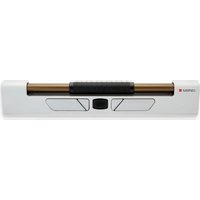
RollerMouse Pro Wireless - Mouse Contour Design - Free user manual and instructions
Find the device manual for free RollerMouse Pro Wireless Contour Design in PDF.


Pick your language and provide your email: we'll send you a specifically translated version.
| Product Type | Ergonomic Wireless Mouse |
| Brand | Contour Design |
| Model | RollerMouse Pro Wireless |
| Connectivity | Wireless (2.4 GHz RF) |
| Dimensions (L x W x H) | Approx. 520 x 110 x 20 mm |
| Weight | Approx. 680 g |
| Battery Type | Rechargeable Lithium-ion |
| Charging Method | USB-C cable |
| Battery Life | Up to 3 months on a full charge |
| Scroll Bar | Integrated optical scroll bar with tactile feedback |
| Programmable Buttons | 6 customizable buttons |
| Compatibility | Windows, macOS, Linux |
| Ergonomic Design | Promotes neutral arm and hand position, reduces strain |
| Warranty | 2 years limited warranty |
| Package Contents | Mouse, USB receiver, USB-C charging cable, user manual |
| Cleaning | Wipe with a soft, slightly damp cloth; avoid liquids |
| Safety | CE, FCC, RoHS certified |
| Reparability | Spare parts available from Contour Design; user-replaceable battery |
Frequently Asked Questions - RollerMouse Pro Wireless Contour Design
How do I pair the RollerMouse Pro Wireless with my computer?
Insert the provided USB receiver into a USB port on your computer. The mouse will automatically pair. If not, press the pairing button on the bottom of the mouse.
How long does the battery last and how do I charge it?
The battery lasts up to 3 months on a full charge. Use the included USB-C cable to charge. A full charge takes about 2 hours.
Can I use the mouse while it is charging?
Yes, the mouse can be used while connected via USB-C cable for charging.
How do I clean the RollerMouse Pro Wireless?
Use a soft, slightly damp cloth to wipe the surface. Do not use harsh chemicals or immerse in water.
Is the RollerMouse Pro Wireless compatible with macOS?
Yes, it is compatible with Windows, macOS, and Linux. No additional drivers are needed for basic functions.
How many programmable buttons does it have?
It has 6 programmable buttons that can be customized using the Contour Drivers software.
What is the scroll bar used for?
The scroll bar allows smooth scrolling with tactile feedback, reducing the need for wrist movement.
Can I replace the battery myself?
Yes, the battery is user-replaceable. Contact Contour Design for a replacement battery.
What should I do if the mouse stops working?
Check that it is charged, try re-pairing, restart your computer, or contact Contour Design support.
Does the mouse work on a glass desk?
It works on most surfaces, but transparent glass may cause tracking issues. A mouse pad is recommended for best performance.
User questions about RollerMouse Pro Wireless Contour Design
0 question about this device. Answer the ones you know or ask your own.
Ask a new question about this device
No questions yet. Be the first to ask one.
Download the instructions for your Mouse in PDF format for free! Find your manual RollerMouse Pro Wireless - Contour Design and take your electronic device back in hand. On this page are published all the documents necessary for the use of your device. RollerMouse Pro Wireless by Contour Design.
USER MANUAL RollerMouse Pro Wireless Contour Design
Manual assistant
Powered by Anthropic
Waiting for your message
Product information
Brand : Contour Design
Model : RollerMouse Pro Wireless
Category : Mouse