
MP C4000 - Color multifunction printer RICOH - Free user manual and instructions
Find the device manual for free MP C4000 RICOH in PDF.


| Product Type | Color Multifunction Printer |
| Brand | RICOH |
| Model | MP C4000 |
| Functions | Print, copy, scan, fax (optional) |
| Print Speed | 40 pages/minute in black and white and color |
| Print Resolution | Up to 1,200 x 1,200 dpi |
| Paper Sizes | A6 to A3 |
| Paper Weight | 60 to 256 g/m² (trays), 60 to 169 g/m² (duplex) |
| Maximum Paper Capacity | 4,400 sheets |
| Duplex | Automatic (standard) |
| Touch Screen | Large LCD color touch screen |
| Memory | 1,024 MB + 160 GB hard drive |
| Color Scanning | Up to 60 originals/minute (A4) |
| Scan Formats | PDF, JPEG, TIFF, High Compression PDF |
| Security Features | Windows authentication, PIN code, data overwrite, PDF encryption |
| Power Supply | 220-240 V, 50/60 Hz |
| Power Consumption | Max 1.6 kW (operating), < 137 W (economy mode), < 2.9 W (auto-off) |
| Dimensions (W x D x H) | 670 x 677 x 760 mm |
| Weight | Less than 130 kg (with document feeder) |
| Maintenance | Easy toner replacement, accessible paper trays |
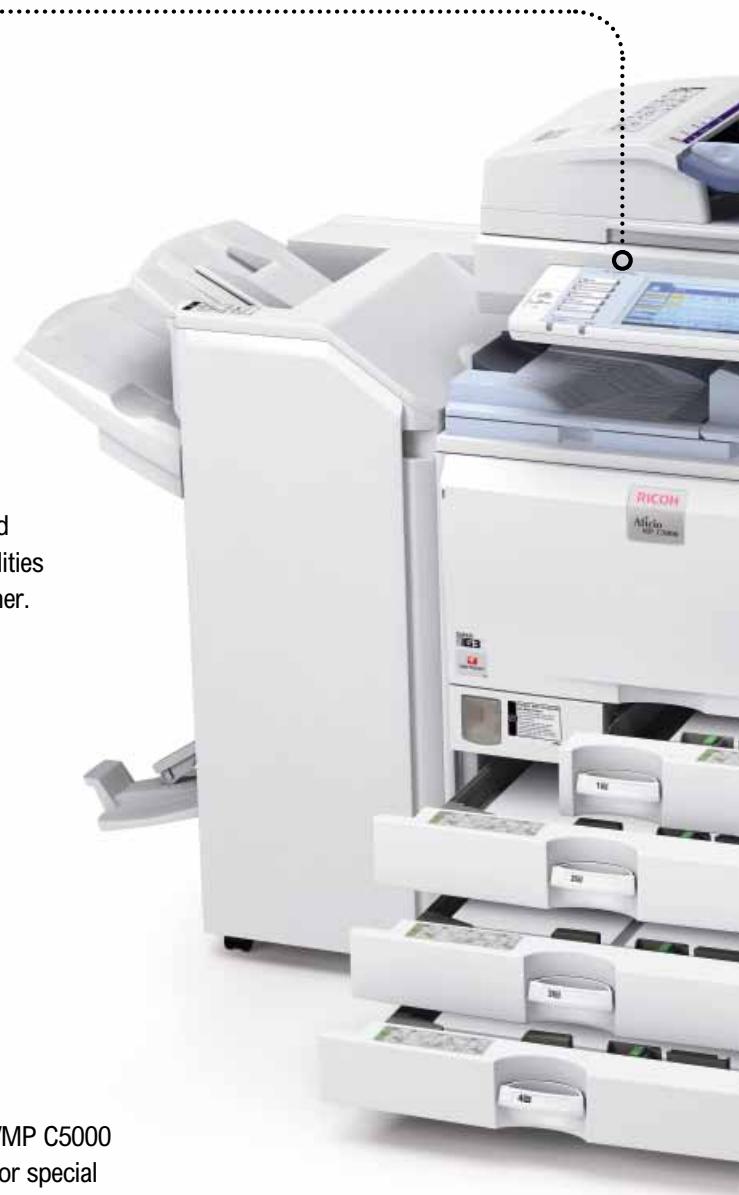
| Finishing Options | Stapler, folder, trimmer, perforator (optional) |
| Included Software | SmartDeviceMonitor, Web Image Monitor, DeskTopBinder Lite |
| Supported Environments | Windows, Mac, Linux, UNIX |
Frequently Asked Questions - MP C4000 RICOH
User questions about MP C4000 RICOH
0 question about this device. Answer the ones you know or ask your own.
Ask a new question about this device
Download the instructions for your Color multifunction printer in PDF format for free! Find your manual MP C4000 - RICOH and take your electronic device back in hand. On this page are published all the documents necessary for the use of your device. MP C4000 by RICOH.
USER MANUAL MP C4000 RICOH
Outstanding multifunctional performers in B/W and colour
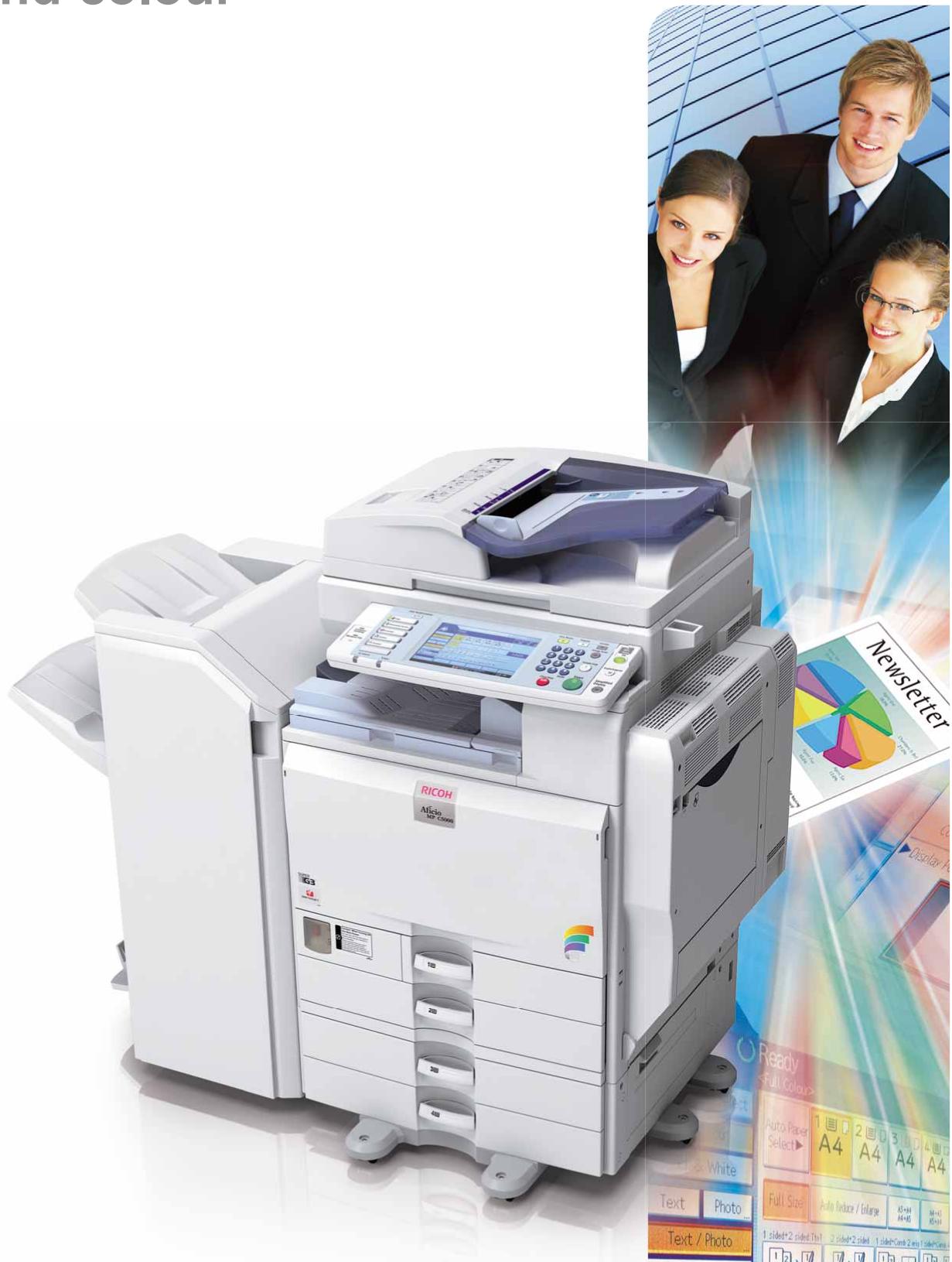
Astonish with in-house professional documents
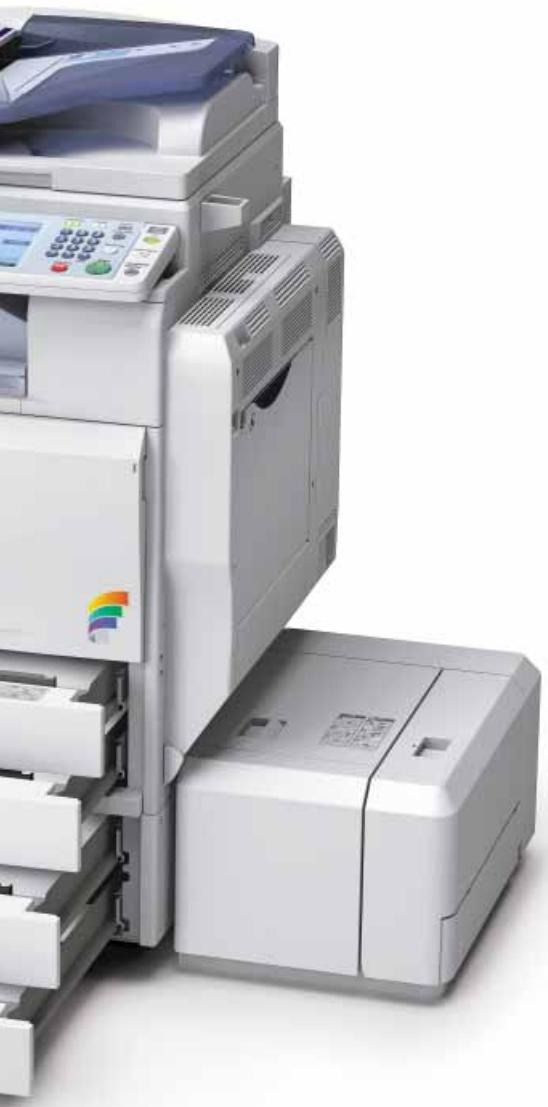
With deadlines creeping closer, pressure is on the rise. Impeccable output needs to be delivered faster and more cost-efficiently. The Aficio™MP C4000/MP C5000 offer all the features you need. Every black-and-white functionality in the book is present. You also obtain additional colour capabilities, advanced faxing and colour network scanning. Superior in many ways, these compact and user-friendly document managers will fit right into your existing network. They boast fast output speeds and versatile finishing options to produce professional-looking output swiftly. In addition, these network communication hubs place a wealth of distribution and security possibilities at your fingertips. Put your company in the spotlights through quality and efficiency.
- All-in-one: print, copy, scan and fax from one device.
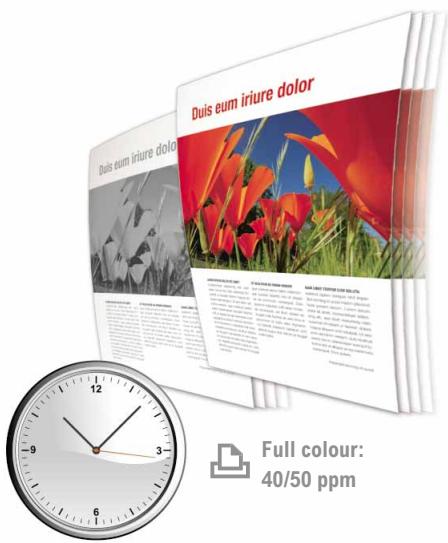
- Fast output speeds: 40/50 ppm in both black and white and colour.
- Excellent usability & up-to-date security.
- Outstanding 1,200 dpi image quality with PxPTM toner.
• Full colour scanning at 60 pages per minute. - Astonishing productivity guaranteed by Induction Heating Technology.
- Scan to USB function.

natural_image
Business professionals in business attire gathered around a woman at a desk with a laptop and documents (no visible text or symbols)Raising the bar for document management
Optimise your entire document-handling process to achieve a more efficient office workflow. The Aficio™MP C4000/MP C5000 bring you all the necessary tools to do just that. With the added value of colour, these multifunctional devices will lift your office to a higher standard.
Complex tasks made easy I…
Designed to simplify your daily workflow, the MP C4000/MP C5000 allow you to create first-class documents with the greatest ease.
- Advanced widescreen colour LCD touch panel for straightforward usability.
- Simplified display showing only your most frequently used functions.
- Animated user guidance in case of irregularities.
- Easy-handling paper trays for increased accessibility.
- Simple and fast toner replacement.
Experts in finishing
Why resort to expensive outsourcing when you can create professionally-finished documents in-house? The MP C4000/MP C5000 offer an entire range of possibilities to meet your needs. Staple and collate with the 1,000-sheet or 3,000-sheet finisher. Alternatively, create attractive sales, training and presentation material with the 2,000-sheet booklet finisher.
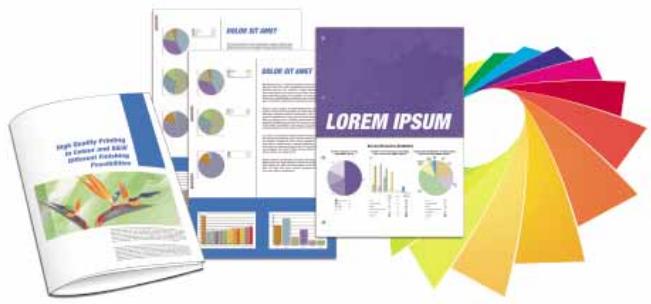
Impressive colour
Boost your business image with high-impact colour documents. The MP C4000/MP C5000 ensure that you obtain expert results with impeccable detail and sharp images. For special applications like menu cards and cover pages, the devices handle stock of up to 256 g/m ^2 . Everything is available to increase the effect of your business communication!
Cost-saving Internet faxing
Reduce costs and optimise efficiency by using the Internet for long distance faxing. Not only do you save the cost of international phone calls, you also increase your productivity. Internet faxing is as easy as sending an e-mail.
flowchart
graph TD
    A["1 ID: XXXXX"] --> B["2 File"]
    B --> C["3 Sample"]
    C --> D["4 Process"]


Efficient printing
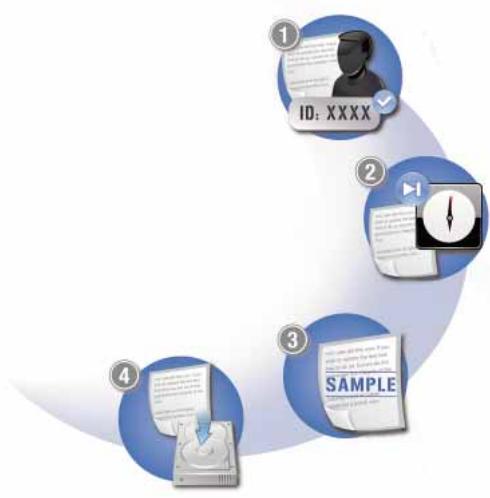
With RPCSTM's icon-based interface, any print job is only one click away. You can even save your own print settings under a personal icon for future one-click use. Additionally, the MP C4000/MP C5000 boast a number of practical print functionalities:
① Protect documents with a password.
② Hold print jobs until a more convenient time.
③ Produce print samples to avoid misprints.
④ Store print jobs for quick and easy reprinting.
natural_image
Exterior view of a modern office typewriter with front panel and control panel (no visible text or symbols)Optimal document management
For streamlined document handling, all your print, copy, fax and scan data can be stored and managed. Simply access the device via the widescreen colour LCD touch panel. Then browse through your stored data in a list or with thumbnail view. Web Image Monitor provides extensive management functions anywhere, anytime. Retrieve, view, re-organise, change or delete stored data and files through a web browser at your convenience.
Advanced business faxing
Turn your fax communications into a very smooth-running and efficient workflow.
A wealth of smart capabilities is at your disposal:
- Automatically distribute incoming faxes to e-mail or folder.
- Forward faxes to a single person or an entire workgroup for optimum efficiency.
Inbound fax messages automatically go to the right person. You eliminate the distribution of printed faxes and save costs.
GlobalScan NX
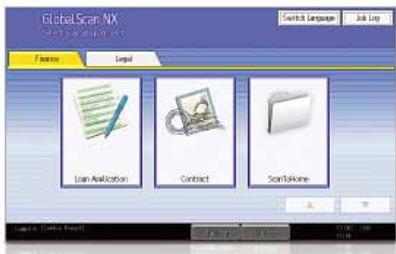
Our intuitive GlobalScan NX streamlines your workflow with flexible scanning and distribution. Via an easy-to-use Graphical User Interface (GUI), preset icons with your customised document format and workflow. You can now scan in a single step from the MP C4000/MP C5000's control panel.

natural_image
Two hands cupping soil with a small green sprout emerging from the center (no text or symbols visible)Think green
Ricoh uses toxic-free materials for all its hardware. Our low-energy toner production methods are unique. With low power consumption, clean and quiet operation and duplex functionality, the Aficio™MP C4000/MP C5000 take environmental care even further.
Your intelligent, multi-talented office partner
As your business grows, so does the number of office tasks. To cope with current and future demands, the Aficio™ MP C4000/MP C5000 are productive, customisable document managers. Integrating efficient distribution and optimum security, they will be your preferred office partners for years to come.
• Excellent colour and B/W productivity.
- Flexible distribution.
- Extended security features.
- Embedded Software Architecture™.
First-class multifunctional performance
The MP C4000/MP C5000 efficiently combine printing, copying, scanning and faxing. Short warm-up times and first output speeds make short work of any job. Simplex, duplex and full-colour outputs are produced at a swift 40/50 ppm. The Induction Heating fusing belt system produces prints fast without compromising on quality. Even demanding jobs are completed in one smooth run with a 4,400-sheet paper capacity.
Distribution to fit your needs
In the digital info flow, transition between electronic and hard-copy documents must be seamless. Scanned documents can easily be filed for later retrieval. Deliver them to any location worldwide via shared network folders, e-mail or the web (using FTP). To reduce network traffic, heavy files can be downsized into high-compression PDFs.
Those maintain excellent image quality while minimising overloads.
Safeguard access & information
Protecting your business against security threats is vital.
The Aficio™MP C4000/MP C5000 guarantee your peace of mind without ever interrupting your workflow. Equipped with the latest in security, they:
- Prevent unauthorised access, using Windows® authentication and a PIN code to access print jobs.
- Overwrite temporary data on the systems' Hard Disk Drive using the Data Overwrite Security Unit.
- Make unauthorised copying result in illegible output with the Copy Data Security Unit.
- Encrypt scanned PDF data for safe transmission.
Customised software solutions
The Aficio™MP C4000/MP C5000 feature Ricoh's Embedded Software Architecture™ to meet your current and future requirements.
This innovative Java ^™ (J2ME ^™ )-compatible software development platform designs customised key applications. Integrated solutions control the way in which the MP C4000/MP C5000 interact with and enhance your document workflow.

COPIER
| Copying process: | Laser beam scanning and electro-photographic printing | |
| Copy speed: | MP C4000: | B/W / full colour: 40 copies per minute |
| MP C5000: | B/W / full colour: 50 copies per minute | |
| Resolution: | 600 dpi | |
| Multiple copy: | Up to 999 | |
| Warm-up time: | MP C4000: | 34 seconds |
| MP C5000: | 51 seconds | |
| First output speed: | MP C4000: | B/W / full colour: 3.9/6.5 seconds |
| MP C5000: | B/W / full colour: 3.5/5.9 seconds | |
| Zoom: | 25 - 400% (in 1% steps) | |
| Memory: | Standard: | 1,024 MB + 160 GB Hard Disk Drive (shared with printer/fax/scanner function) |
| Paper input capacity: | Standard: | 2 x 550-sheet paper trays1 x 100-sheet bypass tray |
| Maximum: | 4,400 sheets | |
| Paper output capacity: | Maximum: | 3,675 sheets |
| Paper size: | A6 - A3 | |
| Paper weight: | Paper trays: | 60 - 256 g/m2 |
| Bypass tray: | 60 - 256 g/m2 | |
| Duplex tray: | 60 - 169 g/m2 | |
| Duplexing: | Standard | |
| Dimensions (W x D x H): | 670 x 677 x 760 mm | |
| Weight: | Less than 130 kg (with ARDF) | |
| Power source: | 220 - 240 V, 50/60 Hz | |
| Power consumption: | Operation: | Maximum 1.6 kW |
| Energy saver mode: | Less than 137 W | |
| Auto Off mode: | Less than 2.9 W | |

PRINTER
| Print speed: | MP C4000: | B/W / full colour: 40 prints per minute |
| MP C5000: | B/W / full colour: 50 prints per minute | |
| Printer language: | Standard: | PCL5c, PCL6, RPCSTM |
| Option: | Adobe® PostScript® 3TM | |
| Resolution: | 1,200 x 1,200 dpi | |
| Interface: | Standard: | USB 2.0 |
| USB Host I/F | ||
| Ethernet 10 base-T/100 base-TX | ||
| Option: | Bi-directional IEEE 1284/ECP | |
| Bluetooth | ||
| Ethernet 1000 base-T | ||
| USB 2.0/SD Slot | ||
| Network protocol: | TCP/IP, IPX/SPX, AppleTalk | |
| Supported environments: | Windows® 2000/XP/Vista/Server 2003/Server 2008Novell® NetWare® 3.12/3.2/4.1/4.11/5.0/5.1/6/6.5UNIX Sun® Solaris 2.6/7/8/9/10HP-UX 10.x/11.x/11iv2/11iv3SCO OpenServer 5.0.6/5.0.7/6.0RedHat® Linux 6.x/7.x/8.x/9.x/EnterpriseIBM® AIX v4.3/5L v5.1/5L v5.2/5L v5.3Macintosh OS 8.6 or later (OS X Classic)Macintosh OS X v10.1 or later (native mode)IBM® System i5TM HPTSAP® R/3®NDPS GatewayAS/400® using OS/400 Host Print Transform | |

SCANNER
| Scan speed: | B/W / full colour: | Maximum 63/60 originals per minute (LEF, A4) |
| Resolution: | Maximum 1,200 dpi | |
| Original size: | A5 - A3 | |
| Output formats: | PDF/JPEG/TIFF/High compression PDF | |
| Bundled drivers: | Network, TWAIN | |
| Scan to e-mail: | SMTP (optionally with POP authentication) | |
| Scan to e-mail destination addresses: | Maximum 500 per job | |
| Stored destination addresses: | Maximum 2,000 | |
| Address book: | Via LDAP or locally on Hard Disk Drive | |
| Scan to folder: | SMB, FTP, NCP | |
| Scan to folder destination: | Maximum 50 folders per job | |

SOFTWARE
| SmartDeviceMonitorTM, Web SmartDeviceMonitorTM, Web Image Monitor, DeskTopBinderTM Lite |

FAX (option)
| Circuit: | PSTN, PBX | |
| Compatibility: | ITU-T (CCITT) G3ITU-T (T.37 full mode) Internet faxITU-T (T.38) IP fax | |
| Modem speed: | Maximum 33.6 Kbps | |
| Resolution: | Standard/detail: | 200 x 100/200 dpi |
| Maximum: | 400 x 400 dpi (option) | |
| Compression method: | MH, MR, MMR, JBIG | |
| Scanning speed: | 0.50 seconds (A4, SEF, standard/detail mode) | |
| Memory capacity: | Standard: | 4 MB |
| Maximum: | 28 MB | |
| Memory backup: | Yes | |
OTHER OPTIONS
Platen cover, 100-sheet Auto Reverse Document Feeder, Scanner accessibility option, 2 x 550-sheet paper trays, 1,200-sheet side large capacity tray, 2,000-sheet large capacity tray, 1,000-sheet multi-tray finisher, 2,000-sheet booklet finisher, 3,000-sheet finisher, Several punch kits, 2nd G3 port, Fax memory unit, Internal shift tray, Browser unit, Camera Direct Print card, VM card, File Format Converter, Data Overwrite Security Unit, Copy Data Security Unit, HDD encryption unit, Counter interface unit, Key counter bracket, One bin tray, Bridge unit, Remote communication gate, GlobalScan NX, Card authentication package, Professional software solutions
For availability of models, optional apparatus and software, please contact your local Ricoh supplier.











ISO9001: 2000 certified ISO14001 certified
Ricoh has designed these products to meet EC ENERGY STAR guidelines for energy efficiency.
Ricoh believes in conserving the earth's precious natural resources. This brochure is printed on environmentally friendly paper: 50% recycled fibres, 50% chlorine free bleached pulp.
All brand and/or product names are trademarks of their respective owners. Specifications and external appearance are subject to change without notice. The colour of the actual product may vary from the colour shown in the brochure. The images in this brochure are not real photographs and slight differences in detail might appear.
Copyright © 2008 Ricoh Europe PLC. All rights reserved. This brochure, its contents and/or layout may not be modified and/or adapted, copied in part or in whole and/or incorporated into other works without the prior written permission of Ricoh Europe PLC.
www.ricoh.eu
- Outstanding multifunctional performers in B/W and colour
- Astonish with in-house professional documents
- Raising the bar for document management
- Complex tasks made easy I…
- Experts in finishing
- Impressive colour
- Cost-saving Internet faxing
- Efficient printing
- Optimal document management
- Advanced business faxing
- GlobalScan NX
- Think green
- Your intelligent, multi-talented office partner
- First-class multifunctional performance
- Distribution to fit your needs
- Safeguard access & information
- Customised software solutions
- OTHER OPTIONS
Brand : RICOH
Model : MP C4000
Category : Color multifunction printer