
SF9003BT - Satellite receiver Schwaiger - Free user manual and instructions
Find the device manual for free SF9003BT Schwaiger in PDF.


Pick your language and provide your email: we'll send you a specifically translated version.
| Product Type | Satellite Receiver |
| Brand | Schwaiger |
| Model | SF9003BT |
| Dimensions (approx.) | 20 x 15 x 5 cm |
| Weight (approx.) | 0.5 kg |
| Power Supply | 12V DC, 1A |
| Power Consumption | 12W max |
| Tuner Type | DVB-S2 |
| Supported Satellite Systems | DiSEqC 1.0/1.1, Unicable |
| Video Output | HDMI, Composite (RCA) |
| Audio Output | HDMI, Digital Optical (SPDIF), Analog (RCA) |
| USB Port | 1 x USB 2.0 for media playback and recording |
| Media Playback Formats | MPEG-2, MPEG-4, AVI, MKV, MP3, JPEG |
| Recording Function | USB recording (PVR Ready) |
| Electronic Program Guide (EPG) | 7-day EPG |
| Parental Control | Channel lock with PIN |
| Remote Control | Infrared (IR), included |
| Language Support | Multi-language menu (EN, DE, FR, etc.) |
| Cable and Connection | F-type connector for satellite input |
| Operating Temperature | 0°C to 40°C |
| Storage Temperature | -20°C to 60°C |
| Safety Certification | CE, RoHS |
Frequently Asked Questions - SF9003BT Schwaiger
How do I connect the satellite receiver to my TV?
Use an HDMI cable to connect the HDMI OUT port on the receiver to an available HDMI input on your TV. Alternatively, you can use the composite (RCA) outputs if your TV lacks HDMI.
How do I set up the satellite dish alignment?
Go to Menu > Installation > Antenna Settings. Select your satellite (e.g., Astra 19.2°E) and use the signal strength/quality bars to fine-tune your dish alignment. Ensure the LNB frequency matches your LNB type (e.g., 9750/10600 MHz for Universal LNB).
Can I record programs using this receiver?
Yes, you can record by connecting a USB storage device (e.g., flash drive or external HDD) to the USB port. Format the device as FAT32 or NTFS. Then press the REC button on the remote to start recording the current channel. Scheduled recordings are also possible via the EPG.
Why is the receiver not finding any channels?
Ensure your dish is properly aligned and the LNB is functional. Check that the Antenna Settings have the correct satellite, LNB frequency, and DiSEqC settings (if using multiple LNB). Run a Channel Search in the installation menu. Also verify the coaxial cable connections are secure.
How do I update the firmware?
Download the latest firmware from the Schwaiger website (if available) onto a USB drive. Insert the USB drive into the receiver, go to Menu > Tools > Upgrade by USB, select the firmware file, and confirm. Do not turn off the receiver during the update.
What should I do if the remote control stops working?
First, check the batteries and replace them if needed. Ensure there is no obstruction between the remote and the receiver's IR sensor. You can also try resetting the remote by removing the batteries and pressing all buttons for a few seconds. If the issue persists, the remote may need replacement.
How can I reset the receiver to factory defaults?
Go to Menu > Settings > Factory Default and enter the PIN code (default is usually 0000 or 1234). Confirm the reset. This will erase all saved channels and settings, so back up your channel list if needed.
What video and audio formats are supported via USB?
The receiver supports MPEG-2, MPEG-4 (H.264), AVI, MKV, MOV, and MP4 for video; MP3, WMA, AAC for audio; and JPEG, BMP, PNG for images. Subtitles in SRT format are also supported.
Can I use a universal LNB with this receiver?
Yes, the receiver is compatible with universal LNBs (LOF 9750/10600 MHz). For other LNB types (e.g., Single, Quad), adjust the LNB frequency settings accordingly in the Antenna Settings menu.
What is DiSEqC and do I need it?
DiSEqC (Digital Satellite Equipment Control) is a protocol for switching between multiple LNBs or dishes. If you have more than one satellite dish or LNB, you can connect them via a DiSEqC switch and configure the corresponding port number in the receiver's settings.
User questions about SF9003BT Schwaiger
0 question about this device. Answer the ones you know or ask your own.
Ask a new question about this device
No questions yet. Be the first to ask one.
Download the instructions for your Satellite receiver in PDF format for free! Find your manual SF9003BT - Schwaiger and take your electronic device back in hand. On this page are published all the documents necessary for the use of your device. SF9003BT by Schwaiger.
USER MANUAL SF9003BT Schwaiger
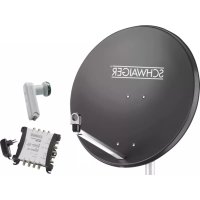
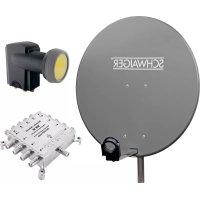
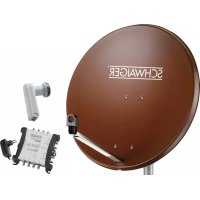
Manual assistant
Powered by Anthropic
Waiting for your message
Product information
Brand : Schwaiger
Model : SF9003BT
Category : Satellite receiver