
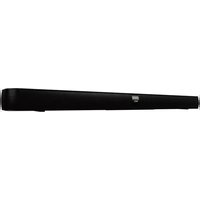
S4510 - Soundbar TCL - Free user manual and instructions
Find the device manual for free S4510 TCL in PDF.


Pick your language and provide your email: we'll send you a specifically translated version.
| Product Type | Soundbar |
| Brand | TCL |
| Model | S4510 |
| Dimensions (W x H x D) | Approximately 95 x 6 x 9 cm |
| Weight | Approximately 2.5 kg |
| Power Supply | AC 100-240V, 50/60Hz |
| Total Power Output | 240W |
| Number of Channels | 2.1 |
| Wireless Subwoofer | Yes |
| Bluetooth Version | 5.0 |
| Audio Decoding | Dolby Digital, DTS |
| Connectivity | HDMI ARC, Optical, USB, AUX |
| Remote Control | Included (batteries not included) |
| Wall Mountable | Yes (brackets included) |
| Sound Modes | Movie, Music, Voice, Night |
| Cleaning Instructions | Wipe with dry soft cloth; avoid liquids |
| Safety Precautions | Do not expose to rain or moisture; unplug during storms |
| Spare Parts Availability | Remote control and power cord available via TCL support |
| Repair Information | Contact authorized service center; do not open |
| Warranty | 1 year (depending on region) |
| Manual Languages | English, French, Spanish, German, Italian, Portuguese |
Frequently Asked Questions - S4510 TCL
How do I connect the soundbar to my TV?
Use an HDMI ARC cable (recommended) or optical cable. Connect one end to the soundbar and the other to the corresponding port on your TV. Then select the correct input source on the soundbar.
Can I use Bluetooth to stream music?
Yes, press the Bluetooth button on the remote or soundbar to enter pairing mode. Enable Bluetooth on your device and select 'TCL S4510'.
How do I adjust the bass?
Use the remote control to press the Bass button or navigate to sound settings. You can increase or decrease the bass level.
What do I do if the soundbar does not turn on?
Check that the power cord is securely connected to both the soundbar and the wall outlet. Try a different outlet. If still not working, contact TCL support.
How do I reset the soundbar to factory settings?
Press and hold the Volume Down button on the soundbar for about 10 seconds until the LED indicator flashes rapidly. Release and wait for reset.
Is the subwoofer wireless?
Yes, the subwoofer connects wirelessly to the soundbar. Ensure both are powered on; they will auto-pair.
Can I mount the soundbar on the wall?
Yes, wall-mount brackets are included. Follow the manual for proper installation. Ensure the wall can support the weight.
What audio formats are supported?
The soundbar supports Dolby Digital and DTS audio formats via HDMI and optical inputs.
How do I clean the soundbar?
Unplug the soundbar. Use a soft, dry cloth to wipe the surface. Do not use any liquids or chemicals.
Where can I find the user manual?
The manual is available for free download on notice-facile.com in PDF format. You can also request a translated version by email.
User questions about S4510 TCL
0 question about this device. Answer the ones you know or ask your own.
Ask a new question about this device
No questions yet. Be the first to ask one.
Download the instructions for your Soundbar in PDF format for free! Find your manual S4510 - TCL and take your electronic device back in hand. On this page are published all the documents necessary for the use of your device. S4510 by TCL.
USER MANUAL S4510 TCL
Manual assistant
Powered by Anthropic
Waiting for your message
Product information
Brand : TCL
Model : S4510
Category : Soundbar