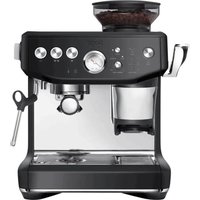
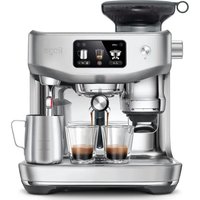
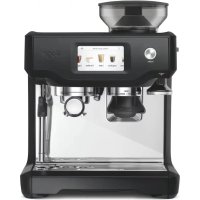
The Barista Touch Impress BSE881 - Coffee machine SAGE - Free user manual and instructions
Find the device manual for free The Barista Touch Impress BSE881 SAGE in PDF.


Pick your language and provide your email: we'll send you a specifically translated version.
| Type de produit | Bean-to-cup espresso machine with integrated grinder |
| Dimensions (H x L x P) | 41 x 33 x 40 cm (16.1 x 13 x 15.7 in) |
| Poids | 12 kg (26.5 lb) |
| Alimentation | 120-240 V, 50/60 Hz, 1850 W |
| Réservoir d'eau | 2.5 L (84.5 fl oz) removable |
| Moulin intégré | Conical burr grinder, 30 settings, dose control |
| Système d'extraction | PID temperature control, pre-infusion, 15 bar pump |
| Buse vapeur | Automatic steam wand with auto purge, manual or automatic milk texturing |
| Panneau de commande | Touch screen with interface for espresso, milk, and hot water |
| Fonctions programmables | Coffee temperature, volume, grind amount, pre-infusion, milk temperature and texture |
| Système de nettoyage | Automatic cleaning cycle for steam wand; descaling alert; removable drip tray and brew group |
| Sécurité | Auto shut-off after 30 minutes, safety valve, overheating protection |
| Pièces détachées | Water filter, cleaning tablets, descaling solution, replacement gaskets, portafilter baskets |
| Réparabilité | User-replaceable parts: water tank, drip tray, bean hopper, steam wand tip; service by authorized center |
| Informations générales | Model: BSE881, Brand: Sage, Color: Brushed Stainless Steel |
Frequently Asked Questions - The Barista Touch Impress BSE881 SAGE
How do I descale the machine?
Use Sage descaling solution. Fill water tank with solution and water, then follow the descaling program on the touch screen. Rinse thoroughly after.
How do I clean the steam wand?
After each use, purge the wand by selecting the steam function briefly. Wipe with a damp cloth. Use the automatic cleaning cycle regularly with the supplied cleaning tool.
How do I adjust the grind size?
Turn the grind dial on the side of the bean hopper. A finer grind (lower number) for darker roasts, coarser (higher number) for lighter roasts. Adjust while grinding to avoid jamming.
Why is my espresso not extracting properly?
Check grind size: too fine causes slow flow, too coarse causes fast flow. Also ensure the portafilter is properly locked, dose is correct, and machine is heated.
How do I set the coffee temperature?
Go to Settings on the touch screen, select Temperature, and adjust in increments. A lower temperature for lighter roasts, higher for darker.
Can I use pre-ground coffee?
Yes, use the single-wall basket for pre-ground. Fill with the included scoop and tamp. The machine will work best with freshly ground beans, however.
How do I clean the brew group?
Remove the brew unit (press release button), rinse under warm water without soap, brush off coffee residue, and let air dry before reinserting. Do not lubricate.
What does the 'Impress' feature do?
The Impress puck system automatically tamps the coffee grounds to consistent pressure for optimal extraction. It also indicates when the dose is correct.
Why is the machine not turning on?
Check power cord connection, ensure the water tank is properly seated, and the drip tray is fully inserted. If still off, press the power button firmly for 2 seconds.
How do I replace the water filter?
Soak the new filter in water for 5 minutes. Insert into the water tank holder, push down until it clicks. Reset the filter timer in settings.
User questions about The Barista Touch Impress BSE881 SAGE
0 question about this device. Answer the ones you know or ask your own.
Ask a new question about this device
No questions yet. Be the first to ask one.
Download the instructions for your Coffee machine in PDF format for free! Find your manual The Barista Touch Impress BSE881 - SAGE and take your electronic device back in hand. On this page are published all the documents necessary for the use of your device. The Barista Touch Impress BSE881 by SAGE.