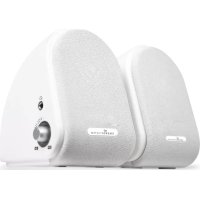
FS1 - Speaker ENERGY SISTEM - Free user manual and instructions
Find the device manual for free FS1 ENERGY SISTEM in PDF.


Pick your language and provide your email: we'll send you a specifically translated version.
| Product Type | Portable Bluetooth Speaker |
| Brand | Energy Sistem |
| Model | FS1 |
| Dimensions (Approx.) | 10 cm x 5 cm x 5 cm |
| Weight (Approx.) | 200 g |
| Power Source | Built-in rechargeable lithium-ion battery |
| Battery Capacity (Estimated) | 1000 mAh |
| Charging Time (Approx.) | 2 hours |
| Playback Time (Estimated) | Up to 6 hours at moderate volume |
| Connectivity | Bluetooth 4.0 |
| Wireless Range | Up to 10 meters (33 feet) |
| Speaker Output (Estimated) | 3W RMS |
| Frequency Range | 100 Hz - 20 kHz |
| Controls | Power, Volume, Play/Pause, Next/Previous Track, Call Answer/End |
| Additional Features | Built-in microphone for hands-free calls, AUX input |
| Included Accessories | USB charging cable, 3.5mm AUX cable, user manual |
| Compatible Devices | Smartphones, tablets, computers, MP3 players with Bluetooth or AUX |
Frequently Asked Questions - FS1 ENERGY SISTEM
How do I pair the FS1 speaker with my phone?
Turn on the speaker by pressing the Power button. The LED will flash blue indicating pairing mode. On your phone, enable Bluetooth and select 'Energy Sistem FS1' from the available devices. If prompted, enter '0000' as the PIN.
What is the battery life of the FS1?
The FS1 offers up to 6 hours of playback at moderate volume. Actual battery life may vary depending on volume level and audio content.
How do I charge the FS1 speaker?
Connect the included USB charging cable to the micro USB port on the speaker. Plug the other end into a USB power adapter (not included) or a computer USB port. The LED will turn red while charging and turn off when fully charged. Charging takes approximately 2 hours.
Can I use the speaker while it is charging?
Yes, you can use the speaker while it is charging. However, using it at high volume may slow down the charging process.
Is the FS1 speaker water resistant?
The FS1 is not water resistant. Keep it away from water and moisture to avoid damage.
Can I connect a non-Bluetooth device to the FS1?
Yes, you can connect non-Bluetooth devices using the AUX input. Use the included 3.5mm AUX cable to connect your device to the speaker's AUX port.
How do I reset the FS1 speaker?
If the speaker is unresponsive, press and hold the Power button for 10 seconds until the LED turns off. Then, turn it back on normally.
What is the Bluetooth range of the FS1?
The Bluetooth range is up to 10 meters (33 feet) without obstacles. Walls and other obstructions can reduce the range.
How do I clean the FS1 speaker?
Use a soft, dry cloth to clean the exterior. Do not use any liquids or abrasive cleaners, as they may damage the speaker.
Does the FS1 have a microphone?
Yes, the FS1 has a built-in microphone for hands-free calls. When a call comes in, press the Play/Pause button to answer, and press again to end.
User questions about FS1 ENERGY SISTEM
0 question about this device. Answer the ones you know or ask your own.
Ask a new question about this device
No questions yet. Be the first to ask one.
Download the instructions for your Speaker in PDF format for free! Find your manual FS1 - ENERGY SISTEM and take your electronic device back in hand. On this page are published all the documents necessary for the use of your device. FS1 by ENERGY SISTEM.