
Trophy Cam 119676C - Surveillance Camera BUSHNELL - Free user manual and instructions
Find the device manual for free Trophy Cam 119676C BUSHNELL in PDF.


Pick your language and provide your email: we'll send you a specifically translated version.
| Product Type | Surveillance / Trail Camera |
| Brand | Bushnell |
| Model | Trophy Cam 119676C |
| Image Resolution | 14 Megapixels |
| Video Resolution | 1920 x 1080 (Full HD) |
| Trigger Speed | 0.3 seconds |
| Detection Range | Up to 80 feet (24 meters) |
| Night Vision | Infrared LEDs, 80 feet range |
| Memory | SD/SDHC card up to 32 GB (not included) |
| Power Source | 8 AA batteries (not included) |
| Dimensions | 140 x 90 x 60 mm (5.5 x 3.5 x 2.4 in) |
| Weight | 0.4 kg (14 oz) without batteries |
| Weather Resistance | Waterproof (IP54 rated) |
| Mounting | Adjustable strap included |
| Operation Modes | Motion detection, time-lapse |
| Viewing Angle | 50 degrees |
| Battery Life | Up to 12 months on standby (varies by usage) |
| Display | 2.4-inch color LCD screen |
| File Formats | JPEG (images), AVI (videos) |
| External Power | 6V DC adapter (optional) |
| Maintenance | Clean lens with a soft, dry cloth; avoid solvents |
| Safety | Do not disassemble; keep away from children; avoid direct eye exposure to IR LEDs |
| Spare Parts | Available through Bushnell customer service (straps, mounting brackets) |
| Reparability | Do not attempt to repair; contact authorized service center |
| General Information | Designed for outdoor wildlife monitoring; use fresh alkaline batteries for best performance |
Frequently Asked Questions - Trophy Cam 119676C BUSHNELL
How do I set the date and time on my Trophy Cam 119676C?
Press the Menu button, navigate to Date/Time using the arrow keys, then press OK. Set the year, month, day, hour, and minute using the arrow keys, pressing OK after each. Exit the menu to save.
What type of SD card is recommended?
Use a SDHC card with capacity up to 32 GB. Format the card in the camera (via menu) before first use. Class 10 or higher is recommended for smooth video recording.
How do I mount the camera?
Use the included adjustable strap to secure the camera to a tree or pole about 3-5 feet high. Make sure the camera is level and facing the area you want to monitor. Tighten the strap firmly.
How long do the batteries last?
With a set of 8 fresh alkaline AA batteries, the camera can last up to 12 months on standby under normal conditions. Actual life depends on temperature, number of triggers, and video recording. Use lithium batteries for extreme cold.
How do I view photos and videos on the camera?
Press the Playback button on the back of the camera. Use the arrow keys to scroll through files. Press OK to play videos. To transfer files, remove the SD card and insert it into a computer or use the USB cable (if available).
How do I reset the camera to factory settings?
Go to the menu, select Setup, then choose Reset and confirm. Alternatively, remove the batteries and SD card, wait 10 seconds, then reinsert them. This clears all user settings.
Can I use the camera in rainy conditions?
Yes, the Trophy Cam 119676C has an IP54 waterproof rating, meaning it can withstand rain and splashes. However, do not submerge it. Ensure the battery compartment and card slot are sealed properly.
What is the trigger interval and how do I adjust it?
The trigger interval is the delay between captures. In the menu, select Interval and set it from 30 seconds to 60 minutes. A shorter interval increases battery drain.
How do I update the firmware?
Check the Bushnell website for firmware updates for model 119676C. Download the file to an SD card, insert it into the camera, then go to Setup > Firmware Update. Follow on-screen instructions. Do not remove power during update.
How do I clean the camera lens?
Use a soft, dry microfiber cloth to gently wipe the lens. Do not use any liquids or cleaning solvents, as they may damage the lens coating. Keep the IR sensors free of dirt.
User questions about Trophy Cam 119676C BUSHNELL
0 question about this device. Answer the ones you know or ask your own.
Ask a new question about this device
No questions yet. Be the first to ask one.
Download the instructions for your Surveillance Camera in PDF format for free! Find your manual Trophy Cam 119676C - BUSHNELL and take your electronic device back in hand. On this page are published all the documents necessary for the use of your device. Trophy Cam 119676C by BUSHNELL.
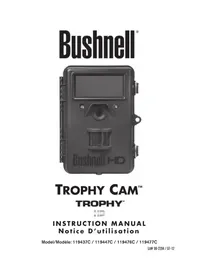
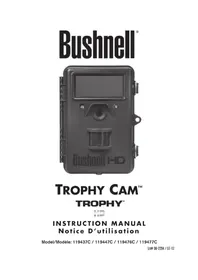
USER MANUAL Trophy Cam 119676C BUSHNELL
Manual assistant
Powered by Anthropic
Waiting for your message
Product information
Brand : BUSHNELL
Model : Trophy Cam 119676C
Category : Surveillance Camera