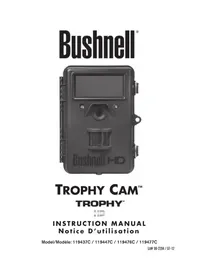
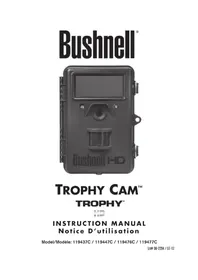
Trophy Cam 119677C - Surveillance Camera BUSHNELL - Free user manual and instructions
Find the device manual for free Trophy Cam 119677C BUSHNELL in PDF.


Pick your language and provide your email: we'll send you a specifically translated version.
| Product Type | Surveillance Camera (Trail Camera) |
| Brand | Bushnell |
| Model | Trophy Cam 119677C |
| Image Sensor | 5 MP CMOS |
| Maximum Resolution | 1920 x 1080 (Full HD) |
| Night Vision | Low-glow infrared LEDs, up to 60 ft (18 m) |
| Trigger Speed | 0.2 seconds |
| Detection Range | Up to 80 ft (24 m) |
| Recovery Time | 1.5 seconds |
| Video Resolution | 1280 x 720 at 30 fps |
| Power Source | 8 x AA batteries (6V) |
| Battery Life | Up to 12 months (based on 30 triggers/day) |
| Memory | SD/SDHC card up to 32 GB (not included) |
| Mounting | Tree strap or tripod mount (1/4-20 thread) |
| Operating Temperature | -20°C to 60°C (-4°F to 140°F) |
| Dimensions | 13.5 x 10.2 x 7.6 cm (5.3 x 4.0 x 3.0 in) |
| Weight | 340 g (12 oz) without batteries |
| Water Resistance | IP54 (splash-proof) |
| Time Lapse Mode | Yes, selectable intervals |
| Camp Guard Mode | Continuous monitoring with time-lapse and motion detection |
Frequently Asked Questions - Trophy Cam 119677C BUSHNELL
How do I insert the SD card and batteries?
Open the front cover by pressing the latch. Insert 8 AA batteries in the correct polarity. Insert an SD card (up to 32GB) with the label facing the front of the camera. Close the cover securely.
What is the maximum SD card size supported?
The camera supports SD and SDHC cards up to 32 GB. Cards larger than 32 GB are not compatible.
How to set up the date and time?
Turn the camera on and press the MENU button. Navigate to 'Date/Time' using the arrow keys, then set the correct date and time. Press OK to save.
How long does the battery last?
With 8 new alkaline AA batteries, the camera can last up to 12 months under normal use (about 30 triggers per day). Cold temperatures reduce battery life.
What is the detection range?
The motion sensor can detect movement up to 80 feet (24 meters) in optimal conditions. The detection angle is 60 degrees.
How to view photos on a computer?
Remove the SD card from the camera and insert it into your computer's SD card reader. Photos and videos are stored in folders named by date. Alternatively, you can use a USB cable if your camera supports it (check manual).
Does it work at night?
Yes, it has low-glow infrared LEDs that illuminate up to 60 feet (18 meters). The images will be black and white at night.
Can I use rechargeable batteries?
Yes, you can use rechargeable NiMH AA batteries. However, battery life may be shorter, and the low battery indicator may be less accurate. Always use fully charged batteries.
How do I reset the camera to factory settings?
Press the MENU button, scroll to 'Setup' or 'Reset', and select 'Factory Default'. Confirm by pressing OK. Alternatively, remove batteries for 10 minutes.
What is the warranty period?
Bushnell typically offers a 1-year limited warranty for this model. Keep your receipt for warranty claims.
User questions about Trophy Cam 119677C BUSHNELL
0 question about this device. Answer the ones you know or ask your own.
Ask a new question about this device
No questions yet. Be the first to ask one.
Download the instructions for your Surveillance Camera in PDF format for free! Find your manual Trophy Cam 119677C - BUSHNELL and take your electronic device back in hand. On this page are published all the documents necessary for the use of your device. Trophy Cam 119677C by BUSHNELL.