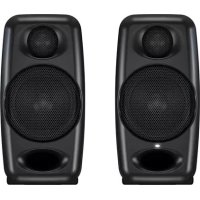
iLoud Precision 5 - Speaker IK Multimedia - Free user manual and instructions
Find the device manual for free iLoud Precision 5 IK Multimedia in PDF.


Pick your language and provide your email: we'll send you a specifically translated version.
| Product Type | Active Studio Monitor |
| Brand | IK Multimedia |
| Model | iLoud Precision 5 |
| Dimensions (W x H x D) | 7.0 x 17.5 x 10.5 in (approx.) |
| Weight | 16.5 lbs (approx.) |
| Power Supply | 100-240V, 50/60Hz, internal |
| Amplifier Type | Class D, bi-amplified |
| Woofer Size | 5 inch (glass fiber composite) |
| Tweeter Size | 1 inch (silk dome) |
| Frequency Response | 45 Hz - 22 kHz ±1 dB |
| Maximum SPL | 110 dB SPL @ 1m (peak) |
| Input Connectors | XLR, TRS, RCA (each via combo jack) |
| Controls | Volume, HF trim, LF trim, Room EQ |
| Calibration | Built-in ARC calibration (via included mic) |
| Standby Mode | Automatic sleep after 20 minutes idle |
| Maintenance | Clean with dry, lint-free cloth; avoid solvents |
| Safety | Do not expose to rain or moisture; use grounded outlet |
| Spare Parts | Contact IK Multimedia support for replacements |
| Reparability | Serviceable by authorized technicians only |
Frequently Asked Questions - iLoud Precision 5 IK Multimedia
How do I set up the iLoud Precision 5 monitors for optimal sound?
Place the monitors at ear height, forming an equilateral triangle with your listening position. Use the built-in ARC calibration with the included microphone to automatically correct room acoustics.
Does the iLoud Precision 5 support Bluetooth connectivity?
No, the iLoud Precision 5 does not have Bluetooth. It features balanced XLR, TRS, and unbalanced RCA inputs for wired connections.
What is the frequency response of the iLoud Precision 5?
The frequency response is 45 Hz to 22 kHz with a tolerance of ±1 dB, ensuring accurate sound reproduction.
How can I reduce hiss or noise from the speakers?
Ensure proper gain staging: set your audio interface output low and increase the monitor volume. Also, check that the HF trim switch is not set to a boost position.
Can I use the iLoud Precision 5 as a center channel in a surround setup?
Yes, the iLoud Precision 5 can be used as a center channel. Its vertical orientation and controlled directivity make it suitable for stereo and multichannel systems.
What does the ARC button do?
The ARC button activates the built-in Acoustic Room Correction system. Press it after running the calibration software to apply the correction profile.
How do I clean the iLoud Precision 5?
Unplug the speaker and wipe the enclosure with a soft, dry cloth. Do not use any liquid cleaners or abrasive materials.
Can I mount the iLoud Precision 5 on a wall or stand?
Yes, the bottom has threaded inserts (1/4-20) for mounting on speaker stands. Wall mounting is possible with compatible brackets, but ensure adequate ventilation.
What is the warranty period for iLoud Precision 5?
IK Multimedia offers a 2-year limited warranty on the iLoud Precision 5. Register your product on their website to activate.
How do I update the firmware?
Download the iLoud Precision Control software from IK Multimedia' website. Connect the speakers via USB and follow the on-screen instructions to update firmware.
User questions about iLoud Precision 5 IK Multimedia
0 question about this device. Answer the ones you know or ask your own.
Ask a new question about this device
No questions yet. Be the first to ask one.
Download the instructions for your Speaker in PDF format for free! Find your manual iLoud Precision 5 - IK Multimedia and take your electronic device back in hand. On this page are published all the documents necessary for the use of your device. iLoud Precision 5 by IK Multimedia.