
AN-SS1 - Earphones SHARP - Free user manual and instructions
Find the device manual for free AN-SS1 SHARP in PDF.


| Brand | Sharp |
| Model | AN-SS1 |
| Product Type | Earphones |
| Driver Type | Dynamic |
| Driver Size | 10 mm |
| Impedance | 16 ohms |
| Sensitivity | 100 dB |
| Frequency Response | 20 Hz - 20 kHz |
| Cable Length | 1.2 m |
| Plug Type | 3.5 mm stereo jack |
| Weight | 15 g |
| Color | Black |
| Noise Isolation | Passive |
| Compatibility | Devices with 3.5 mm audio jack |
| Cleaning | Wipe with a soft, dry cloth |
| Storage | Store in a cool, dry place |
| Safety Warnings | Keep away from small children; avoid high volume to prevent hearing damage |
| Spare Parts | Not available individually |
| Certification | CE |
Frequently Asked Questions - AN-SS1 SHARP
User questions about AN-SS1 SHARP
0 question about this device. Answer the ones you know or ask your own.
Ask a new question about this device
Download the instructions for your Earphones in PDF format for free! Find your manual AN-SS1 - SHARP and take your electronic device back in hand. On this page are published all the documents necessary for the use of your device. AN-SS1 by SHARP.
USER MANUAL AN-SS1 SHARP
User manual
AN-SS1
Sound Partner
ENDE
Trademarks
Bluetooth®
The Bluetooth® word mark and logos are registered trademarks owned by Bluetooth SIG, Inc. and any use of such marks by SHARP is under license. Other trademarks and trade names are those of their respective owners.
Qualcomm® aptX™ is a product of Qualcomm Technologies, Inc. and/or its subsidiaries. Qualcomm is a trademark of Qualcomm Incorporated, registered in the United States and other countries. aptX is a trademark of Qualcomm Technologies International, Ltd., registered in the United States and other countries.

ANSWERING
CALL

DUAL
STREAMING

ENGLISH
Introduction
Thank you for purchasing this SHARP product. To obtain the best performance from this product, please read this manual carefully. It will guide you in operating your SHARP product. AN-SS1 consists of Sound Partner and AN-WD1 (Bluetooth® Wireless Transmitter).
Important safety instructions
1. Radio frequency exposure
Sound Partner AN-SS1 is a radio transmitter and receiver. When in operation it communicates with Bluetooth® equipped devices by receiving and transmitting radio frequency (RF) electromagnetic fields (microwaves) in the frequency range 2.4 to 2.48 GHz. This product is designed to operate in compliance with the RF exposure guidelines and limits set by national authorities and international health agencies, when using compatible devices.
2. Avoiding hearing damage
If the volume on the headset is too high, permanent hearing loss may occur. Please set the volume to a safe level. You may become accustomed to listening at high volume, but this could still damage your hearing. If you experience ringing in your ears or muffled speech, stop listening and have your ears checked by a specialist doctor. The louder the volume, the greater the risk of hearing damage.
Hearing experts suggest how to protect your hearing.
- Limit the amount of time you use the headset at high volume.
- Avoid the habit of increasing the volume so that you do not hear the loud noises around you.
- Turn the volume down if you cannot hear people speaking around you. For setting the maximum volume limit of the connected device, refer to the instruction manual supplied with that device.
Class B equipment (home-use broadcasting communication equipment):
This equipment is intended for home-use (Class B) electromagnetic compatibility equipment and can be used in all areas.
3. Battery information
- A rechargeable battery will have a long service life if treated properly.
EN-1
Important safety instructions (continued)
- A new battery or one that has not been used for a long period of time could have reduced capacity the first few times it is used. Do not expose the battery to extreme temperatures, never above 50°C or below -10°C.
- For maximum battery capacity, use the battery at room temperature.
- If the battery is used in low temperatures, the battery capacity will be reduced. The battery can only be charged in temperatures between 10°C and 45°C.
- RISK OF EXPLOSION IF BATTERY IS REPLACED BY AN INCORRECT TYPE. DISPOSE OF USED BATTERIES ACCORDING TO THE INSTRUCTIONS.
4. How to remove the battery for disposal.
- For more information see the Removing the Battery section on page no 22 - 24.
CAUTION:
Internal lithium battery in the unit should not be replaced by end users due to danger of explosion if battery is incorrectly replaced and must be replaced with the exact type battery by authorised service providers.
Disposal of this equipment and Batteries
- Do not dispose of this product or its batteries as unsorted municipal waste. Return it to a designated collection point for the recycling of WEEE in accordance with local law. By doing so, you will help to conserve resources and protect the environment.
- Most of the EU countries regulate the disposal of batteries by law. Contact your retailer or local authorities for more information.
- Users are requested to use existing return facilities for used equipment and batteries.


Important safety instructions (continued)
- Hereby, Sharp declares that the radio equipment type AN-SS1 is in compliance with Directive 2014/53/EU. The full text of the EU declaration of conformity is available at the following internet address: http://www.sharpconsumer.eu/documents-of-conformity
- Warning:
This unit contains no user serviceable parts. Never remove covers unless qualified to do so. This unit contains dangerous voltages, always remove mains plug from the socket before any service operation and when not in use for a long period.
- Audio-visual material may consist of copyrighted works which must not be recorded without the authority of the owner of the copyright. Please refer to relevant law in your country.
- Norway (NO): Use of this radio equipment is not allowed in the geographical area within a radius of 20 km from the centre of Ny-Alesund, Svalbard.
Accessories
The following accessories are included.
 Bluetooth® WirelessTransmitter x 1(AN-WD1) Bluetooth® WirelessTransmitter x 1(AN-WD1) |  USB Charging Cable x 1 USB Charging Cable x 1 | 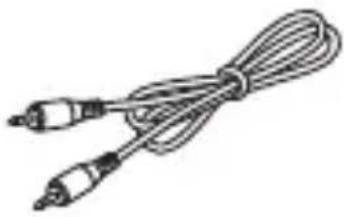 3.5mm AUX Cable x 1 3.5mm AUX Cable x 1 |
 USB Extension Cable x 1 USB Extension Cable x 1 |  Detachable Tape (Hook)x 1 Detachable Tape (Hook)x 1 |  Detachable Tape (Loop)x 1 Detachable Tape (Loop)x 1 |
Contents
Introduction......1
Important safety instructions .....1 - 3
Accessories 4
Precautions 5
Controls and indicators 6
Preparation before use .....7 - 8
Listening to Bluetooth ® enabled devices 9-16
Listening to the sound through
Bluetooth ® wireless transmitter.17-20
Troubleshooting......21
Maintenance 22-24
Specification 25-26
EN-4
General
- Do not drop the product from a high place.
- Do not place anything heavy on the unit.
- Do not replace the battery, the unit may explode. ● This device is not a medical device.
- If you have a medical device implanted, contact your doctor before using this unit.
- Keep the unit away from direct sunlight, strong magnetic fields, excessive dust, humidity and electronic / electrical equipment which generate electrical noise.
- Do not expose the unit to moisture, to higher temperatures or to extremely low temperatures.
- Do not repair or disassemble the unit. Refer internal service to your local SHARP service facility.
- No naked flame sources, such lighted candles, should be placed on the apparatus. ● Make sure that an infant or a child does not swallow a small components of the product.
- If the unit is exposed to a large
amount of sweat, wipe the product clean.
The apparatus is designed for use in moderate climates. Attention should be given to the environmental aspects of battery disposal. The ventilation should not be impeded by covering the ventilation openings with items such as newspapers, tablecloths, curtains, etc. To prevent fire or shock hazard, do not expose this appliance to dripping or splashing. No objects filled with liquids, such as vases, shall be placed on the apparatus.
Sound partner
- Right Speaker
- Left Speaker
- Power Switch
- DC IN Socket
- LED Indicator
- Call Button
- Microphone
- Play/Pause Button
- Jog (Volume Control, Skip Up/Down, Mode Button)
Bluetooth® Wireless Transmitter

- USB Port
- Audio Cable Input
- Pairing Button
- LED Indicator
Charging the battery
Open the DC IN cover and then connect the charging cable.
Connect the Micro USB charging cable to the slot and to an AC adapter with a DC voltage output ranging from 4.75 to 5.3V (typical).

Charging Indication:
| LED Red Purple Blue | ||
| Battery Status Charging ≥ 80% Completed |
If the charger is plugged in while the power is ON, the unit will automatically turn off.
The speaker does not operate while charging.
To turn the power on
Slide the power switch towards the [ON] position.
Checking the battery status
While in pairing mode, slide and hold the Jog Button towards the (-) position for 2 seconds. Voice prompts and the LED will blink to indicate battery status.
Indication:
| Battery Status | Suffi cient Normal Insuffi cient | ||
| LED | Blue fl ashes three times | Purple fl ashes three times | Red fl ashes three times |
Cautions:
- At extremely high or low temperatures, the battery may not fully charge.
- To maintain functionality, the device needs to be charged at least once every six months.
- The battery of the device has a limited life, as with any other rechargeable batteries. ● Capacity may gradually decrease over time, and the extent of this decrease may vary depending on the conditions of use and the external environment.
- There are multiple factors such as volume level, external environment, etc., that may affect the time of device power turning off, other than the percentage of battery left.
- Use this product only with an agency-approved power supply that meets local regulatory requirements.
- The equipment shall be connected only to a power supply with limited power source.
Bluetooth®
Bluetooth® wireless technology is a short-range radio technology that enables wireless communication between various types of digital devices, such as a mobile phone or computer. It operates within a range of about 10 meters without the hassle of having to use cables to connect the devices.
AN-SS1 supports the following:
Communication System: Bluetooth® Specification version 4.1. Support Profile: HSP (Headset Profile), HFP (Hands-free Profile), A2DP (Advanced Audio Distribution Profile), and AVRCP (Audio/Video Remote Control Profile)
Qualcomm® aptX™ audio is a Bluetooth® wireless technology that prevents loss of sound and provides CD-quality audio. You can enjoy clear audio sound when listening to music and watching movies. Qualcomm® aptX™ audio works automatically only on the phones or the audio devices that support Qualcomm® aptX™ audio.
Qualcomm® aptX™ is a product of Qualcomm Technologies, Inc. and/or its subsidiaries.
Notes when using unit with a mobile phone
- Please refer to the operating manual supplied with the mobile phone for details on operation of your mobile phone while transmitting the sound using a Bluetooth® connection.
Bluetooth® devices need to be initially paired before they can exchange data. This unit can memorize up to a maximum of 8 devices. Once paired, it is not necessary to pair them again unless:
- pairing is made with more than 8 devices. Pairing can only be made one device at a time. If a subsequent device is paired, the oldest device paired will be deleted and replaced with the new one.
Listening to Bluetooth® enabled devices (continued)
Indicators:
| Status Description | |
| Turning Power On | LED blinks in blue colour 4 times, LED blinks 3 times in the colour indicating Battery status, and LED blinks indicating Connection Status. |
| Turning Power Off | LED blinks 4 times in blue colour. |
| Pairing Mode Blue LED is on. | |
| During connection | LED alternately blinks in Red and Blue colour. |
| Connected LED | blinks in blue colour once every 5 seconds. |
| Call / Music play | LED blinks in blue colour once every 5 seconds. |
Listening to Bluetooth® enabled devices (continued)
This unit is easy to connect/pair, voice prompts will notify you of the status. If the voice prompt says that the battery is insufficient, then you are advised to recharge the battery before proceeding to pair and connect. If pairing is not completed within three minutes for any reason, the power automatically turns off, with power switch still in the ON position. To turn the device on, slide the Power Switch to the OFF position and then back to the ON position.
Quick Connection
1 Turn on the unit by sliding the power switch towards the ON position. The unit switches to Pairing Mode and the Blue LED turns on. 2 Perform the pairing procedure on the source device to detect this unit. "AN-SS1 SHARP" will appear in the detected devices list (if available) in the source device. (Refer to the source device operating manual for further support on pairing Bluetooth® devices).
Notes:
- Place the devices to be paired within 1 meter (3 feet) of each other when pairing.
- Some source devices are unable to display lists of detected devices. To pair this unit with the source device, refer to the source device operating manual for details. 3 Select "AN-SS1 SHARP" from the source list. If a Passcode* is required, enter "0000". When connection is complete, the voice prompt will say "PAIRED. CONNECTED.", or "CONNECTED." * Passcode may be called PIN Code, Passkey, PIN number or Password.
EN-11
Listening to Bluetooth® enabled devices (continued)
Manual Connection
1 Turn on the unit 2 Press and hold the Play/Pause button and Call button simultaneously for two seconds. The unit switches to Pairing Mode and the Blue LED turns on. 3 Select "AN-SS1 SHARP" from the device list.
Automatic Reconnection
This unit automatically reconnects to the Bluetooth® enabled device it was last connected to. If automatic reconnection does not work, perform ‘Manual Connection’ from step 1 onwards.
Cautions:
- Please note that there can be certain devices that may not be paired/connected with this unit for various reasons including but not limited to data security settings.
- In some cases, any of Automatic Reconnection or Manual Connection may not work. In this case, delete “AN-SS1 SHARP” from the pairing device list, and pair the unit again.
Listening to Bluetooth® enabled devices (continued)
Notes:
- If a device such as microwave oven, wireless LAN card, Bluetooth® device or any other device that uses the same 2.4 GHz frequency is placed near the system, some sound interruption may be heard.
- The transmission distance of the wireless signal between the device and the unit is about 10 meters (33 feet), but may vary depending on your operating environment.
- If a steel concrete or metallic wall is between the device and the unit, the system may not operate at all, because the wireless signal cannot penetrate metal.
- If this unit or the source device is turned off before Bluetooth® connection is completed, pairing will not be completed and the pairing information will not be memorised. Start pairing again.
- To pair with other devices, repeat Manual Connection for each device. This unit can memorise up to a maximum of 8 devices. If a subsequent device is paired, the oldest device paired will be deleted.
- Once a device is ousted or deleted from the pairing list, the pairing information for the device is also deleted. Perform Quick or Manual Connection to listen to the sound from the device again.
Listening to Bluetooth® enabled devices (continued)
■Listening to the sound
Media Playback
| Function What to do | |
| Play/Pause Press the Play/Pause button. | |
| Volume Control | Sliding the Jog button towards (+) or (-) position changes the volume one level at a time. |
| Previous Song | Slide and hold the Jog button towards (+) position for 1 second while playing the media. |
| Next Song | Slide and hold the Jog button towards (-) position for 1 second while playing the media. |
| Change Acoustic Vibe Mode | Press the middle of Jog button and hold for 2 seconds to turn Acoustic Vibe on and off. |
| Access voice control | Press the Call button to activate voice control. To cancel voice control, press the call button again. This function is not applicable in case your mobile device does not support voice control. |
Out of Communication Range
The Sound Partner may lose connection if the device is out of range (10 meters (33 feet)). This loss of connection will be notified by a voice prompt, and the Sound Partner will automatically try to reconnect for 10 minutes. If automatic reconnection is not made, you can try to connect it manually. After 10 minutes, the Sound Partner stops trying to reconnect and the LED indicator will blink 2 times quickly every 5 seconds in red.
EN-14
Listening to Bluetooth® enabled devices (continued)
Call Functions
| Function What to do | |
| Answer a call / End a call Press the Call button. | |
| Redial | Press and hold the Call button for 1 second to dial the last number you have called. |
| Access voice control to make a call | While not on a call, press the Call button to activate voice control. To cancel voice control, press the call button again. This function is not applicable if your mobile device does not support voice control. |
| Switching to Speaker or to Mobile device while on a call | Slide the Jog button towards (+) and hold for 2 seconds to switch the call to the speaker or to your mobile phone. |
| Answer a second incoming call and put the current call on hold | While on a call, press and hold the Call button for 1 second. |
| Decline an incoming Call Press and hold the Call Button for 2 seconds. | |
| Switch between two calls | With two active calls, press and hold the Call button for 1 second. |
Listening to Bluetooth® enabled devices (continued)
Call Functions (continued)
| Function What to do | |
| Mute a call | While on a call, press and hold the Play/Pause Button for 1 second. |
| Unmute a Call | While on a call, press the Jog Button in the middle. |
Note:
Remote control of call functions with the Speaker may not be applicable in some mobile devices/applications.
Listening to the sound through Bluetooth® wireless transmitter
The transmitter has different functions which depend on the connected devices.
■Connecting the transmitter to TV
When you connect the transmitter to a TV that does not support USB Audio, you need to connect the AUX cable to the Audio / Headphone output terminal of the TV and the Audio input terminal of the transmitter as shown in Figure 1 and Figure 2. Microphone function is not supported in this case.
Fig. 1) Connecting to TV with Audio cable![graph LR A["Device"] --> B["USB"] A --> C["TARP-ONE"] B --> D["Computer"]](/content/2026/06/1354421/images/58762f2ac006d44c555b24b880521431941db4b106ea04a1fa559972325a20fe.jpg)
Listening to the sound through Bluetooth® wireless transmitter (continued)
Fig. 2) Connecting to TV with USB extension cable + Audio cable![graph TD A["Detachable tape"] --> B["USB"] A --> C["ARPHONE"] B --> D["Output"] C --> D style A fill:#f9f,stroke:#333 style D fill:#ccf,stroke:#333](/content/2026/06/1354421/images/8eb1f283cb73a3f66ea670cc6053772ab56c69c18a16f09fa86fa752b19b3ba1.jpg)
Cautions:
- Connecting as shown in Figure 2 may decrease interference and hence increase the performance of Bluetooth® connection.
- If your TV does not support USB audio and does not have Audio/Headphone output terminal at the same time, the transmitter cannot be connected and will not work.
- Set the TV volume at a moderate level for better sound quality from the speaker.
- SHARP does not guarantee the best performance of transmitter connection for every single TV in the market. The transmitter may not be connected and work with some TVs.
EN-18
Listening to the sound through Bluetooth® wireless transmitter (continued)
■Connecting to PC
This transmitter supports plug and play with PC.
![graph LR A["USB"] --> B["Memory Unit"]](/content/2026/06/1354421/images/5e9a2d6971fbaa931104606d8b73628ff2498eda8e91aae8b9556c5ce63f70b4.jpg)
■Pairing with the Sound Partner
Manual Connection
1 Connect the transmitter to the PC or TV. 2 Press the pairing button for 3 seconds, and the transmitter switches into pairing mode. The unit switches to Pairing Mode and the Blue LED turns on.
3 Turn on the Sound Partner.
4 Press and hold the Play/Pause button and the Call button of the Sound Partner simultaneously.
5 The voice prompt will confirm when the connection is complete.
Dual streaming connection
The transmitter can be paired with up to a maximum of 2 Sound Partners simultaneously. To pair with a second Sound Partner, repeat the 'Manual connection' from step 2 onwards.
Automatic reconnection
Turn on the Sound Partner while the transmitter is on, and reconnection will be made automatically. If automatic reconnection does not work, manually connect it as explained above.
Caution:
If pairing/connecting fails, try again by removing the transmitter from the TV and then insert it again and repeat the steps.
Listening to the sound through Bluetooth® wireless transmitter (continued)
Transmitter LED Indicator
| Function What to do | |
| Turning Power On | When there is no connection history, the blue LED blinks quickly for 30 seconds and blinks three times quickly every 5 seconds. The cycle repeats.When there is a previous connection history, the blue LED blinks twice quickly every 5 seconds. |
| Turning Power Off The | LED turns off. |
| Connection Request Mode | The blue LED blinks quickly for 30 seconds and then blinks three times quickly every 5 seconds.The cycle repeats. |
| Connected Status The | blue LED blinks once in every 5 seconds. |
Sound Partner function when connected to TV
| Function What to do | |
| Speaker On/Off Press | the Play/Pause Button. |
Sound Partner functions when connected to PC
| Function What to do | |
| Speaker On/Off Press | the Play/Pause Button. |
Troubleshooting
If something is wrong with this product, check the following before calling your authorised SHARP dealer or service centre.
General
| Symptom Possible cause | |
| ● When a button is pressed, the unit does not respond. | ● Turn off the unit and then turn it back on. |
| ● No sound is heard. | ● The volume level set to minimum● The unit is turned off |
Bluetooth®
| Symptom Possible cause | |
| No sound is heard. | The unit is too far from the Bluetooth® audio source device.The unit is not paired with the Bluetooth® audio source device. |
| Bluetooth® sound is inter-rupted or distorted. | The unit is too near to a device that generates electromagnetic radiation.There is an obstacle between the unit an the Bluetooth® audio source device. |
■Removing the Battery for Recycling
The following instruction and procedure is provided solely as a guide for the safe removal of the Li-ion battery for proper disposal. This product is not repairable. Do not attempt to replace the battery; once the Sound Partner is taken apart, it cannot be reassembled or used again.
- Please take special care in handling small parts such as screws, especially around children who might accidentally swallow them.
- Be very careful in handling the battery to prevent it from leaking.
- Do not attempt to dismantle or puncture the battery.
- Do not use this battery for any other purpose. Recycle properly after removing it from the Sound Partner.
If you have any questions regarding proper recycling, please call +49 89 896 587 58.
There are two batteries in AN-SS1. Each battery is assembled in the left and right main parts. Below is how to remove the battery from the right main part. It is the same way to remove the battery from the left main part.

EN-22
Maintenance (continued)
1 ① Remove 3 screw rubbers. ② Remove three screws with a Phillips screwdriver (commercially available).

2 ① Carefully disassemble the upper case from area "A" in the direction of the arrow. ② Disassemble the decoration panel.

EN-23
1 ① Remove screw with a screwdriver.
② Pull out the Power Circuit Board (PCB) in the direction of the arrow.
(refer 'Right and Left Main Part)
③ Battery will be followed with PCB.
④ Cut 2 wires with a scissors.
(Do not cut both wires at the same time due to the potential of shorting out the battery.)
⑤ Take the battery out.
NOTE
Used batteries should be handled in accordance with local laws and regulations.

■Cleaning the unit
Periodically wipe the unit with a soft damped cloth, then with a dry cloth.
Caution:
- Do not use chemicals for cleaning (petrol, paint thinner, etc.). It may damage the unit.
- Do not apply oil to the inside of the unit. It may cause malfunctions.
Specifications
As part of our policy of continuous improvement, SHARP reserves the right to make design and specification changes for product improvement without prior notice. The performance specification figures indicated are nominal values of production units. There may be some deviations of these values by individual unit.
Sound Partner
| Bluetooth® Specifi cation V | 4.1 (HSP/HFP/A2DP/AVRCP Profi le) |
| Battery DC 3.7 V / 420 mAh | Lithium-ion Polymer |
| Standby Time Up to 750 hours | |
| Talk Time Up to 17 hours | |
| Music Play Time Up to 14 hours | |
| Charging Time Less than 2.5 hours | |
| Rated Input Voltage DC 4.75 V - 5.3 V, 230 mA | |
| Operating Temperature -10 °C ~ 50 °C | |
| Dimension Length: 181 mm | Width: 181 mmHeight: 16 mm |
| Weight | 88 g |
| Operating Frequency | 2.402 GHz - 2.480 GHz |
| Antenna power supply | 3 mW |
| Maximum power (EIRP) | 6.50 dBm |
Specifications (continued)
Bluetooth® Wireless Transmitter
| Bluetooth® Specifi cation V | 4.2 (HFP/A2DP/AVRCP Profi le) |
| Rated Input Voltage DC 4.75 | V - 5.3 V |
| Operating Temperature -10 | °C ~ 50 °C |
| Dimension Length: 67 mm | Width: 18 mmHeight: 10.4 mm |
| Weight | 9.5 g |
| Operating Frequency 2.402 | GHz - 2.480 GHz |
| Antenna power supply 3 mW | |
| Maximum power (EIRP) 5.40 | dBm |
Out of Communication Range
The Sound Partner may lose connection if device is out of range (10 meters). This status of losing connection will be notified by voice prompt, and the Sound Partner will automatically try to reconnect for 10 minutes. If automatic reconnection is not made, you can try to connect it manually. After 10 minutes, the Sound Partner stops to reconnect and Red LED of the Sound Partner and Blue LED of the transmitter will blink 2 times quickly in every 5 seconds
GERMAN
Introduction
Charge indicator:
UMC Poland Sp. z o.o. Ostaszewo 57B, 87-148 Łysomice, Poland
Made in Vietnam
www.sharpconsumer.eu
SHARP
SHARP CORPORATION
- USER MANUAL
- TRADEMARKS
- BLUETOOTH®
- ENGLISH
- INTRODUCTION
- IMPORTANT SAFETY INSTRUCTIONS
- RADIO FREQUENCY EXPOSURE
- AVOIDING HEARING DAMAGE
- BATTERY INFORMATION
- EN
- IMPORTANT SAFETY INSTRUCTIONS (CONTINUED)
- HOW TO REMOVE THE BATTERY FOR DISPOSAL
- CAUTION
- DISPOSAL OF THIS EQUIPMENT AND BATTERIES
- ACCESSORIES
- CONTENTS
- GENERAL
- BLUETOOTH® WIRELESS TRANSMITTER
- CHARGING THE BATTERY
- TO TURN THE POWER ON
- CHECKING THE BATTERY STATUS
- CAUTIONS
- AN-SS1 SUPPORTS THE FOLLOWING
- NOTES WHEN USING UNIT WITH A MOBILE PHONE
- LISTENING TO BLUETOOTH® ENABLED DEVICES (CONTINUED)
- QUICK CONNECTION
- NOTES
- MANUAL CONNECTION
- AUTOMATIC RECONNECTION
- LISTENING TO THE SOUND
- OUT OF COMMUNICATION RANGE
- NOTE
- LISTENING TO THE SOUND THROUGH BLUETOOTH® WIRELESS TRANSMITTER
- CONNECTING THE TRANSMITTER TO TV
- LISTENING TO THE SOUND THROUGH BLUETOOTH® WIRELESS TRANSMITTER (CONTINUED)
- CONNECTING TO PC
- PAIRING WITH THE SOUND PARTNER
- DUAL STREAMING CONNECTION
- TROUBLESHOOTING
- REMOVING THE BATTERY FOR RECYCLING
- MAINTENANCE (CONTINUED)
- CLEANING THE UNIT
- SPECIFICATIONS
- SPECIFICATIONS (CONTINUED)
- GERMAN
Brand : SHARP
Model : AN-SS1
Category : Earphones