
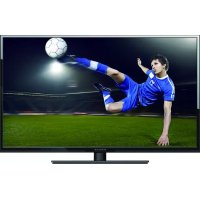
PLDED5515-UHD - TV Proscan - Free user manual and instructions
Find the device manual for free PLDED5515-UHD Proscan in PDF.


Pick your language and provide your email: we'll send you a specifically translated version.
| Product Type | LED Television |
| Brand | Proscan |
| Model | PLDED5515-UHD |
| Screen Size | 55 inches (139.7 cm) |
| Display Resolution | 3840 x 2160 (4K UHD) |
| HDR Support | HDR10 |
| Refresh Rate | 60 Hz |
| Dimensions (without stand) | Approx. 1240 x 720 x 80 mm (W x H x D) |
| Weight (with stand) | Approx. 15.5 kg |
| Power Consumption (typical) | 150 W |
| Standby Power | Less than 0.5 W |
| Input Voltage | 100-240 V AC, 50/60 Hz |
| HDMI Ports | 3 x HDMI (including ARC) |
| USB Ports | 2 x USB 2.0 |
| Other Ports | RF Input, Composite AV, Headphone Jack, Optical Audio Output, Ethernet LAN |
| Wireless Connectivity | Wi-Fi 802.11n, Bluetooth 4.2 |
| Smart TV Platform | Android TV (or proprietary) |
| Remote Control | Infrared (IR) remote included |
| Wall Mount Standard | VESA 400 x 200 mm |
| Operating Temperature | 5°C to 35°C |
| Safety Features | Over-voltage protection, child lock, automatic power-off |
| Cleaning Instructions | Use a soft dry cloth; avoid liquid cleaners directly on screen |
| Repairability | Modular design; spare parts available via service centers |
| Energy Class | A+ (typical) |
Frequently Asked Questions - PLDED5515-UHD Proscan
How do I connect an external device like a soundbar to my Proscan PLDED5515-UHD TV?
Use the HDMI ARC port (usually HDMI 1) to connect a soundbar or AV receiver. Enable HDMI ARC in the TV's audio settings. Alternatively, use the optical audio output for digital audio.
What is the VESA mount size for this TV?
The VESA pattern is 400 x 200 mm. Use M6 screws (length depends on spacer). Ensure the wall mount can support a 55-inch TV weighing up to about 20 kg.
How can I fix a frozen or unresponsive TV?
Press and hold the power button on the remote or TV for 10 seconds to force a restart. If that fails, unplug the TV from the power outlet, wait 60 seconds, and plug it back in. This performs a hard reset.
Why is my TV not showing any picture but has sound?
Check if the input source is correct. Try pressing Input/Source button on the remote to cycle through HDMI and other ports. Also, ensure the connected device is powered on. If the issue persists, adjust the brightness/backlight settings or try a factory reset.
How do I perform a factory reset on the TV?
Go to Settings > System > Advanced > Factory Reset. Enter the PIN (default is 0000). Confirm to erase all data and restore original settings. Note that this will remove all user preferences and installed apps.
Can I use a universal remote with this TV?
Yes, the TV uses standard IR codes for Proscan. You can try code 1234 or automatically search for the Proscan brand. Ensure the universal remote supports 4K TVs and has a TV mode.
How do I enable Bluetooth on my TV?
Go to Settings > Remote & Accessories > Bluetooth. Turn on Bluetooth and pair your device (e.g., headphones or speaker). Some models may have Bluetooth enabled by default. If not visible, check if your TV model supports Bluetooth.
What should I do if the remote control stops working?
Replace the batteries first. Check for obstructions between remote and TV sensor. You can also use the power button on the TV itself as a temporary measure. If the remote is damaged, consider a universal replacement.
How do I clean the TV screen safely?
Turn off the TV and unplug it. Use a soft, lint-free microfiber cloth dry. For stubborn smudges, slightly dampen the cloth with distilled water (not directly on screen). Never use alcohol, ammonia, or abrasive cleaners.
The TV keeps turning off by itself. How can I fix it?
Check the Sleep Timer setting: Settings > System > Sleep Timer. Disable it. Also, ensure the TV is not overheating (ventilation blocked). If using a power strip, verify it's not faulty. A factory reset may help.
User questions about PLDED5515-UHD Proscan
0 question about this device. Answer the ones you know or ask your own.
Ask a new question about this device
No questions yet. Be the first to ask one.
Download the instructions for your TV in PDF format for free! Find your manual PLDED5515-UHD - Proscan and take your electronic device back in hand. On this page are published all the documents necessary for the use of your device. PLDED5515-UHD by Proscan.
USER MANUAL PLDED5515-UHD Proscan
Manual assistant
Powered by Anthropic
Waiting for your message
Product information
Brand : Proscan
Model : PLDED5515-UHD
Category : TV