
TLAL 2 A1 - Car charger TRONIC - Free user manual and instructions
Find the device manual for free TLAL 2 A1 TRONIC in PDF.


| Product Type | Laser Level |
| Model | TLAL 2 A1 |
| Brand | Tronic |
| Dimensions (approx.) | 12 x 6 x 10 cm |
| Weight (approx.) | 0.5 kg |
| Power Supply | 2 x AA batteries (not included) |
| Laser Class | Class 2 (<1 mW, 635 nm) |
| Self-Leveling Range | ±4° |
| Accuracy | ±0.3 mm/m |
| Operating Range (with detector) | Up to 30 m |
| Working Temperature | -10°C to 50°C |
| Main Functions | Horizontal and vertical line projection, self-leveling, manual mode |
| Maintenance & Cleaning | Clean the lens with a soft, dry cloth. Do not use solvents. |
| Safety Instructions | Do not stare into the laser beam. Avoid direct eye exposure. Keep away from children. |
| Spare Parts & Repairability | Batteries are replaceable. For other repairs, contact a qualified technician. |
| General Information | This device is intended for indoor use only. Store in a dry place. |
Frequently Asked Questions - TLAL 2 A1 TRONIC
User questions about TLAL 2 A1 TRONIC
0 question about this device. Answer the ones you know or ask your own.
Ask a new question about this device
Download the instructions for your Car charger in PDF format for free! Find your manual TLAL 2 A1 - TRONIC and take your electronic device back in hand. On this page are published all the documents necessary for the use of your device. TLAL 2 A1 by TRONIC.
USER MANUAL TLAL 2 A1 TRONIC
IN-CAR CHARGER TLAL 2 A1
GB IE NI
IN-CAR CHARGER
Operating instructions
DK
BILOPLADER
GB IE Before reading, unfold the page containing the illustrations and familiarise yourself with all functions of the device.
GB/IE/NI Operating instructions Page 1
Contents
Introduction 3
Information about these operating
instructions 3
Notes on trademarks 4
Proper use .... 5
Warnings and symbols used ..... 6
Safety 9
Basic safety instructions ..... 9
Package contents ..... 1 2
Description of components ... 13
Use 14
Troubleshooting 18
Cleaning and storage ..... 19
Disposal 20
Disposal of the device ..... 2 0
Disposal of the packaging ..... 2 1
Attachment 22
Technical specifications ..... 2 2
Notes on the EU Declaration
of Conformity 23
Kompernass Handels GmbH warranty . 23
Service 28
Importer 29
Introduction
Information about these operating instructions
Congratulations on the purchase of your new device.
You have selected a high-quality product.
The operating instructions are part of this product. They contain important information about safety, usage and disposal. Before using the product, please familiarise yourself with all the operating and safety instructions. Use the product only as described and for the range of applications specified.
Keep these operating instructions as a reference and store them near the product.
Please pass on all documentation incl. these operating instructions to any future owner(s) if you sell this product or give it away.
Notes on trademarks
Qualcomm® Quick Charge™ is a product of Qualcomm Technologies, Inc. and/or its subsidiaries.
Qualcomm ® is a trademark of Qualcomm Incorporated, registered in the United States and other countries.
Quick Charge TM is a trademark of Qualcomm Incorporated.
■ USB is a registered trademark of USB Implementers Forum, Inc.
All other names and products may be trademarks or registered trademarks of their respective owner.
Proper use
The car charger adapter is a car accessory that is compatible with the vehicle socket (cigarette lighter) and is designed solely for charging and operating devices with a USB port. The car charger adapter is suitable only for vehicles in which the negative terminal of the battery is connected to the bodywork.
The device is not intended for any other purpose nor for use beyond the scope described. The device is not intended for use in commercial or industrial environments.
Claims of any type due to damage from improper use are excluded. The operator bears sole liability.
Warnings and symbols used
The following warnings are used in these operating instructions:

DANGER
A warning notice at this hazard level indicates an imminently hazardous situation.
Failure to avoid this hazardous situation could result in serious injuries or even death.
▶ Follow the instructions in this warning notice to avoid the risk of death or serious injury.
CAUTION
A warning at this hazard level indicates a risk of property damage.
Failure to avoid this situation could result in property damage.
▶ Follow the instructions in this warning notice to prevent property damage.
NOTE
▶ A note provides additional information that makes handling the device easier for you.

The e-Mark is a certification mark for the labelling of components requiring approval in motor vehicles and states that the necessary tests have been carried out and that an ECE component approval has been issued. The letters "xx" are placeholders and stand for the country where the licence was issued.

The Qualcomm® Quick Charge™ 3.0 technology symbol indicates that the technology used enables a reduced charging time for compatible devices connected to the green USB port of the car charger adapter. Compatible connected devices are automatically detected and provided with the appropriate output voltage and output current from the car charger adapter.

The Smart Fast Charge symbol indicates that the technology used allows for a reduced charging time for compatible devices. Compatible connected devices automatically receive a signal to draw the maximum available charging current.
Safety
This section contains important safety instructions for handling the device. This device complies with the statutory safety regulations. Improper use may result in personal injury and property damage.
Basic safety instructions
To ensure safe operation of the device, follow the safety guidelines set out below:
■ Check the device for visible external damage before use. Do not operate a device that has been damaged or dropped.
This device may be used by children aged 8 years and above and by persons with limited physical, sensory or mental capabilities, or lack of experience and knowledge, provided that they are under supervision or have been told how to use the device safely and are aware of the potential risks.
Do not allow children to play with the device. Cleaning and user maintenance tasks may not be carried out by children unless they are supervised.
!DANGER! Do not allow children to play with the packaging material! Keep all packaging materials away from children. There is a risk of suffocation!
■ Never subject the device to extreme heat or humidity. This particularly applies to storage in a car. Extreme temperatures can occur in car interiors and glove compartments during long periods of immobilisation. Remove any electrical and electronic devices from the vehicle.
■ Do not operate the device whilst steering a car or any other vehicle. This is hazardous to other road users.
■ When using the car charger (incl. any connected devices), ensure that it does not interfere with the steering, braking or the operation of other vehicle systems (such as airbags) and does not restrict your field of view when driving.
■ Do not allow any liquids or moisture to get into the device.
■ The device must always be supervised during use.
■ Unplug the device from the vehicle socket immediately if you notice unusual noises, a burnt smell or smoke. Have the device checked by a qualified specialist before using it again.
■ Never open the device housing. There are no parts inside the device which can be maintained. All repairs must be carried out by authorised specialist companies or by the Customer Service department. Improper repairs may put the user at risk. It will also invalidate any warranty claims.
Package contents
◆ Remove all parts and the operating instructions from the box.
◆ Remove all packaging material.

DANGER
▶ Do not allow children to play with packaging materials. There is a risk of suffocation.
The following components are included in delivery:
- In-car charger
• These operating instructions
NOTE
▶ Check the package for completeness and signs of visible damage.
If the delivery is incomplete or damage has occurred as a result of defective packaging or during transport, contact the service hotline (see section Service).
Description of components
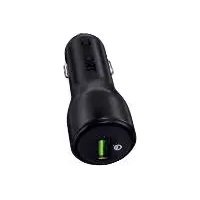
USB type A socket (green) featuring Qualcomm® Quick Charge™ 3.0
② USB type A socket
③ Operating LED
Use
CAUTION
The total power consumption of all of the devices connected to the two USB sockets ①/② may not be higher than 5.4 A. Make sure that the power consumption of your device is not higher than 3 A when you are using the USB socket (green) ①. When you are using the USB socket ②, make sure that the power consumption of your device is not higher than 2.4 A. Refer to your USB device instruction manual for more information.
The maximum power output of the car charger adapter is 5.4 A. The maximum power output of the USB socket (green) ① is 3 A. The maximum power output of the USB socket ② is 2.4 A.
NOTE
The USB socket (green) ① supports Qualcomm® Quick Charge™ 3.0 (compatible with Quick Charge™ 2.0 and Quick Charge™ 1.0). If the connected device is compatible with this charging standard, it will automatically be detected by the car charger adapter. The car charger adapter supplies the appropriate output voltage or output current so that the device can be charged more quickly. Devices without this charging standard can be charged normally using the USB socket (green) ①.
Insert the car charger adapter into the 12/24 V connection of your car. This is usually the vehicle socket (cigarette lighter) on the dashboard of your vehicle. Many vehicles have a second socket by the rear seats or in the boot. 24 volt batteries are often used in lorries or on boats.
The operating LED ③ lights up white to signal that the car charger adapter is being supplied with power. The operating LED ③ also lights up if no device is connected. Depending on the vehicle type, it is possible that the ignition has to be switched on first.
- Connect your device to the car charger adapter. Use the original USB cable supplied with your device to optimise the charging process.
If required, you can switch your connected device on for further use.
NOTE
▶ Observe the charging status on your connected device.
◆ Disconnect your connected device from the car charger adapter once the device has completed charging.
◆ Unplug the car charger adapter from the vehicle power outlet when you are finished using it.
CAUTION
▶ Never connect the car charger adapter unless you are charging a device. The car charger adapter also consumes power in standby mode and therefore must be disconnected from the vehicle socket after use! Otherwise the battery will discharge when the engine is not running.
Troubleshooting
A connected device does not charge (the operating LED ③ does not light up white)
- No connection to the vehicle socket. Check the connection.
♦ Depending on the vehicle type, it is possible that the ignition has to be switched on first.
The operating LED ③ goes out after a device has been connected.
The car charger adapter is overloaded and will no longer charge attached devices. The internal overcurrent protection has been triggered. Disconnect all connected devices from the car charger adapter. The white operating LED ③ lights up immediately and the car charger adapter is ready for use again.
Cleaning and storage
CAUTION
▶ Always disconnect the device from the 12/24 V connection before cleaning and when it is not being used.
The temperatures inside the vehicle can reach extreme levels in summer and winter. To avoid damage to the device, do not store it in the vehicle.
▶ Do not use caustic, abrasive or solvent-based cleaning materials. These can damage the surfaces of the device.
- Clean the surfaces of the device with a soft, dry cloth.
◆ Store the device somewhere clean, dry, free of dust and out of direct sunlight.
Disposal
Disposal of the device

The adjacent symbol of a crossed-out dustbin means that this device is subject to Directive 2012/19/EU. This directive states that this device may not be disposed of in the normal household waste at the end of its useful life, but must be handed over to specially set-up collection locations, recycling depots or disposal companies.
This disposal is free of charge for the user. Protect the environment and dispose of this device properly.

Your local community or municipal authorities can provide information on how to dispose of the worn-out product.
Disposal of the packaging

The packaging materials have been selected for their environmental friendliness and ease of disposal and are therefore recyclable. Dispose of packaging materials that are no longer needed in accordance with applicable local regulations.

Dispose of the packaging in an environmentally friendly manner. Note the labelling on the packaging and separate the packaging material components for disposal if necessary. The packaging material is labelled with abbreviations (a) and numbers (b) with the following meanings: 1–7: plastics, 20–22: paper and cardboard, 80–98: composites.
Attachment
Technical specifications
Input voltage/current:
12/24 V = (DC)/3.5 A
Output voltage/current
USB socket (green) ①
(Quick Charge TM 3.0):
3,6 V-6,5 V=3A
6.5 V-9 V=2A
9 V-12 V=1.5 A
Output voltage/current
USB socket ②:
5 V = 2.4 A
Total max. output current
USB sockets ①/②:
5.4 A
Notes on the EU Declaration of Conformity
CE This device complies with the basic requirements and other relevant provisions of the EMC
Directive 2014/30/EU, UN R10 and the RoHS Directive 2011/65/EU.
The complete EU Declaration of Conformity is available from the importer.
KompernassHandelsGmbH warranty
Dear Customer,
This appliance has a 3-year warranty valid from the date of purchase. If this product has any faults, you, the buyer, have certain statutory rights. Your statutory rights are not restricted in any way by the warranty described below.
Warranty conditions
The warranty period starts on the date of purchase. Please keep your receipt in a safe place. This will be required as proof of purchase.
If any material or manufacturing fault occurs within three years of the date of purchase of the product, we will either repair or replace the product for you or refund the purchase price (at our discretion). This warranty service requires that you present the defective appliance and the proof of purchase (receipt) within the three-year warranty period, along with a brief written description of the fault and of when it occurred.
If the defect is covered by the warranty, your product will either be repaired or replaced by us. The repair or replacement of a product does not signify the beginning of a new warranty period.
Warranty period and statutory claims for defects
The warranty period is not prolonged by repairs effected under the warranty. This also applies to replaced and repaired components. Any damage and defects present at the time of purchase must be reported immediately after unpacking. Repairs carried out after expiry of the warranty period shall be subject to a fee.
Scope of the warranty
This appliance has been manufactured in accordance with strict quality guidelines and inspected meticulously prior to delivery.
The warranty covers material faults or production faults. The warranty does not extend to product parts subject to normal wear and tear or to fragile parts which could be considered as consumable parts such as switches, batteries or parts made of glass.
The warranty does not apply if the product has been damaged, improperly used or improperly maintained. The directions in the operating instructions for the product regarding proper use of the product are to be strictly followed. Uses and actions that are discouraged in the operating instructions or which are warned against must be avoided.
This product is intended solely for private use and not for commercial purposes. The warranty shall be deemed void in cases of misuse or improper handling, use of force and modifications / repairs which have not been carried out by one of our authorised Service centres.
Warranty claim procedure
To ensure quick processing of your case, please observe the following instructions:
■ Please have the till receipt and the item number (e.g. IAN 123456_7890) available as proof of purchase.
■ You will find the item number on the type plate on the product, an engraving on the product, on the front page of the operating instructions (below left) or on the sticker on the rear or bottom of the product.
■ If functional or other defects occur, please contact the service department listed either by telephone or by e-mail.
■ You can return a defective product to us free of charge to the service address that will be provided to you. Ensure that you enclose the proof of purchase (till receipt) and information about what the defect is and when it occurred.
You can download these instructions along with many other manuals, product videos and installation software at www.lidl-service.com.
This QR code will take you directly to the Lidl service page (www.lidl-service.com) where you can open your operating instructions by entering the item number (IAN) 354269_2010.
Service

Service Great Britain
Tel.: 0800 404 7657
E-Mail: kompernass@lidl.co.uk

ServiceIreland
Tel.: 1890 930 034
(0,08 EUR / Min., (peak))
(0,06 EUR / Min., (off peak))
E-Mail: kompernass@lidl.ie
IAN 354269_2010
Importer
Please note that the following address is not the service address. Please use the service address provided in the operating instructions.
KOMPERNASS HANDELS GMBH
BURGSTRASSE 21
44867 BOCHUM
GERMANY
www.kompernass.com
Indholdsfortegnelse
Introduktion 33
Informationer om denne
Det viste symbol med den over- stregede affaldscontainer på hjul viser, at dette produkt er under- lagt direktivet 2012/19/EU.
KOMPERNASS HANDELS GMBH
BURGSTRASSE 21
44867 BOCHUM
TYSKLAND
www.kompernass.com
Inhoudsopgave
Inleiding 61
KOMPERNASS HANDELS GMBH
BURGSTRASSE 21
44867 BOCHUM
DUITSLAND
www.kompernass.com
Inhaltsverzeichnis
Einführung 91
KOMPERNASS HANDELS GMBH
BURGSTRASSE 21
44867 BOCHUM
DEUTSCHLAND
www.kompernass.com
KOMPERNASS HANDELS GMBH
BURGSTRASSE 21
44867 BOCHUM
GERMANY
www.kompernass.com
Last Information Update · Tilstand af information
Stand van de informatie · Stand der Informationen:
04 / 2021 · Ident.-No.: TLAL2A1-032021-2
IAN 354269_2010



- IN-CAR CHARGER TLAL 2 A1
- IN-CAR CHARGER
- BILOPLADER
- CONTENTS
- INTRODUCTION 3
- SAFETY 9
- PACKAGE CONTENTS ..... 1 2
- DESCRIPTION OF COMPONENTS ... 13
- TROUBLESHOOTING 18
- CLEANING AND STORAGE ..... 19
- DISPOSAL 20
- ATTACHMENT 22
- INTRODUCTION
- INFORMATION ABOUT THESE OPERATING INSTRUCTIONS
- NOTES ON TRADEMARKS
- PROPER USE
- WARNINGS AND SYMBOLS USED
- DANGER
- A WARNING NOTICE AT THIS HAZARD LEVEL INDICATES AN IMMINENTLY HAZARDOUS SITUATION
- CAUTION
- A WARNING AT THIS HAZARD LEVEL INDICATES A RISK OF PROPERTY DAMAGE
- NOTE
- SAFETY
- BASIC SAFETY INSTRUCTIONS
- PACKAGE CONTENTS
- DESCRIPTION OF COMPONENTS
- USE
- TROUBLESHOOTING
- CLEANING AND STORAGE
- DISPOSAL
- DISPOSAL OF THE DEVICE
- DISPOSAL OF THE PACKAGING
- ATTACHMENT
- TECHNICAL SPECIFICATIONS
- NOTES ON THE EU DECLARATION OF CONFORMITY
- KOMPERNASSHANDELSGMBH WARRANTY
- WARRANTY CONDITIONS
- WARRANTY PERIOD AND STATUTORY CLAIMS FOR DEFECTS
- SCOPE OF THE WARRANTY
- WARRANTY CLAIM PROCEDURE
- SERVICE
- SERVICE GREAT BRITAIN
- SERVICEIRELAND
- IMPORTER
- INDHOLDSFORTEGNELSE
- INTRODUKTION 33
- INHOUDSOPGAVE
- INLEIDING 61
- INHALTSVERZEICHNIS
- EINFÜHRUNG 91
- KOMPERNASS HANDELS GMBH
Brand : TRONIC
Model : TLAL 2 A1
Category : Car charger