BP654 - Monitor OMRON - Free user manual and instructions
Find the device manual for free BP654 OMRON in PDF.


Pick your language and provide your email: we'll send you a specifically translated version.
| Product Type | Upper Arm Blood Pressure Monitor |
| Model | BP654 |
| Brand | Omron |
| Measurement Method | Oscillometric |
| Arm Circumference Range | 22-32 cm (standard cuff) |
| Display Type | LCD Digital Display |
| Memory Capacity | 60 readings with date and time |
| Hypertension Indicator | Yes (color-coded indicator) |
| Irregular Heartbeat Detection | Yes |
| Movement Error Detection | Yes |
| Power Source | 4× AA batteries or AC adapter (optional) |
| Battery Life | Approximately 300 measurements |
| Auto Power Off | Yes, after 3 minutes of inactivity |
| Dimensions (without cuff) | 103 mm × 80 mm × 57 mm |
| Weight (without batteries and cuff) | Approximately 125 g |
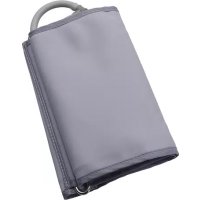
| Cuff Type | Easy-wrap cuff (22-32 cm) |
| Clinical Validation | Yes (European Society of Hypertension) |
| Intended Use | Home blood pressure monitoring |
| Care and Cleaning | Wipe with a soft dry cloth; do not immerse in water |
| Storage Conditions | -20°C to 60°C, 10-95% RH |
| Operating Conditions | 10°C to 40°C, 30-85% RH |
| Accessories Included | Monitor, cuff, instruction manual, battery set, storage case |
| Repair and Spare Parts | Contact Omron customer service; do not disassemble |
| Warranty | 5 years (monitor), 1 year (cuff) |
Frequently Asked Questions - BP654 OMRON
How do I ensure accurate measurements with the Omron BP654?
For accurate readings, sit quietly for at least 5 minutes with your back supported and feet flat on the floor. Place the cuff on your bare upper arm at heart level. Avoid talking or moving during measurement.
What does the irregular heartbeat symbol mean?
The irregular heartbeat symbol appears when an irregular rhythm is detected during measurement. This is not a diagnosis; consult your doctor if it appears frequently.
How do I clean and maintain the BP654?
Clean the monitor and cuff with a soft, dry cloth. Do not use water, solvents, or abrasive cleaners. Store in a dry place away from direct sunlight.
Can I use a different cuff size?
The BP654 comes with a standard cuff (22-32 cm). For arm circumferences outside this range, you may purchase optional Omron cuffs (small or large). Using the wrong size may affect accuracy.
Why does the monitor show an error code 'E1'?
Error E1 indicates a problem with the cuff connection or inflation. Ensure the cuff plug is fully inserted into the monitor and the cuff is wrapped correctly without kinks.
How many readings can the memory store?
The device can store up to 60 readings with date and time. When full, the oldest reading is overwritten.
Can I use rechargeable batteries?
Yes, you can use rechargeable AA batteries. However, battery life may vary. Ensure they are fully charged before use.
Is the BP654 Bluetooth compatible?
No, the BP654 does not have Bluetooth connectivity. It is a basic monitor with memory only.
What does the heart rate display show?
The device displays your pulse rate in beats per minute (bpm) after each measurement. Normal resting heart rate is typically between 60-100 bpm.
How do I set the date and time?
Press and hold the 'SET' button for 3 seconds until the year flashes. Use the 'MEM' button to adjust, then press 'SET' to confirm. Repeat for month, day, hour, and minute.
User questions about BP654 OMRON
0 question about this device. Answer the ones you know or ask your own.
Ask a new question about this device
No questions yet. Be the first to ask one.
Download the instructions for your Monitor in PDF format for free! Find your manual BP654 - OMRON and take your electronic device back in hand. On this page are published all the documents necessary for the use of your device. BP654 by OMRON.