
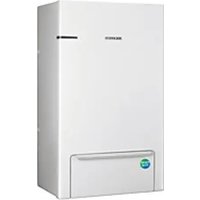
AR12NXPDPWKNEE - Heat pump SAMSUNG - Free user manual and instructions
Find the device manual for free AR12NXPDPWKNEE SAMSUNG in PDF.


| Product Type | Heat Pump (Split System Air Conditioner) |
| Brand | Samsung |
| Model | AR12NXPDPWKNEE |
| Cooling Capacity | 12,000 BTU/h |
| Heating Capacity | 12,000 BTU/h |
| Energy Efficiency Ratio (EER) | Approximately 12 (Cooling) |
| Refrigerant | R32 |
| Indoor Unit Dimensions (W x H x D) | 820 x 280 x 215 mm |
| Outdoor Unit Dimensions (W x H x D) | 720 x 548 x 265 mm |
| Indoor Unit Weight | 8.5 kg |
| Outdoor Unit Weight | 28.5 kg |
| Power Supply | 220-240 V, 50 Hz, Single Phase |
| Operating Modes | Cooling, Heating, Dehumidification, Fan |
| Airflow Volume (Indoor Unit) | Up to 800 m³/h |
| Noise Level (Indoor Unit) | Low: 28 dB(A) | High: 45 dB(A) |
| Noise Level (Outdoor Unit) | Low: 48 dB(A) | High: 55 dB(A) |
| Filter Type | Washable Fine Dust Filter |
| Remote Control | Included (Infrared) |
| Warranty | 2 Years (Parts and Labor) |
| Defrost Function | Automatic Defrost for Winter Heating |
| Self-Diagnosis | Built-in Error Detection with LED Display |
| Energy Star Rating | 5 Stars (as applicable in region) |
Frequently Asked Questions - AR12NXPDPWKNEE SAMSUNG
User questions about AR12NXPDPWKNEE SAMSUNG
0 question about this device. Answer the ones you know or ask your own.
Ask a new question about this device
Download the instructions for your Heat pump in PDF format for free! Find your manual AR12NXPDPWKNEE - SAMSUNG and take your electronic device back in hand. On this page are published all the documents necessary for the use of your device. AR12NXPDPWKNEE by SAMSUNG.
USER MANUAL AR12NXPDPWKNEE SAMSUNG
QUESTIONS OR COMMENTS?
| COUNTRY CALL OR VISIT US ONLINE AT | ||
| UK 0330 SAMSUNG (7267864) www.samsung.com/uk/support | ||
| IRELAND (EIRE) | 0818 717100 www.samsung.com/ie/support | |
| GERMANY | 06196 77 555 66 *HHP06196 77 555 77 *OTH | www.samsung.com/de/support |
| FRANCE 01 48 | 63 00 00 www.samsung.com/fr/support | |
| ITALIA 800-SAMSUNG (800.7267864) www.samsung.com/it/support | ||
| SPAIN | 0034902172678[HHP] 0034902167267 | www.samsung.com/es/support |
| PORTUGAL 808 | 207 267 www.samsung.com/pt/support | |
| LUXEMBURG 261 | 03 710 www.samsung.com/be_fr/support | |
| NETHERLANDS 088 | 90 90 100 www.samsung.com/nl/support | |
| BELGIUM 02-201-24-18 | www.samsung.com/be/support (Dutch)www.samsung.com/be_fr/support (French) | |
| NORWAY | 815 56480 | www.samsung.com/no/support |
| DENMARK | 707 019 70 | www.samsung.com/dk/support |
| FINLAND 030-6227 515 | www.samsung.com/fi/support | |
| SWEDEN | 0771 726 786 | www.samsung.com/se/support |
| POLAND | 801-172-678* lub +48 22 607-93-33*Dedykowana infolinia do obsługi zapytań dotyczącychtelefonów komórkowych:801-672-678* lub +48 22 607-93-33** (koszt potączenia według taryfy operatora) | http://www.samsung.com/pl/support/ |
| HUNGARY | 0680SAMSUNG (0680-726-7864) | www.samsung.com/hu/support |
| AUSTRIA | 0800-SAMSUNG (0800-7267864)[Only for KNOX customers] 0800 400848[Only for Premium HA] 0800-366661[Only for Dealers] 0810-112233 | www.samsung.com/at/support |
| SWITZERLAND | 0800 726 78 64 (0800-SAMSUNG) | www.samsung.com/ch/support (German)www.samsung.com/ch_fr/support (French) |
| CZECH | 800 - SAMSUNG(800-726786) | www.samsung.com/cz/support |
| SLOVAKIA | 0800 - SAMSUNG(0800-726 786) | www.samsung.com/sk/support |
| CROATIA | 072 726 786 | www.samsung.com/hr/support |
| BOSNIA 055 253 999 | www.samsung.com/support | |
| MONTENEGRO | 020 405 888 | www.samsung.com/support |
| SLOVENIA | 080 697 267 (brezplačna številka) | www.samsung.com/si/support |
| SERBIA 011 321 6899 | www.samsung.com/rs/support | |
| ALBANIA | 045 620 202 | www.samsung.com/al/support |
| BULGARIA | *3000 Цена в мрежата0800 111 31 , Безплатна телефонна линия | www.samsung.com/bg/support |
| ROMANIA | *8000 (apel in retea)08008-726-78-64 (08008-SAMSUNG) Apel GRATUIT | www.samsung.com/ro/support |
| CYPRUS | 8009 4000 only from landline, toll free | www.samsung.com/gr/support |
| GREECE | 80111-SAMSUNG (80111 726 7864) only from land line(+30) 210 6897691 from mobile and land line | |
| LITHUANIA | 8-800-77777 www.samsung.com/lt/support | |
| LATVIA | 8000-7267 | www.samsung.com/lv/support |
| ESTONIA | 800-7267 | www.samsung.com/ee/support |
Air conditioner
User manual
AR**NXPD*****
• Thank you for purchasing this Samsung air conditioner. - Before operating this unit, please read this user manual carefully and retain it for future reference.
Contents
Product Specifications 4
Product Specifications 4
Safety Information 6
Safety Information 6
At a Glance 14
Indoor Unit Overview 14
Display
Remote Control Overview 15
Inserting batteries
Remote Control Operation 16
Operation modes
Controlling temperature
Controlling air flow direction
Setting the Current time
Power Smart Features 18
Cooling Operation 18
Cool mode
2-Step cooling function
Dehumidifying Operation 19
Dry mode
Air Purifying Operation 19
SPi(S-plasma Ion) function
Heating Operation 20
Heat mode
Quick Smart Features 21
Auto mode
Fan mode
Beep sound function
Fast function
Comfort function
Quiet function
Display lighting function
Wi-Fi function (SmartThings app)
Energy-Saving Features 25
Energy-Saving Operation 25
Electricity consumption check
Single user function
Timed on/Timed off function
Good'sleep function
Cleaning and Maintenance 29
Cleaning at a Glance 29
Troubleshooting
Information about refrigerant 35
SmartThings app 36
31

Correct Disposal of This Product (Waste Electrical & Electronic Equipment)
(Applicable in countries with separate collection systems)
This marking on the product, accessories or literature indicates that the product and its electronic accessories (e.g. charger, headset, USB cable) should not be disposed of with other household waste at the end of their working life. To prevent possible harm to the environment or human health from uncontrolled waste disposal, please separate these items from other types of waste and recycle them responsibly to promote the sustainable reuse of material resources.
Household users should contact either the retailer where they purchased this product, or their local government office, for details of where and how they can take these items for environmentally safe recycling.
Business users should contact their supplier and check the terms and conditions of the purchase contract. This product and its electronic accessories should not be mixed with other commercial wastes for disposal.

Correct disposal of batteries in this product
This marking on the battery, manual or packaging indicates that the batteries in this product should not be disposed of with other household waste at the end of their working life. Where marked, the chemical symbols Hg, Cd or Pb indicate that the battery contains mercury, cadmium or lead above the reference levels in EC Directive 2006/66.
For information on Samsung's environmental commitments and product specific regulatory obligations e.g. REACH visit: samsung.com/uk/aboutsamsung/samsungelectronics/corporate citizenship/data_corner.html
Product Specifications
| Indoor unit AR09NXPDPWKNEE AR12NXPDPWKNEE | |||||
| Cooling capacity Min./Nom./Max. kW 0.90/2.50/3.60 0.90/3.50/4.20 | |||||
| Heating capacity Min./Nom./Max. kW 0.80/3.20/7.10 0.80/4.00/7.30 | |||||
| Power input | Cooling Min./Nom./Max. kW 0.18/0.54/0.93 0.18/0.89/1.15 | ||||
| Heating Min./Nom./Max. kW 0.15/0.68/2.25 0.15/0.94/2.28 | |||||
| Seasonal ef-ficiency(according to EN14825) | Cooling | Energy grade A+++ A+++ | |||
| Pdesign kW 2.5 3.5 | |||||
| SEER | 8.8 8.5 | ||||
| Annual energy consumption | kWh | 99 | 144 | ||
| Heating (Average climate) | Energy grade | A++ | A++ | ||
| Pdesign kW 2.3 3.0 | |||||
| SCOP | 4.9 4.8 | ||||
| Annual energy consumption | kWh | 657 | 875 | ||
| Heating (Colder climate) | Energy grade | A+ | A+ | ||
| Pdesign kW 3.2 3.2 | |||||
| SCOP | 4.0 4,0 | ||||
| Annual energy consumption | kWh | 1654 | 1654 | ||
| Nominal ef-ficiency(according to EN14511) | EER | W/W | 4.63 | 3.95 | |
| COP | W/W | 4.74 | 4.26 | ||
| Energy grade | Cooling/Heating | A/A | A/A | ||
| Casing | Colour | White | |||
| Dimensions | Unit | Width×Height×Depth | mm | 896×261×261 | |
| Weight | Unit | kg | 11.8 | ||
| Fan - Air flow rate | Cooling High/Mid/Low m | 3/min | 9.8 / 6.0 / 3.8 | 10.5 /6.8 / 4.6 | |
| Heating High/Mid/Low m | 3/min | 10.2 / 6.4 / 4.2 | 10.9 / 7.2 / 5.0 | ||
| Sound power | High | dBA | 56.0 | 58.0 | |
| Sound pressure | High / Silence | dBA | 38/17 | 40/17 | |
| Piping connec-tions | Liquid | OD | mm | 6.35 | |
| Gas | OD | mm | 9.52 | ||
| Power supply | Phase / Frequency / Voltage | Hz / V | 1~ / 50 / 220 - 240 | ||
| Motor | Type / Output | W | DC / 27 | ||
| Option | Seg 1~24 (1,7,13,19 are default values) | 011045-196A66-271920-37133F | 011045-176A88-272328-37153F | ||

The original software version used for the product range is identified in this manual. For the software version issued at the time of manufacture, please refer to the nameplate of the indoor and outdoor units. The nameplate can be physically located on the side of both the indoor (temperature display side) and outdoor units (compressor side). In addition, for the current software version of the air conditioner Wi-Fi control application, please refer to the front screen of the application itself.
| Outdoor unit AR09NXPDPWKXEE AR12NXPDPWKXEE | ||||||
| Dimension Unit Width×Height×Depth mm | 790×548×285 | |||||
| Weight Unit kg | 35.0 | |||||
| Fan - Air flow rate | Cooling High/Low m | 3/min | 35.0 / 10.0 | |||
| Heating High/Low m | 3/min | 35.0 / 10.0 | ||||
| Sound power | High | dBA | 59.0 | 62.0 | ||
| Sound pressure | High | dBA | 44.0 | 45.0 | ||
| Operation range | Cooling Ambient | Min.~Max. | °C | -15 ~ 46 | ||
| Heating Ambient | Min.~Max. | °C | -30 ~ 24 | |||
| Refrigerant | Type / Charge | kg | R-32 / 1.05 | |||
| Add charge after 5m | kg/m | 0.01 | ||||
| Piping connections | Lenght | OD - ID | Std. / Max. | m | 5 / 15 | |
| Level difference | ID - OD | Max. | m | 8 | ||
| Power supply | Phase / Frequency / Voltage Hz / V | 1~ / 50 / 220 - 240 | ||||
| Current - 50Hz | Maximum Fuse amps(MFA) | A | 15 | |||
| Compressor | Type | ROTARY BLDC | ||||
| Expansion Device | Type / Step | EEV / 480 | ||||
| Motor | Type / Output | W | DC / 50 | |||
| Base heater | Type / Output | W | SHEATH / 150 | |||
Before using your new air conditioner, please read this manual thoroughly to ensure that you know how to safely and efficiently operate the extensive features and functions of your new appliance. Because the following operating instructions cover various models, the characteristics of your air conditioner may differ slightly from those described in this manual. If you have any questions, call your nearest contact centre or find help and information online at www.samsung.com.
WARNING
Hazards or unsafe practices that may result in severe personal injury or death.
CAUTION
Hazards or unsafe practices that may result in minor personal injury or property damage.
! Follow directions. Do NOT attempt.
Make sure the machine is grounded to prevent electric shock.
Cut off the power supply. Do NOT disassemble.
FOR INSTALLATION
WARNING
Use a power cord with this product's power specifications or higher and use the power cord for this appliance only. In addition, do not use an extension cord.
• Extending the power cord may result in electric shock or fire. - Do not use an electric transformer. This may result in electric shock or fire. - If the voltage/frequency/rated current condition is different, it may cause fire.
The installation of this appliance must be performed by a qualified technician or service company.
- Failing to do so may result in electric shock, fire, explosion, problems with the product, or injury and may also void
warranty on the installed product.
Install an isolation switch next to the air conditioner (but not on the panels of the air conditioner) and a circuit breaker dedicated to the air conditioner.
- Failing to do so may result in electric shock or fire.
Fix the outdoor unit firmly so that the electric part of the outdoor unit is not exposed.
- Failing to do so may result in electric shock, fire, explosion, or problems with the product.

Do not install this appliance near a heater or inflammable material. Do not install this appliance in a humid, oily, or dusty location, or in a location exposed to direct sunlight and water (or rain). Do not install this appliance in a location where gas may leak.
• This may result in electric shock or fire.
Never install the outdoor unit in a location such as on a high external wall where it could fall.
- If the outdoor unit falls, it may result in injury, death, or property damage.

This appliance must be properly grounded. Do not ground the appliance to a gas pipe, plastic water pipe, or telephone line.
- Failing to do so may result in electric shock, fire, and explosion.
• Make sure to use a socket-outlet with ground.

CAUTION

Please cover the air conditioner with a PE bag after installation, and remove it when you start to run the air conditioner.
Install your appliance on a level and hard floor that can support its weight.
- Failing to do so may result in abnormal vibrations, noise, or problems with the product.
Install the drain hose properly so that water drains correctly.
- Failing to do so may result in water overflowing and property damage. Avoid adding drain to waste pipes as odours may arise in the future.
The product shall be stored in a room with no ignition sources (e.g. open flames, gas appliance, electric heater, etc.).
• Note that the refrigerant has no odour.
When installing the outdoor unit, make sure to connect the drain hose so that draining is performed correctly.
- The water generated during heating by the outdoor unit may overflow and result in property damage.
In particular, in winter, if a block of ice falls, it may result in injury, death or property damage.
FOR POWER SUPPLY

WARNING
When the circuit breaker is damaged, contact your nearest service centre.
Do not pull or excessively bend the power line. Do not twist or tie the power line. Do not hook the power line over a metal object, place a heavy object on the power line, insert the power line between objects, or push the power line into the space behind the appliance.
• This may result in electric shock or fire.

CAUTION
When not using the air conditioner for a long period of time or during a thunder/lightning storm, cut the power at the circuit breaker.
- Failing to do so may result in electric shock or fire.
FOR USING

WARNING
If the appliance is flooded, please contact your nearest service centre.
- Failing to do so may result in electric shock or fire.
In case of a malfunction, immediately stop operation of the air conditioner and disconnect the entire power system. Then consult the authorized service personnel.
If the appliance generates a strange noise, a burning smell or smoke, cut off the power supply immediately and contact the nearest service centre.
- Failing to do so may result in electric shock or fire.
In the event of a gas leak (such as propane gas, LP gas, etc.), ventilate immediately without touching the power line. Do not touch the appliance or power line.
• Do not use a ventilating fan. • A spark may result in an explosion or fire.
To reinstall the air conditioner, please contact your nearest service centre.
- Failing to do so may result in problems with the product, water leakage, electric shock, or fire.
- Delivery service for the product is not provided. If you reinstall the product in another location, additional construction expenses and an installation fee will be charged.
- Especially, when you wish to install the product in an unusual location such as in an industrial area or near the seaside where it is exposed to salt in the air, please contact your nearest service centre.
- In the event of a service issue, please refer to the troubleshooting guide of the relevant supporting technical manuals. It is recommended that a skilled service technician be contacted for support. Should urgent support be required then, using the information provided, contact the local Samsung office via email or telephone so that support can be initiated via our approved service centres (ASC'S) within 24hrs.
Do not touch the circuit breaker with wet hands.
This may result in electric shock.
Do not turn the air conditioner off with the circuit breaker while it is operating.
Turning the air conditioner off and then on again with the circuit breaker may cause a spark and result in electric shock or fire.
After unpacking the air conditioner, keep all packaging materials well out of the reach of children, as packaging materials can be dangerous to children.
If a child places a bag over its head, it may result in suffocation.
Do not touch the air flow blade with your hands or fingers during heating.
This may result in electric shock or burns.
Do not insert your fingers or foreign substances into the air inlet/outlet of the air conditioner.
Take special care that children do not injure themselves by inserting their fingers into the product.
Do not strike or pull the air conditioner with excessive force.
This may result in fire, injury, or problems with the product.
Do not place an object near the outdoor unit that allows children to climb onto the machine.
This may result in children seriously injuring themselves.
Do not use this air conditioner for long periods of time in badly ventilated locations or near infirm people.
Since this may be dangerous due to a lack of oxygen, open a window at least once an hour.
Do not use means to accelerate the defrost operation or to clean, other than those recommended by Samsung.
Do not pierce or burn.
Be aware that refrigerants may not contain an odour.

If any foreign substance such as water has entered the appliance, cut off the power supply and contact the nearest service centre.
Failing to do so may result in electric shock or fire.

Do not attempt to repair, disassemble, or modify the appliance yourself.
- Do not use any fuse (such as copper, steel wire, etc.) other than the standard fuse.
- Failing to do so may result in electric shock, fire, problems with the product, or injury.

CAUTION

Do not place objects or devices under the indoor unit.
Water dripping from the indoor unit may result in fire or property damage.
Check that the installation frame of the outdoor unit is not broken at least once a year.
- Failing to do so may result in injury, death or property damage.
- To prevent personal injury, make sure that you change the directions of the horizontal air flow blades after stopping the movements of the vertical air flow blade.
Max current is measured according to IEC standard for safety and current is measured according to ISO standard for energy efficiency.
When the air conditioner does not operate properly for cooling or heating, there is a possibility of refrigerant leakage. If any leakage, stop operation, ventilate the room, and consult your dealer immediately for recharging refrigerant.
The refrigerant is not harmful. However, if it comes in contact with fire, it may generate harmful gases and there is risk of fire.
During transportation of the indoor unit, the pipe lines shall be covered with brackets for protection. Do not move the product with holding the pipe lines.
• It may cause gas leakage.

Do not stand on top of the appliance or place objects (such as laundry, lighted candles, lighted cigarettes, dishes, chemicals, metal objects, etc.) on the appliance.
- This may result in electric shock, fire, problems with the product, or injury.
Do not operate the appliance with wet hands.
• This may result in electric shock.
Do not spray volatile material such as insecticide onto the surface of the appliance.
- As well as being harmful to humans, it may also result in electric shock, fire or problems with the product.
Do not drink the water from the air conditioner.
• The water may be harmful to humans.
Do not apply a strong impact to the remote control and do not disassemble the remote control.
Do not touch the pipes connected with the product.
• This may result in burns or injury.
Do not use this air conditioner to preserve precision equipment, food, animals, plants or cosmetics, or for any other unusual purposes.
• This may result in property damage.
Avoid directly exposing humans, animals or plants to the air flow from the air conditioner for long periods of time.
• This may result in harm to humans, animals or plants.
This appliance is not intended for use by persons (including children) with reduced physical, sensory or mental capabilities, or lack of experience and knowledge, without supervision or instruction concerning use of the appliance by a person
responsible for their safety. Children should be supervised to ensure that they do not play with the appliance.
For use in Europe: This appliance can be used by children aged from 8 years and above and persons with reduced physical, sensory or mental capabilities or lack of experience and knowledge if they have been given supervision or instruction concerning use of the appliance in a safe way and understand the hazards involved. Children shall not play with the appliance. Cleaning and user maintenance shall not be made by children without supervision.
FOR CLEANING

WARNING

Do not clean the appliance by spraying water directly onto it. Do not use benzene, thinner or alcohol to clean the appliance.
- This may result in discolouration, deformation, damage, electric shock or fire.
Before cleaning or performing maintenance, cut off the power supply and wait until the fan stops.
- Failing to do so may result in electric shock or fire.

CAUTION

Take care when cleaning the surface of the heat exchanger of the outdoor unit since it has sharp edges.
- This should be done by a qualified technician. Please contact your installer or service centre.

Do not clean the inside of the air conditioner by yourself.
- For cleaning inside the appliance, contact your nearest service centre.
- When cleaning the filter, refer to the descriptions in the 'Cleaning at a Glance' section.
- Failing to do so may result in damage, electric shock or fire. • Make sure to prevent any injury from sharp edges of the surface when handling the heat exchanger.
Indoor Unit Overview
The actual product may differ slightly from the image depicted below.

01 Air intake 02 Air filter 03 Air flow blade (up and down) 04 Air flow blade (left and right) 05 Room temperature sensor
06 Wi-Fi module 07 SPi(S-plasma Ion) Lamp 08 Display 09 Power button / Remote control receiver 10 (Inside) SPi
Display

01 Temperature indicator Filter reset indicator (☐) Electricity consumption indicator Auto clean indicator (☐) : Defrost indicator (☐) 02 Timer indicator good'sleep indicator Auto clean indicator 03 Wi-Fi indicator

Inserting batteries
two 1.5V AAA type batteries
01 Set temperature indicator 02 Timer option indicator 03 Operation mode indicator 04 Options indicator 05 Low battery indicator 06 Transmit indicator 07 Fan speed indicator 08 Vertical air swing indicator 09 Horizontal air swing indicator 10 Settings indicator 11 Power button 12 Temperature button 13 Options button 14 Timer button 15 Direction button / Selection button 16 Vertical air swing button 17 Mode button 18 Fan speed button 19 Horizontal air swing button 20 Settings button 21 SET button
NOTE
- The descriptions in this manual are primarily made based on the remote control buttons.
- Although d'light Cool are displayed on the remote control display, they are not available on this model.
Remote Control Operation
You can use the air conditioner easily by selecting a mode and then by controlling the temperature, fan speed, and air direction.

Operation modes
You can change the current mode between Auto, Cool, Dry, Fan, and Heat by pressing the button.
Controlling temperature
You can control the temperature in each mode as follows:
| Mode Temperature control | |
| Auto/Cool Adjust by 1 °C between 16 °C and 30 °C. | |
| Dry Adjust by 1 °C between 18 °C and 30 °C. | |
| Heat Adjust by 1 °C between 8 °C and 30 °C. | |
| Fan You cannot control the temperature. |
NOTE
You can use the Cool, Dry, and Heat modes in the following conditions:
| Mode Cool Dry Heat | |||
| Indoor temperature | 16 °C to 32 °C | 18 °C to 32 °C | 27 °C or less |
| Outdoor temperature | -15 °C to 46 °C | -15 °C to 46 °C | -30 °C to 24 °C |
| Indoor humidity | 80% or less relative humidity | - | - |
- If the air conditioner operates in a high humidity environment in the Cool mode for an extended period of time, condensation may occur.
- If the outdoor temperature drops to -5°C , the heating capacity may decrease to as much as 60% to 70% of the specified capacity.


You can select the following fan speeds in each mode:
| Mode Available fan speeds | |
| Auto/Dry | (Auto) |
| Cool/Heat | (Auto), (Low), (Med), (High), (Turbo) |
| Fan | (Low), (Med), (High), (Turbo) |
Controlling air flow direction
Keep the air flow in a constant direction by stopping the movements of the vertical and horizontal air flow blades.
In operation ▶ or ∥
NOTE
- If you adjust the vertical air flow blade manually, it may not close completely when you turn off the air conditioner.
- If you adjust the horizontal air flow blade manually, it may not operate normally.
- You can control the air flow direction when the good'sleep function is running while in the Heat mode, but not while in the Cool mode.
Setting the Current time
Before using the functions of the air-conditioner, set the current time.
![graph LR A["Settings"] --> B["<"] B --> C[">"] C --> D["Select Clock."] D --> E["SET"] F["Set the time."] --> G["×"] G --> H["SET"]](/content/2026/06/1342814/images/624525d77868a1a4c1c37b4357eef97a133b3f9b775e6afa17ea9e852b95d32d.jpg)
NOTE
- You can set the time in hourly units from 1 hour\~ 12 hours according to AM, PM and in minute units from 0 \~ 59 minutes.
- Current time setting will be cancelled if you don't press the SET button within 10 seconds after setting the time. Therefore, check for the current time on the remote controller display.
Cooling Operation
The smart and powerful cooling functions of the Samsung air conditioner keep an enclosed space cool and comfortable.

Cool mode
Use the Cool mode to stay cool in hot weather.

NOTE
- For comfort, keep the temperature difference between the indoor and outdoor air within 5°C in Cool mode. - After selecting Cool mode, select a function, temperature, and fan speed that you want to apply.
- To cool your room quickly, select a low temperature and a strong fan speed.
- To save energy, select a high temperature and a weak fan speed.
- As the indoor temperature approaches the set temperature, the compressor will operate at a low speed to save energy.

2-Step cooling function
Use the 2-Step cooling function to quickly reach the set temperature. The air conditioner automatically adjusts the fan speed and air flow direction. You can select this function only when Cool mode is running.

Dehumidifying Operation
The dehumidifying function of the Samsung air conditioner keeps an enclosed space dry and comfortable.

Dry mode
Use Dry mode in rainy or humid weather.

NOTE
- The lower the set temperature, the greater the dehumidifying capacity. When the current humidity seems high, adjust the set temperature to a low temperature.
- You cannot use Dry mode for heating. Dry mode is designed to produce a cooling side-effect.
Air Purifying Operation
The air purification function of the Samsung air conditioner keeps the air in an enclosed space purified.

SPi (S-plasma Ion) function
Use the SPI function to purify your room with positive ions produced by the air conditioner. This function is available in the Auto, Cool, Dry, Fan, and Heat modes.
![graph TD A["Select"] --> B["SET"] C["In the Auto, Cool, Dry, Fan, or Heat mode"] --> D["Options"] D --> E["<<"] D --> F[">>"]](/content/2026/06/1342814/images/cd815493afce4a789a5deb6b2589b55e0e8a064d2f3177d892982d2533eed097.jpg)
NOTE
- When the SPi function starts, the SPi lamp turns on automatically.
- You can adjust the set temperature, except for in the Fan mode.
- When the SPi function is additionally selected while a specific mode is running, there is little difference in electricity consumption and operating noise.
Heating Operation
The heating functions of the Samsung air conditioner keep an enclosed space warm and comfortable.


Heat mode
Use the Heat mode to stay warm.

NOTE
- In heating mode, the air conditioner will heat your room. You can adjust the temperature to feel warmer during the cold season.
- While the air conditioner warms up, the fan may not operate for about 3 to 5 minutes at the beginning to prevent cold blasts.
- If the air conditioner heats insufficiently, use an additional heating appliance in combination with the air conditioner.
- When the outdoor temperature is low and the humidity is high in Heat mode, frost may develop on the outdoor heat exchanger. This may also decrease the heating efficiency. If this occurs, the air conditioner runs the defrost function for 5 to 12 minutes to remove frost from the outdoor heat exchanger.
- When the defrost function is running, steam is produced on the outdoor unit. The air conditioner moves the vertical air flow blade to the lowest position, as shown in the left figure, to prevent cold air from coming out from the indoor unit.
A. The position of the vertical air flow blade when the defrost function is running (The blade looks almost closed.) B. The position range of the vertical air flow blade when the Heat mode is running.
- When the defrost function is running, no air comes out from the indoor unit in order to prevent cold air from coming out. When the defrost function is finished, warm air comes out after a while.
- The cycle of the defrost function may be shortened depending on the amount of frost on the outdoor unit.
- The cycle of the defrost function may be shortened depending on the humidity from rain and snow, too.
- When the defrost function is running, you cannot select other functions with the remote control. Select them after the defrost function is finished.
Quick Smart Features
There is a variety of extra functionality provided by the Samsung air conditioner.

Auto mode
Use the Auto mode when you want the air conditioner to automatically control the operation. The air conditioner will provide the most comfortable atmosphere that it can.

NOTE
- When the indoor temperature seems to be higher or lower than the set point, the air conditioner automatically produces either cool air to cool down the indoor temperature or warm air to warm up the indoor temperature.
Fan mode
Use the Fan mode to run the air conditioner like a common fan. The air conditioner provides a natural breeze.


NOTE
- If the air conditioner will not be used for an extended period of time, dry the air conditioner by running it in the Fan mode for 3 or 4 hours. - The outdoor unit is designed not to operate in the Fan mode to prevent cold air from entering through the unit. This is a normal operation and not a fault with the air conditioner.

Beep sound function
Use the Beep sound function to turn on or off the beep sound that plays when you press a button on the remote control.
![graph LR A["Settings"] --> B["<<"] B --> C[">"] C --> D["Select Beep."] D --> E["SET"]](/content/2026/06/1342814/images/2a02bce7b9496755ddb1a9952e5ca1c214c907cd69f87cb0e19cd7e29cc7f79c.jpg)


Fast function
Use the Fast function to quickly cool or heat your room. This function is the most powerful cooling and heating function provided by the air conditioner. You can select this function both in the Cool and Heat modes.

NOTE
- If you select the Fast function while such functions as 2-Step cooling, Comfort, Single user, Quiet, or good'sleep are running, these functions are cancelled. • You can change the air flow direction. • You cannot change the set temperature and the fan speed.
- When you select the Fast function in the Heat mode, you may not be able to increase the fan speed in order to prevent cool air from blowing.
Comfort function
Use the Comfort function when you feel the current cooling or heating effect is too strong. The air conditioner provides a mild cooling or heating. You can select this function both in the Cool and Heat modes.

NOTE
- You can change the set temperature and the air flow direction. • You cannot change the fan speed.
- If you select the Comfort function while such functions as 2-Step cooling, Fast, Single user, Quiet, or good'sleep are running, these functions are cancelled.
- If you feel cooling or heating effect in the Comfort function is weak, cancel the Comfort function.

Quiet function
Use the Quiet function to reduce operating noise. You can select this function both in the Cool and Heat modes.

NOTE
- You can change the set temperature and the air flow direction. • You cannot change the fan speed.
- If you select the Quiet function while such functions as 2-Step cooling, Fast, Comfort, Single user, or good'sleep are running, these functions are cancelled.

Display lighting function
Use the Display lighting function to turn on or off the lighting of the indoor unit display.
![graph LR A["Settings"] --> B["<<"] B --> C[">"] C --> D["Select Display."] D --> E["SET"]](/content/2026/06/1342814/images/341f913f5817aa9e984120a25d46b827493687e6fde6f8bec2b1aabe3a8a250a.jpg)
NOTE
- The Display lighting function does not operate when the indoor unit is turned off.
- If you turn off the Display lighting function while the SPi function is running, the SPi lamp also turns off.
- The Timer indicator does not disappear, even if you turn off the Display lighting function.
- If you change the current mode or function when the Display lighting function is on, the Display lighting function turns off.

Wi-Fi function (SmartThings app)
When you turn on the Wi-Fi function, the Transmit indicator blinks and appears on the remote control display for a few seconds. Then both of them disappear.
In operation ▶ Timer ▶ Hold down 4 seconds.
NOTE
- For further information, refer to the SmartThings app chapter in this manual. • The SmartThings app may not be available on some models.
Energy-Saving Operation
The smart energy-saving functions of the Samsung air conditioner reduce electricity consumption.

Electricity consumption check
Use the Usage function to check the amount of electricity consumed by using the air conditioner. The amount consumed is displayed on the indoor unit display for a few seconds, and then the set indoor temperature appears.
![graph TD A["In operation"] --> B["Settings"] C["Select Usage."] --> D["SET"]](/content/2026/06/1342814/images/d3e7f5608bf20b291301e95464423966c22ad8a2f0aa7f772fddb1d5bc5d2dc5.jpg)
The value range displayed is between 0.1 kWh and 99 kWh. Electricity consumption is calculated from the moment the air conditioner turns on. The value is reset when the air conditioner turns off.
NOTE
- The usage shown on the indoor unit display may slightly differ from the amount of electricity actually consumed.
- You can view electricity consumption only when the air conditioner is operating.

Single user function
Use the Single user function to reduce electricity consumption while staying cool or warm. You can select this function in the Cool and Heat modes.

NOTE
- When the Single user function starts, the pattern appears on the remote control for a few seconds, and vertical air swing begins automatically.
- If you select the Single user function while such functions as 2-Step cooling, Fast, Comfort, Quiet, or good'sleep are running, these modes are cancelled.
- After selecting the Single user function, you can change the set temperature (24 °C to 30 °C in Cool mode, 8 °C to 30 °C in Heat mode), fan speed, and vertical air flow direction.
- When the Single user function is turned on in Cool mode while the set temperature is set to lower than 24 °C, the set temperature is automatically raised to 24 °C. But if the set temperature is set between 25 °C and 30 °C, it remains the same.
- Even after you turn off the Single user function, vertical air swing continues until you turn it off with the Vertical air swing button.
On Off
1:00 AM 1:00 PM

Timed on/Timed off function
Use the Timed on/Timed off to turn on or off the air conditioner after the time that you set.
- Check the current time on the remote controller before using this function.
- The default time is 1 AM on the remote controller. The current time is reset to default time after changing the batteries.

(Select On or Off among On, Off, and


(Set the on/off time.)

- Press the Timer button to change the current function between On, Off, and 🎨 (good'sleep). 🎨 (good'sleep) is displayed in the Cool and Heat modes only.

NOTE
- You can set the time in hourly units from 1 hour to 12 hours according to AM, PM and in minute units from 0 to 59 minutes. Set the time interval to cancel the Timed on/off function.
- Once you start the Timed on/off function, the Timer indicator is displayed on the indoor unit display. • After starting the Timed on function, you can change the mode and the set temperature. You cannot change the set temperature while the Fan mode is running.
- You cannot set the same time for both the Timed on and Timed off functions.

Good'sleep function
Use the good'sleep function to get a good sleep at night and to save energy. You can select this function both in the Cool and Heat modes.
![graph TD A["In the Cool or Heat mode"] --> B["Timer (Select among On, Off, and Off)"] C["< > (Set the operation time.)"] --> D["SET"]](/content/2026/06/1342814/images/763b6f437abf3a5f78c3ab07644b0bfb45800b763134e68b4adf6aca75a75729.jpg)
- Press the Tim(Timer) button to change the current function between On, Off, and 📋 (good'sleep).
NOTE
- You can adjust the set temperature by 1 °C between 16 °C and 30 °C (Cool) / 8°C and 30°C (Heat).
- The recommended and optimal set temperatures in the good'sleep function are as follows:
| Mode | Recommended set temperature | Optimal set temperature |
| Cool 25 | °C to 27 °C 26 °C | |
| Heat 21 | °C to 23 °C 22 °C |
- Once you start the good'sleep function, the Timer indicator appears on the indoor unit display.
- You can set the time in half hour units from 30 minutes to 3 hours and hour units from 3 to 12 hours. Set the operation time to - to cancel the good'sleep function.
- The default operation time for the good'sleep function is 8 hours. If the operation time is set to over 5 hours, the Wake up function begins 1 hour before the set time. The air conditioner stops automatically when the operation time expires. In the cool mode, the air conditioner will run the function that you have started most recently. In the heat mode, the air conditioner will run the function that you have started most recently.
- When the Timed on, Timed off, and good'sleep functions are overlapped, the air conditioner operates its timer with only the function that you have started most recently.
Running Auto clean

![graph LR A["Settings"] --> B["<"] B --> C[">"] C --> D["Select [Clean"]] D --> E["SET"]](/content/2026/06/1342814/images/9a88bf001ccbf065e3fddf761450057f26c78d14d0c70e66d7115759eb0289d4.jpg)
• The indoor unit display shows :

② The Auto clean function is activated.
③ When operation is off, auto clean starts for 10 min.
• The indoor unit display shows cleaning progress (from 1 to 99%).
4 The air conditioner is automatically turned off.
To deactivate the Auto clean function
![graph LR A["Settings"] --> B["< Clean"] B --> C[">"] C --> D["SET"]](/content/2026/06/1342814/images/edba17c54f789baf04af7de0ffd0124aed440da1b3c42f2765a535999a735984.jpg)
To cancel the Auto clean operation
Press the button twice within 20 seconds.

IOTE
- When the air conditioner is off, the Auto clean function starts immediately; when the air conditioner is in operation, the Auto clean function starts as soon as the air conditioner stops running.
- If you start a function while in the Auto clean operation, the Auto clean function is reset, and then is restarted when that function is stopped or completed.
Cleaning the indoor unit exterior and outdoor unit heat exterior

Before cleaning, be sure to turn off the equipment and disconnect the power plug.

Spray water to clean the dust.

CAUTION
- Do not clean the display by using alkaline detergent.
- Do not use sulphuric acid, hydrochloric acid, or organic solvents (such as thinner, kerosene, and acetone) to clean the surfaces. Do not put any stickers on it as this can damage the surface of the air conditioner.
- When you clean and inspect the heat exchanger on the outdoor unit, contact the local service centre for help.
Cleaning the filter![graph LR A["Hooks"] --> B["Soft brush"] B --> C["Mild detergent"] C --> D["30 minutes"] D --> E["Vacuum cleaner"]](/content/2026/06/1342814/images/5e0803f7483d11c2d99ea9e3ef82e196dc28cba7abc8cdf5000d1f968062fc4b.jpg)
CAUTION
- Do not scrub the air filter with a brush or other cleaning utensil. This may damage the filter.
- Do not expose the air filter to direct sunlight when drying it.
NOTE
- Clean the air filter every 2 weeks. Cleaning term may vary depending on the usage and environmental conditions.
- If the air filter dries in a humid area, it may produce offensive odours. Clean it again and dry it in a well-ventilated area.
Resetting the filter-cleaning reminder
Troubleshooting
If the air conditioner operates abnormally, refer to the following chart to save time and unnecessary expenses.
| Problem Solution | |
| The air conditioner does not work at all. | Check the power status, then operate the air conditioner again.Switch on the circuit breaker, plug in the power cord, then operate the air conditioner again.Make sure that the isolator is turned on.Check whether the Timed off function is running. Operate the air conditioner again by pressing the Power button. |
| I cannot change the temperature. | Check whether the Fan or Fast mode is running. In these modes, the air conditioner controls the set temperature automatically, and you cannot change the set temperature. |
| Cool/Warm air does not come out the air conditioner or performance is reduced. | Check whether the set temperature is higher in the Cool mode or lower in the Heat mode than the current temperature. Press the Temperature button on the remote control to change the set temperature.Check whether the air filter is blocked with dirt. If the air filter is blocked, the cooling and heating performance may decrease. Remove dirt regularly.Check if the outdoor unit is covered or installed near the obstacle. Take the cover off and take the obstacle away. When clearing the obstacle (e.g. snow or ice), use suitable tools so as to be careful not to damage the product nor injure yourself during this process.Check whether the air conditioner is running the defrost function. When ice forms in winter or the outdoor temperature is too low, the air conditioner runs the defrost function automatically. While this function is running, the indoor fan stops and warm air does not come out.Check whether doors or windows are open. This may cause poor cooling or heating performance. Close the doors and windows.Check whether the air conditioner is turned on immediately after the cooling or heating operation stops. In this case, only the fan runs to protect the outdoor unit compressor.Check whether the pipe length is too long. When the pipe length exceeds the maximum pipe length, the cooling and heating performance may decrease. |
| I cannot change the air flow direction. | Check whether the good'sleep function is running. While this function is running, you cannot control the air flow direction. (But you can control the air flow direction if this function is running in the Heat mode.) |
| I cannot change the fan speed. | When the Auto, Dry, or Fast mode is running or the good'sleep function is running in the Cool mode, the air conditioner controls the fan speed automatically and you cannot change the fan speed. |
| The remote control does not work. | Replace the batteries in the remote control with new ones.Make sure that nothing is blocking the remote control sensor.Check whether there are strong lighting apparatus near the air conditioner. Strong light which comes from fluorescent bulbs or neon signs may interrupt the electric waves. |
| The Timed on/off function does not work. | Check whether you pressed the SET button on the remote control after setting the time. |
| The indicator blinks continuously. | Press the Power button to turn off the air conditioner or disconnect the power plug. If the indicator is still blinking, contact the service centre. |
| Odours permeate in the room during operation. | Check whether the air conditioner is running in a smoky area. Ventilate the room or operate the air conditioner in the Fan mode for 3 to 4 hours. (There are no components used in the air conditioner that emit a strong odour.)Check whether the drains are clean. Clean them regularly. |
| An error is indicated. | If the indoor unit indicator blinks, contact the nearest service centre. Be sure to pass the error code to the service centre. |
| Noise is generated. | When refrigerant flow changes, noise may be generated, depending on the status of the air conditioner. This is a normal operation. |
| 'Excessive Noise is Generated' and 'Reduced Performance' | If excessive/irregular noise is generated in conjunction with reduced product performance, please refer to your service engineer to ensure the product is operating correctly. |
| Smoke is generated from the outdoor unit. | If may not be a fire but it can be a steam generated from the outdoor heat exchanger while the defrost function is running in the Heat mode in winter. |
| Water drops from the pipe connections of the outdoor unit. | Condensation may develop when the ambient temperature changes excessively. This is a normal operation. |
To perform its antimicrobial function this product has been treated with the biocide substance Silver zinc zeolite.

CAUTION
If the system contains 5 tCO2e or more of fluorinated greenhouse gases, it must be checked for leakage at least once every 12 months, according to regulation No. 517/2014. This activity must be covered by qualified personnel only. In the case of the situation above, the installer (or authorized person with responsibility for final check) must provide a maintenance book, with all the information recorded, according to REGULATION (EU) No. 517/2014 OF THE EUROPEAN PARLIAMENT AND OF THE COUNCIL of 16 April 2014 on fluorinated greenhouse gases.
This indoor unit can be connected to an R-32 outdoor unit.
| Refrigerant type GWP value | |
| R-32 675 | |
| R-410A 2088 | |
• GWP: Global Warming Potential • Calculating tCO2e: kg x GWP/1000
SmartThings app
To use the SmartThings app, connect the product to the network in the sequence described below.
The images shown may differ depending on your smartphone model, OS version and manufacturer.
You need to set up the Wi-Fi access point only when connecting the product to a Wi-Fi network. Once the product is connected, you can use the SmartThings app via Wi-Fi, 3G, LTE or more wireless networks.
1 Checking the power connections
Check if the power is connected to the product and the access point.
② Setting up and connecting to a Wi-Fi access point using your smartphone
1 To connect the product to a Wi-Fi network, turn on Wi-Fi at "Settings > Wi-Fi", and then select the access point to connect to
- Only alphanumeric characters are supported for wireless access point names (SSIDs). If an SSID has a special character, rename it before connecting to it. • This product supports only Wi-Fi 2.4 GHz.


2 Turning off "SMART NETWORK SWITCH" at "Settings > Wi-Fi" on your Smartphone
- If "SMART NETWORK SWITCH" or "Adaptive Wi-Fi" is turned on, you cannot connect to the network. Be sure to turn off these functions before connecting to the network.


NOTE
- The setup may differ depending on your smartphone model, OS version and manufacturer.
3 Checking the Internet connectivity
• After connecting to Wi-Fi, check that your smartphone is connected to the Internet.
NOTE
- A firewall may prevent your smartphone from connecting to the Internet. In this case, contact your Internet service provider for troubleshooting.
3 Downloading the SmartThings app and registering your Samsung account
1 Downloading the SmartThings app
- Search for "SmartThings" on Play Store or App Store, and download the SmartThings app to your smartphone.
- If the SmartThings app is already installed on your smartphone, update it to the latest version.

SmartThings (Samsung Connect) Samsung Electronics Co., Ltd.
- For the tablets that are not supported by the SmartThings app and the smart phones that has an OS version earlier than the recommended versions, the SmartThings app may not be found. - Android OS 6.0 or later (with at least 2 GB RAM) is recommended. - Supported screen resolutions: 1280 x 720 (HD), 1920 x 1080 (FHD), 2560 x 1440 (WQHD)
- The SmartThings app is not compatible with some Apple devices including iPad and some smartphones.
- iPhone 6 or later with iOS 10.0 or later is supported.
- Supported screen resolutions: 1334x750, 1920x1080
- The SmartThings app may change without prior notice to improve product usability and performance.
2 Registering your Samsung account
- A Samsung account is required to use the SmartThings app. To create your Samsung account and log in to your account, follow the instructions displayed on the SmartThings app. You do not need to install an additional app.
- If you already have a Samsung account, log in to the account. When your smartphone is a Samsung device and you have a Samsung account, your smartphone is automatically logged in to your account.
4 Connecting the SmartThings app to your product
1 Selecting the product to connect to
1) Start the SmartThings app about one minute after turning on the product to connect to. 2) After the SmartThings app is started, select "ADD NOW" when a pop-up window saying that a product to connect to is found appears.

3) If the pop-up window does not appear, select "+", and then "Add Devices".


You can add a product you want to connect to by selecting it manually or by selecting "Auto detect".
- Select manually: Samsung > Air conditioner > Room air conditioner • Auto detect: [room a/c] Samsung


2 Connecting the SmartThings app to your product
- Follow the instructions displayed on the SmartThings app to connect to your product.
- For information on how to use the SmartThings app, select the How To menu on the app.
- If a pop-up window saying that the Internet connection is unsure appears during connecting to your product, do not select it and continue to proceed with the connection.
- If a pop-up window saying that the device is already registered appears during connecting to your product, get permission using "REQUEST PERMISSION" from a user already connected to the product, or create a new account using "REGISTER MY ACCOUNT" to independently connect to the product.
- If a Samsung account-related country error occurs during connecting to your product, log out of your current Samsung account, log in to your previous Samsung account, and then delete all devices that have been connected previously. Then, log in to your current Samsung account again, and then configure the settings.
- If a failure message appears while adding a device, see "Setting up and connecting to a Wi-Fi access point using your smartphone" on page 36. The connection may fail temporarily due to an installation location problem of the access point or other problems.
- If a message appears on the SmartThings app, follow its instructions.

- For the authentication/encryption protocols for wireless/wired access points, WPA/TKIP and WPA2/AES are recommended. New Wi-Fi authentication specifications and non-standard Wi-Fi authentication protocols are not supported.
- The product supports the IEEE802.11 b/g/n (2.4 GHz), Soft-AP communication protocol. (Samsung recommends IEEE802.11n.)
- If your Internet service provider permanently have registered the MAC address (a unique identification number) of your PC or modem, you may not be able to connect your product to the Internet. Contact your Internet service provider and ask how to connect devices other than your PC (such as an air conditioner and an air purifier) to the Internet.

WARNING
- RF exposure warning statement – for keeping 20cm distance when installing this module.
- Warning that this module should not be installed and operating simultaneously with other radio without additional evaluation or FCC filing.
- Instruction for host system labeling, the host system should have proper label showing that it "Contains FCC ID : A3LSWL-B70F"
- Your device uses non-harmonised frequency and is intended for use in all European countries. The WLAN can be operated in the EU without restriction indoors, but cannot be operated outdoors in France.
Specifications
| Wi-Fi | |
| Frequency Range Transmitter Power(Max) | |
| 2412 - 2472 MHz 20 dBm |
Open Source Announcement
The software included in this product contains open source software. You may obtain the complete corresponding source code for a period of three years after the last shipment of this product by sending an email to mailto:oss.request@samsung.com.
It is also possible to obtain the complete corresponding source code in a physical medium such as a CD-ROM; a minimal charge will be required.
The following URL http://opensource.samsung.com/opensource/SMART_AT_051/seq/0 leads to the download page of the source code made available and open source license information as related to this product. This offer is valid to anyone in receipt of this information.

Controlling the air conditioner with SmartThings app
You can skillfully control the air conditioner.
| Category Function Description | ||
| Monitoring | Set temperature Displays the set temperature. | |
| Current temperature Displays the current temperature. | ||
| Control | Power Turns on or off the air conditioner. | |
| Mode Selects the desired operation. | ||
| Temperature Adjusts the indoor set temperature. | ||
| Fan Speed Sets the fan speed of operation mode. | ||
| Wind direction Sets the fan directions of operation mode. | ||
| Purity Turns on or off the Purity function. | ||
| Schedule | Sets On or Off timer for each function.The maximum number of schedule for On/Off timer function is 10.Set time for On timer and Off timer should be different.Once the On/Off timer is set, the setting remains even if you unplug the air conditioner and plug in it again. | |
| Options | Selects an option function of operation mode.The available options might be different depending on the air conditioner model.The fan speed and fan direction are set automatically according to the selected options.For detailed information on the options of the product, refer to the user manual. | |
| Settings | Sets additional functions.Press the Settings button on the control screen to check or set detailed information of air conditioner.The functions of Clean, Filter, Beep, My Wind, and Energy Monitor can be set.-When the Beep function is off, the beep sound from the device will be mute. | |
| About Device | Selects a service function.On About Device screen, you can use Version Info, Help Desk, Tutorial, and Self Check menus. | |
Reference
| English | Hereby, Samsung Electronics, declares that the radio equipment type appliance is in compliance with Directive 2014/53/EU. The full text of the EU declaration of conformity is available at the following internet address: The official Declaration of conformity may be found at http://www.samsung.com, go to Support > Search Product Support and enter the model name. |
| Czech | Společnost Samsung Electronics tímto prohlašuje, že uvedené rádiové zařízení vyhovuje požadavkům směrnice 2014/53/EU. Úplné znění EU Prohlášení o shodě je k dispozici na následující internetové adrese: Oficiální prohlášení o shodě naleznete na webu http://www.samsung.com, kde klepněte na odkaz Podpora a do pole Hledat Podporu zadejte název modelu. |
| Danish | Samsung Electronics erklærer hermed, at denne type radioudstysapparat opfylder kravene og bestemmelserne i direktiv 2014/53/EU. Hele teksten i EU-overensstemmelseserklæringen findes på denne webadresse:Den officielle overensstemmelseserklæring kan findes på http://www.samsung.com. Gå til support > Søg efter produktsupport, og angiv modelnavnet. |
| German | Samsung Electronics erklärt hiermit, dass diese Vorrichtung vom Gerätetyp Funkgerät der Richtlinie 2014/53/EU entspricht. Der gesamte Text der EU-Konformitätserklärung ist unter der folgenden Internetadresse verfügbar: Die offizielle Konformitätserklärung ist unter http://www.samsung.com zu finden. Gehen Sie zu Support > Produktsupport durchsuchen und geben Sie den Modellnamen ein. |
| Estonian | Käesolevaga kinnitab Samsung Electronics, et raadioseadme tüüpi seade vastab direktiivile 2014/53/EL. EL-i vastavusdeklaratsiooni terve tekst on saadaval internetis järgmisel aadressil. Ametliku vastavusdeklaratsiooni leiate aadressilt http://www.samsung.com, avage menüü Tugi > Otsi toote tuge ja sisestage seejärel mudeli nimi. |
| Spanish | Por la presente, Samsung Electronics declara que este aparato de equipamiento de radio cumple con la Directiva 2014/53/UE. El texto completo de la declaración de conformidad con la UE está disponible en la siguiente dirección de Internet: La Declaración de conformidad oficial se puede encontrar en http://www.samsung.com, vaya a soporte > Búsqueda de soporte de productos e introduzca el nombre del modelo. |
| Greek | Με την παρούσα, η Samsung Electronics, δηλώνει ότι η συσκευή ραδιοεξοπλισμού συμμορφώνεται με την Οδηγία 2014/53/EE. Το πλήρες κείμενο της δήλωσης συμμόρφωσης με την ευρωπαϊκή οδηγία είναι διαθέσιμο στη διεύθυνση: Μπορείτε να βρείτε την επίσημη δήλωση συμμόρφωσης στην τοποθεσία http://www.samsung.com. Επιλέξτε Υποστήριξη > Αναζήτηση υποστήριξης προϊόντος και εισαγάγετε το όνομα μοντέλου. |
| French | Par la présente, Samsung Electronics déclare que cet appareil de type équipement radio est en conformité avec la Directive 2014/53/UE. Le texte intégral de la déclaration de conformité de l'UE est disponible à l'adresse Internet suivante :La Déclaration officielle de conformité se trouve sur http://www.samsung.com, rendez-vous sur la page d'assistance > Rechercher dans l'Assistance et saisissez un nom de modèle. |
| Italian | Samsung Electronics dichiara che l'apparecchiatura radio aderisce alla direttiva 2014/53/EU. Il testo integrale della dichiarazione di conformità EU è disponibile al seguente indirizzo: La dichiarazione ufficiale di conformità è disponibile su http://www.samsung.com, selezionare supporto> Cerca Supporto Prodotto e inserire il nome del modello. |
| Latvian | Samsung Electronics ar šo paziņo, ka šī radioiekārtas tipa ierīce atbilst Direktīvas 2014/53/ES prasībām. Pilns ES atbilstības deklarācijas teksts ir pieejams šajā interneta adresē:Oficiālo atbilstības deklarāciju var atrast vietnē http://www.samsung.com, atverot Atbalsts >Meklēt produkta atbalstu un ievadot modela nosaukumu. |
| Lithuanian | Šiuo dokumentu Samsung Electronics patvirtina, kad radijo jrangos tipo prietaisas atitinkadirektyvos 2014/53/ES reikalavimus. Visą ES atitikties deklaracijos tekstą rasite apsilankęinternetinėje svetainėje adresu:Oficiali atitikties deklaracija pateikiama svetainėje http://www.samsung.com, eikite j skirtukąPalaikymas > leškoti gaminio palaikymo ir įveskite modelio numerį. |
| Dutch | Samsung Electronics verklaart hierbij dat het type radiotoestel voldoet aan Richtlijn 2014/53/EU.De volledige tekst van de EG-Conformiteitsverklaring vindt u op deze website:De officiële Conformiteitsverklaring vindt u op http://www.samsung.com, ga naar Ondersteuning> Productondersteuning zoeken en voer de modelnaam in. |
| Hungarian | A Samsung Electronics ezennel kijelenti, hogy a rádiós berendezés típusú készülék megfelela 2014/53/EK irányelv előírásainak. Az EU megfelelőségi nyilatkozat teljes szövege az alábbiweboldalon olvasható: A hivatalos Megfelelőségi nyilatkozat a http://www.samsung.comhonlapon olvasható, lépjen a Támogatás > Terméktámogatás keresése menūpontra, és adja mega modell nevét. |
| Polish | Firma Samsung Electronics niniejszym oświadcza, że sprzęt radiowy jest zgodny z wymogamiDyrekywy 2014/53/UE. Pełny tekst europejskiej deklaracji zgodności jest dostępny na stronieinternetowej:Treść oficjalnej deklaracji zgodności jest dostępna pod adresem http://www.samsung.com wmenu Wsparcie > Szukaj, gdzie należy podać nazwę modelu. |
| Portuguese | Pelo presente, a Samsung Electronics declara que o aparelho tipo equipamento de rádio estáem conformidade com a Diretiva 2014/53/UE. O texto integral da declaração de conformidadeeuropeia está disponível no seguinte endereço da internet:A Declaração de conformidade oficial pode ser encontrada em http://www.samsung.com, vá aSuporte > Pesquisar Suporte do produto e insira o nome do modelo. |
| Slovenian | S tem družba Samsung Electronics izjavlja, da je radijska oprema skladna z Direktivo 2014/53/EU.Celotno besedilo izjave ES o skladnosti je na voljo na spodnjem internetnem naslovu:Uradno izjavo o skladnosti lahko najdete na naslovu http://www.samsung.com. Pojdite napodporo > Iskanje podpore za izdelek, nato vnesite ime izdelka. |
| Slovak | Spoločnosť Samsung Electronics týmto vyhlasuje, že zariadenie rádiového typu je v súlade so smernicou2014/53/EÚ. Celé znenie Vyhlásenia o zhode EÚ je k dispozícii na nasledujúcej internetovej adrese:Oficiálne Vyhlásenie o zhode sa nachádza na lokalite http://www.samsung.com, prejdite na položkyPodpora > Vyhladávanie podpory produktov a zadajte názov modelu. |
| Finnish | Samsung Electronics vakuuttaa, että radiolaite on direktiivin 2014/53/EU vaatimusten mukainen. EU-vaatimustenmukaisuusvakuutuksen täydellinen teksti on saatavilla seuraavassa Internet-osoitteessa:Virallinen vaatimustenmukaisuusvakuutus on osoitteessa http://www.samsung.com. Valitse Tuki > Etsituotetukea ja kirjoita mallinimi. |
| Swedish | Härmed deklarerar Samsung Electronics att denna anordning av radioutrustningstyp uppfyller direktivet 2014/53/EU. Den fullständiga texten i EU-deklarationen om överensstämmelse finns tillgänglig på följande internetadress:Den officiella deklarationen om överensstämmelse finns på http://www.samsung.com. Gå till stöd > Sök produktsupport och ange modellnamnet. |
| Bulgarian | С настоящия документ Samsung Electronics декларира, че уредът от тип радиооборудване е в съответствие с Директива 2014/53/EC. Целият текст на EC Декларацията за съответствие е наличен на следния интернет адрес:Официалната Декларация за съответствие можете да намерите на http://www.samsung.com, отидете на отидете на поддръжка > Търсене на поддръжка за продукт и въведете името на модела. |
| Romanian | Prin prezenta, Samsung Electronics declară faptul că aparatul de tip echipament radio respectă Directiva 2014/53/UE. Textul complet al declarației de conformitate UE este disponibil la una dintre următoarele adrese de internet: Declarația de conformitate oficială poate fi găsită la http://www.samsung.com, accesați asistența > Căutați asistența produsului și introduceți numele modelului. |
| Norwegian | Samsung Electronics erklærer herved at dette radioutstyret er i samsvar med direktiv 2014/53/EU. Den fullstendige teksten til EU-samsvarserklæringen er tilgjengelig på følgende nettadresse: Den offisielle samsvarserklæringen finnes på http://www.samsung.com. Gå til Support > Søk gjennom produktsupport og angi modellnavn. |
| Turkish | Işbu belge ile, Samsung Electronics bu radyo ekipmanı türü cihazın 2014/53/EU Direktifine uygun olduğunu beyan etmektedir. AB uygunluk beyanının tam metnine așağıdaki internet adresinden ulaşabilirsiniz: Resmî Uygunluk beyanını http://www.samsung.com adresinde bulabilirsiniz. Destek > Ürün Desteği Ara'ya gidin ve model adını girin. |
| Russian | Настоящим компания Samsung Electronics заявляет, что устройство типа радиооборудование соответствует Директиве 2014/53/EC. Полный текст декларации о соответствии EC доступен по следующему веб-адресу:Официальная Декларация о соответствии доступна по адресу http://www.samsung.com, пройдите в раздел Поддержка > Поиск продукта и введите имя модели. |
| Ukrainian | Цим компанія Samsung Electronics заявляє, що прилад, який належить до радіообладнання, відповідає вимогам Директиви 2014/53/EU. Повний текст декларації про відповідність нормам країн ЄС доступний за такою адресою в інтернеті:Офіційний текст Декларації про відповідність можна знайти на сайті http://www.samsung.com; перейдіть до розділу підтримки, потім — до поля пошуку підтримки для певного виробу та введите назву моделі. |
| Serbian | Ovim putem kompanija Samsung Electronics izjavljuje da je ovaj uređaj u tipu radio opreme u skladu sa direktivom 2014/53/EU. Kompletan sadržaj EU deklaracije o usaglašenosti dostupan je na sledećoj internet adresi: Zvaničnu deklaraciju o usaglašenosti možete naći na adresi http://www.samsung.com, idite na Podrška > Pretraga podrške za proizvode i unesite naziv modela. |
| Croatian | Tvrtka Samsung Electronics ovim izjavljuje da je uređaj tipa radijske opreme usklađen s Direktivom 2014/53/EU. Potpuni tekst EU deklaracije o sukladnosti dostupan je na sljedećim web-adresama: Službenu Izjavu o sukladnosti možete pronaći na adresi http://www.samsung.com, ako odaberete Podrška > Traži podršku za proizvod i unesete naziv modela. |


- AIR CONDITIONER
- USER MANUAL
- CONTENTS
- PRODUCT SPECIFICATIONS
- SAFETY INFORMATION
- AT A GLANCE
- POWER SMART FEATURES
- ENERGY-SAVING FEATURES
- CLEANING AND MAINTENANCE
- (APPLICABLE IN COUNTRIES WITH SEPARATE COLLECTION SYSTEMS)
- CORRECT DISPOSAL OF BATTERIES IN THIS PRODUCT
- WARNING
- CAUTION
- FOR INSTALLATION
- THE INSTALLATION OF THIS APPLIANCE MUST BE PERFORMED BY A QUALIFIED TECHNICIAN OR SERVICE COMPANY
- THE PRODUCT SHALL BE STORED IN A ROOM WITH NO IGNITION SOURCES (E.G. OPEN FLAMES, GAS APPLIANCE, ELECTRIC HEATER, ETC.)
- WHEN INSTALLING THE OUTDOOR UNIT, MAKE SURE TO CONNECT THE DRAIN HOSE SO THAT DRAINING IS PERFORMED CORRECTLY
- FOR POWER SUPPLY
- FOR USING
- DO NOT TOUCH THE CIRCUIT BREAKER WITH WET HANDS
- DO NOT TURN THE AIR CONDITIONER OFF WITH THE CIRCUIT BREAKER WHILE IT IS OPERATING
- AFTER UNPACKING THE AIR CONDITIONER, KEEP ALL PACKAGING MATERIALS WELL OUT OF THE REACH OF CHILDREN, AS PACKAGING MATERIALS CAN BE DANGEROUS TO CHILDREN
- DO NOT TOUCH THE AIR FLOW BLADE WITH YOUR HANDS OR FINGERS DURING HEATING
- DO NOT INSERT YOUR FINGERS OR FOREIGN SUBSTANCES INTO THE AIR INLET/OUTLET OF THE AIR CONDITIONER
- DO NOT STRIKE OR PULL THE AIR CONDITIONER WITH EXCESSIVE FORCE
- DO NOT PLACE AN OBJECT NEAR THE OUTDOOR UNIT THAT ALLOWS CHILDREN TO CLIMB ONTO THE MACHINE
- DO NOT USE THIS AIR CONDITIONER FOR LONG PERIODS OF TIME IN BADLY VENTILATED LOCATIONS OR NEAR INFIRM PEOPLE
- DO NOT USE MEANS TO ACCELERATE THE DEFROST OPERATION OR TO CLEAN, OTHER THAN THOSE RECOMMENDED BY SAMSUNG
- FOR CLEANING
- INDOOR UNIT OVERVIEW
- DISPLAY
- NOTE
- REMOTE CONTROL OPERATION
- OPERATION MODES
- CONTROLLING TEMPERATURE
- CONTROLLING AIR FLOW DIRECTION
- SETTING THE CURRENT TIME
- COOLING OPERATION
- COOL MODE
- STEP COOLING FUNCTION
- DEHUMIDIFYING OPERATION
- DRY MODE
- AIR PURIFYING OPERATION
- SPI (S-PLASMA ION) FUNCTION
- HEATING OPERATION
- HEAT MODE
- QUICK SMART FEATURES
- AUTO MODE
- FAN MODE
- BEEP SOUND FUNCTION
- FAST FUNCTION
- COMFORT FUNCTION
- QUIET FUNCTION
- DISPLAY LIGHTING FUNCTION
- WI-FI FUNCTION (SMARTTHINGS APP)
- ENERGY-SAVING OPERATION
- ELECTRICITY CONSUMPTION CHECK
- SINGLE USER FUNCTION
- TIMED ON/TIMED OFF FUNCTION
- GOOD'SLEEP FUNCTION
- RUNNING AUTO CLEAN
- IOTE
- CLEANING THE INDOOR UNIT EXTERIOR AND OUTDOOR UNIT HEAT EXTERIOR
- TROUBLESHOOTING
- SMARTTHINGS APP
- CHECKING THE POWER CONNECTIONS
- ② SETTING UP AND CONNECTING TO A WI-FI ACCESS POINT USING YOUR SMARTPHONE
- DOWNLOADING THE SMARTTHINGS APP AND REGISTERING YOUR SAMSUNG ACCOUNT
- REGISTERING YOUR SAMSUNG ACCOUNT
- CONNECTING THE SMARTTHINGS APP TO YOUR PRODUCT
- SELECTING THE PRODUCT TO CONNECT TO
- SPECIFICATIONS
- OPEN SOURCE ANNOUNCEMENT
- CONTROLLING THE AIR CONDITIONER WITH SMARTTHINGS APP
Brand : SAMSUNG
Model : AR12NXPDPWKNEE
Category : Heat pump