FRONTIER 2006 - Light commercial vehicle NISSAN - Free user manual and instructions
Find the device manual for free FRONTIER 2006 NISSAN in PDF.


| Vehicle Type | Light commercial vehicle |
| Make | NISSAN |
| Model | FRONTIER 2006 |
| Available engine | QR25DE 2.5L or VQ40DE 4.0L |
| Recommended fuel | Unleaded gasoline 87 AKI (min.) |
| Engine oil (QR25DE) | 5W-30 (API SG/SH/SJ/SL, ILSAC GF-I through GF-III) |
| Engine oil (VQ40DE) | 5W-30 (API SL, ILSAC GF-III) |
| Transmission | Manual or automatic (depending on version) |
| Four-wheel drive | Available (4x4) |
| Restraint system | Front, side, curtain airbags, seatbelt pretensioners |
| Active safety | ABS, VDC, ABLS, E-Lock (depending on version) |
| Air conditioning | Manual or automatic (depending on version) |
| Audio | AM/FM radio, CD player |
| Front seats | Manual or power adjustment, heated seats (depending on version) |
| Rear seats | Folding bench (Crew Cab) or jump seats (King Cab) |
| Windows | Power front windows, optional rear |
| Mirrors | Power heated mirrors (depending on version) |
| Tires | See tire information label |
| Maintenance | Oil change, air filter, spark plugs, fluids |
| Warranty | See NISSAN warranty booklet |
Frequently Asked Questions - FRONTIER 2006 NISSAN
User questions about FRONTIER 2006 NISSAN
0 question about this device. Answer the ones you know or ask your own.
Ask a new question about this device
Download the instructions for your Light commercial vehicle in PDF format for free! Find your manual FRONTIER 2006 - NISSAN and take your electronic device back in hand. On this page are published all the documents necessary for the use of your device. FRONTIER 2006 by NISSAN.
USER MANUAL FRONTIER 2006 NISSAN
Welcome to the growing family of new NISSAN owners. This vehicle is delivered to you with confidence. It was produced using the latest techniques and strict quality control.
This manual was prepared to help you understand the operation and maintenance of your vehicle so that you may enjoy many miles (kilometers) of driving pleasure. Please read through this manual before operating your vehicle.
A separate Warranty Information Booklet explains details about the warranties covering your vehicle. The "NISSAN Service and Maintenance Guide" explains details about maintaining and servicing your vehicle. Additionally, a separate Customer Care/Lemon Law Booklet (U.S. only) will explain how to resolve any concerns you may have with your vehicle, as well as clarify your rights under your state's lemon law.
Your NISSAN dealership knows your vehicle best. When you require any service or have any questions, they will be glad to assist you with the extensive resources available to them.
Before driving your vehicle please read this Owner's Manual carefully. This will ensure familiarity with controls and maintenance requirements, assisting you in the safe operation of your vehicle.
WARNING
IMPORTANT SAFETY INFORMATION REMINDERS FOR SAFETY!
Follow these important driving rules to help ensure a safe and comfortable trip for you and your passengers!
NEVER drive under the influence of alcohol or drugs.
- ALWAYS observe posted speed limits and never drive too fast for conditions.
- ALWAYS use your seat belts and appropriate child restraint systems. Pre-teen children should be seated in the rear seat.
- ALWAYS provide information about the proper use of vehicle safety features to all occupants of the vehicle.
- ALWAYS review this owner's manual for important safety information.
For descriptions specified for four-wheel drive models, a mark is placed at the beginning of the applicable sections/items.
As with other vehicles with features for off-road use, failure to operate four-wheel drive models correctly may result in loss of control or an accident. Be sure to read "Driving safety precautions" in the "Starting and driving" section of this manual.
ON-PAVEMENT AND OFF-ROAD DRIVING
This vehicle will handle and maneuver differently from an ordinary passenger car because it has a higher center of gravity for off-road use. As with other vehicles with features of this type, failure to operate this vehicle correctly may result in loss of control or an accident. Be sure to read "On-pavement and offroad driving precautions", and "Avoiding collision and rollover", and "Driving safety precautions", in the "Starting and driving" section of this manual.
MODIFICATION OF YOUR VEHICLE
This vehicle should not be modified. Modification could affect its performance, safety or durability, and may even violate governmental regulations. In addition, damage or performance problems resulting from modifications may not be covered under NISSAN warranties.
WHEN READING THE MANUAL
This manual includes information for all options available on this model. Therefore, you may find some information that does not apply to your vehicle.
All information, specifications and illustrations in this manual are those in effect at the time of printing. NISSAN reserves the right to change specifications or design without notice and without obligation.
IMPORTANT INFORMATION ABOUT THIS MANUAL
You will see various symbols in this manual. They are used in the following ways:

WARNING
This is used to indicate the presence of a hazard that could cause death or serious personal injury. To avoid or reduce the risk, the procedures must be followed precisely.

CAUTION
This is used to indicate the presence of a hazard that could cause minor or moderate personal injury or damage to your vehicle. To avoid or reduce the risk, the procedures must be followed carefully.
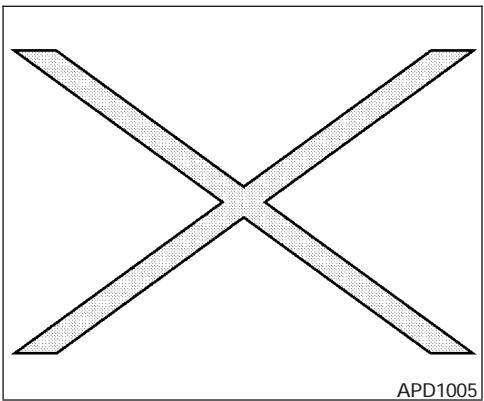
If you see this symbol, it means "Do not do this" or "Do not let this happen."


If you see a symbol similar to these in an illustration, it means the arrow points to the front of the vehicle.


Arrows in an illustration that are similar to these indicate movement or action.


Arrows in an illustration that are similar to these call attention to an item in the illustration.
CALIFORNIA PROPOSITION 65 WARNING

WARNING
Engine exhaust, some of its constituents, and certain vehicle components contain or emit chemicals known to the State of California to cause cancer and birth defects or other reproductive harm. In addition, certain fluids contained in vehicles and certain products of component wear contain or emit chemicals known to the State of California to cause cancer and birth defects or other reproductive harm.
© 2005 NISSAN NORTH AMERICA, INC. GARDENA, CALIFORNIA
All rights reserved. No part of this Owner's Manual may be reproduced or stored in a retrieval system, or transmitted in any form, or by any means, electronic, mechanical, photocopying, recording or otherwise, without the prior written permission of Nissan North America, Inc., Gardena, California.
NISSAN CUSTOMER CARE PROGRAM
NISSAN CARES...
Both NISSAN and your NISSAN dealer are dedicated to serving all your automotive needs. Your satisfaction with your vehicle and your NISSAN dealer are our primary concerns. Your NISSAN dealer is always available to assist you with all your automobile sales and service needs.
However, if there is something that your NISSAN dealer cannot assist you with or you would like to provide NISSAN directly with comments or questions, please contact the NISSAN Consumer Affairs Department using our toll-free number:
For U.S. customers
1-800-NISSAN-1
(1-800-647-7261)
For Canadian customers
1-800-387-0122
The Consumer Affairs Department will ask for the following information:
- Your name, address, and telephone number
- Vehicle identification number (attached to the top of the instrument panel on the driver's side)
- Date of purchase
- Current odometer reading
- Your NISSAN dealer's name
- Your comments or questions
OR
You can write to NISSAN with the information at:
For U.S. customers
Nissan North America, Inc.
Consumer Affairs Department
P.O.Box 191
Gardena, California 90248-0191
For Canadian customers
Nissan Canada Inc.
5290 Orbitor Drive
Mississauga, Ontario L4W 4Z5
We appreciate your interest in NISSAN and thank you for buying a quality NISSAN vehicle.
Table of Contents
Illustrated table of contents
Safety—Seats, seat belts and supplemental restraint system
Instruments and controls
Pre-driving checks and adjustments
Heater, air conditioner and audio systems
Starting and driving
In case of emergency
Appearance and care
Maintenance and do-it-yourself
Technical and consumer information
Index
0
1
2
3
4
5
6
7
8
9
10
0 Illustrated table of contents
Airbags, seat belts and child restraints 0-2
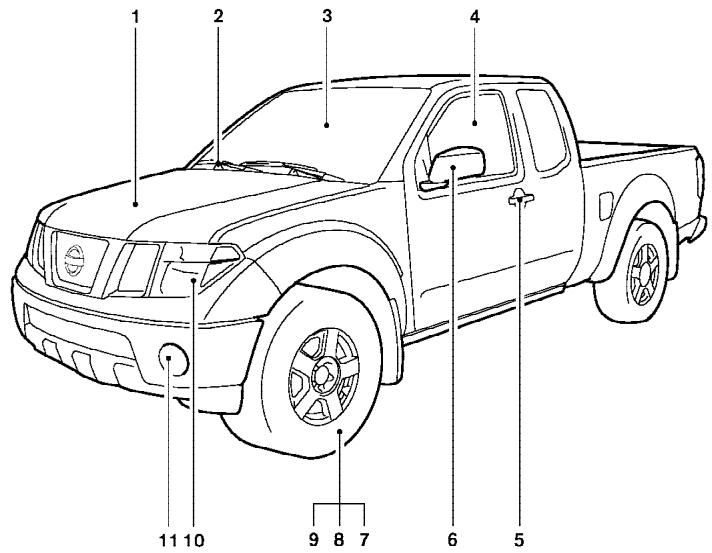
Exterior front 0-3
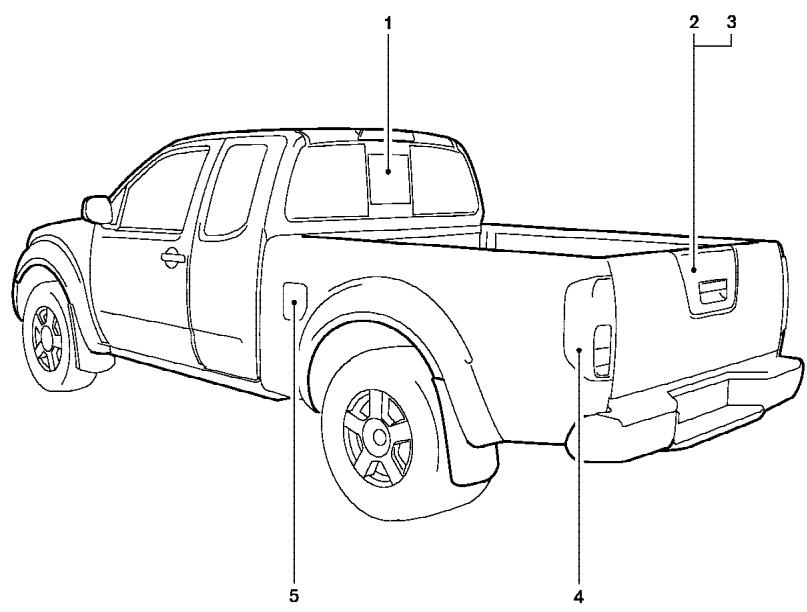
Exterior rear. 0-4
Passenger compartment 0-5
Instrument panel. 0-6
Engine compartment check locations 0-8
Warning/indicator lights. 0-10
AIRBAGS, SEAT BELTS AND CHILD RESTRAINTS
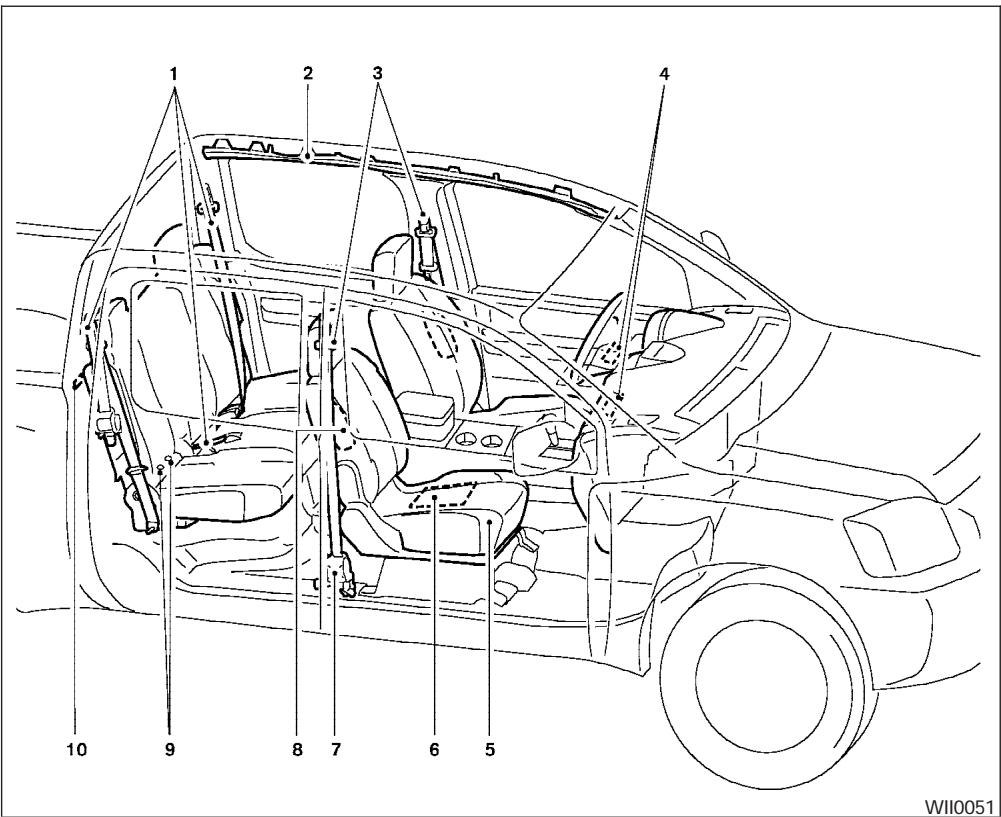
0-2 Illustrated table of contents
- 2nd row seat belts (P. 1-12)
- Supplemental curtain side-impact and rollover air bags (if so equipped) (P. 1-48)
- Front seat belts (P. 1-12)
- Supplemental front impact air bags (P.1-56)
- Seats (P. 1-2)
- Occupant classification sensor (pressure sensor) (P. 1-56)
- Seat belt pretensioners (P. 1-62)
- Supplemental side-impact air bag (if so equipped) (P. 1-48)
- LATCH (Lower Anchors and Tethers for CHildren) (P. 1-34)
- Top tether strap anchor (P. 1-36)
See the page number indicated in parentheses for operating details.
LI0052
- Engine hood (P. 8-6)
- Windshield wiper and washer switch (P. 2-23)
- Windshield (P. 8-21)
- Windows (P. 2-44)
- Door locks, keyfob, keys (P. 3-3, 3-6, 3-2)
- Mirrors (P. 3-13)
- Tire pressure (P. 8-32)
- Flat tire (P. 6-2)
- Tire chains (P. 5-33)
- Headlight and turn signal switch (P. 2-25); Replacing bulbs (P. 8-28)
- Fog light switch (if so equipped) (P. 2-28)
See the page number indicated in parentheses for operating details.
EXTERIOR REAR
LI0053
- Rear sliding window (if so equipped) (P.2-46)
- Vehicle loading (P. 9-12)
- Truck box, tailgate (P.3-15)
- Replacing bulbs (P. 8-28)
- Fuel-filler cap, fuel recommendation (P. 3-10, P. 9-3)
See the page number indicated in parentheses for operating details.
PASSenger COMPARTMENT
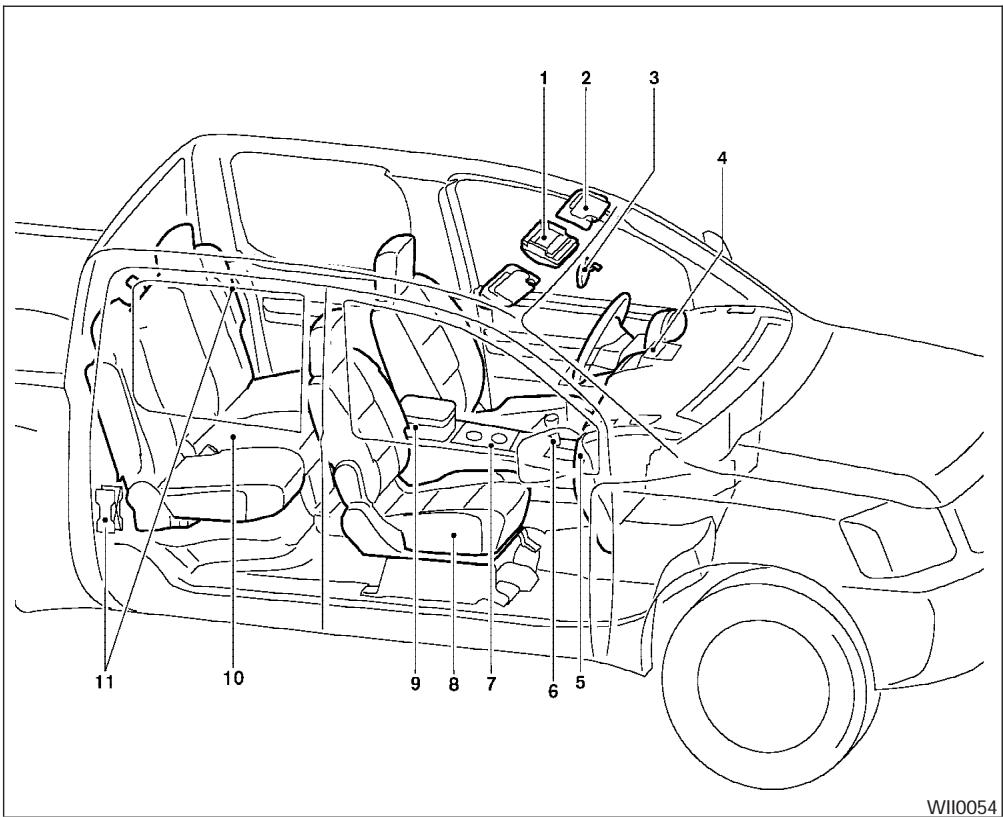
- Map lights (P. 2-48)
- Sun visors (P. 3-12)
- Inside mirror (P. 3-13)
- Ventilators (P. 4-2)
- Glove box (P. 2-38)
- Shift knob (automatic transmission, if so equipped) (P. 5-11)
- Cup holders (P. 2-41)
- Front seats (P. 1-2)
- Console box (P. 2-38)
- Rear seats (P. 1-11)
- Flat tire/Jacking equipment storage (P. 6-2)
See the page number indicated in parentheses for operating details.
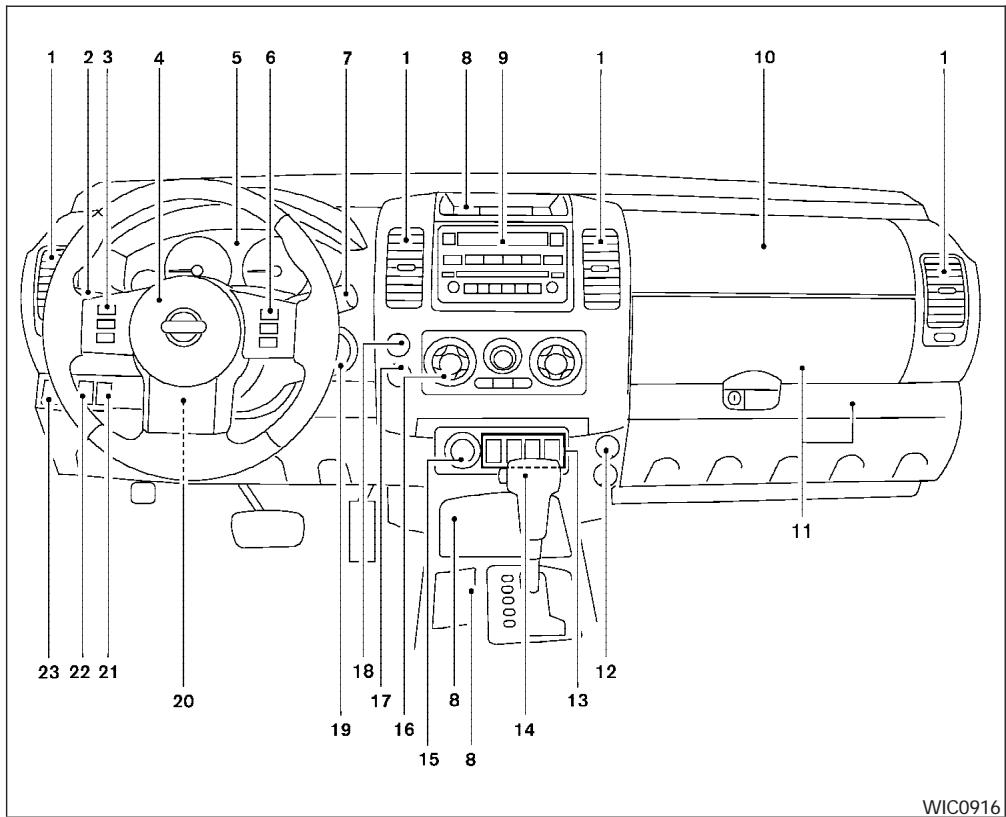
- Ventilators (P. 4-2)
- Headlight/fog light (if so equipped)/turn signal switch (P. 2-25)
- Steering wheel switch for audio control (if so equipped) (P. 4-26)
- Driver supplemental air bag/horn (P. 1-48, P. 2-29)
- Meters, gauges and warning/indicator lights (P. 2-3, 2-12)
- Cruise control main/set switches (if so equipped) (P. 5-18)
- Windshield wiper/washer switch (P. 2-23)
- Storage (P. 2-35)
- Audio system controls (if so equipped) (P. 4-10)
- Front passenger supplemental air bag (P. 1-48)
- Upper and lower glove box (P. 2-38)
- Power outlet (P. 2-34)
- Electronic locking rear differential (E-Lock) system switch (if so equipped) (P. 2-32) Heated seat switches (if so equipped) (P. 2-30)
Hill descent control (HDC) switch (if so equipped) (P. 2-31)
Vehicle dynamic control (VDC) OFF switch (if so equipped) (P. 2-31)
- Shift selector lever (P. 5-11)
- 4WD shift switch (if so equipped) (P. 5-20)
- Climate controls (P. 4-2)
- Passenger air bag status light (P. 1-58)
- Hazard warning flasher switch (P. 2-29)
- Ignition switch (P. 5-7)
- Tilt steering wheel control (if so equipped) (P. 3-11)
- Cargo lamp switch (P. 2-30)
- Clutch interlock (clutch start) switch (if so equipped) (P. 2-33)
- Outside mirror controls (if so equipped) (P. 3-14)
ENGINE COMPARTMENT CHECK LOCATIONS
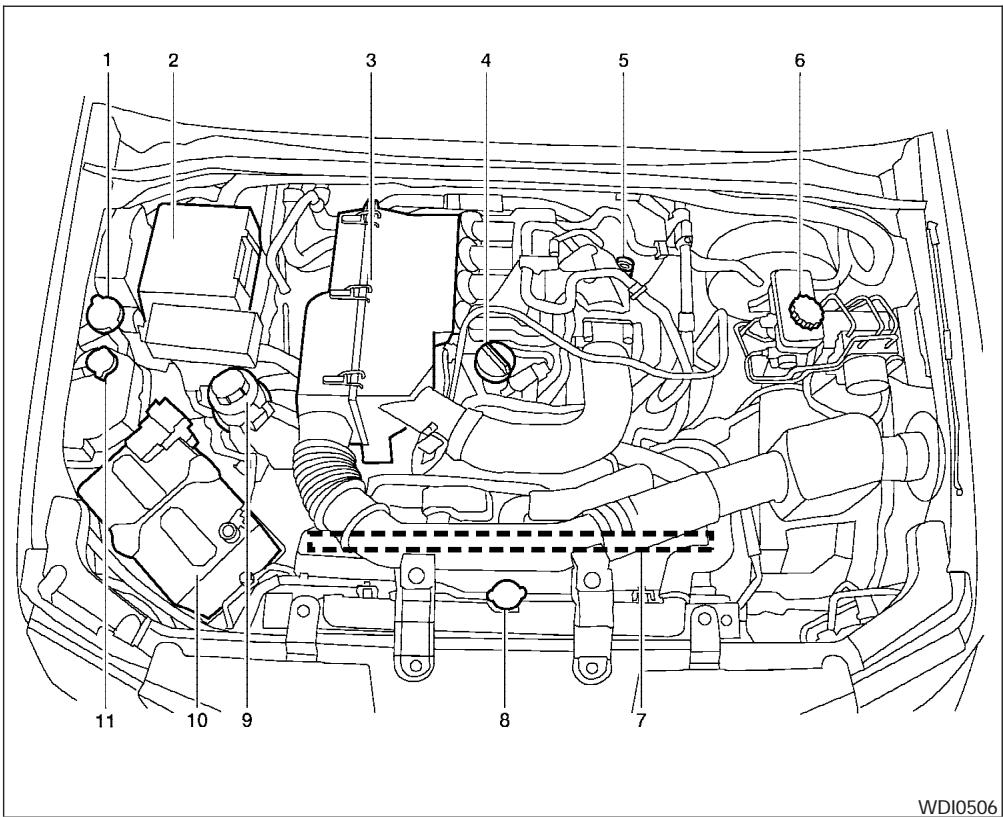
QR25DE engine
- Windshield washer fluid reservoir (P. 8-15)
- Fuse/fusible link box (P. 8-24)
- Air cleaner (P. 8-19)
- Engine oil filler cap (P. 8-9)
- Engine oil dipstick (P. 8-9)
- Brake fluid reservoir/Clutch fluid reservoir (M/T model) (P. 8-14)
- Drive belt location (P.8-18)
- Radiator cap (P. 8-8)
- Power steering fluid reservoir (P. 8-13)
- Battery (P. 8-15)
- Engine coolant reservoir (P. 8-8)
See the page number indicated in parentheses for operating details.
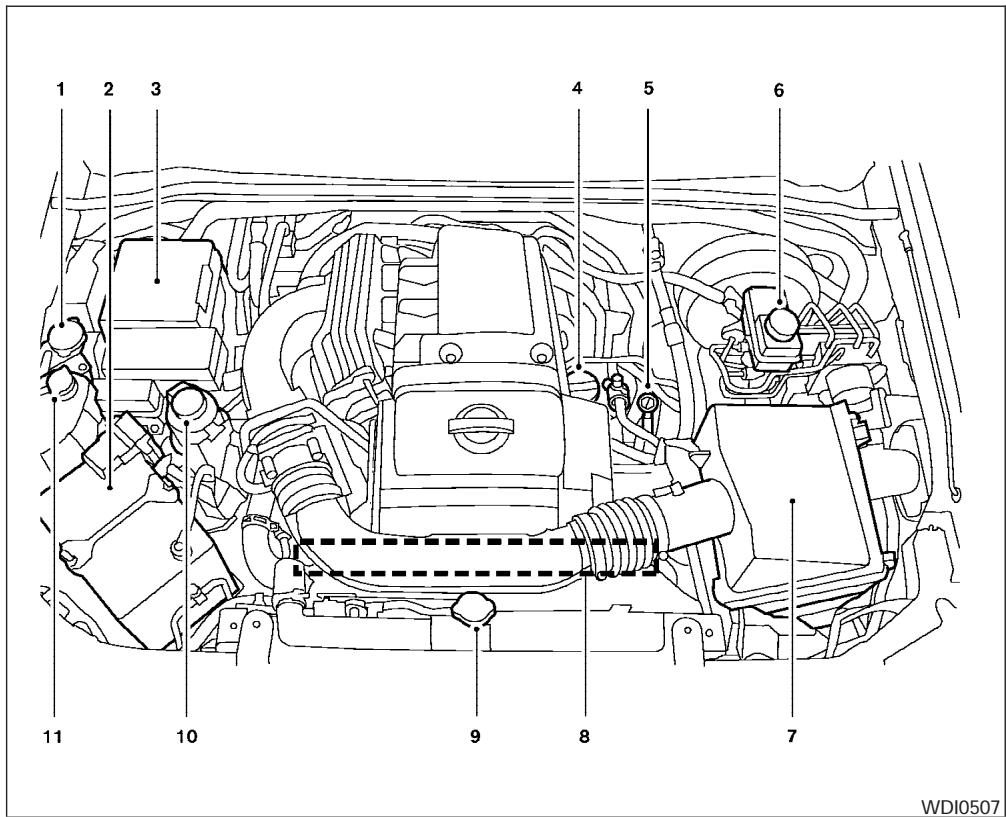
VQ40DE engine
- Windshield washer fluid reservoir (P. 8-15)
- Battery (P. 8-15)
- Fuse/fusible link box (P. 8-24)
- Engine oil filler cap (P. 8-9)
- Engine oil dipstick (P. 8-9)
- Brake fluid reservoir (P. 8-14)
- Air cleaner (P. 8-19)
- Drive belt location (P.8-18)
- Radiator cap (P. 8-8)
- Power steering fluid reservoir (P. 8-13)
- Engine coolant reservoir (P. 8-8)
See the page number indicated in parentheses for operating details.
WARNING/INDICATOR LIGHTS
| Warning light | Name | Page |
| ABS or (ABS) | Anti-lock brake warning light | 2-13 |
| A/T OIL TEMP | Automatic transmission oil temperature warning light (if so equipped) | 2-13 |
| ATP | Automatic transmission park warning light (4x4 model) | 2-13 |
| BRAKE or (1) | Brake warning light | 2-13 |
| Warning light | Name | Page |
| - + | Charge warning light (if so equipped) | 2-14 |
| Door open warning light | 2-14 | |
| Engine oil pressure warning light (if so equipped) | 2-14 | |
| 4WD | 4WD warning light (4X4 model) | 2-15 |
| Low fuel warning light | 2-15 | |
| ( ! ) | Low tire pressure warning light | 2-15 |
| Warning light | Name | Page |
| Low windshield washer fluid warning light | 2-16 | |
| Seat belt warning light and chime | 2-16 | |
| Supplemental air bag warning light | 2-16 | |
| Indicator light | Name | Page |
| P | Automatic transmission position indicator light | 2-17 |
| CRUISE | Cruise main switch indicator light (if so equipped) | 2-17 |
| SET | Cruise set switch indicator light (if so equipped) | 2-17 |
| DIFF LOCK | Electronic lock- ing rear differ- ential (E-Lock) system on indi-cator light (if so equipped) | 2-18 |
| Indicator light | Name | Page |
| 4WD shift indicator light ( model) | 2-17 | |
| Front passenger air bag status light | 2-18 | |
| High beam in- dicator light (Blue) | 2-18 | |
| Hill Descent Control (HDC) indicator light (if so equipped) | 2-31 | |
| SERVICE ENGINE SOON | Malfunction indicator lamp (MIL) | 2-18 |
| Indicator light | Name | Page |
| O/D OFF | Overdrive off indicator light (automatic transmission only) | 2-19 |
| Security indicator light (if so equipped) | 2-19 | |
| SLIP | Slip indicator light for models with ABLS (if so equipped) | 2-19 |
| SLIP | Slip indicator light for models with VDC (if so equipped) | 2-19 |
| 4LO | Transfer 4LO position indicator light (4x4 model) | 2-19 |
| ←→ | Turn signal/hazard indicator lights | 2-20 |
| VDC OFF | Vehicle dynamic control off indicator light (if so equipped) | 2-20 |
1 Safety—Seats, seat belts and supplemental restraint system
Seats 1-2
Front manual seat adjustment
(if so equipped) 1-2
Front power seat adjustment
(if so equipped) 1-4
Jump seat (King cab)
Head restraint adjustment
Active head restraint (front seats).
Armrest 1-7
Flexible seating.
1-7
Seat belts 1-12
Precautions on seat belt usage. 1-12
Child safety. 1-14
Pregnant women 1-16
Injured persons.
1-16
Three-point type seat belt with retractor.
1-16
Seat belt extenders....
1-20
Seat belt maintenance
1-21
Child restraints. 1-21
Precautions on child restraints
1-21
Child restraint installation on passenger's
side jump seat (King cab models only) 1-23
Child restraint installation on rear bench seat
(Crew cab models only) 1-29
LATCH (Lower Anchors and Tethers for
Children) system. 1-34
Top tether strap child restraint 1-36
Child restraint installation on front passenger
seat. 1-39
Booster seats. 1-42
Precautions on booster seats 1-42
Booster seat installation on passenger's side
jump seat only (King cab, if so equipped). 1-45
Booster seat installation on rear seat center
or outboard positions (Crew cab models
only) 1-46
Booster seat installation on front passenger
seat. 1-47
Supplemental restraint system 1-48
Precautions on supplemental restraint
system 1-48
Supplemental air bag warning labels. 1-64
Supplemental air bag warning light 1-64
ARS1152
WARNING
-
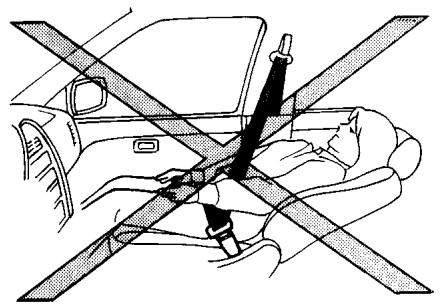
Do not ride in a moving vehicle when the seatback is reclined. This can be dangerous. The shoulder belt will not be against your body. In an accident, you could be thrown into it and receive neck or other serious injuries. You could also slide under the lap belt and receive serious internal injuries.
-
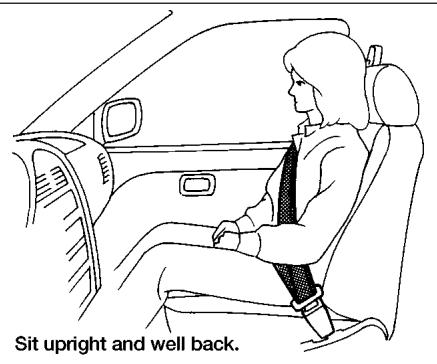
For the most effective protection when the vehicle is in motion, the seat should be upright. Always sit well back in the seat and adjust the seat properly. See "Precautions on Seat Belt Usage" later in this section.
FRONT MANUAL SEAT
ADJUSTMENT (if so equipped)
WARNING
- Do not adjust the driver's seat while driving so full attention may be given to vehicle operation. The seat may move suddenly and could cause loss of control of the vehicle.
- After adjustment, gently rock in the seat to make sure it is securely locked.
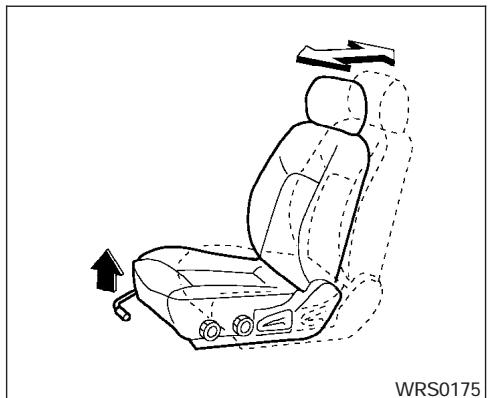
Forward and backward
Pull the lever up and hold it while you slide the seat forward or backward to the desired position. Release the lever to lock the seat in position.
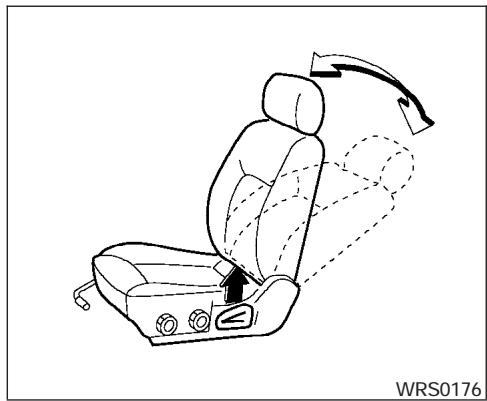
Reclining
To recline the seatback, pull the lever up and lean back. To bring the seatback forward, pull the lever up and lean your body forward. Release the lever to lock the seatback in position.
The reclining feature allows adjustment of the seatback for occupants of different sizes for added comfort and to help obtain proper seat belt fit. See "Precautions on seat belt usage" later in this section. Also, the seatback can be reclined to allow occupants to rest when the vehicle is stopped.
WARNING
After adjustment, gently rock in the seat to make sure it is securely locked.
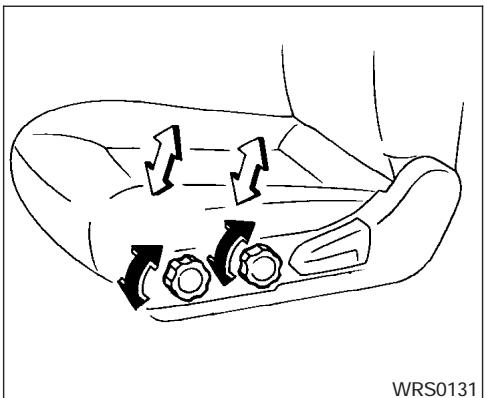
WRS0131
Seat lifter (if so equipped for driver's seat)
Turn either dial to adjust the angle and height of the seat cushion to the desired position.
FRONT POWER SEAT ADJUSTMENT (if so equipped)
WARNING
- Do not adjust the driver's seat while driving so full attention may be given to vehicle operation. The seat may move suddenly and could cause loss of control of the vehicle.
- Do not leave children unattended inside the vehicle. They could unknowingly activate switches or controls. Unattended children could become involved in serious accidents.
Operating tips
- The power seat motor has an auto-reset overload protection circuit. If the motor stops during operation, wait 30 seconds, then reactivate the switch.
- Do not operate the power seat switch for a long period of time when the engine is off. This will discharge the battery.
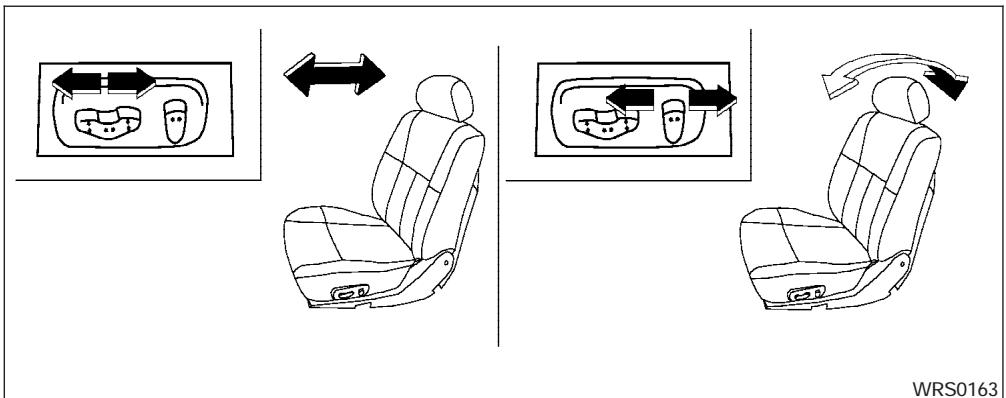
Forward and backward
Moving the switch forward or backward will slide the seat forward or backward to the desired position.
Reclining
Move the recline switch backward until the desired angle is obtained. To bring the seatback forward again, move the switch forward and move your body forward. The seatback will move forward.
The reclining feature allows adjustment of the seatback for occupants of different sizes for added comfort and to help obtain proper seat belt fit (see "Precautions on seat belt usage" later in this section). Also, the seatback can be reclined to allow occupants to rest when the vehicle is stopped.
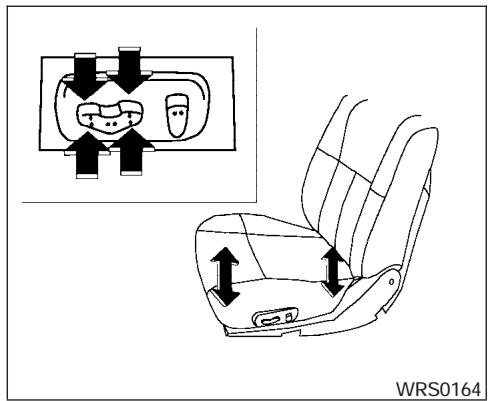
Seat lifter (driver's seat)
Push the front or rear end of the switch up or down to adjust the angle and height of the seat cushion.
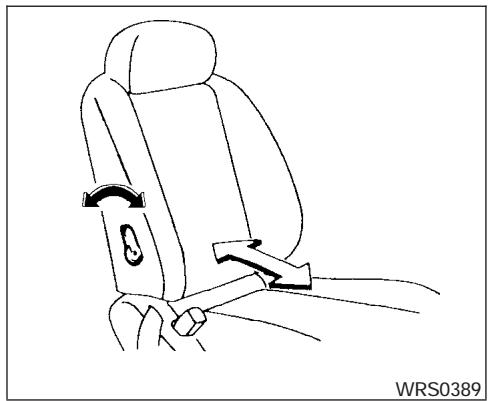
Lumbar support (if so equipped for driver's seat)
The lumbar support feature provides lower back support to the driver. Move the lever forward or backward to adjust the seat lumbar area.
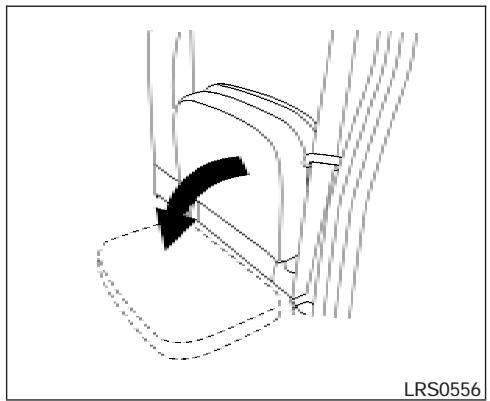
JUMP SEAT (King cab)

WARNING
- Do not use a child restraint in the driver's side jump seat. This seating position is not suitable for child restraint installation. A child restraint can be installed in the passenger's side jump seat when the seat extension is unfolded from the seat base.
- When folding the jump seat, be careful not to squeeze your finger between the seat cushion and the body side.
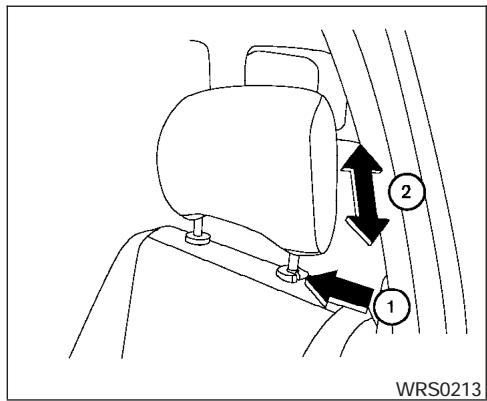
HEAD RESTRAINT ADJUSTMENT
To raise the head restraint, pull it up. To lower, push and hold the lock knob and push the head restraint down.
The head restraints on the rear seats are removable.

WARNING
Head restraints should be adjusted properly as they may provide significant protection against injury in an accident. Do not remove them. Check the adjustment after someone else uses the seat.
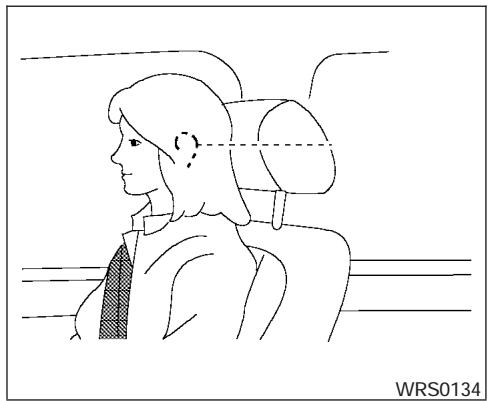
Adjust the head restraint so the center is level with the center of your ears.
SPA1025
ACTIVE HEAD RESTRAINT (front seats)
WARNING
-
Always adjust the head restraints properly as specified in the previous section. Failure to do so can reduce the effectiveness of the active head restraint.
Active head restraints are designed to supplement other safety systems. Always wear seat belts. No system can prevent all injuries in any accident. -
Do not attach anything to the head restraint stalks. Doing so could impair active head restraint function.
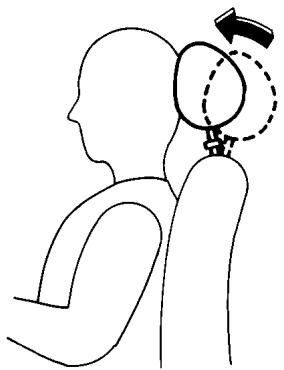
The head restraint moves forward utilizing the force that the seatback receives from the occupant in a rear-end collision. The movement of the head restraint helps support the occupant's head by reducing its backward movement and helping absorb some of the forces that may lead to whiplash type injuries.
Active head restraints are effective for collisions at low to medium speeds in which it is said that whiplash injury occurs most.
Active head restraints operate only in certain rear-end collisions. After the collision, the head restraints return to their original positions.
Properly adjust the active head restraints as described earlier in this section.
LRS0557
ARMREST
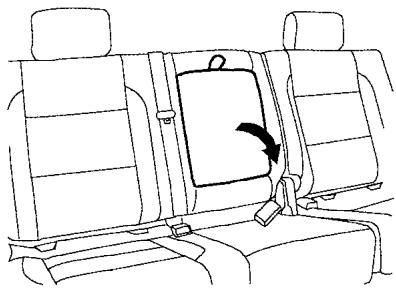
To use the center armrest on the 2nd row bench seat, pull on the tab in the center of the seat and fold it down to the resting position.
FLEXIBLE SEATING

WARNING
-
Never allow anyone to ride in the cargo area or on the rear seats when they are in the fold-down position. In a collision, people riding in these areas without proper restraints are more likely to be seriously injured or killed.
-
Do not allow people to ride in any area of your vehicle that is not equipped with seats and seat belts. Be sure everyone in your vehicle is in a seat and using a seat belt properly.
- Do not fold down the rear seats when occupants are in the rear seat area or any luggage is on the rear seats.
- Head restraints should be adjusted properly as they may provide significant protection against injury in an accident. Always replace and adjust them properly if they have been removed for any reason.
- If the head restraints are removed for any reason, they should be securely stored to prevent them from causing injury to passengers or damage to the vehicle in case of sudden braking or an accident.
-
When returning the seatbacks to the upright position, be certain they are completely secured in the latched position. If they are not completely secured, passengers may be injured in an accident or sudden stop.
-
Properly secure all cargo to help prevent it from sliding or shifting. Do not place cargo higher than the seatbacks. In a sudden stop or collision, unsecured cargo could cause personal injury.
Folding the front passenger's seatback (if so equipped)
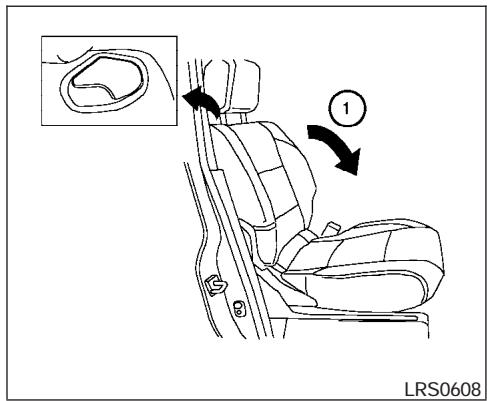
To fold the front passenger's seatback flat for extra storage length when transporting long items:
① Slide the seat to the rear-most position. Lift up on the recline lever, located on the outside edge of the seat, and fold the seatback forward as far as it will go. Then lift up on the latch located on the upper corner of the seatback to release the back of the seat.
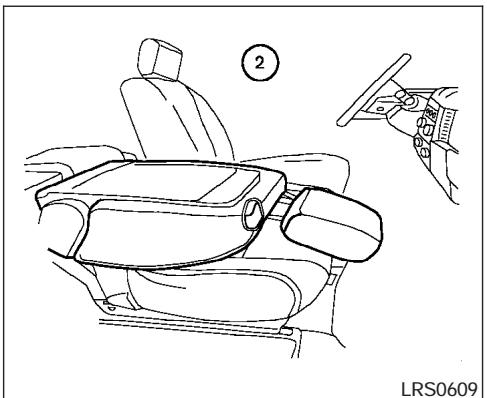
② Once the seatback is released it will enable you to fold the front passenger seatback flat over the seat cushion.
3. To return the front passenger's seat to a seating position lift up on the seatback and push it up to an upright position. Then pull up on the recline lever and lean the seatback to a proper seating position. Release the lever to lock the seatback in position.
WARNING
- If you fold the front passenger's seatback flat forward to carry longer objects, be sure this cargo is properly secured and not near an air bag. In a crash, an inflating air bag might force that object toward a person. This could cause severe injury or even death. Secure objects away from the area in which an air bag would inflate. See "Precautions on supplemental restraint system" later in this section.
- Never allow anyone to ride in the cargo area or on the front passenger's seat when it is in the fold-down position. Use of these areas by passengers could result in serious injury in an accident or sudden stop.
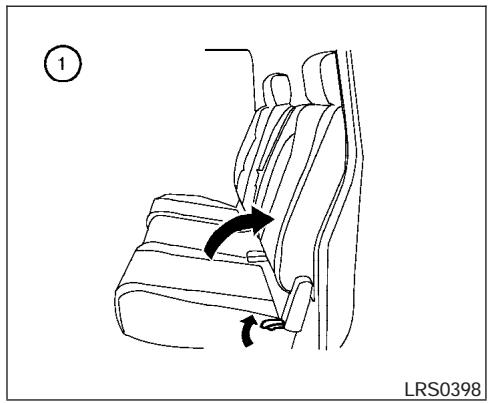
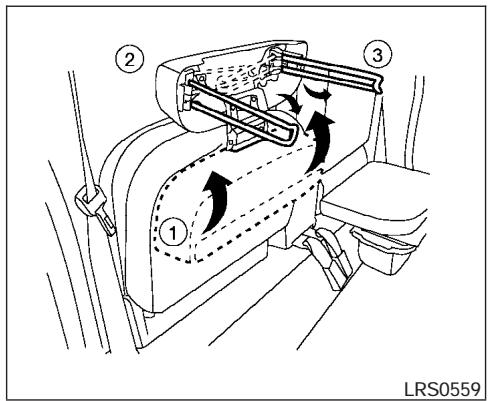
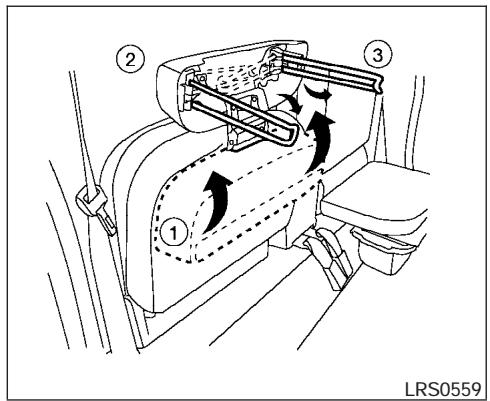
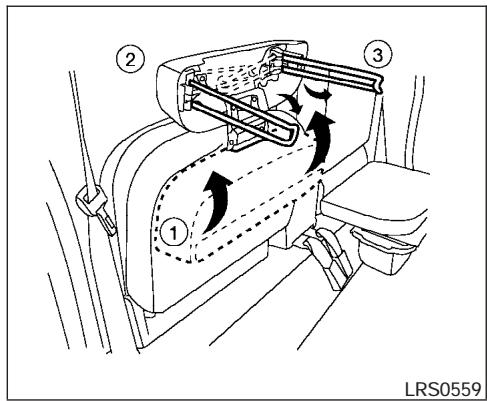
Folding the rear bench seat
To fold the rear bench seat up:
① Lift up on the lever, located on the side of the seat, while lifting the front of the seat cushion up.
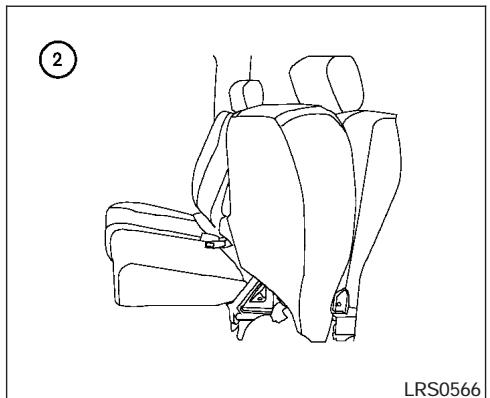
② Fold the bottom of the seat cushion toward the back of the vehicle until it locks in place.
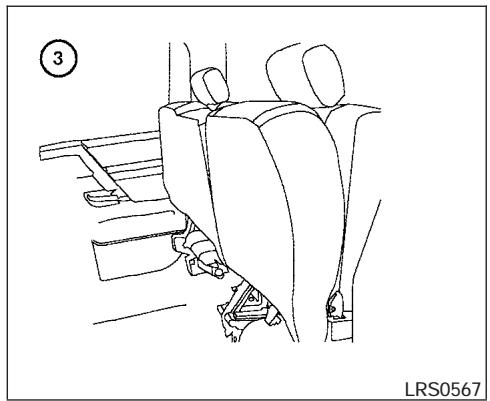
③ Repeat this process to raise and secure the seat cushion on the other side of the vehicle for maximum storage capacity.
To return the rear bench seat to a seating position reverse the process. Make sure to properly push the seat cushion down into place.
WARNING
- When the vehicle is being used to carry cargo, properly secure all cargo to help prevent it from sliding or shifting. Do not place cargo higher than the seatbacks. In a sudden stop or collision, unsecured cargo could cause personal injury.
- Do not allow people to ride in any area of your vehicle that is not equipped with seats and seat belts. Be sure everyone in your vehicle is in a seat and using a seat belt properly. Never ride in the rear seat unless the seat bottom cushions are in place and latched.
- When returning the seatbacks to the upright position, be certain they are completely secured in the latched position. If they are not completely secured, passengers may be injured in an accident or sudden stop.
WARNING
Never allow anyone to ride in the cargo area or on the rear seat when it is in the fold-down position. Use of these areas by passengers without proper restraints could result in serious injury in an accident or sudden stop.
Folding the rear bench seat down
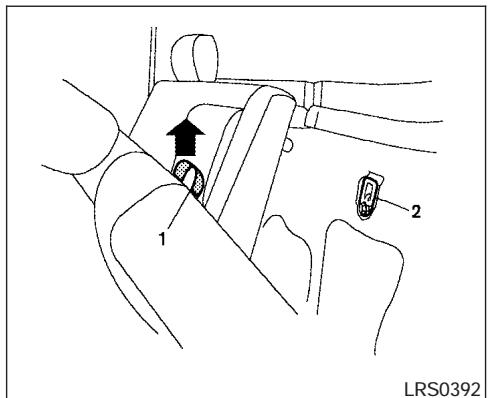
The rear bench seatback can be tilted forward to access the child restraint anchor point locations or the jacking equipment.
To tilt the seatback forward, pull the strap up ① and tilt the seatback. The child restraint anchor points ② can be accessed behind the rear bench seatback. The jacking equipment can be accessed from behind the passenger's side seatback.
PRECAUTIONS ON SEAT BELT USAGE
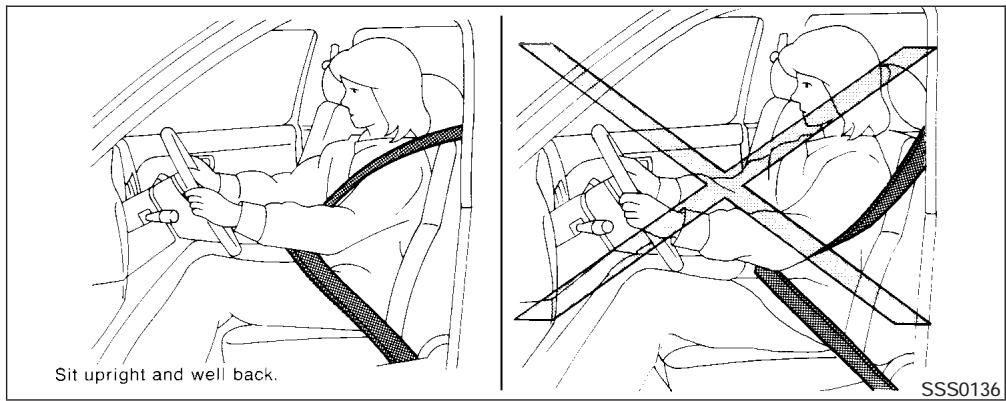
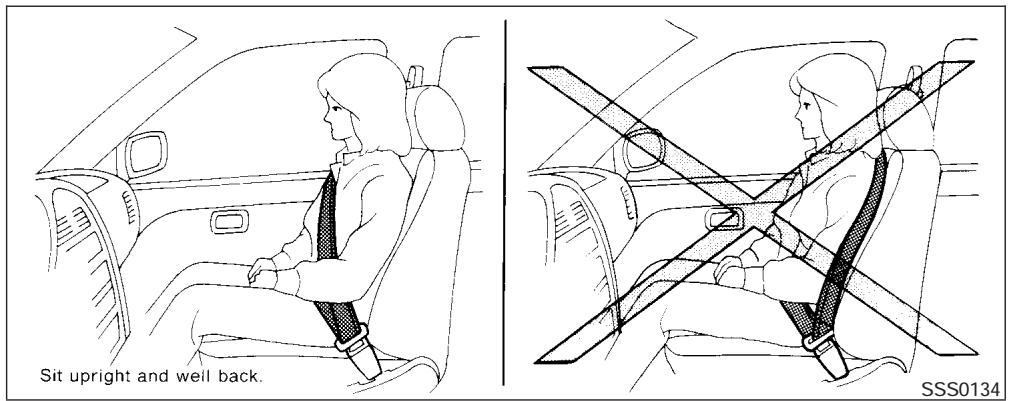
If you are wearing your seat belt properly adjusted and you are sitting upright and well back in your seat, your chances of being injured or killed in an accident and/or the severity of injury may be greatly reduced. NISSAN strongly encourages you and all of your passengers to buckle up every time you drive, even if your seating position includes a supplemental air bag.
Most U.S. states and Canadian provinces or territories specify that seat belts be worn at all times when a vehicle is being driven.
WARNING
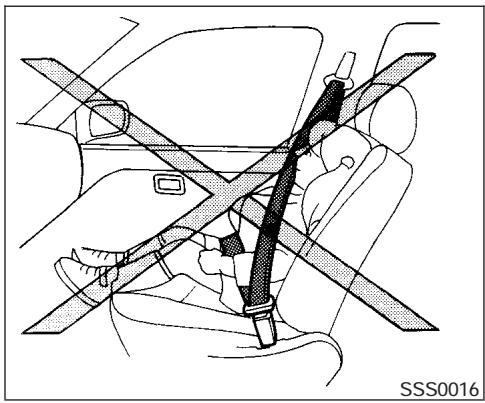
- Every person who drives or rides in this vehicle should use a seat belt at all times. Children should be properly restrained in the rear seat and, if appropriate, in a child restraint.
WARNING
- The seat belt should be properly adjusted to a snug fit. Failure to do so may reduce the effectiveness of the entire restraint system and increase the chance or severity of injury in an accident. Serious injury or death can occur if the seat belt is not worn properly.
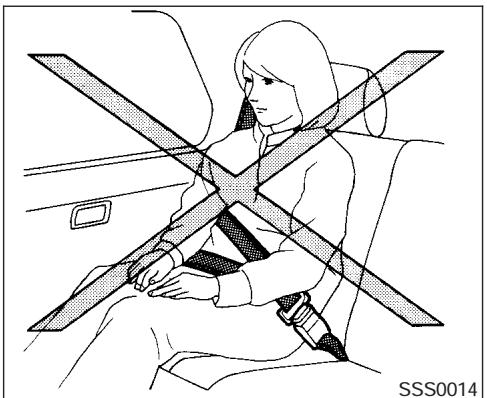
WARNING
Always route the shoulder belt over your shoulder and across your chest. Never run the belt behind your back, under your arm or across your neck. The belt should be away from your face and neck, but not falling off your shoulder.
- Position the lap belt as low and snug as possible AROUND THE HIPS, NOT THE WAIST. A lap belt worn too high could increase the risk of internal injuries in an accident.
- Be sure the seat belt tongue is securely fastened to the proper buckle.
- Do not wear the seat belt inside out or twisted. Doing so may reduce its effectiveness.
- Do not allow more than one person to use the same seat belt.
- Never carry more people in the vehicle than there are seat belts.
- If the seat belt warning light glows continuously while the ignition is turned ON with all doors closed and all seat belts fastened, it may indicate a malfunction in the system. Have the system checked by a NISSAN dealer.
- Once the pre-tensioner seat belt has activated, it cannot be reused and must be replaced together with the retractor. See your NISSAN dealer.
-
Removal and installation of the pretensioner seat belt system components should be done by a NISSAN dealer.
-
All seat belt assemblies, including retractors and attaching hardware, should be inspected after any collision by a NISSAN dealer. NISSAN recommends that all seat belt assemblies in use during a collision be replaced unless the collision was minor and the belts show no damage and continue to operate properly. Seat belt assemblies not in use during a collision should also be inspected and replaced if either damage or improper operation is noted.
- All child restraints and attaching hardware should be inspected after any collision. Always follow the restraint manufacturer's inspection instructions and replacement recommendations. The child restraints should be replaced if they are damaged.
CHILD SAFETY
Children need adults to help protect them. They need to be properly restrained.
In addition to the general information in this manual, child safety information is available from many other sources, including doctors, teachers, government traffic safety offices, and community organizations. Every child is different, so be sure to learn the best way to transport your child.
There are three basic types of child restraint systems:
Rear facing child restraint
- Front facing child restraint
- Booster seat
The proper restraint depends on the child's size. Generally, infants up to about 1 year and less than 20 pounds (9kg) should be placed in rear facing child restraints. Front facing child restraints are available for children who outgrow rear facing child restraints and are at least one year old. Booster seats are used to help position a vehicle lap/shoulder belt on a child who can no longer use a front facing child restraint.
WARNING
-
Never install a rear facing child restraint in the front passenger's seat. An inflating supplemental air bag could seriously injure or kill your child. A rear facing child restraint must only be used in the rear seat.
-
Infants and children need special protection. The vehicle's seat belts may not fit them properly. The shoulder belt may come too close to the face or neck. The lap belt may not fit over their small hip bones. In an accident, an improperly fitting seat belt could cause serious or fatal injury. Always use appropriate child restraints.
All U.S. states and Canadian provinces or territories require the use of approved child restraints for infants and small children. See "Child Restraints" later in this section.
Also, there are other types of child restraints available for larger children for additional protection.
NISSAN recommends that all pre-teens and children be restrained in the rear seat if available (Crew Cab models). According to accident statistics, children are safer when properly restrained in the rear seat than in the front seat.
This is especially important because your vehicle has a supplemental restraint system (Air bag system) for the front passenger. See "Supplemental restraint system" later in this section.
Infants
Infants up to at least 1 year old should be placed in a rear facing child restraint. NISSAN recommends that infants be placed in child restraints that comply with Federal Motor Vehicle Safety Standards or Canadian Motor Vehicle Safety Standards. You should choose a child restraint that fits your vehicle and always follow the manufacturer's instructions for installation and use.
Small Children
Children that are over one year old and weigh between 20 lbs (9kg) and 40 lbs (18kgs) can be placed in a forward facing child restraint. Refer to the manufacturer's instructions for minimum and maximum weight and height recommendations. NISSAN recommends that small children be placed in child restraints that comply with Federal Motor Vehicle Safety Standards or Canadian Motor Vehicle Safety Standards. You should choose a child restraint that fits your vehicle and always follow the manufacturer's instructions for installation and use.
Larger children
Children who are too large for child restraints should be seated and restrained by the seat belts which are provided. The seat belt may not fit properly if the child is less than 4 feet 9 inches (142.5 cm) tall and weighs between 40 lbs (18
kg) and 80 lbs (36 kg). A booster seat should be used to obtain proper seat belt fit.
NISSAN recommends that a child be placed in a commercially available booster seat if the shoulder belt in the child's seating position fits close to the face or neck or if the lap portion of the seat belt goes across the abdomen. The booster seat should raise the child so that the shoulder belt is properly positioned across the top, middle portion of the shoulder and the lap belt is low on the hips. A booster seat can only be used in seating positions that have a three-point type seat belt. The booster seat should fit the vehicle seat and have a label certifying that it complies with Federal Motor Vehicle Safety Standards or Canadian Motor Vehicle Safety Standards. Once the child has grown so the shoulder belt is no longer on or near the face and neck, use the shoulder belt without the booster seat.
WARNING
Never let a child stand or kneel on any seat and do not allow a child in the cargo areas while the vehicle is moving. The child could be seriously injured or killed in an accident or sudden stop.
PREGNANT WOMEN
NISSAN recommends that pregnant women use seat belts. The seat belt should be worn snug, and always position the lap belt as low as possible around the hips, not the waist. Place the shoulder belt over your shoulder and across your chest. Never run the lap/shoulder belt over your abdominal area. Contact your doctor for specific recommendations.
INJURED PERSONS
NISSAN recommends that injured persons use seat belts. Check with your doctor for specific recommendations.
THREE-POINT TYPE SEAT BELT WITH RETRACTOR
WARNING
-
Every person who drives or rides in this vehicle should use a seat belt at all times.
-
Do not ride in a moving vehicle when the seatback is reclined. This can be dangerous. The shoulder belt will not be against your body. In an accident, you could be thrown into it and receive neck or other serious injuries. You could also slide under the lap belt and receive serious internal injuries.
- For the most effective protection when the vehicle is in motion, the seat should be upright. Always sit well back in the seat and adjust the seat belt properly.
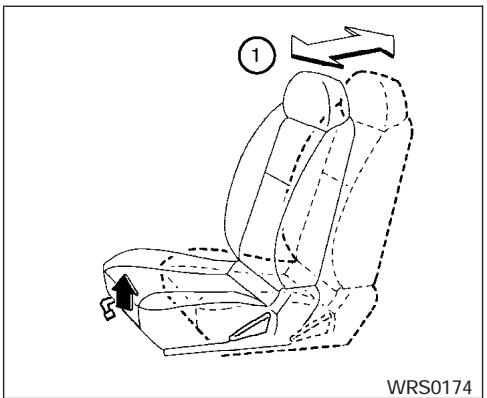
Manual front seat shown
Fastening the seat belts (Front seats all models and rear seats Crew cab models)
① Adjust the seat. See "Seats" earlier in this section.
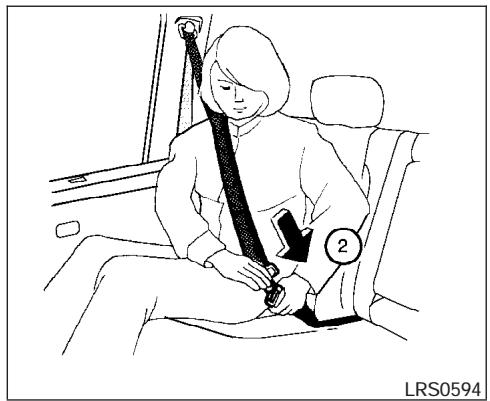
② Slowly pull the seat belt out of the retractor and insert the tongue into the buckle until you hear and feel the latch engage.
- The retractor is designed to lock during a sudden stop or on impact. A slow pulling motion permits the seat belt to move, and allows you some freedom of movement in the seat.
- If the seat belt cannot be pulled from its fully retracted position, firmly pull the belt and release it. Then smoothly pull the belt out of the retractor.
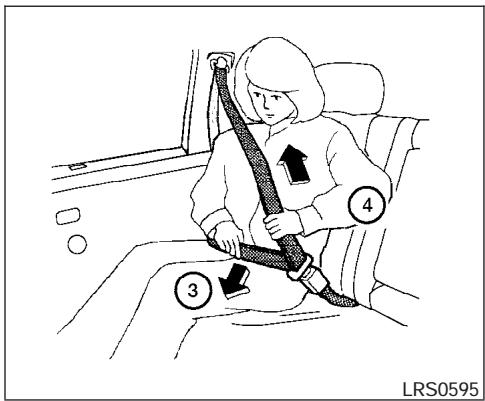
③ Position the lap belt portion low and snug on the hips as shown.
Pull the shoulder belt portion toward the retractor to take up extra slack. Be sure the shoulder belt is routed over your shoulder and across your chest.
The front passenger seat and the rear seating positions three-point seat belts have a locking mechanism for child restraint installation. It is referred to as the automatic locking mode or child restraint mode.
When the automatic locking mechanism is activated the seat belt cannot be extended again until the seat belt tongue is detached from the buckle and fully retracted. Once retracted, the seat belt is in the emergency locking mode. See "Child restraints" later in this section for more information.
The automatic locking mode should be used only for child restraint installation. During normal seat belt use by a passenger, the locking mode should not be activated. If it is activated it may cause uncomfortable seat belt tension. It can also change the operation of the front passenger air bag. See "Front passenger air bag and status light" later in this section.

WARNING
When fastening the seat belts, be certain that the seatbacks are completely secured in the latched position. If they are not completely secured, passengers may be injured in an accident or sudden stop.
Fastening the seat belts (Jump seats King cab models)
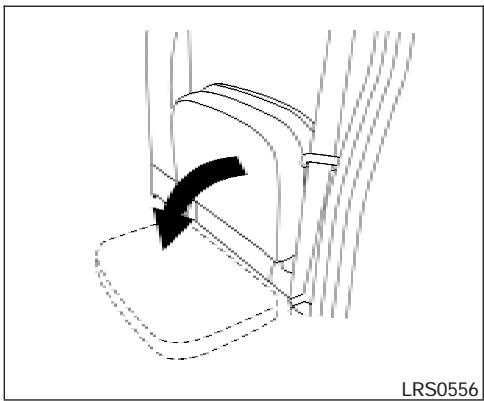
1. Open the jump seat. See "Seats" earlier in this section.
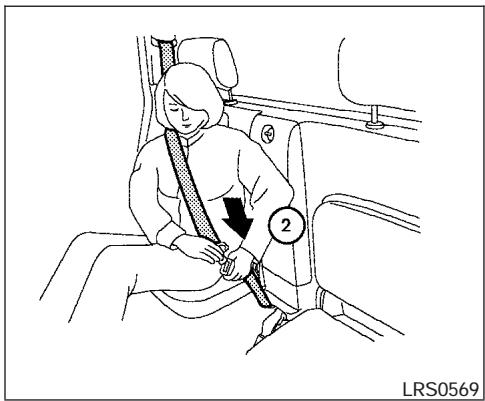
② Slowly pull the seat belt out of the retractor and insert the tongue into the buckle until you hear and feel the latch engage.
- The retractor is designed to lock during a sudden stop or on impact. A slow pulling motion permits the seat belt to move, and allows you some freedom of movement in the seat.
- If the seat belt cannot be pulled from its fully retracted position, firmly pull the belt and release it. Then smoothly pull the belt out of the retractor.
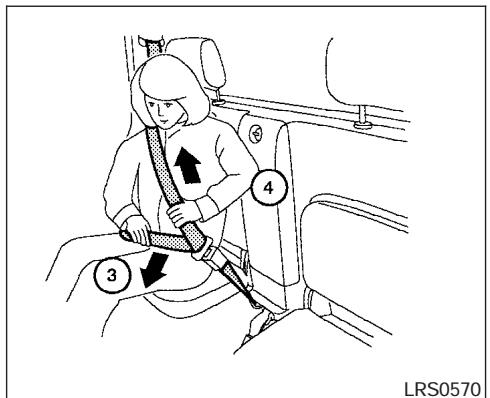
is in the emergency locking mode. See "Child restraints" later in this section for more information.
The automatic locking mode should be used only for child restraint installation. During normal seat belt use by a passenger, the locking mode should not be activated. If it is activated it may cause uncomfortable seat belt tension.
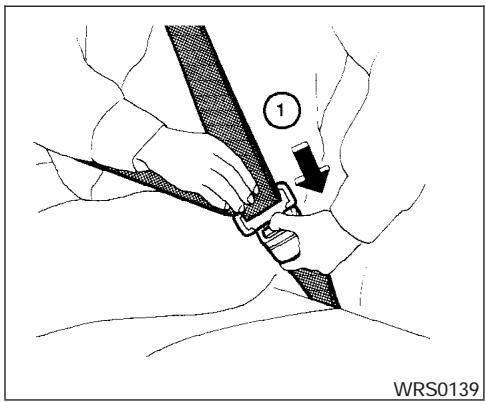
Unfastening the seat belts
① To unfasten the seat belt, press the button on the buckle. The seat belt automatically retracts.
Checking seat belt operation
Seat belt retractors are designed to lock seat belt movement by two separate methods:
- When the seat belt is pulled quickly from the retractor.
- When the vehicle slows down rapidly.
To increase your confidence in the seat belts, check the operation as follows.
- Grasp the shoulder belt and pull forward quickly. The retractor should lock and restrict further belt movement.
If the retractor does not lock during this check or if you have any questions about seat belt operation, see a NISSAN dealer.
LRS0242
Shoulder belt height adjustment (Front seats)
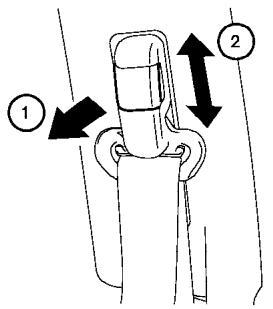
The shoulder belt anchor height should be adjusted to the position best for you. (See "Precautions on seat belt usage" earlier in this section.) To adjust, pull out the adjustment button ① and move the shoulder belt anchor to the desired position ②, so the belt passes over the center of the shoulder. The belt should be away from your face and neck, but not falling off your shoulder. Release the adjustment button to lock the shoulder belt anchor into position.
WARNING
- After adjustment, release the adjustment button and try to move the shoulder belt anchor up and down to make sure it is securely fixed in position.
- The shoulder belt anchor height should be adjusted to the position best for you. Failure to do so may reduce the effectiveness of the entire restraint system and increase the chance or severity of injury in an accident.
SEAT BELT EXTENDERS
If, because of body size or driving position, it is not possible to properly fit the lap-shoulder belt and fasten it, an extender is available which is compatible with the installed seat belts. The extender adds approximately 8 inches (200 mm) of length and may be used for either the driver or front passenger seating position. See a NISSAN dealer for assistance if an extender is required.
WARNING
- Only NISSAN seat belt extenders, made by the same company which made the original equipment seat belts, should be used with NISSAN seat belts.
CHILD RESTRAINTS
- Adults and children who can use the standard seat belt should not use an extender. Such unnecessary use could result in serious personal injury in the event of an accident.
- Never use seat belt extenders to install child restraints. If the child restraint is not secured properly, the child could be seriously injured in a collision or a sudden stop.
SEAT BELT MAINTENANCE
- To clean the seat belt webbing, apply a mild soap solution or any solution recommended for cleaning upholstery or carpet. Then wipe with a cloth and allow the seat belts to dry in the shade. Do not allow the seat belts to retract until they are completely dry.
- If dirt builds up in the shoulder belt guide of the seat belt anchors, the seat belts may retract slowly. Wipe the shoulder belt guide with a clean, dry cloth.
Periodically check to see that the seat belt and the metal components, such as buckles, tongues, retractors, flexible wires and anchors, work properly. If loose parts, deterioration, cuts or other damage on the webbing is found, the entire seat belt assembly should be replaced.
ARS1098
PRECAUTIONS ON CHILD RESTRAINTS
WARNING
- Infants and small children should always be placed in an appropriate child restraint while riding in the vehicle. Failure to use a child restraint can result in serious injury or death.
WRS0256
WARNING
-
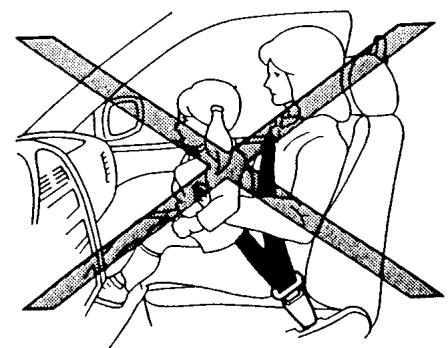
Infants and small children should never be carried on your lap. It is not possible for even the strongest adult to resist the forces of a severe accident. The child could be crushed between the adult and parts of the vehicle. Also, do not put the same seat belt around both your child and yourself.
-
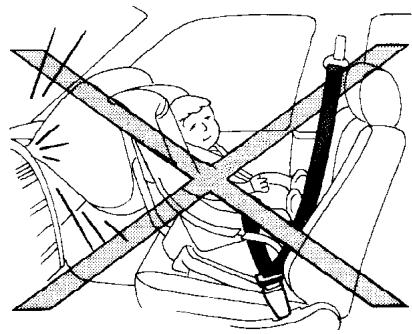
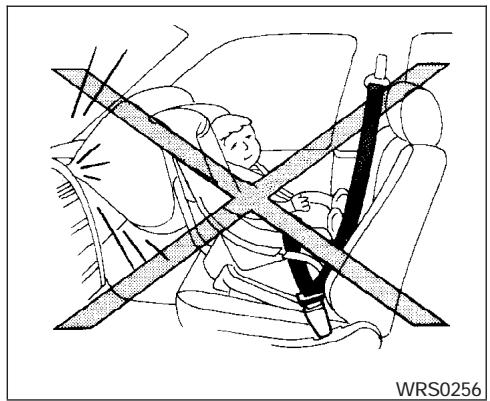
Even with the NISSAN Advanced Air Bag System, never install a rear-facing child restraint in the front seat. An inflating supplemental front air bag could seriously injure or kill your child. A rear-facing child restraint must only be used in the rear seat.
- NISSAN recommends that the child restraint be installed in the rear seat. According to accident statistics, children are safer when properly restrained in the rear seat than in the front seat.
- An improperly installed child restraint could lead to serious injury or death in an accident.
In general, child restraints are designed to be installed with the lap portion of a lap/shoulder belt. In addition, Crew Cab models are equipped with a universal child restraint lower anchor system, referred to as the LATCH (Lower Anchors and Tethers for CHildren) system. Some child restraints include two rigid or webbing-mounted attachments that can be connected to these lower anchors. For details, see the "LATCH (Lower Anchors and Tethers for CHildren) system" later in this section.
Child restraints for infants and small children of various sizes are offered by several manufactur
ers. When selecting any child restraint, keep the following points in mind:
- Choose only a restraint with a label certifying that it complies with Federal Motor Vehicle Safety Standard 213 or Canadian Motor Vehicle Safety Standard 213.
- Check the child restraint in your vehicle to be sure it is compatible with the vehicle's seat and seat belt system.
- If the child restraint is compatible with your vehicle, place your child in the child restraint and check the various adjustments to be sure the child restraint is compatible with your child. Choose a child restraint that is designed for your child's height and weight. Always follow all recommended procedures.
All U.S. states and Canadian provinces or territories require that infants and small children be restrained in an approved child restraint at all times while the vehicle is being operated.

WARNING
-
Improper use of a child restraint can increase the risk or severity of injury for both the child and other occupants of the vehicle.
-
Follow all of the child restraint manufacturer's instructions for installation and use. When purchasing a child restraint, be sure to select one which will fit your child and vehicle. It may not be possible to properly install some types of child restraints in your vehicle.
- If the child restraint is not anchored properly, the risk of a child being injured in a collision or a sudden stop greatly increases.
- Adjustable seatbacks should be positioned to fit the child restraint, but as upright as possible.
-
After attaching the child restraint, test it before you place the child in it. Push it from side to side. Try to tug it forward and check to see if the belt holds the restraint in place. The child restraint should not move more than 1 inch (25 mm). If the restraint is not secure, tighten the belt as necessary, or put the restraint in another seat and test it again. You may need to try a different child restraint. Not all child restraints fit in all types of vehicles.
-
If you must install a front facing child restraint in the front seat, see "Child restraint installation on front passenger seat" later in this section.
- When your child restraint is not in use, keep it secured with a seat belt to prevent it from being thrown around in case of a sudden stop or accident.
CAUTION
Remember that a child restraint left in a closed vehicle can become very hot. Check the seating surface and buckles before placing your child in the child restraint.
CHILD RESTRAINT INSTALLATION ON PASSENGER'S SIDE JUMP SEAT (King cab models only)
WARNING
-
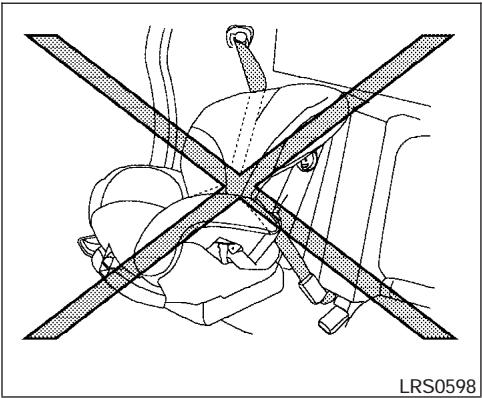
The three-point seat belt in your vehicle is equipped with an automatic locking mode retractor which must be used when installing a child restraint.
-
Failure to use the retractor's locking mode will result in the child restraint not being properly secured. The restraint could tip over or otherwise be unsecured and cause injury to the child in a sudden stop or collision.
WARNING
- When installing a child restraint system in the passenger's side jump seat position be sure to unfold the seat extension on the jump seat. If the jump seat extension is not properly used, the child restraint will not be installed correctly and the child could be injured in a collision or sudden stop.
- Never install a child restraint on the driver's side jump seat. A child restraint can not be properly installed in the driver's side jump seat and the child could be injured in a collision or sudden stop.
Front facing
When you install a child restraint on the passenger's side jump seat, follow these steps:
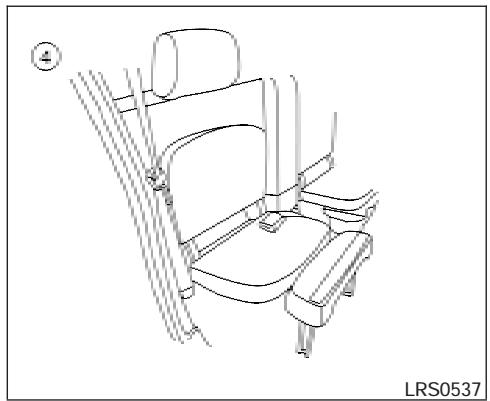
- To access the jump seat extension ① on the passenger's side jump seat pull up ② on the extension to unfold it to the open position. Then unfold the two support legs ③ and lower the jump seat to the full open ④ seating position.
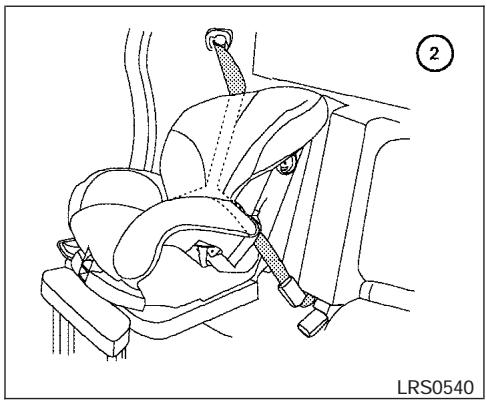
Front facing (passenger's side seating position only) - step 2
② Remove the head restraint to obtain the correct child restraint fit. See "Head restraint adjustment" earlier in this section. Store the head restraint in a secure place. Be sure to install the head restraint when the child restraint is removed. Position the child restraint on the seat. It can be placed in a front facing direction, depending on the size of the child. Always follow the restraint manufacturer's instructions. The back of the child restraint should be secured against the vehicle seat back.
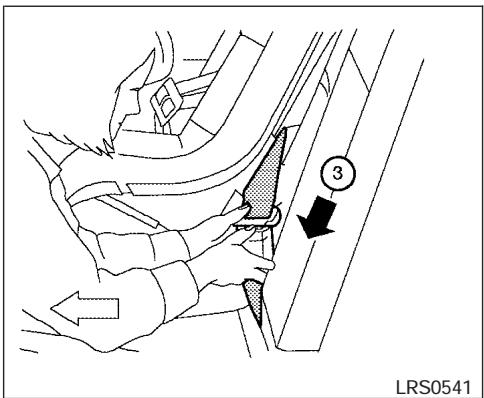
Front Facing - step 3
③ Route the seat belt tongue through the child restraint and insert it into the buckle until you hear and feel the latch engage.
Be sure to follow the child restraint manufacturer's instructions for belt routing.
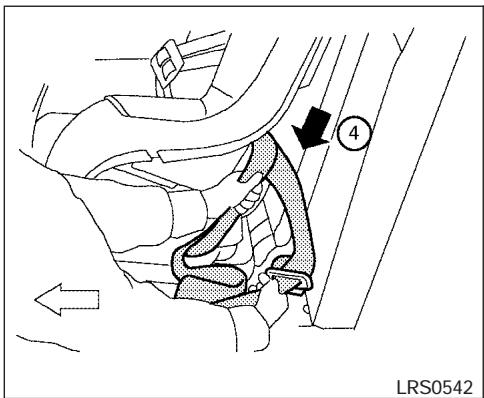
Front Facing - step 4
Pull on the shoulder belt until all of the belt is fully extended. At this time, the seat belt retractor is in the automatic locking mode (child restraint mode). It reverts back to emergency locking mode when the seat belt is fully retracted.
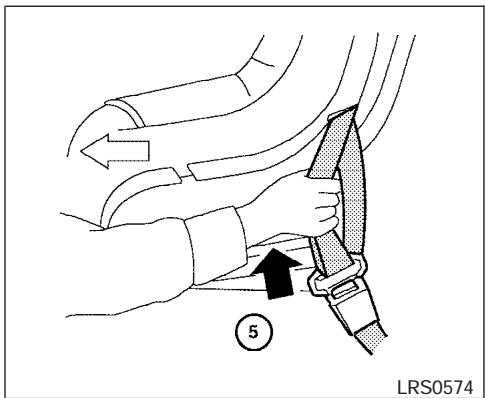
Front Facing - step 5
⑤ Allow the seat belt to retract. Pull up on the shoulder belt to remove any slack in the belt.
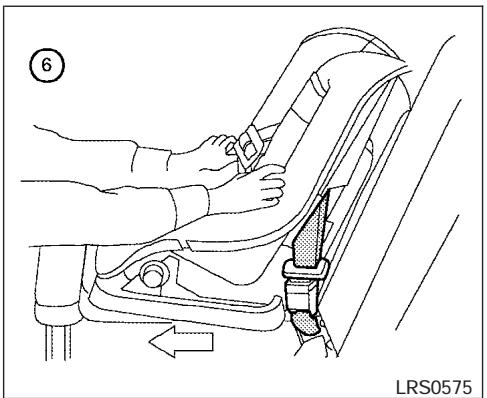
Front Facing - step 6
6 Before placing the child in the child restraint, use force to push the child restraint from side to side, and tug it forward to make sure that it is securely held in place. It should not move more than 1 inch (25 mm). If it does move more than 1 inch (25 mm), pull again on the shoulder belt to further tighten the child restraint. If unable to properly secure the restraint move the restraint to another seating position and try again, or try a different child restraint. Not all child restraints fit in all types of vehicles.
- Check that the retractor is in the automatic locking mode by trying to pull more seat belt out of the retractor. If you cannot pull any more belt webbing out of the retractor, the retractor is in the automatic locking mode.
- Check to make sure that the child restraint is properly secured prior to each use. If the belt is not locked, repeat steps 3 through 7.
After the child restraint is removed and the seat belt is fully retracted, the automatic locking mode (child restraint mode) is canceled.
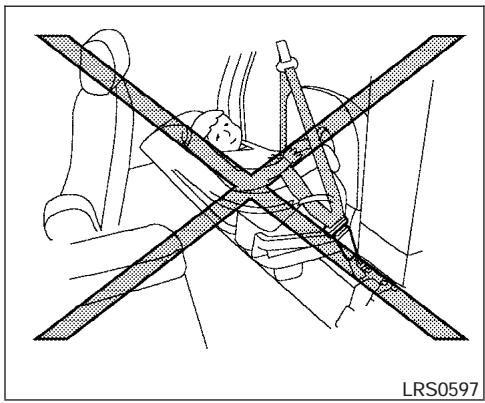
Rear facing
WARNING
- Do not install a child restraint system on the passenger's side jump seat without unfolding the seat extender. A child restraint system will not be installed properly and the child could be seriously injured or killed in a sudden stop or collision.

WARNING
- To install a rear facing child restraint on the passenger's side jump seat, it will be necessary to move the front passenger's seat fully forward and place the front seatback upright or tilt it forward. The front seat cannot be used. Attempting to do so could lead to serious injury in a sudden stop or crash.
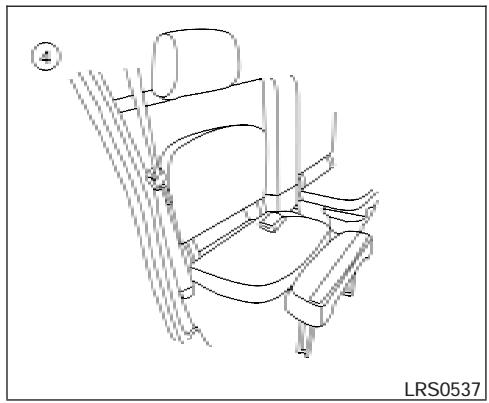
When you install a child restraint on the passenger's side jump seat, follow these steps:
- To access the jump seat extension ① on the passenger's side jump seat only pull up ② on the extension to unfold it to the open position. Then unfold the two support legs ③ and lower the jump seat to the full open ④ seating position.
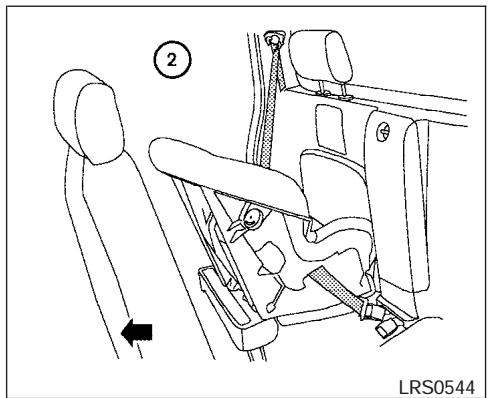
Rear Facing (passenger's side jump seat only) - step 2
② Move the front passenger's seat into the FULL FORWARD position. Then move the front seatback to the upright or tilted forward position. Position the child restraint on the jump seat. The direction of the child restraint depends on the type of the child restraint and the size of the child. Always follow the restraint manufacturer's instructions.
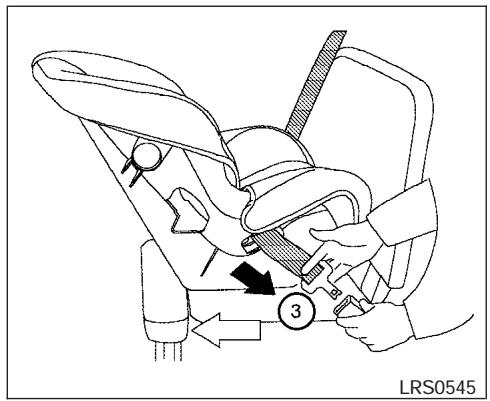
Rear Facing - step 3
③ Route the seat belt tongue through the child restraint and insert it into the buckle until you hear and feel the latch engage.
Be sure to follow the child restraint manufacturer's instructions for belt routing.
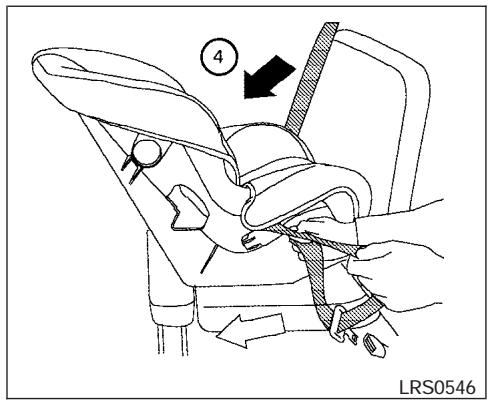
Rear Facing - step 4
Pull on the shoulder belt until all of the belt is fully extended. At this time, the seat belt retractor is in the automatic locking mode (child restraint mode). It reverts to emergency locking mode when the seat belt is fully retracted.
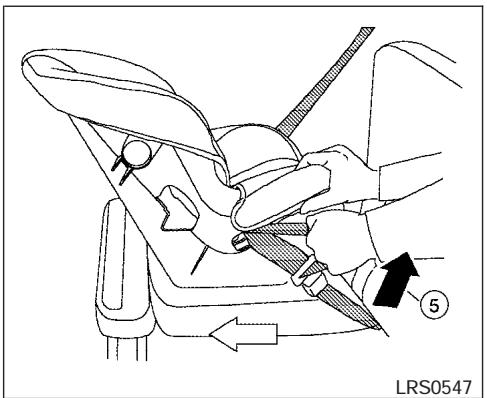
Rear Facing - step 5
⑤ Allow the seat belt to retract. Pull up on the shoulder belt to remove any slack in the belt.
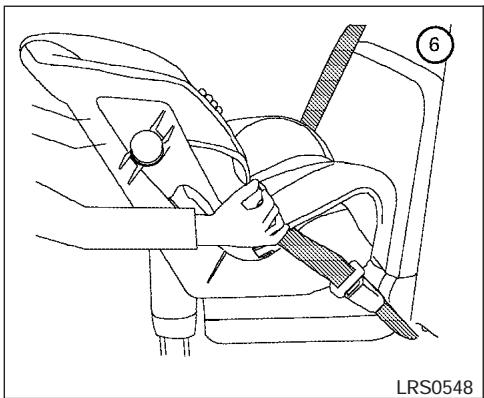
Rear Facing - step 6
Before placing the child in the child restraint, use force to push the child restraint from side to side, and tug it forward to make sure that it is securely held in place. It should not move more than 1 inch (25 mm). If it does move more than 1 inch (25 mm), pull again on the shoulder belt to further tighten the child restraint. If unable to properly secure the restraint move the restraint to another seating position and try again, or try a different child restraint. Not all child restraints fit in all types of vehicles.
- Check that the retractor is in the automatic locking mode by trying to pull more seat belt out of the retractor. If you cannot pull any more seat belt webbing out of the retractor, the retractor is in the automatic locking mode.
- Check to make sure that the child restraint is properly secured prior to each use. If the belt is not locked, repeat steps 3 through 7.
After the child restraint is removed and the seat belt fully retracted, the automatic locking mode (child restraint mode) is canceled.
CHILD RESTRAINT INSTALLATION ON REAR BENCH SEAT (Crew cab models only)

WARNING
- The three-point seat belt in your vehicle is equipped with an automatic locking mode retractor which must be used when installing a child restraint.
- Failure to use the retractor's locking mode will result in the child restraint not being properly secured. The restraint could tip over or otherwise be unsecured and cause injury to the child in a sudden stop or collision.
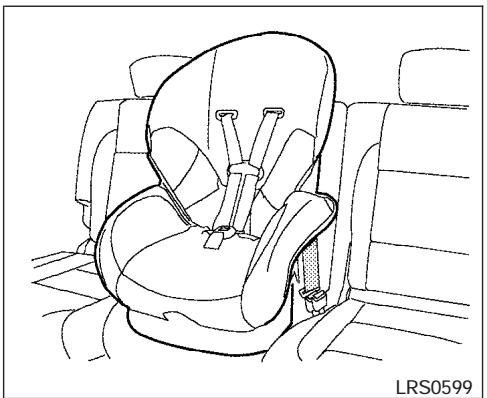
Front Facing (center) - step 1
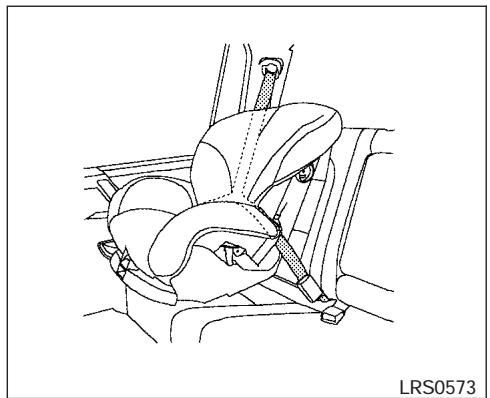
Front Facing (outboard) - step 1
Front facing
When you install a child restraint on the rear bench seat, follow these steps:
① Position the child restraint on the seat. Always follow the restraint manufacturer's instructions. The back of the child restraint should be secured against the vehicle seatback. Remove the head restraint to obtain the correct child restraint fit. See "Head restraint adjustment" earlier in this section. Store the head restraint in a secure place. Be sure to install the head restraint when the child restraint is removed.
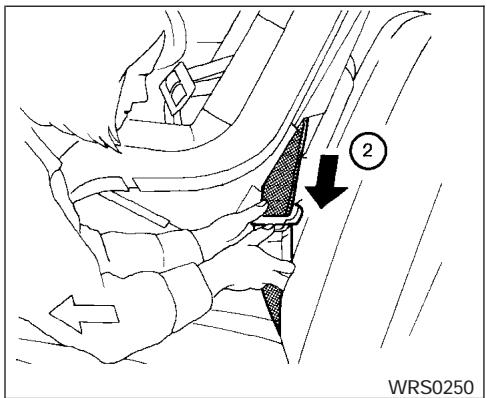
Front Facing - step 2
② Route the seat belt tongue through the child restraint and insert it into the buckle until you hear and feel the latch engage.
Be sure to follow the child restraint manufacturer's instructions for belt routing.
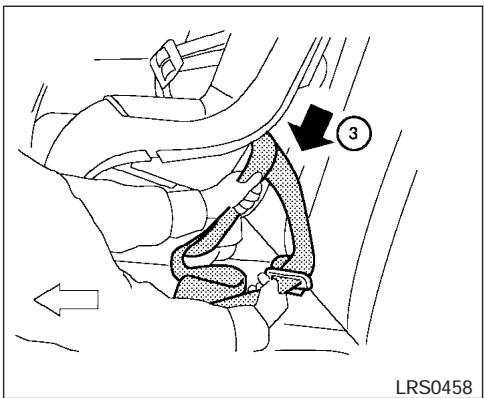
Front Facing - step 3
③ Pull on the shoulder belt until all of the belt is fully extended. At this time, the seat belt retractor is in the automatic locking mode (child restraint mode). It reverts back to emergency locking mode when the seat belt is fully retracted.
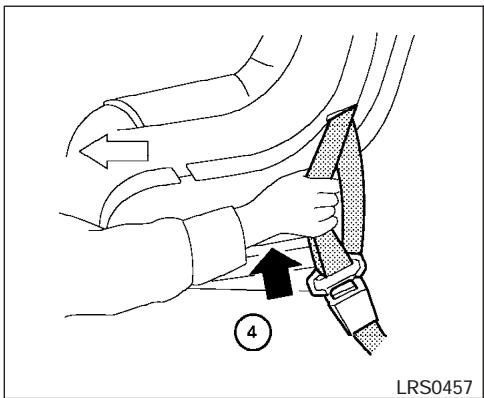
Front Facing - step 4
④ Allow the seat belt to retract. Pull up on the shoulder belt to remove any slack in the belt.
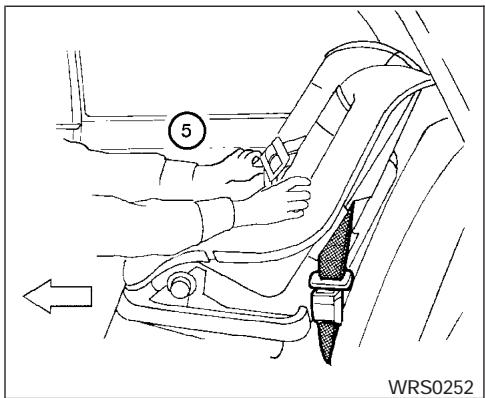
Front Facing - step 5
5 Before placing the child in the child restraint, use force to push the child restraint from side to side, and tug it forward to make sure that it is securely held in place. It should not move more than 1 inch (25mm). If it does move more than 1 inch (25 mm), pull again on the shoulder belt to further tighten the child restraint. If unable to properly secure the restraint move the restraint to another seating position and try again, or try a different child restraint. Not all child restraints fit in all types of vehicles.
- Check that the retractor is in the automatic locking mode by trying to pull more seat belt out of the retractor. If you cannot pull any more belt webbing out of the retractor, the retractor is in the automatic locking mode.
- Check to make sure that the child restraint is properly secured prior to each use. If the belt is not locked, repeat steps 3 through 6.
After the child restraint is removed and the seat belt is fully retracted, the automatic locking mode (child restraint mode) is canceled.
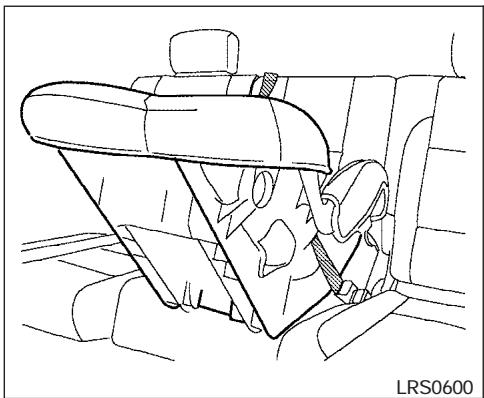
Rear Facing (center) - step 1
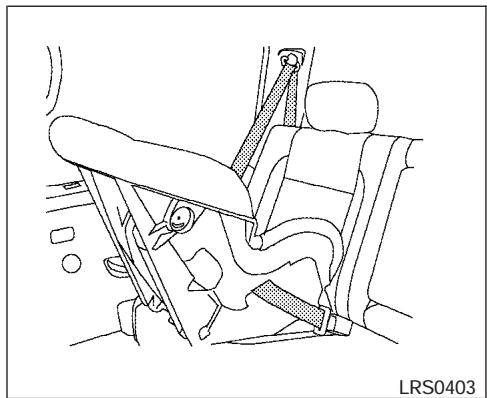
Rear Facing (outboard) - step 1
Rear facing
When you install a child restraint on the rear bench seat, follow these steps:
① Position the child restraint on the seat. Always follow the restraint manufacturer's instructions.
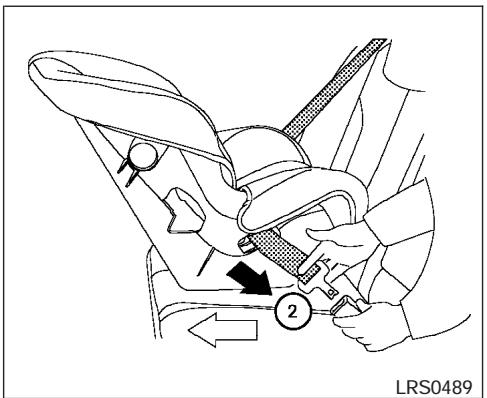
Rear Facing - step 2
② Route the seat belt tongue through the child restraint and insert it into the buckle until you hear and feel the latch engage.
Be sure to follow the child restraint manufacturer's instructions for belt routing.
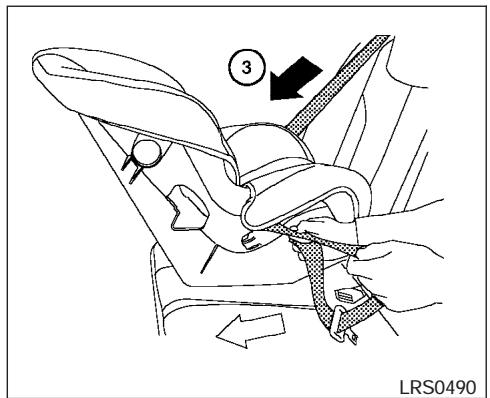
Rear Facing - step 3
③ Pull on the shoulder belt until all of the belt is fully extended. At this time, the seat belt retractor is in the automatic locking mode (child restraint mode). It reverts to emergency locking mode when the seat belt is fully retracted.
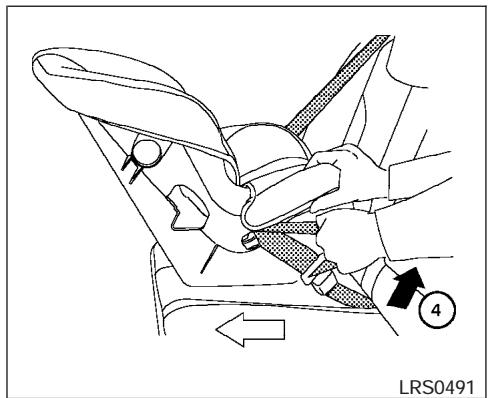
Rear Facing - step 4
④ Allow the seat belt to retract. Pull up on the shoulder belt to remove any slack in the belt.
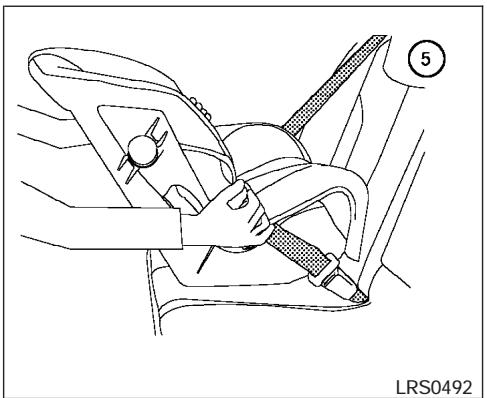
Rear Facing - step 5
⑤ Before placing the child in the child restraint, use force to push the child restraint from side to side, and tug it forward to make sure that it is securely held in place. It should not move more than 1 inch (25mm). If it does move more than 1 inch (25 mm), pull again on the shoulder belt to further tighten the child restraint. If unable to properly secure the restraint move the restraint to another seating position and try again, or try a different child restraint. Not all child restraints fit in all types of vehicles.
- Check that the retractor is in the automatic locking mode by trying to pull more seat belt out of the retractor. If you cannot pull any more seat belt webbing out of the retractor, the retractor is in the automatic locking mode.
- Check to make sure that the child restraint is properly secured prior to each use. If the belt is not locked, repeat steps 3 through 6.
After the child restraint is removed and the seat belt fully retracted, the automatic locking mode (child restraint mode) is canceled.
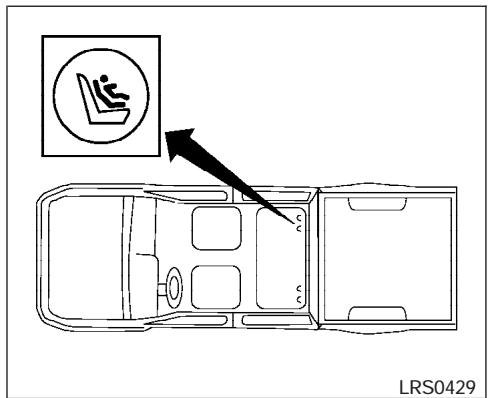
LATCH system anchor point locations rear bench seat (Crew cab models only)
LATCH (Lower Anchors and Tethers for CHildren) SYSTEM
The LATCH (Lower Anchors and Tethers for CHildren) anchor points are located in the seat cushions of the rear outboard seating positions only (Crew cab models only). Do not attempt to install a child restraint in the center position using the LATCH anchors.
The LATCH system anchors are located at the rear of the seat cushion near the seatback. A label is attached to the seatback to help you locate the LATCH system anchors.
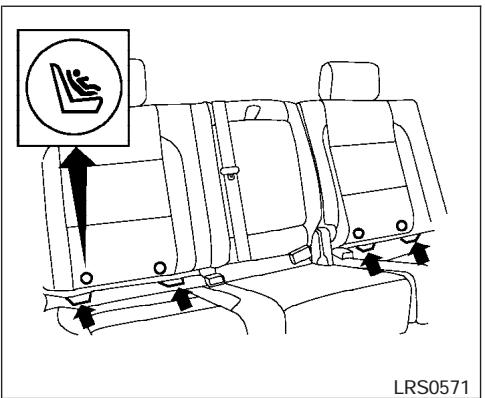
LRS0571
LATCH anchor point labels rear bench seat (Crew cab models only)

WARNING
- Attach LATCH system compatible child restraints only at the locations shown. If a child restraint is not secured properly, your child could be seriously injured or killed in an accident.
- The LATCH system anchors are designed to withstand only those loads imposed by correctly fitted child restraints. Under no circumstance are they to be used for adult seat belts or harnesses.
Some child restraints include two rigid or webbing-mounted attachments that can be connected to two anchors located at certain seating positions in your vehicle. This system is known as the LATCH system. This system may also be referred to as the ISOFIX or ISOFIX compatible system. With this system, you do not have to use a vehicle seat belt to secure the child restraint. Your vehicle is equipped with special anchor points that are used with LATCH system compatible child restraints. Check your child restraint for a label stating that it is compatible with the LATCH system. This information may also be in the instructions provided by the child restraint manufacturer. If you have such a child restraint, refer to the illustration for the seating positions equipped with LATCH system anchors which can be used to secure the child restraint.
LATCH child restraints generally require the use of a top tether strap. See "Top tether strap child restraint" later in this section for installation instructions.
When installing a child restraint, carefully read and follow the instructions in this manual and those supplied with the child restraint.
When you install a LATCH system compatible child restraint to the lower anchor attachments, follow these steps:

WARNING
Inspect the lower anchors by inserting your fingers into the lower anchor area and feeling to make sure there are no obstructions over the LATCH system anchors, such as seat belt webbing or seat cushion material. The child restraint will not be secured properly if the LATCH system anchors are obstructed.
- To install the LATCH system compatible child restraint, insert the child restraint LATCH system anchor attachments into the anchor points on the seat. If the child restraint is equipped with a top tether, see "Top tether strap child restraint" later in this section for installation instructions.
- After attaching the child restraint and before placing the child in it, use force to push the child restraint from side to side and tug it forward to make sure that the child restraint is securely held in place. It should not move more than 1 inch (25 mm).
- Check to make sure that the child restraint is properly secured prior to each use.
TOP TETHER STRAP CHILD RESTRAINT
If your child restraint has a top tether strap, it must be secured to the provided anchor point. Secure the child restraint with a seat belt. Secure the top tether strap to the anchor bracket which provides the straightest installation of the tether strap. Tighten the strap according to the manufacturer's instructions to remove any slack.
WARNING
Child restraint anchor points are designed to withstand only those loads imposed by correctly fitted child restraints. Under no circumstances are they to be used for adult seat belts or harnesses.
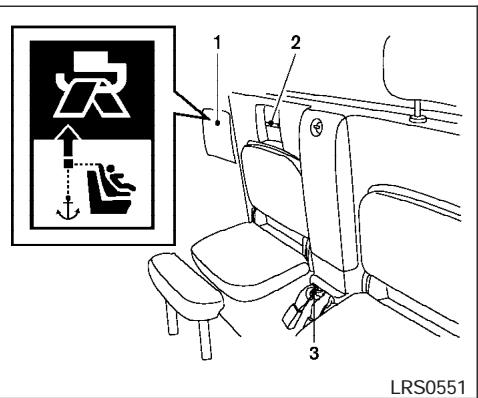
Anchor point access (King cab models — passenger's side jump seat)
- Cover plate
- Top tether strap routing bracket
- Top tether strap anchor point
Anchor point location (King cab models, passenger's side jump seat)
The anchor point is located on the floor between the jump seat belt buckles in the center of the vehicle. The routing bracket is located behind the cover plate under the rear window above the right passenger's side jump seat.
If you have any questions when installing a top strap child restraint on the passenger's side jump seat, consult your NISSAN dealer for details.
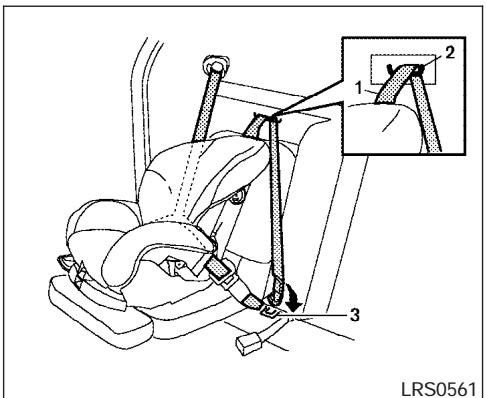
- Top tether strap
- Routing bracket
- Top tether strap anchor point.
WARNING
Do not secure the top tether strap to the routing bracket. If the child restraint is not anchored properly, the risk of a child being injured in a collision or a sudden stop greatly increases.
Pull the cover plate off to access the top tether strap routing bracket for the passenger's side jump seat. Route the top tether strap through the routing bracket. Then pull the top tether strap tight and secure it to the top tether anchor bracket located between the seat belt buckle receivers in the center of the vehicle.
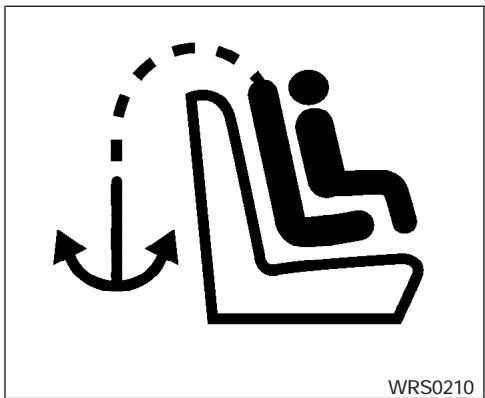
Anchor point label
Anchor point location (King cab models, front passenger's seat)
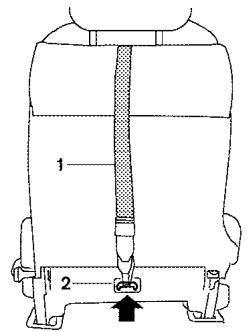
LRS0572
LRS0393
Top tether strap routing (King cab models only - front passenger's seat)
- Top tether strap
- Top tether strap anchor point.
The anchor point is located on the back of seatback for the front passenger's seat as shown. Raise the head restraint. Route the top tether strap under the head restraint and secure it to the anchor point location on the back of the seatback near the seat base.
If you have any questions when installing a top strap child restraint on the front passenger's seat, consult your NISSAN dealer for details.
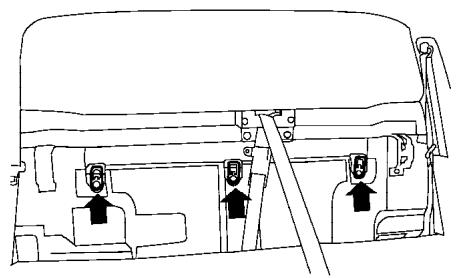
Anchor point locations (Crew cab models only)
The anchor points are located under the rear window behind the rear bench seat.
If you have any questions when installing a top strap child restraint on the rear seat, consult your NISSAN dealer for details.
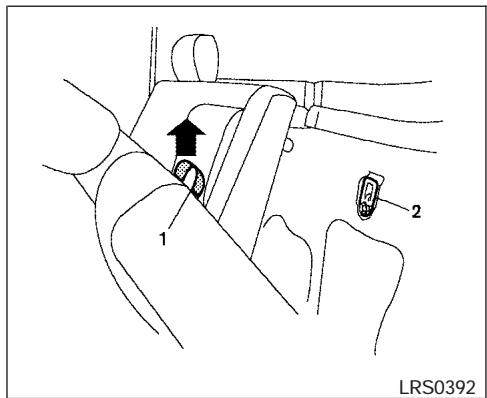
Anchor point access (Crew cab models only)
1.Pull strap
2. Anchor point location
To access the anchor points behind the rear bench seat, tilt the rear seatback forward by lifting up on the pull strap behind the seat back. Remove the head restraint and store it in a secure place.
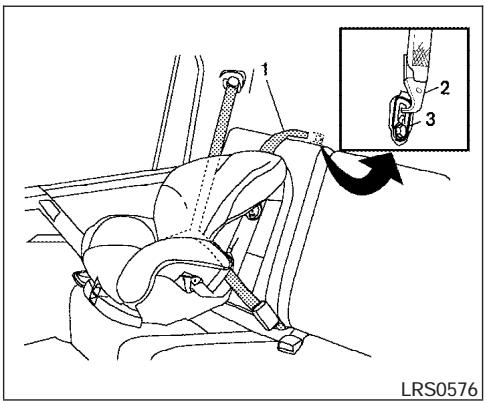
- Top tether strap
- Hook
- Anchor point
CHILD RESTRAINT INSTALLATION ON FRONT PASSENGER SEAT
WARNING
- Even with the NISSAN Advanced Air Bag System, never install a rear-facing child restraint in the front passenger seat. Supplemental front air bags inflate with great force. A rear-facing child restraint could be struck by the supplemental front air bag in a crash and could seriously injure or kill your child.
-
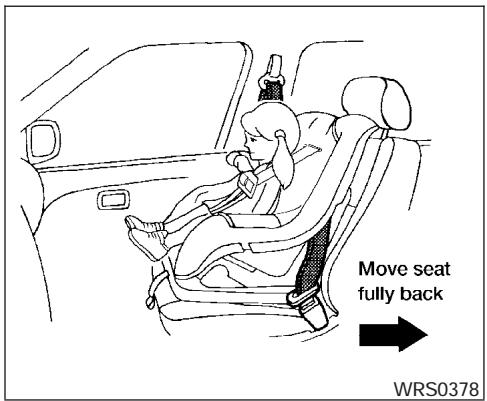
NISSAN recommends that child restraints be installed in the rear seat. However, if you must install a forward facing child restraint in the front passenger seat, move the passenger seat to the rearmost position. Also, be sure the front passenger air bag status light is illuminated to indicate the passenger air bag is OFF. See "Front passenger air bag and status light" later in this section for details.
-
A child restraint with a top tether strap should not be used in the front passenger's seat unless the vehicle is a King Cab model only.
- The three-point seat belt in your vehicle is equipped with an automatic locking mode retractor which must be used when installing a child restraint.
- Failure to use the retractor's locking mode will result in the child restraint not being properly secured. The restraint could tip over or otherwise be unsecured and cause injury to the child in a sudden stop or collision. Also, it can change the operation of the front passenger air bag. See "Front passenger air bag and status light" later in this section.
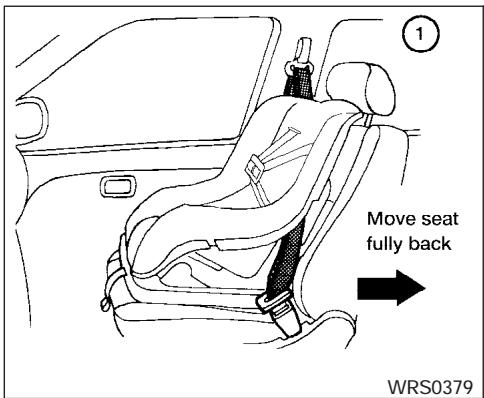
Front Facing - step 1
If you must install a child restraint in the front seat, follow these steps:
① Position the child restraint on the front passenger seat. It should be placed in a front-facing direction only. Move the seat to the rearmost position. Adjust the head restraint to its highest position. Always follow the child restraint manufacturer's instructions. Child restraints for infants must be used in the rear-facing direction and therefore must not be used in the front seat.
The back of the child restraint should be secured against the vehicle seat back. If necessary, adjust or remove the head restraint to obtain the correct child restraint fit. See "Head restraint adjustment" earlier in this section. If the head restraint is removed, store it in a secure place. Be sure to install the head restraint when the child restraint is removed. If the seating position does not have an adjustable head restraint and it is interfering with the proper child restraint fit, try another seating position or a different child restraint.
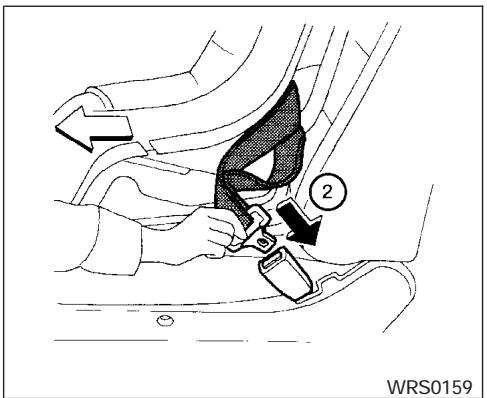
Front Facing - step 2
② Route the seat belt tongue through the child restraint and insert it into the buckle until you hear and feel the latch engage.
Be sure to follow the child restraint manufacturer's instructions for belt routing.
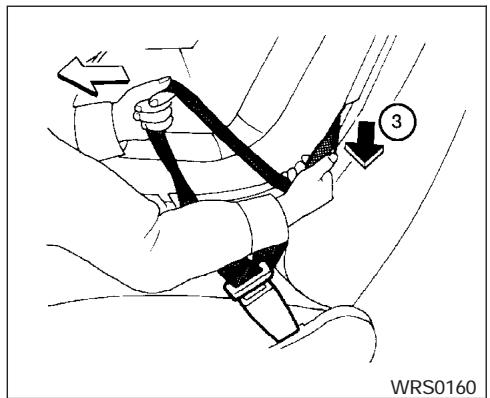
Front Facing - step 3
③ Pull on the shoulder belt until all of the belt is fully extended. At this time, the seat belt retractor is in the automatic locking mode (child restraint mode). It reverts to emergency locking mode when the seat belt is fully retracted.
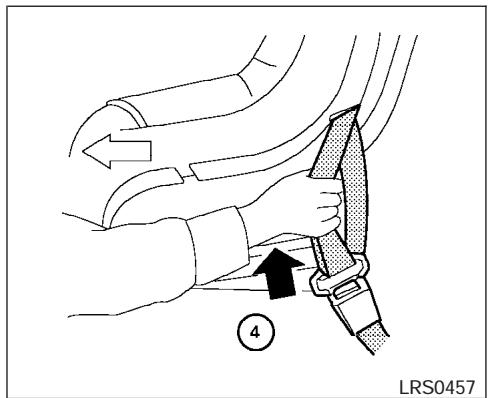
Front Facing - step 4
④ Allow the seat belt to retract slightly. Pull up on the shoulder belt to remove any slack in the belt.
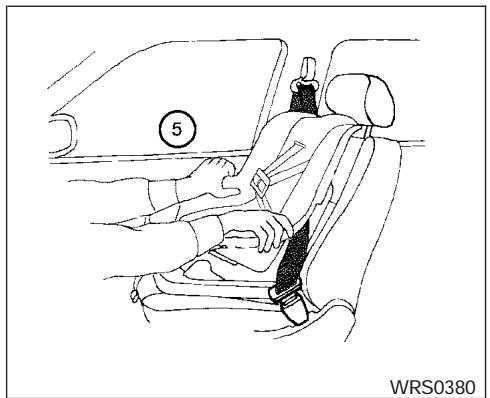
Front Facing - step 5
⑤ Before placing the child in the child restraint, use force to push the child restraint from side to side, and tug it forward to make sure that it is securely held in place. It should not move more than 1 inch (25 mm). If it does move more than 1 inch (25 mm), pull again on the shoulder belt to further tighten the child restraint. If unable to properly secure the restraint move the restraint to another seating position and try again, or try a different child restraint. Not all child restraints fit in all types of vehicles.
- Check that the retractor is in the automatic locking mode by trying to pull more seat belt out of the retractor. If you cannot pull any more belt webbing out of the retractor, the retractor is in the automatic locking mode.
- Check to make sure the child restraint is properly secured prior to each use. If the seat belt is not locked, repeat steps 3 through 6.
- Turn the ignition switch to the ON position. The passenger air bag status light should illuminate. If this light is not illuminated see "Front passenger air bag and status light" in this section. Move the child restraint to another seating position. Have the system checked by a NISSAN dealer.
After the child restraint is removed and the seat belt is fully retracted, the automatic locking mode (child restraint mode) is canceled.
BOOSTER SEATS
PRECAUTIONS ON BOOSTER SEATS
WARNING
- Infants and small children should always be placed in an appropriate child restraint while riding in the vehicle. Failure to use a child restraint or booster seat can result in serious injury or death.
- Infants and small children should never be carried on your lap. It is not possible for even the strongest adult to resist the forces of a severe accident. The child could be crushed between the adult and parts of the vehicle. Also, do not put the same seat belt around both your child and yourself.
-
NISSAN recommends that the booster seat be installed in the rear seat. According to accident statistics, children are safer when properly restrained in the rear seat than in the front seat.
-
A booster seat must only be installed in a seating position that has a lap/shoulder belt. Failure to use a three-point type seat belt with a booster seat can result in a serious injury in sudden stop or collision.
- An improperly installed booster seat could lead to serious injury or death in an accident.
- When installing a booster seat in the passenger's side jump seat position be sure to unfold the seat extension on the jump seat. If the jump seat extension is not properly used, the booster seat will not be installed correctly and a child could be injured in a collision or sudden stop.
- Never install a child restraint on the driver's side jump seat. A child restraint can not be properly installed in the driver's side jump seat and the child could be injured in a collision or sudden stop.
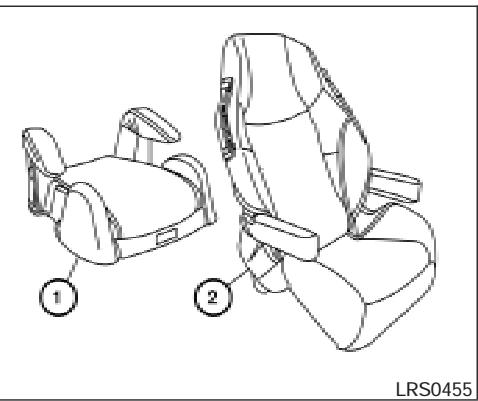
WARNING
- Do not use towels, books, pillows or other items in place of a booster seat. Items such as these may move during normal driving or a collision and result in serious injury or death. Booster seats are designed to be used with a lap/shoulder belt. Booster seats are designed to properly route the lap and shoulder portions of the seat belt over the strongest portions of a child's body to provide the maximum protection during a collision.
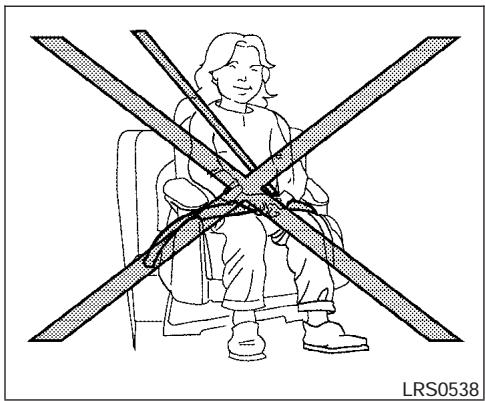
Booster seats of various sizes are offered by several manufacturers. When selecting any booster seat, keep the following points in mind:
- Choose only a booster seat with a label certifying that it complies with Federal Motor Vehicle Safety Standard 213 or Canadian Motor Vehicle Safety Standard 213.
- Check the booster seat in your vehicle to be sure it is compatible with the vehicle's seat and seat belt system.
LRS0539
Make sure the child's head will be properly supported by the booster seat or vehicle seat. The seat back must be at or above the center of the child's ears. For example, if a low back booster seat ① is chosen, the vehicle seat back must be at or above the center of the child's ears. If the seat back is lower than the center of the child's ears, a high back booster seat ② should be used.
- If the booster seat is compatible with your vehicle, place your child in the booster seat and check the various adjustments to be sure the booster seat is compatible with your child. Always follow all recommended procedures.
All U.S. states and Canadian provinces or territories require that infants and small children be restrained in an approved child restraint at all times while the vehicle is being operated.
WARNING
- Improper use of a booster seat can increase the risk or severity of injury for both the child and other occupants of the vehicle.
- Follow all of the booster seat manufacturer's instructions for installation and use. When purchasing a booster seat, be sure to select one which will fit your child and vehicle. It may not be possible to properly install some types of booster seats in your vehicle.
- If the booster seat and seat belt is not used properly, the risk of a child being injured in a collision or a sudden stop greatly increases.
- Adjustable seatbacks should be positioned to fit the booster seat, but as upright as possible.
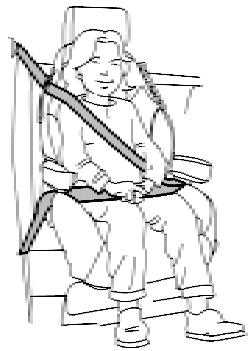
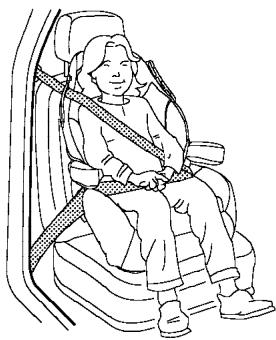
After placing the child in the booster seat and fastening the seat belt, make sure the shoulder portion of the belt is away from the child's face and neck and the lap portion of the belt does not cross the abdomen.
- Do not put the shoulder belt behind the child or under the child's arm. If you must install a booster seat in the front seat, see "Booster seat installation on front passenger seat" later in this section.
- When your booster seat is not in use, keep it secured with a seat belt to prevent it from being thrown around in case of a sudden stop or accident.
CAUTION
Remember that a booster seat left in a closed vehicle can become very hot. Check the seating surface and buckles before placing your child in the booster seat.
BOOSTER SEAT INSTALLATION ON PASSENGER'S SIDE JUMP SEAT ONLY (King cab, if so equipped)

WARNING
- When installing a booster seat in the passenger's side jump seat position be sure to unfold the seat extension on the jump seat. If the jump seat extension is not properly used, the booster seat will not be installed correctly and a child could be injured in a collision or sudden stop.
- Never install a booster seat on the driver's side jump seat. A child restraint cannot be properly installed in the driver's side jump seat and a child could be injured in a collision or sudden stop.

CAUTION
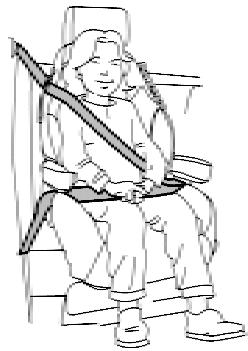
Do not use the lap/shoulder belt automatic locking mode when using a booster seat with the seat belts. When you install a booster seat on the jump seat follow these steps:
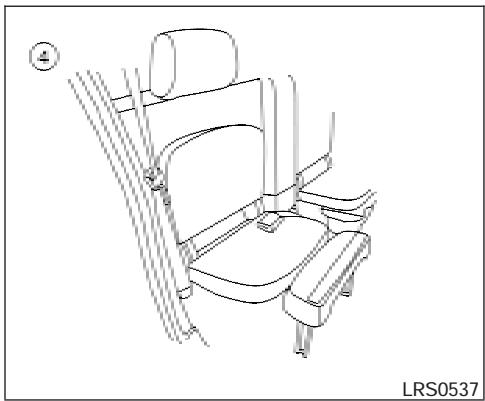
- To access the jump seat extension ① on the passenger's side jump seat only pull up ② on the extension to unfold it to the open position. Then unfold the two support legs ③ and lower the jump seat to the full open ④ seating position.
LRS0539
-
Position the booster seat on the seat. Only place it in a front facing direction. Always follow the booster seat manufacturer's instructions.
-
The booster seat should be positioned on the vehicle seat so that it is stable. If necessary, adjust or remove the head restraint to obtain the correct booster seat fit. See "Head restraint adjustment" earlier in this section. If the head restraint is removed, store it in a secure place. Be sure to install the head restraint when the booster seat is removed. If the seating position does not have an adjustable head restraint and it is interfering with the proper booster seat fit, try another seating position or a different booster seat.
- Position the lap portion of the seat belt low and snug on the child's hips. Be sure to follow the booster seat manufacturer's instructions for adjusting the belt routing.
- Pull the shoulder belt portion of the seat belt toward the retractor to take up extra slack. Be sure the shoulder belt is positioned across the top, middle portion of the child's shoulder. Be sure to follow the booster seat manufacturer's instructions for adjusting the belt routing.
- Follow the warnings, cautions and instructions for properly fastening a seat belt shown in the "Three-point seat belt with retractor" earlier in this section.
LRS0563
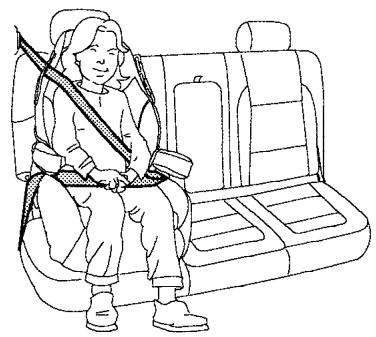
Outboard position
BOOSTER SEAT INSTALLATION ON REAR SEAT CENTER OR OUTBOARD POSITIONS (Crew cab models only)

CAUTION
Do not use a lap/shoulder belt automatic locking mode when using a booster seat with the seat belts. When you install a booster seat in the rear seat follow these steps:
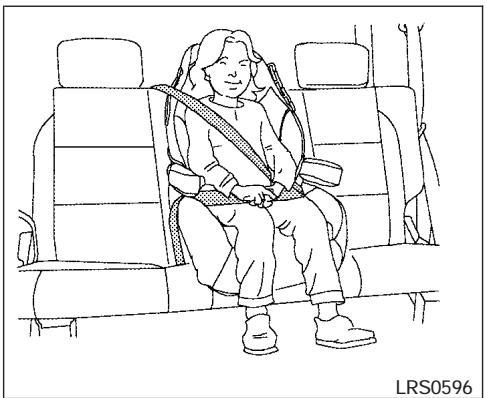
Center position
-
Position the booster seat on the seat. Only place it in a front facing direction. Always follow the booster seat manufacturer's instructions.
-
The booster seat should be positioned on the vehicle seat so that it is stable. If necessary, adjust or remove the head restraint to obtain the correct booster seat fit. See "Head restraint adjustment" earlier in this section. If the head restraint is removed, store it in a secure place. Be sure to install the head restraint when the booster seat is removed. If the seating position does not have an adjustable head restraint and it is interfering with the proper booster seat fit, try another seating position or a different booster seat.
- Position the lap portion of the seat belt low and snug on the child's hips. Be sure to follow the booster seat manufacturer's instructions for adjusting the belt routing.
- Pull the shoulder belt portion of the seat belt toward the retractor to take up extra slack. Be sure the shoulder belt is positioned across the top, middle portion of the child's shoulder. Be sure to follow the booster seat manufacturer's instructions for adjusting the belt routing.
- Follow the warnings, cautions and instructions for properly fastening a seat belt shown in the "Three-point seat belt with retractor" earlier in this section.
LRS0454
BOOSTER SEAT INSTALLATION ON FRONT PASSENGER SEAT

WARNING
NISSAN recommends that child restraints be installed in the rear seat. However, if you must install a booster seat in the front passenger seat, move the passenger's seat to the rearmost position.
If you must install a booster seat in the front seat, follow these steps:
-
Move the seat to the rear-most position.
-
Position the booster seat on the seat. Only place it in a front facing direction. Always follow the booster seat manufacturer's instructions.
- The booster seat should be positioned on the vehicle seat so that it is stable. If necessary, adjust or remove the head restraint to obtain the correct booster seat fit. See "Head restraint adjustment" earlier in this section. If the head restraint is removed, store it in a secure place. Be sure to install the head restraint when the booster seat is removed. If the seating position does not have an adjustable head restraint and it is interfering with the proper booster seat fit, try another seating position or a different booster seat.
- Position the lap portion of the seat belt low and snug on the child's hips. Be sure to follow the booster seat manufacturer's instructions for adjusting the belt routing.
- Pull the shoulder belt portion of the seat belt toward the retractor to take up extra slack. Be sure the shoulder belt is positioned across the top, middle portion of the child's shoulder. Be sure to follow the booster seat manufacturer's instructions for adjusting the belt routing.
SUPPLEMENTAL RESTRAINT SYSTEM
- Follow the warnings, cautions and instructions for properly fastening a seat belt shown in the "Three-point seat belt with retractor" earlier in this section.
- When the ignition switch is turned to the ON position, the passenger air bag status light may or may not be illuminated, depending on the size of the child and the type of booster seat being used. See "Front passenger air bag and status light" later in this section.
PRECAUTIONS ON SUPPLEMENTAL RESTRAINT SYSTEM
This Supplemental Restraint System (SRS) section contains important information concerning the driver and passenger supplemental front air bags (NISSAN Advanced Air Bag System), supplemental side air bags, curtain side-impact and rollover air bags and pre-tensioner seat belts.
Supplemental front impact air bag system: The NISSAN Advanced Air Bag System can help cushion the impact force to the head and chest of the driver and front passenger in certain frontal collisions.
Supplemental side-impact air bag system (if so equipped): This system can help cushion the impact force to the chest area of the driver and front passenger in certain side impact collisions. The front seat side-impact supplemental side air bags are designed to inflate on the side where the vehicle is impacted.
Supplemental curtain side-impact and rollover air bag system (if so equipped): This system can help cushion the impact force to the head of occupants in front and rear outboard seating positions in certain side impact or rollover collisions. In a side impact, the curtain air bags are designed to inflate on the side where the
vehicle is impacted. In a rollover both curtain air bags are designed to inflate and remain inflated for a short time.
These supplemental restraint systems are designed to supplement the crash protection provided by the seat belts and are not a substitute for them. Seat belts should always be correctly worn and the occupant seated a suitable distance away from the steering wheel, instrument panel and door finishers. See "Seat belts" earlier in this section for instructions and precautions on seat belt usage.
The supplemental air bags operate only when the ignition switch is in the ON or START position.
After turning the ignition key to the ON position, the supplemental air bag warning light illuminates. The supplemental air bag warning light will turn off after about 7 seconds if the system is operational.
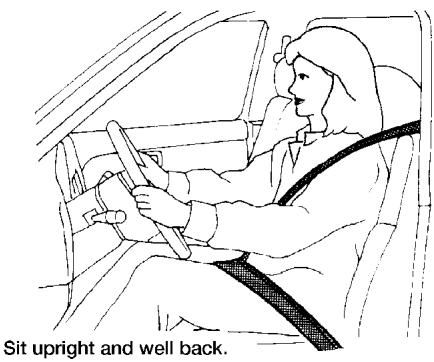
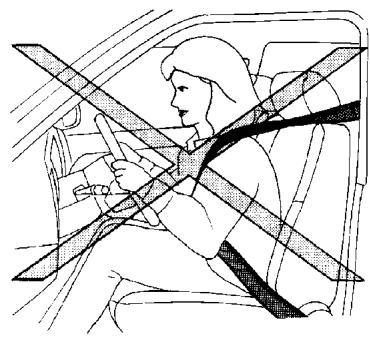
WRS0031
WARNING
- The supplemental front air bags ordinarily will not inflate in the event of a side impact, rear impact, rollover, or lower severity frontal collision. Always wear your seat belts to help reduce the risk or severity of injury in various kinds of accidents.
-
The front passenger air bag will not inflate if the passenger air bag status light is lit or if the front passenger seat is unoccupied. See "Front passenger air bag and status light" later in this section.
-
The seat belts and the supplemental front air bags are most effective when you are sitting well back and upright in the seat. The front air bags inflate with great force. Even with the NISSAN Advanced Air Bag System, if you are unrestrained, leaning forward, sitting sideways or out of position in any way, you are at greater risk of injury or death in a crash. You may also receive serious or fatal injuries from the supplemental front air bag if you are up against it when it inflates. Always sit back against the seatback and as far away as practical from the steering wheel or instrument panel. Always use the seat belts.
-
The driver and front passenger seat belt buckles are equipped with sensors that detect if the seat belts are fastened. The advanced air bag system monitors the severity of a collision and seat belt usage then inflates the air bags. Failure to properly wear seat belts can increase the risk or severity of injury in an accident.
-
The front passenger seat is equipped with an occupant classification sensor (pressure sensor) that turns the front passenger air bag OFF under some conditions. This sensor is only used in this seat. Failure to be properly seated and wearing the seat belt can increase the risk or severity of injury in an accident. See "Front Passenger air bag and status light" later in this section.
- Keep hands on the outside of the steering wheel. Placing them inside the steering wheel rim could increase the risk that they are injured when the supplemental front air bag inflates.
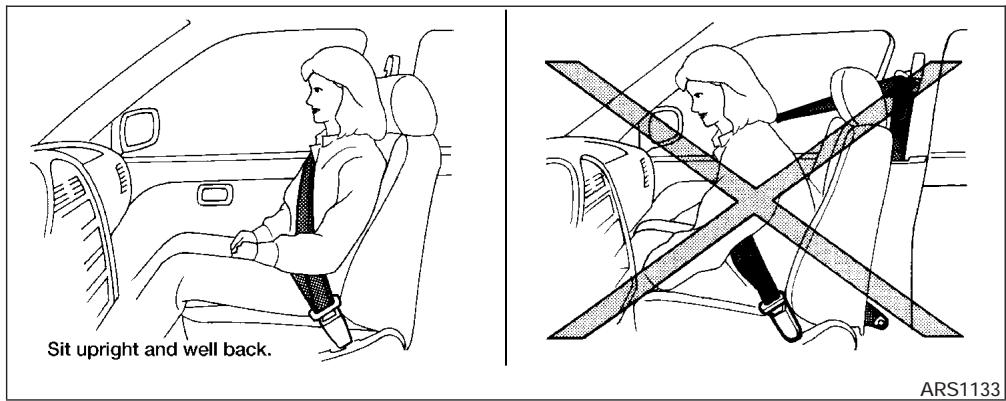
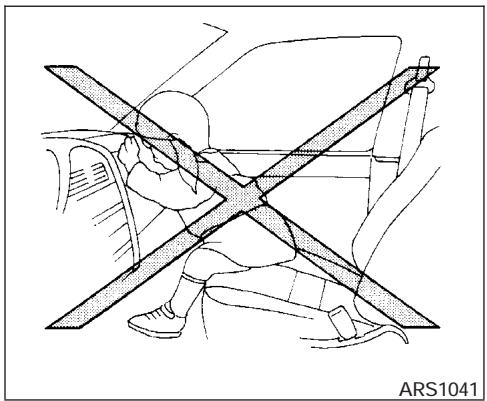
WARNING
- Never let children ride unrestrained or extend their hands or face out of the window. Do not attempt to hold them in your lap or arms. Some examples of dangerous riding positions are shown in the illustrations.
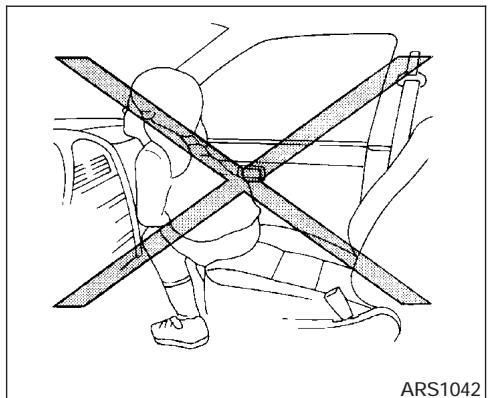
ARS1042
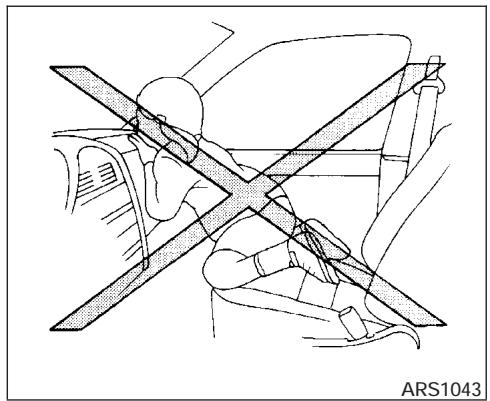
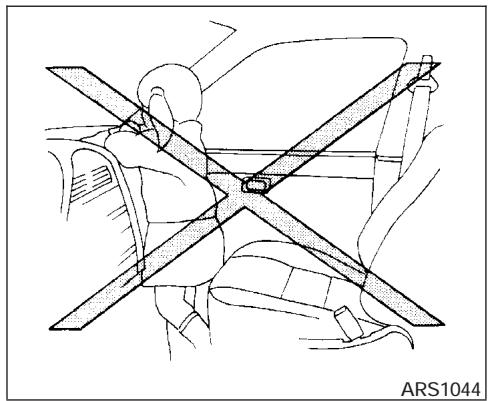

WARNING
Children may be severely injured or killed when the supplemental front air bags, side air bags or curtain sideimpact and rollover air bags inflate if they are not properly restrained. Pre-teens and children should be properly restrained in the rear seat, if possible.
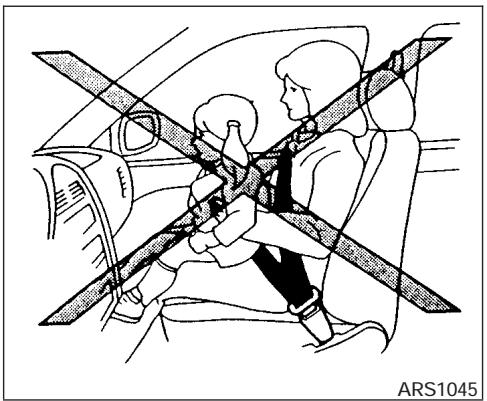
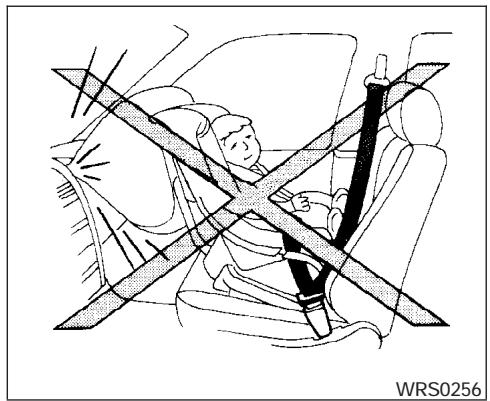
WARNING
- Even with the NISSAN Advanced Air Bag System, never install a rear-facing child restraint in the front seat. An inflating supplemental front air bag could seriously injure or kill your child. See "Child restraints" earlier in this section for details.
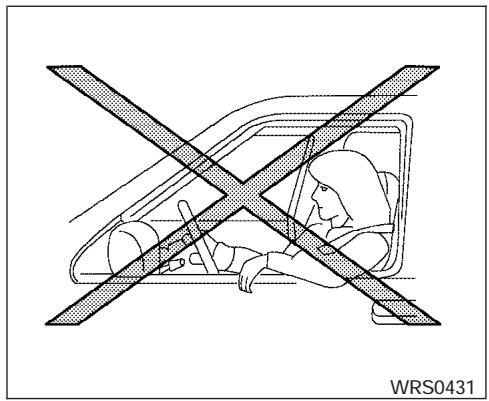
Do not lean against the door.
WARNING
Supplemental side air bag (if so equipped) and curtain side-impact and rollover air bag (if so equipped):
- The supplemental side air bag and curtain side-impact and rollover air bag ordinarily will not inflate in the event of a frontal impact, rear impact, or lower severity side collision. Always wear your seat belts to help reduce the risk or severity of injury in various kinds of accidents.
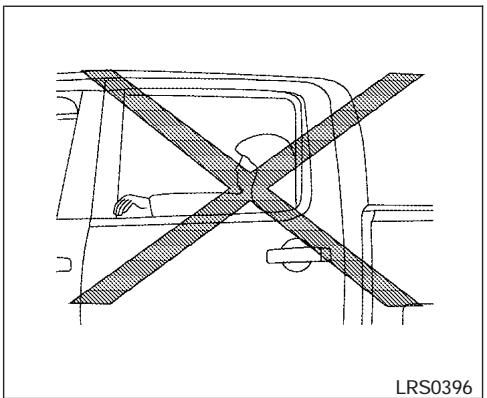
Do not lean against doors or windows.
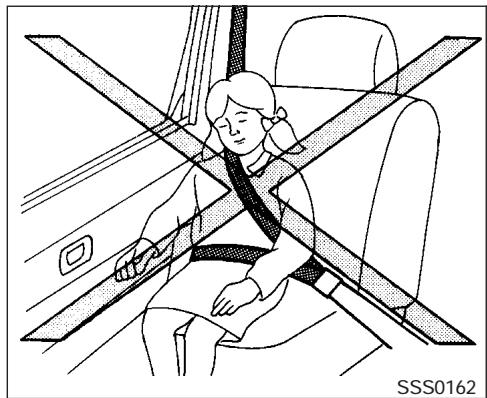
Do not lean against doors or windows.
WARNING
- The seat belts, the supplemental side air bags and curtain side-impact and rollover air bags are most effective when you are sitting well back and upright in the seat. The side air bag and curtain air bag inflate with great force. Do not allow anyone to place their hand, leg or face near the side air bag on the side of the seatback of the front seat or near the side roof rails. Do not allow anyone sitting in the front seats or rear outboard seats to extend their hand out of the window or lean against the door. Some examples of dangerous riding positions are shown in the previous illustrations.
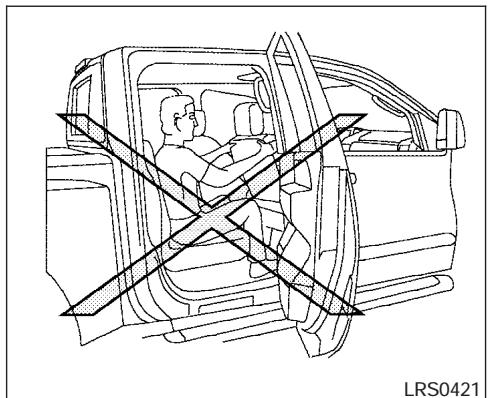
LRS0421
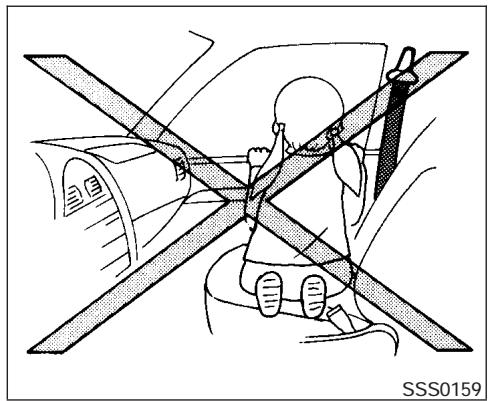

WARNING
- When sitting in the rear seat, do not hold onto the seatback of the front seat. If the side air bag inflates, you may be seriously injured. Be especially careful with children, who should always be properly restrained. Some examples of dangerous riding positions are shown in the illustrations.
- Do not use seat covers on the front seatbacks. They may interfere with supplemental side air bag inflation.
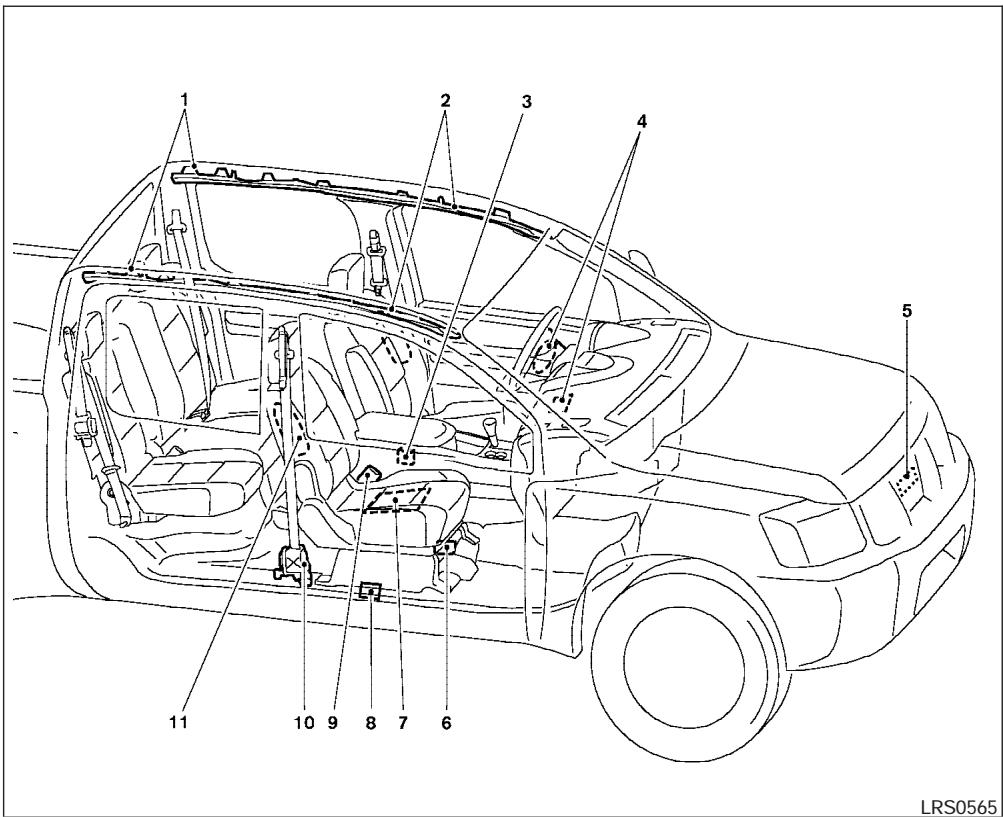
- SRS curtain side-impact and rollover air bag modules (if so equipped)
- SRS curtain side-impact and rollover air bag (if so equipped)
- Diagnosis sensor unit
- Supplemental front air bag modules
- Crash zone sensor
- Occupant classification system control unit
- Occupant classification sensor (pressure sensor)
- Satellite sensors
- Seat belt buckle switches
- Pre-tensioner retractor
- Supplemental side air bag modules (if so equipped)
NISSAN Advanced Air Bag System (front seats)
This vehicle is equipped with the NISSAN advanced air bag system for the driver and front passenger seats. This system is designed to meet certification requirements under U.S. regulations. It is also permitted in Canada. However, all of the information, cautions and warnings in this manual still apply and must be followed.
The driver supplemental front air bag is located in the center of the steering wheel. The passenger supplemental front air bag is mounted in the dashboard above the glove box. The supplemental front air bags are designed to inflate in higher severity frontal collisions, although they may inflate if the forces in another type of collision are similar to those of a higher severity frontal impact. They may not inflate in certain frontal collisions. Vehicle damage (or lack of it) is not always an indication of proper supplemental front air bag system operation.
The NISSAN advanced air bag system has dual stage inflators. It also monitors information from the crash zone sensor, the diagnosis sensor unit, seat belt buckle sensors, occupant classification sensor (pressure sensor) and passenger seat belt tension sensor. Inflator operation is based on the severity of a collision and seat belt usage for the driver. For the front passenger, it additionally monitors the weight of an occupant or object on the seat and seat belt tension. Based on information from the sensors, only one front air bag may inflate in a crash, depending on the crash severity and whether the front occupants are belted or unbelted. Additionally, the front passenger air bag may be automatically turned OFF under some conditions, depending on the weight detected on the passenger seat and how the seat belt is used. If the front passenger air bag is OFF,
the passenger air bag status light will be illuminated (if the seat is unoccupied, the light will not be illuminated, but the air bag will be off). See "Front passenger air bag and status light" later in this section for further details. One front air bag inflating does not indicate improper performance of the system.
If you have any questions about your air bag system, please contact NISSAN or your NISSAN dealer. If you are considering modification of your vehicle due to a disability, you may also contact NISSAN. Contact information is contained in the front of this Owner's Manual.
When a supplemental front air bag inflates, a fairly loud noise may be heard, followed by the release of smoke. This smoke is not harmful and does not indicate a fire. Care should be taken to not inhale it, as it may cause irritation and choking. Those with a history of a breathing condition should get fresh air promptly.
Supplemental front air bags, along with the use of seat belts, help to cushion the impact force on the face and chest of the front occupants. They can help save lives and reduce serious injuries. However, an inflating front air bag may cause facial abrasions or other injuries. Front air bags do not provide restraint to the lower body.
Even with NISSAN advanced air bags, seat belts should be correctly worn and the driver and pas
senger seated upright as far as practical away from the steering wheel or instrument panel. The supplemental front air bags inflate quickly in order to help protect the front occupants. Because of this, the force of the front air bag inflating can increase the risk of injury if the occupant is too close to, or is against, the front air bag module during inflation.
The front air bags deflate quickly after a collision.
The supplemental front air bags operate only when the ignition switch is in the ON or START position.
After turning the ignition key to the ON position, the supplemental air bag warning light illuminates. The supplemental air bag warning light will turn off after about 7 seconds if the system is operational.
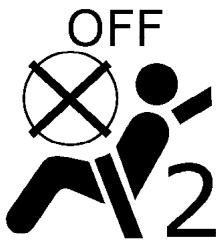
WRS0475
Front passenger air bag and status light

WARNING
The front passenger air bag is designed to automatically turn OFF under some conditions. Read this section carefully to learn how it operates. Proper use of the seat, seat belt and child restraints is necessary for most effective protection. Failure to follow all instructions in this manual concerning the use of seats, seat belts and child restraints can increase the risk or severity of injury in an accident.
Status light
The front passenger air bag status light is located near the climate controls. The light operates as follows:
- Unoccupied passenger's seat: The is OFF and the front passenger air bag is OFF and will not inflate in a crash.
- Passenger's seat occupied by a small adult, child or child restraint as outlined in this section: The illuminates to indicate that the front passenger air bag is OFF and will not inflate in a crash.
- Occupied passenger seat and the passenger meet the conditions outlined in this section: The light is OFF to indicate that the front passenger air bag is operational.
Front passenger air bag
The front passenger air bag is designed to automatically turn OFF when the vehicle is operated under some conditions as described below in accordance with U.S. regulations. If the front passenger air bag is OFF, it will not inflate in a crash. The driver air bag and other air bags in your vehicle are not part of this system.
The purpose of the regulation is to help reduce the risk of injury or death from an inflating air bag to certain front passenger seat occupants, such
as children, by requiring the air bag to be automatically turned OFF. Certain sensors are used to meet the requirements.
One sensor used is the occupant classification sensor (pressure sensor). It is in the bottom of the front passenger seat cushion and is designed to detect an occupant and objects on the seat by weight. It works together with seat belt sensors described later. For example, if a child is in the front passenger seat, the advanced air bag system is designed to turn the passenger air bag OFF in accordance with the regulations. Also, if a child restraint of the type specified in the regulations is on the seat, its weight and the child's weight can be detected and cause the air bag to turn OFF. Occupant classification sensor operation can vary depending on the front passenger seat belt sensors.
The front passenger seat belt sensors are designed to detect if the seat belt is buckled and the amount of tension on the seat belt, such as when it is in the automatic locking mode (child restraint mode). Based on the weight on the seat detected by the occupant classification sensor and the belt tension detected on the seat belt, the advanced air bag system determines whether the front passenger air bag should be automatically turned OFF as required by the regulations.
Front passenger seat adult occupants who are properly seated and using the seat belt as outlined in this manual should not cause the passenger air bag to be automatically turned OFF. For small adults it may be turned OFF, however if the occupant takes his/her weight off the seat cushion (for example, by not sitting upright, by sitting on an edge of the seat, or by otherwise being out of position), this could cause the sensor to turn the air bag OFF. In addition, if the occupant improperly uses the seat belt in the automatic locking mode (child restraint mode), this could cause the air bag to be turned OFF. Always be sure to be seated and wearing the seat belt properly for the most effective protection by the seat belt and supplemental air bag.
NISSAN recommends that pre-teens and children be properly restrained in a rear seat. NISSAN also recommends that appropriate child restraints and booster seats be properly installed in a rear seat. If this is not possible, the occupant classification sensor and seat belt sensors are designed to operate as described above to turn the front passenger air bag OFF for specified child restraints as required by the regulations. Failing to properly secure child restraints and to use the automatic locking mode (child restraint mode) may allow the restraint to tip or move in an accident or sudden stop. This can also result in the passenger air bag inflating in a crash instead
of being OFF. See "Child restraints" earlier in this section for proper use and installation.
If the front passenger seat is not occupied the passenger air bag is designed not to inflate in a crash. However, heavy objects placed on the seat could result in air bag inflation, because of the object's weight detected by the occupant classification sensor. Other conditions could also result in air bag inflation, such as if a child is standing on the seat, or if two children are on the seat, contrary to the instructions in this manual. Always be sure that you and all vehicle occupants are seated and restrained properly.
Using the passenger air bag status light, you can monitor when the front passenger air bag is automatically turned OFF with the seat occupied. The light will not illuminate when the front passenger seat is unoccupied.
If an adult occupant is in the seat but the passenger air bag status light is illuminated (indicating that the air bag is OFF), it could be that the person is a small adult, or is not sitting on the seat properly or not using the seat belt properly.
If a child restraint must be used in the front seat, the passenger air bag status light may or may not be illuminated, depending on the size of the child and the type of child restraint being used. If the passenger air bag status light is not illuminated (indicating that the air bag might inflate in a
crash), it could be that the child restraint or seat belt is not being used properly. In rare cases, the passenger air bag status light will not illuminate even though the air bag is OFF.
If such situations happen, properly position and restrain the occupant or child restraint. Otherwise reposition the occupant or child restraint in a rear seat. If you have any questions about whether your passenger air bag is working as designed, your NISSAN dealer can confirm that it is working properly by using a special tool.
The air bag system and passenger air bag status light will take a few seconds to register a change in the passenger seat status. For example, if a large adult who is sitting in the front passenger seat exits the vehicle, the passenger air bag status light will go from OFF to ON for a few seconds and then to OFF. This is normal system operation and does not indicate a malfunction.
If a malfunction occurs in the front passenger air bag system, the supplemental air bag warning light located in the meter and gauges area in the center of the instrument panel, will blink. Have the system checked by a NISSAN dealer.
Other supplemental front air bag precautions
WARNING
- Do not place any objects on the steering wheel pad or on the instrument panel. Also, do not place any objects between any occupant and the steering wheel or instrument panel. Such objects may become dangerous projectiles and cause injury if the supplemental front air bag inflates.
- Immediately after inflation, several front air bag system components will be hot. Do not touch them; you may severely burn yourself.
- No unauthorized changes should be made to any components or wiring of the supplemental air bag system. This is to prevent accidental inflation of the supplemental air bag or damage to the supplemental air bag system.
-
Do not make unauthorized changes to your vehicle's electrical system, suspension system or front end structure. This could affect proper operation of the supplemental front air bag system.
-
Tampering with the supplemental front air bag system may result in serious personal injury. Tampering includes changes to the steering wheel and the instrument panel assembly by placing material over the steering wheel pad and above the instrument panel or by installing additional trim material around the air bag system.
- Modifying or tampering with the front passenger seat may result in serious personal injury. For example, do not change the front seats by placing material on the seat cushion or by installing additional trim material, such as seat covers, on the seat that are not specifically designed to assure proper air bag operation. Additionally, do not stow any objects under the front passenger seat or the seat cushion and seatback. Such objects may interfere with the proper operation of the occupant classification sensor (pressure sensor).
-
No unauthorized changes should be made to any components or wiring of the seat belt system. This may affect the supplemental front air bag system. Tampering with the seat belt system may result in serious personal injury.
-
Work on and around the supplemental front air bag system should be done by a NISSAN dealer. Installation of electrical equipment should also be done by a NISSAN dealer. The Supplemental Restraint System (SRS) wiring should not be modified or disconnected. Unauthorized electrical test equipment and probing devices should not be used on the air bag system.
- A cracked windshield should be replaced immediately by a qualified repair facility. A cracked windshield could affect the function of the supplemental air bag system.
- The SRS wiring harness connectors are yellow and orange for easy identification.
When selling your vehicle, we request that you inform the buyer about the supplemental front air bag system and guide the buyer to the appropriate sections in this Owner's Manual.
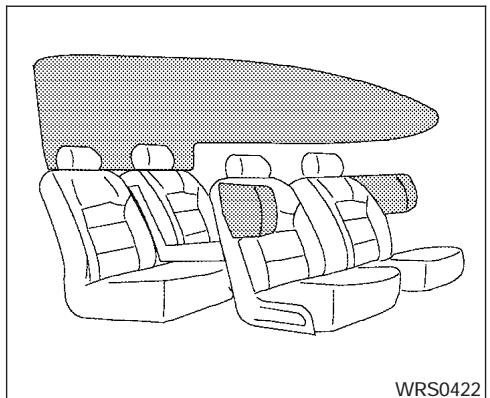
WRS0422
Supplemental side-impact air bag and curtain side-impact and rollover air bags system (if so equipped)
The supplemental side-impact air bags are located in the outside of the seatback of the front seats. The supplemental curtain side-impact and rollover air bags are located in the side roof rails. These systems are designed to meet voluntary guidelines to help reduce the risk of injury to out-of-position occupants. However, all of the information, cautions and warnings in this manual still apply and must be followed. The supplemental side air bags and curtain side-impact and rollover air bags are designed to
inflate in higher severity side collisions, although they may inflate if the forces in another type of collision are similar to those of a higher severity side impact. They are designed to inflate on the side where the vehicle is impacted. They may not inflate in certain side collisions.
- Curtain side-impact and rollover air bags are also designed to inflate in certain types of rollover collisions or near rollovers.
Vehicle damage (or lack of it) is not always an indication of proper supplemental side air bag and curtain side-impact and rollover air bag operation.
When the supplemental side air bag and curtain air bags inflate, a fairly loud noise may be heard, followed by release of smoke. This smoke is not harmful and does not indicate a fire. Care should be taken not to inhale it, as it may cause irritation and choking. Those with a history of a breathing condition should get fresh air promptly.
Supplemental side air bags, along with the use of seat belts, help to cushion the impact force on the chest of the front occupants. Curtain sideimpact and rollover air bags help to cushion the impact force to the head of occupants in the front and rear outboard seating positions. They can help save lives and reduce serious injuries. However, an inflating side air bag, or curtain air bag may cause abrasions or other injuries. Supple
mental side air bags and curtain side-impact and rollover air bags do not provide restraint to the lower body.
The seat belts should be correctly worn and the driver and passenger seated upright as far as practical away from the supplemental side air bag. Rear seat passengers should be seated as far away as practical from the door finishers and side roof rails. The side air bags and curtain side-impact and rollover air bag inflate quickly in order to help protect the occupants. Because of this, the force of the side air bag and curtain air bag inflating can increase the risk of injury if the occupant is too close to, or is against, these air bag modules during inflation. The side air bag will deflate quickly after the collision is over.
The curtain side-impact and rollover air bag will remain inflated for a short time.
The supplemental side air bags and curtain side-impact and rollover air bags operate only when the ignition switch is in the ON or START positions.
After turning the ignition key to the ON position, the supplemental air bag warning light illuminates. The supplemental air bag warning light will turn off after about 7 seconds if the system is operational.
WARNING
- Do not place any objects near the seatback of the front seats. Also, do not place any objects (an umbrella, bag, etc.) between the front door finisher and the front seat. Such objects may become dangerous projectiles and cause injury if the supplemental side air bag inflates.
- Right after inflation, several side air bag and curtain side-impact and rollover air bag system components will be hot. Do not touch them; you may severely burn yourself.
- No unauthorized changes should be made to any components or wiring of the side air bag and curtain air bag system. This is to prevent accidental inflation of the side air bag and curtain air bag or damage to the side air bag and curtain air bag system.
-
Do not make unauthorized changes to your vehicle's electrical system, suspension system or side panel. This could affect proper operation of the supplemental curtain air bag system.
-
Tampering with the supplemental side air bag system may result in serious personal injury. For example, do not change the front seats by placing material near the seatbacks or by installing additional trim material, such as seat covers, around the side air bag.
-
Work around and on the curtain air bag system should be done by a NISSAN dealer. Installation of electrical equipment should also be done by a NISSAN dealer. The SRS wiring harnesses* should not be modified or disconnected. Unauthorized electrical test equipment and probing devices should not be used on the side air bag or curtain air bag system.
-
The SRS wiring harness or connectors are yellow or orange for easy identification.
When selling your vehicle, we request that you inform the buyer about the supplemental side air bag and curtain air bag system and guide the buyer to the appropriate sections in this Owner's Manual.
Pre-tensioner seat belt system (Front seats)
WARNING
- The pre-tensioner seat belt cannot be reused after activation. It must be replaced together with the retractor and buckle as a unit.
- If the vehicle becomes involved in a frontal collision but the pre-tensioner is not activated, be sure to have the pretensioner system checked and, if necessary, replaced by your NISSAN dealer.
-
No unauthorized changes should be made to any components or wiring of the pre-tensioner seat belt system. This is to prevent accidental activation of the pre-tensioner seat belt or damage to the pre-tensioner seat belt operation. Tampering with the pre-tensioner seat belt system may result in serious personal injury.
-
Work around and on the pre-tensioner system should be done by a NISSAN dealer. Installation of electrical equipment should also be done by a NISSAN dealer. Unauthorized electrical test equipment and probing devices should not be used on the pre-tensioner seat belt system.
- If you need to dispose of the pretensioner or scrap the vehicle, contact a NISSAN dealer. Correct pre-tensioner disposal procedures are set forth in the appropriate NISSAN Service Manual. Incorrect disposal procedures could cause personal injury.
The front seat pre-tensioner seat belt system activates in conjunction with the front supplemental air bag systems. Working with the seat belt retractor, it helps tighten the seat belt when the vehicle becomes involved in certain types of collisions, helping to restrain front seat occupants.
The pre-tensioner is encased with the seat belt's retractor. These seat belts are used the same as conventional seat belts.
When the pre-tensioner seat belt activates, smoke is released and a loud noise may be heard. This smoke is not harmful and does not indicate a fire. Care should be taken not to inhale it, as it may cause irritation and choking. Those with a history of a breathing condition should get fresh air promptly.
After the pre-tensioner seat belts have activated, load limiters allow the seat belt to release webbing (if necessary) to reduce forces against the chest.
If any abnormality occurs in the pre-tensioner system, the supplemental air bag warning light will not come on, will flash intermittently or will turn on for 7 seconds and remain on after the ignition key has been turned to the ON or START position. In this case, the pre-tensioner seat belt may not function properly. They must be checked and repaired. Take your vehicle to the nearest NISSAN dealer.
When selling your vehicle, we request that you inform the buyer about the pre-tensioner seat belt system and guide the buyer to the appropriate sections in this Owner's Manual.
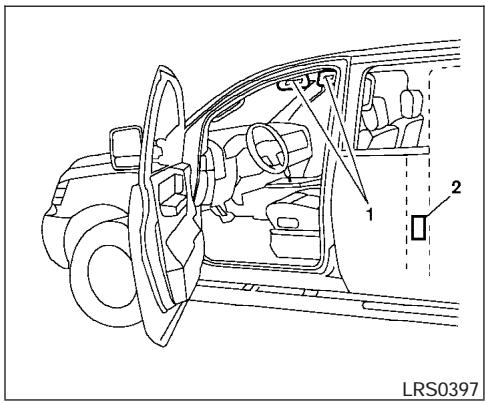
- SRS Air bag warning labels
The warning labels are located on the surface of the sun visor. - SRS Side air bag warning label (if so equipped)
The warning label is located on the side of the passenger's side center pillar.
SUPPLEMENTAL AIR BAG WARNING LABELS
Warning labels about the supplemental front air bags and supplemental side-impact and rollover air bag systems are placed in the vehicle as shown in the illustration.

LRS0100
SUPPLEMENTAL AIR BAG WARNING LIGHT
The supplemental air bag warning light, displaying in the instrument panel, monitors the circuits of the supplemental front air bag, supplemental side-impact air bag and curtain side-impact and rollover air bag and pretensioner seat belt systems. The circuits monitored by the supplemental air bag warning light are the diagnosis sensor unit, crash zone sensor, satellite sensors, rollover sensor, front air bag modules, side air bag modules, curtain air bag modules, pre-tensioner seat belts and all related wiring.
When the ignition key is in the ON or START position, the supplemental air bag warning light illuminates for about 7 seconds and then turns off. This means the system is operational.
If any of the following conditions occur, the supplemental front air bag, supplemental side air bag, curtain air bag and pre-tensioner seat belt systems need servicing:
- The supplemental air bag warning light remains on after approximately 7 seconds.
- The supplemental air bag warning light flashes intermittently.
- The supplemental air bag warning light does not come on at all.
Under these conditions, the supplemental front air bag, supplemental side air bags and curtain air bag or pre-tensioner seat belt systems may not operate properly. It must be checked and repaired. Take your vehicle to the nearest NISSAN dealer.
WARNING
If the supplemental air bag warning light is on, it could mean that the supplemental front air bag, supplemental side air bag, curtain air bag systems and/or pretensioner seat belt systems will not operate in an accident. To help avoid injury to yourself or others, have your vehicle checked by a NISSAN dealer as soon as possible.
Repair and replacement procedure
The supplemental front air bags, supplemental side air bags, curtain air bags and pre-tensioner seat belts are designed to inflate on a one-time-only basis. As a reminder, unless it is damaged, the supplemental air bag warning light remains illuminated after inflation has occurred. Repair and replacement of these supplemental air bag systems should be done only by a NISSAN dealer.
When maintenance work is required on the vehicle, the supplemental front air bags, supplemental side air bags, curtain air bags, pretensioner seat belts and related parts should be pointed out to the person performing the maintenance. The ignition key should always be in the LOCK position when working under the hood or inside the vehicle.
WARNING
- Once a supplemental front air bag, supplemental side air bag or curtain air bag has inflated, the air bag module will not function again and must be replaced. Additionally, if any of the supplemental front air bags inflate, the activated pre-tensioner seat belts must also be replaced. The air bag module and pre-tensioner seat belt system should be replaced by a NISSAN dealer. The air bag module and pre-tensioner seat belt system cannot be repaired.
- The supplemental front air bag, side air bag and curtain air bag systems, and the pre-tensioner seat belt system should be inspected by a NISSAN dealer if there is any damage to the front end or side portion of the vehicle.
- If you need to dispose of the supplemental air bag, pre-tensioner seat belt system or scrap the vehicle, contact a NISSAN dealer. Correct supplemental air bag and pre-tensioner seat belt system disposal procedures are set forth in the appropriate NISSAN Service Manual. Incorrect disposal procedures could cause personal injury.
2 Instruments and controls
Instrument panel. 2-2
Meters and gauges 2-3
Speedometer and odometer 2-4
Trip computer (if so equipped) 2-5
Tachometer 2-6
Engine coolant temperature gauge 2-6
Fuel gauge 2-7
Engine oil pressure gauge (if so equipped) 2-8
Voltmeter (if so equipped) 2-8
Compass and outside temperature display (if so equipped) 2-9
Outside temperature display 2-9
Compass display 2-10
Warning/indicator lights and audible reminders 2-12
Checking bulbs 2-12
Warning lights 2-13
Indicator lights 2-17
Audible reminders 2-21
Security systems (if so equipped) 2-21
Vehicle security system (if so equipped). 2-21
NISSAN vehicle immobilizer system (if so equipped) 2-22
Windshield wiper and washer switch 2-23
Switch operation 2-23
Rear window and outside mirror defroster switch (if so equipped) 2-24
Headlight and turn signal switch. 2-25
Headlight control switch. 2-25
Daytime running light system (Canada only) 2-27
Instrument brightness control 2-28
Turn signal switch 2-28
Fog light switch (if so equipped) 2-28
Hazard warning flasher switch 2-29
Horn 2-29
Cargo lamp switch 2-30
Heated seat (if so equipped). 2-30
Vehicle dynamic control (VDC) off switch (if so equipped) 2-31
Hill descent control (HDC) switch (if so equipped) 2-31
Electronic locking rear differential (E-Lock) system switch (if so equipped). 2-32
Clutch interlock (clutch start) switch (if so equipped) 2-33
Power outlet 2-34
Storage 2-35
Storage trays 2-35
Under-seat storage bins. 2-36
Console box 2-38
Glovecbox 2-38
Sunglasses holder (if so equipped) 2-38
Map pockets. 2-39
Seat pockets (if so equipped). 2-40
Cup holders 2-41
Roof rack (if so equipped) 2-43
Windows 2-44
Power windows (if so equipped) 2-44
Manual windows 2-46
Rear sliding window (if so equipped) 2-46
Sunroof (if so equipped). 2-47
Automatic sunroof 2-47
Interior lights 2-48
Personal lights (if so equipped) 2-50
Map lights (if so equipped) 2-50
HomeLink® universal transceiver (if so equipped). 2-50
Programming HomeLink 2-51
Programming HomeLink® for Canadian customers 2-52
Operating the HomeLink® universal transceiver. 2-52
Programming trouble-diagnosis 2-53
Clearing the programmed information. 2-53
Reprogramming a single HomeLink® button . . . . . 2-53
If your vehicle is stolen 2-53
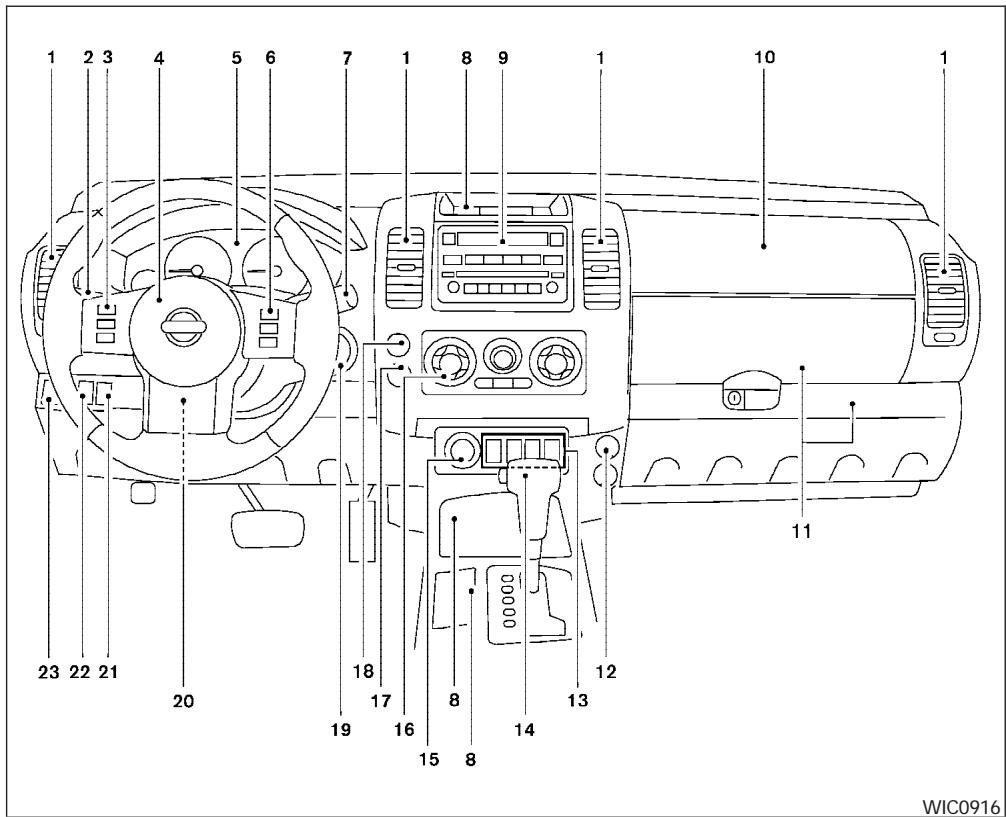
2-2 Instruments and controls
- Ventilators (P. 4-2)
- Headlight/fog light (if so equipped)/turn signal switch (P. 2-25)
- Steering wheel switch for audio control (if so equipped) (P. 4-26)
- Driver supplemental air bag/horn (P. 1-48, P. 2-29)
- Meters, gauges and warning/indicator lights (P. 2-3, 2-12)
- Cruise control main/set switches (if so equipped) (P. 5-18)
- Windshield wiper/washer switch (P. 2-23)
- Storage (P. 2-35)
- Audio system controls (if so equipped) (P. 4-10)
- Front passenger supplemental air bag (P. 1-48)
- Upper and lower glove box (P. 2-38)
- Power outlet (P. 2-34)
- Electronic locking rear differential (E-Lock) system switch (if so equipped) (P. 2-32) Heated seat switches (if so equipped) (P. 2-30)
Hill descent control (HDC) switch (if so equipped) (P. 2-31)
METERS AND GAUGES
Vehicle dynamic control (VDC) OFF switch (if so equipped) (P. 2-31)
- Shift selector lever (P. 5-11)
- 4WD shift switch (if so equipped) (P. 5-20)
- Climate controls (P. 4-2)
- Passenger air bag status light (P. 1-58)
- Hazard warning flasher switch (P. 2-29)
- Ignition switch (P. 5-7)
- Tilt steering wheel control (if so equipped) (P. 3-11)
- Cargo lamp switch (P. 2-30)
- Clutch interlock (clutch start) switch (if so equipped) (P. 2-33)
- Outside mirror controls (if so equipped) (P. 3-14)
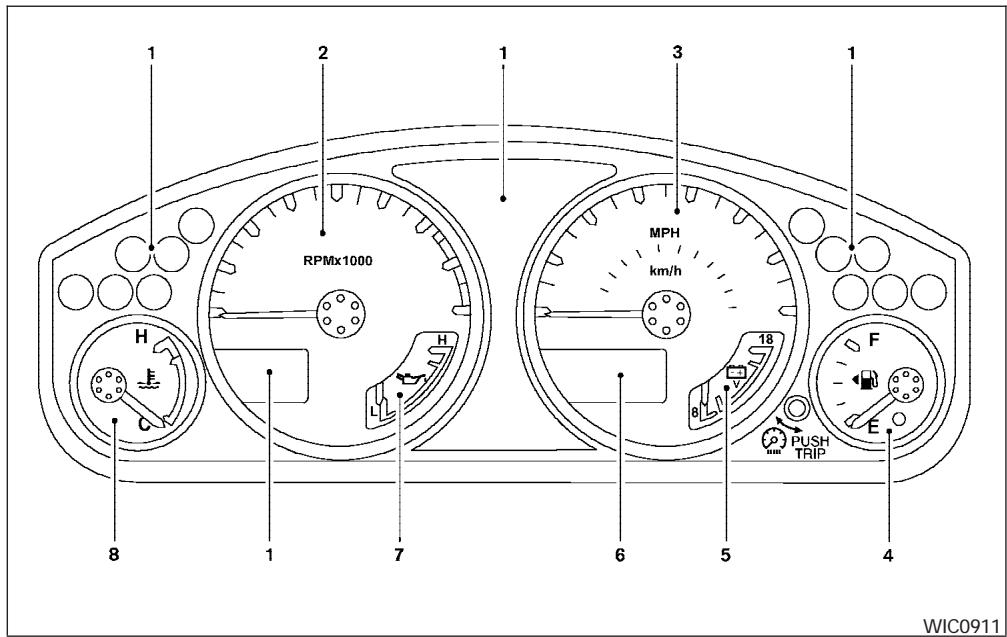
- Warning/indicator lights
- Tachometer
- Speedometer
- Fuel gauge
-
Voltmeter (if so equipped)
-
Odometer/Twin trip odometer/Trip computer (if so equipped)
- Engine oil pressure gauge (if so equipped)
- Engine coolant temperature gauge
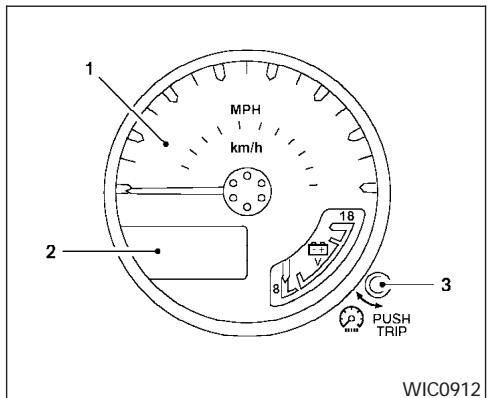
- Speedometer
- Odometer/twin trip display
- Change button
SPEEDOMETER AND ODOMETER
Speedometer
The speedometer indicates vehicle speed in miles per hour (MPH) and kilometers per hour (km / h)
Odometer/Twin trip odometer
The odometer/twin trip odometer is displayed when the ignition key is in the ON position.
The odometer records the total distance the vehicle has been driven.
The twin trip odometer records the distance of individual trips.
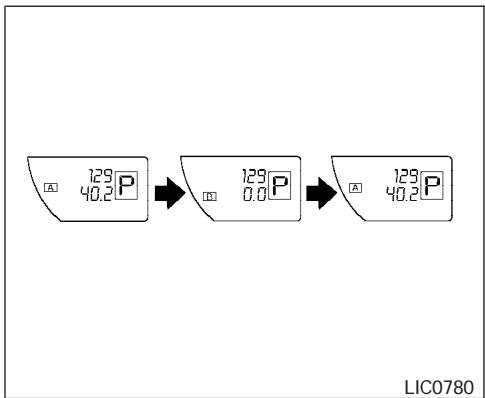
With twin trip odometer
Changing the display:
For vehicles equipped with twin trip odometer, pushing the change button changes the display as follows:
Trip A → Trip B → Trip A
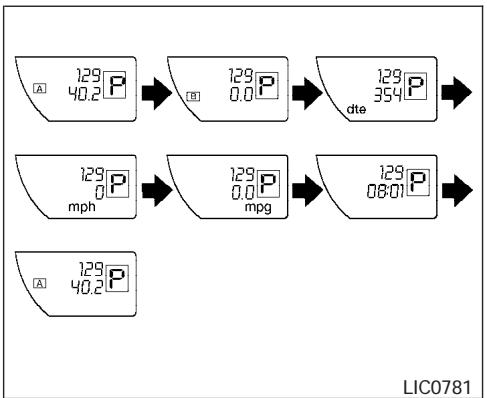
With trip computer
For vehicles equipped with trip computer, pushing the change button changes the display as follows:
Trip A → Trip B → Distance to Empty → Average speed → Average fuel consumption → Journey time → Trip A
For additional information, refer to "Trip computer" later in this section.
Resetting the trip odometer:
Pushing the change button for more than 1 second resets the trip odometer to zero.
TRIP COMPUTER (if so equipped)
The display of the trip computer is situated in the speedometer display. When the ignition is turned to ON, the display scrolls all the modes of the trip computer and then shows the mode chosen before the ignition switch was turned OFF.
When the ignition switch is turned to ON, modes of the trip computer can be selected by pushing the trip computer change button. The following modes can be selected:
Distance to empty (dt-e mile or km)
The distance to empty (dte) mode provides you with an estimation of the distance that can be driven before refueling. The dte is constantly being calculated, based on the amount of fuel in the fuel tank and the actual fuel consumption.
The display is updated every 30 seconds.
The dte mode includes a low range warning feature: when the fuel level is low, the dte mode is automatically selected and the digits blink in order to draw the driver's attention. Press the change button if you wish to return to the mode that was selected before the warning occurred. The dte mark (dte) will remain blinking until the vehicle is refueled.
When the fuel level drops even lower, the dte display will change to (---) .
NOTE:
- If the amount of fuel added while the ignition switch is OFF is small, the display just before the ignition switch is turned OFF may continue to be displayed.
- When driving uphill or rounding curves, the fuel in the tank shifts, which may momentarily change the display.
Average speed (MPH or km/h)
The average speed mode shows the average vehicle speed since last reset. Resetting is done by pressing the change button for more than approximately 1 second. The display is updated every 30 seconds. The first 30 seconds after a reset, the display shows (---) .
Average fuel consumption (Mpg or I/100km)
The average fuel consumption mode shows the average fuel consumption since the last reset. Resetting is done by pressing the change button for more than approximately 1 second. The display is updated every 30 seconds. At about the first 1/3 miles (500m) after a reset, the display shows (---) .
Journey time
The journey time mode shows the time since the last reset. The displayed time can be reset by pressing the change button for more than approximately 1 second.
Trip computer reset
Pushing the change button for more than 3 seconds will reset all modes except Trip A and distance to empty (dtE).
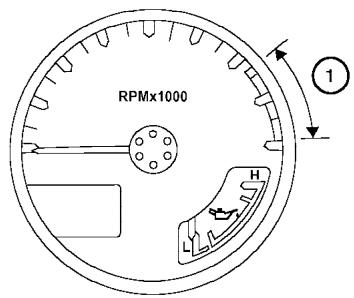
LIC0738
TACHOMETER
The tachometer indicates engine speed in revolutions per minute (rpm). Do not rev engine into the red zone ①.

CAUTION
When engine speed approaches the red zone, shift to a higher gear. Operating the engine in the red zone may cause serious engine damage.
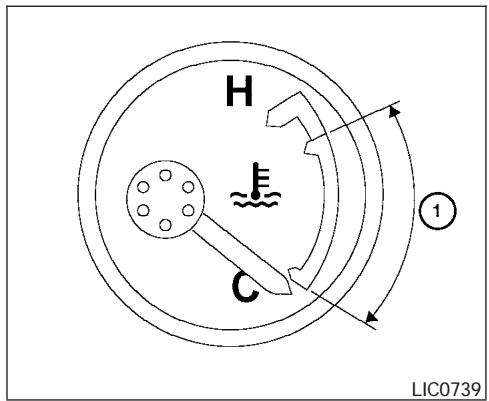
ENGINE COOLANT TEMPERATURE GAUGE
The gauge indicates the engine coolant temperature. The engine coolant temperature is within the normal range ① when the gauge needle points within the zone shown in the illustration.
The engine coolant temperature varies with the outside air temperature and driving conditions.
CAUTION
If the gauge indicates coolant temperature near the hot (H) end of the normal range, reduce vehicle speed to decrease temperature. If the gauge is over the normal range, stop the vehicle as soon as safely possible. If the engine is overheated, continued operation of the vehicle may seriously damage the engine. See "If your vehicle overheats" in the "In case of emergency" section for immediate action required.
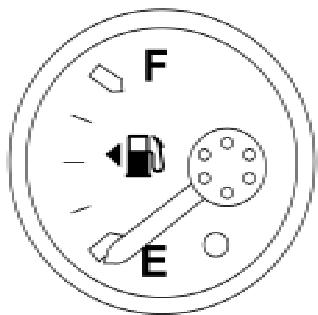
LIC0740
FUEL GAUGE
The gauge indicates the approximate fuel level in the tank.
The gauge may move slightly during braking, turning, acceleration, or going up or down hills.
The gauge needle returns to E (Empty) after the ignition key is turned to OFF.
The low fuel warning light comes on when the amount of fuel in the tank is getting low.
Refill the fuel tank before the gauge registers E (Empty).
The indicates that the fuel-filler door is located on the driver's side of the vehicle.
CAUTION
-
If the vehicle runs out of fuel, the ENGINE malfunction indicator light (MIL) may come on. Refuel as soon as possible. After a few driving trips, the ENGINE light should turn off. If the light remains on after a few driving trips, have the vehicle inspected by a NISSAN dealer.
-
For additional information, see "Malfunction indicator light (MIL)" later in this section.
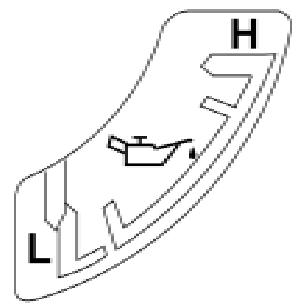
LIC0741
ENGINE OIL PRESSURE GAUGE (if so equipped)
The gauge indicates the engine lubrication system oil pressure while the engine is running. When the engine speed is high, the engine oil pressure is also high. When the engine speed is low, the gauge may indicate low oil pressure.
CAUTION
-
This gauge is not designed to indicate low engine oil level. Use the dipstick to check the oil level. (See "Engine oil" in the "Maintenance and do-it-yourself" section.)
-
If the gauge needle does not move with the proper amount of engine oil, have the vehicle checked by a NISSAN dealer. Continued vehicle operation in such a condition could cause serious damage to the engine.
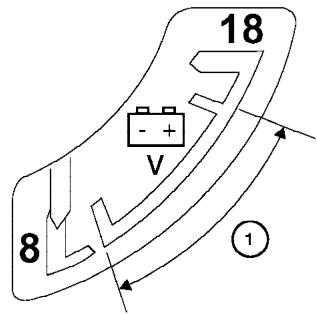
WIC0913
VOLTMETER (if so equipped)
When the ignition key is turned to the ON position, the voltmeter indicates the battery voltage. When the engine is running, it indicates the generator voltage.
While cranking the engine, the volts drop below the normal range. If the needle is not in the normal range (11 - 15 volts) ① while the engine is running, it may indicate that the charging system is not functioning properly. Have the system checked by a NISSAN dealer.
COMPASS AND OUTSIDE TEMPERATURE DISPLAY (if so equipped)
This unit has the following functions:
- Measures terrestrial magnetism and indicates heading direction of vehicle
- Indicates outside air temperature
With the ignition switch in the ON position, press the button as described in the chart below to activate various features of the automatic anti-glare review mirror.
| Push and hold the ~N- button for about: | Feature: (Push button again for about 1 second to change settings) |
| 1 second | Compass/outside temperature display toggles on/off |
| 3 seconds | Outside temperature display toggles between °F and °C |
| 8 seconds | Compass zone can be changed to correct false compass readings |
| 10 seconds | Compass enters calibration mode |
For information about the automatic anti-glare feature, refer to "Automatic anti-glare rearview mirror" in the "Pre-driving checks and adjustments" section.
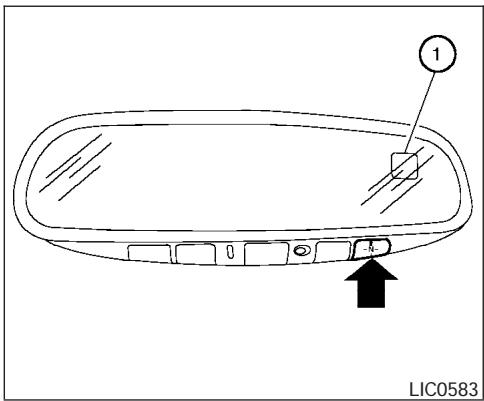
OUTSIDE TEMPERATURE DISPLAY
Push the -N- button for about 1 second when the ignition key is in the ON position to toggle the outside temperature and compass direction display ① on or off.
-
To change from irc F to irc C , push and hold the button for about 3 seconds until the display begins to flash. Press the button again to toggle between irc F and irc C . Once you have selected irc F or irc C , the display will continue to flash for about 5 seconds, then the temperature will display.
-
When the outside temperature is between 140ircF (60ircC) and 194ircF (90ircC) , the display will read 140ircF (60ircC) . When the temperature is above 194ircF (90ircC) , the display will read "SC".
- When the outside temperature is between -40ircF (-40ircC) and -60ircF (-51ircC) , the display will read -40ircF (-40ircC) . When the temperature is below -60ircF (-51ircC) , the display will read "OC".
- The outside temperature sensor is located in front of the radiator. The sensor may be affected by road or engine heat, wind direction and other driving conditions. The display may differ from the actual outside temperature or the temperature displayed on various signs or billboards.
- Temperature display will not update unless the vehicle is moving faster than 12 MPH (20 km/h), or the ignition switch has been OFF for 4 hours.
COMPASS DISPLAY
Push the -N- button for about 1 second when the ignition key is in the ON position to toggle the outside temperature and compass direction display ① on or off. The display will indicate the direction of the vehicle's heading.
N: North
E:East
S: South
W:West
If the display reads "CAL", calibrate the compass by driving the vehicle in three complete circles at less than 5 MPH (8 km/h).
You can also calibrate the compass by driving your vehicle on your everyday route. The compass will be calibrated once it has tracked three complete circles.
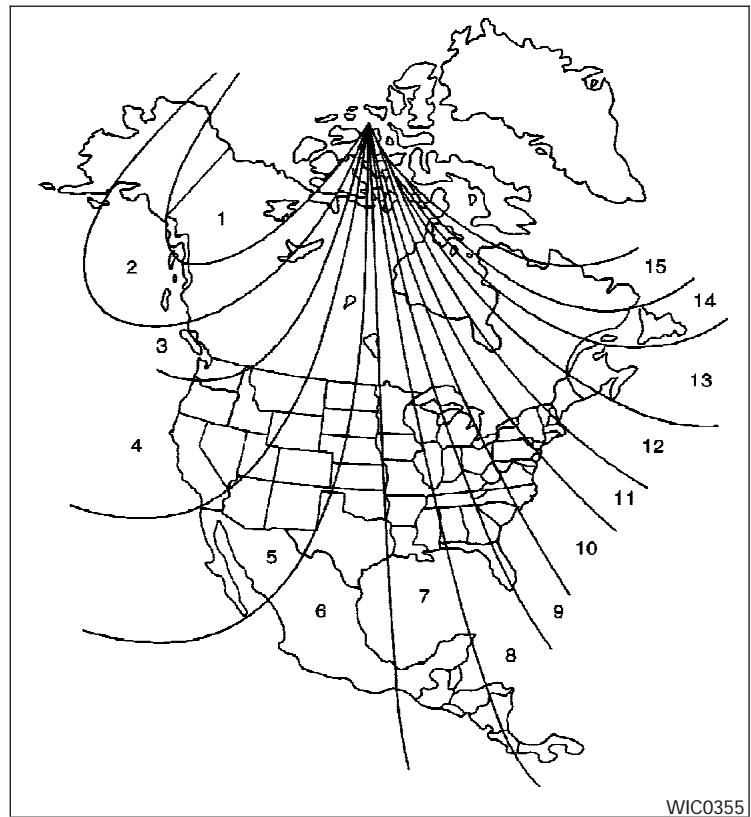
Zone variation change procedure
The difference between magnetic north and geographical north is known as variance. In some areas, this difference can sometimes be great enough to cause false compass readings. Follow these instructions to set the variance for your particular location if this happens:
- Press and hold the button for about 8 seconds. The current zone number will appear in the display. Release the button.
- Find your current location on the zone map. Refer to the illustration.
- Press the button repeatedly to toggle through the zone numbers until the desired number appears in the display. Once you have selected a zone number, the display will show a compass direction within a few seconds.
Inaccurate compass direction
The compass display is equipped with automatic correction function. If the correct direction is not shown, follow this procedure.
-
With the display turned on, press and hold the button for about 10 seconds. The "CAL" icon in the compass display will illuminate.
-
Calibrate the compass by driving the vehicle in three complete circles at a maximum speed of 5 MPH (8 km/h).
-
After completing the circles, the display should return to normal.
-
If the compass deviates from the correct indication soon after repeated adjustment, have the compass checked at an authorized dealer.
- The compass may not indicate the correct compass point in tunnels or while driving up or down a steep hill. (The compass returns to the correct compass point when the vehicle moves to an area where the geomagnetism is stabilized.)
- If a magnet is located in or near the overhead console in the front of the vehicle or the vehicle is driven where the terrestrial magnetism is disturbed, the compass display may not indicate the correct direction.
CAUTION
-
Do not install a ski rack, antenna, etc., which are attached to the vehicle by means of a magnet. They affect the operation of the compass.
-
When cleaning the mirror, use a paper towel or similar material dampened with glass cleaner. Do not spray glass cleaner directly on the mirror as it may cause the liquid cleaner to enter the mirror housing.
WARNING/INDICATOR LIGHTS AND AUDIBLE REMINDERS
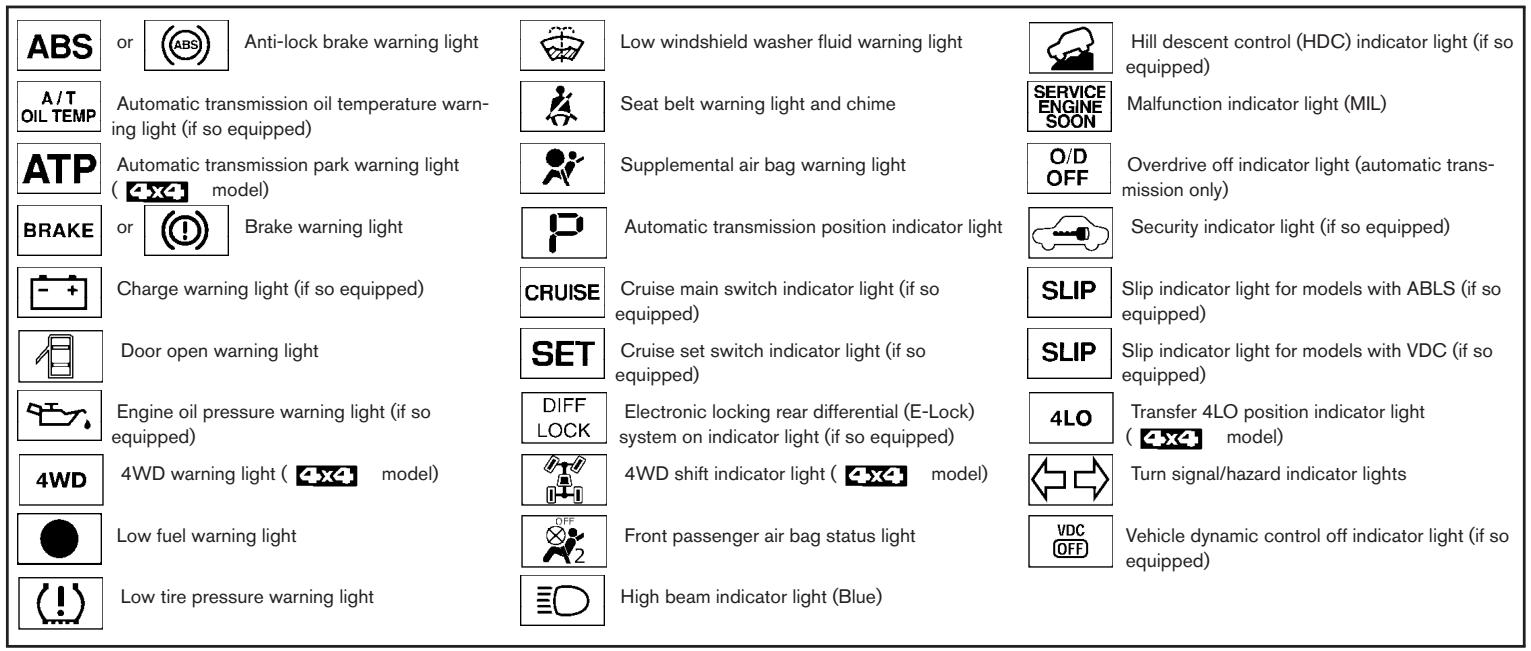
CHECKING BULBS
With all doors closed, apply the parking brake and turn the ignition key to the ON position without starting the engine. The following lights will come on:
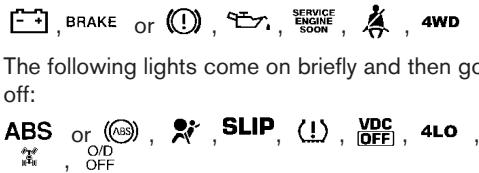
If any light fails to come on, it may indicate a burned-out bulb or an open circuit in the electrical system. Have the system repaired promptly.
2-12 Instruments and controls
WARNING LIGHTS
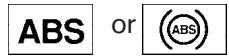
Anti-lock brake warning light
If the light comes on while the engine is running, it may indicate the anti-lock brake system is not functioning properly. Have the system checked by a NISSAN dealer.
If an abnormality occurs in the system, the anti- lock function ceases, but the regular braking system continues to operate.
If the light comes on while you are driving, contact a NISSAN dealer for repair.
The ABS system will be disabled and the ABS light will illuminate when the electronic locking rear differential (E-Lock) system switch (if so equipped) is turned on and the E-Lock system is engaged. If the E-Lock system disengages or the switch is turned off, the ABS system will be enabled and the ABS light will turn off.

Automatic transmission oil temperature warning light (if so equipped)
This light comes on when the automatic transmission oil temperature is too high. If the light comes on while driving, reduce the vehicle speed as soon as safely possible until the light turns off.
CAUTION
Continued vehicle operation when the A/T oil temperature warning light is on may damage the automatic transmission.

Automatic transmission park warning light (4xa model)
WARNING
- If the ATP light is ON, this indicates that the automatic transmission P (Park) position will not function and the transfer case is in neutral.
-
When parking, always make sure that the 4WD shift indicator light illuminates and the parking brake is set. Failure to engage the transfer position in 2WD, 4H or 4LO could result in the vehicle moving unexpectedly, resulting in serious personal injury or property damage.
-
Shift the 4WD switch into the 2WD, 4H or 4LO position again to turn off the ATP warning light when the automatic transmission selector lever is in the P position and the ATP warning light is ON. (Before shifting the 4WD switch into the 4LO position, move the automatic transmission selector lever into the N position once, shift the selector lever into P again and make sure the ATP warning light is OFF.)
This light indicates that the automatic transmission parking function is not engaged. If the transfer control is not secured in any drive position while the automatic transmission selector lever is in the P (Park) position, the transmission will disengage and the drive wheels will not lock.

Brake warning light
This light functions for both the parking brake and the foot brake systems.
Parking brake indicator
When the ignition key is in the ON position, the light comes on when the parking brake is applied.
Low brake fluid warning light
When the ignition key is in the ON position, the light warns of a low brake fluid level. If the light comes on while the engine is running with the parking brake not applied, stop the vehicle and perform the following:
- Check the brake fluid level. Add brake fluid as necessary. See "Brake fluid" in the "Maintenance and do-it-yourself" section of this manual.
- If the brake fluid level is correct, have the warning system checked by a NISSAN dealer.
WARNING
- Your brake system may not be working properly if the warning light is on. Driving could be dangerous. If you judge it to be safe, drive carefully to the nearest service station for repairs. Otherwise, have your vehicle towed because driving it could be dangerous.
-
Pressing the brake pedal with the engine stopped and/or a low brake fluid level may increase your stopping distance and braking will require greater pedal effort as well as pedal travel.
-
If the brake fluid level is below the MINIMUM or MIN mark on the brake fluid reservoir, do not drive until the brake system has been checked at a NISSAN dealer.

Charge warning light (if so equipped)
If this light comes on while the engine is running, it may indicate the charging system is not functioning properly. Turn the engine off and check the generator belt. If the belt is loose, broken, missing, or if the light remains on, see a NISSAN dealer immediately.
CAUTION
- Do not ground electrical accessories directly to the battery terminal. Doing so will bypass the variable control system and the vehicle battery may not charge completely. Refer to "Variable voltage control system" in the "Maintenance and do-it-yourself" section later in this manual.
- Do not continue driving if the generator belt is loose, broken or missing.

Door open warning light
This light comes on when any of the doors are not closed securely while the ignition key is in the ON position.

Engine oil pressure warning light (if so equipped)
This light warns of low engine oil pressure. If the light flickers or comes on during normal driving, pull off the road in a safe area, stop the engine immediately and call a NISSAN dealer or other authorized repair shop.
The engine oil pressure warning light is not designed to indicate a low oil level. Use the dipstick to check the oil level. See "Engine oil" in the "Maintenance and do-it-yourself" section of this manual.
CAUTION
Running the engine with the engine oil pressure warning light on could cause serious damage to the engine almost immediately. Such damage is not covered by warranty. Turn off the engine as soon as it is safe to do so.
4WD
4WD warning light (4x4 model)
The 4WD warning light comes on when the key switch is turned to ON. It turns off soon after the engine is started.
If the engine or vehicle is not functioning properly, the warning light will either remain illuminated or blink. See "4WD warning light" in the "Starting and driving" section.
CAUTION
- If the warning light comes on or blinks during operation, have your vehicle checked by a NISSAN dealer as soon as possible.
-
Do not drive on dry hard surface roads in the 4H or 4LO position. If the 4WD warning light turns on when you are driving on dry hard surface roads:
-
in the 4H position, shift the 4WD shift switch to 2WD.
-
in the 4LO position for automatic transmission models, stop the vehicle and shift the transmission selector lever to the N position with the brake pedal depressed and shift the 4WD shift switch to 2WD.
-
in the 4LO position for manual transmission models, stop the vehicle and shift the transmission shift lever to the N position with the clutch pedal depressed and shift the 4WD shift switch to 2WD.
- If the warning light is still on after the above operation, have your vehicle checked by a NISSAN dealer as soon as possible.

Low fuel warning light
This light comes on when the fuel level in the fuel tank is getting low. Refuel as soon as it is convenient, preferably before the fuel gauge reaches E (Empty). There will be a small reserve of fuel in the tank when the fuel gauge needle reaches E (Empty).

Low tire pressure warning light
Your vehicle is equipped with a tire pressure monitoring system (TPMS) that monitors the tire pressure of all tires except the spare.
The low tire pressure warning light warns of low tire pressure or indicates that the TPMS is not functioning properly.
After the ignition switch is turned ON, this light illuminates for about 1 second and turns off.
Low tire pressure warning:
If the vehicle is being driven with low tire pressure, the warning light will illuminate.
When the low tire pressure warning light illuminates, you should stop and adjust the tire pressure to the recommended COLD tire pressure shown on the Tire and Loading Information label to turn the light OFF.
For additional information, see "Tire pressure monitoring system (TPMS)" in the "Starting and driving" section and in the "In case of emergency" section.
TPMS malfunction:
If the TPMS is not functioning properly, the low tire pressure warning light will flash for approximately 1 minute when the ignition switch is turned ON. The light will remain on after the 1 minute. Have the system checked by a NISSAN dealer.
For additional information, see "Tire pressure monitoring system (TPMS)" in the "Starting and driving" section.
WARNING
- If the light does not illuminate with the ignition switch turned ON, have the vehicle checked by a NISSAN dealer as soon as possible.
-
If the light illuminates while driving, avoid sudden steering maneuvers or abrupt braking, reduce vehicle speed, pull off the road to a safe location and stop the vehicle as soon as possible. Serious vehicle damage could occur and may lead to an accident and could result in serious personal injury. Check the tire pressure for all four tires. Adjust the tire pressure to the recommended COLD tire pressure shown on the Tire and Loading Information label to turn the low tire pressure warning light OFF. If the light still illuminates while driving after adjusting the tire pressure, a tire may be flat. If you have a flat tire, replace it with a spare tire as soon as possible.
-
When a spare tire is mounted or a wheel is replaced, tire pressure will not be indicated, the TPMS will not function and the low tire pressure warning light will flash. Contact your NISSAN dealer as soon as possible for tire replacement and/or system resetting.
- Replacing tires with those not originally specified by NISSAN could affect the proper operation of the TPMS.
CAUTION
- The TPMS is not a substitute for the regular tire pressure check. Be sure to check the tire pressure regularly.
- If the vehicle is being driven at speeds of less than 16 MPH (25 km/h), the TPMS may not operate correctly.
- Be sure to install the specified size of tires to the 4 wheels correctly.

Low windshield washer fluid warning light
This light comes on when the windshield washer fluid is at a low level. Add windshield washer fluid as necessary. See "Window washer fluid" in the "Maintenance and do-it-yourself" section of this manual.

Seat belt warning light and chime
The light and chime remind you to fasten your seat belts. The light illuminates whenever the ignition key is turned to the ON or START position and remains illuminated until the driver's seat belt is fastened. At the same time, the chime sounds for about 6 seconds unless the driver's seat belt is securely fastened.
The seat belt warning light may also illuminate if the front passenger's seat belt is not fastened when the front passenger's seat is occupied (if so equipped). For 5 seconds after the ignition switch is in the ON position, the system does not activate the warning light for the front passenger.
Refer to "Seat belts" in the "Safety—Seats, seat belts and supplemental restraint system" section for precautions on seat belt usage.

Supplemental air bag warning light
When the ignition key is in the ON or START position, the supplemental air bag warning light illuminates for about 7 seconds and then turns off. This means the system is operational.
If any of the following conditions occur, the supplemental front air bag, supplemental side air bag (if so equipped), curtain side-impact air bags
(if so equipped), and pre-tensioner seat belt systems need servicing and your vehicle must be taken to a NISSAN dealer:
- The supplemental air bag warning light remains on after approximately 7 seconds.
- The supplemental air bag warning light flashes intermittently.
- The supplemental air bag warning light does not come on at all.
Unless checked and repaired, the supplemental restraint system (air bag system) and/or the pretensioner seat belts may not function properly. For additional details see "Supplemental restraint system" in the "Safety—Seats, seat belts and supplemental restraint system" section of this manual.
WARNING
If the supplemental air bag warning light is on, it could mean that the supplemental front air bag, supplemental side air bag (if so equipped), curtain side-impact air bag systems (if so equipped) and/or pretensioner seat belt systems will not operate in an accident. To help avoid injury to yourself or others, have your vehicle checked by a NISSAN dealer as soon as possible.
INDICATOR LIGHTS

Automatic transmission position indicator light
When the ignition key is turned to the ON position, this indicator light shows the automatic transmission selector lever position. See "Driving the vehicle" in the "Starting and driving" section of this manual.

Cruise main switch indicator light (if so equipped)
The light comes on when the cruise control main switch is pushed. The light goes out when the main switch is pushed again. When the cruise main switch indicator light comes on, the cruise control system is operational.

Cruise set switch indicator light (if so equipped)
The light comes on while the vehicle speed is controlled by the cruise control system. If the light blinks while the engine is running, it may indicate the cruise control system is not functioning properly. Have the system checked by a NISSAN dealer.
DIFF LOCK
Electronic locking rear differential (E-Lock) system on indicator light (if so equipped)
This light comes on when the electronic locking rear differential (E-Lock) system clutch is fully engaged.
The indicator light flashes when the system is first turned on. When the system fully engages, the light remains on. If the switch is on and the indicator light continues to flash, the system is not engaged.
For additional information, see "Electronic locking rear differential (E-Lock) system switch" later in this section and "Electronic locking rear differential (E-Lock) system" in the "Starting and driving" section of this manual.

4WD shift indicator light ( model)
The light should turn off within 1 second after turning the ignition switch to ON.
While the engine is running, the 4WD shift indicator light will illuminate the position selected by the 4WD shift switch.
The 4WD shift indicator light may blink while shifting from one drive mode to the other.

Front passenger air bag status light
The front passenger air bag status light ( ) will be lit and the passenger front air bag will be OFF depending on how the front passenger seat is being used.
For front passenger air bag status light operation, see "Front passenger air bag and status light" in the "Safety - Seats, seat belts and supplemental restraint system" section of this manual.

High beam indicator light (Blue)
This blue light comes on when the headlight high beams are on and goes out when the low beams are selected.
The high beam indicator light also comes on when the passing signal is activated.

Hill descent control (HDC) system on indicator light (if so equipped)
When the ignition switch is turned ON, this light comes on briefly and then turns off.
The light comes on when the hill descent control system is activated.
If the HDC switch is on and the indicator light blinks, the system is not engaged.
If the indicator light does not come on or blink when the hill descent switch is on, the system may not be functioning properly. Have the system checked by a NISSAN dealer.
For additional information, see "Hill descent control (HDC) switch" later in this section and "Hill descent control (HDC) system" in the "Starting and driving" section of this manual.
SERVICE ENGINE SOON
Malfunction indicator light (MIL)
If this indicator light comes on steady or blinks while the engine is running, it may indicate a potential emission control malfunction.
The malfunction indicator light may also come on steady if the fuel-filler cap is loose or missing, or if the vehicle runs out of fuel. Check to make sure the fuel-filler cap is installed and closed tightly, and that the vehicle has at least 3 gallons (11.4 liters) of fuel in the fuel tank.
After a few driving trips, the SERVICE ENGE light should turn off if no other potential emission control system malfunction exists.
If this indicator light comes on steady for 20 seconds and then blinks for 10 seconds when the engine is not running, it indicates that the vehicle is not ready for an emission control system inspection/maintenance test. See "Readiness for inspection/maintenance (I/M) test" in the "Technical and consumer information" section of this manual.
Operation
The malfunction indicator light will come on in one of two ways:
-
Malfunction indicator light on steady — An emission control system malfunction has been detected. Check the fuel-filler cap. If the fuel-filler cap is loose or missing, tighten or install the cap and continue to drive the vehicle. The SERVICE SOON light should turn off after a few driving trips. If the SERVICE SOON light does not turn off after a few driving trips, have the vehicle inspected by a NISSAN dealer. You do not need to have your vehicle towed to the dealer.
-
Malfunction indicator light blinking — An engine misfire has been detected which may damage the emission control system. To reduce or avoid emission control system damage:
-
do not drive at speeds above 45 MPH (72 km/h).
- avoid hard acceleration or deceleration.
- avoid steep uphill grades.
- if possible, reduce the amount of cargo being hauled or towed.
The malfunction indicator light may stop blinking and come on steady. Have the vehicle inspected by a NISSAN dealer. You do not need to have your vehicle towed to the dealer.
CAUTION
Continued vehicle operation without having the emission control system checked and repaired as necessary could lead to poor driveability, reduced fuel economy, and possible damage to the emission control system.
O/D OFF
Overdrive off indicator light (automatic transmission models only)
This light comes on when the overdrive function is OFF.
The automatic transmission overdrive function is controlled by the overdrive switch.
See "Driving the vehicle" in the "Starting and driving" section of this manual.

Security indicator light (if so equipped)
This light blinks whenever the ignition switch is in the LOCK, OFF or ACC position. This function indicates the security system equipped on the vehicle is operational.
For additional information, see "Security systems" later in this section.
SLIP
Slip indicator light for models with ABLS (if so equipped)
This indicator light comes on if the active brake limited slip is activated. If activated, the system will apply braking to the slipping drive wheel(s), giving the non-slipping wheel(s) more traction.
SLIP
Slip indicator light for models with VDC (if so equipped)
This indicator light will blink when the traction control system is limiting wheel spin. Slippery road conditions may exist if the slip indicator blinks on. If this happens, adjust your driving accordingly.
The slip indicator light also comes on when you turn the ignition key to the ON position. The light will turn off after about 2 seconds if the system is
operational. If the light does not come on or does not go off, have the traction control system checked by a NISSAN dealer.
If the battery is removed or discharged, the traction control system is disabled and the slip indicator light will not turn off after 2 seconds when the ignition switch is turned to the ON position. To reset the system, you must perform the reset procedure. Refer to "Vehicle dynamic control (VDC) system" in the "Starting and driving" section of this manual.
If the light does not go off after performing the reset procedure, have the traction control system checked by a NISSAN dealer.
4LO
Transfer 4LO position
indicator light (4x4 model)
The light should turn off within 1 second after turning the ignition switch to ON.
This light comes on when the 4WD shift switch is set in the 4LO position with the ignition key in the ON position.
The transfer case may be damaged if you shift the switch while driving.
Make sure the transfer 4LO position indicator light turns on when you shift the 4WD shift switch to 4LO.
The indicator light may blink while shifting from one drive mode to the other.
The 4LO indicator light must stop blinking and remain illuminated or turn off before shifting the transmission into gear. If the transmission selector lever is shifted from the N position to any other gear when the 4LO indicator light is blinking, the vehicle may move unexpectedly.
When you shift between 4H and 4LO, follow the instructions below:
- For automatic transmission models, stop the vehicle and shift the transmission selector lever to the N position with the brake pedal depressed, then depress and turn the 4WD shift switch to 4LO or 4H.
- For manual transmission models, stop the vehicle and shift the transmission selector lever to the N position with the clutch pedal depressed, then depress and turn the 4WD shift switch to 4LO or 4H.
You cannot move the transfer 4WD shift switch between 4H and 4LO unless you stop the vehicle and shift the transmission selector lever to the N position with the brake pedal (AT models) or clutch pedal (MT models) depressed.

Turn signal/hazard indicator lights
The appropriate light flashes when the turn signal switch is activated.
Both lights flash when the hazard switch is turned on.

Vehicle dynamic control off indicator light (if so equipped)
This indicator light comes on when the vehicle dynamic control off switch is pushed to OFF, the transfer case is in the 4LO position (4x4 model), or when the vehicle dynamic control system is not functioning properly. This indicates the vehicle dynamic control system is not operating.
Push the vehicle dynamic control off switch again or restart the engine and the system will operate normally. See "Vehicle dynamic control (VDC) system" in the "Starting and driving" section of this manual.
The vehicle dynamic control light also comes on when you turn the ignition key to the ON position. The light will turn off after about 2 seconds if the system is operational. If the light stays on or comes on along with the SLIP indicator light while you are driving, have the vehicle dynamic control system checked by a NISSAN dealer.
If the battery is removed or discharged, the vehicle dynamic control system is disabled and the VDC indicator light will not turn off after 2 seconds when the ignition switch is turned to the ON position. To reset the system, you must perform the reset procedure. Refer to "Vehicle dynamic control (VDC) system" in the "Starting and driving" section of this manual.
If the light does not go off after performing the reset procedure, have the traction control system checked by a NISSAN dealer.
While the vehicle dynamic control system is operating, you might feel slight vibration or hear the system working when starting the vehicle or accelerating, but this is normal.
The VDC system will be disabled and the VDC light will illuminate when the electronic locking rear differential (E-lock) system switch (if so equipped) is turned on and the E-lock system is engaged. If the E-lock system disengages or the switch is turned off, the VDC system will be enabled and the VDC light will turn off.
SECURITY SYSTEMS (if so equipped)
AUDIBLE REMINDERS Brake pad wear warning
The disc brake pads have audible wear warnings. When a disc brake pad requires replacement, it makes a high pitched scraping sound when the vehicle is in motion, whether or not the brake pedal is depressed. Have the brakes checked as soon as possible if the warning sound is heard.
Key reminder chime
A chime sounds if the driver's door is opened while the key is left in the ignition switch. Remove the key and take it with you when leaving the vehicle.
Light reminder chime
With the ignition switch in the OFF position, a chime sounds when the driver's door is opened if the headlights or parking lights are on.
Turn the headlight control switch off before leaving the vehicle.
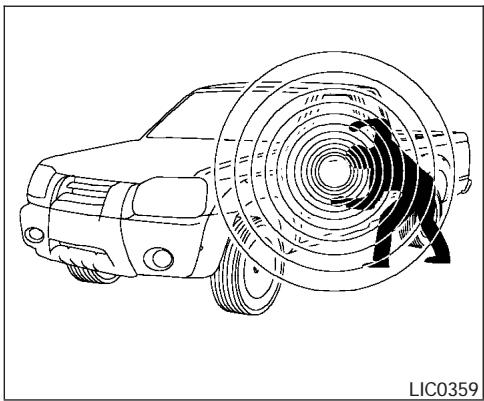
Your vehicle may have two types of security systems:
- Vehicle security system (if so equipped)
- NISSAN Vehicle Immobilizer System (if so equipped)
VEHICLE SECURITY SYSTEM (if so equipped)
The vehicle security system provides visual and audible alarm signals if someone opens the doors when the system is armed. It is not, however, a motion detection type system that activates when a vehicle is moved or when a vibration occurs.
The system helps deter vehicle theft but cannot prevent it, nor can it prevent the theft of interior or exterior vehicle components in all situations. Always secure your vehicle even if parking for a brief period. Never leave your keys in the ignition, and always lock the vehicle when unattended. Be aware of your surroundings, and park in secure, well-lit areas whenever possible.
Many devices offering additional protection, such as component locks, identification markers, and tracking systems, are available at auto supply stores and specialty shops. Your NISSAN dealer may also offer such equipment. Check with your insurance company to see if you may be eligible for discounts for various theft protection features.
How to arm the vehicle security system
- Close all windows. (The system can be armed even if the windows are open.)
- Remove the key from the ignition switch.
- Close all doors. Lock all doors. The doors can be locked with the key, power door lock switch (if the door is opened, locked and then closed), or with the keyfob.
Keyfob operation:
- Push the button on the keyfob. All doors lock. The hazard lights flash twice and the horn beeps once to indicate all doors are locked.
- When the button is pushed with all doors locked, the hazard lights flash twice and the horn beeps once as a reminder that the doors are already locked.
The horn may or may not beep. Refer to "Silencing the horn beep feature" in the "Pre-driving checks and adjustments" section later in this manual.
- Confirm that the indicator light comes on. The light stays on for about 30 seconds. The vehicle security system is now pre-armed. After about 30 seconds the vehicle security system automatically shifts into the armed phase. The light begins to flash once every 3 seconds. If, during the 30-second pre-arm time period, the door is unlocked by the key or the keyfob, or the ignition key is turned to ACC or ON, the system will not arm.
- If the key is turned slowly when locking the door, the system may not arm. Furthermore, if the key is turned beyond the vertical position toward the unlock
position to remove the key, the system may be disarmed when the key is removed. If the indicator light fails to glow for 30 seconds, unlock the door once and lock it again.
- Even when the driver and/or passengers are in the vehicle, the system will arm with all doors closed and locked with the ignition key in the OFF position.
Vehicle security system activation
The vehicle security system will give the following alarm:
- The headlights blink and the horn sounds intermittently.
- The alarm automatically turns off after approximately 50 seconds. However, the alarm reactivates if the vehicle is tampered with again. The alarm can be shut off by unlocking a door with the key, or by pressing the button on the keyfob.
The alarm is activated by:
- opening a door without using the key or keyfob (even if the door is unlocked by using the inside lock knob or the power door lock switch).
How to stop an activated alarm
The alarm stops only by unlocking a door with the key, or by pressing the button on the key-fob.
NISSAN VEHICLE IMMOBILIZER SYSTEM (if so equipped)
The NISSAN Vehicle Immobilizer System will not allow the engine to start without the use of a registered key.
If the engine fails to start using a registered key (for example, when interference is caused by another registered key, an automated toll road device or automatic payment device on the key ring), restart the engine using the following procedures:
- Leave the ignition switch in the ON position for approximately 5 seconds.
- Turn the ignition switch to the OFF or LOCK position, and wait approximately 10 seconds.
- Repeat steps 1 and 2.
- Restart the engine while holding the device (which may have caused the interference) separate from the registered key.
If the no start condition re-occurs, NISSAN recommends placing the registered key on a separate key ring to avoid interference from other devices.
Statement related to Section 15 of FCC Rules for NISSAN Vehicle Immobilizer System (CONT ASSY - IMMOBILIZER, ANT ASSY - IMMOBILIZER)
This device complies with part 15 of the FCC Rules and RSS-210 of Industry Canada. Operation is subject to the following two conditions;
(1) This device may not cause harmful interference, and (2) this device must accept any interference received, including interference that may cause undesired operation of the device.
CHANGES OR MODIFICATIONS NOT EXPRESSLY APPROVED BY THE PARTY RESPONSIBLE FOR COMPLIANCE COULD VOID THE USER'S AUTHORITY TO OPERATE THE EQUIPMENT.
Security indicator light
The security indicator light blinks whenever the ignition switch is in the LOCK, OFF or ACC position. This function indicates the NISSAN Vehicle Immobilizer System is operational.
If the NISSAN Vehicle Immobilizer System is malfunctioning, the light will remain on while the ignition key is in the ON position.
If the light still remains on and/or the engine will not start, see a NISSAN dealer for NISSAN Vehicle Immobilizer System service as soon as possible. Please bring all registered keys that you have when visiting your NISSAN dealer for service.
WINDSHIELD WIPER AND WASHER SWITCH
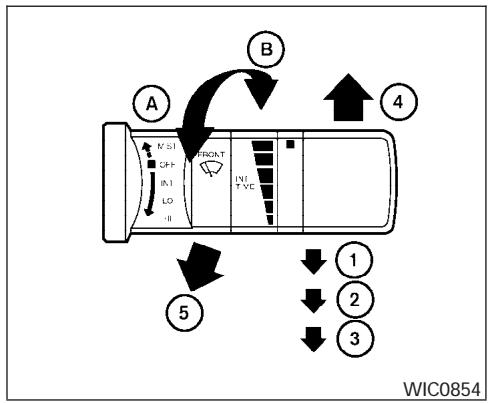
SWITCH OPERATION
The windshield wiper and washer operates when the ignition switch is in the ON position.
Push the lever down to operate the wiper at the following speed:
1 Intermittent (INT) — intermittent operation can be adjusted by turning the knob toward A (Slower) or B (Faster).
② Low(LO)—continuous low speed operation
(3) High (HI) — continuous high speed operation
Push the lever up ④ to have one sweep operation (MIST) of the wiper.
Pull the lever toward you ⑤ to operate the washer. The wiper will also operate several times.
WARNING
In freezing temperatures the washer solution may freeze on the windshield and obscure your vision which may lead to an accident. Warm the windshield with the defroster before you wash the windshield.
CAUTION
- Do not operate the washer continuously for more than 30 seconds.
- Do not operate the washer if the reservoir tank is empty.
-
Do not fill the window washer reservoir tank with washer fluid concentrates at full strength. Some methyl alcohol based washer fluid concentrates may permanently stain the grille if spilled while filling the window washer reservoir tank.
-
Pre-mix washer fluid concentrates with water to the manufacturer's recommended levels before pouring the fluid into the window washer reservoir tank. Do not use the window washer reservoir tank to mix the washer fluid concentrate and water.
REAR WINDOW AND OUTSIDE MIRROR DEFROSTER SWITCH (if so equipped)
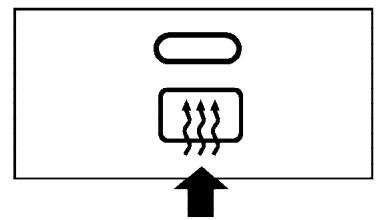
LIC0783
To defrost the rear window glass and outside mirrors (if so equipped), start the engine and push the rear window defroster switch on. The rear window defroster indicator light on the switch comes on. Push the switch again to turn the defroster off.
The rear window defroster automatically turns off after approximately 15 minutes.

CAUTION
When cleaning the inner side of the rear window, be careful not to scratch or damage the rear window defroster.
HEADLIGHT AND TURN SIGNAL SWITCH
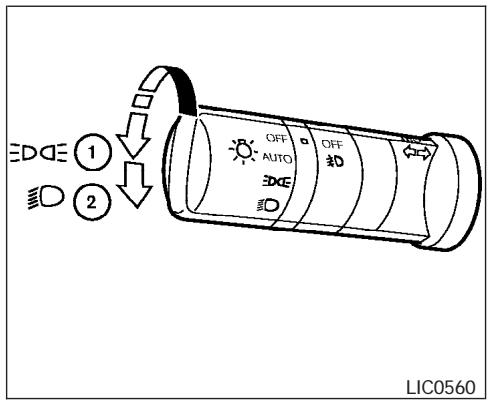
Type A
HEADLIGHT CONTROL SWITCH
Lighting
① When turning the switch to the DQF position, the front parking, tail, license plate and instrument panel lights come on.
② When turning the switch to the position, the headlights come on and all the other lights remain on.
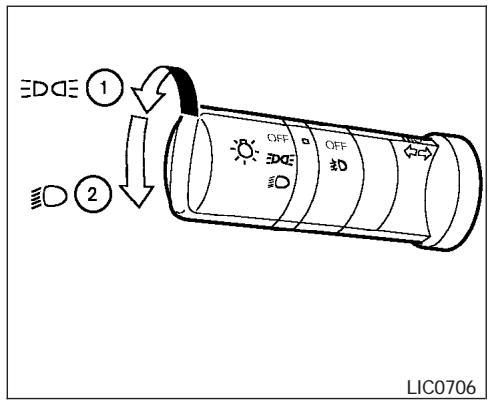
Type B
CAUTION
Use the headlights with the engine running to avoid discharging the vehicle battery.
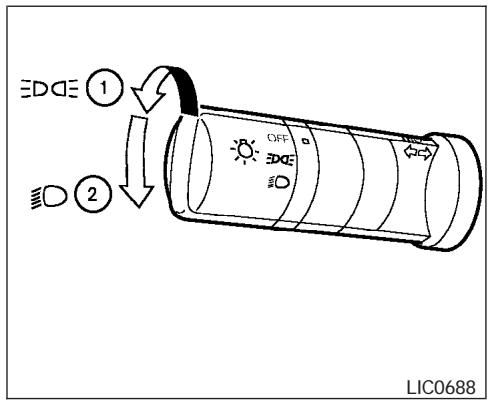
Type C
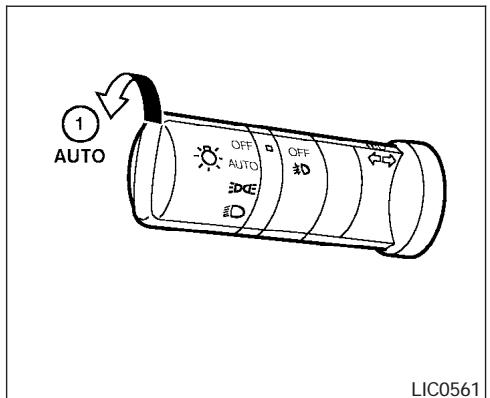
LIC0561
Autolight system (if so equipped)
The autolight system allows the headlights to be set so they turn on and off automatically. The autolight system can:
- Turn on the headlights, front parking, tail, license plate and instrument panel lights automatically when it is dark.
- Turn off all the lights when it is light.
- Keep all the lights on for 45 seconds after you turn the key to OFF and all doors are closed.
To turn on the autolight system:
- Turn the headlight switch to the AUTO position ①.
- Turn the ignition key to ON.
- The autolight system automatically turns the headlights on and off.
Initially, if the ignition switch is turned OFF and a door is opened and left open, the headlights remain ON for 5 minutes. If another door is opened during the 5 minutes, then the 5 minute timer is reset.
To turn the autolight system off, turn the switch to the OFF, or position.
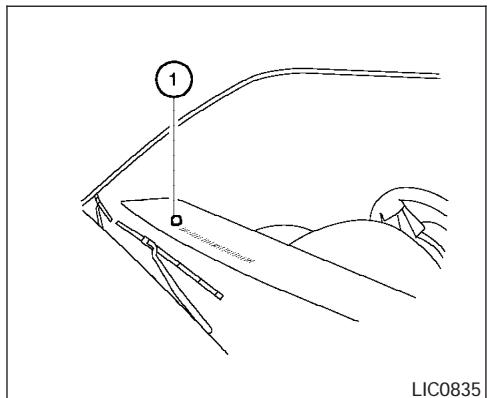
Be sure you do not put anything on top of the autolight sensor 1 located in the top side of the instrument panel. The autolight sensor controls the autolight; if it is covered, the autolight sensor reacts as if it is dark out and the headlights will illuminate. If this occurs while parked with the engine off and the key in the ON position, your vehicle's battery could become discharged.
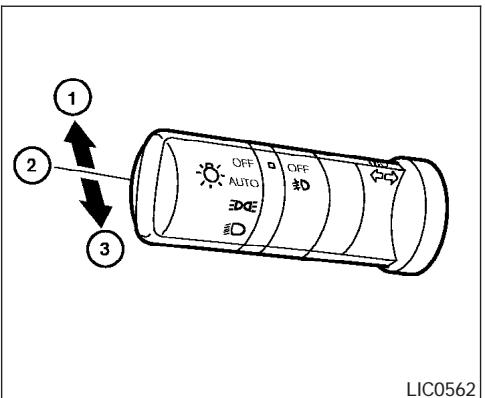
LIC0562
Headlight beam select
① To select the high beam function, push the lever forward. The high beam lights come on and the light illuminates.
② Pull the lever back to select the low beam.
③ Pulling and releasing the lever flashes the headlight high beams on and off.
Battery saver system
If the ignition switch is turned OFF while the headlight switch is in the DAE or 口 position, the headlights will turn off after 5 minutes.
After the headlights automatically turn off with the headlight switch in the DAE or position, the headlights will illuminate again for 5 minutes if the headlight switch is moved to the OFF position and then turned to the DAE or position.
CAUTION
Even though the battery saver feature automatically turns off the headlights after a period of time, you should turn the headlight switch to the OFF position when the engine is not running to avoid discharging the vehicle battery.
DAYTIME RUNNING LIGHT SYSTEM (Canada only)
The headlights automatically illuminate at a reduced intensity when the engine is started with the parking brake released. The daytime running lights operate with the headlight switch in the OFF position or in the p position. Turn the headlight switch to the position for full illumination when driving at night.
If the parking brake is applied before the engine is started, the daytime running lights do not illuminate. The daytime running lights illuminate when the parking brake is released. The daytime running lights will remain on until the ignition switch is turned off.
WARNING
When the daytime running light system is active, tail lights on your vehicle are not on. It is necessary at dusk to turn on your headlights. Failure to do so could cause an accident injuring yourself and others.
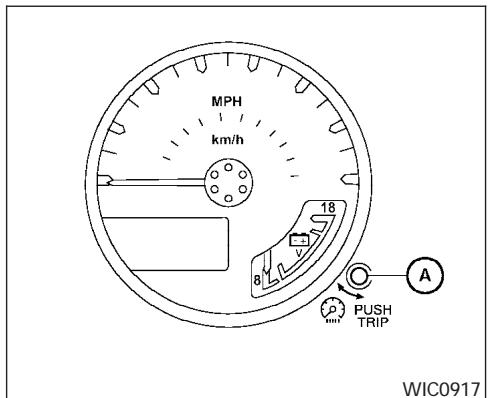
INSTRUMENT BRIGHTNESS CONTROL
The instrument brightness control operates when the headlight control switch is in the DDE, or AUTO position (with autolights activated).
Turn the control A to adjust the brightness of instrument panel lights when driving at night.
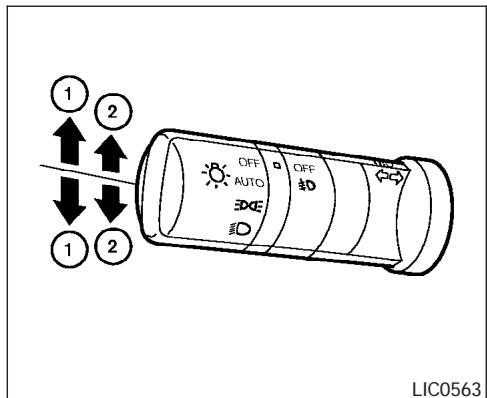
TURN SIGNAL SWITCH
Turn signal
① Move the lever up or down to signal the turning direction. When the turn is completed, the turn signals cancel automatically.
Lane change signal
(2) To signal a lane change, move the lever up or down to the point where the indicator light begins to flash, but the lever does not latch.
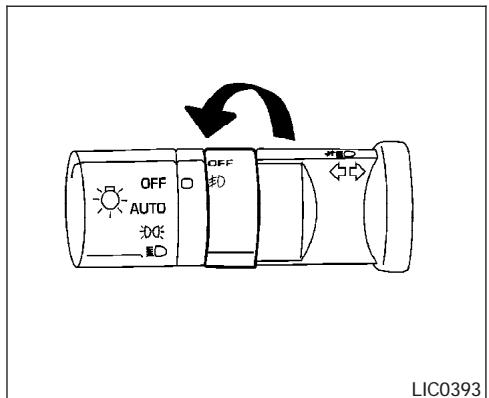
FOG LIGHT SWITCH (if so equipped)
To turn the fog lights on, turn the headlight switch to the position, then turn the fog light switch to the position.
To turn the fog lights on with the headlight switch in the AUTO position (if so equipped), the headlights must be on, then turn the fog light switch to the position.
To turn the fog lights off, turn the fog light switch to the OFF position.
The headlights must be on and the low beams selected for the fog lights to operate. The fog lights automatically turn off when the high beam headlights are selected.
HAZARD WARNING FLASHER SWITCH
LIC0394
Push the switch on to warn other drivers when you must stop or park under emergency conditions. All turn signal lights flash.

WARNING
- If stopping for an emergency, be sure to move the vehicle well off the road.
-
Do not use the hazard warning flashers while moving on the highway unless unusual circumstances force you to drive so slowly that your vehicle might become a hazard to other traffic.
-
Turn signals do not work when the hazard warning flasher lights are on.
The flashers will operate with the ignition switch in any position.
Some state laws may prohibit the use of the hazard warning flasher switch while driving.
HORN
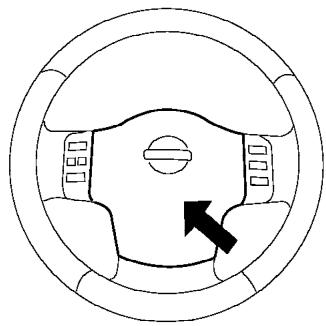
LIC0604
To sound the horn, push the center pad area of the steering wheel.

WARNING
Do not disassemble the horn. Doing so could affect proper operation of the supplemental front air bag system. Tampering with the supplemental front air bag system may result in serious personal injury.
CARGO LAMP SWITCH
HEATED SEAT (if so equipped)
LIC0616
To turn on the cargo lamp, push the switch down to the ON position.
CAUTION
Be sure to turn the light switch to the OFF position when you leave the vehicle for extended periods of time, otherwise the battery will go dead.
LIC0469
The front seats are warmed by built-in heaters (if so equipped).
- Start the engine.
- Push the (low) or (high) position of the switch, as desired, depending on the temperature. The indicator light in the switch will illuminate.
The heater is controlled by a thermostat, automatically turning the heater on and off. The indicator light will remain on as long as the switch is on.
- When the seat is warmed or before you leave the vehicle, be sure to turn the switch off.
CAUTION
- Do not use the seat heater for extended periods or when no one is using the seat.
- Do not put anything on the seat which insulates heat, such as a blanket, cushion, seat cover, etc. Otherwise, the seat may become overheated.
- Do not place anything hard or heavy on the seat or pierce it with a pin or similar object. This may result in damage to the heater.
- Any liquid spilled on the heated seat should be removed immediately with a dry cloth.
- When cleaning the seat, never use gasoline, benzine, thinner, or any similar materials.
- If any abnormalities are found or the heated seat does not operate, turn the switch off and have the system checked by your NISSAN dealer.
- The battery could run down if the seat heater is operated while the engine is not running.
VEHICLE DYNAMIC CONTROL (VDC) OFF SWITCH (if so equipped)
HILL DESCENT CONTROL (HDC) SWITCH (if so equipped)
WIC0534
The vehicle should be driven with the Vehicle Dynamic Control (VDC) system on for most driving conditions.
If the vehicle is stuck in mud or snow, the VDC system reduces the engine output to reduce wheel spin. The engine speed will be reduced even if the accelerator is depressed to the floor. If maximum engine power is needed to free a stuck vehicle, turn the VDC system off.
To turn off the VDC system, push the VDC OFF switch. The VDC indicator will come on.
Push the VDC OFF switch again or restart the engine to turn ON the system. See "Vehicle dynamic control (VDC) system" in the "Starting and driving" section.
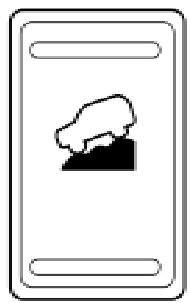
LIC0743
WARNING
-
Never rely solely on the hill descent control system to control vehicle speed when driving on steep downhill grades. Always drive carefully when using the hill descent control system and decelerate the vehicle speed by depressing the brake pedal if necessary. Be especially careful when driving on frozen, muddy or extremely steep downhill roads. Failure to control vehicle speed may result in a loss of control of the vehicle and possible serious injury or death.
-
The hill descent control may not control the vehicle speed on a hill under all load or road conditions. Always be prepared to depress the brake pedal to control vehicle speed. Failure to do so may result in a collision or serious personal injury.

CAUTION
When the hill descent control system operates continuously for a long time, the temperature of the brake pads may increase and the hill descent control system may be temporarily disabled (the indicator light will blink). If the indicator light does not come on continuously after blinking, stop using the system.
The hill descent control system is designed to reduce driver workload when going down steep hills. The HDC system helps to control vehicle speed so the driver can concentrate on steering the vehicle.
To activate the HDC system:
- the automatic transmission selector lever must be in forward or reverse gear,
the 4WD switch must be in the 4L position and the vehicle speed must be under 15 mph (25 km/h) or
the 4WD switch must be in the 4H position and the vehicle speed must be under 21 mph (35 km/h), and
the HDC system switch must be ON.
The HDC indicator light will come on when the system is activated. Also, the stop/tail lights illuminate while the HDC system applies the brakes to control vehicle speed.
If the accelerator or brake pedal is depressed while the HDC system is on, the system will stop operating temporarily. As soon as the accelerator or brake pedal is released, the HDC system begins to function again if the HDC operating conditions are fulfilled.
The HDC indicator light blinks if the switch is on and all conditions for system activation are not met or if the system becomes disengaged for any reason.
To turn off the HDC system, push the switch to the OFF position.
For additional information, see "Hill descent control (HDC) system on indicator light" earlier in this section and "Hill descent control (HDC) system" in the "Starting and driving" section of this manual.
ELECTRONIC LOCKING REAR DIFFERENTIAL (E-Lock) SYSTEM SWITCH (if so equipped)
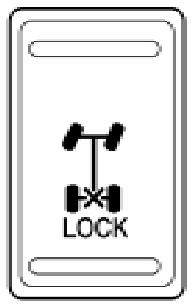
LIC0729
The Electronic Locking Rear Differential (E-Lock) system can help provide added traction if the vehicle is stuck or becoming stuck.
To activate the E-Lock system:
the 4WD switch must be in the 4LO position (4-wheel drive vehicles),
- the vehicle must be stopped or moving at 4 mph (7 km/h) or less, and
the E-Lock system switch must be turned ON.
When the E-Lock switch is turned ON, the indicator light will flash until the system engages. However, if all operation conditions listed above are not met or the system becomes disengaged, the indicator light will continue to flash.
The Anti-Lock Brake (ABS) system is disabled and the ABS light illuminates when the E-Lock system is ON. Also, the Vehicle Dynamic Control (VDC) system is disabled and the VDC light illuminates when the E-Lock system is ON.
See "Electronic locking rear differential (E-Lock) system" in the "Starting and Driving" section for further explanation and system limitations.
WARNING
- Never leave the E-Lock system ON when driving on paved or hard-surfaced roads. Turning the vehicle may result in the rear wheels slipping and result in an accident and personal injury. After using the E-Lock system to free the vehicle, turn the system OFF.
CLUTCH INTERLOCK (clutch start) SWITCH (if so equipped)
- Use the E-Lock system only when freeing a stuck vehicle. Try the 4LO position before using the E-Lock system. Never use the E-Lock system on a slippery road surface such as snow or ice surface. Using the E-Lock system when driving in these road conditions may cause unexpected movement of the vehicle during engine braking, accelerating or turning, which may result in an accident and serious personal injury.
CAUTION
- After using the E-Lock system, turn the switch OFF to prevent possible damage to driveline components from extended use.
- Do not drive over 12 MPH (20 km/h) when the system is engaged. Doing so could result in possible damage to the driveline.
- Do not turn on the E-lock system while the tires are spinning. Doing so could damage drivetrain components.
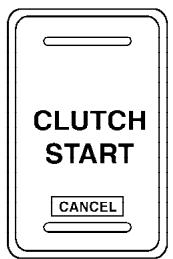
WIC0817
WARNING
Pay special attention to your surroundings when using the clutch interlock switch. The vehicle will move forward or backward according to the gear selected.
The clutch interlock (clutch start) switch allows for starting the engine without depressing the clutch pedal. This feature helps you restart the engine if it stops under difficult conditions. (For example, the engine stops on a steep hill and a slight movement forward or backward might be dangerous.)
To use the clutch interlock switch:
- Set the parking brake.
- Depress the brake pedal with your right foot.
- Place the gear shift lever in the 1 position to move forward, or R to move backward.
- Place your left foot on the brake pedal and release the parking brake.
- Turn the ignition switch to the ON position.
- Press and release the clutch interlock switch. The CANCEL light on the switch will illuminate.
- Turn the ignition to the START position to start the engine and, at the same time, depress the accelerator pedal with your right foot. As the vehicle begins to move, take your left foot off the brake. Once the engine has started, the clutch interlock switch CANCEL light shuts off. Do not use the interlock switch to start the engine under normal driving conditions.
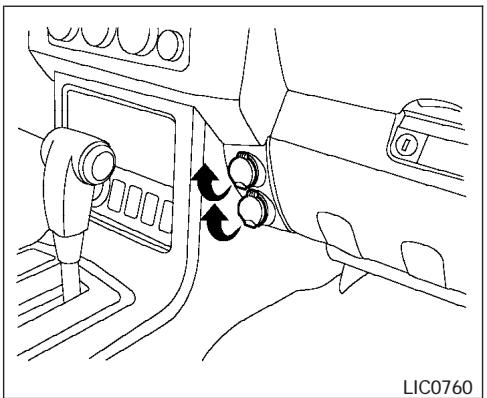
Front row
The power outlets are for powering electrical accessories such as cellular telephones.
The bottom power outlet located on instrument panel is powered directly by the vehicle's battery.
The top power outlet located on the instrument panel and the power outlet located inside the center console are powered only when the ignition key is in the ACC or ON position.
Open the cap to use a power outlet.
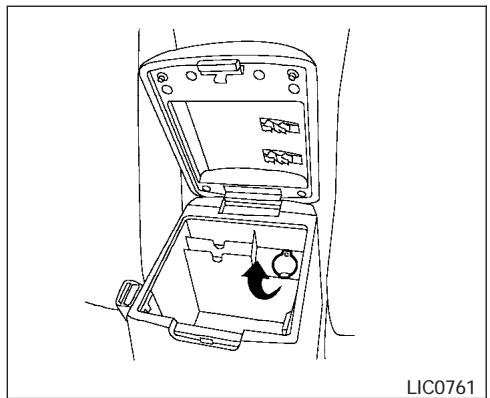
Center console
CAUTION
- The outlet and plug may be hot during or immediately after use.
- Only certain power outlets are designed for use with a cigarette lighter unit. Do not use any other power outlet for an accessory lighter. See your NISSAN dealer for additional information.
-
Do not use with accessories that exceed a 12 volt, 120W (10A) power draw. Do not use double adapters or more than one electrical accessory.
-
Use power outlets with the engine running to avoid discharging the vehicle battery.
- Avoid using power outlets when the air conditioner, headlights or rear window defroster is on.
- Before inserting or disconnecting a plug, be sure the electrical accessory being used is turned OFF.
- Push the plug in as far as it will go. If good contact is not made, the plug may overheat or the internal temperature fuse may open.
- When not in use, be sure to close the cap. Do not allow water to contact the outlet.
STORAGE
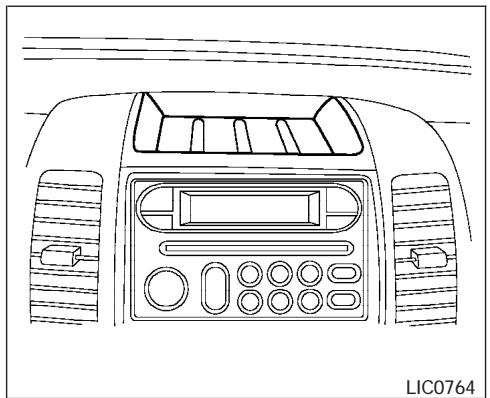
Top center tray
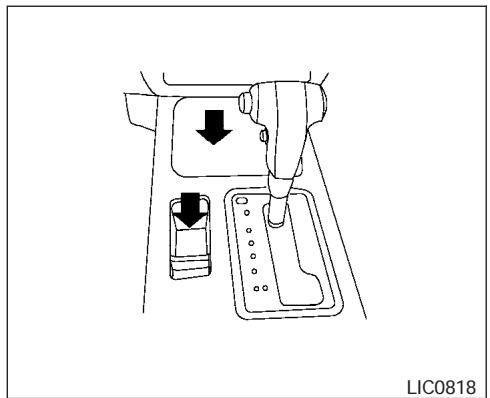
AT model
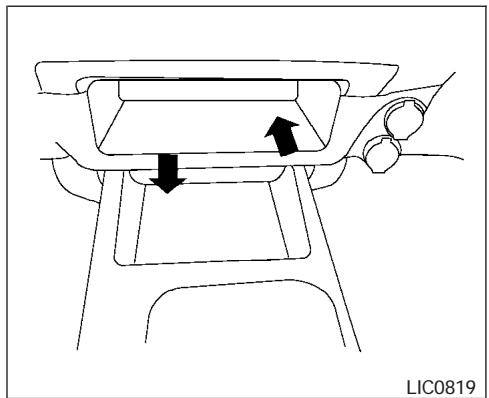
MT model (if so equipped)
STORAGE TRAYS

WARNING
Do not place sharp objects in the trays to help prevent injury in an accident or sudden stop.
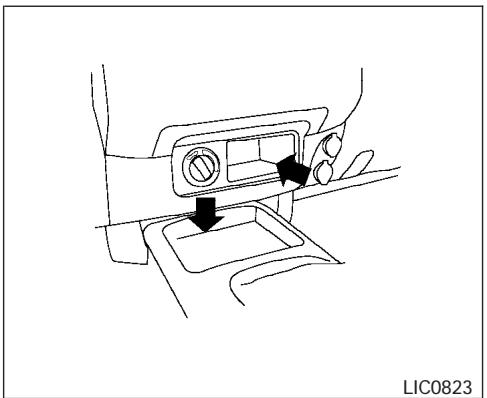
MT model (if so equipped)
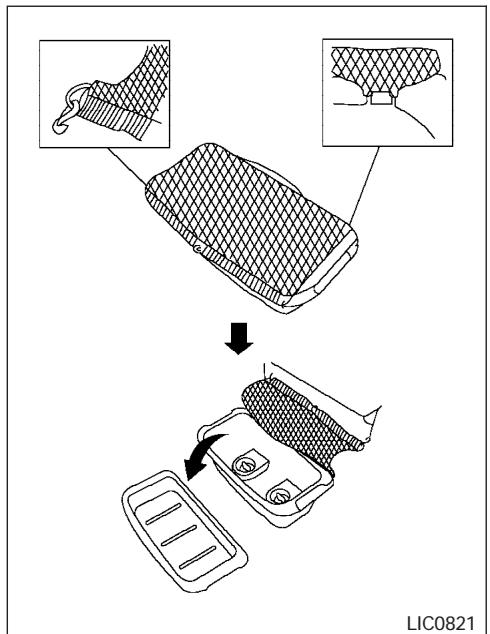
2nd row under-seat storage bin (King cab model)
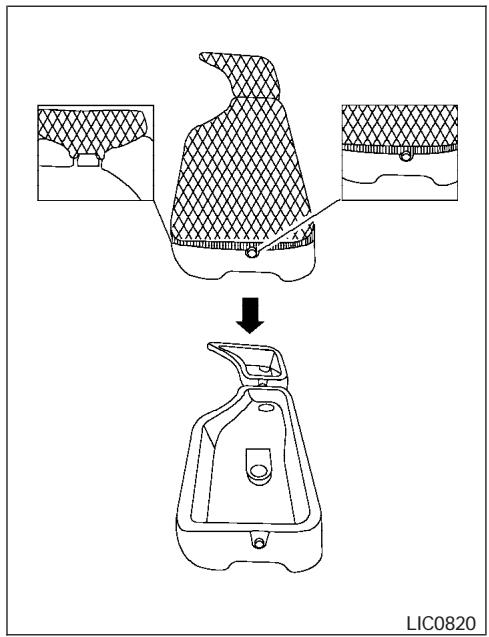
2nd row under-seat storage bin (Crew cab model) UNDER-SEAT STORAGE BINS
WARNING
-
Properly secure all cargo with ropes or straps to help prevent it from sliding or shifting. In a sudden stop or collision, unsecured cargo could cause personal injury.
-
The cargo restrained in the under-seat storage bins must not exceed the weight limits listed below or the bins may not stay secured. In a sudden stop or collision, the unsecured bins could cause personal injury.
King cab model: 16 lb (7.25 kg)
Crew cab model
Driver's side: 16 lb (7.25 kg)
Passenger's side: 25 lb (11.33 kg)
- If the under-seat storage bins are removed for any reason, they should be securely stored to prevent them from causing injury to passengers or damage to the vehicle in case of sudden braking or an accident.
- Do not place sharp objects in the underseat storage bins. Such objects may become dangerous projectiles and cause injury when the vehicle is moving or if the vehicle is involved in a collision.
To access the under-seat storage bins:
For King cab model, lift up the jump seat. Refer to "Jump seat" in the "Safety—Seats, seat belts and supplemental restraint system" section earlier in this manual.
For Crew cab model, lift up the rear bench seat. Refer to "Folding the rear bench seat" in the "Safety—Seats, seat belts and supplemental restraint system" section earlier in this manual.
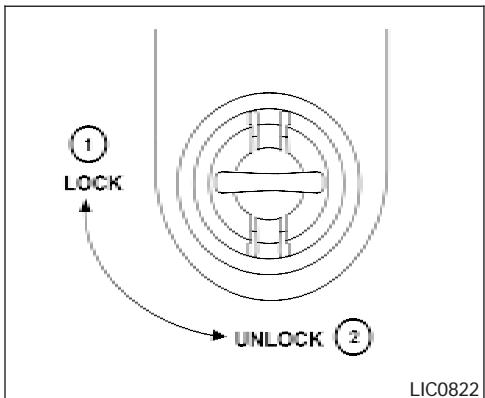
To remove the under-seat storage bins:
- Remove the storage net.
- Remove the tray by lifting it out of the storage bin (King cab model).
- Turn the knobs to the UNLOCK position ②.
To install the under-seat storage bins:
- Position the under-seat storage bin so the holes line up with the holes in the floorboard.
- Insert the knobs and turn them to the LOCK position ①.
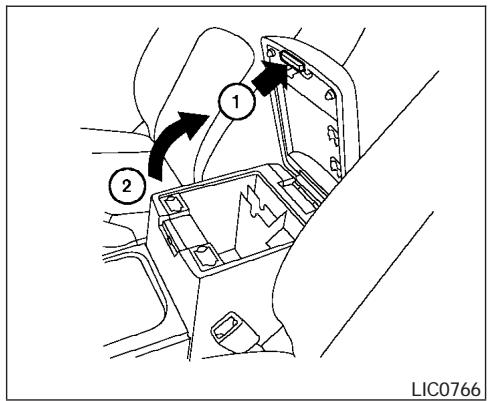
CONSOLEBOX

WARNING
The center console box should not be used while driving so full attention may be given to vehicle operation.
Pull up on the lever ① to open the console box lid ②.
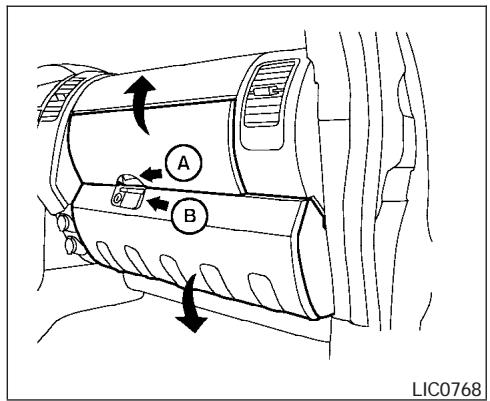
GLOVE BOX
To open the top portion of the glove box, push the latch up and raise the lid.
To open the lower portion of the glove box, pull the handle down and lower the lid.
Use the master key to lock or unlock the glove box. The valet key cannot be used to lock or unlock the glove box.

WARNING
Keep glove box lid closed while driving to help prevent injury in an accident or a sudden stop.
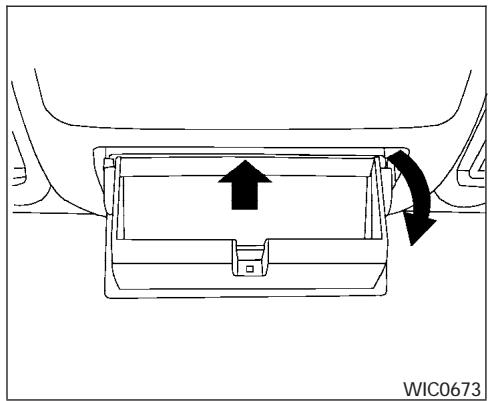
SUNGLASSES HOLDER (if so equipped)
To open the sunglasses holder, push and release.

WARNING
- The sunglasses holder should not be used while driving so full attention may be given to vehicle operation.
- Keep the sunglasses holder closed while driving to prevent an accident.

CAUTION
- Do not use for anything other than sunglasses.
- Do not leave sunglasses in the sunglasses holder while parking in direct sunlight. The heat may damage the sunglasses.
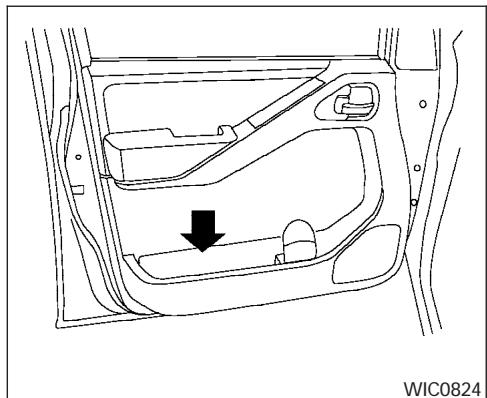
MAPPOCKETS
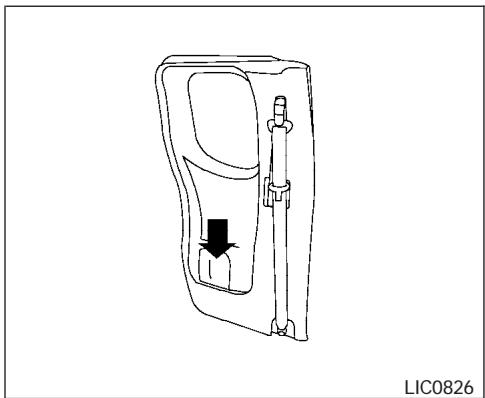
King cab model
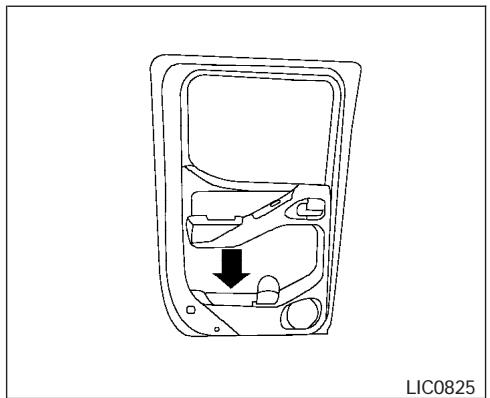
Crew cab model
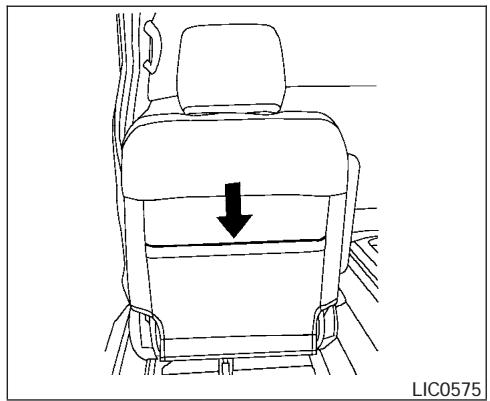
SEAT POCKETS (if so equipped)
A pocket is located on the back of the driver's seat. A small pocket is also located on the inboard side of the passenger's seat.
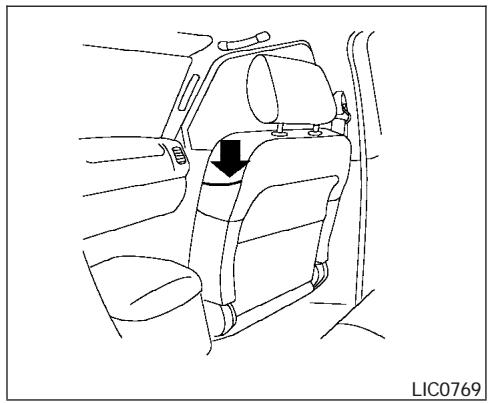
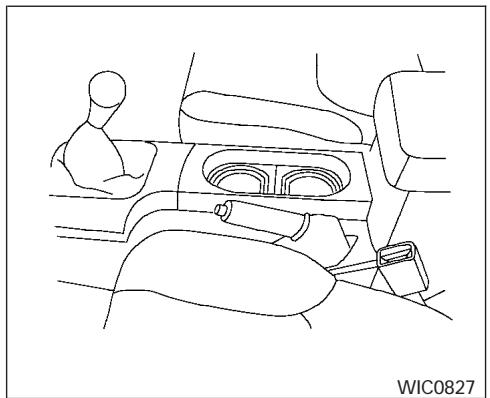
Front
CUP HOLDERS
The front cup holders have adapters that can be removed to accommodate larger cups.
WARNING
The cup holder should not be used while driving so full attention may be given to vehicle operation.
CAUTION
- Avoid abrupt starting and braking when the cup holder is being used to prevent spilling the drink. If the liquid is hot, it can scald you or your passenger.
- Use only soft cups in the cup holder. Hard objects can injure you in an accident.
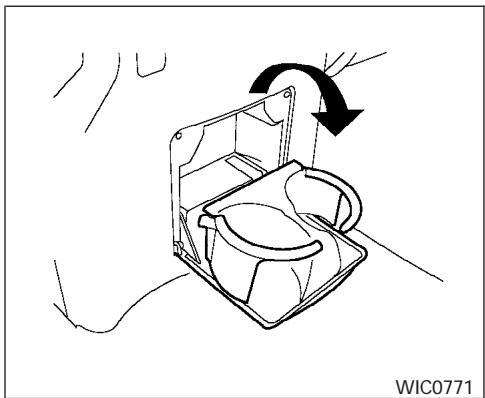
2nd row (rear of front console)
To open the 2nd row cup holders (rear of the front console), lower the lid. To close, raise the lid.
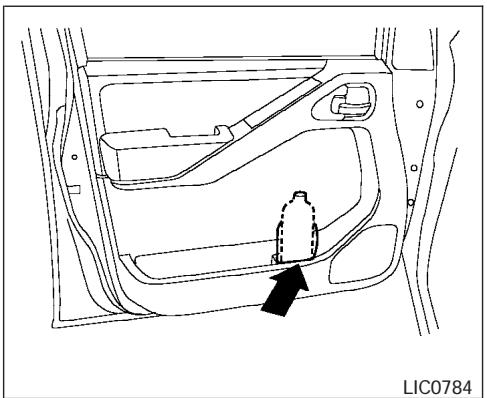
Bottle holder (front row)
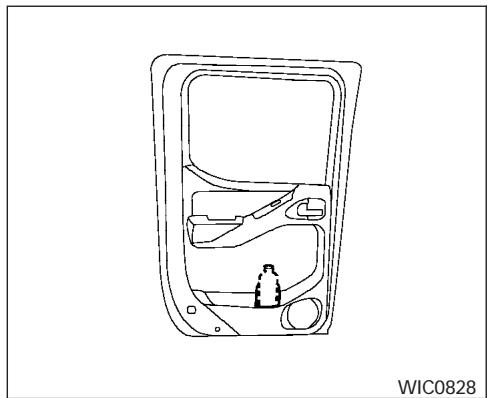
Bottle holder (2nd row, Crew cab)
CAUTION
- Do not use bottle holder for any other objects that could be thrown about in the vehicle and possibly injure people during sudden braking or an accident.
- Do not use bottle holder for open liquid containers.
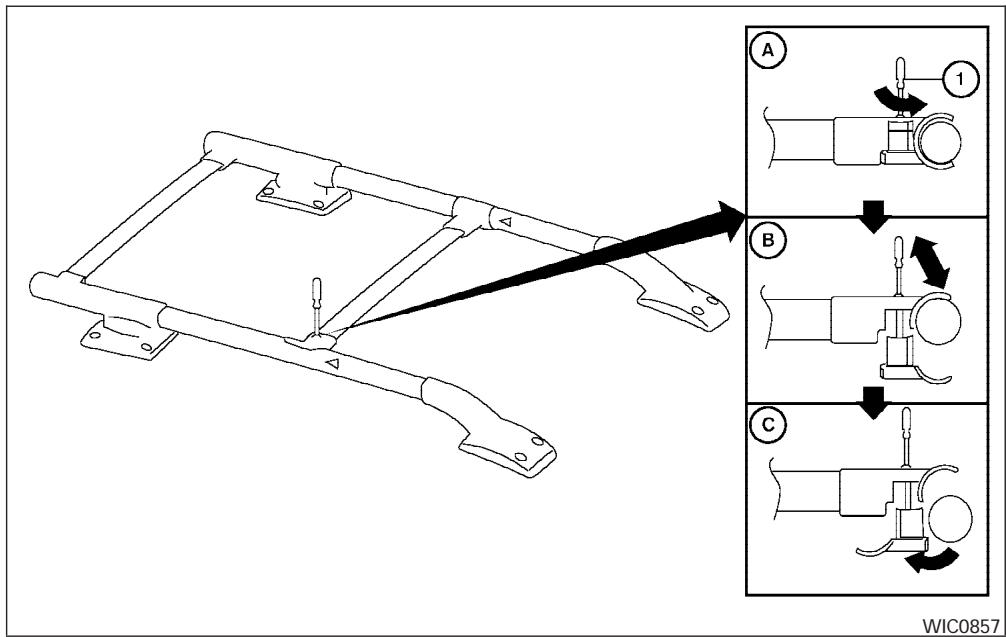
ROOF RACK (if so equipped)
Always evenly distribute the cargo on the tubular roof rack. The maximum total load is 125 lb (56 kg) evenly distributed. Be careful that your vehicle does not exceed the Gross Vehicle Weight Rating (GVWR) or the Gross Axle
Weight Ratings (GAWR front and rear). The GVWR and GAWR are located on the F.M.V.S.S. label (located on the driver's side door jamb pillar). For more information regarding GVWR and GAWR, refer to "Vehicle loading information" in the "Technical and consumer information" section later in this manual.
The front crossbar can be adjusted or removed. Use the Torxdriver provided in the tool kit to loosen both crossbar adjusting screws.
To adjust:
- Loosen the adjusting screws with the Torxdriver ① by turning counterclockwise A.
- When the clamp is loosened, move the crossbar so the cargo can be positioned on the crossbar (B).
- Tighten the crossbar adjusting screws with the Torxdriver by turning clockwise.
- Secure the cargo with rope.
- Always check the tightness of the crossbar adjusting screws.
To remove:
- Loosen the adjusting screws with the Torxdriver ① by turning counterclockwise A.
- Rotate the clamps ()
- Remove the crossbar.
- Reverse to install.
- Always check the tightness of the crossbar adjusting screws.
WINDOWS
If you hear wind noise coming from the roof rack while driving, adjust the roof rack crossbar to the neutral position, rearward of Δ on the side rails.

WARNING
Properly secure all cargo with ropes or straps to help prevent it from sliding or shifting. In a sudden stop or collision, unsecured cargo could cause personal injury.

CAUTION
Use care when placing or removing items from the roof rack. If you cannot comfortably lift the items onto the roof rack from the ground, use a ladder or stool.
POWER WINDOWS (if so equipped)
WARNING
- Make sure that all passengers have their hands, etc. inside the vehicle while it is in motion and before closing the windows. Use the window lock switch to prevent unexpected use of the power windows.
- Do not leave children unattended inside the vehicle. They could unknowingly activate switches or controls and become trapped in a window. Unattended children could become involved in serious accidents.
The power windows operate when the ignition switch is in the ON position, or for about 45 seconds after the ignition switch is turned to the OFF position. If the driver's or passenger's door is opened during this period of about 45 seconds, power to the windows is canceled.
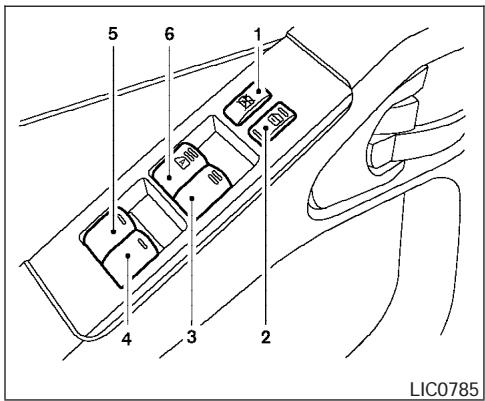
- Window lock button
- Power door lock switch
- Front passenger side window switch
- Right rear passenger window switch (Crew Cab models only)
- Left rear passenger window switch (Crew Cab models only)
- Driver's side automatic switch
Driver's side power window switch
The driver's side control panel is equipped with switches to open or close the front and rear passenger windows.
To open a window, push the switch and hold it down. To close a window, pull the switch and hold it up. To stop the opening or closing function at any time, simply release the switch.
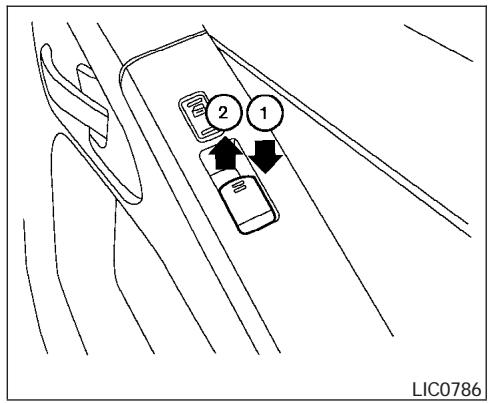
Front passenger power window switch
The passenger window switch operates only the corresponding passenger window. To open the window, push the switch and hold it down ①. To close the window, pull the switch up ②.
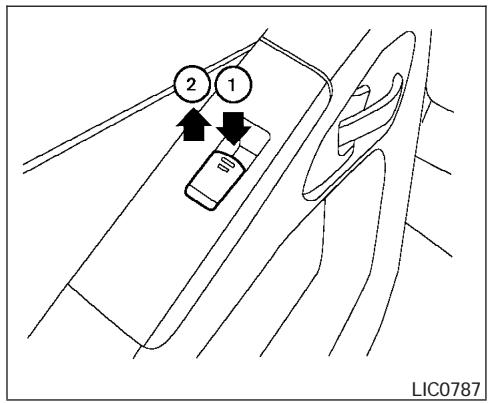
Rear power window switch (Crew Cab models only)
The rear power window switches open or close only the corresponding passenger window. To open the window, push the switch and hold it down ①. To close the window, push the switch up ②.
Locking passengers' windows
When the window lock button is depressed, only the driver side window can be opened or closed. Push it again to cancel the window lock function.
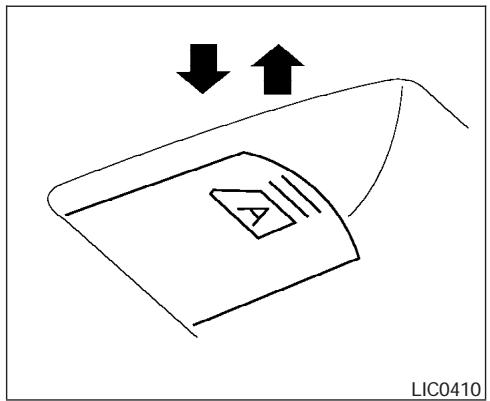
Automatic operation
To fully open a window equipped with automatic operation, press the window switch down to the second detent and release it; it need not be held. The window automatically opens all the way. To stop the window, lift the switch up while the window is opening.
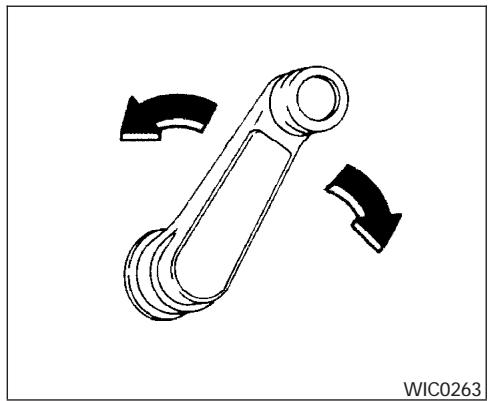
MANUALWINDOWS
The side windows can be opened or closed by turning the hand crank on each door.
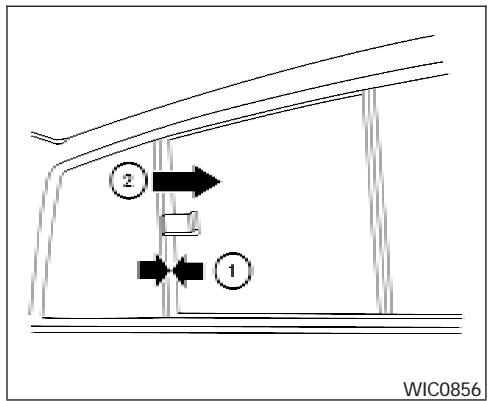
REAR SLIDING WINDOW (if so equipped)
Squeeze the handles of the lever ①, then slide the window open ②.
SUNROOF (if so equipped)
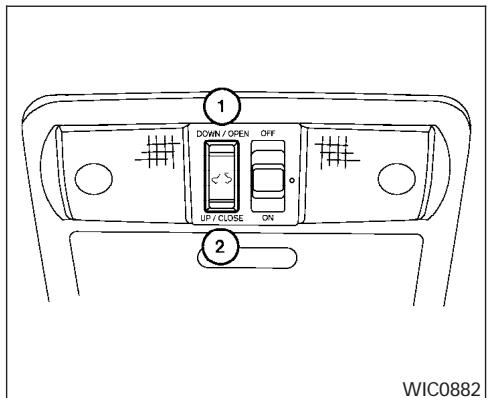
AUTOMATIC SUNROOF
The sunroof will only operate when the ignition key is in the ON position. The automatic sunroof is operational for about 45 seconds, even if the ignition key is turned to the ACC or OFF position. If the driver's door or the front passenger's door is opened during this period of about 45 seconds, power to the sunroof is canceled.
Sliding the sunroof
To fully open the sunroof, push the switch toward DOWN/OPEN ①.
To fully close the sunroof, push the switch toward UP/CLOSE ②.
To open or close the sunroof part way, push the switch in any direction while the sunroof is sliding to stop it in the desired position.
Tilting the sunroof
Close the sunroof by pushing the switch toward UP/CLOSE ②. Release the switch, then push the UP/CLOSE switch again to tilt the sunroof up.
To tilt the sunroof down, push the switch toward DOWN/OPEN ①.
WARNING
- In an accident you could be thrown from the vehicle through an open sunroof. Always use seat belts and child restraints.
- Do not allow anyone to stand up or extend any portion of their body out of the sunroof opening while the vehicle is in motion or while the sunroof is closing.
CAUTION
- Remove water drops, snow, ice or sand from the sunroof before opening.
- Do not place heavy objects on the sun-roof or surrounding area.
Auto reverse function (when closing or tilting down the sunroof)
The auto reverse function can be activated when the sunroof is closed or tilted down by automatic operation when the ignition key is in the ON position or for about 45 seconds after the ignition key is turned to the OFF position.
Depending on the environment or driving conditions, the auto reverse function may be activated if an impact or load similar to something being caught in the sunroof occurs.
WARNING
There are some small distances immediately before the closed position which cannot be detected. Make sure that all passengers have their hands, etc., inside the vehicle before closing the sunroof.
When closing:
If the control unit detects something caught in the sunroof as it moves to the front, the sunroof will immediately open backward.
When tilting down:
If the control unit detects something caught in the sunroof as it tilts down, the sunroof will immediately tilt up.
If the auto reverse function malfunctions and repeats opening or tilting up the sunroof, keep pushing the tilt down switch within 5 seconds after it happens, then the sunroof will fully close gradually. In this case, make sure nothing is caught in the sunroof.

WARNING
- In an accident you could be thrown from the vehicle through an open sunroof. Always use seat belts and child restraints.
- Do not allow anyone to stand up or extend any portion of their body out of the sunroof opening while the vehicle is in motion or while the sunroof is closing.

CAUTION
- Remove water drops, snow, ice or sand from the sunroof before opening.
- Do not place heavy objects on the sun-roof or surrounding area.
Sunshade
Open and close the sunshade by sliding it forward or backward.
If the sunroof does not close
Have your NISSAN dealer check and repair the sunroof.
INTERIOR LIGHTS
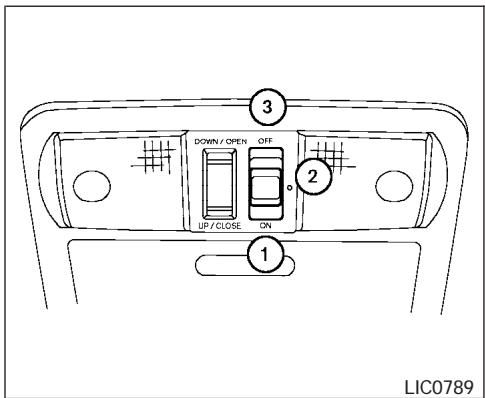
Type A
The interior lights have a three-position switch and operate regardless of ignition switch position.
When the switch is in the ON position ①, the interior lights illuminate, regardless of door position. The lights will go off after about 30 minutes unless the ignition key is in the ACC or ON position.
When the switch is in the O position ② ,the interior lights will stay on for about 30 seconds when:
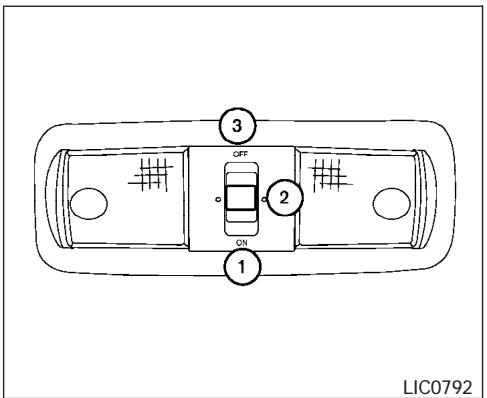
Type B
- The doors are unlocked by the keyfob, a key or the power door lock switch while all doors are closed and the ignition switch is in the OFF position.
- The driver's door is opened and then closed while the key is removed from the ignition switch.
- The key is removed from the ignition switch while all doors are closed.
The lights will turn off while the 30 second timer is activated when:
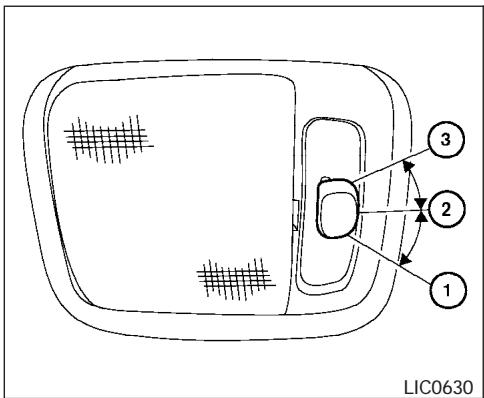
Type C
- The driver's door is locked by the keyfob, a key, or the power door lock switch.
The ignition switch is turned ON.
The lights will turn off automatically after 30 minutes while doors are open to prevent the battery from becoming discharged.
When the switch is in the OFF position ③, the interior lights do not illuminate, regardless of door position.

CAUTION
Do not use for extended periods of time with the engine stopped. This could result in a discharged battery.
PERSONAL LIGHTS (if so equipped)
MAP LIGHTS (if so equipped)
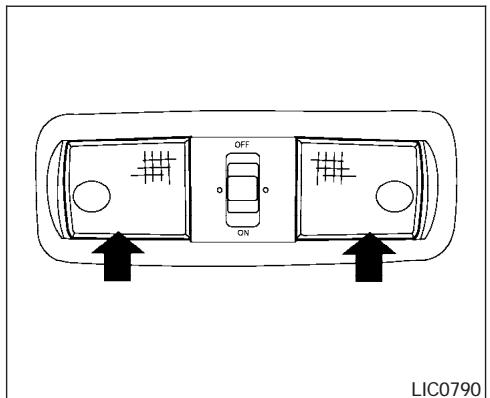
To turn the personal lights on, press the switches.
To turn them off, press the switches again.
CAUTION
Do not use for extended periods of time with the engine stopped. This could result in a discharged battery.
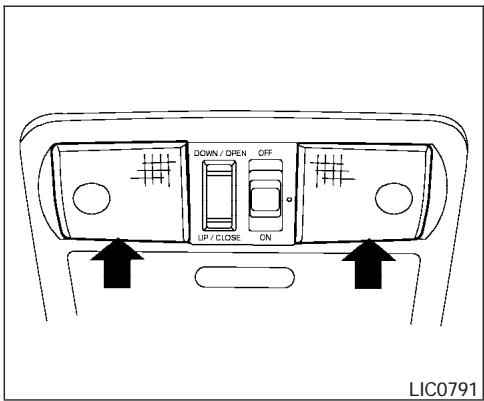
To turn the map lights on, press the switches. To turn them off, press the switches again.
CAUTION
Do not use for extended periods of time with the engine stopped. This could result in a discharged battery.
HOMELINK® UNIVERSAL TRANSCEIVER (if so equipped)
The HomeLink® Universal Transceiver provides a convenient way to consolidate the functions of up to three individual hand-held transmitters into one built-in device.
HomeLink® Universal Transceiver:
- Will operate most Radio Frequency (RF) devices such as garage doors, gates, home and office lighting, entry door locks and security systems.
- Is powered by your vehicle's battery. No separate batteries are required. If the vehicle's battery is discharged or is disconnected, HomeLink® will retain all programming.
Once the HomeLink Universal Transceiver is programmed, retain the original transmitter for future programming procedures (Example: new vehicle purchases). Upon sale of the vehicle, the programmed HomeLink Universal Transceiver buttons should be erased for security purposes. For additional information refer to "Programming HomeLink" later in this section.

WARNING
- Do not use the HomeLink® Universal Transceiver with any garage door opener that lacks safety stop and reverse features as required by federal safety standards. (These standards became effective for opener models manufactured after April 1, 1982). A garage door opener which cannot detect an object in the path of a closing garage door and then automatically stop and reverse, does not meet current federal safety standards. Using a garage door opener without these features increases the risk of serious injury or death.
- During the programming procedure your garage door or security gate will open and close (if the transmitter is within range). Make sure that people or objects are clear of the garage door, gate, etc. that you are programming.
- Your vehicle's engine should be turned off while programming the HomeLink Universal Transceiver.
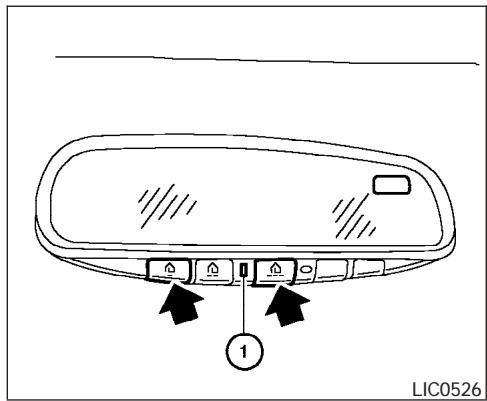
PROGRAMMING HOMELINK®
- To begin, press and hold the two outer HomeLink® buttons (to clear the memory) until the indicator light ① blinks (after 20 seconds). Release both buttons.
- Position the end of the hand-held transmitter 1 - 3 inches (26 - 76 mm) away from the HomeLink® surface.
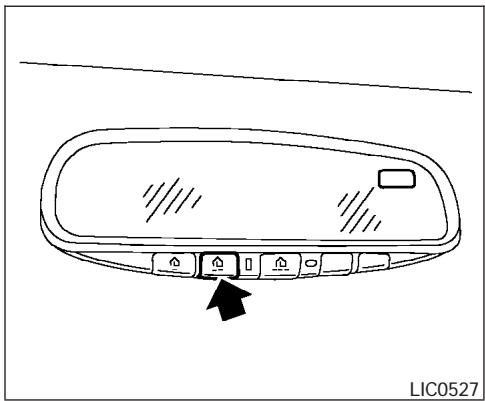
- Using both hands, simultaneously press and hold both the HomeLink® button you want to program and the hand-held transmitter button.
DO NOT release the buttons until step 4 has been completed.
- Hold down both buttons until the indicator light on the HomeLink® flashes, changing from a "slow blink" to a "rapidly flashing blink". This could take up to 90 seconds. When the indicator light flashes rapidly, both buttons may be released. The rapidly flashing light indicates successful programming. To activate the garage door or other programmed device, press and hold the programmed HomeLink® button — releasing when the device begins to activate.
- If the indicator light on the HomeLink® blinks rapidly for 2 seconds and then turns solid, HomeLink® has picked up a "rolling code" garage door opener signal. You will need to proceed with the next steps to train the HomeLink® to complete the programming which may require a ladder and another person for convenience.
- Press and release the "smart" or "learn" program button located on the garage door opener's motor to activate the "training mode". This button is usually located near the antenna wire that hangs down from the motor. If the wire originates from under a light lens, you will need to remove the lens to access the program button.
NOTE:
Once you have pressed and released the program button on the garage door opener's motor and the "training light" is lit, you have 30 seconds in which to perform step 7. Use the help of a second person for convenience to assist when performing this step.
- Within 30 seconds of pressing and releasing the garage door opener program button, quickly and firmly press and release the HomeLink® button you've just programmed. Press and release the HomeLink® button up to 3 times to complete the training.
- Your HomeLink® button should now be programmed. (To program the remaining HomeLink® buttons for additional door or gate openers, follow steps 2-8 only.)
NOTE:
Do not repeat step 1 unless you want to "clear" all previously programmed HomeLink® buttons.
If you have any questions or are having difficulty programming your HomeLink® buttons, refer to the HomeLink® web site at: www.homelink.com or call 1-800-355-3515.
PROGRAMMING HOMELINK® FOR CANADIAN CUSTOMERS
Prior to 1992, D.O.C. regulations required handheld transmitters to stop transmitting after 2 seconds. To program your hand-held transmitter to HomeLink, continue to press and hold the HomeLink button (note steps 2 - 4 under "Programming HomeLink") while you press and repress ("cycle") your hand-held transmitters every 2 seconds until the indicator light flashes rapidly (indicating successful programming).
NOTE:
When programming a garage door opener, etc., it is advised to unplug the device during the "cycling" process to prevent possible damage to the garage door opener components.
The HomeLink® Universal Transceiver (once programmed) may now be used to activate the garage door, etc. To operate, simply press the appropriate programmed HomeLink® Universal Transceiver button. The red indicator light will illuminate while the signal is being transmitted.
PROGRAMMING TROUBLEDIAGNOSIS
If the HomeLink® does not quickly learn the handheld transmitter information:
- replace the hand-held transmitter batteries with new batteries.
- position the hand-held transmitter with its battery area facing away from the HomeLink® surface.
- press and hold both the HomeLink® and hand-held transmitter buttons without interruption.
- position the hand-held transmitter 1 - 3 inches (26 - 76 mm) away from the HomeLink® surface. Hold the transmitter in that position for up to 15 seconds. If HomeLink® is not programmed within that time, try holding the transmitter in another position - keeping the indicator light in view at all times.
If you continue to have programming difficulties, please contact the NISSAN Consumer Affairs Department. The phone numbers are located in the Foreword of this manual.
CLEARING THE PROGRAMMED INFORMATION
Individual buttons cannot be cleared. However, to clear all programming, press and hold the two outside buttons and release when the indicator light begins to flash (approximately 20 seconds).
REPROGRAMMING A SINGLE HOMELINK® BUTTON
To reprogram a HomeLink® Universal Transceiver button, complete the following.
- Press and hold the desired HomeLink® button. Do not release the button until step 4 has been completed.
- When the indicator light begins to flash slowly (after 20 seconds), position the hand-held transmitter 1 - 3 inches (26 - 76 mm) away from the HomeLink® surface.
- Press and hold the hand-held transmitter button.
- The HomeLink® indicator light will flash, first slowly and then rapidly. When the indicator light begins to flash rapidly, release both buttons.
The HomeLink® Universal Transceiver button has now been reprogrammed. The new device can be activated by pushing the HomeLink® button that was just programmed. This procedure will not affect any other programmed HomeLink® buttons.
IF YOUR VEHICLE IS STOLEN
If your vehicle is stolen, you should change the codes of any non-rolling code device that has been programmed into HomeLink. Consult the Owner's Manual of each device or call the manufacturer or dealer of those devices for additional information.
When your vehicle is recovered, you will need to reprogram the HomeLink Universal Transceiver with your new transmitter information.
FCC Notice:
This device complies with FCC rules part 15. Operation is subject to the following two conditions: (1) This device may not cause harmful interference and (2) This device must accept any interference that may be received, including interference that may cause undesired operation.
This transmitter has been tested and complies with FCC and DOC/MDC rules. Changes or modifications not expressly approved by the party responsible for compliance could void the user's authority to operate the equipment.
DOC:ISTC1763K1313
FCC I.D. CV2V67690
MEMO
3 Pre-driving checks and adjustments
Keys 3-2
Nissan vehicle immobilizer system keys
(if so equipped) 3-2
Doors 3-3
Locking with key. 3-3
Locking with inside lock knob 3-4
Locking with power door lock switch
(if so equipped) 3-4
Rear doors (King Cab models) 3-5
Child safety rear door lock
(Crew Cab models only) 3-6
Remotekeylessentry system(if soequipped).3-6
How to use remote keyless entry system 3-7
Hood 3-9
Fuel-filler door 3-10
Fuel-filler cap 3-10
Steering wheel. 3-11
Tilt operation (if so equipped) 3-11
Sunvisors 3-12
Vanity mirrors 3-12
Mirrors 3-13
Rearview mirror (if so equipped). 3-13
Automatic anti-glare rearview mirror
(if so equipped) 3-13
Outside mirrors 3-14
Truck box. 3-15
Tailgate. 3-15
Tiedown hooks (if soequipped) 3-17


WPD0128
- Two master keys (black) with transponder chip (if so equipped) and chrome NiSSAN brand symbol on one side
- Valet key (black) with transponder chip (if so equipped)
- Key number plate
- Transponder chip (if so equipped)
A key number plate is supplied with your keys. Record the key number and keep it in a safe place (such as your wallet), not in the vehicle. If you lose your keys, see a NISSAN dealer for duplicates by using the key number. NISSAN does not record key numbers so it is very important to keep track of your key number plate.
A key number is only necessary when you have lost all keys and do not have one to duplicate from. If you still have a key, your NISSAN dealer can duplicate it.
NISSAN VEHICLE IMMOBILIZER SYSTEM KEYS (if so equipped)
You can only drive your vehicle using the master or valet keys which are registered to the NISSAN Vehicle Immobilizer System components in your vehicle. These keys have a transponder chip in the key head.
The master key can be used for all the locks.
The valet key cannot be used for the glove box lock.
To protect belongings when you leave a key with someone, give them the valet key only.
Never leave these keys in the vehicle.
Additional or replacement keys:
If you still have a key, the key number is not necessary when you need extra NISSAN Vehicle Immobilizer System keys. Your dealer can duplicate your existing key. As many as five NISSAN Vehicle Immobilizer System keys can be used with one vehicle. You should bring all NISSAN Vehicle Immobilizer System keys that you have to your NISSAN dealer for registration. This is be
cause the registration process will erase the memory of all key codes previously registered into the NISSAN Vehicle Immobilizer System. After the registration process, these components will only recognize keys coded into the NISSAN Vehicle Immobilizer System during registration. Any key that is not given to your dealer at the time of registration will no longer be able to start your vehicle.
Do not allow the immobilizer system key, which contains an electrical transponder, to come into contact with salt water. This could affect system function.
3-2 Pre-driving checks and adjustments

WARNING
- Always have the doors locked while driving. Along with the use of seat belts, this provides greater safety in the event of an accident by helping to prevent persons from being thrown from the vehicle. This also helps keep children and others from unintentionally opening the doors, and will help keep out intruders.
- Before opening any door, always look for and avoid oncoming traffic.
- Do not leave children unattended inside the vehicle. They could unknowingly activate switches or controls. Unattended children could become involved in serious accidents.
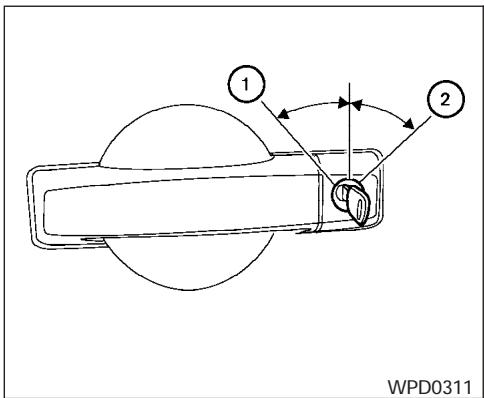
Driver's side
LOCKING WITH KEY
Manual
To lock a door, turn the key toward the front of the vehicle ①. To unlock, turn the key toward the rear ②.
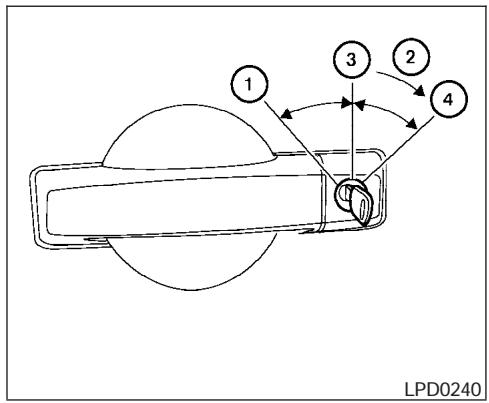
Power (if so equipped)
The power door lock system allows you to lock or unlock all doors at the same time.
Turning the key toward the front ① of the vehicle locks all doors.
Turning the key one time toward the rear ② of the vehicle unlocks that door. From that position, returning the key to neutral ③ (where the key can only be removed and inserted) and turning it toward the rear again within 5 seconds unlocks all doors ④.
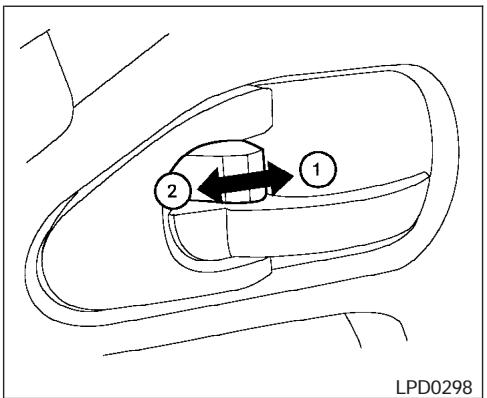
Inside lock
LOCKING WITH INSIDE LOCK KNOB
To lock the door without the key, move the inside lock knob to the lock position ①, then close the door.
To unlock the door without the key, move the inside lock knob to the unlock position ②.
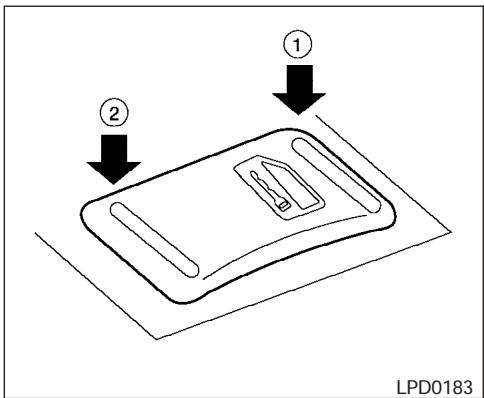
Door lock switch
LOCKING WITH POWER DOOR LOCK SWITCH (if so equipped)
To lock all the doors without a key, push the door lock switch (driver's or front passenger's side) to the lock position ①. When locking the door this way, be certain not to leave the key inside the vehicle.
To unlock all the doors without a key, push the door lock switch (driver's or front passenger's side) to the unlock position ②.
Lockout protection
When the power door lock switch (driver's or front passenger's side) is moved to the lock position with the key in the ignition and any door open, all doors will lock and unlock automatically. This helps to prevent the keys from being accidentally locked inside the vehicle.
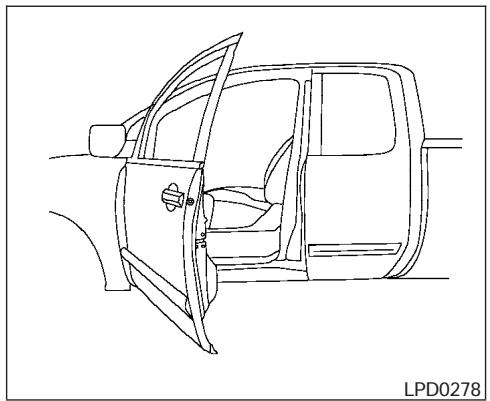
REAR DOORS (King Cab models)
- Open the driver's or passenger's door.
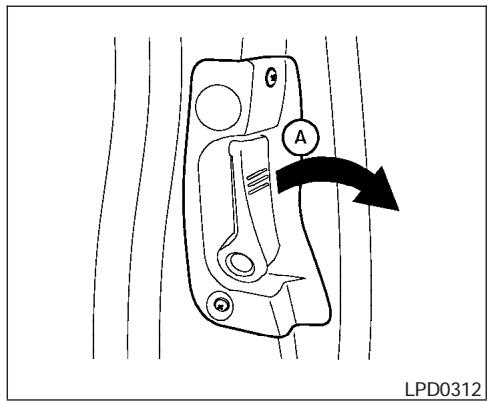
2. From the outside, pull the door handle A toward you.
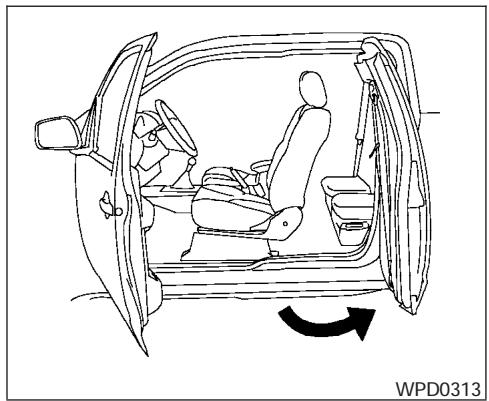
3. Open the door to the desired position.
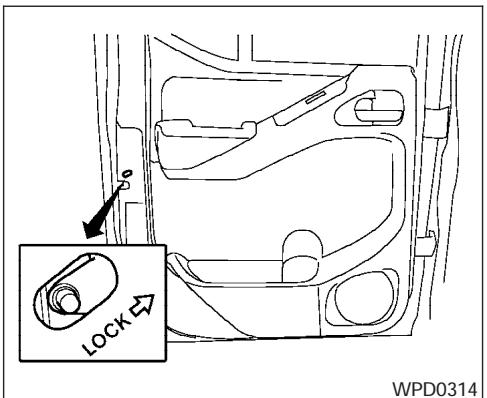
WPD0314
CHILD SAFETY REAR DOOR LOCK (Crew Cab models only)
Child safety locks help prevent the rear doors from being opened accidentally, especially when small children are in the vehicle.
The child safety lock levers are located on the edge of the rear doors.
When the lever is in the lock position, the door can be opened only from the outside.
REMOTE KEYLESS ENTRY SYSTEM (if so equipped)
It is possible to lock/unlock all doors, turn the interior lights on, and activate the panic alarm by using the keyfob from outside the vehicle.
Be sure to remove the key from the vehicle before locking the doors.
The keyfob can operate at a distance of approximately 33 ft (10 m) from the vehicle. The effective distance depends on the conditions around the vehicle.
As many as 5 keyfobs can be used with one vehicle. For information concerning the purchase and use of additional keyfobs, contact a NISSAN dealer.
The keyfob will not function when:
the battery is discharged
the distance between the vehicle and the keyfob is over 33 ft (10 m)
The panic alarm will not activate when the key is in the ignition switch.

CAUTION
Listed below are conditions or occurrences which will damage the keyfob:
- Do not allow the keyfob to become wet.
-
Do not drop the keyfob.
-
Do not strike the keyfob sharply against another object.
- Do not place the keyfob for an extended period in an area where temperatures exceed 140ircF (60ircC) .
If a keyfob is lost or stolen, NISSAN recommends erasing the ID code of that keyfob. This will prevent the keyfob from unauthorized use to unlock the vehicle. For information regarding the erasing procedure, please contact a NISSAN dealer.
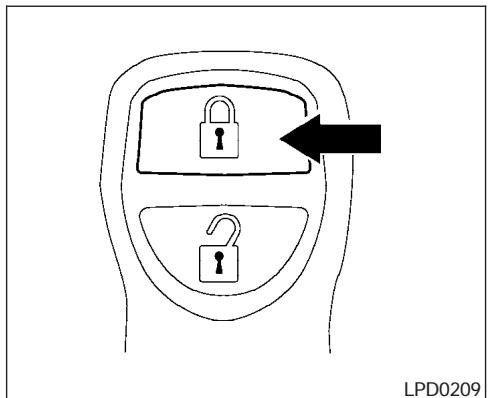
HOW TO USE REMOTE KEYLESS ENTRY SYSTEM
Locking doors
- Close all windows.
- Remove the key from the ignition switch.
- Close the hood and all doors.
-
Push the button on the keyfob. All the doors lock. The hazard warning lights flash twice and the horn beeps once to indicate all doors are locked.
-
When the button is pushed with all doors locked, the hazard warning lights flash twice and the horn beeps once as a reminder that the doors are already locked.
- If a door is open and you push the button, the doors will lock but the horn will not beep and the hazard lights will not flash.
The horn may or may not beep. Refer to "Silencing the horn beep feature" later in this section for details.
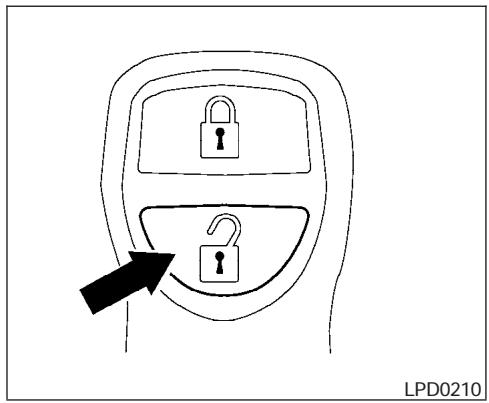
Unlocking doors
Push the button on the keyfob once.
- Only the driver's door unlocks.
- The hazard warning lights flash once if all doors are completely closed with the ignition key in any position except the ON position.
- The interior lights illuminate for 30 seconds when the interior light switch is in the normal operation position.
Push the button on the keyfob again within 5 seconds.
- All doors unlock.
- The hazard warning lights flash once if all doors are completely closed.
The interior lights can be turned off without waiting 30 seconds by inserting the key into the ignition and turning to the ON or START position, locking the doors with the keyfob or pushing the interior light switch to the OFF position.
Auto relock
When the button on the keyfob is pushed, all doors will lock automatically within 1 minute unless one of the following operations is performed:
- Any door is opened.
- A key is inserted into the ignition switch and the key is turned from OFF to ON.
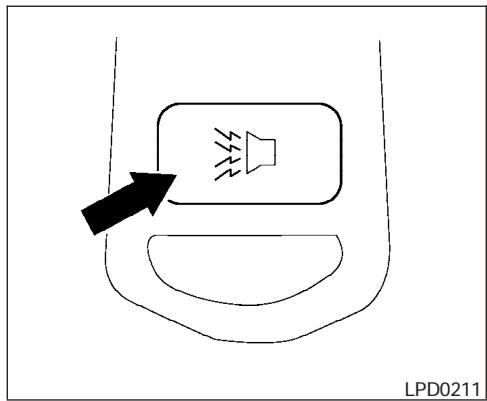
Using the panic alarm
If you are near your vehicle and feel threatened, you may activate the panic alarm to call attention by pushing and holding the button on the keyfob for longer than 0.5 second.
The panic alarm and headlights will stay on for 25 seconds.
The panic alarm stops when:
- it has run for 25 seconds, or
- any button is pushed on the keyfob.
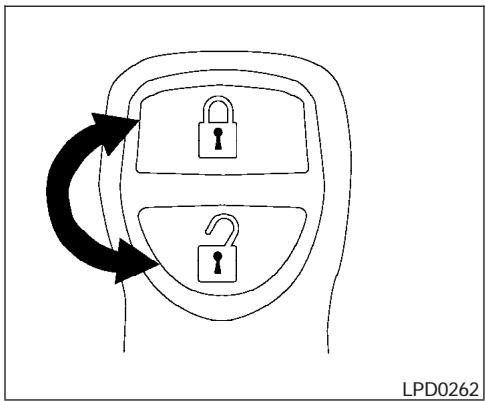
Silencing the horn beep feature
If desired, the horn beep feature can be deactivated using the keyfob.
To deactivate: Press and hold the 1 and 2 buttons for at least 2 seconds.
The hazard warning lights will flash three times to confirm that the horn beep feature has been deactivated.
To activate: Press and hold the 1 and 2 buttons for at least 2 seconds once more.
HOOD
The hazard warning lights will flash once and the horn will sound once to confirm that the horn beep feature has been reactivated.
Deactivating the horn beep feature does not silence the horn if the alarm is triggered.
Using the interior lights
Push the button on the keyfob once to turn on the interior lights.
For additional information, refer to "Interior lights" in the "Instruments and controls" section earlier in this manual.
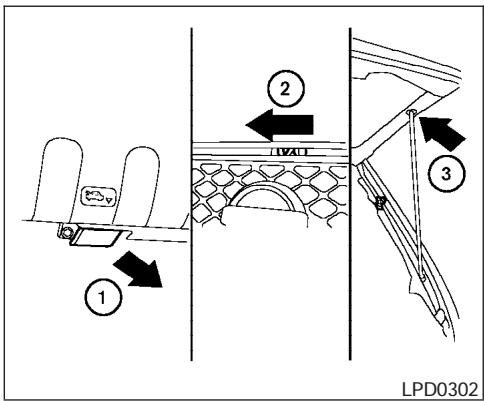
① Pull the hood lock release handle located below the driver side instrument panel. The hood will spring up slightly.
② Push the lever at the front of the hood to the side as illustrated with your fingertips and raise the hood.
③ Insert the support rod into the slot on the underside of the hood.
When closing the hood, lower it slowly and make sure it locks into place.
WARNING
- Make sure the hood is completely closed and latched before driving. Failure to do so could cause the hood to fly open and result in an accident.
- If you see steam or smoke coming from the engine compartment, to avoid injury do not open the hood.
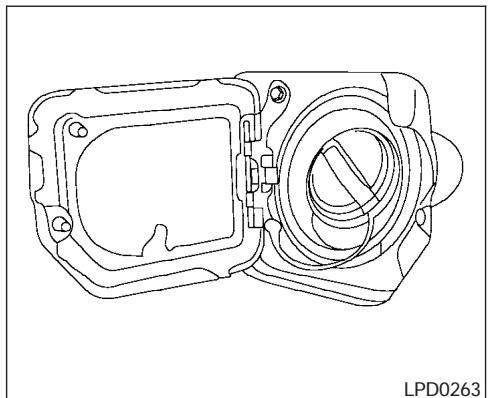
FUEL-FILLER CAP
The fuel-filler cap is a ratcheting type. Turn the cap counterclockwise to remove. To tighten, turn the cap clockwise until ratcheting clicks are heard.
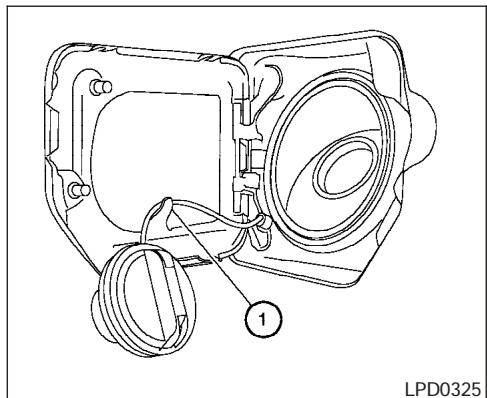
Loop the tether strap around the hook ① while refueling.
WARNING
Gasoline is extremely flammable and highly explosive under certain conditions. You could be burned or seriously injured if it is misused or mishandled. Always stop the engine and do not smoke or allow open flames or sparks near the vehicle when refueling.
- Fuel may be under pressure. Turn the cap a third of a turn, and wait for any "hissing" sound to stop to prevent fuel from spraying out and possibly causing personal injury. Then remove the cap.
- Do not attempt to top off the fuel tank after the fuel pump nozzle shuts off automatically. Continued refueling may cause fuel overflow, resulting in fuel spray and possibly a fire.
- Use only an original equipment type fuel-filler cap as a replacement. It has a built-in safety valve needed for proper operation of the fuel system and emission control system. An incorrect cap can result in a serious malfunction and possible injury. It could also cause the malfunction indicator lamp to come on.
- Never pour fuel into the throttle body to attempt to start your vehicle.
- Do not fill a portable fuel container in the vehicle or trailer. Static electricity can cause an explosion of flammable liquid, vapor or gas in any vehicle or trailer. To reduce the risk of serious injury or death when filling portable fuel containers:
STEERING WHEEL
- Always place the container on the ground when filling.
- Do not use electronic devices when filling.
- Keep the pump nozzle in contact with the container while you are filling it.
- Use only approved portable fuel containers for flammable liquid.
CAUTION
-
If fuel is spilled on the vehicle body, flush it away with water to avoid paint damage.
-
Tighten until the fuel-filler cap clicks. Failure to tighten the fuel-filler cap properly may cause the ENGINE malfunction indicator light (MIL) to illuminate. If the ENGINE light illuminates because the fuel-filler cap is loose or missing, tighten or install the cap and continue to drive the vehicle. The ENGINE light should turn off after a few driving trips. If the ENGINE light does not turn off after a few driving trips, have the vehicle inspected by a NISSAN dealer.
- For additional information, see the "Malfunction indicator light (MIL)" in the "Instruments and Controls" section earlier in this manual.
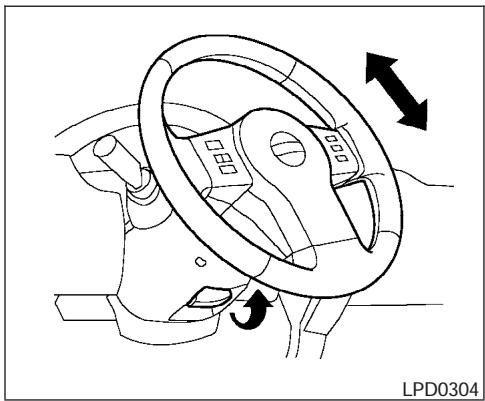
TILT OPERATION (if so equipped)
Pull the lock lever forward and hold it to adjust the steering wheel up or down to the desired position.
Release the lock lever to lock the steering wheel in place.

WARNING
Do not adjust the steering wheel while driving. You could lose control of your vehicle and cause an accident.
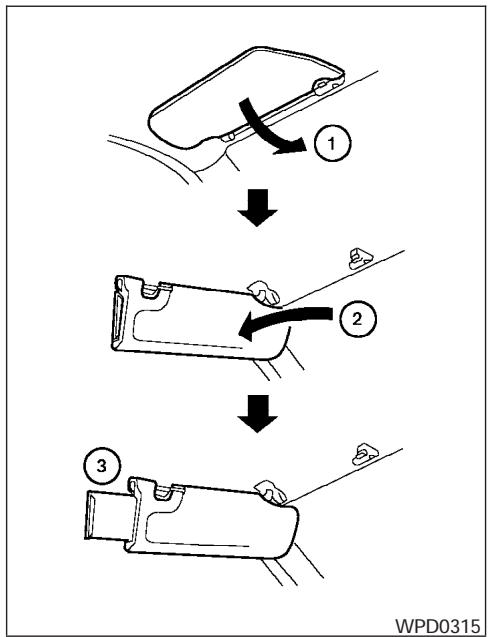
① To block glare from the front, swing down the main sun visor.
② To block glare from the side, remove the main sun visor from the center mount and swing the visor to the side.
3-12 Pre-driving checks and adjustments
③ Slide the extension sun visor in or out as needed.
CAUTION
- Do not store the sun visor before returning the extension to its original position.
- Do not pull the extension sun visor forcibly downward.
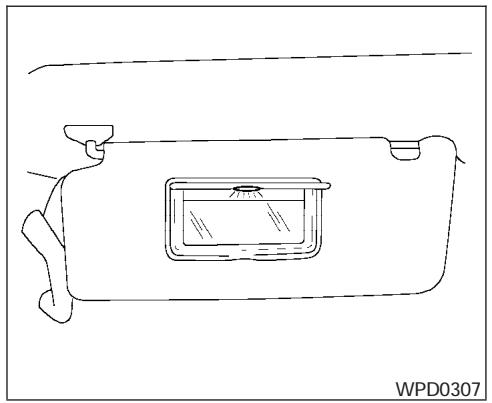
Vanity MIRRORS
To access the vanity mirror, pull the sun visor down and flip open the mirror cover. Some vanity mirrors are illuminated and turn on when the mirror cover is open.
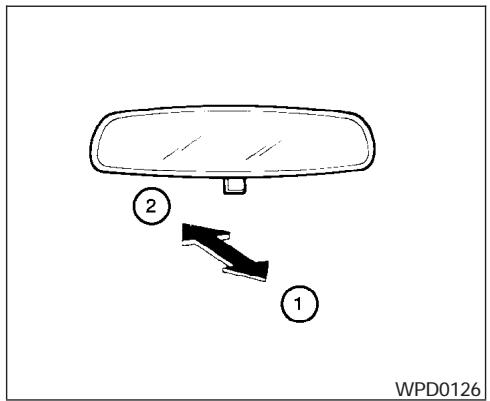
WPD0126
REARVIEW MIRROR (if so equipped)
The night position ① reduces glare from the headlights of vehicles behind you at night.
Use the day position ② when driving in daylight hours.
WARNING
Use the night position only when necessary, because it reduces rear view clarity.
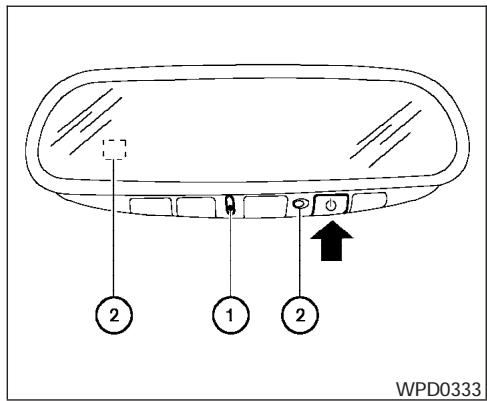
AUTOMATIC ANTI-GLARE REARVIEW MIRROR (if so equipped)
The inside mirror is designed so that it automatically dims according to the intensity of the headlights of the vehicle following you. The automatic anti-glare feature operates only when the ignition switch is in the ON position.
The indicator light ① will illuminate when the automatic anti-glare feature is operating.
To turn off the automatic anti-glare feature, press the button. The indicator light will turn off.
To turn on the automatic anti-glare feature, press the button again. The indicator light will turn on.
For information on HomeLink® Universal Transceiver operation, see "HomeLink® Universal Transceiver" in the "Instrument and controls" section of this manual.
For information on the compass and outside temperature display, see "Compass and outside temperature display" in the "Instrument and controls" section of this manual.
NOTE:
Do not hang any objects over the sensors ② or apply glass cleaner to the sensors. Doing so will reduce the sensitivity of the sensors, resulting in improper operation.
OUTSIDE MIRRORS
WARNING
- Objects viewed in the outside mirror on the passenger side are closer than they appear. Be careful when moving to the right. Using only this mirror could cause an accident. Use the inside mirror or glance over your shoulder to properly judge distances to other objects.
- Do not adjust the mirrors while driving. You could lose control of your vehicle and cause an accident.
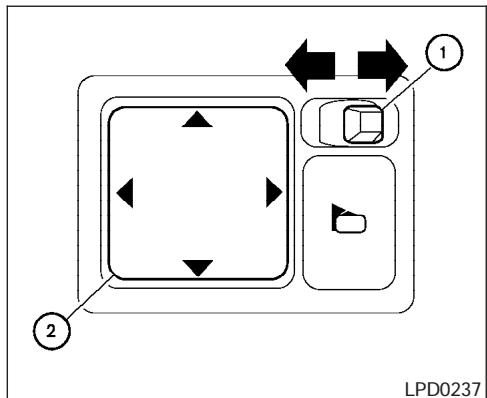
Electric control type (if so equipped)
The outside mirror remote control will operate only when the ignition switch is in the ACC or ON position.
Move the small switch ① to select the right or left mirror. Adjust each mirror to the desired position using the large switch ②.

Manual control type
The outside mirror can be moved in any direction for a better rear view.
Heated mirrors (if so equipped)
Some outside mirrors can be heated to defrost, defog, or de-ice for improved visibility. For additional information, see "Rear window and outside mirror defroster switch" in the "Instrument and controls" section of this manual.
TRUCK BOX
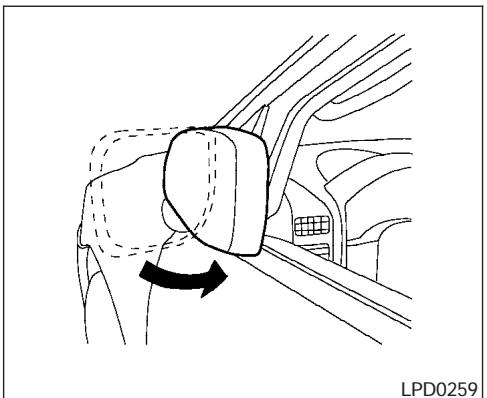
Foldable outside mirrors
Pull the outside mirror toward the door to fold it.
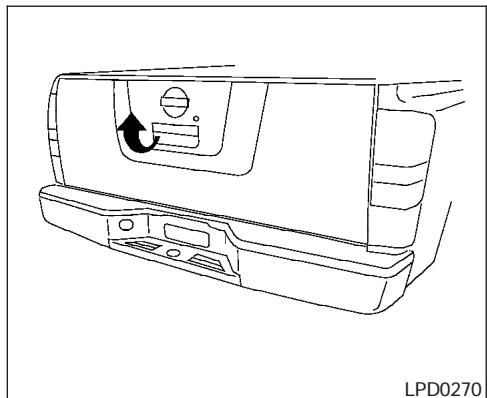
TAILGATE
Opening the tailgate
Pull the tailgate handle upward and lower the tailgate. The support cables hold the tailgate open.
When closing the tailgate, make sure the latches are securely locked.
Do not drive the vehicle with the tailgate down, unless equipped with NISSAN's Bed Extender (accessory) or equivalent in the extended position.
For proper truck box loading see "Vehicle loading information" in the "Technical and consumer information" section of this manual.
WARNING
- It is extremely dangerous to ride in a cargo area inside a vehicle. In a collision, people riding in these areas are more likely to be seriously injured or killed.
- Do not allow people to ride in any area of your vehicle that is not equipped with seats and seat belts.
- Be sure everyone in your vehicle is in a seat and using a seat belt properly.
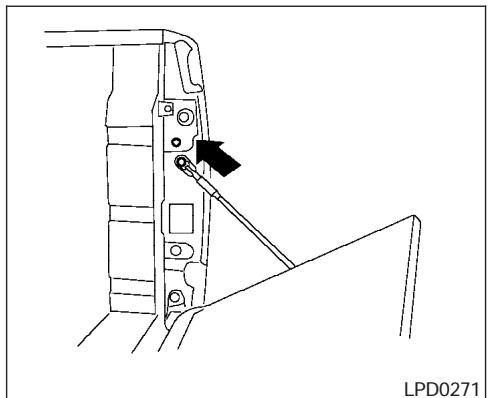
Removing the tailgate
- Release the tailgate support cables.
CAUTION
- The tailgate is heavy. Two people should remove or install it. Be careful not to drop it during removal.
-
After releasing the support cables, do not let the tailgate rest on the bumper.
-
Hold the tailgate at a 45 degree angle.
- Pull the tailgate out from the right side hinge.
- Slide the tailgate out of the left side hinge.
Installing the tailgate
- Insert the tailgate into the left side hinge.
- Hold the tailgate at a 45 degree angle and insert into the right side hinge.
- Continue to hold the tailgate at a 45 degree angle and attach the tailgate support cables.
- Close the tailgate securely.
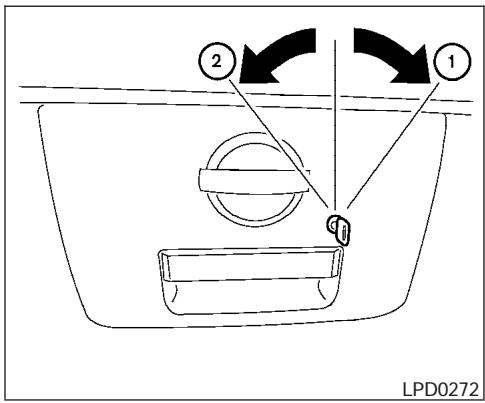
Locking the tailgate
To lock the tailgate, turn the key toward the passenger side of the vehicle ①. To unlock, turn the key toward the driver side ②.
Both the master key and the valet key can be used to lock and unlock the tailgate.
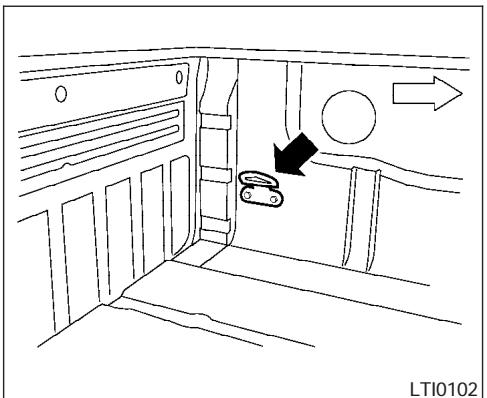
WARNING
- Properly secure all cargo with ropes or straps to help prevent it from sliding or shifting. In a sudden stop or collision, unsecured cargo could cause personal injury.
TIE DOWN HOOKS (if so equipped)
For your convenience, tie down hooks are placed at each corner of the truck box. These may be used to help secure cargo loaded into the truck box.
- The weight of the cargo load must be evenly distributed over both the front and the rear axles.
- All cargo should be securely fastened with ropes or straps to prevent it from shifting or sliding within the vehicle.
MEMO
4 Heater, air conditioner and audio systems
Ventilators 4-2
Heater and air conditioner (manual). 4-2
Controls. 4-3
Heater operation 4-4
Air conditioner operation (if so equipped) 4-5
Air flow charts. 4-6
Servicing air conditioner. 4-9
Audio system 4-10
Radio 4-10
FM radio reception 4-10
AM radio reception 4-10
Satellite radio reception (if so equipped) 4-10
Audio operation precautions 4-11
FM-AM radio with compact disc (CD) player (if so equipped) 4-16
FM-AM-SAT radio with compact disc (CD)
changer 4-20
CD care and cleaning. 4-25
Steering wheel switch for audio control (if so equipped) 4-26
Antenna 4-26
Car phone or CB radio. 4-27
VENTILATORS
HEATER AND AIR CONDITIONER (manual)
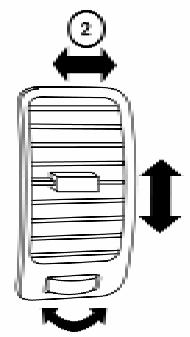
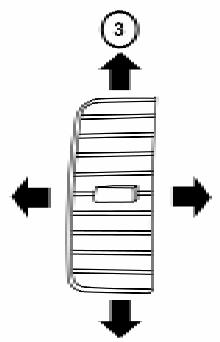
LHA0534
Adjust air flow direction for the driver's and passenger's side windows ① , driver and passenger ② , or center ③ ventilators by moving the ventilator slide and/or ventilator assemblies.
WARNING
- The air conditioner cooling function operates only when the engine is running.
- Do not leave children or adults who would normally require the assistance of others alone in your vehicle. Pets should also not be left alone. They could accidentally injure themselves or others through inadvertent operation of the vehicle. Also, on hot, sunny days, temperatures in a closed vehicle could quickly become high enough to cause severe or possibly fatal injuries to people or animals.
- Do not use the recirculation mode for long periods as it may cause the interior air to become stale and the windows to fog up.
- Positioning of the heater and/or air conditioner controls should not be done while driving so full attention may be given to vehicle operation.
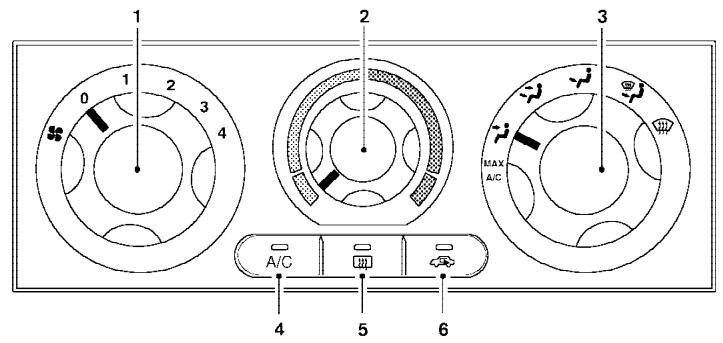
LHA0489
- Fan control dial
- Temperature control dial
- Air flow control dial
- Air conditioner button (if so equipped)
- Rear window defrost button (if so equipped)
- Air recirculation button
CONTROLS
Fan control dial
The fan control dial turns the fan on and off, and controls fan speed.
Air flow control dial
The air flow control dial allows you to select the air flow outlets.
MAX Air flows from center and side A/C vents with maximum cooling (air conditioning).

Air flows from center and side ventilators.

Air flows from center and side ventilators and the front and rear floor outlets.

Air flows mainly from the front and rear floor outlets.

Air flows from defroster outlets and the front and rear floor outlets.

Air flows mainly from defroster outlets.
The air flow control dial also has intermediate positions which allow the air flow to be distributed between 2 of the icon positions on the air flow control dial.
Temperature control dial
The temperature control dial allows you to adjust the temperature of the outlet air. To lower the temperature, turn the dial to the left. To increase the temperature, turn the dial to the right.

Air recirculation button
ON position:
Push the air recirculation button to recirculate air inside the vehicle. The indicator light on the button will come on.
Push the 5 button to the on position:
- when driving on a dusty road.
- to prevent traffic fumes from entering passenger compartment.
for maximum cooling when using the air conditioner.
OFF position:
Push the air recirculation button again to turn air recirculation off. The indicator light on the button will turn off. Outside air is drawn into the passenger compartment and distributed through the selected outlet.
Use the off position for normal heater or air conditioner operation.

Air conditioner button (if so equipped)
The button is provided only on vehicles equipped with an air conditioner.
Start the engine, turn the fan control dial to the desired (1 - 4) position and push the A/C button to turn on the air conditioner. The indicator light comes on when the air conditioner is operating. To turn off the air conditioner, push the A/C button again.
The air conditioner cooling function operates only when the engine is running.
Rear window defroster switch
For more information about the rear window defroster switch, see "Rear window and outside mirror (if so equipped) defroster switch" in the "Instruments and controls" section of this manual.
HEATER OPERATION
Heating
This mode is used to direct heated air to the foot outlets. Some air also flows from the defrost outlets.
- Push the button to the OFF position for normal heating. The indicator light on the button will go off.
- Turn the air flow control dial to the position.
- Turn the fan control dial to the desired position.
- Turn the temperature control dial to the desired position between the middle and the hot position.
Ventilation
This mode directs outside air to the side and center ventilators.
- Push the button to the OFF position. The indicator light on the button will go off.
- Turn the air flow control dial to the position.
-
Turn the fan control dial to the desired position.
-
Turn the temperature control dial to the desired position.
Defrosting or defogging
This mode directs the air to the defrost outlets to defrost/defog the windows.
- Turn the air flow control dial to the position.
- Turn the fan control dial to the desired position.
- Turn the temperature control dial to the desired position between the middle and the hot position.
- To quickly remove ice or fog from the windows, turn the fan control dial to 4 and the temperature control lever to the full HOT position.
- When the position is selected, the air conditioner automatically turns on (however, the indicator light will not illuminate) if the outside temperature is more than 36ircF (2ircC) . The air conditioning system will continue to operate until the fan control dial is turned to OFF or the vehicle is shut off, even if the air flow control dial is turned to a position other than the position. This dehumidifies the air which helps defog the windshield. The mode automatically
turns off, allowing outside air to be drawn into the passenger compartment to further improve the defogging performance.
Bi-level heating
This mode directs cooler air from the side and center vents and warmer air from the floor outlets. When the temperature control dial is moved to the full hot or full cool position, the air between the vents and the floor outlets is the same temperature.
- Push the 5 button to the off position.
- Turn the air flow control dial to the position.
- Turn the fan control dial to the desired position.
- Turn the temperature control dial to the desired position.
Heating and defogging
This mode heats the interior and defogs the windshield.
- Turn the air flow control dial to the position.
-
Turn the fan control dial to the desired position.
-
Turn the temperature control dial to the desired position between the middle and the hot position.
-
When the position is selected, the air conditioner automatically turns on (however, the indicator light on the A/C button will not come on) if the outside temperature is more than 36ircF ( 2ircC ). If in defrost mode for more than one minute, the air conditioning system will continue to operate until the fan control dial is turned to OFF or the vehicle is shut off, even if the air flow control dial is turned to a position other than the position. This dehumidifies the air which helps defog the windshield. The mode automatically turns off, allowing outside air to be drawn into the passenger compartment to further improve the defogging performance.
Operating tips
Clear snow and ice from the wiper blades and air inlet in front of the windshield. This improves heater operation.
AIR CONDITIONER OPERATION (if so equipped)
Start the engine, turn the fan control dial to the desired (1 - 4) position, and push in the A/C button to activate the air conditioner. When the air conditioner is on, cooling and dehumidifying functions are added to the heater operation.
The air conditioner cooling function operates only when the engine is running.
Cooling
This mode is used to cool and dehumidify the air.
- Push the button to the off position.
- Turn the air flow control dial to the position.
- Turn the fan control dial to the desired position.
- Push the A / C button. The indicator light comes on.
- Turn the temperature control dial to the desired position.
- For quick cooling when the outside temperature is high, push the button to the on position (indicator light on). Be sure to return the button to the off position for normal cooling.
Dehumidified heating
This mode is used to heat and dehumidify the air.
- Push the → button to the off position.
- Turn the air flow control dial to the position.
- Turn the fan control dial to the desired position.
- Push the A/C button. The indicator light comes on.
- Turn the temperature control dial to the desired position.
Dehumidified defogging
This mode is used to defog the windows and dehumidify the air.
- Turn the air flow control dial to the position.
- Turn the fan control dial to the desired position.
- Push the A/C button. The indicator light comes on.
When the or positions in between are selected, the air conditioner automatically turns on (however, the indicator light will not illuminate) if the outside temperature is more than 36ircF (2ircC) . The air conditioning system will continue to operate until the fan control dial is turned off. To OFF or the vehicle is shut off, even if the air flow control dial is turned to a position other than the position. This dehumidifies the air which helps defog the windshield. The mode automatically turns off, allowing outside air to be drawn into the passenger compartment to further improve the defogging performance.
- Turn the temperature control dial to the desired position.
Operating tips
- Keep the windows and sunroof (if so equipped) closed while the air conditioner is in operation.
-
After parking in the sun, drive for 2 or 3 minutes with the windows open to vent hot air from the passenger compartment. Then, close the windows. This allows the air conditioner to cool the interior more quickly.
-
The air conditioning system should be operated for approximately 10 minutes at least once a month. This helps prevent damage to the system due to lack of lubrication.
- If the engine coolant temperature gauge indicates engine coolant temperature over the normal range, turn the air conditioner off. See "If your vehicle overheats" in the "In case of emergency" section of this manual.
AIR FLOW CHARTS
The following charts show the button and dial positions for MAXIMUM AND QUICK heating, cooling or defrosting. For additional information on heating and cooling see "Heater and air conditioner" in this section". The air recirculation (G) button should always be in the OFF position for heating and defrosting.
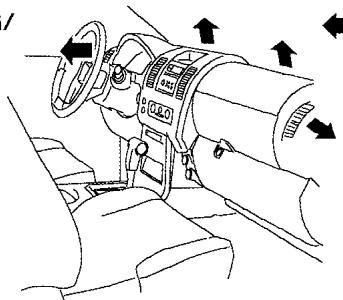
DEFROSTING/ DEFOGGING

Air passed through heater core
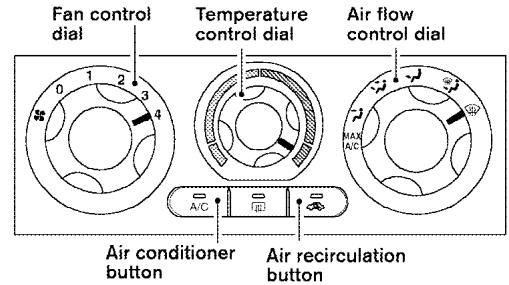
| A/C Button | Air flow control | Temp control | Fan control | Air recirculation button |
| OFF | HOT (RIGHT) | 4 | OFF |
LHA0529
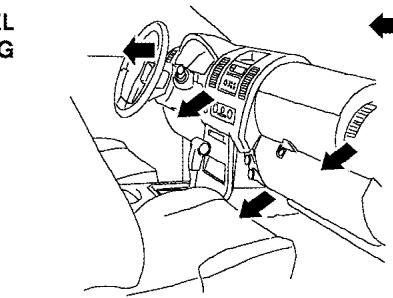
BI-LEVEL HEATING

Air passed through heater core
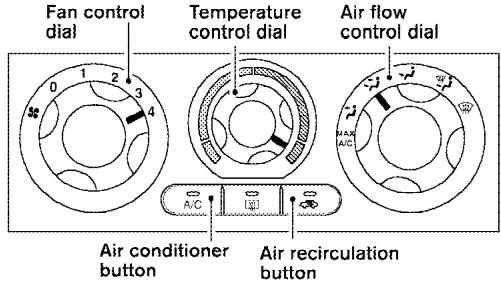
| A/C Button | Air flow control | Temp control | Fan control | Air recirculation button |
| OFF | HOT (RIGHT) | 4 | OFF |
LHA0530
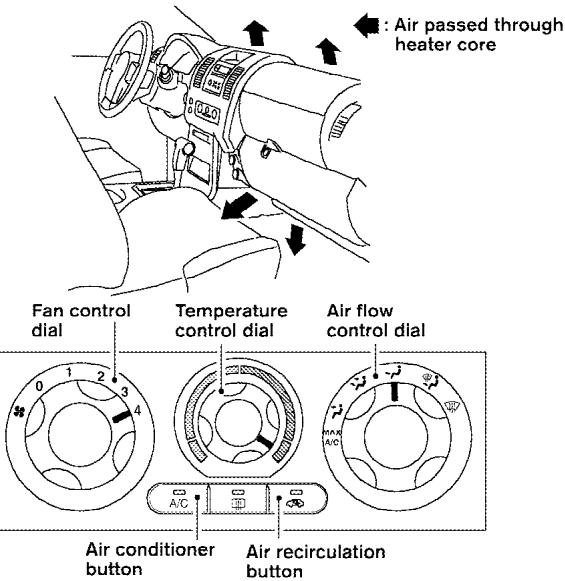
HEATING
| A/C Button | Air flow control | Temp control | Fan control | Air recirculation button |
| OFF | HOT (RIGHT) | 4 | OFF |
LHA0531
HEATING & DEFROSTING/ DEFOGGING
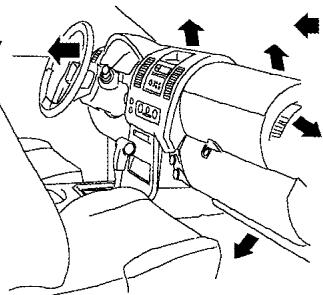
Air passed through heater core
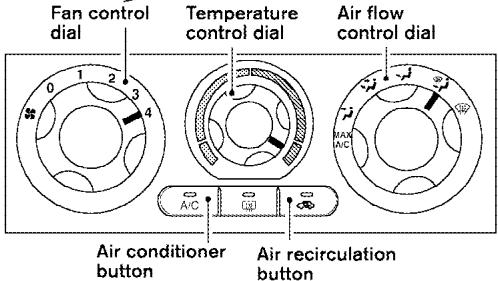
| A/C Button | Air flow control | Temp control | Fan control | Air recirculation button |
| OFF | HOT (RIGHT) | 4 | OFF |
LHA0532
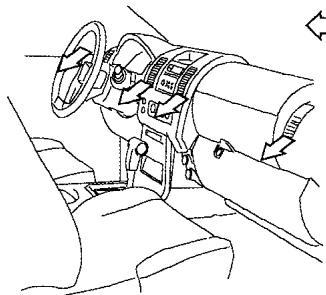
COOLING

Air not passed
through heater core
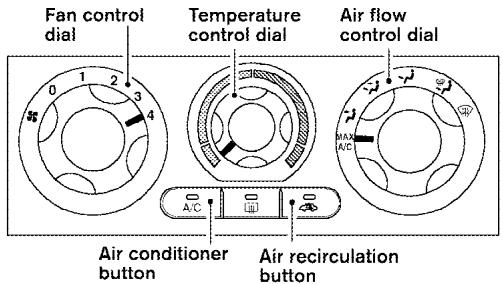
| A/C Button | Air flow control | Temp control | Fan control | Air recirculation button |
| Auto turns ON | MAX A/C | COOL (LEFT) | 4 | ON |
LHA0533
SERVICING AIR CONDITIONER
The air conditioner system in your NISSAN vehicle is charged with a refrigerant designed with the environment in mind.
This refrigerant does not harm the earth's ozone layer.
Special charging equipment and lubricant is required when servicing your NISSAN air conditioner. Using improper refrigerants or lubricants will cause severe damage to your air conditioner system. See "Air conditioner system refrigerant and lubricant recommendations" in the "Technical and consumer information" section of this manual.
A NISSAN dealer is able to service your "environmentally friendly" air conditioning system.

WARNING
The air conditioner system contains refrigerant under high pressure. To avoid personal injury, any air conditioner service should be done only by an experienced technician with proper equipment.
AUDIO SYSTEM
RADIO
Turn the ignition key to the ACC or ON position and press the PWR (power)/VOL (volume) knob to turn the radio on. If you listen to the radio with the engine not running, the key should be turned to the ACC position.
Radio reception is affected by station signal strength, distance from radio transmitter, buildings, bridges, mountains and other external influences. Intermittent changes in reception quality normally are caused by these external influences.
Using a cellular phone in or near the vehicle may influence radio reception quality.
Radio reception
Your NISSAN radio system is equipped with state-of-the-art electronic circuits to enhance radio reception. These circuits are designed to extend reception range, and to enhance the quality of that reception.
However there are some general characteristics of both FM and AM radio signals that can affect radio reception quality in a moving vehicle, even when the finest equipment is used. These characteristics are completely normal in a given reception area, and do not indicate any malfunction in your NISSAN radio system.
Reception conditions will constantly change because of vehicle movement. Buildings, terrain, signal distance and interference from other vehicles can work against ideal reception. Described below are some of the factors that can affect your radio reception.
FM RADIO RECEPTION
Range: FM range is normally limited to 25 - 30 miles (40 - 48 km), with monaural (single channel) FM having slightly more range than stereo FM. External influences may sometimes interfere with FM station reception even if the FM station is within 25 miles (40 km). The strength of the FM signal is directly related to the distance between the transmitter and receiver. FM signals follow a line-of-sight path, exhibiting many of the same characteristics as light. For example they will reflect off objects.
Fade and drift: As your vehicle moves away from a station transmitter, the signals will tend to fade and/or drift.
Static and flutter: During signal interference from buildings, large hills or due to antenna position (usually in conjunction with increased distance from the station transmitter) static or flutter can be heard. This can be reduced by adjusting the treble control to reduce treble response.
Multipath reception: Because of the reflective characteristics of FM signals, direct and reflected signals reach the receiver at the same time. The signals may cancel each other, resulting in momentary flutter or loss of sound.
AM RADIO RECEPTION
AM signals, because of their low frequency, can bend around objects and skip along the ground. In addition, the signals can be bounced off the ionosphere and bent back to earth. Because of these characteristics, AM signals are also subject to interference as they travel from transmitter to receiver.
Fading: Occurs while the vehicle is passing through freeway underpasses or in areas with many tall buildings. It can also occur for several seconds during ionospheric turbulence even in areas where no obstacles exist.
Static: Caused by thunderstorms, electrical power lines, electric signs and even traffic lights.
SATELLITE RADIO RECEPTION (if so equipped)
When the satellite radio is first installed or the battery has been replaced, the satellite radio may not work properly. This is not a malfunction. Wait more than 10 minutes with satellite radio ON and
the vehicle outside of any metal or large building for satellite radio to receive all of the necessary data.
No satellite radio reception is available and "NO SAT" is displayed when the SAT band option is selected unless optional satellite receiver and antenna are installed and an XM® or SIRIUS™ satellite radio service subscription is active. Satellite radio can only be installed in vehicles that were factory pre-wired for satellite radio. Satellite radio is not available in Alaska, Hawaii and Guam.
Satellite radio performance may be affected if cargo carried on the roof blocks the satellite radio signal.
If possible, do not put cargo over the satellite antenna.
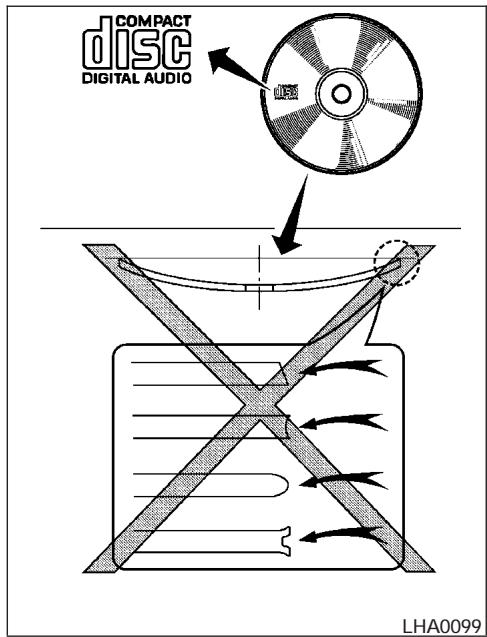
AUDIO OPERATION PRECAUTIONS
Compact disc (CD) player
- Only use high quality 4.7 inches (12 cm) round discs that have the "COMPACT
disc DIGITAL AUDIO" logo on the disc or packaging.
- During cold weather or rainy days, the player may malfunction due to the humidity. If this occurs, remove the CD and dehumidify or ventilate the player completely.
- The player may skip while driving on rough roads.
- The CD player sometimes cannot function when the compartment temperature is extremely high or low. Decrease/increase the temperature before use.
- Do not expose the CD to direct sunlight.
- CDs that are in poor condition or are dirty, scratched or covered with fingerprints may not work properly.
-
The following CDs may not work properly:
-
Copy control compact discs (CCCD)
- Recordable compact discs (CD-R)
-
Rewritable compact discs (CD-RW)
-
Do not use the following CDs as they may cause the CD player to malfunction:
3.1 in (8 cm) discs with an adapter
- CDs that are not round
- CDs with a paper label
- CDs that are warped, scratched, or have abnormal edges
- This audio system can only play prerecorded CDs. It has no capability to record or burn CDs.
-
If the CD cannot be played, one of the following messages will be displayed. CHECK DISC:
-
Confirm that the CD is inserted correctly (the label side is facing up, etc.).
- Confirm that the CD is not bent or warped and it is free of scratches.
PUSH EJECT:
This is an error due to excessive temperature inside the player. Remove the CD by pushing the EJECT button. After a short time, reinsert the CD. The CD can be played when the temperature of the player returns to normal.
UNPLAYABLE:
The file is unplayable in this audio system (only MP3 CD).
Compact Disc with MP3
Terms:
- MP3 — MP3 is short for Moving Pictures Experts Group Audio Layer 3. MP3 is the most well-known compressed digital audio file format. This format allows for near "CD quality" sound, but at a fraction of the size of normal audio files. MP3 conversion of an audio track from CD-ROM can reduce the file size by approximately a 10:1 ratio with virtually no perceptible loss in quality. MP3 compression removes the redundant and irrelevant parts of a sound signal that the human ear doesn't hear.
-
Bit rate — Bit rate denotes the number of bits per second used by a digital music file. The size and quality of a compressed digital audio file is determined by the bit rate used when encoding the file.
-
Sampling frequency — Sampling frequency is the rate at which the samples of a signal are converted from analog to digital (A/D conversion) per second.
- ID3 tag - The ID3 tag is the part of the encoded MP3 file that contains information about the digital music file such as song title, artist, album title, encoding bit rate, track time duration, etc. ID3 tag information is displayed on the Album/Artist/Track title line on the display.
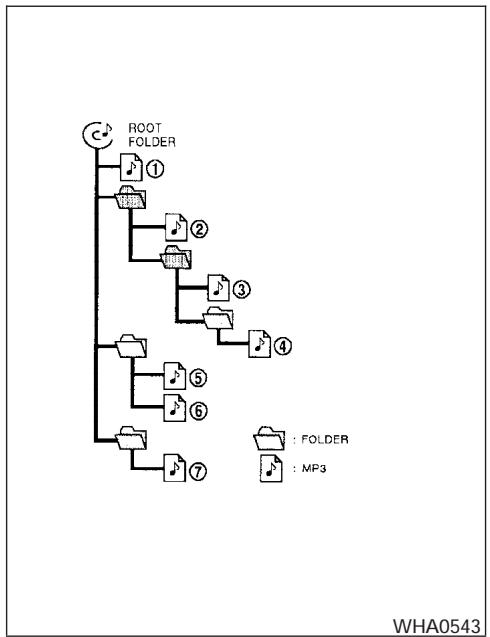
Playback order:
Playback order of the CD with compressed files (MP3) is as illustrated above.
-
The names of folders not containing MP3 files are not shown in the display.
-
If there is a file in the top level of the disc, "ROOT" is displayed.
- The playback order is the order in which the files were written by the writing software. Therefore, the files might not play in the desired order.
Specification chart:
| Supported media | CD, CD-R, CD-RW | ||
| Supported file systems | ISO9660 LEVEL1, ISO9660 LEVEL2, Apple ISO, Romeo, Joliet * ISO9660 Level 3 (packet writing) is not supported. | ||
| Supported versions* | MP3 | Version | MPEG1, MPEG2, MPEG2.5 |
| Sampling frequency | 8 kHz - 48 kHz | ||
| Bit rate | 8 kbps - 320 kbps, VBR | ||
| Tag information | ID3 tag VER1.0, VER1.1, VER2.2, VER2.3 (MP3 only) | ||
| Folder levels | Folder levels: 8, Max folders: 255 (including root folder), Files: 512 | ||
| Text character number limitation | 31 characters | ||
| Displayable character codes | 01: ASCII, 02: ISO-8859-1, 03: UNICODE (UTF-16 BOM Big Endian), 04: UNICODE (UTF-16 Non-BOM Big Endian), 05: (UTF-8), 06: UNICODE (Non-UTF-16 BOM Little Endian) | ||
*Files created with a combination of 48 kHz sampling frequency and 64 kbps bit rate cannot be played.
Troubleshooting guide:
| Symptom | Cause and Countermeasure |
| Cannot play | Check if the disc was inserted correctly. |
| Check if the disc is scratched or dirty. | |
| Check if there is condensation inside the player. If there is, wait until the condensation is gone (about 1 hour) before using the player. | |
| If there is a temperature increase error, the CD player will play correctly after it returns to the normal temperature. | |
| Files with extensions other than“.MP3”,“.mp3” or“.wma” cannot be played. In addition, the character codes and number of characters for folder names and file names should be in compliance with the specifications. | |
| Poor sound quality | Check if the disc is scratched or dirty. |
| Bit rate may be too low. | |
| It takes a relatively long time before the music starts playing. | If there are many folders or file levels on the MP3 disc, or if it is a multisession disc, some time may be required before the music starts playing. |
| Music cuts off or skips | The writing software and hardware combination might not match, or the writing speed, writing depth, writing width, etc., might not match the specifications. Try using the slowest writing speed. |
| Skipping with high bit rate files | Skipping may occur with large quantities of data, such as for high bit rate data. |
| Moves immediately to the next song when playing | When a non-MP3 file has been given an extension of“.MP3” or“.mp3”, or when play is prohibited by copyright protection, there will be approximately 5 seconds of no sound and then the player will skip to the next song. |
| Songs do not play back in the desired order | The playback order is the order in which the files were written by the writing software. Therefore, the files might not play in the desired order. |
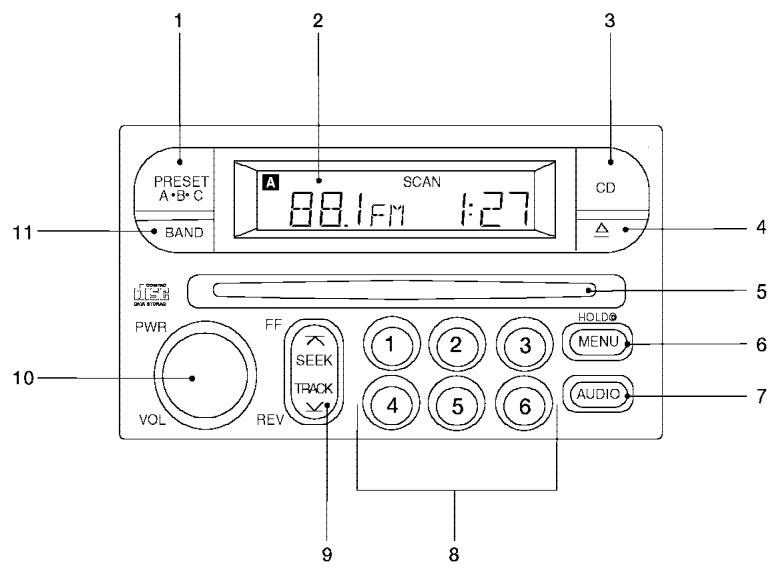
WHA0586
- PRESET ABC button
- Display
- CD button
- CD eject button
- CD insert slot
-
MENU button
-
AUDIO button
- Station select buttons
- SEEK/TRACK button
- PWR/VOL control knob
- BAND select button
FM-AM RADIO WITH COMPACT DISC (CD) PLAYER (if so equipped)
PWR/VOL control knob
Turn the ignition key to the ACC or ON position, then push the PWR/VOL control knob. If you listen to the radio with the engine not running, turn the key to the ACC position. The mode (radio or CD) that was playing immediately before the system was turned off resumes playing.
When no CD is loaded, the radio comes on. Pushing the PWR/VOL control knob again turns the system off.
Turn the PWR/VOL control knob to the right to increase volume or to the left to decrease volume.
Select AUDIO audio n
1
ADJUST to the desired level
②
LHA0118
Adjusting tone quality and speaker balance
To adjust the audio levels for bass, treble, fader, and balance, push the AUDIO button and adjust the level with the SEEK/TRACK button. Press the AUDIO button once for BASS (bass), twice for TREB (treble), 3 times for FAD (fader) and 4
times for BAL (balance). Once the audio level is set the display will return back to radio or CD display mode after 7 seconds or the AUDIO button can be pressed again within 7 seconds to set the next audio level. Pressing the AUDIO button a fifth time will return the display back to radio or CD display mode.
Fader adjusts the sound level between the front and rear speakers, balance adjusts the sound level between the right and left speakers.
Clock set
- Press and hold the MENU button until it beeps (longer than 2 seconds).
- The hours will start flashing. Press SEEK/TRACK (X or Y) to adjust the hours.
- Press the MENU button until the radio beeps to switch to the minute adjustment.
- The minutes will start flashing. Press SEEK/TRACK (X or Y) to adjust the minutes.
- Press the MENU button again to exit the clock set mode.
The display will return to the regular clock display after 7 seconds, or you may press the MENU button again to return to the regular clock display.
FM-AM radio operation
BAND
FM-AM band select
Push the BAND button to change from AM to FM reception.
The FM stereo indicator, ST, illuminates during FM stereo reception. When the stereo broadcast signal is weak, the radio automatically changes from stereo to monaural reception.
A
SEEK/manual/SCAN tuning
When the MENU button is pushed while the radio is playing, tuning mode is cycled between:
SEEK tuning → manual tuning → SCAN mode "TUNE" and "SCAN" are shown in the display for each mode. No icon is displayed for SEEK mode.

WARNING
The radio should not be tuned while driving so full attention may be given to vehicle operation.
SEEK tuning
Push the SEEK/TRACK tuning button (X or Y) for less than 1.5 seconds. SEEK tuning begins from low to high frequencies or high to low frequencies, depending on which button is
pressed, and stops at the next broadcasting station. If using the button, once the highest broadcasting station is reached, the radio continues in the SEEK mode at the lowest broadcasting station. If using the button, once the lowest broadcasting station is reached, the radio continues in the SEEK mode at the highest broadcasting station.
Manual tuning
Use the and buttons for manual tuning. To move quickly through the channels, hold either of the tuning buttons down.
SCAN tuning
Push and hold the SEEK/TRACK tuning button (A or Y) for more than 1.5 seconds.
SCAN illuminates in the display window, and the radio station blinks. SCAN tuning begins from low to high frequencies or high to low frequencies, depending on which button is pressed. SCAN tuning stops at each broadcasting station for 5 seconds. When scanning, SCAN is solid and the radio station blinks. When temporarily stopped on a station, SCAN blinks and the station display is solid. Pushing the button again during this 5 second period stops SCAN tuning and the radio remains tuned to that station.
1 SELECT
2 MEMORIZE
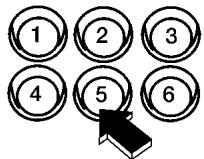
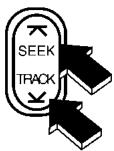
PUSH and HOLD button for longer than 1.5 seconds
3 CONFIRM
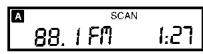
Channel indicator will come on and the sound resumes when memorizing is complete
LHA0119
Station memory operations
Each preset mode (A, B or C) has 6 presets, capable of storing any combination of AM and FM stations.
Press the PRESET ABC button to change between the presets:
A→B→C
The radio displays icon A, B or C to indicate which set of presets is active.
To store a radio station in a preset:
- Select the desired preset by pressing PRESET ABC.
- Tune to the desired station.
- Press the desired station select button for more than 3 seconds. For example, in the illustrations, ch2 is to be memorized. The radio mutes when the select button is pushed.
- When the indicator illuminates in the display and the sound resumes, memorizing is complete.
- Other station select buttons can be set in the same manner.
If the battery cable is disconnected, or if the radio fuse opens, the radio memory is canceled. In that case, reset the desired stations.
Compact disc (CD) player operation
Turn the ignition key to the ACC or ON position, and carefully insert the compact disc into the slot with the label side up. The compact disc is automatically pulled into the slot and starts to play.
If the radio is already operating, it automatically turns off and the compact disc begins to play.
CAUTION
Do not force a compact disc into the CD insert slot. This could damage the CD and/or CD changer/player.
CD
CD button
When the CD button is pushed with a compact disc loaded and the radio playing, the radio turns off and the compact disc starts to play.


Track up/down, FF/REV (rewind) buttons
Track up/down
When the button is pushed and released while the compact disc is playing, the selection following the present one starts to play from the beginning. Push the button several times to skip several selections. Each time the button is pushed, the CD advances 1 additional selection. The number appears in the display window.
(When the last selection on the compact disc is skipped, the first selection is played.)
When the Y button is pushed and released, the selection being played returns to the beginning. Push the Y button several times to skip back several selections. Each time the button is pushed, the CD moves back 1 selection.
If the play pattern is in MIX mode when the A or V button is pushed the next selection will be chosen at random.
FF (Fast Forward)/REV (Reverse)
When the A or Y button is pushed and held while the compact disc is playing, the compact disc plays at an increased speed while fast forwarding or rewinding. When the button is released, the compact disc returns to normal play speed.
MENU
MENU
When the MENU button is pushed while the compact disc is playing, the play pattern changes as follows:
RPT: The current selection is repeated.
MIX: Selections are played at random, not following the sequence on the compact disc. The same program may be repeated twice. If the button is pushed in the MIX mode, selections will be chosen at random.
Blank (no symbol): All selections are played repeatedly in sequence.
When a new compact disc is inserted, the play pattern automatically changes to ALL.

CD EJECT button
When the button is pushed with a compact disc loaded, the compact disc ejects.
When the button is pushed while the compact disc is playing, the compact disc ejects and the system turns off.

DISC indicator light
This light comes on when a compact disc is loaded into the player.
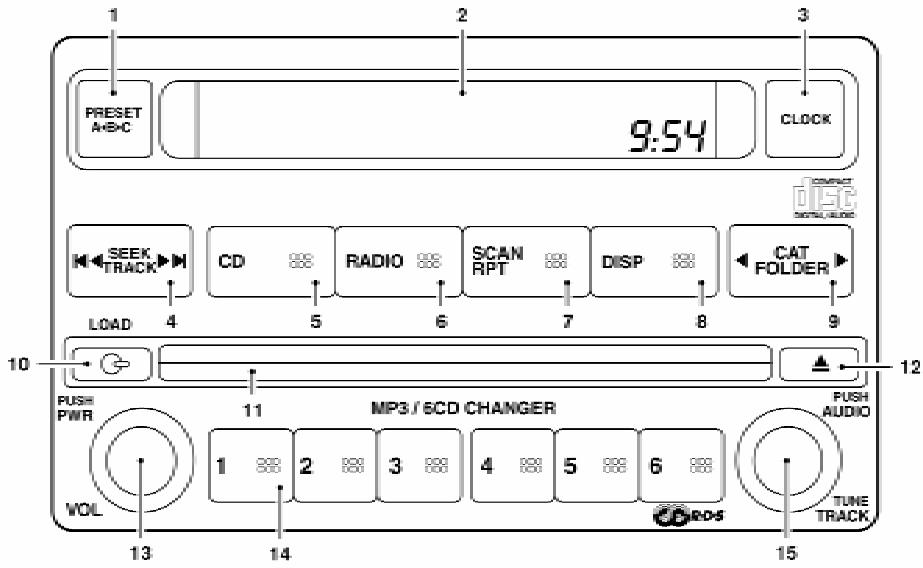
LHA0535
- PRESET ABC button
- Display screen
- CLOCK button
- SEEK/TRACK button
- CD
-
RADIO button*
-
SCAN RPT
- DISP button
- CAT FOLDER
- CD Load button
- CD insert slot
-
CD eject button
-
PWR/VOL control knob
- Station preset buttons
- TUNE button
*No satellite radio reception is available when the RADIO button is pressed to access satellite radio stations unless optional satellite receiver and antenna are installed and an XM® or SIRIUS™ satellite radio service subscription is active. Satellite radio can only be installed in vehicles that were factory pre-wired for satellite radio. Satellite radio is not available in Alaska, Hawaii and Guam.
FM-AM-SAT RADIO WITH COMPACT DISC (CD) CHANGER
No satellite radio reception is available when the RADIO button is pressed to access satellite radio stations unless optional satellite receiver and antenna are installed and an XM® or SIRIUS™ satellite radio service subscription is active. Satellite radio can only be installed in vehicles that were factory pre-wired for satellite radio. Satellite radio is not available in Alaska, Hawaii and Guam.
Audio main operation
POWER/VOLUME control:
Turn the ignition key to ACC or ON, and then push the POWER/VOLUME control knob while the system is off to call up the mode (radio or CD) which was playing immediately before the system was turned off.
To turn the system off, press the POWER/VOLUME control knob.
Turn the POWER/VOLUME control knob to adjust the volume.
This vehicle may be equipped with speed sensitive control volume (SSV) for audio. The audio volume changes as the driving speed changes.
AUDIO knob (BASS, MIDRANGE, TREBLE, FADE, BALANCE and SSV if so equipped):
Press the AUDIO knob to change the mode as follows:
BASS → MID → TREBLE → FADE → BALANCE → SSV (if so equipped)
To adjust Bass, Mid (Midrange), Treble, Fade and Balance, press the AUDIO knob until the desired mode appears in the display. Turn the Tuning knob to adjust Bass and Treble to the desired level. You can also use the Tuning knob to adjust Fader and Balance modes. Fader adjusts the
sound level between the front and rear speakers and Balance adjusts the sound between the right and left speakers.
To change the SSV mode to OFF, LOW, MID or HIGH, turn the Tuning knob to the right or left.
Once you have adjusted the sound quality to the desired level, press the AUDIO knob repeatedly until the radio or CD display reappears. Otherwise, the radio or CD display will automatically reappear after about 10 seconds.
Clock set
- Press the CLOCK button until it beeps (>1.5 seconds).
- The hours will start flashing. Press CAT FOLDER( or ) or SEEK TRACK (or ) to adjust the hours.
- Press the CLOCK button again to switch to the minute adjustment.
- Press CAT FOLDER (or ) or SEEK-TRACK (or ) to adjust the minutes.
- Press the CLOCK button again to exit the clock set mode.
The display will return to the regular clock display after 7 seconds, or you may press the CLOCK button again to return to the regular clock display.
DISP (display) button:
This DISP (display) button will show text about MP3, SAT or CD information in the audio display.
CD display mode
To change the text displayed while playing a CD with text, press the DISP button. The DISP button will allow you to scroll through CD text as follows: Disc title Track title.
To change the default display mode press the AUDIO knob repeatedly until DISPLAY MODE appears on the display, then rotate the knob to select the following display modes: Disc title Track title Track number.
Once the display mode is selected press the AUDIO knob again to store the setting. If the AUDIO knob is not pressed within 8 seconds the display will refresh with the last selected display mode setting.
- Track title mode displays the title of the selected CD track.
- Disk title mode displays the title of the CD being played.
- Track number mode displays the number selected disc and the track that is currently being played on the disk.
MP3 display mode
To change the text displayed when listening to an MP3 with MP3 text (when CD with text is being used), press the DISP button. The DISP button will scroll through the CD text as follows: Disc title Track title Folder title.
To change the default display mode press the AUDIO knob repeatedly until DISPLAY MODE appears on the display, then rotate the knob to select the following display modes: Folder number Track title Folder title Disc title Disc number.
Once a display mode is selected press the AU-DIO knob again to store the setting.
- Folder number mode displays the folder number and the file number of the folder currently being played.
- Disc number mode displays the number selected disc and the track that is currently being played.
- Track title mode displays the ID3 track title of the MP3 file.
- Disc title mode displays the ID3 disc title of the MP3 file.
- Folder title mode displays the folder name given to the MP3 folder.
Display satellite radio display mode (if so equipped)
To change the text displayed when listening to satellite radio (if so equipped) press the DISP button. The DISP button will scroll through the broadcasted information as follows: Name Title Current display mode.
To change the default display mode push the tune knob to display mode and rotate the knob to select the following display modes: Channel number Channel name Name Title. Once the display mode is selected press the tune knob again to store the setting. If the tuning knob is not pressed after 8 seconds the display will refresh with the last selected display mode setting.
- Channel number mode displays the channel number of the selected satellite radio station.
- Channel name mode displays the channel name of the selected satellite radio station.
- Name mode displays the name of the artist, host or weather condition of the selected satellite radio station.
- Title mode displays the song title, show name, or temperature of the selected satellite radio station.
FM/AM/SAT radio operation
FM/AM/SAT band select:
Pushing the RADIO button will change the band as follows:
AM FM or SAT (Satellite, if so equipped)
When the RADIO button is pushed while the ignition switch is in the ACC or ON position, the radio will come on at the station last played.
The last station played will also come on when the POWER/VOLUME control knob is depressed to ON.
No satellite radio reception is available when the RADIO button is pressed to access satellite radio stations unless optional satellite receiver and antenna are installed and an XM® or SIRIUS™ satellite radio service subscription is active. Satellite radio can only be installed in vehicles that were factory pre-wired for satellite radio. Satellite radio is not available in Alaska, Hawaii and Guam. If satellite radio is not operational then the RADIO button is used to toggle between AM and FM bands.
If a compact disc is playing when the RADIO button is pushed, the compact disc will automatically be turned off and the last radio station played will come on.
The FM stereo indicator ST will glow during FM stereo reception. When the stereo broadcast signal is weak, the radio will automatically change from stereo to monaural reception.


CAT FOLDER (Tuning):
WARNING
The radio should not be tuned while driving so full attention may be given to vehicle operation.
To manually tune the radio, push the CAT FOLDER tune button (or ) or turn the tuning knob to right or left.
To move quickly through the channels, hold either the or button down for more than 1.5 seconds.


SEEK tuning:
Push the SEEK/TRACK button (or) for less than 1.5 seconds to tune from high to low or low to high frequencies and stop at the next broadcasting station.
To seek quickly through the channels, press and hold the SEEK/TRACK button for more than 1.5 seconds. When the button is released the radio will seek to the next broadcasting station.
SCAN RPT tuning:
Push the SCAN RPT button for more than 1.5 seconds to stop at each broadcasting station (AM, FM or SAT if so equipped) for 5 seconds. Pushing the button again during this 5 second period will stop SCAN tuning and the radio will remain tuned to that station. If the SCAN RPT button is not pushed within 5 seconds, SCAN tuning moves to the next station.
PRESET A-B-C (Station memory operations):
18 stations can be set for the FM, AM and SAT (Satellite-if so equipped) radio to the A, B and C preset button in any combination of FM, AM or SAT stations.
- Choose preset channel A, B or C using the preset select button.
- Select the desired FM, AM or SAT station band.
- Tune to the desired station using manual, SEEK or SCAN tuning. Push and hold any of the desired station memory buttons (1 - 6) until a beep sound is heard.
-
The channel indicator will then come on and the sound will resume. Memorizing is now complete.
-
Other buttons can be set in the same manner.
If the battery cable is disconnected, or if the fuse opens, the radio memory will be canceled. In that case, reset the desired stations.
Radio data system (RDS):
RDS stands for Radio Data System, and is a data information service transmitted by some radio stations on the FM band (not AM band). Currently, most RDS stations are in large cities, but many stations are now considering broadcasting RDS data.
RDS can display:
- Station call sign, such as "WHFR 98.3".
- Station name, such as "The Groove".
If the station broadcasts RDS information, the RDS icon is displayed.
Compact disc (CD) changer operation

CAUTION
-
Do not force a compact disc into the CD insert slot. This could damage the CD and/or CD changer/player.
-
Trying to load a CD with the CD door closed could damage the CD and/or CD changer.
Turn the ignition key to the ACC or ON position and insert the compact disc into the slot with the label side facing up. The compact disc will be guided automatically into the slot and start playing. To insert the disc, first push the LOAD button.
If the radio is already operating, it will automatically turn off and the compact disc will play.
If the system has been turned off while the compact disc was playing, pushing the POWER/VOLUME control knob will start the compact disc.
Do not use 3.1 in (8 cm) diameter compact discs in the CD changer.
LOAD button:
To insert a CD in the CD changer, push the load button for less than 1.5 seconds. Select the loading slot by pushing the CD insert select button (1 - 6), then insert the CD.
To insert 6 CDs to the CD changer, push the load button for more than 1.5 seconds.
The slot numbers (1 - 6) will illuminate on the display when CDs are loaded into the changer.
CD button:
When the CD button is pushed with the system off and the compact disc loaded, the system will turn on and the compact disc will start to play.
When the CD button is pushed with the compact disc loaded with the radio playing, the radio will automatically be turned off and the compact disc will start to play.
SEEK/TRACK:
When the button is pushed for less than 1.5 seconds while a compact disc is playing, the track being played returns to its beginning. Push several times to skip back through tracks. The compact disc will go back the number of times the button is pushed.
When the button is pushed for less than 1.5 seconds while the compact disc is playing, the next track will start to play from its beginning. Push several times to skip through tracks. The compact disc will advance the number of times the button is pushed. (When the last track on the compact disc is skipped through, the first track will be played.)
When the or button is pushed for more than 1.5 seconds while a CD is playing, the CD plays at an increased speed while fast forwarding or rewinding through the existing track
being played. When the button is released the CD returns to normal play speed.


CAT FOLDER:
While playing an MP3, push the CAT FOLDER button (or ) to scan backward or forward through available folders.
CD select buttons:
To play another CD that has been loaded, push a CD select button (1 - 6).
SCAN/RPT:
When the SCAN/RPT play button is pushed while the compact disc is played, the play pattern can be changed as follows:
ALL DISC RPT → 1 DISC RPT → 1 TRACK RPT → ALL DISC RDM → 1 DISC RDM → ALL DISC RPT
ALL DISC RPT: All discs loaded will be repeated.
1 DISC RPT: The disc that is currently playing will be repeated.
1 TRACK RPT: The track that is currently playing will be repeated
ALL DISC RDM: Tracks from all discs will be played randomly
1 DISC RDM: Tracks from the disc that is currently playing will be played randomly

CD EJECT:
Current disc:
- Press the slot number (1 - 6) for the desired disc, then press the button. The compact disc will be ejected. If the disc is not removed within 15 seconds, the disc will reload.
All discs:
- Press and hold the button for more than 1.5 seconds. The compact discs will be ejected one by one. If a disc is not removed within 15 seconds, or the button is pressed again during the eject sequence, the entire disc eject sequence will be canceled.
When this button is pushed while the compact disc is being played, the compact disc will eject and the last source will be played.
CD IN indicator:
The slot numbers (1 - 6) will illuminate if CDs have been loaded into the changer in CD mode only.
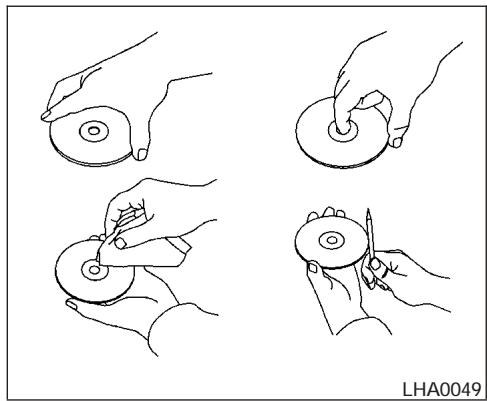
CD CARE AND CLEANING
- Handle a CD by its edges. Do not bend the disc. Never touch the surface of the disc.
Always place the discs in the storage case when they are not being used.
To clean a disc, wipe the surface from the center to the outer edge using a clean, soft cloth. Do not wipe the disc using a circular motion. -
Do not use a conventional record cleaner or alcohol intended for industrial use.
-
A new disc may be rough on the inner and outer edges. Remove the rough edges by rubbing the inner and outer edges with the side of a pen or pencil as illustrated.
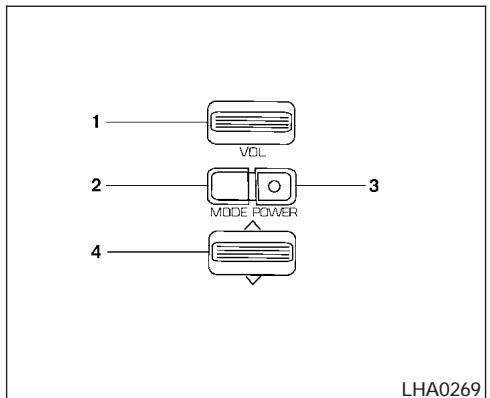
- Volume control switch
- MODE select switch
- POWER on/off switch
- Tuning switch
STEERING WHEEL SWITCH FOR AUDIO CONTROL (if so equipped)
The audio system can be operated using the controls on the steering wheel.
POWER on/off switch
With the ignition key turned to the ACC or ON position, push the POWER switch to turn the audio system on or off.
"MODE" select switch
Push the mode select switch to change the modes:
PRESET A → PRESET B → PRESET C → CD → PRESET A
Volume control switch
Push the volume control switch up or down to increase or decrease the volume.

Tuning
Memory change (radio):
Push the tuning switch ( or ) for less than 1.5 seconds to change presets.
Seek tuning (radio):
Push the tuning switch ( or ) for more than 1.5 seconds to seek the next or previous radio station.
Next/Previous track (CD):
Push the tuning switch or for less than 1.5 seconds to return to the beginning of the present track or skip to the next track. Push several times to skip back or skip through tracks.
Change disc (CD) (if so equipped):
Push the tuning switch or for more than 1.5 seconds to change the playing disc up or down.
ANTENNA
The antenna cannot be shortened, but can be removed. When you need to remove the antenna, turn the antenna rod counterclockwise.
To install the antenna rod, turn the antenna clockwise. Tighten the antenna rod to specification using a suitable tool such as an open-end wrench. The antenna rod tightening specification is 3.4 - 3.6Ndot m (30 - 32 in-lb). Do not use pliers to tighten the antenna as they can leave marks on the antenna surface. The antenna rod cannot be hand tightened to the proper specification.
CAUTION
Always properly tighten the antenna rod during installation or the antenna rod may break during vehicle operation.
CAR PHONE OR CB RADIO
When installing a CB, ham radio or car phone in your NISSAN, be sure to observe the following cautions, otherwise the new equipment may adversely affect the engine control system and other electronic parts.
WARNING
- A cellular telephone should not be used while driving so full attention may be given to vehicle operation. Some jurisdictions prohibit the use of cellular telephones while driving.
- If you must make a call while your vehicle is in motion, the hands free cellular phone operational mode (if so equipped) is highly recommended. Exercise extreme caution at all times so full attention may be given to vehicle operation.
- If a conversation in a moving vehicle requires you to take notes, pull off the road to a safe location and stop your vehicle before doing so.
CAUTION
- Keep the antenna as far away as possible from the electronic control modules.
- Keep the antenna wire more than 8 in (20 cm) away from the electronic control system harnesses. Do not route the antenna wire next to any harness.
- Adjust the antenna standing-wave ratio as recommended by the manufacturer.
- Connect the ground wire from the CB radio chassis to the body.
- For details, consult a NISSAN dealer.
- Do not ground electrical accessories directly to the battery terminal. Doing so, will bypass the variable voltage control system and the vehicle battery may not charge completely. Refer to "Variable voltage control system" in the "Maintenance and do-it-yourself" section later in this manual.
- Use electrical accessories with the engine running to avoid discharging the vehicle battery.
MEMO
5 Starting and driving
Precautions when starting and driving. 5-2
Exhaust gas (carbon monoxide) 5-2
Three-way catalyst. 5-2
Tire pressure monitoring system (TPMS) 5-3
On-pavement and off-road driving
precautions. 5-5
Avoiding collision and rollover. 5-5
Drinking alcohol/drugs and driving. 5-5
Driving safety precautions 5-6
Ignition switch. 5-7
Automatic transmission. 5-7
Manual transmission 5-8
Key positions 5-9
Nissan vehicle immobilizer system 5-9
Before starting the engine 5-9
Starting the engine 5-10
Driving the vehicle 5-11
Automatic transmission. 5-11
Manual transmission 5-14
Parking brake 5-17
Cruise control (if so equipped) 5-18
Precautions on cruise control 5-18
Cruise control operations. 5-18
Break-in schedule 5-19
Increasing fuel economy. 5-20
4x4 Using four wheel drive (4WD). 5-20
Transfer case shifting procedures 5-20
Electronic locking rear differential (E-Lock) system
(if so equipped) 5-25
Parking/parking on hills. 5-27
Power steering. 5-28
Brake system 5-28
Brake precautions. 5-28
Anti-lock brake system (ABS) 5-29
Active brake limited slip (ABLS) system
(if so equipped) 5-30
Vehicle dynamic control (VDC) system
(if so equipped) 5-30
Hill descent control (HDC) system (if so equipped)...5-32
Hill start assist (HSA) system (if so equipped) 5-32
Cold weather driving. 5-33
Freeing a frozen door lock. 5-33
Anti-freeze. 5-33
Battery 5-33
Draining of coolant water. 5-33
Tire equipment 5-33
Special winter equipment. 5-34
Driving on snow or ice 5-34
Engine block heater (if so equipped) 5-34
PRECAUTIONS WHEN STARTING AND DRIVING
WARNING
- Do not leave children or adults who would normally require the assistance of others alone in your vehicle. Pets should also not be left alone. They could accidentally injure themselves or others through inadvertent operation of the vehicle. Also, on hot, sunny days, temperatures in a closed vehicle could quickly become high enough to cause severe or possibly fatal injuries to people or animals.
- Properly secure all cargo with ropes or straps to help prevent it from sliding or shifting. Do not place cargo higher than the seatbacks. In a sudden stop or collision, unsecured cargo could cause personal injury.
EXHAUST GAS (carbon monoxide)
WARNING
-
Do not breathe exhaust gases; they contain colorless and odorless carbon monoxide. Carbon monoxide is dangerous. It can cause unconsciousness or death.
-
If you suspect that exhaust fumes are entering the vehicle, drive with all windows fully open, and have the vehicle inspected immediately.
- Do not run the engine in closed spaces such as a garage.
- Do not park the vehicle with the engine running for any extended length of time.
-
Keep the lift gate and rear windows closed while driving, otherwise exhaust gases could be drawn into the passenger compartment. If you must drive with the lift gate or rear windows open, follow these precautions:
-
Open all the windows.
-
Set the air recirculation button (if so equipped) to off and the fan control dial to 4 (high) to circulate the air.
-
If electrical wiring or other cable connections must pass to a trailer through the seal on the lift gate or the body, follow the manufacturer's recommendation to prevent carbon monoxide entry into the vehicle.
-
The exhaust system and body should be inspected by a qualified mechanic whenever:
a. The vehicle is raised for service.
b. You suspect that exhaust fumes are entering into the passenger compartment.
c. You notice a change in the sound of the exhaust system.
d. You have had an accident involving damage to the exhaust system, underbody, or rear of the vehicle.
THREE-WAY CATALYST
The three-way catalyst is an emission control device installed in the exhaust system. Exhaust gases in the three-way catalyst are burned at high temperatures to help reduce pollutants.
WARNING
-
The exhaust gas and the exhaust system are very hot. Keep people, animals or flammable materials away from the exhaust system components.
-
Do not stop or park the vehicle over flammable materials such as dry grass, waste paper or rags. They may ignite and cause a fire.
CAUTION
- Do not use leaded gasoline. Deposits from leaded gasoline will seriously reduce the three-way catalyst's ability to help reduce exhaust pollutants.
- Keep your engine tuned up. Malfunctions in the ignition, fuel injection, or electrical systems can cause overrich fuel flow into the three-way catalyst, causing it to overheat. Do not keep driving if the engine misfires, or if noticeable loss of performance or other unusual operating conditions are detected. Have the vehicle inspected promptly by a NISSAN dealer.
- Avoid driving with an extremely low fuel level. Running out of fuel could cause the engine to misfire, damaging the three-way catalyst.
- Do not race the engine while warming it up.
- Do not push or tow your vehicle to start the engine.
TIRE PRESSURE MONITORING SYSTEM (TPMS)
Each tire, including the spare (if provided), should be checked monthly when cold and inflated to the inflation pressure recommended by the vehicle manufacturer on the vehicle placard or tire inflation pressure label. (If your vehicle has tires of a different size than the size indicated on the vehicle placard or tire inflation pressure label, you should determine the proper tire inflation pressure for those tires.)
As an added safety feature, your vehicle has been equipped with a Tire Pressure Monitoring System (TPMS) that illuminates a low tire pressure telltale when one or more of your tires is significantly underinflated. Accordingly, when the low tire pressure telltale illuminates, you should stop and check your tires as soon as possible, and inflate them to the proper pressure. Driving on a significantly underinflated tire causes the tire to overheat and can lead to tire failure. Underinflation also reduces fuel efficiency and tire tread life, and may affect the vehicle's handling and stopping ability.
Please note that the TPMS is not a substitute for proper tire maintenance, and it is the driver's responsibility to maintain correct tire pressure,
even if underinflation has not reached the level to trigger illumination of the TPMS low tire pressure telltale.
Your vehicle has also been equipped with a TPMS malfunction indicator to indicate when the system is not operating properly. The TPMS malfunction indicator is combined with the low tire pressure telltale. When the system detects a malfunction, the telltale will flash for approximately one minute and then remain continuously illuminated. This sequence will continue upon subsequent vehicle start-ups as long as the malfunction exists. When the malfunction indicator is illuminated, the system may not be able to detect or signal low tire pressure as intended. TPMS malfunctions may occur for a variety of reasons, including the installation of replacement or alternate tires or wheels on the vehicle that prevent the TPMS from functioning properly. Always check the TPMS malfunction telltale after replacing one or more tires or wheels on your vehicle to ensure that the replacement or alternate tires and wheels allow the TPMS to continue to function properly.
Additional information:
-
The TPMS does not monitor the tire pressure of the spare tire.
-
The TPMS will activate only when the vehicle is driven at speeds above 16 MPH (25 km/h). Also, this system may not detect a sudden drop in tire pressure (for example a flat tire while driving).
- Tire pressure rises and falls depending on the heat caused by the vehicle's operation and the outside temperature. Low outside temperature can lower the temperature of the air inside the tire which can cause a lower tire inflation pressure. This may cause the low tire pressure warning light to illuminate. If the warning light illuminates in low ambient temperature, check the tire pressure for all four tires.
- You can also check the pressure of all tires (except the spare tire) on the display screen. The order of the tire pressure figures displayed on the screen does not correspond with the actual order of the tire position. See "Tire pressure information" in the "Display screen, heater, air conditioner and audio systems" section.
For additional information, see "Low tire pressure warning light" in the "Instruments and controls" section, "Tire pressure monitoring system (TPMS)" in the "In case of emergency" section.
WARNING
- If the low tire pressure warning light illuminates while driving, avoid sudden steering maneuvers or abrupt braking, reduce vehicle speed, pull off the road to a safe location and stop the vehicle as soon as possible. Serious vehicle damage could occur and may lead to an accident and could result in serious personal injury. Check the tire pressure for all four tires. Adjust the tire pressure to the recommended COLD tire pressure shown on the Tire and Loading Information label to turn the low tire pressure warning light OFF. If you have a flat tire, replace it with a spare tire as soon as possible. (See "Flat tire" in the "In case of emergency" section for changing a flat tire.)
- When a spare tire is mounted or a wheel is replaced, tire pressure will not be indicated, the TPMS will not function and the low tire pressure warning light will flash. Contact your NISSAN dealer as soon as possible for tire replacement and/or system resetting.
-
Replacing tires with those not originally specified by NISSAN could affect the proper operation of the TPMS.
-
Do not inject any tire liquid or aerosol tire sealant into the tires, as this may cause a malfunction of the tire pressure sensors.
CAUTION
Do not place metalized film or any metal parts (antenna, etc.) on the windows. This may cause poor reception of the signals from the tire pressure sensors, and the TPMS will not function properly.
FCC Notice:
Changes or modifications not expressly approved by the party responsible for compliance could void the user's authority to operate the equipment.
This device complies with Part 15 of the FCC Rules and RSS-210 of Industry Canada.
Operation is subject to the following two conditions: (1) This device may not cause harmful interface, and (2) this device must accept any interference received, including interference that may cause undesired operation of the device.
ON-PAVEMENT AND OFF-ROAD DRIVING PRECAUTIONS
Utility vehicles have a significantly higher rollover rate than other types of vehicles.
They have higher ground clearance than passenger cars to make them capable of performing in a variety of on-pavement and off-road applications. This gives them a higher center of gravity than ordinary cars. An advantage of higher ground clearance is a better view of the road, allowing you to anticipate problems. However, they are not designed for cornering at the same speeds as conventional two-wheel drive vehicles any more than low-slung sports cars are designed to perform satisfactorily under off-road conditions. If at all possible, avoid sharp turns at high speeds. As with other vehicles of this type, failure to operate this vehicle correctly may result in loss of control or vehicle rollover. In a rollover crash, an unbelted person is significantly more likely to die than a person wearing a seat belt.
Be sure to read the driving safety precautions later in this section.
Failure to operate this vehicle in a safe and prudent manner may result in loss of control or an accident.
Be alert and drive defensively at all times. Obey all traffic regulations. Avoid excessive speed, high speed cornering, or sudden steering maneuvers, because these driving practices could cause you to lose control of your vehicle. As with any vehicle, loss of control could result in a collision with other vehicles or objects, or cause the vehicle to roll over, particularly if the loss of control causes the vehicle to slide sideways. Be attentive at all times, and avoid driving when tired. Never drive when under the influence of alcohol or drugs (including prescription or over-the-counter drugs which may cause drowsiness). Always wear your seat belt as outlined in the "Safety - Seats, seat belts and supplemental restraint system" section of this manual, and also instruct your passengers to do so.
Seat belts help reduce the risk of injury in collisions and rollovers. In a rollover crash, an unbelted or improperly belted person is significantly more likely to be injured or killed than a person properly wearing a seat belt.
DRINKING ALCOHOL/DRUGS AND DRIVING
WARNING
Never drive under the influence of alcohol or drugs. Alcohol in the bloodstream reduces coordination, delays reaction time and impairs judgement. Driving after drinking alcohol increases the likelihood of being involved in an accident injuring yourself and others. Additionally, if you are injured in an accident, alcohol can increase the severity of the injury.
NISSAN is committed to safe driving. However, you must choose not to drive under the influence of alcohol. Every year thousands of people are injured or killed in alcohol-related accidents. Although the local laws vary on what is considered to be legally intoxicated, the fact is that alcohol affects all people differently and most people underestimate the effects of alcohol.
Remember, drinking and driving don't mix! And that is true for drugs, too (over-the-counter, prescription, and illegal drugs). Don't drive if your ability to operate your vehicle is impaired by alcohol, drugs, or some other physical condition.
DRIVING SAFETY PRECAUTIONS
Your NISSAN is designed for both normal and off-road use. However, avoid driving in deep water or mud as your NISSAN is mainly designed for leisure use, unlike a conventional off-road vehicle.
Remember that two-wheel drive models are less capable than four-wheel drive models for rough road driving and extrication when stuck in deep snow or mud, or the like.
Please observe the following precautions:
WARNING
- Drive carefully when off the road and avoid dangerous areas. Every person who drives or rides in this vehicle should be seated with their seat belt fastened. This will keep you and your passengers in position when driving over rough terrain.
-
Do not drive across steep slopes. Instead drive either straight up or straight down the slopes. Off-road vehicles can tip over sideways much more easily than they can forward or backward.
-
Many hills are too steep for any vehicle. If you drive up them, you may stall. If you drive down them, you may not be able to control your speed. If you drive across them, you may roll over.
- Do not shift gears while driving on downhill grades as this could cause loss of control of the vehicle.
- Stay alert when driving to the top of a hill. At the top there could be a drop-off or other hazard that could cause an accident.
- If your engine stalls or you cannot make it to the top of a steep hill, never attempt to turn around. Your vehicle could tip or roll over. Always back straight down in R (Reverse) gear. Never back down in N (Neutral) or with the clutch depressed (manual transmission vehicles), using only the brake, as this could cause loss of control.
-
Heavy braking going down a hill could cause your brakes to overheat and fade, resulting in loss of control and an accident. Apply brakes lightly and use a low gear to control your speed. Use the Hill Descent Control feature (if so equipped).
-
Unsecured cargo can be thrown around when driving over rough terrain. Properly secure all cargo so it will not be thrown forward and cause injury to you or your passengers.
- To avoid raising the center of gravity excessively, do not exceed the rated capacity of the roof rack (if so equipped) and evenly distribute the load. Secure heavy loads in the cargo area as far forward and as low as possible. Do not equip the vehicle with tires larger than specified in this manual. This could cause your vehicle to roll over.
- Do not grip the inside or spokes of the steering wheel when driving off-road. The steering wheel could move suddenly and injure your hands. Instead drive with your fingers and thumbs on the outside of the rim.
- Before operating the vehicle, ensure that the driver and all passengers have their seat belts fastened.
- Always drive with the floor mats in place as the floor may become hot.
IGNITION SWITCH
- Lower your speed when encountering strong crosswinds. With a higher center of gravity, your NISSAN is more affected by strong side winds. Slower speeds ensure better vehicle control.
- Do not drive beyond the performance capability of the tires, even with 4WD engaged.
- Accelerating quickly, sharp steering maneuvers or sudden braking may cause loss of control.
-
If at all possible, avoid sharp turning maneuvers, particularly at high speeds. Your NISSAN four-wheel drive vehicle has a higher center of gravity than a two-wheel drive vehicle. The vehicle is not designed for cornering at the same speeds as conventional two-wheel drive vehicles. Failure to operate this vehicle correctly could result in loss of control and/or a rollover accident.
Always use tires of the same type, size, brand, construction (bias, bias-belted, or radial), and tread pattern on all four wheels. Install tire chains on the rear wheels when driving on slippery roads and drive carefully. -
Be sure to check the brakes immediately after driving in mud or water. See "Brake system" later in this section for "Wet brakes".
- Avoid parking your vehicle on steep hills. If you get out of the vehicle and it rolls forward, backward or sideways, you could be injured.
- Whenever you drive off-road through sand, mud or water as deep as the wheel hub, more frequent maintenance may be required. See "Periodic maintenance" in the "NISSAN Service and Maintenance Guide."
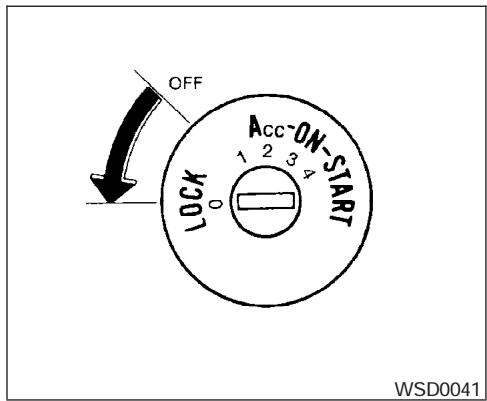
AUTOMATIC TRANSMISSION
The ignition lock is designed so the key cannot be turned to the LOCK position and removed until the shift selector lever is moved to the P (Park) position.
When removing the key from the ignition, make sure the shift selector lever is in the P (Park) position.
If the selector lever is not returned to P (Park) position, the key cannot be moved to the LOCK position.
To remove the key from the ignition switch:
- Shift the selector lever to the P (Park) position with the key in the ON position.
- Turn the key to the LOCK position.
- Remove the key from the ignition.
If the selector lever is shifted to the P (Park) position after the key is turned to the OFF position or when the key cannot be turned to the LOCK position, proceed as follows to remove the key.
- Move the shift selector lever into the P (Park) position.
- Turn the ignition key slightly toward the ON position.
- Turn the key to the LOCK position.
- Remove the key.
The shift selector lever is designed so it cannot moved out of P (Park) and into any of the other gear positions if the ignition key is turned to OFF position or if the key is removed from the switch.
The shift selector lever can be moved if the ignition switch is in the ON position and the foot brake pedal is depressed.
There is an OFF position between the LOCK and ACC positions. The OFF position is indicated by a "1" on the key cylinder. When the ignition is in the OFF position, the steering wheel is not locked.
In order for the steering wheel to be locked, it must be turned about 1/8 of a turn clockwise from the straight up position.
To lock the steering wheel, turn the key to the LOCK position. Remove the key. To unlock the steering wheel, insert the key and turn it gently while rotating the steering wheel slightly right and left.
If the key will not turn from the LOCK position, turn the steering wheel to the left or right while turning the key to unlock the key cylinder.
WARNING
Never remove or turn the key to the LOCK position while driving. The steering wheel will lock. This may cause the driver to lose control of the vehicle and could result in serious vehicle damage or personal injury.
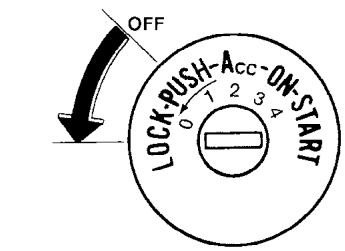
WSD0052
MANUAL TRANSMISSION
The ignition switch includes a device that helps prevent accidental removal of the key while driving.
The key can only be removed when the ignition switch is in the LOCK position.
On manual transmission models, to turn the ignition key to LOCK position from ACC or ON position, turn the key to OFF, push the key in, then turn the key to LOCK.
In order for the steering wheel to be locked, it must be turned about 1/8 of a turn clockwise from the straight up position.
To lock the steering wheel, turn the key to the LOCK position. Remove the key. To unlock the steering wheel, insert the key and turn it gently while rotating the steering wheel slightly right and left.

WARNING
Never remove or turn the key to the LOCK position while driving. The steering wheel will lock. This may cause the driver to lose control of the vehicle and could result in serious vehicle damage or personal injury.
KEY POSITIONS
LOCK: Normal parking position (0)
OFF: (Not used) (1)
ACC: (Accessories) (2)
This position activates electrical accessories such as the radio when the engine is not running.
ON: Normal operating position (3)
This position turns on the ignition system and the electrical accessories.
START: (4)
This position starts the engine. As soon as the engine has started, release the key. It automatically returns to the ON position.
NISSAN VEHICLE IMMOBILIZER SYSTEM
The NISSAN Vehicle Immobilizer System will not allow the engine to start without the use of the registered key.
If the engine fails to start using a registered key (for example, when interference is caused by another registered key, an automated toll road device or automatic payment device on the key ring), restart the engine using the following procedures:
- Leave the ignition switch in the ON position for approximately 5 seconds.
- Turn the ignition switch to the OFF or LOCK position, and wait approximately 10 seconds.
- Repeat steps 1 and 2.
- Restart the engine while holding the device (which may have caused the interference) separate from the registered key.
If the no start condition re-occurs, NISSAN recommends placing the registered key on a separate key ring to avoid interference from other devices.
BEFORE STARTING THE ENGINE
- Make sure the area around the vehicle is clear.
- Check fluid levels such as engine oil, coolant, brake fluid, and window washer fluid as frequently as possible, or at least whenever you refuel.
- Check that all windows and lights are clean.
- Visually inspect tires for their appearance and condition. Also check tires for proper inflation.
- Lock all doors.
- Position seat and adjust head restraints.
- Adjust inside and outside mirrors.
- Fasten seat belts and ask all passengers to do likewise.
- Check the operation of warning lights when the key is turned to the ON (3) position. See "Warning/indicator lights and audible reminders" in the "Instruments and controls" section of this manual.
STARTING THE ENGINE
- Apply the parking brake.
- Automatic transmission:
Move the shift selector lever to P (Park) or N (Neutral). P (Park) is recommended.
The shift selector lever cannot be moved out of P (Park) and into any of the other gear positions if the ignition key is turned to the OFF position or if the key is removed from the ignition switch.
The starter is designed not to operate if the shift selector lever is in any of the driving positions.
Manual transmission:
Move the shift lever to N (Neutral).Depress the clutch pedal to the floor while cranking the engine.
The starter is designed not to operate unless the clutch pedal is fully depressed.
-
Crank the engine with your foot off the accelerator pedal by turning the ignition key to START. Release the key when the engine starts. If the engine starts, but fails to run, repeat the above procedure.
-
If the engine is very hard to start in extremely cold weather or when restarting, depress the accelerator pedal a little (approximately 1/3 to the floor) and hold it and then crank the engine. Release the key and the accelerator pedal when the engine starts.
- If the engine is very hard to start because it is flooded, depress the accelerator pedal all the way to the floor and hold it. Crank the engine for 5-6 seconds. After cranking the engine, release the accelerator pedal. Crank the engine with your foot off the accelerator pedal by turning the ignition key to START. Release the key when the engine starts. If the engine starts, but fails to run, repeat the above procedure.
CAUTION
Do not operate the starter for more than 15 seconds at a time. If the engine does not start, turn the key off and wait 10 seconds before cranking again, otherwise the starter could be damaged.
- Allow the engine to idle for at least 30 seconds after starting. Do not race the engine while warming it up. Drive at moderate speed for a short distance first, especially in cold weather.
AUTOMATIC TRANSMISSION
WARNING
- Do not depress the accelerator pedal while shifting from P (Park) or N (Neutral) to R (Reverse), D (Drive), 3, 2 or 1. Always depress the brake pedal until shifting is completed. Failure to do so could cause you to lose control and have an accident.
- Cold engine idle speed is high, so use caution when shifting into a forward or reverse gear before the engine has warmed up.
- Never shift to P (Park) or R (Reverse) while the vehicle is moving. This could cause an accident.
CAUTION
- When stopping the vehicle on an uphill grade, do not hold the vehicle by depressing the accelerator pedal. The foot brake should be used for this purpose.
- Do not downshift abruptly on slippery roads. This may cause a loss of control.
The automatic transmission in your vehicle is electronically controlled to produce maximum power and smooth operation.
The recommended operating procedures for this transmission are shown on the following pages. Follow these procedures for maximum vehicle performance and driving enjoyment.
Starting the vehicle
- After starting the engine, fully depress the foot brake pedal before attempting to move the shift selector lever out of the P (Park) position.
- Keep the foot brake pedal depressed and move the shift selector lever into a driving gear.
- Release the foot brake, then gradually start the vehicle in motion.
The automatic transmission is designed so the foot brake pedal MUST be depressed before shifting from P (Park) to any drive position while the ignition switch is in the ON position.
The shift selector lever cannot be moved out of P (Park) and into any of the other gear positions if the ignition key is turned to the LOCK, OFF or ACC position or if the key is removed.
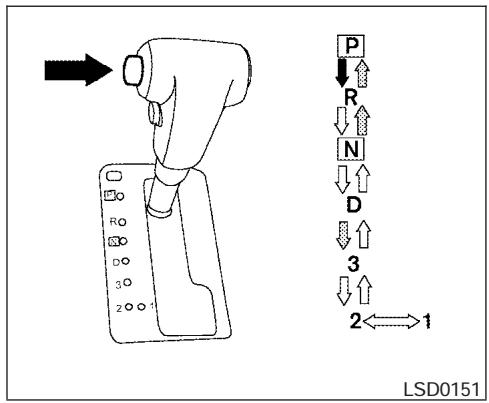
To move the selector lever:
Push the button while depressing the brake pedal
:Push the button to shift
:Shift without depressing brake pedal
Shifting
After starting the engine, fully depress the brake pedal and move the shift selector lever out of the P (Park) position.
WARNING
Apply the parking brake if the selector lever is in any position while the engine is not running. Failure to do so could cause the vehicle to move unexpectedly or roll away and result in serious personal injury or property damage.
If the key is turned to the OFF or ACC position for any reason while the vehicle is in N (Neutral), or any D (Drive) position, the key cannot be turned to the LOCK position and be removed from the ignition switch. Move the selector lever to the P (Park) position, then the key can be turned to LOCK.
P (Park):
Use this selector position when the vehicle is parked or when starting the engine. Make sure the vehicle is completely stopped. The brake pedal must be depressed to move the selector lever from N (Neutral) or any drive position to P (Park). Apply the parking brake. When parking on a hill, apply the parking brake first, then move the shift selector lever into the P (Park) position.
R (Reverse):
CAUTION
Use this position only when the vehicle is completely stopped.
Use this position to back up. Make sure the vehicle is completely stopped before selecting the R (Reverse) position. The brake pedal must be depressed to move the selector lever from P (Park), N (Neutral) or any drive position to R (Reverse).
N (Neutral):
Neither forward nor reverse gear is engaged. The engine can be started in this position. You may shift to N (Neutral) and restart a stalled engine while the vehicle is moving.
D (Drive):
Use this position for all normal forward driving.
3 (Third gear):
Use this position for driving up and down long slopes where engine braking would be advantageous.
Do not downshift into the 3 position at speeds over the following and do not exceed the following speeds in the 3 position.
2WD and AUTO:
62 MPH (100 km/h)
4H:
62 MPH (100 km/h)
4LO:
31 MPH (50 km/h)
2 (Second gear):
Use this position for hill climbing or engine braking on downhill grades.
Do not downshift into the 2 position at speeds over the following and do not exceed the following speeds in the 2 position.
2WD and AUTO:
71 MPH (115 km/h)
4H:
62 MPH (100 km/h)
4LO:
31 MPH (50 km/h)
1 (Low gear):
Use this position when climbing steep hills slowly or slow driving through deep snow, sand or mud, or for maximum engine braking on steep downhill grades.
Do not downshift into the 1 position at speeds over the following and do not exceed the following speeds in the 1 position.
2WD and AUTO:
43 MPH (70 km/h)
4H:
43 MPH (70 km/h)
4LO:
31 MPH (50 km/h)
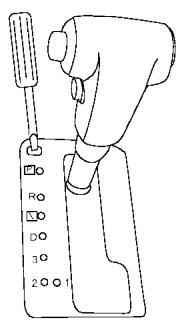
LSD0141
Shift lock release
If the battery is discharged, the shift selector lever may not be moved from the P (Park) position even with the brake pedal depressed.
To move the shift selector lever, release the shift lock. The shift selector lever can be moved to N (Neutral). However, the steering wheel will be locked unless the ignition switch is turned to the ON position. This allows the vehicle to be moved if the battery is discharged.
To push the shift lock release, complete the following procedure:
- Turn the ignition key to the LOCK position and remove the key
- Apply the parking brake.
- Remove the shift lock release cover as shown.
- Insert a small screwdriver in the shift lock release slot and push down.
- Move the shift selector lever to the N (Neutral) position while holding down the shift lock release.
- Turn the key to the ON position to unlock the steering wheel. Now the vehicle may be moved to the desired location.
If the shift selector lever cannot be moved out of P (Park), have a NISSAN dealer check the automatic transmission system as soon as possible.

WARNING
If the selector lever cannot be moved from the P (Park) position while the engine is running and the brake pedal is depressed, the stop lights may not work. Malfunctioning stop lights could cause an accident injuring yourself and others.
Accelerator downshift
in D position
For passing or hill climbing, depress the accelerator pedal to the floor. This shifts the transmission down into a lower gear, depending on the vehicle speed.
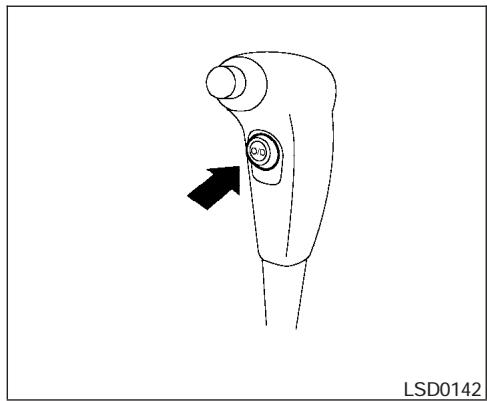
Overdrive switch
Each time your vehicle is started, the transmission is automatically "reset" to overdrive ON.
ON: With the engine running and the shift selector lever in the D (Drive) position, the transmission upshifts into Overdrive as vehicle speed increases.
Overdrive does not engage until the engine has reached operating temperature.
OFF: For driving up and down long slopes where engine braking is necessary push the Overdrive switch once. The O/D OFF indicator light in the instrument panel comes on at this time.
When cruising at a low speed or climbing a gentle slope, you may feel uncomfortable shift shocks as the transmission shifts into and out of Overdrive repeatedly. In this case, depress the Overdrive switch to turn the Overdrive off. The O/D OFF indicator light in the instrument panel comes on at this time.
When driving conditions change, depress the Overdrive switch to turn the Overdrive on.
Remember not to drive at high speeds for extended periods of time with the Overdrive off. This reduces fuel economy.
MANUAL TRANSMISSION

WARNING
- Do not downshift abruptly on slippery roads. This may cause a loss of control.
- Do not over-rev the engine when shifting to a lower gear. This may cause a loss of control or engine damage.
CAUTION
- Do not rest your foot on the clutch pedal while driving. This may cause clutch damage.
- Fully depress the clutch pedal before shifting to help prevent transmission damage.
- Stop your vehicle completely before shifting into R (Reverse).
- When the vehicle is stopped with the engine running (for example, at a stop light), shift to N (Neutral) and release the clutch pedal with the foot brake applied.
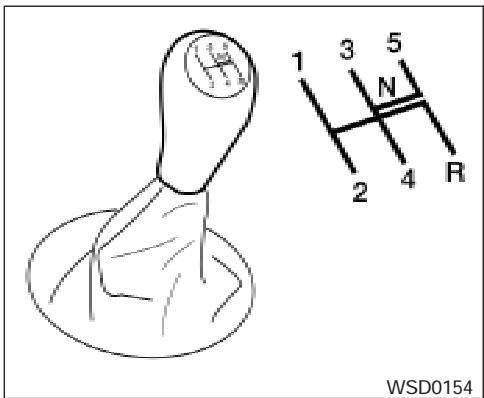
5 - speed
Shifting
To change gears, or when upshifting or downshifting, depress the clutch pedal fully, shift into the appropriate gear, then release the clutch slowly and smoothly.
To ensure smooth gear changes, fully depress the clutch pedal before operating the shift lever. If the clutch pedal is not fully depressed before the transmission is shifted, a gear noise may be heard. Transmission damage could occur.
Start the vehicle in 1st gear and shift to 2nd, 3rd, 4th, 5th and 6th gear in sequence according to vehicle speed.
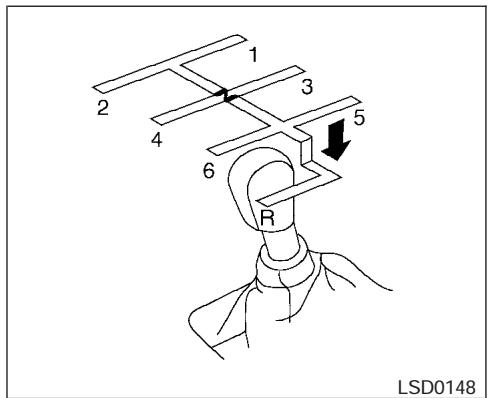
6 - speed
To back up depress the shift lever and then move it to the R (Reverse) position after stopping the vehicle completely.
On the 5-speed manual transmission model, you cannot shift directly from the 5th gear into R (Reverse). First shift into N (Neutral), then in to R (Reverse) after stopping the vehicle completely.
If it is difficult to move the shift lever into R (Reverse) or 1 (First), shift into N (Neutral), then release the clutch pedal. Fully depress the clutch pedal again and shift into R (Reverse) or 1 (First).
If your vehicle is equipped with 4-wheel drive, see "Transfer case shifting procedures" later in this section.
Suggested upshift speeds
The following are suggested vehicle speeds for shifting into a higher gear. These suggestions relate to fuel economy and vehicle performance. Actual upshift speeds will vary according to road conditions, the weather and individual driving habits.
- For QR25DE two-wheel drive models:
| GEAR CHANGE | MPH (km/h) |
| 1st to 2nd | 11 (17) |
| 2nd to 3rd | 15 (24) |
| 3rd to 4th | 24 (38) |
| 4th to 5th | 35 (56) |
- For VQ40DE two-wheel drive models and four-wheel drive models (2H and 4H position):
| GEAR CHANGE | MPH (km/h) |
| 1st to 2nd | 11 (17) |
| 2nd to 3rd | 17 (27) |
| 3rd to 4th | 25 (40) |
| 4th to 5th | 32 (51) |
| 5th to 6th* | 45 (72) |
- 4-wheel drive model (4L position):
| GEAR CHANGE | MPH (km/h) |
| 1st to 2nd | 8 (13) |
| 2nd to 3rd | 12 (19) |
| 3rd to 4th | 20 (32) |
| 4th to 5th | 22 (35) |
| 5th to 6th* | - |
*6 Speed available on VQ40DE models only.
Suggested maximum speed in each gear
Downshift to a lower gear if the engine is not running smoothly, or if you need to accelerate.
Do not exceed the maximum suggested speed (shown below) in any gear. For level road driving, use the highest gear suggested for that speed. Always observe posted speed limits, and drive according to the road conditions, which will ensure safe operation. Do not over-rev the engine when shifting to a lower gear as it may cause engine damage or loss of vehicle control.
Allowable maximum speed in each gear:
2-wheel drive models
| GEAR | MPH (km/h) |
| 1st | 34 (55) |
| 2nd | 59 (95) |
| 3rd | 90 (146) |
| 4th | — |
| 5th | — |
4-wheel drive models
| 2H/4H position | |
| GEAR | MPH (km/h) |
| 1st | 33 (54) |
| 2nd | 58 (93) |
| 3rd | 84 (135) |
| 4th | — |
| 5th | — |
| 6th | — |
| 4L position | |
| GEAR | MPH (km/h) |
| 1st | 12 (20) |
| 2nd | 22 (35) |
| 3rd | 32 (51) |
| 4th | 43 (70) |
| 5th | 55 (89) |
| 6th | - |
WARNING
- Be sure the parking brake is fully released before driving. Failure to do so can cause brake failure and lead to an accident.
- Do not release the parking brake from outside the vehicle.
- Do not use the gear shift in place of the parking brake. When parking, be sure the parking brake is fully engaged.
- Do not leave children unattended in a vehicle. They could release the parking brake and cause an accident.
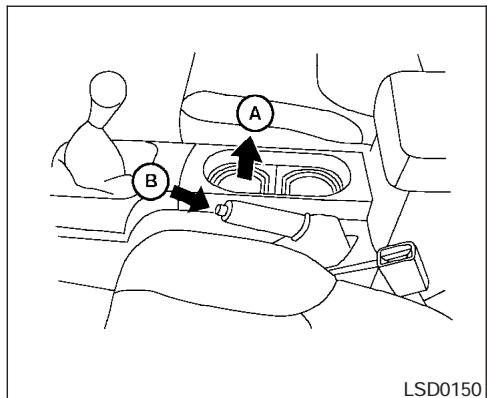
To engage: Pull the lever up .
To release:
- Firmly apply the foot brake.
- Manual transmission models:
Place the shift lever in the N (Neutral) position.
Automatic transmission models:
Move the shift selector lever to the P (Park) position.
- While pulling up on the parking brake lever slightly, push the button and lower completely (B).
- Before driving, be sure the brake warning light goes out.
CRUISE CONTROL (if so equipped)
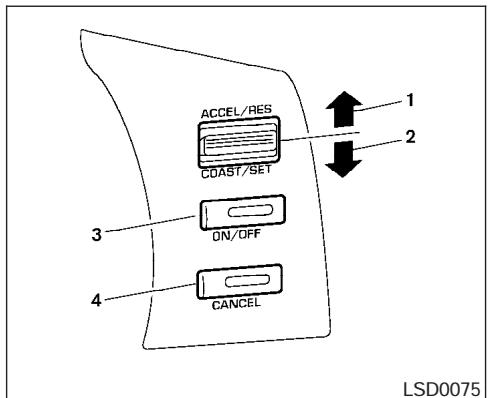
- ACCEL/RES switch
- COAST/SET switch
- ON/OFF switch
- CANCEL switch
PRECAUTIONS ON CRUISE CONTROL
- If the cruise control system malfunctions, it cancels automatically. The SET indicator light in the instrument panel then blinks to warn the driver.
-
If the SET indicator light blinks, turn the cruise control main switch off and have the system checked by a NISSAN dealer.
-
The SET indicator light may blink when the cruise control main switch is turned ON while pushing the ACCEL/RES, COAST/SET, or CANCEL switch (located on the steering wheel). To properly set the cruise control system, use the following procedures.
WARNING
Do not use the cruise control when driving under the following conditions:
- When it is not possible to keep the vehicle at a set speed.
- In heavy traffic or in traffic that varies in speed.
- On winding or hilly roads.
- On slippery roads (rain, snow, ice, etc.).
In very windy areas.
Doing so could cause a loss of vehicle control and result in an accident.
CAUTION
On manual transmission models, do not shift into N (Neutral) without depressing the clutch pedal when the cruise control is set. Should this occur, depress the clutch pedal and turn the main switch off immediately. Failure to do so may cause engine damage.
The cruise control allows driving at a speed between 25 - 89 MPH (40 - 144 km/h) without keeping your foot on the accelerator pedal.
To turn on the cruise control, push the main switch. The CRUISE indicator light in the instrument panel comes on.
To set cruising speed, accelerate the vehicle to the desired speed, push the COAST/SET switch and release it. The SET indicator light in the instrument panel comes on. Take your foot off the accelerator pedal. Your vehicle maintains the set speed.
- To pass another vehicle, depress the accelerator pedal. When you release the pedal, the vehicle returns to the previously set speed.
BREAK-IN SCHEDULE
- The vehicle may not maintain the set speed when going up or down steep hills. If this happens, drive without the cruise control.
To cancel the preset speed, use one of the following three methods.
- Push the CANCEL button; the SET indicator light in the instrument panel goes out.
- Tap the brake pedal; the SET indicator light goes out.
- Turn the main switch off. Both the CRUISE indicator light and SET indicator light in the instrument panel go out.
The cruise control is automatically canceled and the SET light in the instrument panel goes out if:
- you depress the brake or clutch pedal while pushing the ACCEL/RES or COAST/SET switch. The preset speed is deleted from memory.
- the vehicle slows down more than 8 MPH (13 km/h) below the set speed.
- you depress the clutch pedal (manual transmission), or move the shift selector lever to N (Neutral) (automatic transmission).
To reset at a faster cruising speed, use one of the following three methods.
- Depress the accelerator pedal. When the vehicle attains the desired speed, push and release the COAST/SET switch.
- Push and hold the ACCEL/RES switch. When the vehicle attains the speed you desire, release the switch.
- Push and release the ACCEL/RES switch. Each time you do this, the set speed increases by about 1 MPH (1.6 km/h).
To reset at a slower cruising speed, use one of the following three methods.
- Lightly tap the brake pedal. When the vehicle attains the desired speed, push the COAST/SET switch and release it.
- Push and hold the COAST/SET switch. Release the switch when the vehicle slows to the desired speed.
- Push and release the COAST/SET switch. Each time you do this, the set speed decreases by about 1 MPH (1.6 km/h).
To resume the preset speed, push and release the ACCEL/RES switch. The vehicle returns to the last set cruising speed when the vehicle speed is over 25 MPH (40 km/h).
CAUTION
During the first 1,200 miles (2,000km) follow these recommendations to obtain maximum engine performance and ensure the future reliability and economy of your new vehicle. Failure to follow these recommendations may result in shortened engine life and reduced engine performance.
- Avoid driving for long periods at constant speed, either fast or slow, and do not run the engine over 4,000 rpm.
- Do not accelerate at full throttle in any gear.
- Avoid quick starts.
- Avoid hard braking as much as possible.
- Do not tow a trailer for the first 500 miles (800 km). Your engine, axle or other parts could be damaged.
INCREASING FUEL ECONOMY
4x4 USING FOUR WHEEL DRIVE (4WD)
- Accelerate slowly and smoothly. Maintain cruising speeds with a constant accelerator position.
- Drive at moderate speeds on the highway. Driving at high speed lowers fuel economy.
- Avoid unnecessary stopping and braking. Maintain a safe distance behind other vehicles.
- Use a proper gear range which suits road conditions. On level roads, shift into high gear as soon as possible.
- Avoid unnecessary engine idling.
- Keep your engine tuned up.
- Follow the recommended periodic maintenance schedule.
- Keep the tires inflated to the correct pressure. Low tire pressure increases tire wear and lowers fuel economy.
- Keep the front wheels in correct alignment. Improper alignment increases tire wear and lowers fuel economy.
Air conditioner operation lowers fuel economy. Use the air conditioner only when necessary. - When cruising at highway speeds, it is more economical to use the air conditioner and leave the windows closed to reduce drag.
Use 4H or 4L position only when necessary. Four-wheel drive operation lowers fuel economy.
CAUTION
- Do not drive the vehicle in the 4H or 4LO position on dry hard surface roads. Driving on dry, hard surfaces in 4H or 4LO may cause unnecessary noise, tire wear and increased fuel consumption.
If the 4WD warning light turns on when you are driving on dry hard surface roads: - in the 4H position, shift the 4WD shift switch to 2WD.
- in the 4LO position for automatic transmission vehicles, stop the vehicle and shift the transmission selector to the N position with the brake pedal depressed and shift the 4WD shift switch to 2WD.
- in the 4LO position for manual transmission vehicles, stop the vehicle and shift the transmission shift lever to the N position with the clutch pedal depressed and shift the 4WD shift switch to 2WD.
- If the warning light is still on after the above operation, have your vehicle checked by a NISSAN dealer as soon as possible.
TRANSFER CASE SHIFTING PROCEDURES
The part time 4WD system provides 3 positions (2WD, 4H and 4LO), so you can select the desired drive mode according to the driving conditions.
2WD or 4WD shift procedure:
| 4WD Shift Switch Position | Wheels Driven | Indicator Light | Use Conditions | 4WD Shift Procedure | |
| 4WD shift | Transfer 4LO position | ||||
| 2WD | Rear wheels | For driving on dry, paved roads (Economy drive) or state dynamometer I/M testing | Move the 4WD switch.2WD <-> 4H4WD shift indicator light will indicate transfer shift position engaged. | ||
| 4H | 4 wheels | For driving on rocky, sandy or snow-covered roads | |||
| Neutral | *1 May blink | Neutral disengages the automatic transmission mechanical parking lock, which will allow the vehicle to roll. Do not leave the transfer shift position in Neutral.*2 | 1. Stop the vehicle.2. For automatic transmission vehicles: Shift the transmission selector to the (N) position with the brake pedal depressed.For manual transmission vehicles: Shift the transmission shift lever to the (N) position with the clutch depressed.3. For automatic transmission vehicles: Depress and turn the 4WD shift switch to 4LO or 4H with the brake pedal depressed.For manual transmission vehicles: Depress and turn the 4WD switch to 4LO or 4H with the clutch pedal depressed.THE TRANSFER CASE DOES NOT ENGAGE BETWEEN 4H AND 4LO (OR 4LO TO 4H) UNLESS YOU HAVE FIRST STOPPED THE VEHICLE, DEPRESSED THE BRAKE PEDAL AND MOVED THE TRANSMISSION SELECTOR TO NEUTRAL FOR AUTOMATIC TRANSMISSION VEHICLES. FOR MANUAL TRANSMISSION VEHICLES YOU MUST MOVE THE TRANSMIS-SION SHIFT LEVER TO NEUTRAL.*3 | ||
| 4LO | 4 wheels | Illuminated | For use when maximum power and traction is required (for example: on steep grades or rocky, sandy, muddy roads) | ||
*1: Before moving the transmission selector or shift lever from neutral, wait until the 4LO indicator light stays on steady. This indicates that the 4WD shift procedure is completed and the transfer gear is correctly set in the 4LO position. If the vehicle is shifted into gear before the indicator is on steady, the transfer gear may grind, not engage correctly or stay in the neutral position.
- If the 4WD warning light illuminates, perform the following procedure to return the transfer case to correct operating condition.
1. Turn off the engine by turning the ignition switch "OFF".
2. Start the engine.
- Check that the 4WD warning light turns off. If the 4WD warning light illuminates, have the system checked by a NISSAN dealer.
3. Apply the parking brake, for automatic transmission vehicles, depress the brake pedal and move the transmission selector to Neutral position. For manual transmission vehicles, move the transmission shift lever to Neutral position.
4. With the brake pedal depressed on automatic transmission vehicles or with the clutch pedal depressed on manual transmission vehicles, move the 4WD shift switch to desired mode.
- Be sure to wait until the transfer gear change completes before shifting the transmission selector or transmission shift lever from Neutral position.
*2: While changing in and out of 4LO, the ignition key must be ON and the vehicle's engine must be running for a shift to take place and for the indicator lights (4WD shift and 4LO position indicator) to be operable. Otherwise, the shift will not take place and no indicator lights will be on or flashing.
*3: Make sure the transfer 4LO position indicator light turns on when you shift the 4WD shift switch to 4LO. The DFF indicator light (if so equipped) will also turn on when 4LO is selected. See "Vehicle dynamic control system" later in this section.
The transfer case 4WD shift switch is used to select either 2WD or 4WD depending on the driving conditions. There are three types of drive modes available, 2WD, 4H and 4LO.
The 4WD shift switch electronically controls the transfer case operation. Rotate the switch to move between each mode, 2WD, 4H and 4LO.
To change into or out of 4LO, the vehicle MUST be stationary, shift the transmission selector or transmission shift lever to Neutral (N), and for automatic transmission vehicles depress the brake pedal or for manual transmission vehicles depress the clutch pedal. The switch must be depressed and turned when changing into or out of 4LO.
WARNING
-
When parking, apply the parking brake before stopping the engine and make sure that the 4WD shift indicator light is on and the ATP warning light goes off. Otherwise, the vehicle could unexpectedly move even if the automatic transmission is in the P position.
-
The 4LO indicator light must stop blinking and remain illuminated or turn off before shifting the transmission into gear. If the transmission selector or transmission shift lever is shifted from the (N) position to any other gear when the 4LO indicator light is blinking, the vehicle may move unexpectedly.
CAUTION
- Never shift the 4WD shift switch between 4LO and 4H while driving.
- The 4H position provides greater traction. Avoid excessive speed, as it will cause increased fuel consumption and higher oil temperatures, and could damage drivetrain components. Speeds over 62.5 MPH (100 km/h) in 4H is not recommended.
- The 4LO position provides maximum power and traction. Avoid raising vehicle speed excessively, as the maximum speed is approximately 31 MPH (50 km/h).
-
When driving straight, shift the 4WD shift switch to the 2WD or 4H position. Do not move the 4WD shift switch when making a turn or reversing.
-
Do not shift the 4WD shift switch (between 2WD and 4H) while driving on steep downhill grades. Use the engine brake and low automatic transmission gears (D1 or D2) or manual transmission (1st gear or 2nd gear) for engine braking.
- Do not operate the 4WD shift switch (between 2WD and 4H) with the rear wheels spinning.
- Do not drive on dry hard surface roads in the 4H or 4LO position. Driving on dry hard surfaces in 4H or 4LO may cause unnecessary noise and tire wear. NISSAN recommends driving in the 2WD position under these conditions.
- The 4WD transfer case may not be shifted between 4H and 4LO at low ambient temperatures and the transfer 4LO position indicator light may blink even when the 4WD shift switch is shifted. After driving for a while you can change the 4WD transfer case between 4H and 4LO.
When driving on rough roads,
- Set the 4WD shift switch to 4H or 4LO.
- Drive carefully according to the road surface conditions.
When the vehicle is stuck,
- Set the 4WD shift switch to 4H or 4LO.
- Use the Electronic Locking Rear Differential (E-Lock) system (if so equipped). Turn the switch ON while the vehicle is stationary and apply the throttle to try to free the vehicle.
- If it is difficult to free the vehicle, rock the vehicle back and forth between reverse and drive gears.
- If the vehicle is stuck deep in mud, place stones or wooden blocks under the tires. Then try the recovery procedures above. Tire chains may be effective.
CAUTION
- Do not spin the tires excessively. Tires will sink deep into the mud, making it difficult to free the vehicle.
- Avoid shifting gears with the engine running at high speeds as this may cause malfunction.
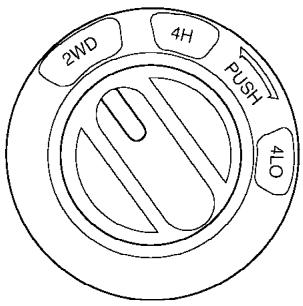
LSD0145
4WD shift switch operations
- Shift the 4WD shift switch to either the 2WD, 4H or 4LO position, depending on driving conditions.
-
If the 4WD shift switch is operated while making a turn, accelerating or decelerating or if the key switch is turned off while in the 4H or 4LO position, you may feel a jolt. This is not abnormal.
-
When the vehicle is stopped after making a turn, you may feel a slight jolt after the selector lever is shifted to N or P. This occurs because the transfer clutch is released and not because of a malfunction.

CAUTION
- When driving straight, shift the 4WD shift switch to the 2WD or 4H position. Do not move the 4WD shift switch when making a turn or reversing.
- Do not shift the 4WD shift switch while driving on steep downhill grades. Use the engine brake and low automatic transmission gears (D1 or D2) or manual transmission (1st gear or 2nd gear) for engine braking.
- Do not operate the 4WD shift switch with the rear wheels spinning.
- Before placing the 4WD shift switch in the 4H position from 2WD, ensure the vehicle speed is less than 62.5 MPH (100 km/h). Failure to do so can damage the 4WD system.
- Never shift the 4WD shift switch between 4LO and 4H while driving.
4WD shift indicator light
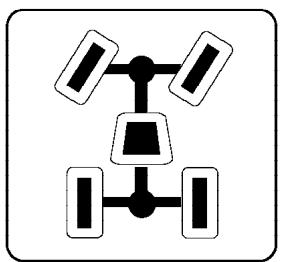
LSD0147
The 4WD shift indicator light is located in the odometer display.
The light should turn off within 1 second after turning the ignition switch to the ON position.
While the engine is running, the 4WD shift indicator light will illuminate the position selected by the 4WD shift switch.
-
The 4WD shift indicator light may blink while shifting from one drive mode to the other. When the shifting is completed, the 4WD shift indicator light will come on.
-
If the 4WD warning light comes on, the 4WD indicator light goes out.
CAUTION
If the 4WD shift indicator light indication changes to 2WD when the 4WD shift switch is shifted to the 4H position at low ambient temperatures, the 2WD mode may be being engaged due to malfunctioning drive system. If the indicator does not return to normal and the 4WD warning light comes on, have the system checked by the nearest NISSAN dealer.
4WD warning light
| Warning light | Comes on or blinks when: |
| -4WD- Comes on | There is a malfunction in the 4-wheel drive system |
| -4WD- Blinks slowly | The difference in wheel rotation is large |
The 4WD warning light is located in the meter.
The 4WD warning light comes on when the key switch is turned to ON. It turns off soon after the engine is started.
If any malfunction occurs in the 4WD system when the key switch is ON, the warning light will either remain illuminated or blink.
If the 4WD warning light comes on, the 4WD shift indicator light goes out.
A large difference between the diameters of front and rear wheels will make the warning light blink slowly (about once per two seconds). Change the 4WD shift switch into 2WD and do not drive fast.
CAUTION
- If the warning light comes on or blinks slowly during operation, have your vehicle checked by a NISSAN dealer as soon as possible.
-
Shifting between 4H and 4LO is not recommended when the 4WD warning light turns on.
-
When the warning light comes on, the 2WD mode may be engaged even if the 4WD shift switch is in 4H. Be especially careful when driving. If corresponding parts are malfunctioning, the 4WD mode will not be engaged even if the 4WD shift switch is shifted.
- Do not drive the vehicle in the 4H or 4LO position on dry hard surface roads. Driving on dry, hard surfaces in 4H or 4LO may cause unnecessary noise, tire wear and increased fuel consumption.
If the 4WD warning light turns on when you are driving on dry hard surface roads:
- in the 4H position, shift the 4WD shift switch to 2WD.
-
in the 4LO position for automatic transmission vehicles, stop the vehicle and shift the transmission selector to the N position with the brake pedal depressed and shift the 4WD shift switch to 2WD.
-
in the 4LO position for manual transmission vehicles, stop the vehicle and shift the transmission shift lever to the N position with the clutch pedal depressed and shift the 4WD shift switch to 2WD.
- If the warning light is still on after the above operation, have your vehicle checked by a NISSAN dealer as soon as possible.
ELECTRONIC LOCKING REAR DIFFERENTIAL (E-Lock) SYSTEM (if so equipped)
The E-Lock system can provide additional traction and should only be used when a vehicle has become or is becoming stuck. This system operates by electronically "locking" the two rear drive wheels together, allowing them to turn at the same speed. The system is used when it is not possible to free a stuck vehicle even when using the 4LO position (4 wheel drive vehicles).
When added traction is required, activate the E-Lock system by pushing the switch ON. See "Electronic Locking Rear Differential (E-Lock) system switch" in the "Instruments and Controls" section. Once the system fully engages, the indicator light in the instrument panel will remain ON. When the system is activated, both rear wheels will engage, providing added traction.
The rear wheels may momentarily slip or move to engage the system, and the system will only function up to approximately 4 MPH (7 km/h). Once the vehicle is free, the system should be turned OFF and driving resumed.
The Anti-Lock Brake (ABS) system is disabled and the ABS light illuminates when the E-Lock system is ON. Also, the Vehicle Dynamic Control (VDC) system is disabled and the VDC light illuminates when the E-Lock system is ON.
WARNING
- Never leave the E-Lock system ON when driving on paved or hard-surfaced roads. Turning the vehicle may result in the rear wheels slipping and result in an accident and personal injury. After using the E-Lock system to free the vehicle, turn the system OFF.
- Use the E-Lock system only when freeing a stuck vehicle. Try the 4LO position before using the E-Lock system. Never use the E-Lock system on a slippery road surface such as snow or ice surface. Using the E-Lock system when driving in these road conditions may cause unexpected movement of the vehicle during engine braking, accelerating or turning, which may result in an accident and serious personal injury.
CAUTION
- After using the E-Lock system, turn the switch OFF to prevent possible damage to driveline components from extended use.
- Do not drive the vehicle at speeds faster than 12 mph (20 km/h) when the system is engaged. Doing so could damage drivetrain components.
- Do not turn on the E-lock system while the tires are spinning. Doing so could damage drivetrain components.
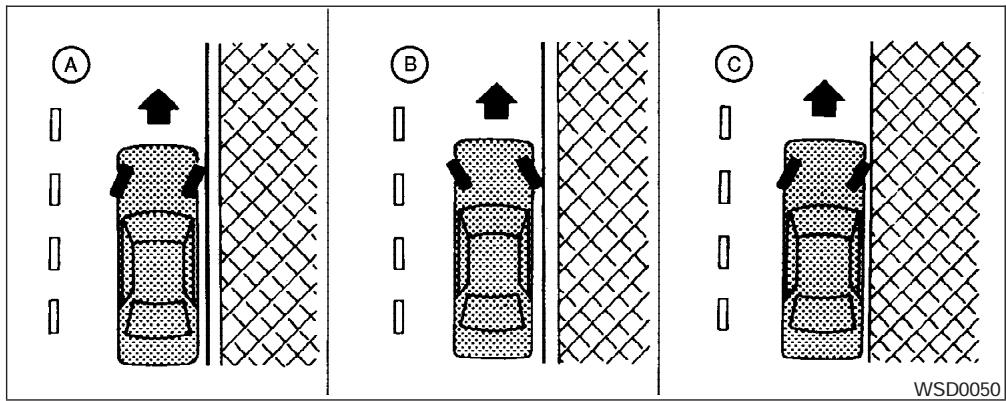
WARNING
- Do not stop or park the vehicle over flammable materials such as dry grass, waste paper or rags. They may ignite and cause a fire.
- Safe parking procedures require that both the parking brake be set and the transmission placed into P (Park) for automatic transmission models or in an appropriate gear for manual transmission models. Failure to do so could cause the vehicle to move unexpectedly or roll away and result in an accident.
Make sure the shift lever has been pushed as far forward as it can go and cannot be moved without depressing the foot brake pedal.
- Never leave the engine running while the vehicle is unattended.
-
Do not leave children unattended inside the vehicle. They could unknowingly activate switches or controls. Unattended children could become involved in serious accidents.
-
Firmly apply the parking brake.
- Manual transmission models:
Place the shift lever in the R (Reverse) position. When parking on an uphill grade, place the shift lever in 1st gear.
Automatic transmission models:
Move the shift selector lever to the P (Park) position.
- To help prevent the vehicle from rolling into traffic when parked on an incline, it is a good practice to turn the wheels as illustrated.
- HEADED DOWNHILL WITH CURB: A
Turn the wheels into the curb and move the vehicle forward until the curb side wheel gently touches the curb.
- HEADED UPHILL WITH CURB: (B)
Turn the wheels away from the curb and move the vehicle back until the curb side wheel gently touches the curb.
- HEADED UPHILL OR DOWNHILL, NO CURB: C
Turn the wheels toward the side of the road so the vehicle will move away from the center of the road if it moves.
- Turn the ignition key to the LOCK position and remove the key.
POWER STEERING
BRAKE SYSTEM
The power assisted steering uses a hydraulic pump, driven by the engine, to assist steering.
If the engine stops or the drive belt breaks, you will still have control of the vehicle. However, much greater steering effort is needed, especially in sharp turns and at low speeds.
WARNING
If the engine is not running or is turned off while driving, the power assist for the steering will not work. Steering will be much harder to operate.
The brake system has two separate hydraulic circuits. If one circuit malfunctions, you will still have braking at two wheels.
BRAKE PRECAUTIONS
Vacuum assisted brakes
The brake booster aids braking by using engine vacuum. If the engine stops, you can stop the vehicle by depressing the brake pedal. However, greater foot pressure on the brake pedal will be required to stop the vehicle and stopping distance will be longer.
Using the brakes
Avoid resting your foot on the brake pedal while driving. This will overheat the brakes, wear out the brakes and pads faster, and reduce gas mileage.
To help reduce brake wear and to prevent the brakes from overheating, reduce speed and downshift to a lower gear before going down a slope or long grade. Overheated brakes may reduce braking performance and could result in loss of vehicle control.
WARNING
- While driving on a slippery surface, be careful when braking, accelerating or downshifting. Abrupt braking or accelerating could cause the wheels to skid and result in an accident.
- If the engine is not running or is turned off while driving, the power assist for the brakes will not work. Braking will be harder.
Wet brakes
When the vehicle is washed or driven through water, the brakes may get wet. As a result, your braking distance will be longer and the vehicle may pull to one side during braking.
To dry the brakes, drive the vehicle at a safe speed while lightly pressing the brake pedal to heat up the brakes. Do this until the brakes return to normal. Avoid driving the vehicle at high speeds until the brakes function correctly.
Parking brake break-in
Break-in the parking brake shoes whenever the stopping effect of the parking brake is weakened or whenever the parking brake shoes and/or drum/rotors are replaced, in order to assure the best brake performance.
This procedure is described in the vehicle service manual and can be performed by a NISSAN dealer.
The anti-lock brake system controls the brakes so the wheels do not lock when braking abruptly or when braking on slippery surfaces. The system detects the rotation speed at each wheel and varies the brake fluid pressure to prevent each wheel from locking and sliding. By preventing wheel lockup, the system helps the driver maintain steering control and helps to minimize swerving and spinning on slippery surfaces.
Using the system
Depress the brake pedal and hold it down.
WARNING
Do not pump the brake pedal. Doing so may result in increased stopping distances.
Normal operation
The anti-lock brake system does not operate at speeds below 3 - 6 MPH (5 - 10 km/h). (The speeds vary according to road conditions.)
When driving, the anti-lock brake system controls the wheels so they will not lock when braking.
ing abruptly or when braking on a slippery road. Thus, difficult steering and swerving of the vehicle due to locked wheels is minimized. The system detects the wheel rotation rate and electronically controls the pressure applied to each brake. Slight vibration on the brake pedal accompanied by noise usually occurs while the ABS system is operating. Such vibration and noise encountered during abrupt braking is not a problem, but indicates that the system is functioning properly. However, the pulsation may indicate that road conditions are hazardous and extra care is required while driving.
Self-test feature
The anti-lock brake system consists of electronic sensors and hydraulic solenoids controlled by a computer. The computer has a built-in diagnostic feature that tests the system each time you start the engine and move the vehicle at a low speed in forward or reverse. When the self-test occurs, you may hear a "clunk" noise and/or feel a pulsation in the brake pedal. This is normal and is not an indication of any malfunction. If the computer senses any malfunction, it switches the anti-lock brake system off and turns on the ABS brake warning light on the instrument panel. The brake system then operates normally, but without anti-lock assistance.
If the light comes on during the self-test or while driving, take the vehicle to a NISSAN dealer for repair.
WARNING
- The anti-lock brake system is a sophisticated device, but it cannot prevent accidents resulting from careless or dangerous driving techniques. It can help maintain vehicle control during braking on slippery surfaces, but remember that the stopping distance on slippery surfaces will be longer than on normal surfaces even with the anti-lock brake system. Stopping distances may also be longer on rough, gravel or snow covered roads, or if you are using tire chains. Tire type and condition may also affect braking effectiveness. Always maintain a safe distance from the vehicle in front of you. Ultimately, the responsibility for safety of self and others rests in the hands of the driver.
- Tire type and condition of tires may also affect braking effectiveness.
-
When replacing tires, install the specified size of tires on all four wheels.
-
When installing a spare tire, make sure it is the proper size and type as specified on the tire placard. For tire placard location information, refer to "Tire placard" in the "Technical and consumer information" section of this manual.
Refer to "Wheels and tires" in the "Maintenance and do-it-yourself" section of this manual.
ACTIVE BRAKE LIMITED SLIP (ABLS) SYSTEM (if so equipped)
- ABLS is a form of traction control using sensors from the Anti-lock Brake System (ABS) to transfer power from a slipping drive wheel to a wheel with more traction. The ABLS system applies braking to the slipping wheel, which helps redirect power to another wheel.
- On 4WD models the ABLS system operates in both 4H and 4LO modes. On 2WD vehicles, the ABLS system operates on the drive axle only.
- The ABLS system is always ON unless the system detects brake pad overheating. If high brake pad temperature is detected, it will turn OFF, but normal brake function will continue. ABLS will function even when the VDC system (if so equipped) is turned OFF.
WARNING
The ABLS system provides increased traction, but will not prevent accidents due to abrupt steering operation or by careless driving or dangerous driving practices. Reduce vehicle speed and be especially careful when driving and cornering on slippery surfaces, and always drive carefully.
VEHICLE DYNAMIC CONTROL (VDC) SYSTEM (if so equipped)
When accelerating or driving on slippery surfaces, the tires may spin or slide. With the Vehicle Dynamic Control (VDC) system, sensors detect these movements and control the braking and engine output to help improve vehicle stability.
- When the vehicle dynamic control (VDC) system is operating, the SLIP indicator in the instrument panel blinks.
- If the 4WD transfer case is shifted into 4LO the VDC indicator light will come on and the VDC system will be turned off. See "Transfer case shifting procedures" earlier in this section.
- If the SLIP indicator blinks, the road conditions are slippery. Be sure to adjust your speed and driving to these conditions. See "Slip indicator light", and "Vehicle dynamic control (VDC) off indicator light" in the "Instruments and controls" section.
If the battery is removed or discharged, the traction control system may be disabled and the SLIP and VDC indicator lights will not turn off after 2 seconds when the ignition switch is turned to the ON position. Perform the following procedure to reset the system:
-
Start the engine and set the steering wheel in the straight forward position.
-
Drive the vehicle at speeds above 10 mph (15 km/h) for at least 10 minutes.
- The VDC OFF indicator light should go off indicating the traction control system is operational.
- If you interrupt the reset procedure by turning the ignition off, you will need to restart the reset procedure.
If after driving the vehicle for more than 10 minutes and the SLIP and VDC lights remain illuminated in the instrument panel, have the vehicle dynamic control system checked by a NISSAN dealer.
If the vehicle is operated with the vehicle dynamic control system off using the VDC OFF switch, most VDC functions will be turned off. The VDC system will still try to transfer power from a sliding drive wheel to one with more traction when the VDC system switch is OFF. The Slip indicator will flash if wheel spin is detected. The ABS will still operate with the VDC system off.
When the VDC system is operating, you may feel a pulsation in the brake pedal and hear a noise or vibration from under the hood. This is normal and indicates that the VDC system is working properly.
The computer has a built in diagnostic feature that tests the system each time you start the engine and move the vehicle forward or in reverse at a slow speed. When the self-test occurs, you may hear a clunk noise and/or feel a pulsation in the brake pedal. This is normal and is not an indication of a malfunction.
WARNING
- The vehicle dynamic control system is designed to help improve driving stability but does not prevent accidents due to abrupt steering operation at high speeds or by careless or dangerous driving techniques. Reduce vehicle speed and be especially careful when driving and cornering on slippery surfaces and always drive carefully.
-
If brake related parts such as brake pads, rotors and calipers are not standard equipment or are extremely deteriorated, the vehicle dynamic control system may not operate properly and the vehicle dynamic control off indicator light may come on.
-
Do not modify the vehicle's suspension. If suspension parts such as shock absorbers, struts, springs, stabilizer bars and bushings are not NISSAN approved for your vehicle or are extremely deteriorated the vehicle dynamic control system may not operate properly. This could adversely affect vehicle handling performance, and the VDC OFF indicator light may come on.
- When driving on extremely inclined surfaces such as higher banked corners, the vehicle dynamic control system may not operate properly and the VDC OFF indicator light may come on. Do not drive on these types of roads.
- When driving on an unstable surface such as a turntable, ferry, elevator or ramp, the vehicle dynamic control off indicator light may illuminate. This is not a malfunction. Restart the engine after driving onto a stable surface
- If wheels or tires other than the recommended ones are used, the vehicle dynamic control system may not operate properly and the vehicle dynamic control off indicator light may come on.
- The vehicle dynamic control system is not a substitute for winter tires or tire chains on a snow covered road.
HILL DESCENT CONTROL (HDC) SYSTEM (if so equipped)
WARNING
- Never rely solely on the hill descent control system to control vehicle speed when driving on steep down hill grades. Always drive carefully and attentively when using the hill descent control system and decelerate the vehicle speed by depressing the brake pedal if necessary. Be especially careful when driving on frozen, muddy or an extremely steep downhill roads. Failure to control vehicle speed may result in a loss of control of the vehicle and possible serious injury or death.
- The hill descent control may not control the vehicle speed on a hill under all load or road conditions. Always be prepared to depress the brake pedal to control vehicle speed. Failure to do so may result in a collision or serious personal injury.
The hill descent control system helps maintain vehicle speed when driving under 15-21 mph (25-35 km/h) on steeper downhill grades. HDC is useful when engine braking alone in 4H or 4L cannot control vehicle speed. HDC applies the vehicle brakes to control vehicle speed allowing
the driver to concentrate on steering while reducing the burden of brake and accelerator operation.
- When additional braking is required on steep downhill roads activate the HDC system by pushing the switch ON, see "Hill descent control (HDC) switch" in the "Instruments and controls" section.
- Once the system is activated the indicator light will remain on in the instrument panel, see "Hill descent control (HDC) system on indicator light" in the "Instruments and controls" section.
If the accelerator or brake pedal is depressed while the HDC system is on, the system will stop operating temporarily. As soon as the accelerator or brake pedal is released, the HDC system begins to function again if the HDC operating conditions are fulfilled.
For the best results, when descending steep downhill grades, the HDC switch should be ON and the selector lever in 2 (Second gear) or 1 (Low gear) for engine braking.
HILL START ASSIST (HSA) SYSTEM (if so equipped)
WARNING
- Never rely solely on the hill start assist system to prevent the vehicle from moving backward on a hill. Always drive carefully and attentively. Depress the brake pedal when the vehicle is stopped on a steep hill. Be especially careful when stopped on a hill on frozen or muddy roads. Failure to prevent the vehicle from rolling backwards may result in a loss of control of the vehicle and possible serious injury or death.
- The hill start assist system is not designed to hold the vehicle at a standstill on a hill. Depress the brake pedal when the vehicle is stopped on a steep hill. Failure to do so may cause the vehicle to roll backwards and may result in a collision or serious personal injury.
- The hill start assist may not prevent the vehicle from rolling backwards on a hill under all load or road conditions. Always be prepared to depress the brake pedal to prevent the vehicle from rolling backwards. Failure to do so may result in a collision or serious personal injury.
COLD WEATHER DRIVING
The hill start assist system automatically keeps the brakes applied to help prevent the vehicle from rolling backwards in the time it takes the driver to release the brake pedal and apply the accelerator when the vehicle is stopped on a hill.
Hill start assist will operate automatically under the following conditions:
- The selector lever is shifted to a forward or reverse gear.
- The vehicle is stopped completely on a hill by applying the brake.
The maximum holding time is 2 seconds. After 2 seconds the vehicle will begin to roll back and hill start assist will stop operating completely.
Hill start assist will not operate when the selector lever is shifted to N or P or on a flat and level road.
FREEING A FROZEN DOOR LOCK
To prevent a door lock from freezing, apply deicer through the key hole. If the lock becomes frozen, heat the key before inserting it into the key hole or use the remote keyless entry keyfob (if so equipped).
ANTI-FREEZE
In the winter when it is anticipated that the temperature will drop below 32ircF (0ircC) , check the anti-freeze to assure proper winter protection. For details, see "Engine cooling system" in the "Maintenance and do-it-yourself" section of this manual.
BATTERY
If the battery is not fully charged during extremely cold weather conditions, the battery fluid may freeze and damage the battery. To maintain maximum efficiency, the battery should be checked regularly. For details, see "Battery" in the "Maintenance and do-it-yourself" section of this manual.
DRAINING OF COOLANT WATER
If the vehicle is to be left outside without antifreeze, drain the cooling system, including the engine block. Refill before operating the vehicle. For details, see "Changing engine coolant" in the "Maintenance and do-it-yourself" section of this manual.
TIRE EQUIPMENT
- SUMMER tires have a tread designed to provide superior performance on dry pavement. However, the performance of these tires will be substantially reduced in snowy and icy conditions. If you operate your vehicle on snowy or icy roads, NISSAN recommends the use of MUD & SNOW or ALL SEASON TIRES on all four wheels. Please consult a NISSAN dealer for the tire type, size, speed rating and availability information.
- For additional traction on icy roads, studded tires may be used. However, some U.S. states and Canadian provinces prohibit their use. Check local, state and provincial laws before installing studded tires.
Skid and traction capabilities of studded snow tires on wet or dry surfaces may be poorer than that of non-studded snow tires.
- Tire chains may be used.
Use of tire chains may be prohibited according to location. Check the local laws before installing tire chains. When installing tire chains, make sure they are the proper size for the tires on your vehicle and are installed according to the chain manufacturer's suggestions. Use only SAE Class "S" chains. Class "S" chains are used on vehicles with restricted tire to vehicle clearance. Vehicles that can use Class "S" chains are designed to meet the minimum clearances between the tire and the closest vehicle suspension or body component required to accommodate the use of a winter traction device (tire chains or cables). The minimum clearances are determined using the factory equipped tire size. Other types may damage your vehicle. Use chain tensioners when recommended by the tire chain manufacturer to ensure a tight fit. Loose end links of the tire chain must be secured or removed to prevent the possibility of whipping action damage to the fenders or underbody. If possible, avoid fully loading your vehicle when using tire chains. In addition, drive at a reduced speed. Otherwise, your vehicle may be damaged and/or vehicle handling and performance may be adversely affected.
Never install tire chains on spare tires. Do not use tire chains on dry roads.
SPECIAL WINTER EQUIPMENT
It is recommended that the following items be carried in the vehicle during winter:
- A scraper and stiff-bristled brush to remove ice and snow from the windows and wiper blades.
- A sturdy, flat board to be placed under the jack to give it firm support.
- A shovel to dig the vehicle out of snowdrifts.
- Extra window washer fluid to refill the reservoir tank.
DRIVING ON SNOW OR ICE
WARNING
- Wet ice (32°F, 0°C and freezing rain), very cold snow or ice can be slick and very hard to drive on. The vehicle will have much less traction or "grip" under these conditions. Try to avoid driving on wet ice until the road is salted or sanded.
-
Whatever the condition, drive with caution. Accelerate and slow down with care. If accelerating or downshifting too fast, the drive wheels will lose even more traction.
-
Allow more stopping distance under these conditions. Braking should be started sooner than on dry pavement.
- Allow greater following distances on slippery roads.
- Watch for slippery spots (glare ice). These may appear on an otherwise clear road in shaded areas. If a patch of ice is seen ahead, brake before reaching it. Try not to brake while on the ice, and avoid any sudden steering maneuvers.
- Do not use the cruise control on slippery roads.
- Snow can trap dangerous exhaust gases under your vehicle. Keep snow clear of the exhaust pipe and from around your vehicle.
ENGINE BLOCK HEATER (if so equipped)
An engine block heater to assist in extreme cold temperature starting is available through a NISSAN dealer.

WARNING
Do not use your heater with an ungrounded electrical system or two-pronged (cheater) adapters. You can be injured by an electrical shock if you use an ungrounded connection.
6 In case of emergency
First aid kit (if so equipped) 6-2
Flat tire 6-2
Tire pressure monitoring system. 6-2
Changing a flat tire 6-3
Jump starting 6-8
Push starting. 6-10
If your vehicle overheats. 6-10
Towing your vehicle. 6-11
Towing recommended by NISSAN 6-12
Vehicle recovery (freeing a stuck vehicle) 6-14
FIRST AID KIT (if so equipped)
FLAT TIRE
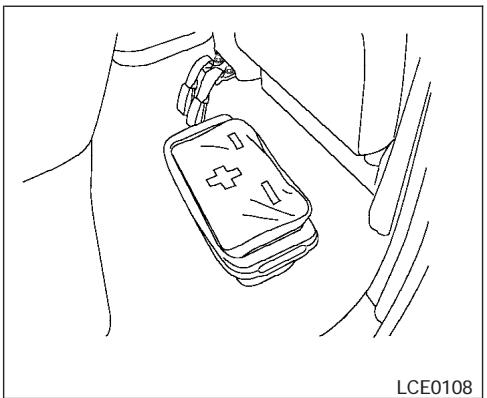
King cab model
The first aid kit is located in the under-seat storage bins.
To access the first aid kit:
For King cab model, lift up the rear jump seat and remove net to remove the first aid kit. Refer to "Jump Seats" in the "Safety - Seats, seat belts and supplemental restraint system" section earlier in the manual.
For Crew cab model, lift up the rear bench seat and remove the net to remove the first aid kit. Refer to "Folding the rear bench seat" in the "Safety - Seats, seat belts and supplemental restraint system" section earlier in the manual.
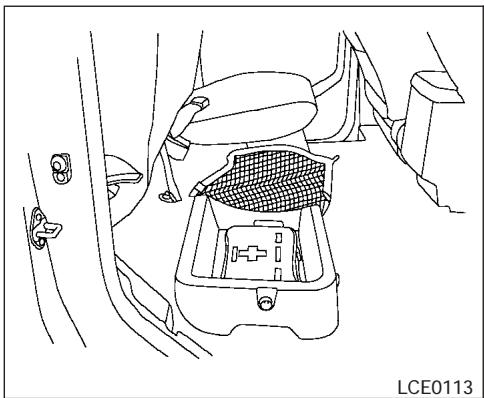
Crew cab model
TIRE PRESSURE MONITORING SYSTEM
This vehicle is equipped with the tire pressure monitoring system (TPMS). It monitors tire pressure of all tires except the spare. When the low tire pressure warning light is lit, one or more of your tires is significantly under-inflated. If the vehicle is being driven with low tire pressure, the TPMS will activate and warn you of it by the low tire pressure warning light. This system will activate only when the vehicle is driven at speeds above 16 MPH (25 km/h). For more details, refer to "Warning/indicator lights and audible reminders" in the "Instruments and controls" section,
and "Tire pressure monitoring system (TPMS)" in the "Starting and driving" section.

WARNING
-
If the low tire pressure warning light illuminates while driving, avoid sudden steering maneuvers or abrupt braking, reduce vehicle speed, pull off the road to a safe location and stop the vehicle as soon as possible. Serious vehicle damage could occur and may lead to an accident and could result in serious personal injury. Check the tire pressure for all four tires. Adjust the tire pressure to the recommended COLD tire pressure shown on the Tire and Loading Information label to turn the low tire pressure warning light OFF. If you have a flat tire, replace it with a spare tire as soon as possible.
-
When a spare tire is mounted or a wheel is replaced, tire pressure will not be indicated, the TPMS will not function and the low tire pressure warning light will flash. Contact your NISSAN dealer as soon as possible for tire replacement and/or system resetting.
6-2 In case of emergency
- Replacing tires with those not originally specified by NISSAN could affect the proper operation of the TPMS.
- Do not inject any tire liquid or aerosol tire sealant into the tires, as this may cause a malfunction of the tire pressure sensors.
CHANGING A FLAT TIRE
If you have a flat tire, follow the instructions below.
Stopping the vehicle
- Safely move the vehicle off the road and away from traffic.
- Turn on the hazard warning flashers.
- Park on a level surface and apply the parking brake. Shift the manual transmission into R (Reverse), or the automatic transmission into P (Park).
- Turn off the engine.
- Raise the hood to warn other traffic and to signal professional road assistance personnel that you need assistance.
- Have all passengers get out of the vehicle and stand in a safe place, away from traffic and clear of the vehicle.
WARNING
- Make sure the parking brake is securely applied and the manual transmission is shifted into R (Reverse), or the automatic transmission into P (Park).
- Never change tires when the vehicle is on a slope, ice or slippery areas. This is hazardous.
- Never change tires if oncoming traffic is close to your vehicle. Wait for professional road assistance.
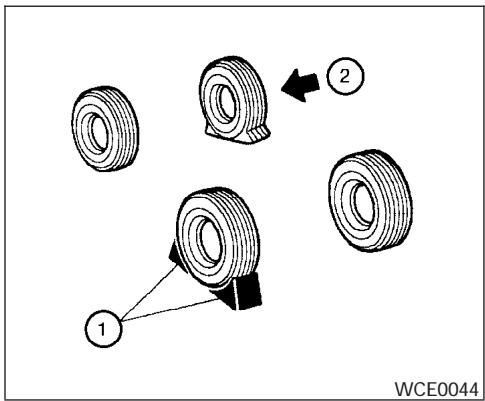
Blocking wheels
Place suitable blocks ① at both the front and back of the wheel diagonally opposite the flat tire ② to prevent the vehicle from moving when it is jacked up.

WARNING
Be sure to block the wheel as the vehicle may move and result in personal injury.
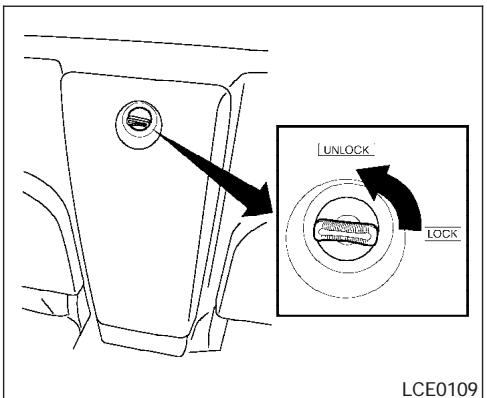
Getting the spare tire and tools
For King Cab models:
The tool storage compartment is located between the two rear jump seats.
- Turn the knob from the lock to the unlock position and remove the lid from the tool storage compartment.
- Remove the jack and jacking tools.
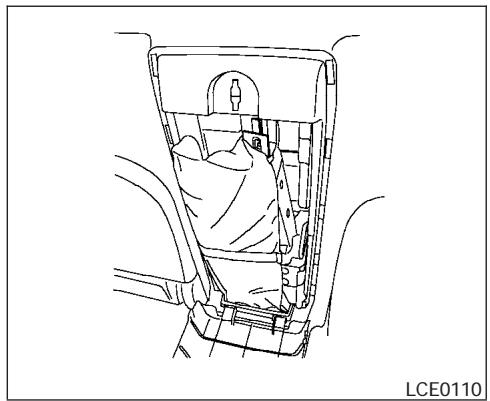
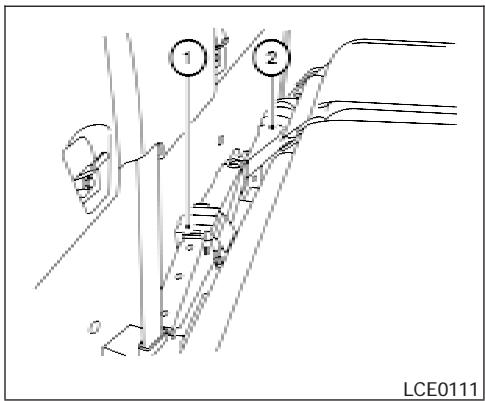
For Crew Cab models:
The tools and tool case are located behind the rear bench seat.
- Fold the rear bench seat down. Refer to "Folding the rear bench seat" in the "Safety-Seats, seat belts and supplemental restraint system" section earlier in this manual.
- Remove the jack ① and jacking tools ②.
All models:
-
Fit the square end of the jack rod into the square hole of the wheel nut wrench to form a handle.
-
Find the oval-shaped opening under the middle of the tailgate. Pass the T-shaped end of the jack rod through the opening and direct it toward the spare tire winch, located directly above the spare tire.
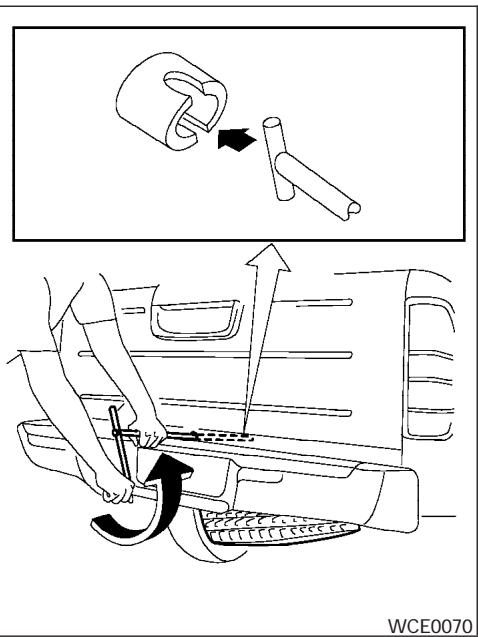
-
Seat the T-shaped end of the jack rod into the T-shaped opening of the spare tire winch. Apply pressure to keep the jack rod engaged in the spare tire winch and turn the jack rod counterclockwise to lower the spare tire.
-
Once the spare tire is completely lowered, reach under the vehicle, remove the retainer chain, and carefully slide the tire from under the rear of the vehicle.

CAUTION
Be sure to center the spare tire suspending plate on the wheel and then lift the spare tire.
Jacking up vehicle and removing the damaged tire

WARNING
- Never get under the vehicle while it is supported only by the jack. If it is necessary to work under the vehicle, support it with safety stands.
- Use only the jack provided with your vehicle to lift the vehicle. Do not use the jack provided with your vehicle on other vehicles. The jack is designed for lifting only your vehicle during a tire change.
- Use the correct jack-up points. Never use any other part of the vehicle for jack support.
-
Never jack up the vehicle more than necessary.
-
Never use blocks on or under the jack.
- Do not start or run the engine while vehicle is on the jack. It may cause the vehicle to move. This is especially true for vehicles with limited slip differentials.
- Do not allow passengers to stay in the vehicle while it is on the jack.
- Never run the engine with a wheel(s) off the ground. It may cause the vehicle to move.
Always refer to the illustration for the correct placement and jack-up points for your specific vehicle model and jack type.
Carefully read the caution label attached to the jack body and the following instructions.
- Loosen each wheel nut one or two turns by turning counterclockwise with the wheel nut wrench. Do not remove the wheel nuts until the tire is off the ground.
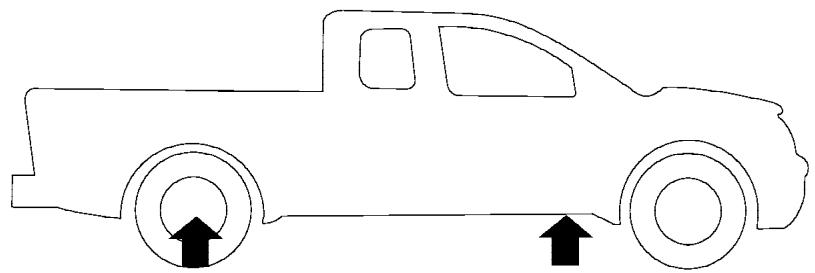
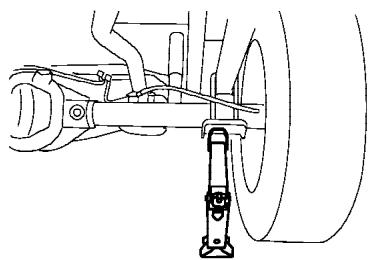
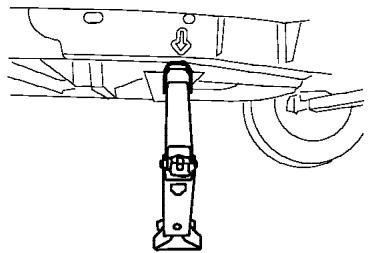
LCE0112
- Place the jack directly under the jack-up point as illustrated so the top of the jack contacts the vehicle at the jack-up point. The jack-up points are indicated by stamped arrows on the side of the frame.
The jack should be used on firm and level ground.
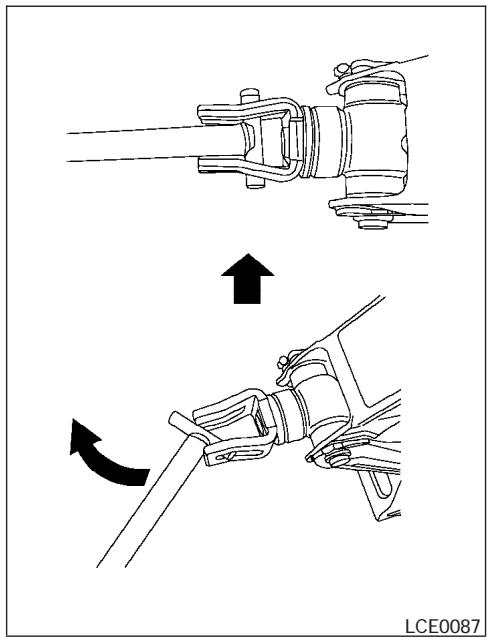
- Install the assembled jack rod into the jack as shown.
-
To lift the vehicle, securely hold the jack lever and rod. Carefully raise the vehicle until the tire clears the ground.
-
Remove the wheel nuts and then remove the tire.
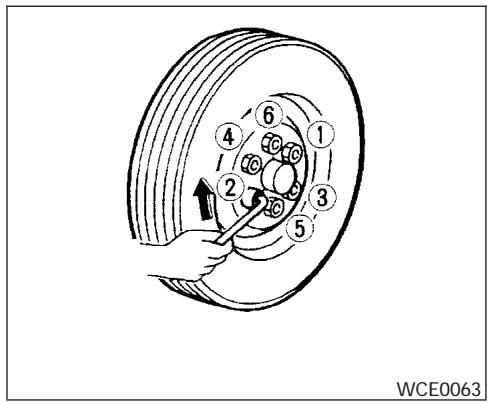
Installing the spare tire
The spare tire is designed for emergency use. See specific instructions under the heading "Wheels and tires" in the "Maintenance and do-it-yourself" section of this manual.
- Clean any mud or dirt from the surface between the wheel and hub.
- Carefully put the spare tire on and tighten the wheel nuts finger tight.
- With the wheel nut wrench, tighten wheel nuts alternately and evenly as illustrated until they are tight.
JUMP STARTING
- Lower the vehicle slowly until the tire touches the ground. Then, with the wheel nut wrench, tighten the wheel nuts securely in the sequence illustrated. Lower the vehicle completely.

WARNING
- Incorrect wheel nuts or improperly tightened wheel nuts can cause the wheel to become loose or come off. This could cause an accident.
- Do not use oil or grease on the wheel studs or nuts. This could cause the nuts to become loose.
Retighten the wheel nuts after the vehicle has been driven for 600 miles (1,000 km) (also in cases of a flat tire, etc.). As soon as possible, tighten the wheel nuts to the specified torque with a torque wrench.
Wheel nut tightening torque:
98 ft-lb (133 N·m)
The wheel nuts must be kept tightened to specification at all times. It is recommended that wheel nuts be tightened to specifications at each lubrication interval.
Adjust tire pressure to the COLD pressure.
COLD pressure: After vehicle has been parked for three hours or more or driven less than 1 mile (1.6 km).
COLD tire pressures are shown on the Tire and Loading Information label affixed to the driver side center pillar.
- Securely store the flat tire and jacking equipment in the vehicle.

WARNING
Always make sure that the spare tire and jacking equipment are properly secured after use. Such items can become dangerous projectiles in an accident or sudden stop.
- The spare tire is designed for emergency use. See specific instructions under the heading "Wheels and tires" in the "Maintenance and do-it-yourself" section of this manual.
To start your engine with a booster battery, the instructions and precautions below must be followed.

WARNING
- If done incorrectly, jump starting can lead to a battery explosion, resulting in severe injury or death. It could also damage your vehicle.
- Explosive hydrogen gas is always present in the vicinity of the battery. Keep all sparks and flames away from the battery.
- Do not allow battery fluid to come into contact with eyes, skin, clothing or painted surfaces. Battery fluid is a corrosive sulfuric acid solution which can cause severe burns. If the fluid should come into contact with anything, immediately flush the contacted area with water.
- Keep battery out of the reach of children.
-
The booster battery must be rated at 12 volts. Use of an improperly rated battery can damage your vehicle.
-
Whenever working on or near a battery, always wear suitable eye protectors (for example, goggles or industrial safety spectacles) and remove rings, metal bands, or any other jewelry. Do not lean over the battery when jump starting.
- Do not attempt to jump start a frozen battery. It could explode and cause serious injury.
- Your vehicle has an automatic engine cooling fan. It could come on at any time. Keep hands and other objects away from it.
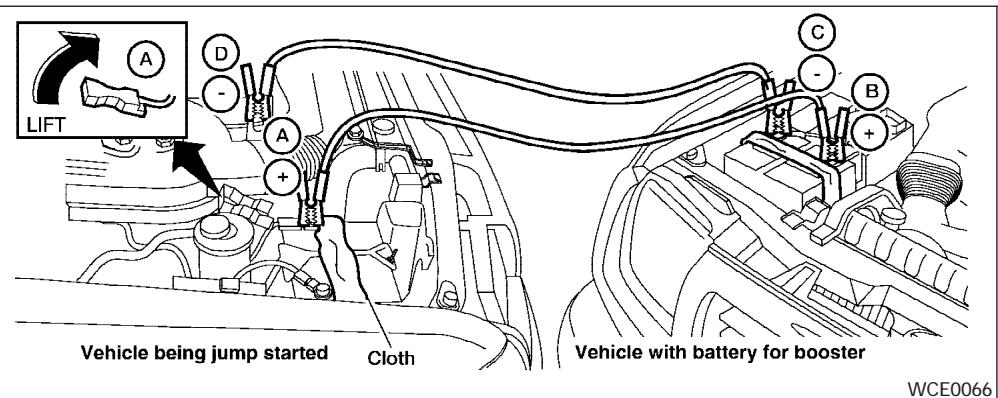
WARNING
Always follow the instructions below. Failure to do so could result in damage to the charging system and cause personal injury.
- If the booster battery is in another vehicle, position the two vehicles to bring their batteries near each other.
Do not allow the two vehicles to touch.
- Apply the parking brake. Move the shift lever to N (Neutral) (manual transmission) or to P (Park) (automatic transmission). Switch off all unnecessary electrical systems (lights, heater, air conditioner, etc.).
- Remove vent caps on the battery (if so equipped). Cover the battery with an old cloth to reduce explosion hazard.
- Connect jumper cables in the sequence illustrated (,,,)
CAUTION
Always connect positive (+) to positive (+) and negative (-) to body ground (for example, strut mounting bolt, engine lift bracket, etc.) - not to the battery.
- Make sure the jumper cables do not touch moving parts in the engine compartment and that the cable clamps do not contact any other metal.
5. Start the engine of the booster vehicle and let it run for a few minutes.
6. Keep the engine speed of the booster vehicle at about 2,000 rpm, and start the engine of the vehicle being jump started.
CAUTION
Do not keep the starter motor engaged for more than 10 seconds. If the engine does not start right away, turn the key off and wait 3 to 4 seconds before trying again.
- After starting the engine, carefully disconnect the negative cable and then the positive cable.
- Replace the vent caps (if so equipped). Be sure to dispose of the cloth used to cover the vent holes as it may be contaminated with corrosive acid.
CAUTION
Automatic transmission models cannot be push-started or tow-started. Attempting to do so may cause transmission damage.
- Three-way catalyst equipped models should not be started by pushing. The three-way catalyst may be damaged.
- Never try to start the vehicle by towing it. When the engine starts, the forward surge could cause the vehicle to collide with the tow vehicle.
WARNING
- Do not continue to drive if your vehicle overheats. Doing so could cause engine damage or a vehicle fire.
- To avoid the danger of being scalded, never remove the radiator or coolant reservoir cap while the engine is still hot. When the radiator or coolant reservoir cap is removed, pressurized hot water will spurt out, possibly causing serious injury.
- Do not open the hood if steam is coming out.
If your vehicle is overheating (indicated by an extremely high temperature gauge reading and the illumination of the engine oil pressure/engine coolant temperature high indicator light), or if you feel a lack of engine power, detect abnormal noise, etc. take the following steps.
- Move the vehicle safely off the road, apply the parking brake and move the shift lever to P (Park).
Do not stop the engine.
- Turn off the air conditioner. Open all the windows, move the heater or air conditioner temperature control to maximum hot and fan control to high speed.
TOWING YOUR VEHICLE
- Get out of the vehicle. Look and listen for steam or coolant escaping from the radiator before opening the hood. (If steam or coolant is escaping, turn off the engine.) Do not open the hood further until no steam or coolant can be seen.
- Open the engine hood.
WARNING
If steam or water is coming from the engine, stand clear to prevent getting burned.
- Visually check drive belts for damage or looseness. Also check if the cooling fan is running. The radiator hoses and radiator should not leak water. If coolant is leaking, the water pump belt is missing or loose, or the cooling fan does not run, stop the engine.
WARNING
Be careful not to allow your hands, hair, jewelry or clothing to come into contact with, or get caught in, engine belts or the engine cooling fan. The engine cooling fan can start at any time when the coolant temperature is high.
- After the engine cools down, check the coolant level in the engine coolant reservoir tank with the engine running. Add coolant to the engine coolant reservoir tank if necessary. Have your vehicle repaired at a NISSAN dealer.
When towing your vehicle, all State (Provincial in Canada) and local regulations for towing must be followed. Incorrect towing equipment could damage your vehicle. Towing instructions are available from a NISSAN dealer. Local service operators are generally familiar with the applicable laws and procedures for towing. To assure proper towing and to prevent accidental damage to your vehicle, NISSAN recommends having a service operator tow your vehicle. It is advisable to have the service operator carefully read the following precautions:
WARNING
- Never ride in a vehicle that is being towed.
- Never get under your vehicle after it has been lifted by a tow truck.
CAUTION
- When towing, make sure that the transmission, axles, steering system and powertrain are in working condition. If any unit is damaged, dollies must be used.
Always attach safety chains before towing.
For information about towing your vehicle behind a recreational vehicle (RV), refer to "Flat towing" in the "Technical and consumer information" section of this manual.
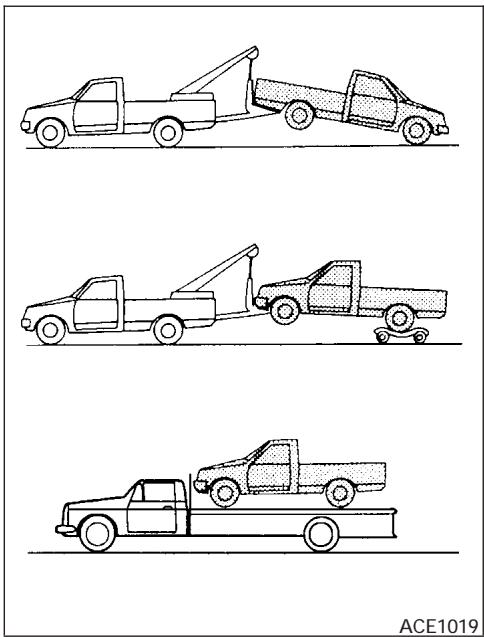
TOWING RECOMMENDED BY NISSAN
Two-wheel drive models
NISSAN recommends that your vehicle be towed with the driving (rear) wheels off the ground or place the vehicle on a flat bed truck as illustrated.

CAUTION
-
Never tow automatic transmission models with the rear wheels on the ground or four wheels on the ground (forward or backward), as this may cause serious and expensive damage to the transmission. If it is necessary to tow the vehicle with the front wheels raised always use towing dollies under the rear wheels.
-
When towing automatic or manual transmission models with the front wheels on the ground or on towing dollies:
-
Turn the ignition key to the OFF position, and secure the steering wheel in a straight-ahead position with a rope or similar device. Never secure the steering wheel by turning the ignition key to the LOCK position. This may damage the steering lock mechanism.
-
If you have to tow manual transmission models with the rear wheels on the ground (if you do not use towing dollies) or four wheels on the ground:
Always release the parking brake.
- Move the transmission shift lever to the N (Neutral) position.
- Observe the following restricted towing speeds and distances for manual transmission models only:
Speed: Below 60 MPH (97 km/h)
Distance: Less than 500 miles (805 km)
If the speed or distance must necessarily be greater, remove the propeller shaft before towing to prevent damage to the transmission.
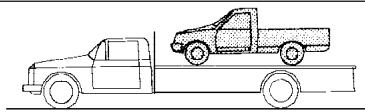
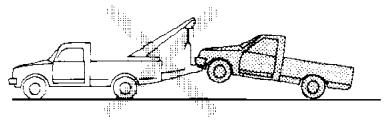
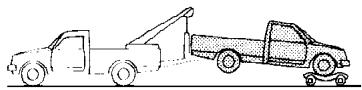
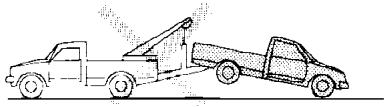
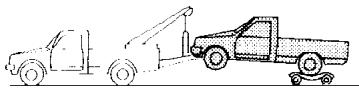
WCE0091
Four-wheel drive models
NISSAN recommends that towing dollies be used when towing your vehicle or place the vehicle on a flat bed truck as illustrated.
CAUTION
-
Never tow automatic transmission models with the rear wheels on the ground or four wheels on the ground, as this may cause serious and expensive damage to the transmission. If it is necessary to tow the vehicle with the front wheels raised always use towing dollies under the rear wheels.
-
When towing automatic or manual transmission models with the front wheels on the ground or on towing dollies:
-
Move the 4WD shift switch to the 2H position.
-
Turn the ignition key to the OFF position, and secure the steering wheel in a straight-ahead position with a rope or similar device. Never secure the steering wheel by turning the ignition key to the LOCK position. This may damage the steering lock mechanism.
-
If you have to tow manual transmission models with the rear wheels on the ground (if you do not use towing dollies) or four wheels on the ground:
-
Move the 4WD shift switch to the 2H position.
- Move the transmission shift lever to the N (Neutral) position.
Always release the parking brake. - Observe the following restricted towing speeds and distances for manual transmission models only:
Speed: Below 60 MPH (97 km/h)
Distance: Less than 500 miles (805 km)
If the speed or distance must necessarily be greater, remove the propeller shaft before towing to prevent damage to the transmission.
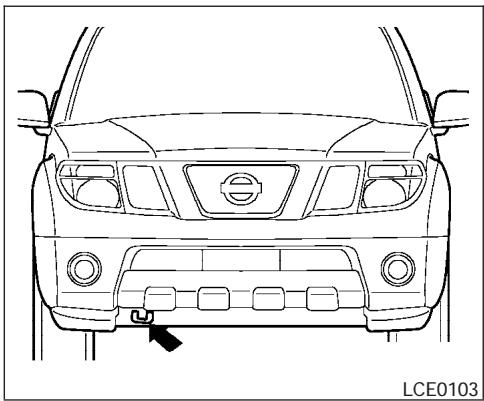
VEHICLE RECOVERY (freeing a stuck vehicle)
WARNING
- Stand clear of a stuck vehicle.
- Do not spin your tires at high speed. This could cause them to explode and result in serious injury. Parts of your vehicle could also overheat and be damaged.
CAUTION
- Tow chains or cables must be attached only to the main structural members of the vehicle or the towing hooks (if so equipped). Otherwise, the vehicle body will be damaged.
- Use the towing hook (if so equipped) only to free a vehicle stuck in sand, snow, mud, etc. Never tow the vehicle for a long distance using only the towing hook.
- The towing hook is under tremendous force when used to free a stuck vehicle. Never pull the hook at an angle.
Always pull the cable straight out from the front or rear of the vehicle. - Pulling devices should be routed so they do not touch any part of the suspension, steering, brake or cooling systems.
- Pulling devices such as ropes or canvas straps are not recommended for use in vehicle towing or recovery.
If your vehicle is stuck in sand, snow, mud, etc., use the following procedure:
- Turn off the Vehicle Dynamic Control System (if so equipped).
- Make sure the area in front and behind the vehicle is clear of obstructions.
- Turn the steering wheel right and left to clear an area around the front tires.
-
Slowly rock the vehicle forward and backward.
-
Shift back and forth between R (Reverse) and D (Drive).
- Apply the accelerator as little as possible to maintain the rocking motion.
- Release the accelerator pedal before shifting between R and D.
-
Do not spin the tires above 35 mph (55 km/h).
-
If the vehicle can not be freed after a few tries, contact a professional towing service to remove the vehicle.
MEMO
7 Appearance and care
Cleaning exterior 7-2
Washing 7-2
Waxing. 7-2
Removing spots. 7-2
Underbody 7-3
Glass 7-3
Aluminum alloy wheels 7-3
Chrome parts 7-3
Tire dressings. 7-3
Cleaning interior. 7-4
Floor mats 7-4
Seat belts 7-5
Corrosion protection. 7-5
Most common factors contributing to vehicle corrosion 7-5
Environmental factors influence the rate of corrosion 7-5
To protect your vehicle from corrosion 7-5
CLEANING EXTERIOR
In order to maintain the appearance of your vehicle, it is important to take proper care of it.
To protect the paint surfaces, please wash your vehicle as soon as you can:
- after a rainfall to prevent possible damage from acid rain.
- after driving on coastal roads.
- when contaminants such as soot, bird droppings, tree sap, metal particles or bugs get on the paint surface.
- when dust or mud builds up on the surface.
Whenever possible, store or park your vehicle inside a garage or in a covered area.
When it is necessary to park outside, park in a shady area or protect the vehicle with a body cover.
Be careful not to scratch the paint surface when putting on or removing the body cover.
WASHING
Wash dirt off with a wet sponge and plenty of water. Clean the vehicle thoroughly using a mild soap, a special vehicle soap or general purpose dishwashing liquid mixed with clean, lukewarm (never hot) water.
7-2 Appearance and care
CAUTION
- Do not wash the vehicle with strong household soap, strong chemical detergents, gasoline or solvents.
- Do not wash the vehicle in direct sunlight or while the vehicle body is hot, as the surface may become water-spotted.
- Avoid using tight-napped or rough cloths, such as washing mitts. Care must be taken when removing caked-on dirt or other foreign substances so the paint surface is not scratched or damaged.
Rinse the vehicle thoroughly with plenty of clean water.
Inside flanges, seams and folds on the doors, hatches and hood are particularly vulnerable to the effects of road salt. Therefore, these areas must be cleaned regularly. Take care that the drain holes in the lower edge of the door are open. Spray water under the body and in the wheel wells to loosen the dirt and wash away road salt.
A damp chamois can be used to dry the vehicle to avoid water spots.
WAXING
Regular waxing protects the paint surface and helps retain new vehicle appearance. Polishing is recommended to remove built-up wax residue and to avoid a weathered appearance before re-applying wax.
A NISSAN dealer can assist you in choosing the proper product.
- Wax your vehicle only after a thorough washing. Follow the instructions supplied with the wax.
- Do not use a wax containing any abrasives, cutting compounds or cleaners that may damage the vehicle finish.
Machine compounding or aggressive polishing on a base coat/clear coat paint finish may dull the finish or leave swirl marks.
REMOVING SPOTS
Remove tar and oil spots, industrial dust, insects, and tree sap as quickly as possible from the surface of the paint to avoid lasting damage or staining. Special cleaning products are available at a NISSAN dealer or any automotive accessory store.
UNDERBODY
In areas where road salt is used in winter, it is necessary to clean the underbody regularly in order to prevent dirt and salt from building up and causing the acceleration of corrosion on the underbody and suspension. Before the winter period and again in the spring, the underseal must be checked and, if necessary, retreated.
GLASS
Use glass cleaner to remove smoke and dust film from the glass surfaces. It is normal for glass to become coated with a film after the vehicle is parked in the hot sun. Glass cleaner and a soft cloth will easily remove this film.
CAUTION
When cleaning the inside of the windows, do not use sharp-edged tools, abrasive cleaners or chlorine-based disinfectant cleaners. They could damage the electrical conductors, radio antenna elements or rear window defroster elements.
ALUMINUM ALLOY WHEELS
Wash the wheels regularly, especially during winter months in areas where road salt is used. If not removed, road salt can discolor the wheels.
CHROME PARTS
Clean all chrome parts regularly with a nonabrasive chrome polish to maintain the finish.
TIRE DRESSINGS
NISSAN does not recommend the use of tire dressings. Tire manufacturers apply a coating to the tires to help reduce discoloration of the rubber. If a tire dressing is applied to the tires, it may react with the coating and form a compound. This compound may come off the tire while driving and stain the vehicle paint.
If you choose to use a tire dressing, take the following precautions:
- Use a water-based tire dressing. The coating on the tire dissolves more easily with an oil-based tire dressing.
-
Apply a light coat of tire dressing to help prevent it from entering the tire tread/grooves (where it would be difficult to remove).
-
Wipe off excess tire dressing using a dry towel. Make sure the tire dressing is completely removed from the tire tread/grooves.
- Allow the tire dressing to dry as recommended by tire dressing manufacturer.
CLEANING INTERIOR
Occasionally remove loose dust from the interior trim, plastic parts and seats using a vacuum cleaner or soft bristled brush. Wipe the vinyl and leather surfaces with a clean, soft cloth dampened in mild soap solution, then wipe clean with a dry, soft cloth.
Regular care and cleaning is required in order to maintain the appearance of the leather.
Before using any fabric protector, read the manufacturer's recommendations. Some fabric protectors contain chemicals that may stain or bleach the seat material.
Use a cloth dampened only with water to clean the meter and gauge lens.
CAUTION
- Never use benzine, thinner or any similar material.
-
Small dirt particles can be abrasive and damaging to leather surfaces and should be removed promptly. Do not use saddle soap, car waxes, polishes, oils, cleaning fluids, solvents, detergents or ammonia-based cleaners as they may damage the leather's natural finish.
-
Never use fabric protectors unless recommended by the manufacturer.
- Do not use glass or plastic cleaner on meter or gauge lens covers. It may damage the lens cover.
FLOOR MATS
The use of genuine NISSAN floor mats can extend the life of your vehicle carpet and make it easier to clean the interior. No matter what mats are used, be sure they are fitted for your vehicle and are properly positioned in the footwell to prevent interference with pedal operation. Mats should be maintained with regular cleaning and replaced if they become excessively worn.
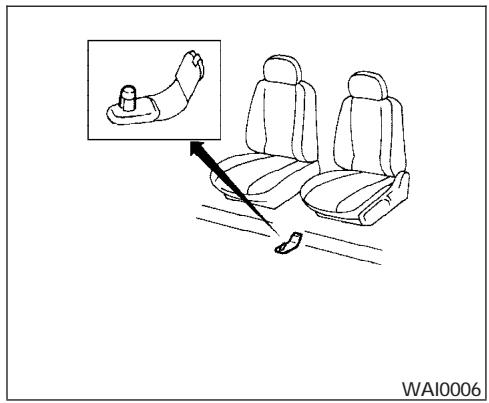
Floor mat positioning aid (driver's side only)
This vehicle includes a front floor mat bracket to act as a floor mat positioning aid. NISSAN floor mats have been specially designed for your vehicle model. The driver's side floor mat has a grommet hole incorporated in it. Position the mat by placing the floor mat bracket hook through the floor mat grommet hole while centering the mat in the footwell.
Periodically check to make certain the mats are properly positioned.
CORROSION PROTECTION
SEAT BELTS
The seat belts can be cleaned by wiping them with a sponge dampened in a mild soap solution. Allow the belts to dry completely in the shade before using them. See "Seat belt maintenance" in the "Safety - Seats, seat belts and supplemental restraint system" section of this manual.
WARNING
Do not allow wet seat belts to roll up in the retractor. NEVER use bleach, dye or chemical solvents to clean the seat belts, since these materials may severely weaken the seat belt webbing.
MOST COMMON FACTORS CONTRIBUTING TO VEHICLE CORROSION
- The accumulation of moisture-retaining dirt and debris in body panel sections, cavities, and other areas.
- Damage to paint and other protective coatings caused by gravel and stone chips or minor traffic accidents.
ENVIRONMENTAL FACTORS INFLUENCE THE RATE OF CORROSION
Moisture
Accumulation of sand, dirt and water on the vehicle body underside can accelerate corrosion. Wet floor coverings will not dry completely inside the vehicle, and should be removed for drying to avoid floor panel corrosion.
Relative humidity
Corrosion will be accelerated in areas of high relative humidity, especially those areas where the temperatures stay above freezing and where atmospheric pollution exists and road salt is used.
Temperature
High temperatures accelerate the rate of corrosion to those parts which are not well ventilated.
Air pollution
Industrial pollution, the presence of salt in the air in coastal areas, or heavy road salt use accelerates the corrosion process. Road salt also accelerates the disintegration of paint surfaces.
TO PROTECT YOUR VEHICLE FROM CORROSION
- Wash and wax your vehicle often to keep the vehicle clean.
- Always check for minor damage to the paint and repair it as soon as possible.
- Keep drain holes at the bottom of the doors open to avoid water accumulation.
- Check the underbody for accumulation of sand, dirt or salt. If present, wash with water as soon as possible.
CAUTION
- NEVER remove dirt, sand or other debris from the passenger compartment by washing it out with a hose. Remove dirt with a vacuum cleaner or broom.
- Never allow water or other liquids to come in contact with electronic components inside the vehicle as this may damage them.
Chemicals used for road surface de-icing are extremely corrosive. They accelerate corrosion and deterioration of underbody components such as the exhaust system, fuel and brake lines, brake cables, floor pan and fenders.
In winter, the underbody must be cleaned periodically.
For additional protection against rust and corrosion, which may be required in some areas, consult a NISSAN dealer.
8 Maintenance and do-it-yourself
Maintenance requirements. 8-2
General maintenance 8-2
Explanation of general maintenance items 8-2
Maintenance precautions. 8-5
Engine compartment check locations 8-6
Engine cooling system 8-8
Checking engine coolant level 8-8
Changing engine coolant. 8-9
Engine oil. 8-9
Checking engine oil level 8-9
Changing engine oil 8-10
Changing engine oil filter 8-12
5-speed automatic transmission fluid 8-13
Power steering fluid. 8-13
Brake and clutch fluid. 8-14
Brake fluid. 8-14
Clutch fluid 8-14
Window washer fluid 8-15
Window washer fluid reservoir 8-15
Battery 8-15
Jump starting 8-17
Variable Voltage Control System 8-17
Drive belts. 8-18
Spark plugs. 8-19
Replacing spark plugs 8-19
Air cleaner. 8-19
In-cabin microfilter. 8-20
Windshield wiper blades 8-21
Cleaning 8-21
Replacing 8-22
Parking brake and brake pedal 8-23
Checking parking brake 8-23
Checking brake pedal. 8-23
Brake booster. 8-24
Fuses 8-24
Engine compartment. 8-25
Passenger compartment 8-26
Keyfob battery replacement. 8-27
Lights 8-28
Headlights. 8-28
Exterior and interior lights. 8-29
Wheels and tires 8-32
Tire pressure. 8-32
Tire labeling. 8-36
Types of tires. 8-39
Tire chains. 8-40
Changing wheels and tires 8-40
MAINTENANCE REQUIREMENTS
Your new NISSAN has been designed to have minimum maintenance requirements with longer service intervals to save you both time and money. However, some day-to-day and regular maintenance is essential to maintain your NISSAN's good mechanical condition, as well as its emission and engine performance.
It is the owner's responsibility to make sure that the scheduled maintenance, as well as general maintenance, is performed.
As the vehicle owner, you are the only one who can ensure that your vehicle receives proper maintenance. You are a vital link in the maintenance chain.
Scheduled maintenance
For your convenience, both required and optional scheduled maintenance items are described and listed in your "NISSAN Service and Maintenance Guide." You must refer to that guide to ensure that necessary maintenance is performed on your NISSAN at regular intervals.
General maintenance
General maintenance includes those items which should be checked during normal day-to-day operation. They are essential for proper vehicle operation. It is your responsibility to perform these maintenance procedures regularly as prescribed.
8-2 Maintenance and do-it-yourself
Performing general maintenance checks requires minimal mechanical skill and only a few general automotive tools.
These checks or inspections can be done by you, a qualified technician, or, if you prefer, a NISSAN dealer.
Where to go for service
If maintenance service is required or your vehicle appears to malfunction, have the systems checked and corrected by a NISSAN dealer.
NISSAN technicians are well-trained specialists who are kept up-to-date with the latest service information through technical bulletins, service tips, and in-dealership training programs. They are completely qualified to work on NISSAN vehicles before they work on your vehicle, rather than after they have worked on it.
You can be confident that a NISSAN dealer's service department performs the best job to meet the maintenance requirements on your vehicle — in a reliable and economic way.
GENERAL MAINTENANCE
During the normal day-to-day operation of the vehicle, general maintenance should be performed regularly as prescribed in this section. If you detect any unusual sounds, vibrations or smells, be sure to check for the cause or have a NISSAN dealer do it promptly. In addition, you should notify a NISSAN dealer if you think that repairs are required.
When performing any checks or maintenance work, closely observe the "Maintenance precautions" later in this section.
EXPLANATION OF GENERAL MAINTENANCE ITEMS
Additional information on the following items with ** is found later in this section.
Outside the vehicle
The maintenance items listed here should be performed from time to time, unless otherwise specified.
Doors and engine hood Check that the doors and engine hood operate properly. Also ensure that all latches lock securely. Lubricate hinges, latches, latch pins, rollers and links as necessary. Make sure that the secondary latch keeps the hood from opening when the primary latch is released.
When driving in areas using road salt or other corrosive materials, check lubrication frequently.
Lights* Clean the headlights on a regular basis. Make sure that the headlights, stop lights, tail lights, turn signal lights, and other lights are all operating properly and installed securely. Also check headlight aim.
Road wheel nuts* When checking the tires, make sure no wheel nuts are missing, and check for any loose wheel nuts. Tighten if necessary.
Tire rotation* Tires should be rotated every 7,500 miles (12,000 km).
Tires* Check the pressure with a gauge often and always prior to long distance trips. If necessary, adjust the pressure in all tires, including the spare, to the pressure specified. Check carefully for damage, cuts or excessive wear.
Wheel alignment and balance If the vehicle should pull to either side while driving on a straight and level road, or if you detect uneven or abnormal tire wear, there may be a need for wheel alignment. If the steering wheel or seat vibrates at normal highway speeds, wheel balancing may be needed.
- For additional information regarding tires, refer to "Important Tire Safety Information" (US) or "Tire Safety Information" (Canada) in the Warranty Information Booklet.
Windshield Clean the windshield on a regular basis. Check the windshield at least every six months for cracks or other damage. Have a damaged windshield repaired by a qualified repair facility.
Windshield wiper blades* Check for cracks or wear if they do not wipe properly.
Inside the vehicle
The maintenance items listed here should be checked on a regular basis, such as when performing periodic maintenance, cleaning the vehicle, etc.
Additional information on the following items with an **" is found later in this section.
Accelerator pedal Check the pedal for smooth operation and make sure the pedal does not bind or require uneven effort. Keep the floor mat away from the pedal.
Automatic transmission P (Park) position mechanism On a fairly steep hill check that your vehicle is held securely with the selector lever in the P (Park) position without applying any brakes.
Brake pedal and booster* Check the pedal for smooth operation and make sure it has the proper distance under it when depressed fully. Check
the brake booster function. Be certain to keep the floor mat away from the pedal.
Brakes Check that the brakes do not pull the vehicle to one side when applied.
Parking brake* Check that the lever/pedal has the proper travel and confirm that your vehicle is held securely on a fairly steep hill with only the parking brake applied.
Seats Check seat position controls such as seat adjusters, seatback recliner, etc. to ensure they operate smoothly and all latches lock securely in every position. Check that the head restraints move up and down smoothly and the locks (if so equipped) hold securely in all latched positions.
Seat belts Check that all parts of the seat belt system (for example, buckles, anchors, adjusters and retractors) operate properly and smoothly, and are installed securely. Check the belt webbing for cuts, fraying, wear or damage.
Steering wheel Check for changes in the steering system, such as excessive freeplay, hard steering or strange noises.
Warning lights and chimes Make sure all warning lights and chimes are operating properly.
Windshield wiper and washer* Check that the wipers and washer operate properly and that the wipers do not streak.
Windshield defroster Check that the air comes out of the defroster outlets properly and in sufficient quantity when operating the heater or air conditioner.
Under the hood and vehicle
The maintenance items listed here should be checked periodically (for example, each time you check the engine oil or refuel).
Battery* Check the fluid level in each cell. It should be between the MAX and MIN lines. Vehicles operated in high temperatures or under severe conditions require frequent checks of the battery fluid level.
Brake fluid levels* Make sure that the brake fluid level is between the MIN and MAX lines on the reservoir.
Engine coolant level* Check the coolant level when the engine is cold.
Engine drive belts* Make sure the drive belts are not frayed, worn, cracked or oily.
Engine oil level* Check the level after parking the vehicle on a level surface with the engine off. Wait more than 10 minutes for the oil to drain back into the oil pan.
Exhaust system Make sure there are no loose supports, cracks or holes. If the sound of the exhaust seems unusual or there is a smell of
exhaust fumes, immediately have the exhaust system inspected by a NISSAN dealer. See the carbon monoxide warning in the "Starting and driving" section of this manual.
Fluid leaks Check under the vehicle for fuel, oil, water or other fluid leaks after the vehicle has been parked for a while. Water dripping from the air conditioner after use is normal. If you should notice any leaks or if gasoline fumes are evident, check for the cause and have it corrected immediately.
Power steering fluid level* and lines Check the level when the fluid is cold, with the engine off. Check the lines for proper attachment, leaks, cracks, etc.
Radiator and hoses Check the front of the radiator and clean off any dirt, insects, leaves, etc., that may have accumulated. Make sure the hoses have no cracks, deformation, rot or loose connections.
Underbody The underbody is frequently exposed to corrosive substances such as those used on icy roads or to control dust. It is very important to remove these substances from the underbody, otherwise rust may form on the floor pan, frame, fuel lines and exhaust system. At the end of winter, the underbody should be thoroughly flushed with plain water, in those areas
where mud and dirt may have accumulated. See the "Appearance and care" section of this manual.
Windshield washer fluid* Check that there is adequate fluid in the reservoir.
8-4 Maintenance and do-it-yourself
MAINTENANCE PRECAUTIONS
When performing any inspection or maintenance work on your vehicle, always take care to prevent serious accidental injury to yourself or damage to the vehicle. The following are general precautions which should be closely observed.

WARNING
- Park the vehicle on a level surface, apply the parking brake securely and block the wheels to prevent the vehicle from moving. Move the shift selector lever to P (Park).
- Be sure the ignition key is in the OFF or LOCK position when performing any parts replacement or repairs.
- Never leave the engine or automatic transmission related component harnesses disconnected while the ignition switch is in the ON position.
- Never connect or disconnect the battery or any transistorized component while the ignition switch is in the ON position.
-
Your vehicle is equipped with an automatic engine cooling fan. It may come on at any time without warning, even if the ignition key is in the OFF position and the engine is not running. To avoid injury, always disconnect the negative battery cable before working near the fan.
-
If you must work with the engine running, keep your hands, clothing, hair and tools away from moving fans, belts and any other moving parts.
- It is advisable to secure or remove any loose clothing and remove any jewelry, such as rings, watches, etc. before working on your vehicle.
Always wear eye protection whenever you work on your vehicle. - If you must run the engine in an enclosed space such as a garage, be sure there is proper ventilation for exhaust gases to escape.
- Never get under the vehicle while it is supported only by a jack. If it is necessary to work under the vehicle, support it with safety stands.
- Keep smoking materials, flame and sparks away from the fuel tank and battery.
- On gasoline engine models with the multiport fuel injection (MFI) system, the fuel filter or fuel lines should be serviced by a NISSAN dealer because the fuel lines are under high pressure even when the engine is off.

CAUTION
- Do not work under the hood while the engine is hot. Turn the engine off and wait until it cools down.
- Avoid contact with used engine oil and coolant. Improperly disposed engine oil, engine coolant and/or other vehicle fluids can damage the environment. Always conform to local regulations for disposal of vehicle fluid.
This "Maintenance and do-it-yourself" section gives instructions regarding only those items which are relatively easy for an owner to perform.
A genuine NISSAN service manual is also available. See "Owner's Manual/Service Manual order information" in the "Technical and consumer information" section of this manual.
You should be aware that incomplete or improper servicing may result in operating difficulties or excessive emissions, and could affect warranty coverage. If in doubt about any servicing, have it done by a NISSAN dealer.
ENGINE COMPARTMENT CHECK LOCATIONS
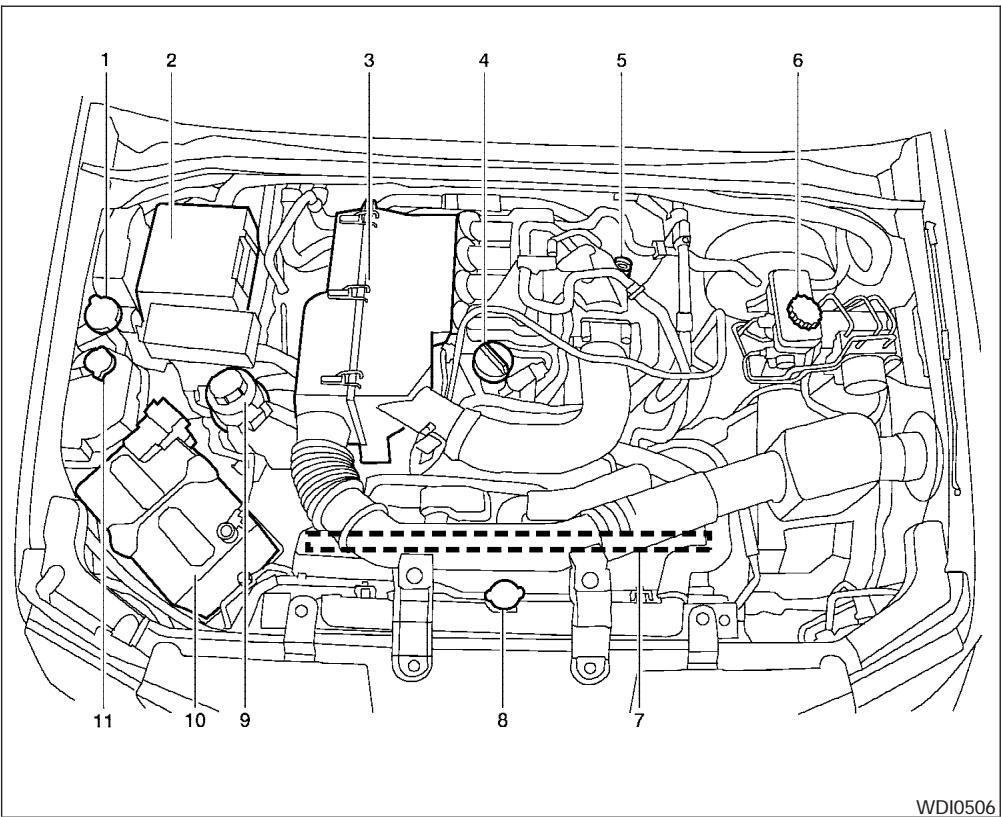
QR25DE engine
- Windshield washer fluid reservoir
- Fuse/Fusible link box
- Air cleaner
- Engine oil filler cap
- Engine oil dipstick
- Brake fluid reservoir/Clutch fluid reservoir (M/T model)
- Drive belt location
- Radiator cap
- Power steering fluid reservoir
- Battery
- Engine coolant reservoir
NOTE:
Engine cover removed for clarity.
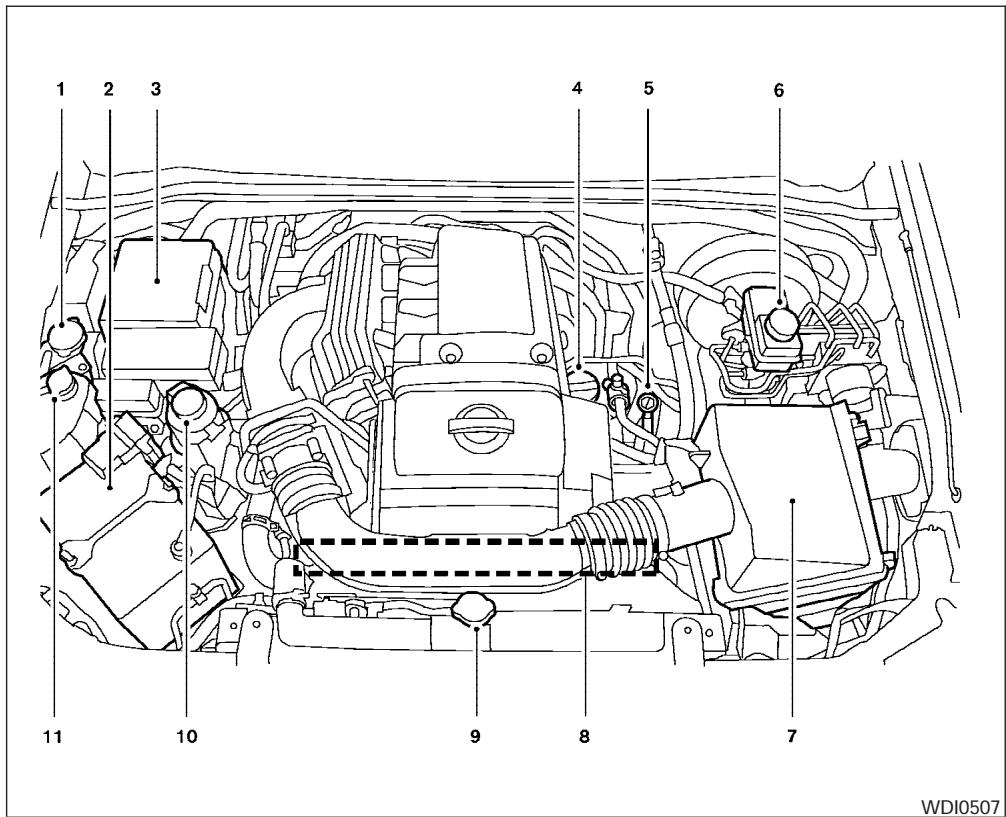
VQ40DE engine
- Windshield washer fluid reservoir
- Battery
- Fuse/fusible link box
- Engine oil filler cap
- Engine oil dipstick
- Brake fluid reservoir
- Air cleaner
- Drive belt location
- Radiator cap
- Power steering fluid reservoir
- Engine coolant reservoir
NOTE:
Engine cover removed for clarity.
ENGINE COOLING SYSTEM
The engine cooling system is filled at the factory with Genuine NiSSAN Long Life Antifreeze/Coolant to provide year-round anti-freeze and coolant protection. The anti-freeze solution contains rust and corrosion inhibitors. Additional engine cooling system additives are not necessary.
WARNING
- Never remove the radiator or coolant reservoir cap when the engine is hot. Wait until the engine and radiator cool down. Serious burns could be caused by high pressure fluid escaping from the radiator. See precautions in "If your vehicle overheats" found in the "In case of emergency" section of this manual.
- The radiator is equipped with a pressure type radiator cap. To prevent engine damage, use only a genuine NiSSAN radiator cap.
| Outside temperature down to | Genuine NISSAN Long Life Antifreeze/ Coolant or equivalent | Demineral-ized or dis-tilled water | |
| °C | °F | ||
| -35 | -30 | 50% | 50% |
CAUTION
When adding or replacing coolant, be sure to use only a Genuine NiSSAN Long Life Antifreeze/Coolant (green) or equivalent with the proper mixture ratio of 50% antifreeze and 50% demineralized or distilled water. The use of other types of coolant solutions or coolant colors, such as orange, may damage the engine cooling system.
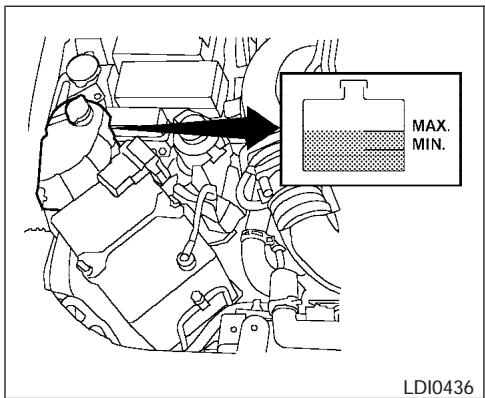
Type A
CHECKING ENGINE COOLANT LEVEL
Check the coolant level in the reservoir when the engine is cold. If the coolant level is below the MIN level, add coolant to the MAX level. If the reservoir is empty, check the coolant level in the radiator when the engine is cold. If there is insufficient coolant in the radiator, fill the radiator with coolant up to the filler opening and also add it to the reservoir up to the MAX level.
The engine coolant reservoir is a pressurized tank. When installing the cap, tighten it until a clicking sound is heard.
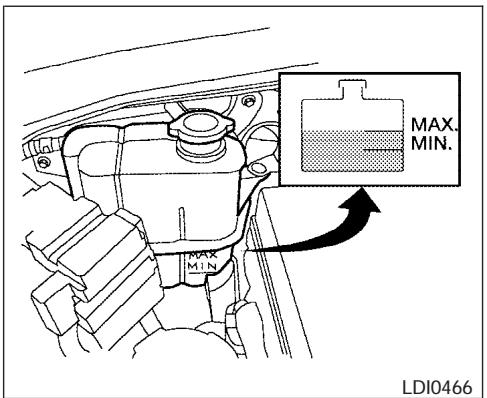
Type B
If the cooling system frequently requires coolant, have it checked by a NISSAN dealer.
CHANGING ENGINE COOLANT
A NISSAN dealer can change the engine coolant. The service procedure can be found in the NISSAN Service Manual.
Improper servicing can result in reduced heater performance and engine overheating.

WARNING
- To avoid the danger of being scalded, never change the coolant when the engine is hot.
- Never remove the radiator or engine coolant reservoir cap when the engine is hot. Serious burns could be caused by high pressure fluid escaping from the radiator.
- Avoid direct skin contact with used coolant. If skin contact is made, wash thoroughly with soap or hand cleaner as soon as possible.
- Keep coolant out of the reach of children and pets.
Engine coolant must be disposed of properly. Check your local regulations.
ENGINE OIL
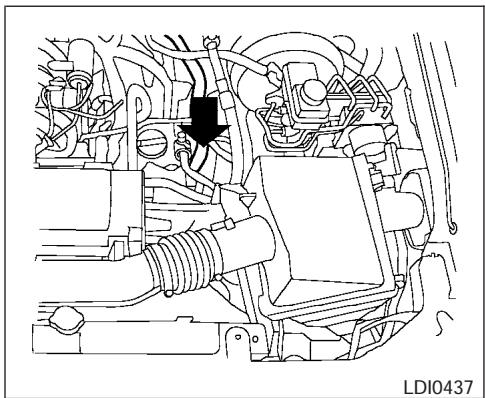
Type A
CHECKING ENGINE OIL LEVEL
- Park the vehicle on a level surface and apply the parking brake.
- Start the engine and let it idle until it reaches operating temperature.
- Turn off the engine. Wait more than 10 minutes for the oil to drain back into the oil pan.
- Remove the dipstick and wipe it clean. Reinsert it all the way.
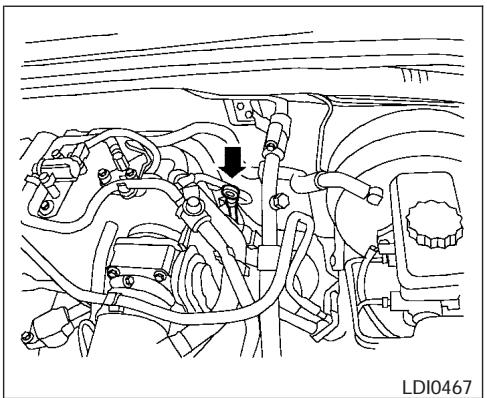
Type B
- Remove the dipstick again and check the oil level. It should be between the H (High) and L (Low) marks . This is the normal operating oil level range. If the oil level is below the L (Low) mark , remove the oil filler cap and pour recommended oil through the opening. Do not overfill .
- Recheck oil level with the dipstick.
It is normal to add some oil between oil maintenance intervals or during the break-in period, depending on the severity of operating conditions.
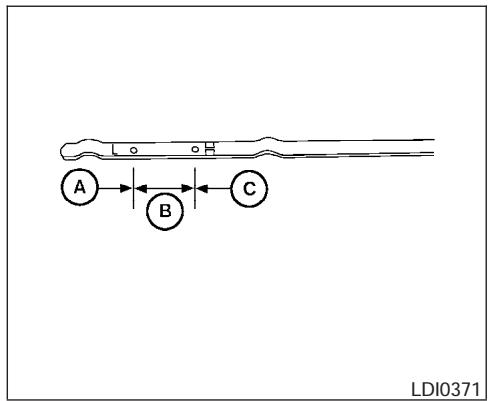
CAUTION
Oil level should be checked regularly. Operating the engine with an insufficient amount of oil can damage the engine, and such damage is not covered by warranty.
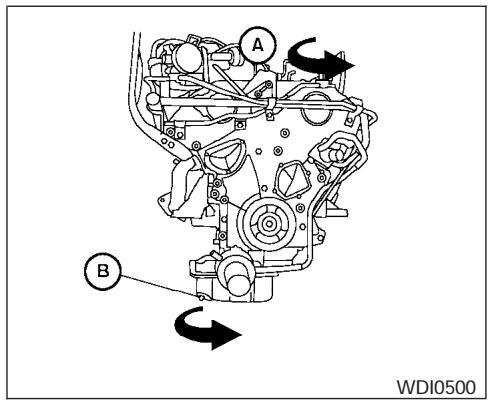
VQ40DE
CHANGING ENGINE OIL
- Park the vehicle on a level surface and apply the parking brake.
- Start the engine and let it idle until it reaches operating temperature, then turn it off.
- Remove the oil filler cap A by turning it counterclockwise.
- Place a large drain pan under the drain plug.
- Remove the drain plug B with a wrench by turning it counterclockwise and completely drain the oil.
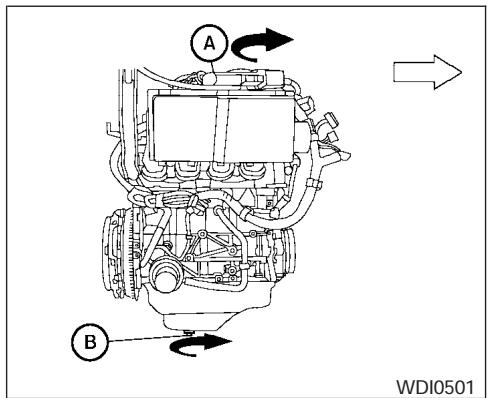
QR25DE
If the oil filter is to be changed, remove and replace it at this time. See "Changing engine oil filter" later in this section.
WARNING
- Prolonged and repeated contact with used engine oil may cause skin cancer.
- Try to avoid direct skin contact with used oil. If skin contact is made, wash thoroughly with soap or hand cleaner as soon as possible.
- Keep used engine oil out of reach of children.
CAUTION
Be careful not to burn yourself. The engine oil may be hot.
- Waste oil must be disposed of properly.
- Check your local regulations.
- Clean and reinstall the drain plug and a new washer. Securely tighten the drain plug with a wrench. Do not use excessive force.
Drain plug tightening torque: 22 - 29 ft-lb (29 - 39 N·m)
- Refill engine with recommended oil through the oil filler opening, then install the oil filler cap securely.
See "Capacities and recommended fuel/lubricants" in the "Technical and consumer information" section of this manual for drain and refill capacity.
The drain and refill capacity depends on the oil temperature and drain time. Use these specifications for reference only. Always use the dipstick to determine when the proper amount of oil is in the engine.
-
Start the engine. Check for leakage around the drain plug and oil filter. Correct as required.
-
Turn the engine off and wait more than 10 minutes. Check the oil level with the dipstick. Add engine oil if necessary.
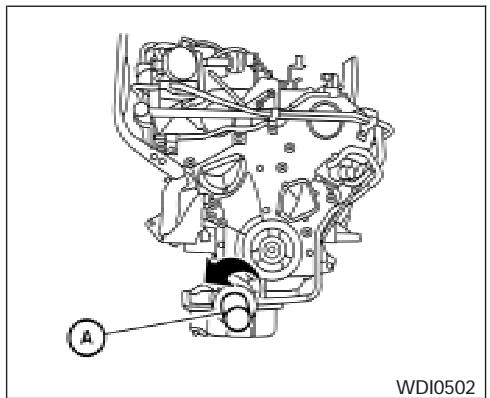
VQ40DE
CHANGING ENGINE OIL FILTER
- Park the vehicle on a level surface and apply the parking brake.
- Turn the engine off.
- Place a large drain pan under the oil filter.
- Unscrew the plate covering the oil filter exposing the filter. (For VQ40DE engine only)
- Loosen the oil filter (A) with an oil filter wrench by turning it counterclockwise. Then remove the oil filter by turning it by hand.
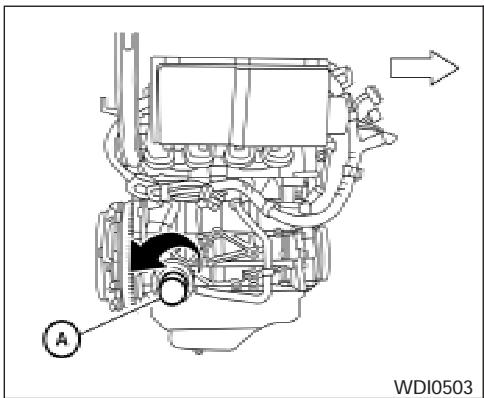
QR25DE
CAUTION
Be careful not to burn yourself. The engine oil may be hot.
- Wipe the engine oil filter sealing surface with a clean rag.
Be sure to remove any old gasket material remaining on the sealing surface of the engine. -
Coat the gasket on the new filter with clean engine oil.
-
Screw on the oil filter until a slight resistance is felt, then tighten an additional 2/3 turn.
- Start the engine and check for leakage around the oil filter. Correct as required.
- Turn the engine off and wait more than 10 minutes. Check the oil level. Add engine oil if necessary.
When checking or replacement is required, we recommend your NISSAN dealer for servicing.
WARNING
- Use only Genuine NiSSAN Matic J ATF. Do not mix with other fluids.
- Using automatic transmission fluid other than Genuine NISSAN Matic J ATF will cause deterioration in driveability and automatic transmission durability, and may damage the automatic transmission, which is not covered by the NISSAN new vehicle limited warranty.
The specified automatic transmission fluid is also described on caution labels located in the engine compartment.
POWER STEERING FLUID
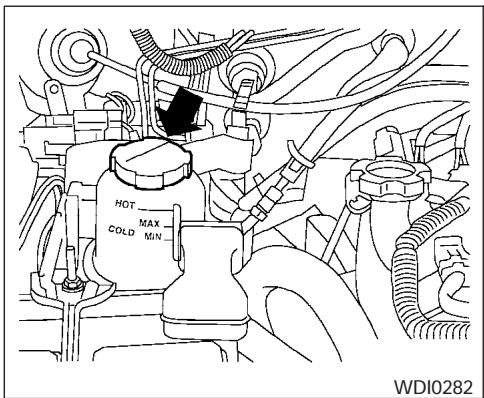
Type A
The fluid level should be checked using the HOT MAX range on the power steering fluid reservoir at fluid temperatures of 122irc - 176ircF (50irc - 80ircC) or using the COLD MAX range on the power steering fluid reservoir at fluid temperatures of 32irc - 86ircF (0irc - 30ircC) .
If the fluid is below the MIN line, add Genuine NISSAN PSF. Remove the cap and fill through the opening.
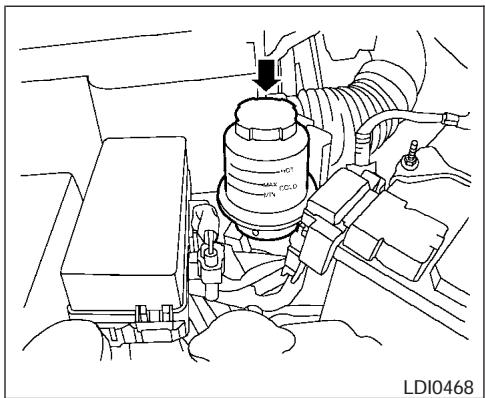
Type B
CAUTION
DO NOT OVERFILL.
- Recommended fluid is Genuine NISSAN PSF or equivalent.
For further brake and clutch fluid specification information, refer to "Capacities and recommended fuel/lubricants" in the "Technical and consumer information" section of this manual.
WARNING
Use only new fluid from a sealed container. Old, inferior or contaminated fluid may damage the brake and clutch systems. The use of improper fluids can damage the brake system and affect the vehicle's stopping ability.
CAUTION
Do not spill the fluid on any painted surfaces. This will damage the paint. If fluid is spilled, immediately wash the surface with water.
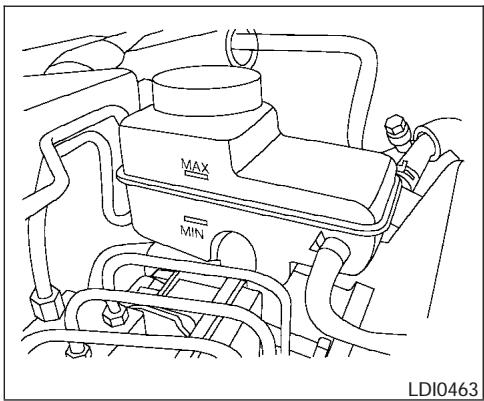
BRAKE FLUID
Check the brake fluid level in the reservoir. If the fluid level is below the MIN line or the brake warning light comes on, add Genuine NISSAN Super Heavy Duty Brake Fluid or equivalent DOT 3 fluid up to the MAX line. If fluid must be added frequently, the system should be checked by a NISSAN dealer.
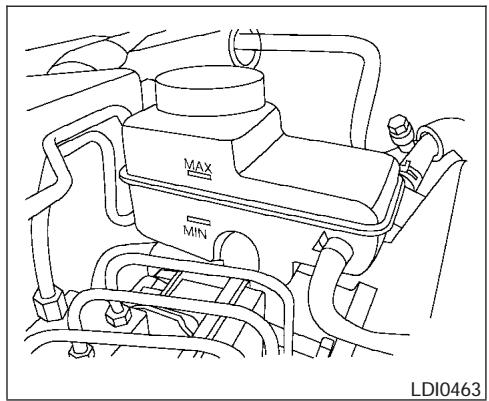
CLUTCH FLUID
Check the clutch fluid level in the reservoir (manual transmissions only). If the fluid level is below the MIN line, add Genuine NISSAN Super Heavy Duty Brake Fluid or equivalent DOT 3 fluid up to the MAX line. If fluid must be added frequently, the system should be checked by a NISSAN dealer.
For further brake and clutch fluid specification information, refer to "Capacities and recommended fuel/lubricants" in the "Technical and consumer information" section of this manual.
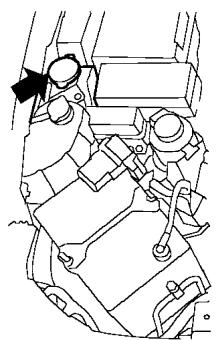
LDI0441
WINDOW WASHER FLUID RESERVOIR
Fill the window washer fluid reservoir periodically. Add window washer fluid when the low window washer fluid warning light comes on.
To fill the window washer fluid reservoir, lift the cap off the reservoir tank and pour the window washer fluid into the tank opening.
Add a washer solvent to the washer for better cleaning. In the winter season, add a windshield washer antifreeze. Follow the manufacturer's instructions for the mixture ratio.
Refill the reservoir more frequently when driving conditions require an increased amount of window washer fluid.
Recommended fluid is Genuine NiSSAN Windshield Washer Concentrate Cleaner & Antifreeze or equivalent.
CAUTION
- Do not substitute engine anti-freeze coolant for window washer solution. This may result in damage to the paint.
- Do not fill the window washer reservoir tank with washer fluid concentrates at full strength. Some methyl alcohol based washer fluid concentrates may permanently stain the grille if spilled while filling the window washer reservoir tank.
- Pre-mix washer fluid concentrates with water to the manufacturer's recommended levels before pouring the fluid into the window washer reservoir tank. Do not use the window washer reservoir tank to mix the washer fluid concentrate and water.
BATTERY
- Keep the battery surface clean and dry. Any corrosion should be washed off with a solution of baking soda and water.
- Make certain the terminal connections are clean and securely tightened.
- If the vehicle is not to be used for 30 days or longer, disconnect the negative (-) battery terminal cable to prevent discharge.
WARNING
- Do not expose the battery to flames or electrical sparks. Hydrogen gas generated by the battery is explosive. Do not allow battery fluid to contact your skin, eyes, fabrics or painted surfaces. After touching a battery or battery cap, do not touch or rub your eyes. Thoroughly wash your hands. If the acid contacts your eyes, skin or clothing, immediately flush with water for at least 15 minutes and seek medical attention.
-
Do not operate the vehicle if the fluid in the battery is low. Low battery fluid can cause a higher load on the battery which can generate heat, reduce battery life, and in some cases lead to an explosion.
-
When working on or near a battery, always wear suitable eye protection and remove all jewelry.
- Battery posts, terminals and related accessories contain lead and lead compounds. Wash hands after handling.
- Keep battery out of the reach of children.
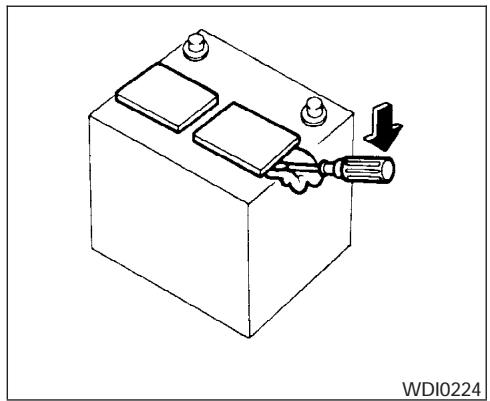
1. Remove the battery caps with a screwdriver as shown. Use a cloth to protect the battery case.
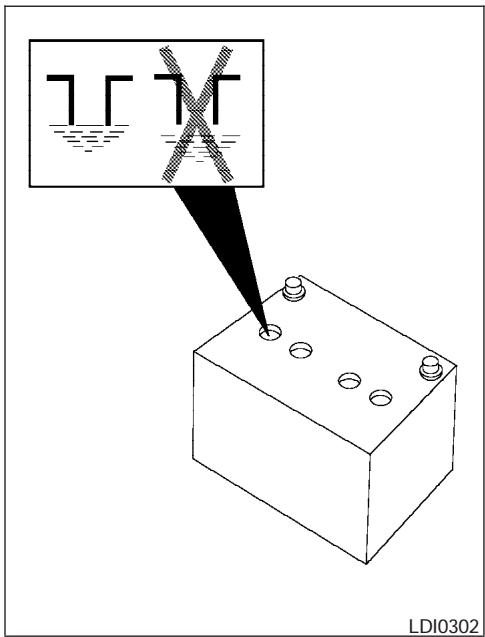
2. Check the fluid level in each cell If it is necessary to add fluid, add only distilled water to bring the level up to the bottom of the filler opening. Do not overfill.
VARIABLE VOLTAGE CONTROL SYSTEM
Vehicles operated in high temperatures or under severe conditions require frequent checks of the battery fluid level.
JUMP STARTING
If jump starting is necessary, see "Jump starting" in the "In case of emergency" section of this manual. If the engine does not start by jump starting, the battery may have to be replaced. Contact a NISSAN dealer.
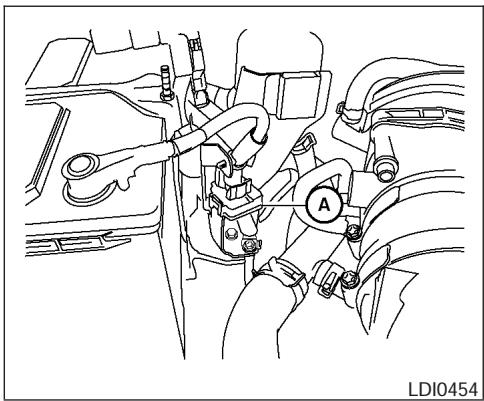
CAUTION
- Do not ground accessories directly to the battery terminal. Doing so will bypass the variable voltage control system and the vehicle battery may not charge completely.
- Use electrical accessories with the engine running to avoid discharging the vehicle battery.
Your vehicle is equipped with a variable voltage control system. This system measures the amount of electrical discharge from the battery and controls voltage generated by the generator.
If you add electrical accessories to your vehicle ground it to the body ground A located near the battery along the negative battery cable.
DRIVE BELTS
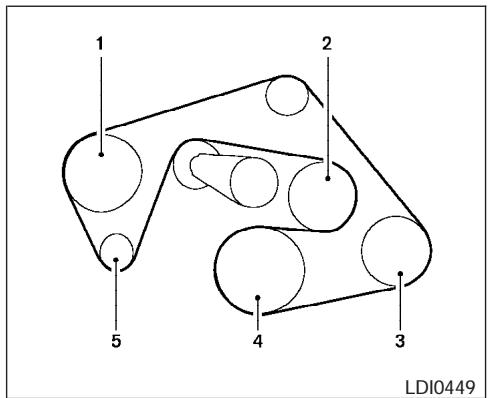
VQ40DE
- Power steering fluid pump
- Cooling fan
- Air conditioner compressor
- Crankshaft
- Generator
WARNING
Be sure the ignition key is in the OFF or LOCK position. The engine could rotate unexpectedly.
- Visually inspect the belt(s) for signs of unusual wear, cuts, fraying or looseness. If the belt is in poor condition or is loose, have it replaced or adjusted by a NISSAN dealer.
- Have the belts checked regularly for condition and tension in accordance with the maintenance schedule found in the "NISSAN Service and Maintenance Guide".
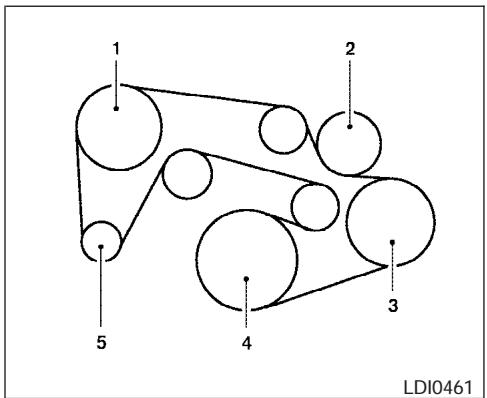
QR25DE
1 Power steering fluid pump
2 Water pump
3 Air conditioner compressor
4 Crankshaft
5 Generator
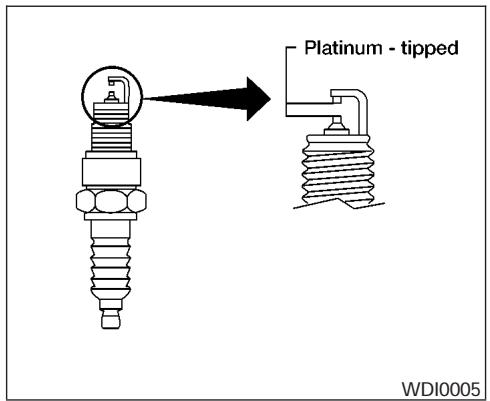
REPLACING SPARK PLUGS
Platinum-tipped spark plugs
It is not necessary to replace platinum-tipped spark plugs as frequently as conventional type spark plugs because they last much longer. Follow the maintenance log shown in the "NISSAN Service and Maintenance Guide". Do not service platinum-tipped spark plugs by cleaning or regapping.
Always replace spark plugs with recommended or equivalent ones.
WARNING
Be sure the engine and ignition switch are off and that the parking brake is engaged securely.
CAUTION
Be sure to use the correct socket to remove the spark plugs. An incorrect socket can damage the spark plugs.
If replacement is required, see your NISSAN dealer for assistance.
AIR CLEANER
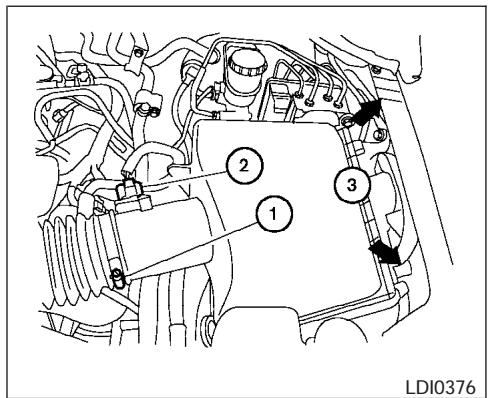
Type A
The air cleaner filter should not be cleaned and reused. Replace it according to the maintenance log shown in the "NISSAN Service and Maintenance Guide." When replacing the filter, wipe the inside of the air cleaner filter housing and the cover with a damp cloth.
To remove the air cleaner filter Type A:
① Loosen the screw.
② Disconnect the electrical connector.
③ Push down on the clips and remove the air cleaner cover. Remove the air cleaner filter.
To remove the air cleaner filter Type B:
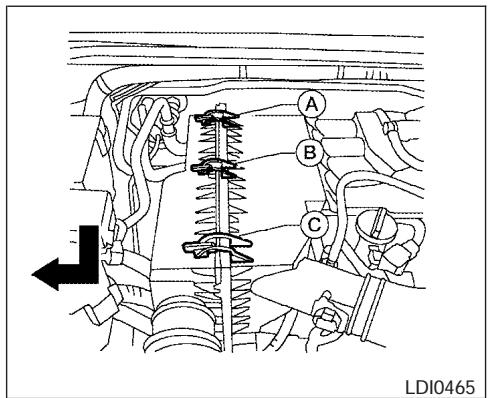
Type B
- Unlatch the clips A , B , C .
- Push down half of air cleaner to clear the bottom retainers.
- Lift up on half of air cleaner to remove the air cleaner filter
WARNING
- Operating the engine with the air cleaner removed can cause you or others to be burned. The air cleaner not only cleans the air, it stops the flame if the engine backfires. If it isn't there, and the engine backfires, you could be burned. Do not drive with the air cleaner removed, and be careful when working on the engine with the air cleaner removed.
- Never pour fuel into the throttle body or attempt to start the engine with the air cleaner removed. Doing so could result in serious injury.
IN-CABIN MICROFILTER
The in-cabin microfilter restricts the entry of airborne dust and pollen particles and reduces some objectionable outside odors. The filter is located behind the glove box. Refer to the "NISSAN Service and Maintenance Guide" for change intervals.
To replace the filter, perform the following procedure:
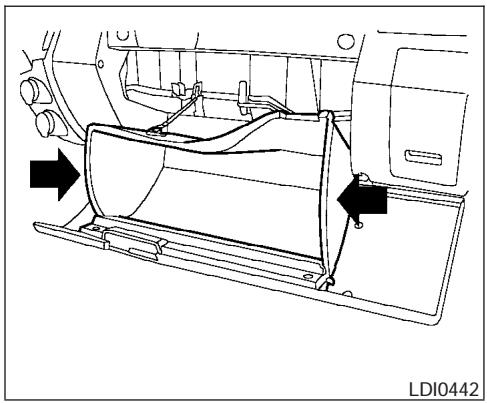
1. Open the glove box and press in on the sides so that it will open completely allowing it to hang by the cord.
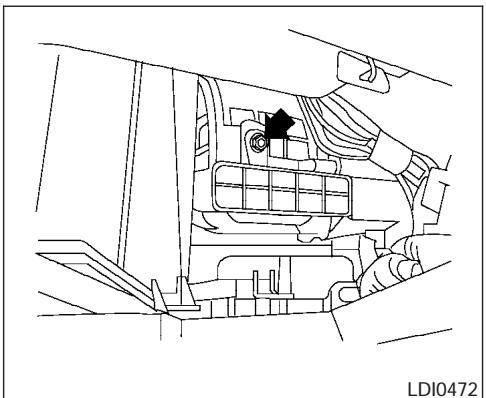
2. Remove the filter cover bolt and remove the filter cover.
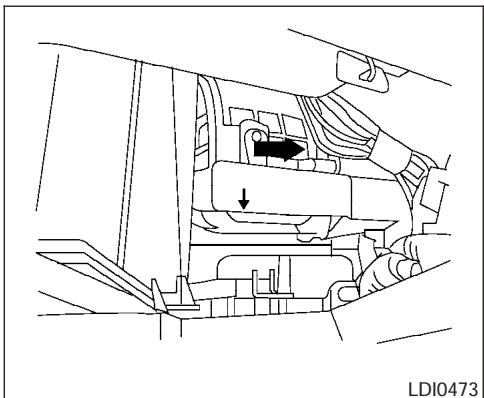
NOTE:
The filters are marked with air flow arrows. The end of the filter with the arrow should face the rear of the vehicle. The arrows should face downward.
- Insert the first filter into the housing and slide it over to the right. Insert the second filter into the housing.
- Replace the filter cover.
- Install the glove box door.
- Fill out the date information on the small replacement label and attach it to the glove box lid.
WINDSHIELD WIPER BLADES
CLEANING
If your windshield is not clear after using the windshield washer or if a wiper blade chatters when running, wax or other material may be on the blade or windshield.
Clean the outside of the windshield with a washer solution or a mild detergent. Your windshield is clean if beads do not form when rinsing with clear water.
Clean each blade by wiping it with a cloth soaked in a washer solution or a mild detergent. Then rinse the blades with clear water. If your windshield is still not clear after cleaning the blades and using the wiper, replace the blades.

CAUTION
Worn windshield wiper blades can damage the windshield and impair driver vision.
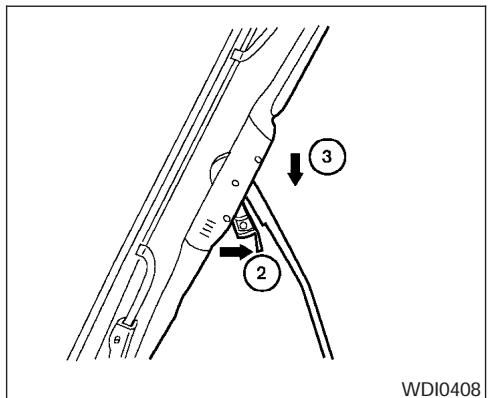
CAUTION
- After wiper blade replacement, return the wiper arm to its original position; otherwise it may be damaged when the hood is opened.
- Make sure the wiper blades contact the glass; otherwise the arms may be damaged from wind pressure.
REPLACING
Replace the wiper blades if they are worn.
- Lift the wiper arm away from the windshield.
② Push the release tab, then move the wiper blade down the wiper arm to remove.
③ Remove the wiper blade. - Insert the new wiper blade onto the wiper arm until it clicks into place.
- Rotate wiper blade so the dimple is in the groove.
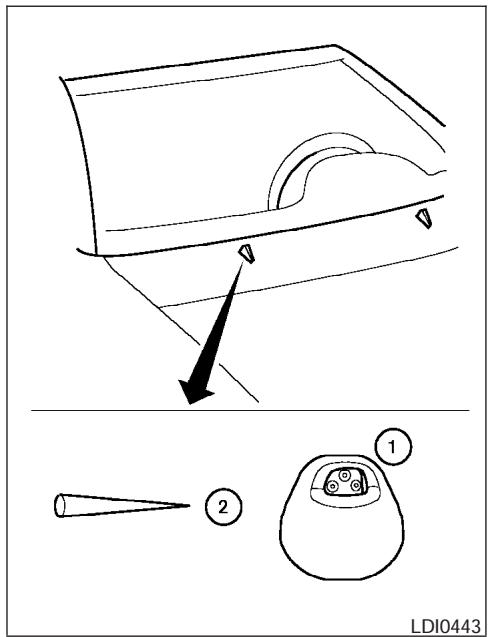
If you wax the surface of the hood, be careful not to let wax get into the washer nozzle ①. This may cause clogging or improper windshield washer operation. If wax gets into the nozzle, remove it with a needle or small pin ②.
8-22 Maintenance and do-it-yourself
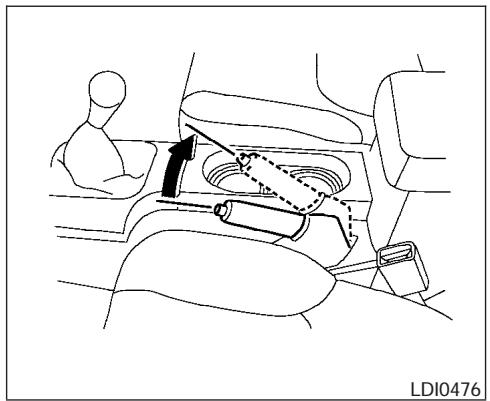
From the released position, pull the parking brake lever up slowly and firmly. If the number of clicks is out of the range listed, see a NISSAN dealer.
Range: 6-8 clicks under pulling force of 44 lb (196 N).
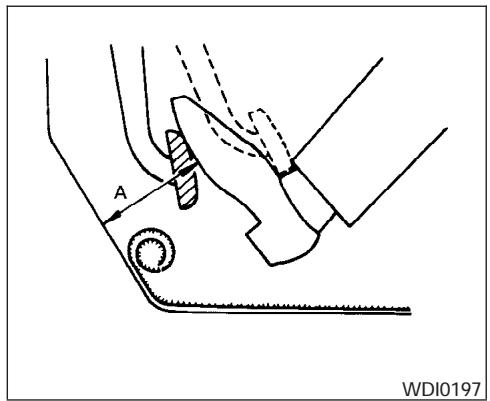
CHECKING BRAKE PEDAL
With the engine running, check the distance A between the upper surface of the pedal and the metal floor. If it is out of the range listed, see a NISSAN dealer.
Range: 4.1-4.8 in (103-123 mm) under a depressing force of 110 lb (490 N).
Self-adjusting brakes
Your vehicle is equipped with self-adjusting brakes.
The front and rear disc-type brakes self-adjust every time the brake pedal is applied.

WARNING
See a NISSAN dealer for a brake system check if the brake pedal height does not return to normal.
Brake pad wear indicators
The disc brake pads on your vehicle have audible wear indicators. When a brake pad requires replacement, a high pitched scraping or screeching sound will be heard when the vehicle is in motion. The noise will be heard whether or not the brake pedal is depressed. Have the brakes checked as soon as possible if the wear indicator sound is heard.
Under some driving or climate conditions, occasional brake squeak, squeal or other noise may be heard. Occasional brake noise during light to moderate stops is normal and does not affect the function or performance of the brake system.
Proper brake inspection intervals should be followed. For more information regarding brake inspections, see the appropriate maintenance schedule information in the "NISSAN Service and Maintenance Guide".
FUSES
BRAKE BOOSTER
Check the brake booster function as follows:
- With the engine off, press and release the brake pedal several times. When brake pedal movement (distance of travel) remains the same from one pedal application to the next, continue on to the next step.
- While depressing the brake pedal, start the engine. The pedal height should drop a little.
- With the brake pedal depressed, stop the engine. Keep the pedal depressed for about 30 seconds. The pedal height should not change.
- Run the engine for one minute without depressing the brake pedal, then turn it off. Depress the brake pedal several times. The pedal travel distance will decrease gradually with each depression as the vacuum is released from the booster.
If the brakes do not operate properly, have the brakes checked by a NISSAN dealer.
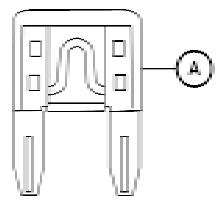
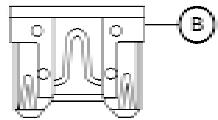
LDI0455
Two types of fuses are used. Type A is used in the fuse boxes in the engine compartment. Type B is used in the passenger compartment fuse box.
Type A fuses are provided as spare fuses. They are stored in the passenger compartment fuse box.
Type A fuses can be installed in the engine compartment and passenger compartment fuse boxes.
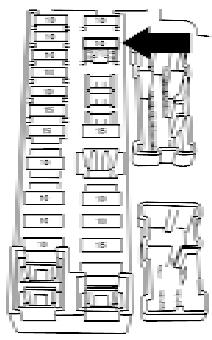
LDI0457
If a type A fuse is used to replace a type B fuse, the type A fuse will not be level with the fuse pocket as shown in the illustration. This will not affect the performance of the fuse. Make sure the fuse is installed in the fuse box securely.
Type B fuses cannot be installed in the underhood fuse boxes. Only use type A fuses in the underhood fuse boxes.
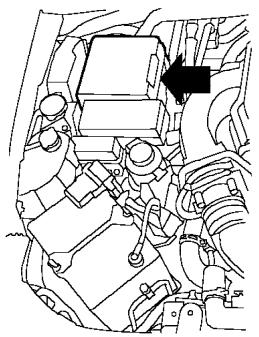
LDI0444
ENGINE COMPARTMENT
CAUTION
Never use a fuse of a higher or lower amperage rating than specified on the fuse box cover. This could damage the electrical system or cause a fire.
If any electrical equipment does not come on, check for an open fuse.
- Be sure the ignition switch and the headlight switch are OFF.
-
Open the engine hood.
-
Remove the fuse box cover by pushing the tab and lifting the cover up.
- Remove the fuse with the fuse puller. The fuse puller is located in the center of the fuse block in the passenger compartment.
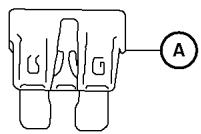
WDI0452
- If the fuse is open A, replace it with a new fuse B.
- If a new fuse also opens, have the electrical system checked and repaired by a NISSAN dealer.
Fusible links
If the electrical equipment does not operate and fuses are in good condition, check the fusible links. If any of these fusible links are melted, replace with only genuine NiSSAN parts.
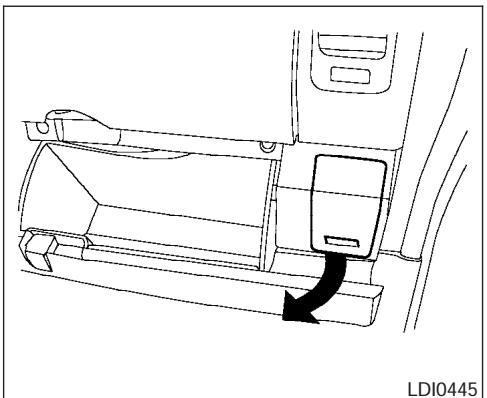
PASSenger COMPARTMENT
CAUTION
Never use a fuse of a higher or lower amperage rating than specified on the fuse box cover. This could damage the electrical system or cause a fire.
If any electrical equipment does not operate, check for an open fuse.
- Be sure the ignition switch and the headlight switch are OFF.
- Pull the fuse box cover to remove.
- Remove the fuse with the fuse puller.
WDI0452
Type A
- If the fuse is open (A), replace it with a known good fuse (B).
- Push the fuse box cover to install.
- If a new fuse also opens, have the electrical system checked and repaired by a NISSAN dealer.
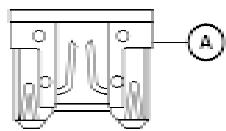
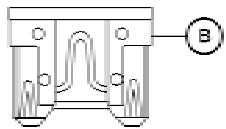
LDI0456
Type B
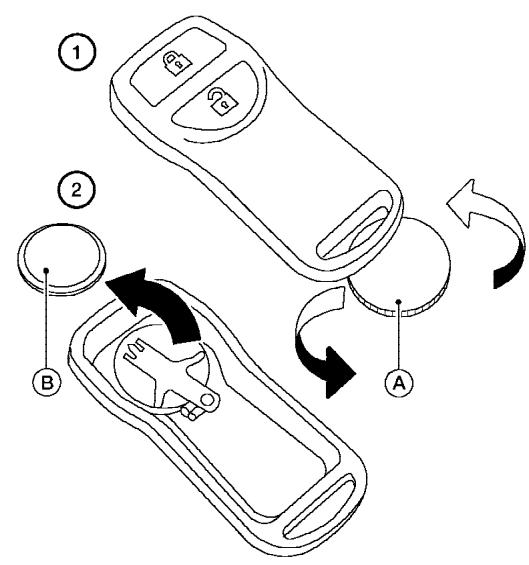
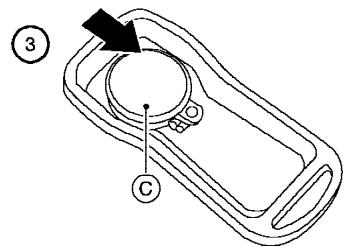
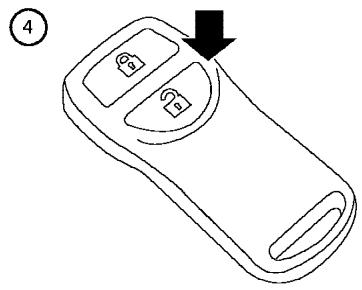
LDI0484
Replace the battery in the keyfob as follows:
① Open the lid using a coin A.
② Remove the battery 8 .
③ Install a new battery C with the " ^+ " facing down.
Recommended battery: CR2025 or equivalent.
④ Close the lid securely.
- Press the button, then the button two or three times to check the key-fob operation.
If the battery is removed for any reason other than replacement, perform step 5.
- An improperly disposed battery can hurt the environment. Always confirm local regulations for battery disposal.
- The keyfob is water-resistant; however, if it does get wet, immediately wipe completely dry.
- The operational range of the keyfob extends to approximately 33 ft (10 m) from the vehicle. This range may vary with conditions.
FCC Notice:
Changes or modifications not expressly approved by the party responsible for compliance could void the user's authority to operate the equipment.
This device complies with Part 15 of the FCC Rules and RSS-210 of Industry Canada.
Operation is subject to the following two conditions: (1) This device may not cause harmful interference, and (2) this device must accept any interference received, including interference that may cause undesired operation of the device.
LIGHTS
HEADLIGHTS
The headlight is a semi-sealed beam type which uses a replaceable headlight (halogen) bulb. A bulb can be replaced from inside the engine compartment without removing the headlight assembly.
CAUTION
- High pressure halogen gas is sealed inside the halogen bulb. The bulb may break if the glass envelope is scratched or the bulb is dropped.
- When handling the bulb, do not touch the glass envelope.
DO NOT TOUCH THE BULB - Use the same number and wattage as originally installed:
Wattage 65/55Bulb No. HB5/9007*
*: Always check with the Parts Department at a NISSAN dealer for the latest parts information.
- Do not leave the bulb out of the headlight reflector for a long period of time as dust, moisture and smoke may enter the headlight body and affect the performance of the headlight.
- Aiming is not necessary after replacing the bulb. When aiming adjustment is necessary, contact a NISSAN dealer.
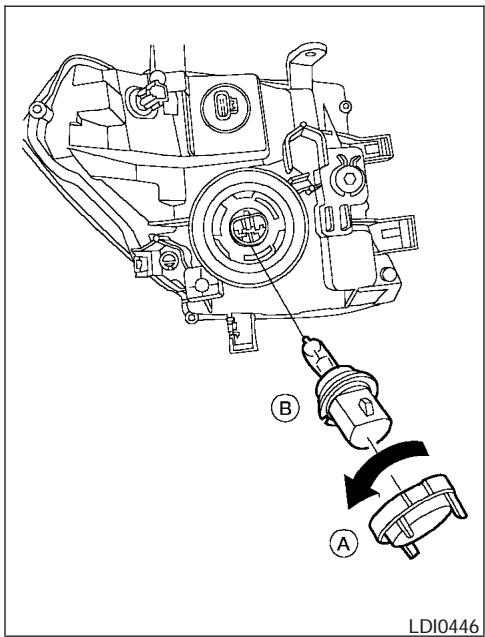
Removing the headlight bulb
- Open the hood.
- Disconnect the negative (-) battery cable.
-
Disconnect the electrical connector from the rear end of the bulb.
-
Turn the bulb retaining ring counterclockwise until it is free from the headlight reflector and then remove it (A).
- Carefully remove the headlight bulb. Do not shake or rotate the bulb when removing it B
Replacing the headlight bulb
- Insert the bulb.
- Install and tighten the bulb retainer.
- Be sure the lip of the bulb socket contacts the headlight body.
- Push the electrical connector into the bulb plastic base until it snaps and stops.
- Connect the negative (-) battery cable.
- Close the hood.
EXTERIOR AND INTERIOR LIGHTS
| Item | Wattage (W) | Bulb No.*1 |
| Headlight | 65/55 | 9007 (HB5) |
| Turn signal light/Parking light | 28/8 | 3457K |
| Side marker | 3.8 | 194 |
| Rear combination light | ||
| Turn signal | 27 | 3156AK |
| Stop/Tail | 27/8 | 3157K |
| Back-up | 18 | 921 |
| License plate light | 5 | 2J6 |
| Fog light*2 (if so equipped) | 55 | H11 |
| Map lights/ personal lights | 8 | AL38 |
| Room light | 8 | AL41 |
| High-mounted stop light/cargo lights*2 | — | — |
1 Always check with the Parts Department at a NISSAN dealer for the latest parts information.
2The bulb is not serviceable in-vehicle. See a NISSAN dealer for assistance.
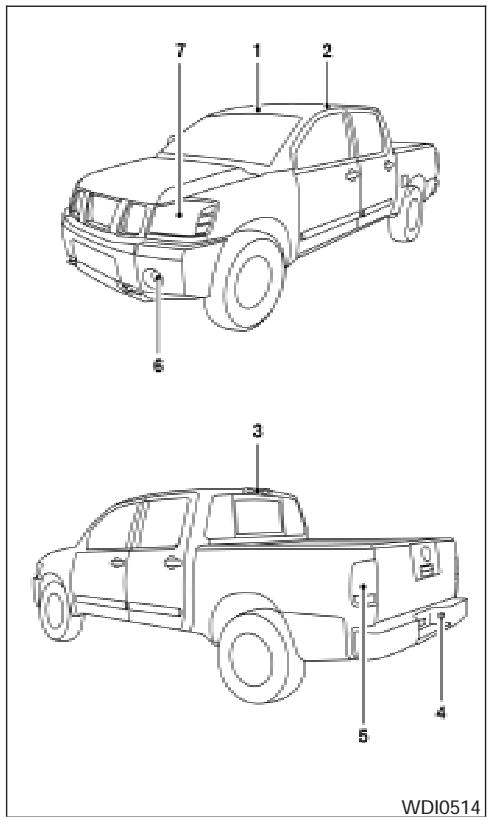
- Map lights/personal lights
- Room light
- High-mount stoplight/cargo lights
- License plate light
- Rear combination light
- Fog light (if so equipped)
- Headlight assembly
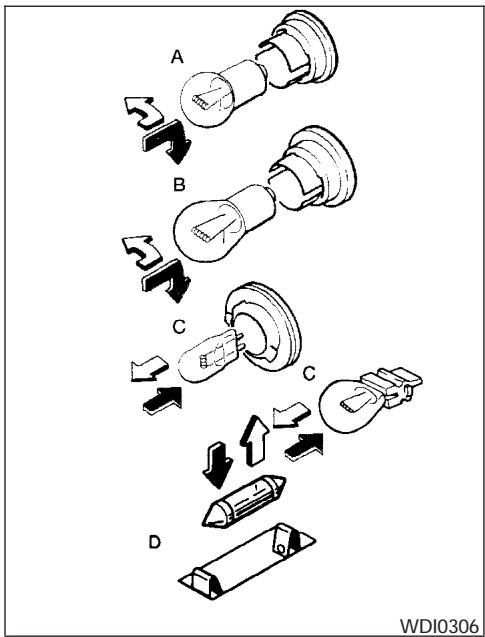
Replacement procedures
All other lights are either type A, B, C or D. When replacing a bulb, first remove the lens and/or cover.

: Indicates bulb removal

: Indicates bulb installation
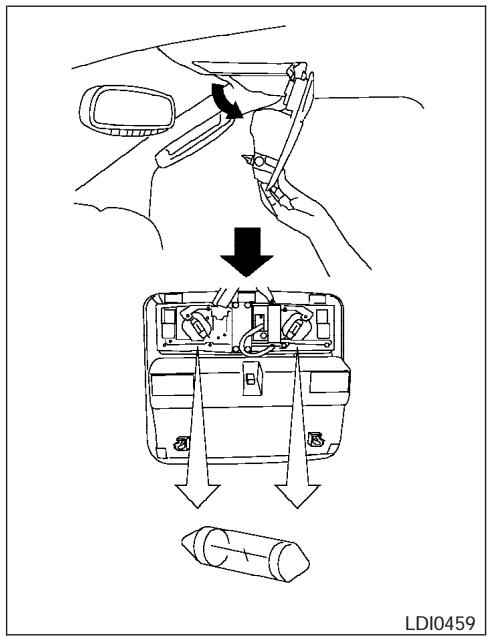
Map lights/personal lights
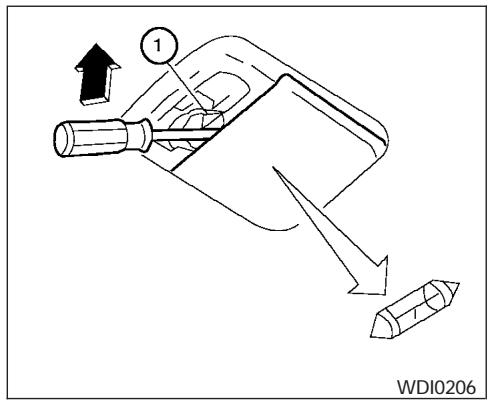
Room light
Use a cloth ① to protect the housing.
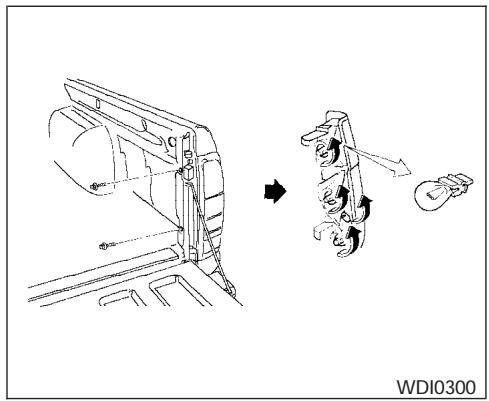
Rear combination light
WHEELS AND TIRES
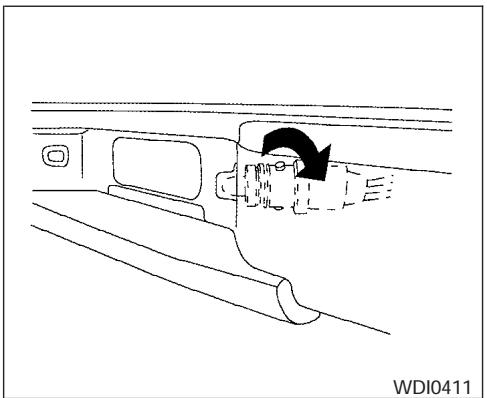
License plate light
If you have a flat tire, see the "In case of emergency" section of this manual.
TIRE PRESSURE
Tire pressure monitoring system (TPMS)
This vehicle is equipped with the tire pressure monitoring system (TPMS). It monitors tire pressure of all tires except the spare. When the low tire pressure warning light is lit, one or more of your tires is significantly underinflated.
The TPMS will activate only when the vehicle is driven at speeds above 16 MPH (25 km/h). Also, this system may not detect a sudden drop in tire pressure (for example a flat tire while driving).
For more details, refer to "Low tire pressure warning light" in the "Instruments and controls" section, "Tire pressure monitoring system (TPMS)" in the "Starting and driving" section, and "Flat tire" in the "In case of emergency" section.
Tire inflation pressure
Check the tire pressures (including the spare) often and always prior to long distance trips. The recommended tire pressure specifications are shown on the F.M.V.S.S./C.M.V.S.S. label or the Tire and Loading Information label (if so equipped) under the "Cold Tire Inflation Pressure" heading. The Tire and Loading Information label is affixed to the driver side center pillar. Tire pressures should be checked regularly because:
- Most tires naturally lose air over time.
- Tires can lose air suddenly when driven over potholes or other objects or if the vehicle strikes a curb while parking.
The tire pressures should be checked when the tires are cold. The tires are considered COLD after the vehicle has been parked for 3 or more hours, or driven less than 1 mile (1.6 km) at moderate speeds.
Incorrect tire pressure, including under inflation, may adversely affect tire life and vehicle handling.
WARNING
- Improperly inflated tires can fail suddenly and cause an accident.
-
The Gross Vehicle Weight Rating (GVWR) is located on the F.M.V.S.S./C.M.V.S.S. label. The vehicle weight capacity is indicated on the Tire and Loading Information label (if so equipped). Do not load your vehicle beyond this capacity. Overloading your vehicle may result in reduced tire life, unsafe operating conditions due to premature tire failure, or unfavorable handling characteristics and could also lead to a serious accident. Loading beyond the specified capacity may also result in failure of other vehicle components.
-
Before taking a long trip, or whenever you heavily load your vehicle, use a tire pressure gauge to ensure that the tire pressures are at the specified level.
- Do not drive your vehicle over 85 MPH (137 km/h) unless it is equipped with high speed rated tires. Driving faster than 85 MPH (137 km/h) may result in tire failure, loss of control and possible injury.
- For additional information regarding tires, refer to "Important Tire Safety Information" (US) or "Tire Safety Information" (Canada) in the Warranty Information Booklet.
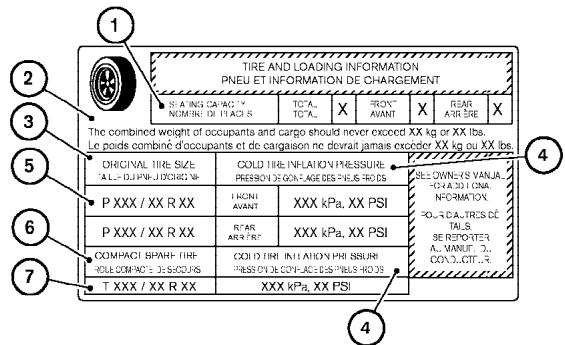
LDI0392
Type A
Tire and loading information label (if so equipped)
① Seating capacity: The maximum number of occupants that can be seated in the vehicle.
② Vehicle load limit: See loading information in the "Technical and consumer information" section.
③ Original tire size: The size of the tires originally installed on the vehicle at the factory.
4 Cold tire inflation pressure: Inflate the tires to this pressure when the tires are cold. Tires are considered COLD after the vehicle has been parked for 3 or more hours, or driven less than 1 mile (1.6 km) at moderate speeds. The recommended cold tire inflation is set by the manufacturer to provide the best balance of tire wear, vehicle handling, driveability, tire noise, etc., up to the vehicles GVWR.
⑤ Tire size – refer to “Tire labeling” later in this section.
⑥ and ⑦ Spare tire size or compact spare tire size (if so equipped).
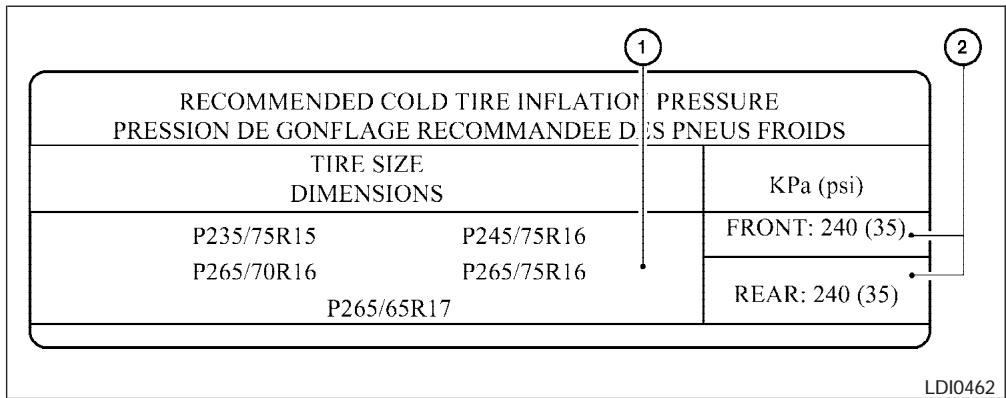
Type B
Tire placard (if so equipped)
① Tire size: The size of the tires originally installed on the vehicle at the factory.
(2) Recommended cold tire inflation pressure: Inflate the tires to this pressure when the tires are cold. Tires are considered COLD after the vehicle has been parked for 3 or more hours, or driven less than 1 mile (1.6 km) at moderate speeds. The recommended cold tire inflation is set by the manufacturer to provide the best balance of tire wear, vehicle handling, driveability, tire noise, etc., up to the vehicles GVWR.
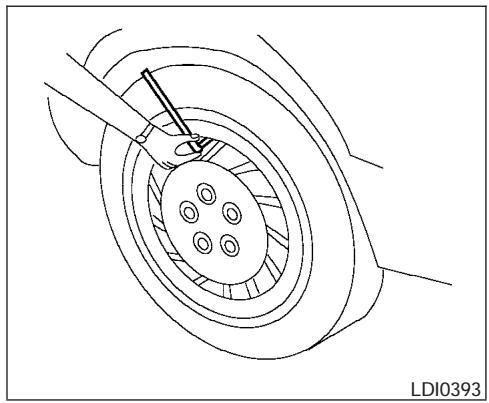
Checking tire pressure
- Remove the valve stem cap from the tire.
- Press the pressure gauge squarely onto the valve stem. Do not press too hard or force the valve stem sideways, or air will escape. If the hissing sound of air escaping from the tire is heard while checking the pressure, reposition the gauge to eliminate this leakage.
-
Remove the gauge.
-
Read the tire pressure on the gauge stem and compare to the specification shown on the F.M.V.S.S./C.M.V.S.S. label or the Tire and Loading Information label (if so equipped).
- Add air to the tire as needed. If too much air is added, press the core of the valve stem briefly with the tip of the gauge stem to release pressure. Recheck the pressure and add or release air as needed.
- Install the valve stem cap.
- Check the pressure of all other tires, including the spare.
| Size | Cold Tire Infla- tion Pressure |
| Front Original Tire: P235/75R15 105S P265/70R16 111S P265/75R16 114T P265/65R17 110S | 240 kPa, 35 PSI |
| Rear Original Tire: P235/75R15 109S P265/70R16 111S P265/75R16 114T P265/65R17 110S | 240 kPa, 35 PSI |
| Spare Tire: P235/75R15 109S P265/70R16 111S P265/75R16 114T P265/65R17 110S | 240 kPa, 35 PSI |
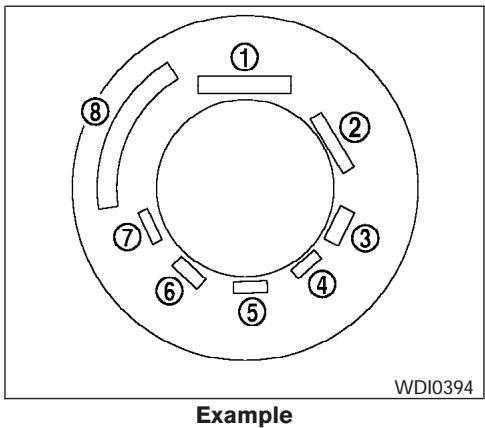
TIRE LABELING
Federal law requires tire manufacturers to place standardized information on the sidewall of all tires. This information identifies and describes the fundamental characteristics of the tire and also provides the tire identification number (TIN) for safety standard certification. The TIN can be used to identify the tire in case of a recall.
P215/65R15 95H
P 1
215 个 2
65 3
R 4
15 5
95 6
H 7
WDI0395
Example
① Tire size (example: P215/65R15 95H)
- P: The "P" indicates the tire is designed for passenger vehicles (not all tires have this information).
- Three-digit number (215): This number gives the width in millimeters of the tire from sidewall edge to sidewall edge.
-
Two-digit number (65): This number, known as the aspect ratio, gives the tire's ratio of height to width.
-
R: The "R" stands for radial.
- Two-digit number (15): This number is the wheel or rim diameter in inches.
-
Two- or three-digit number (95): This number is the tire's load index. It is a measurement of how much weight each tire can support. You may not find this information on all tires because it is not required by law.
-
H: Tire speed rating. You should not drive the vehicle faster than the tire speed rating.
DOT XX XX XXX XXXX
DOT 1
XX 2
XX 3
XXX 4
XXX 5
XXXX
一
6
WDI0396
Example
② TIN (Tire Identification Number) for a new tire (example: DOT XX XX XXX XXXX)
- DOT: Abbreviation for the "Department Of Transportation." The symbol can be placed above, below or to the left or right of Tire Identification Number.
- Two-digit code: Manufacturer's identification mark
-
Two-digit code: Tire size
-
Three-digit code: Tire type code (Optional)
- Three-digit code: Date of Manufacture
- Four numbers represent the week and year the tire was built. For example, the numbers 3103 means the 31st week of 2003. If these numbers are missing, then look on the other sidewall of the tire.
③ Tire ply composition and material
The number of layers or plies of rubber-coated fabric in the tire. Tire manufacturers also must indicate the materials in the tire, which include steel, nylon, polyester, and others.
(4) Maximum permissible inflation pressure
This number is the greatest amount of air pressure that should be put in the tire. Do not exceed the maximum permissible inflation pressure.
(5) Maximum load rating
This number indicates the maximum load in kilograms and pounds that can be carried by the tire. When replacing the tires on the vehicle, always use a tire that has the same load rating as the factory installed tire.
⑥ Term of "tubeless" or "tube type" Indicates whether the tire requires an inner tube ("tube type") or not ("tubeless").
The word "radial"
The word "radial" is shown if the tire has radial structure.
(8) Manufacturer or brand name
Manufacturer or brand name is shown.
Other Tire-related Terminology
In addition to the many terms that are defined throughout this section, Intended Outboard Sidewall is (1) the sidewall that contains a whitewall, bears white lettering or bears manufacturer, brand, and/or model name molding that is higher or deeper than the same molding on the other sidewall of the tire, or (2) the outward facing sidewall of an asymmetrical tire that has a particular side that must always face outward when mounted on a vehicle.
TYPES OF TIRES
WARNING
- When changing or replacing tires, be sure all four tires are of the same type (i.e., Summer, All Season or Snow) and construction. A NISSAN dealer may be able to help you with information about tire type, size, speed rating and availability.
- Replacement tires may have a lower speed rating than the factory equipped tires, and may not match the potential maximum vehicle speed. Never exceed the maximum speed rating of the tire.
- For additional information regarding tires, refer to "Important Tire Safety Information" (US) or "Tire Safety Information" (Canada) in the Warranty Information Booklet.
All season tires
NISSAN specifies All Season tires on some models to provide good performance all year, including snowy and icy road conditions. All Season tires are identified by ALL SEASON and/or M&S on the tire sidewall. Snow tires have better snow traction than All Season tires and may be more appropriate in some areas.
Summer tires
NISSAN specifies summer tires on some models to provide superior performance on dry roads. Summer tire performance is substantially reduced in snow and ice. Summer tires do not have the tire traction rating "M&S" on the tire sidewall.
If you plan to operate your vehicle in snowy or icy conditions, NISSAN recommends the use of SNOW tires or ALL SEASON tires on all four wheels.
Snow tires
If snow tires are needed, it is necessary to select tires equivalent in size and load rating to the original equipment tires. If you do not, it can adversely affect the safety and handling of your vehicle.
Generally, snow tires have lower speed ratings than factory equipped tires and may not match the potential maximum vehicle speed. Never exceed the maximum speed rating of the tire.
If you install snow tires, they must be the same size, brand, construction and tread pattern on all four wheels.
For additional traction on icy roads, studded tires may be used. However, some U.S. states and Canadian provinces prohibit their use. Check local, state and provincial laws before installing
studded tires. Skid and traction capabilities of studded snow tires on wet or dry surfaces may be poorer than that of non-studded snow tires.
TIRE CHAINS
Use of tire chains may be prohibited according to location. Check the local laws before installing tire chains. When installing tire chains, make sure they are the proper size for the tires on your vehicle and are installed according to the chain manufacturer's suggestions. Use only SAE class "S" chains. Class "S" chains are used on vehicles with restricted tire to vehicle clearance. Vehicles that can use Class "S" chains are designed to meet the minimum clearances between the tire and the closest vehicle suspension or body component required to accommodate the use of a winter traction device (tire chains or cables). The minimum clearances are determined using the factory equipped tire size. Other types may damage your vehicle. Use chain tensioners when recommended by the tire chain manufacturer to ensure a tight fit. Loose end links of the tire chain must be secured or removed to prevent the possibility of whipping action damage to the fenders or underbody. If possible, avoid fully loading your vehicle when using tire chains. In addition, drive at a reduced speed. Otherwise, your vehicle may be damaged and/or vehicle handling and performance may be adversely affected.
Tire chains must be installed only on the rear wheels and not on the front wheels.
Do not use tire chains on dry roads. Driving with chains in such conditions can cause damage to the various mechanisms of the vehicle due to some overstress.
Use only the 2WD range when driving on clear paved roads.
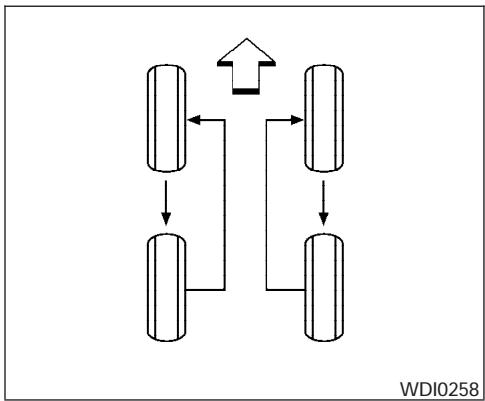
CHANGING WHEELS AND TIRES
Tire rotation
NISSAN recommends rotating the tires every 7,500 miles (12,000 km).
See "Flat tire" in the "In case of emergency" section in this manual for tire replacing procedures.
As soon as possible, tighten the wheel nuts to the specified torque with a torque wrench.
Wheel nut tightening torque:
98 ft-lb (133 N·m)
The wheel nuts must be kept tightened to specifications at all times. It is recommended that wheel nuts be tightened to specification at each tire rotation interval.
WARNING
- After rotating the tires, check and adjust the tire pressure.
- Retighten the wheel nuts when the vehicle has been driven for 600 miles (1,000 km) (also in cases of a flat tire, etc.).
- Do not include the spare tire in the tire rotation.
- For additional information regarding tires, refer to "Important Tire Safety Information" (US) or "Tire Safety Information" (Canada) in the Warranty Information Booklet.
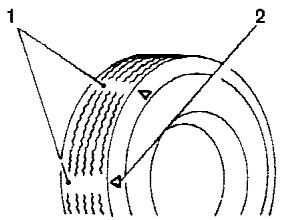
WDI0259
- Wear indicator
- Location mark
Tire wear and damage
WARNING
-
Tires should be periodically inspected for wear, cracking, bulging or objects caught in the tread. If excessive wear, cracks, bulging or deep cuts are found, the tire(s) should be replaced.
-
The original tires have built-in tread wear indicators. When the wear indicators are visible, the tire(s) should be replaced.
- Improper service of the spare tire may result in serious personal injury. If it is necessary to repair the spare tire, contact a NISSAN dealer.
- For additional information regarding tires, refer to "Important Tire Safety Information" (US) or "Tire Safety Information" (Canada) in the Warranty Information Booklet.
Replacing wheels and tires
When replacing a tire, use the same size, tread design, speed rating and load carrying capacity as originally equipped. Recommended types and sizes are shown in "Wheels and tires" in the "Technical and consumer information" section of this manual.
WARNING
- The use of tires other than those recommended or the mixed use of tires of different brands, construction (bias, bias-belted or radial), or tread patterns can adversely affect the ride, braking, handling, ground clearance, body-to-tire clearance, tire chain clearance, speedometer calibration, headlight aim and bumper height. Some of these effects may lead to accidents and could result in serious personal injury.
-
If the wheels are changed for any reason, always replace with wheels which have the same off-set dimension. Wheels of a different off-set could cause premature tire wear, degrade vehicle handling characteristics and/or interference with the brake discs/drums. Such interference can lead to decreased braking efficiency and/or early brake pad/shoe wear. Refer to "Wheels and tires" in the "Technical and consumer information" section of this manual for wheel off-set dimensions.
-
When a spare tire is mounted or a wheel is replaced, tire pressure will not be indicated, the TPMS will not function and the low tire pressure warning light will flash. Contact your NISSAN dealer as soon as possible for tire replacement and/or system resetting.
- Replacing tires with those not originally specified by NISSAN could affect the proper operation of the TPMS.
- Do not install a deformed wheel or tire even if it has been repaired. Such wheels or tires could have structural damage and could fail without warning.
The use of retreat tires is not recommended. - For additional information regarding tires, refer to "Important Tire Safety Information" (US) or "Tire Safety Information" (Canada) in the Warranty Information Booklet.
4x4 Four-wheel drive models
CAUTION
Always use tires of the same type, size, brand, construction (bias, bias-belted or radial), and tread pattern on all four wheels. Failure to do so may result in a circumference difference between tires on the front and rear axles which will cause excessive tire wear and may damage the transmission, transfer case and differential gears.
If excessive tire wear is found, it is recommended that all four tires be replaced with tires of the same size, brand, construction and tread pattern. The tire pressure and wheel alignment should also be checked and corrected as necessary. Contact a NISSAN dealer.
Wheel balance
Unbalanced wheels may affect vehicle handling and tire life. Even with regular use, wheels can get out of balance. Therefore, they should be balanced as required.
Wheel balance service should be performed with the wheels off the vehicle. Spin balancing the wheels on the vehicle could lead to mechanical damage.
- For additional information regarding tires, refer to "Important Tire Safety Information" (US) or "Tire Safety Information" (Canada) in the Warranty Information Booklet.
Care of wheels
- Wash the wheels when washing the vehicle to maintain their appearance.
- Clean the inner side of the wheels when the wheel is changed or the underside of the vehicle is washed.
- Do not use abrasive cleaners when washing the wheels.
- Inspect wheel rims regularly for dents or corrosion. Such damage may cause loss of pressure or poor seal at the tire bead.
- NISSAN recommends waxing the road wheels to protect against road salt in areas where it is used during winter.
MEMO
9 Technical and consumer information
Capacities and recommended fuel/lubricants. 9-2
Fuel recommendation 9-3
Engine oil and oil filter recommendation 9-5
Recommended SAE viscosity number 9-6
Air conditioner system refrigerant and oil recommendations 9-6
Specifications. 9-7
Engine 9-7
Wheels and tires 9-8
Dimensions and weights 9-8
When traveling or registering your vehicle in another country 9-9
Vehicle identification 9-9
Vehicle identification number (VIN) plate 9-9
Vehicle identification number (chassis number) 9-9
Engine serial number. 9-10
F.M.V.S.S./C.M.V.S.S. certification label .9-10
Emission control information label 9-11
Tire and loading information label. 9-11
Air conditioner specification label. 9-11
Installing front license plate 9-12
Vehicle loading information 9-12
Terms 9-12
Vehicle load capacity 9-13
Securing the load. 9-15
Utili-trackTM channel system (if so equipped) 9-16
Loading tips 9-21
Truck-camper loading information 9-22
Crew Cab Models. 9-22
King Cab models. 9-22
Special Body vehicles. 9-22
Location for center of gravity. 9-22
Vehicle load weight capacity. 9-23
Measurement of weights 9-25
Towing a trailer 9-25
Maximum load limits 9-25
Towing load/specification. 9-29
Towing safety 9-30
Flat towing. 9-35
Uniform tire quality grading 9-36
Emission control system warranty 9-37
Reporting safety defects (US only) 9-37
Readiness for inspection/maintenance (I/M) test .9-38
Event data recorders. 9-39
Owner's Manual/Service Manual order information . .9-39
In the event of a collision 9-39
CAPACITIES AND RECOMMENDED FUEL/LUBRICANTS
The following are approximate capacities. The actual refill capacities may be a little different. When refilling, follow the procedure described in the "Maintenance and do-it-yourself" section to determine the proper refill capacity.
| Capacity (Approximate) | Recommended Fluids and Lubricants | ||||
| US measure | Imp measure | Liter | |||
| Fuel | 21 1/8gal | 17-5/8 gal | 80 | Unleaded gasoline with an octane rating of at least 87 AKI (RON 91)*1 | |
| Engine oil *8 Drain and Refill With oil filter change Without oil filter change Without oil filter change With reservoir | QR25DE | 5-1/8 qt | 4-3/8 qt | 4.9 | · API Certification Mark *2 *3 · API grade SG/SH, Energy Conserving I & II or API grade SJ or SL, Energy Conserving *2 *3 · ILSAC grade GF-I, GF-II, or GF-III*2 *3 |
| 4-7/8 qt | 4 qt | 4.6 | |||
| VQ40DE | 5-3/8 qt | 4-1/2 qt | 5.1 | · API Certification Mark *2 *3 · API grade SL, Energy Conserving *2 *3 · ILSAC grade GF-III*2 *3 | |
| 5-1/8 qt | 4-1/4 qt | 4.8 | |||
| Cooling system With reservoir | QR25DE | 2-1/2 gal | 2-1/8 gal | 9.4 | 50% Genuine NiSSAN Long Life Antifreeze/Coolant or equivalent |
| VQ40DE | 2-3/4 gal | 2-1/4 gal | 10.2 | 50% Demineralized or distilled water | |
| Manual transmission gear oil | 5M/T | 3 qt | 2-1/2 qt | 2.89 | Genuine NiSSAN Manual Transmission Fluid (MTF) HQ Multi 75W-85 or API GL-4, Viscosity SAE 75W-85 |
| 6 M/T 4X2 | 4-1/4 qt | 3-1/2 qt | 3.98 | Genuine NiSSAN Manual Transmission Fluid (MTF) HQ Multi 75W-85 or API GL-4, Viscosity SAE 75W-85 or 75W-90 | |
| 6 M/T 4X4 | 4-3/8 qt | 3-5/8 qt | 4.18 | ||
| Automatic transmission fluid | Refill to the proper level according to the instructions in the "Maintenance and do-it-yourself" section. | Genuine NiSSAN Matic J ATF *4 | |||
| Power steering fluid (PSF) | Genuine NiSSAN PSF or equivalent.*5 | ||||
| Brake and clutch fluid | Genuine NiSSAN Super Heavy Duty Brake Fluid*6 or equivalent DOT 3 | ||||
| Multi-purpose grease | — | — | — | NLGI No. 2 (Lithium Soap base) | |
| Air conditioning system refrigerant | — | — | — | HFC-134a (R-134a)*7 | |
| Air conditioning system oil | — | — | — | NISSAN A/C System Oil Type R or equivalent*7 | |
| Transfer fluid | — | — | — | Genuine NiSSAN Matic D ATF (Continental U.S. and Alaska) or Canada NiSSAN Automatic Transmission Fluid*5, *10 | |
| Front final drive oil | — | — | — | API GL-5 SAE 80W-90 Gear Oil *9, *10 | |
| Rear final drive oil (except 6 speed MT and O/R vehicles) | — | — | — | API GL-5 Synthetic 75W-90 Gear Oil, *10 | |
| Rear final drive oil 6 speed MT and O/R vehicles only | — | — | — | API GL-5 Synthetic 75W-140 Gear Oil, *10 | |
| Windshield washer fluid | 1-1/4 gal | 1 gal | 4.5 | Genuine NiSSAN Windshield Washer Concentrate Cleaner & Antifreeze fluid or equivalent | |
1: For further details, see "Fuel recommendation."
2: For further details, see "Engine oil and oil filter recommendations."
3: For further details, see "Recommended SAE engine oil viscosity."
4: Using automatic transmission fluid other than Genuine NISSAN Matic J ATF will cause deterioration in driveability and automatic transmission durability, and may damage the automatic transmission, which is not covered by the NISSAN new vehicle limited warranty.
5: For Canada, NISSAN Automatic Transmission Fluid (ATF), DEXRON™ III/MERCON™, or equivalent ATF may also be used.
6: Available in mainland USA through your NISSAN dealer.
7: For further details, see "Air conditioner specification label."
8: For further details, see "Changing engine oil."
9: For hot climates, viscosity SAÉ 90 is suitable for ambient temperatures above 0 irc C( 32 irc F) .
10: See your NISSAN dealer for service.
9-2 Technical and consumer information
FUEL RECOMMENDATION
For 2.5L engine.
Use unleaded regular gasoline with an octane rating of at least 87 AKI (Anti-Knock Index) number (Research octane number 91).
For 4.0L engine.
Use unleaded regular gasoline with an octane rating of at least 87 AKI (Anti-Knock Index) number (Research octane number 91).
For improved vehicle performance, NISSAN recommends the use of unleaded premium gasoline with an octane rating of at least 91 AKI number (Research octane number 96).
CAUTION
- Using a fuel other than that specified could adversely affect the emission control system, and may also affect the warranty coverage.
-
Under no circumstances should a leaded gasoline be used, because this will damage the three-way catalyst.
-
Do not use E-85 fuel in your vehicle. Your vehicle is not designed to run on E-85 fuel. Using E-85 fuel can damage the fuel system components and is not covered by the NISSAN vehicle limited warranty.
Gasoline specifications
NISSAN recommends using gasoline that meets the World-Wide Fuel Charter specifications where it is available. Many of the automobile manufacturers developed this specification to improve emission system and vehicle performance. Ask your service station manager if the gasoline meets the World-Wide Fuel Charter specifications.
Reformulated gasoline
Some fuel suppliers are now producing reformulated gasolines. These gasolines are specially designed to reduce vehicle emissions. NISSAN supports efforts towards cleaner air and suggests that you use reformulated gasoline when available.
Gasoline containing oxygenates
Some fuel suppliers sell gasoline containing oxygenates such as ethanol, MTBE and methanol with or without advertising their presence. NISSAN does not recommend the use of fuels of
which the oxygenate content and the fuel compatibility for your NISSAN cannot be readily determined. If in doubt, ask your service station manager.
If you use oxygenate-blend gasoline, please take the following precautions as the usage of such fuels may cause vehicle performance problems and/or fuel system damage.
- The fuel should be unleaded and have an octane rating no lower than that recommended for unleaded gasoline.
- If an oxygenate-blend other than methanol blend is used, it should contain no more than 10% oxygenate. (MTBE may, however, be added up to 15% .)
- If a methanol blend is used, it should contain no more than 5% methanol (methyl alcohol, wood alcohol). It should also contain a suitable amount of appropriate cosolvents and corrosion inhibitors. If not properly formulated with appropriate cosolvents and corrosion inhibitors, such methanol blends may cause fuel system damage and/or vehicle performance problems. At this time, sufficient data is not available to ensure that all methanol blends are suitable for use in NISSAN vehicles.
If any driveability problems such as engine stall- ing and difficult hot-starting are experienced after using oxygenate-blend fuels, immediately change to a non-oxygenate fuel or a fuel with a low blend of MTBE.
Take care not to spill gasoline during refueling. Gasoline containing oxygenates can cause paint damage.
E-85 fuel
E-85 fuel is a mixture of approximately 85% fuel ethanol and 15% unleaded gasoline. E-85 can only be used in a Flexible Fuel Vehicle (FFV). Do not use E-85 in your vehicle. U.S. government regulations require fuel ethanol dispensing pumps to be identified by a small, square, orange and black label with the common abbreviation or the appropriate percentage for that region.
Aftermarket fuel additives
NISSAN does not recommend the use of any aftermarket fuel additives (for example, fuel injector cleaner, octane booster, intake valve deposit removers, etc.) which are sold commercially. Many of these additives intended for gum, varnish or deposit removal may contain active solvents or similar ingredients that can be harmful to the fuel system and engine.
Octane rating tips
Using unleaded gasoline with an octane rating lower than recommended can cause persistent, heavy "spark knock." ("Spark knock" is a metallic rapping noise.) If severe, this can lead to engine damage. If you detect a persistent heavy spark knock even when using gasoline of the stated octane rating, or if you hear steady spark knock while holding a steady speed on level roads, have a NISSAN dealer correct the condition. Failure to correct the condition is misuse of the vehicle, for which NISSAN is not responsible.
Incorrect ignition timing may result in spark knock, after-run and/or overheating, which may cause excessive fuel consumption or engine damage. If any of the above symptoms are encountered, have your vehicle checked at a NISSAN dealer.
However, now and then you may notice light spark knock for a short time while accelerating or driving up hills. This is not a cause for concern, because you get the greatest fuel benefit when there is light spark knock for a short time under heavy engine load.
CAUTION
- Your vehicle is not designed to run on E-85 fuel. Using E-85 fuel in a vehicle not specifically designed for E-85 fuel can damage fuel system components and is not covered by the NISSAN new vehicle limited warranty.
- E-85 is a mixture of approximately 85% fuel ethanol and 15% unleaded gasoline.
U.S. government regulations require ethanol dispensing pumps to be identified by a small, square, orange and black label with the common abbreviation or the appropriate percentage for that region.

API certification mark
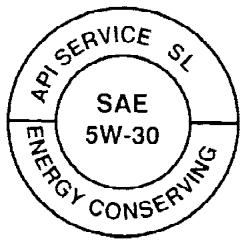
API service symbol
WT10082
ENGINE OIL AND OIL FILTER RECOMMENDATION
Selecting the correct oil
It is essential to choose the correct grade, quality and viscosity engine oil to ensure satisfactory engine life and performance. See "Capacities and recommended fuel/lubricants" earlier in this section. NISSAN recommends the use of an energy conserving oil in order to improve fuel economy.
Select only engine oils that meet the American Petroleum Institute (API) certification or International Lubricant Standardization and Approval
Committee (ILSAC) certification and SAE viscosity standard. These oils have the API certification mark on the front of the container. Oils which do not have the specified quality label should not be used as they could cause engine damage.
Oil additives
NISSAN does not recommend the use of oil additives. The use of an oil additive is not necessary when the proper oil type is used and maintenance intervals are followed.
Oil which may contain foreign matter or has been previously used should not be used.
Oil viscosity
The engine oil viscosity or thickness changes with temperature. Because of this, it is important to select the engine oil viscosity based on the temperatures at which the vehicle will be operated before the next oil change. The chart "Recommended SAE viscosity number" shows the recommended oil viscosities for the expected ambient temperatures. Choosing an oil viscosity other than that recommended could cause serious engine damage.
Selecting the correct oil filter
Your new NISSAN vehicle is equipped with a high-quality genuine NISSAN oil filter. When replacing, use a genuine NISSAN oil filter or its equivalent for the reason described in "Change intervals".
Change intervals
The oil and oil filter change intervals for your engine are based on the use of the specified quality oils and filters. Using engine oil and filters that are not of the specified quality, or exceeding recommended oil and filter change intervals could reduce engine life. Damage to the engine caused by improper maintenance or use of incorrect oil and filter quality and/or viscosity is not covered by the NISSAN new vehicle limited warranty.
Your engine was filled with a high-quality engine oil when it was built. You do not have to change the oil before the first recommended change interval. Oil and filter change intervals depend upon how you use your vehicle.
Operation under the following conditions may require more frequent oil and filter changes:
- repeated short distance driving at cold outside temperatures
- driving in dusty conditions
- extensive idling
towing a trailer
stop and go commuting
Refer to the "NISSAN Service and Maintenance Guide" for the maintenance schedule.
Outside Temperature Range
Anticipated Before Next Oil Change
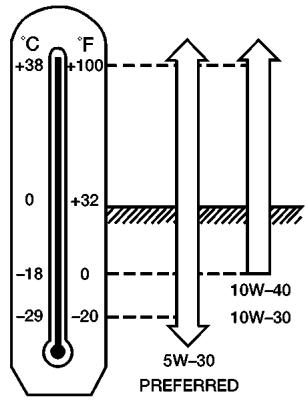
GASOLINE ENGINE OIL
ATI1028
RECOMMENDED SAE VISCOSITY NUMBER
SAE 5W-30 viscosity oil is preferred for all temperatures. SAE 10W-30 or SAE 10W-40 viscosity oils may be used if the ambient temperature is above 0ircF (-18ircC)
AIR CONDITIONER SYSTEM REFRIGERANT AND OIL RECOMMENDATIONS
The air conditioner system in your NISSAN vehicle must be charged with the refrigerant HFC-134a (R-134a) and the oil, NISSAN A/C system oil Type S or the exact equivalents.

CAUTION
The use of any other refrigerant or oil will cause severe damage to the air conditioning system and will require the replacement of all air conditioner system components.
The refrigerant HFC-134a (R-134a) in your NISSAN vehicle does not harm the earth's ozone layer. Although this refrigerant does not affect the earth's atmosphere, certain government regulations require the recovery and recycling of any refrigerant during automotive air conditioner system service. A NISSAN dealer has the trained technicians and equipment needed to recover and recycle your air conditioner system refrigerant.
Contact a NISSAN dealer when servicing your air conditioner system.
ENGINE
| Model | QR25DE | VQ40DE |
| Type | Gasoline, 4-cycle, DOHC | Gasoline, 4-cycle, DOHC |
| Cylinder arrangement | 4-cylinder in-line | 6-cylinder, V-block, Slanted at 60° |
| Bore x Stroke | in (mm) 3.5 x 3.9 (89.0 x 100.0) | 3.760 x 3.622 (95.5 x 92) |
| Displacement | cu in (cm3) 151.82 (2,488) | 241.30 (3,954) |
| Firing order | 1-2-3-4-5-6 | |
| Idle speed | ||
| M/T | ||
| A/T (in "N" position) | See the "Emission Control Information label" on the underside of the hood. | |
| Ignition timing (degree B.T.D.C. at idle speed) | ||
| CO % at idle | ||
| Standard | PLZKAR6A-11 PLFR5A-11 | |
| Spark plug | Hot | PLZKAR5A-11 PLFR4A-11 |
| Cold | PLZKAR7A-11 PLFR6A-11 | |
| Spark plug gap (Nominal) | in (mm) | 0.043 (1.1) 0.043 (1.1) |
| Camshaft operation | Timing chain | Timing chain |
The spark ignition system of this vehicle meets all requirements of the Canadian Interference-Caising Equipment Regulations.
WHEELS AND TIRES
| Wheels | 15 x 7.0J |
| 16 x 7.0J | |
| 17 x 7.5J | |
| Tires | P235/75R15 |
| P265/70R16 | |
| P265/75R16 | |
| P265/65R17 | |
| Spare tire | Full size |
DIMENSIONS AND WEIGHTS
| Overall length | in (mm) | 205.5(5220) |
| Overall width | in (mm) | 72.8(1850) |
| Overall height | ||
| With roof rack | in (mm) | 74.0(1879) |
| Without roof rack | ||
| King cab | in (mm) | 69.6(1770) |
| Crew cab | in (mm) | 70.0(1780) |
| Front tread | ||
| King cab | in (mm) | 48.2(1225) |
| Crew cab | in (mm) | 61.8(1570) |
| Rear tread | ||
| King cab | in (mm) | 61.8(1570) |
| Crew cab | in (mm) | 61.7(1567) |
| Wheelbase | in (mm) | 125.9(3200) |
| Gross vehicle weight rating | lb (kg) | See the “F.M.V.S.S./C.M. V.S.S. certification label” on the center pillar be-tween the driver's side front and side doors. |
| Gross axle weight rating | ||
| Front | lb (kg) | |
| Rear | lb (kg) |
WHEN TRAVELING OR REGISTERING YOUR VEHICLE IN ANOTHER COUNTRY
When planning to drive your NISSAN vehicle in another country, you should first find out if the fuel available is suitable for your vehicle's engine.
Using fuel with an octane rating that is too low may cause engine damage. All gasoline vehicles must be operated with unleaded gasoline. Therefore, avoid taking your vehicle to areas where appropriate fuel is not available.
When transferring the registration of your vehicle to another country, state, province or district, it may be necessary to modify the vehicle to meet local laws and regulations.
The laws and regulations for motor vehicle emission control and safety standards vary according to the country, state, province or district; therefore, vehicle specifications may differ.
When any vehicle is to be taken into another country, state, province or district and registered, its modifications, transportation, and registration are the responsibility of the user. NISSAN is not responsible for any inconvenience that may result.
VEHICLE IDENTIFICATION
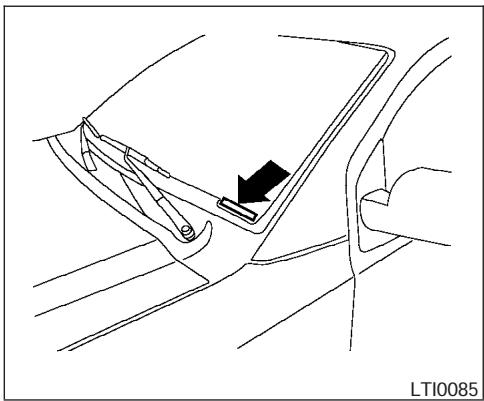
VEHICLE IDENTIFICATION NUMBER (VIN) PLATE
The vehicle identification number (VIN) plate is attached as shown. This number is the identification for your vehicle and is used in the vehicle registration.
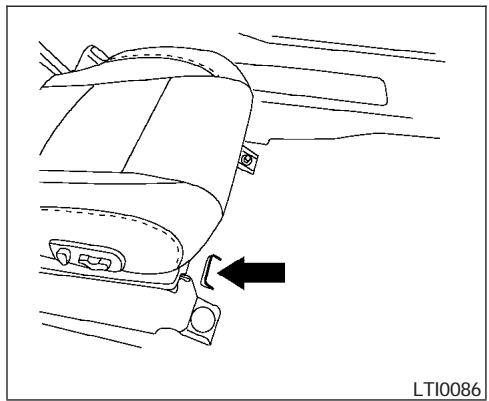
VEHICLE IDENTIFICATION NUMBER (chassis number)
The vehicle identification number is located as shown.
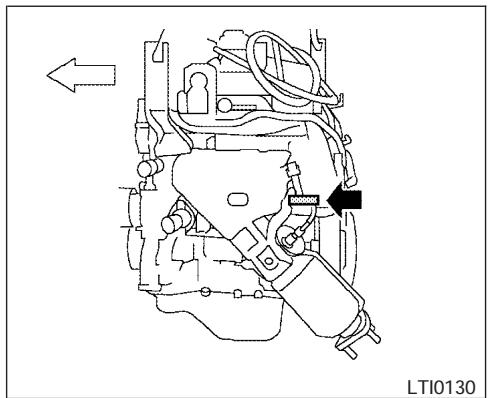
QR25DE engine
ENGINE SERIAL NUMBER
The number is stamped on the engine as shown.
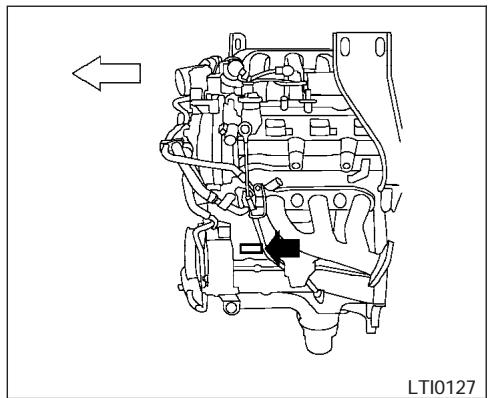
VQ40DE engine
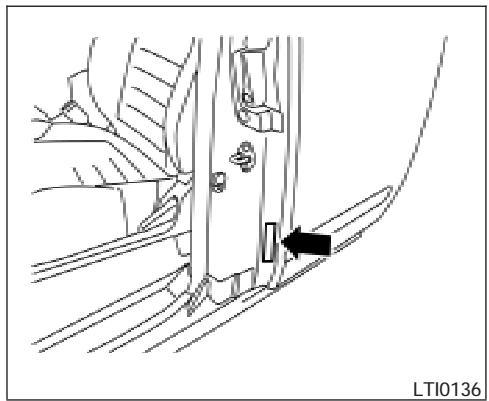
F.M.V.S.S./C.M.V.S.S.
CERTIFICATION LABEL
The Federal/Canadian Motor Vehicle Safety Standard (F.M.V.S./C.M.V.S.S.) certification label is affixed as shown. This label contains valuable vehicle information, such as: Gross Vehicle Weight Ratings (GVWR), Gross Axle Weight Rating (GAWR), month and year of manufacture, Vehicle Identification Number (VIN), etc. Review it carefully.
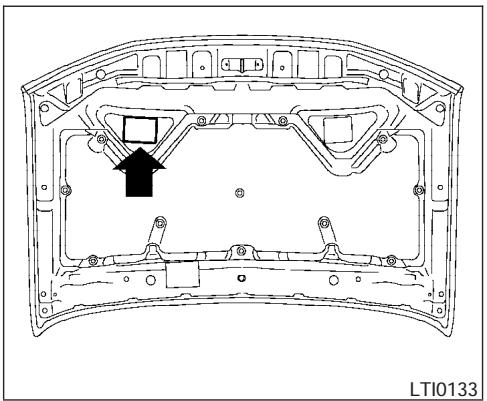
EMISSION CONTROL INFORMATION LABEL
The emission control information label is attached as shown.
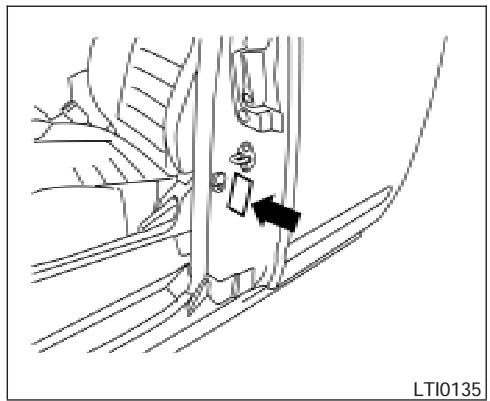
TIRE AND LOADING INFORMATION LABEL
The cold tire pressure is shown on the Tire and Loading Information label. The label is located as shown.
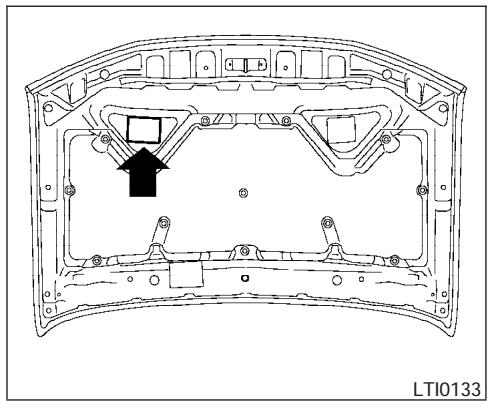
AIR CONDITIONER SPECIFICATION LABEL
The air conditioner specification label is affixed as shown.
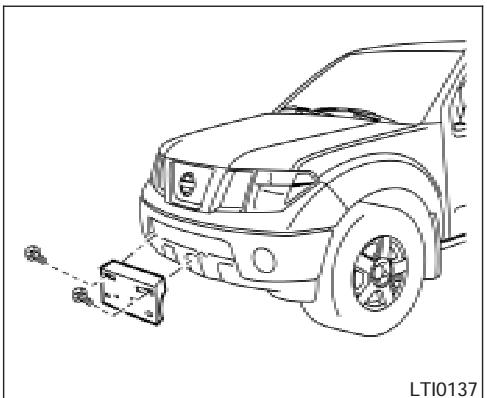
Use the following steps to mount the front license plate:
- Make holes on the plastic finisher at the location mark (small dimple) using a 0.37 in (9.5 mm) drill. Apply light pressure to the drill. Insert two plastic grommets provided. Install the license plate holder using the two bolts (and washers) provided.
- Mount the license plate using two M6-14mm bolts.
License plate bolt tightening torque: 3.8 - 4.7 ft-lb (5.10 - 6.37 N·m)
WARNING
- It is extremely dangerous to ride in a cargo area inside a vehicle. In a collision, people riding in these areas are more likely to be seriously injured or killed.
- Do not allow people to ride in any area of your vehicle that is not equipped with seats and seat belts.
- Be sure everyone in your vehicle is in a seat and using a seat belt properly.
TERMS
It is important to familiarize yourself with the following terms before loading your vehicle:
-
Curb Weight (actual weight of your vehicle) - vehicle weight including: standard and optional equipment, fluids, emergency tools, and spare tire assembly. This weight does not include passengers and cargo.
-
GVW (Gross Vehicle Weight) - curb weight plus the combined weight of passengers and cargo.
- GVWR (Gross Vehicle Weight Rating) - maximum total combined weight of the unloaded vehicle, passengers, luggage, hitch, trailer tongue load and any other optional equipment. This information is located on the F.M.V.S.S./C.M.V.S.S. label.
- GAWR (Gross Axle Weight Rating) - maximum weight (load) limit specified for the front or rear axle. This information is located on the F.M.V.S.S./C.M.V.S.S. label.
-
GCWR (Gross Combined Weight rating) - The maximum total weight rating of the vehicle, passengers, cargo, and trailer.
-
Vehicle Capacity Weight, Load limit, Total load capacity - maximum total weight limit specified of the load (passengers and cargo) for the vehicle. This is the maximum combined weight of occupants and cargo that can be loaded into the vehicle. If the vehicle is used to tow a trailer, the trailer tongue weight must be included as part of the cargo load. This information is located on the Tire and Loading Information label (if so equipped).
-
Cargo capacity - permissible weight of cargo, the subtracted weight of occupants from the load limit.
VEHICLE LOAD CAPACITY
Before driving a loaded vehicle, confirm that you do not exceed the Gross Vehicle Weight Rating (GVWR) or the Gross Axle Weight Rating (GAWR) for your vehicle. Both the GVWR and GAWR are located on the F.M.V.S.S./C.M.V.S.S. label. See "Measurement of Weights" later in this section.
Do not exceed the load limit of your vehicle shown as "The combined weight of occupants and cargo" on the Tire and Loading Information label (if so equipped). Do not exceed the number of occupants shown as "Seating Capacity" on Tire and Loading Information label (if so equipped).
To get "the combined weight of occupants and cargo", add the weight of all occupants, then add the total luggage weight. Examples are shown in the following illustration.
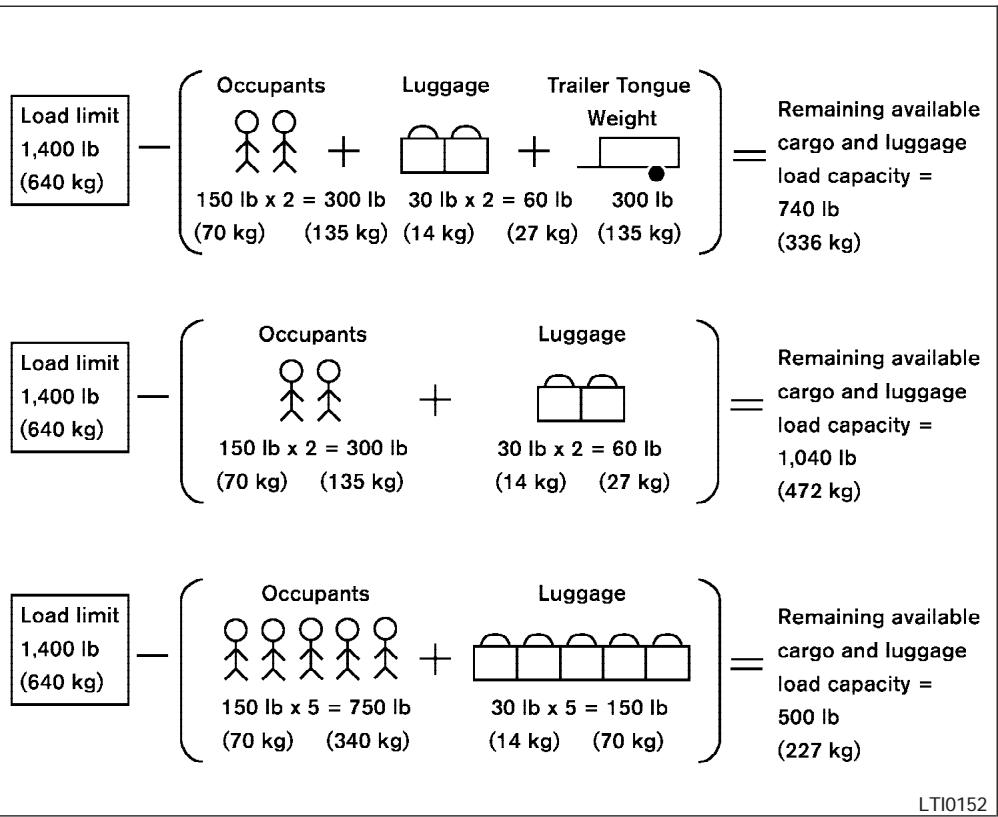
Steps for determining correct load limit
- Locate the statement "The combined weight of occupants and cargo should never exceed XXX kg or XXX lbs" on your vehicle's placard.
- Determine the combined weight of the driver and passengers that will be riding in your vehicle.
- Subtract the combined weight of the driver and passengers from XXX kg or XXX lbs.
-
The resulting figure equals the available amount of cargo and luggage load capacity. For example, if the XXX amount equals 1400 lbs. and there will be five 150 lb. passengers in your vehicle, the amount of available cargo and luggage load capacity is 650 lbs. (1400-750 (5 X 150) = 650 lbs) or (640-340 (5 X 70) = 300 kg.)
-
Determine the combined weight of luggage and cargo being loaded on the vehicle. That weight may not safely exceed the available cargo and luggage load capacity calculated in Step 4.
- If your vehicle will be towing a trailer, load from your trailer will be transferred to your vehicle. Consult this manual to determine how this reduces the available cargo and luggage load capacity of your vehicle.
Before driving a loaded vehicle, confirm that you do not exceed the Gross Vehicle Weight Rating (GVWR) or the Gross Axle Weight Rating (GAWR) for your vehicle. See "Measurement of Weights" later in this section.
Also check tires for proper inflation pressures. See the Tire and Loading Information label.
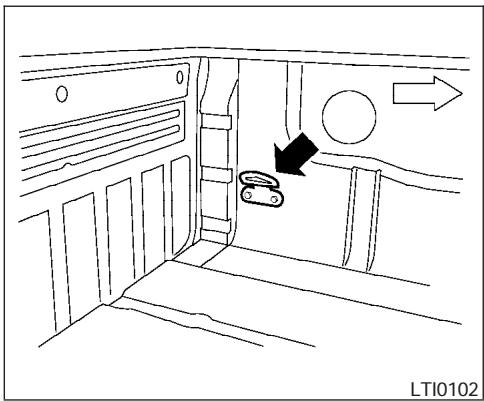
SECURING THE LOAD
For your convenience, tie down hooks (if so equipped) are placed at each corner of the truck box. These may be used to help secure cargo loaded into the truck box.
WARNING
-
Properly secure all cargo with ropes or straps to help prevent it from sliding or shifting. Do not place cargo higher than the seatbacks. In a sudden stop or collision, unsecured cargo could cause personal injury.
-
Do not load your vehicle any heavier than the GVWR or the maximum front and rear GAWRs. If you do, parts of your vehicle can break, tire damage could occur, or it can change the way your vehicle handles. This could result in loss of control and cause personal injury.
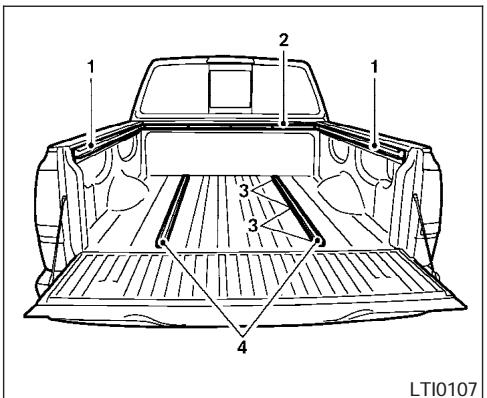
- Side channels
- Header channel
- Channel sections
- Floor channels
UTILI-TRACK™ CHANNEL SYSTEM (if so equipped)
WARNING
- Properly install and tighten the tiedown cleats into the Utili-track™ channel system. Also, do not attach any rope or straps directly to the channel. Failure to properly install the tiedown cleats or attaching ropes or straps directly to the channel can cause the cargo to become unsecured. In a sudden stop or collision, unsecured cargo could cause personal injury.
- Properly secure all cargo with ropes or straps to help prevent it from sliding or shifting. In a sudden stop or collision, unsecured cargo could cause personal injury.
The Utili-trackTM channel system allows you to move tie-down clamps in the bed to the best location to secure a load.
The tie-down cleats must be installed so the clamp is properly seated in the notches in the rail. If the tie-down cleat is not seated in the notches, it will not be flush with the rail and cannot be properly tightened. The bolt in the center of the cleat must be tightened hand tight (20 - 40 inch pounds)
Check the tightness of the tie-down cleat periodically during a trip to make sure the center bolt has not become loose.
Install the tie-down cleat as follows:
- Remove the channel protectors by sliding them out the back of the truck bed. Properly store the channel protectors.
- Loosen the center bolt completely.
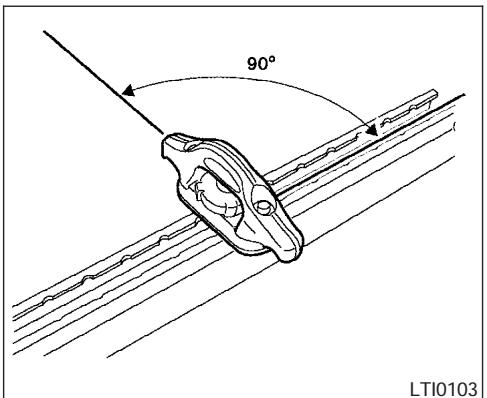
3. Insert the cleat into the channel perpendicular to the channel as shown. Then rotate the cleat clockwise 90irc and slide it to the desired location.
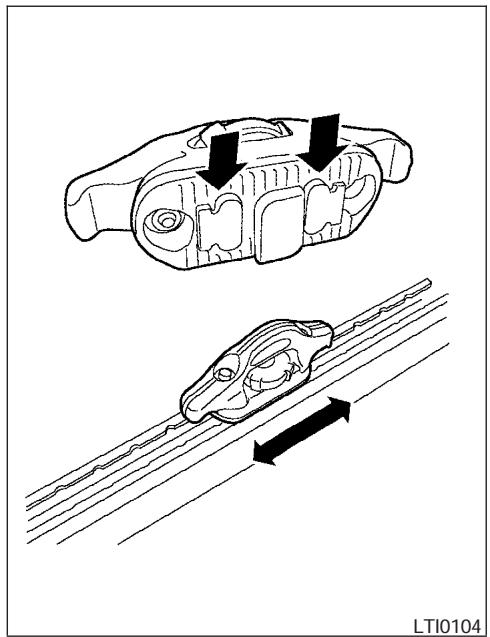
4. Position the cleat so the nubs on the bottom fully seat into the channel detents.
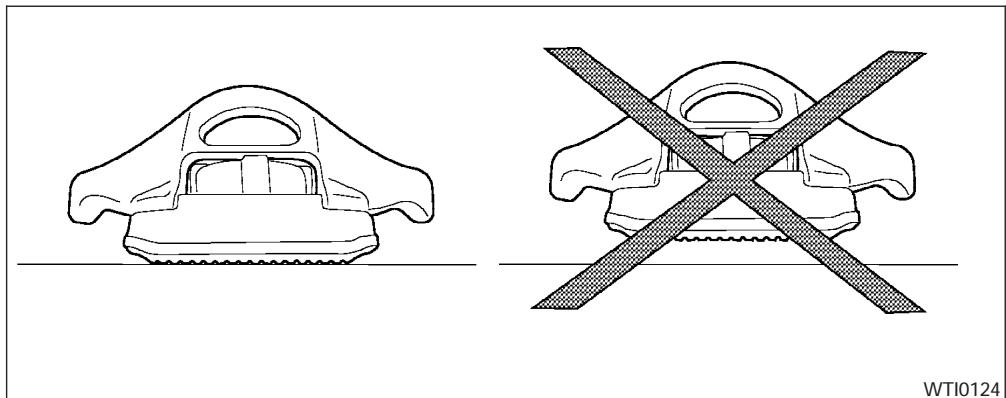
5. There should be no gap between the bottom of the cleat and the top of the channel. Tighten the center bolt hand tight (20-40 inch pounds).
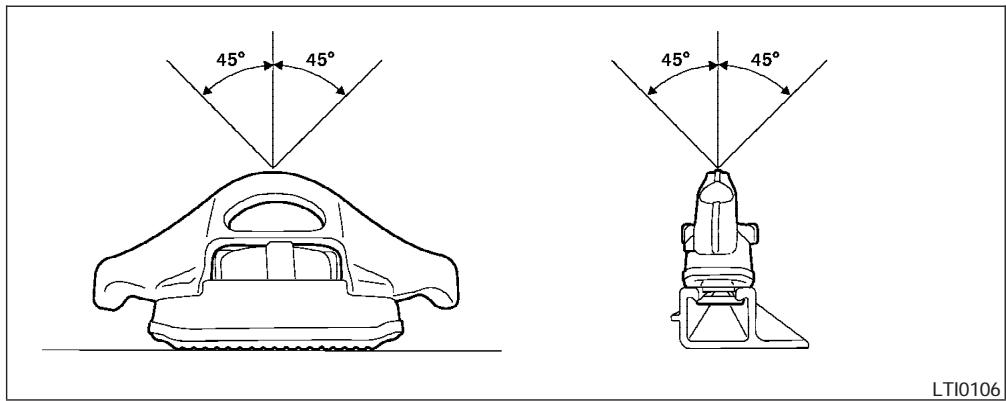
LTI0106

CAUTION
- Install only one cleat per section of channel.
- Applying loads at angles to the cleats greater than 45irc or loads greater than 150 lbs. (header and floor channels) or 200 lbs. (side channels) may cause damage to the channel or bed.
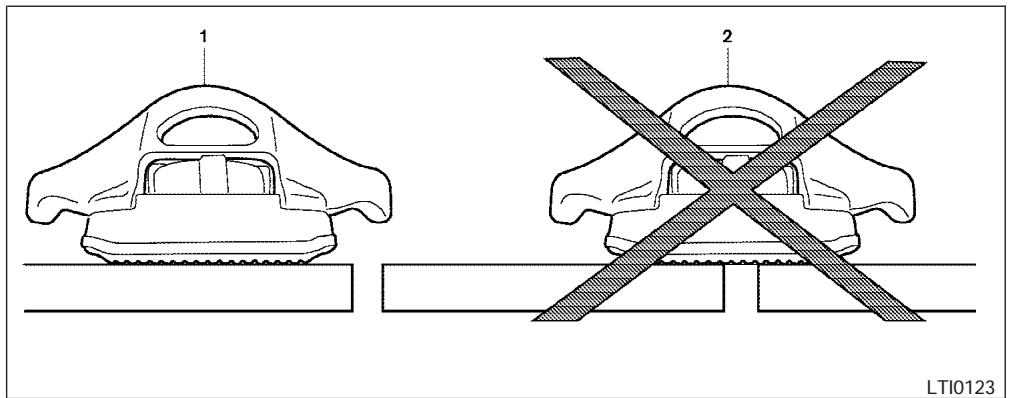
1 correct installation, 2 incorrect installation
WARNING
Do not install accessories over the gap between the front and rear side channels. Doing this could affect the rear structure in certain rear impacts, which could result in serious injury.
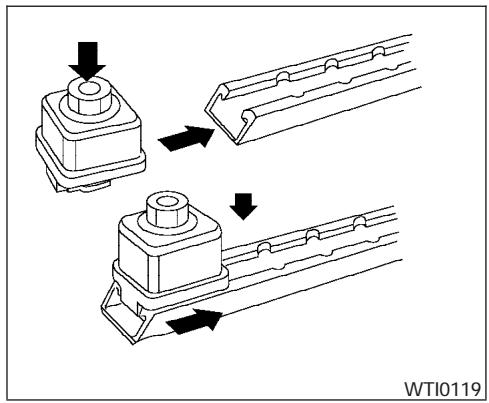
CAUTION
Properly secure all cargo with ropes or straps to prevent it from sliding or shifting. Use the channel end stoppers to help secure items in the channels from sliding off the end of the truck bed.
Channel End Stoppers (if so equipped)
The channel end stoppers should be used to help prevent accessories installed in the channels from sliding or shifting off the end of the truck bed.
They must be installed so they are properly seated in the detents in the channel.
Install the channels end stoppers as follows:
- Remove the channel protectors by sliding them out the back of the truck bed. Properly store the channel protectors.
- Loosen the bolt on the center of the end stopper with the provided wrench and insert it into the channel.
- Position the end stopper to the desired location on the channel so the nubs on the bottom of the end stopper fully seat into the channel detents.
- Tighten the bolt on the center of the end stopper with the provided wrench.
LOADING TIPS
- The GVW must not exceed GVWR or GAWR as specified on the F.M.V.S.S./C.M.V.S.S. certification label.
- Do not load the front and rear axle to the GAWR. Doing so will exceed the GVWR.
WARNING
- Properly secure all cargo with ropes or straps to help prevent it from sliding or shifting. Do not place cargo higher than the seatbacks. In a sudden stop or collision, unsecured cargo could cause personal injury.
- Do not load your vehicle any heavier than the GVWR or the maximum front and rear GAWRs. If you do, parts of your vehicle can break, tire damage could occur, or it can change the way your vehicle handles. This could result in loss of control and cause personal injury.
Overloading not only can shorten the life of your vehicle and the tire, but can also cause unsafe vehicle handling and longer braking distances. This may cause a premature tire failure which could result in a serious accident and personal injury. Failures caused by overloading are not covered by the vehicle's warranty.
TRUCK-CAMPER LOADING INFORMATION
CREW CAB MODELS
Crew Cab models should not be used to carry a slide-in camper.
KING CAB MODELS
This information is provided for you to properly install a slide-in camper and is based on the National Highway Traffic Safety Administration regulations. It is recommended that, before installing the camper, you carefully read the following information and ensure that the camper meets the specifications.
This information may not apply to some Canada model vehicles.
SPECIAL BODY vehicles
Some vehicles are equipped with commercial or camper bodies. However, this Owner's Manual does not cover these options. For further information, please refer to the body manufacturer's instruction manual.
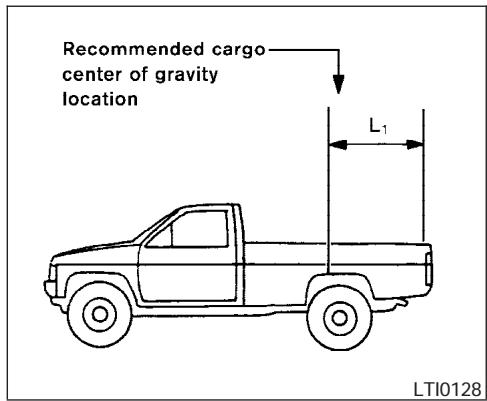
LOCATION FOR CENTER OF GRAVITY
The illustration indicates the recommended cargo center of gravity location.
King Cab:
L 1 = 1 0 5 4 mm (4 1. 5 in)

WARNING
Improper loading may be dangerous. If a load is too far back, it can affect handling characteristics. If a load is too far forward, the front axle may be overloaded.
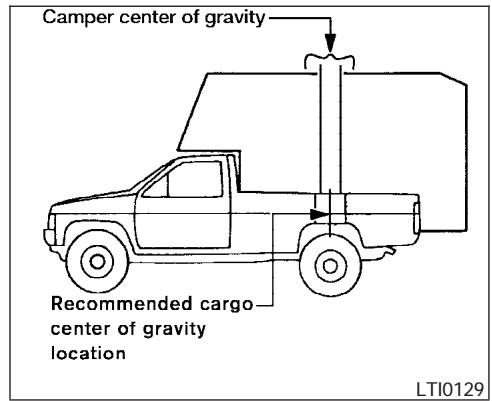
When the truck is used to carry a slide-in camper, the total cargo load of the truck consists of the camper manufacturer's weight figure, plus:
- the weight of installed additional camper equipment not included in the camper manufacturer's weight figure,
- the weight of camper cargo,
and the weight of occupants in the camper.
The total cargo load should not exceed the truck's pay load weight rating and the camper's center of gravity should fall within the truck's recommended center of gravity location when installed.
WARNING
Overloading or improper loading can adversely affect vehicle handling, braking and performance and may lead to accidents.
VEHICLE LOAD WEIGHT CAPACITY
The vehicle load weight capacity shown on following charts indicate the maximum total weight of passengers, optional equipment (air conditioning, trailer hitch, etc) and cargo that your vehicle is designed to carry.
Before driving a loaded vehicle, confirm that you do not exceed the Gross Vehicle Weight Rating (GVWR) or the Gross Axle Weight Rating (GAWR) for your vehicle. See "Vehicle Loading Information" earlier in this section for details.
Also check tires for proper inflation pressures. See the tire placard.
| Payload Weight Capacity | |||||||||||||
| 2WD | |||||||||||||
| KC | CC | ||||||||||||
| XE | SE | LE | OR/STD | OR/HU | SE | LE | OR | ||||||
| MT | AT | MT | AT | AT | MT | AT | MT | AT | MT | AT | AT | AT | |
| US | 1,001.1 lb. (454.1 kg) | 994.9 lb. (451.3 kg) | 1,583.2 lb. (718.1 kg) | 1,471.9 lb. (667.6 kg) | 1,414 lb. (641.4 kg) | 1,449.3 lb. (657.4 kg) | 1,433.9 lb. (650.4 kg) | 1,417.1 lb. (642.8 kg) | 1,401.7 lb. (635.8 kg) | 1,463.4 lb. (663.8 kg) | 1,481.2 lb. (671.9 kg) | 1,458.3 lb. (661.5 kg) | 1,293.5 lb. (586.7 kg) |
| CAN | 1004.6 lb. (455.7 kg) | 998.5 lb. (452.9 kg) | 1,584.5 lb. (718.7 kg) | 1,469 lb. (666.3 kg) | 1,411.4 lb. (640.2 kg) | 1,446.5 lb. (656.1 kg) | 1,431 lb. (649.1 kg) | 1,414.3 lb (641.5 kg) | 1,398.8 lb. (634.5 kg) | 1,460.6 lb (662.5 kg) | 1,484.9 lb. (673.5 kg) | 1,468.4 lb. (666.1 kg) | 1,290.6 lb. (585.4 kg) |
9-24 Technical and consumer information
| Payload Weight Capacity | |||||||||||
| 4WD | |||||||||||
| KC | CC | ||||||||||
| SE | LE | OR/STD | OR/HU | SE | LE | OR | |||||
| MT | AT | AT | MT | AT | MT | AT | MT | AT | AT | AT | |
| US | 1,418.7 lb. (643.5 kg) | 1,403.3 lb. (636.5 kg) | 1,345.5 lb. (610.3 kg) | 1,276.3 lb. (578.9 kg) | 1,260.8 lb. (571.9 kg) | 1,244.1 lb. (564.3 kg) | 1,228.6 lb. (557.3 kg) | 1,246.3 lb. (565.3 kg) | 1,380.8 lb. (626.3 kg) | 1,364.4 lb. (618.9 kg) | 1,096.1 lb. (497.2 kg) |
| CAN | 1,416.1 lb. (642.3 kg) | 1,400.6 lb. (635.3 kg) | 1,343.1 lb. (609.2 kg) | 1,276 lb. (578.8 kg) | 1,260.6 lb. (571.8 kg) | 1,243.8 lb. (564.2 kg) | 1,228.4 lb. (557.2 kg) | 1,243.4 lb (564.0 kg) | 1,377.9 lb. (625.0 kg) | 1,376.8 lb. (624.5 kg) | 1,093.3 lb. (495.9 kg) |
TOWING A TRAILER
MEASUREMENT OF WEIGHTS
Secure loose items to prevent weight shifts that could affect the balance of your vehicle. When the vehicle is loaded, drive to a scale and weigh the front and the rear wheels separately to determine axle loads. Individual axle loads should not exceed either of the gross axle weight ratings (GAWR). The total of the axle loads should not exceed the gross vehicle weight rating (GVWR). These ratings are given on the vehicle certification label. If weight ratings are exceeded, move or remove items to bring all weights below the ratings.
WARNING
Overloading or improper loading of a trailer and its cargo can adversely affect vehicle handling, braking and performance and may lead to accidents.
CAUTION
- Do not tow a trailer or haul a heavy load for the first 500 miles (800 km). Your engine, axle or other parts could be damaged.
- For the first 500 miles (800 km) that you tow a trailer, do not drive over 50 mph (80 km/h) and do not make starts at full throttle. This helps the engine and other parts of your vehicle wear in at the heavier loads.
Your new vehicle was designed to be used primarily to carry passengers and cargo. Remember that towing a trailer places additional loads on your vehicle's engine, drive train, steering, braking and other systems.
A NISSAN Towing Guide (U.S. only) is available on the website at www.nissanusa.com. This guide includes information on trailer towing capability and the special equipment required for proper towing.
MAXIMUM LOAD LIMITS Maximum trailer loads
Never allow the total trailer load to exceed the value specified in the "Towing Load/Specification" chart found later in this section. The total trailer load equals trailer weight plus its cargo weight.
- When towing a trailer load of 3,500 lbs. (1587 kg) or more, trailers with a brake system MUST be used.
The maximum GCWR (Gross Combined Weight Rating) should not exceed the value specified in the following "Towing Load/Specification" chart.
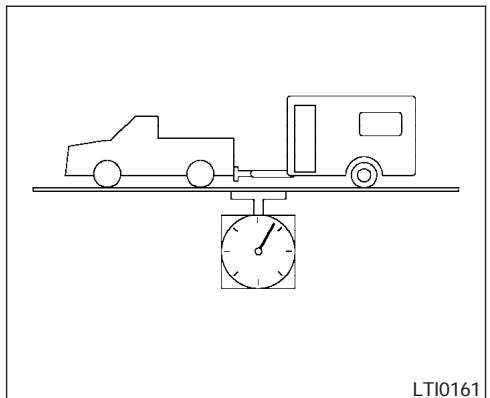
The GCwR equals the combined weight of the towing vehicle (including passengers and cargo) plus the total trailer load. Towing loads greater than these or using improper towing equipment could adversely affect vehicle handling, braking and performance.
The ability of your vehicle to tow a trailer is not only related to the maximum trailer loads, but also the places you plan to tow. Tow weights appropriate for level highway driving may have to be reduced for low traction situations (for example, on slippery boat ramps).
Temperature conditions can also affect towing. For example, towing a heavy trailer in high outside temperatures on graded roads can affect engine performance and cause overheating. The engine protection mode, which helps reduce the chance of engine damage, could activate and automatically decrease engine power. Vehicle speed may decrease under high load. Plan your trip carefully to account for trailer and vehicle load, weather and road conditions.
WARNING
Overheating can result in reduced engine power and vehicle speed. The reduced speed may be lower than other traffic, which could increase the chance of a collision. Be especially careful when driving. Pull to the side of the road to a safe area. Allow the engine to cool and return to normal operation. See "If your vehicle overheats" in the "In case of emergency" section of this manual.
CAUTION
Vehicle damage resulting from improper towing procedures is not covered by NISSAN warranties.
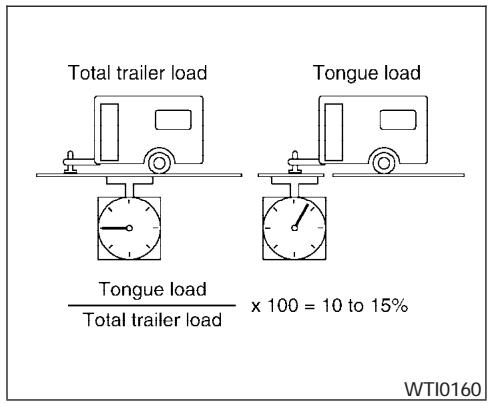
Tongue load
When using a weight carrying or a weight distributing hitch, keep the tongue load between 10 - 15 percent of the total trailer load within the maximum tongue load limits shown in the following "Towing Load/Specification" chart. If the tongue load becomes excessive, rearrange cargo to allow for proper tongue load.
Gross vehicle weight
CA0036
Maximum Gross Vehicle Weight (GVW)/maximum Gross Axle Weight (GAW)
The GVW of the towing vehicle must not exceed the Gross Vehicle Weight Rating (GVWR) shown on the F.M.V.S.S./C.M.V.S.S. certification label. The GVW equals the combined weight of the unloaded vehicle, passengers, luggage, hitch, trailer tongue load and any other optional equipment. In addition, front or rear GAW must not exceed the Gross Axle Weight Rating (GAWR) shown on the F.M.V.S.S./C.M.V.S.S. certification label.
Towing capacities are calculated assuming a base vehicle with driver and any options required to achieve the rating. Additional passengers, cargo and/or optional equipment, such as the trailer hitch, will add weight to the vehicle and reduce your vehicle's maximum towing capacity and trailer tongue load.
The vehicle and trailer need to be weighed to confirm the vehicle is within the GVWR, Front GAWR, Rear GAWR, Gross Combined Weight Rating (GCwR) and Towing capacity.
All vehicle and trailer weights can be measured using platform type scales commonly found at truck stops, highway weigh stations, building supply centers or salvage yards.
To determine the available payload capacity for tongue load, use the following procedure.
- Locate the GVWR on the F.M.V.S.S./C.M.V.S.S. certification label.
- Weigh your vehicle on the scale with all of the passengers and cargo that are normally in the vehicle when towing a trailer.
- Subtract the actual vehicle weight from the GVWR. The remaining amount is the available maximum tongue load.
To determine the available towing capacity, use the following procedure.
- Find the GCwR for your vehicle on the "Towing Load/Specification" chart found later in this section.
- Subtract the actual vehicle weight from the GCWR. The remaining amount is the available maximum towing capacity.
To determine the Gross Trailer Weight, weigh your trailer on a scale with all equipment and cargo, that are normally in the trailer when it is towed. Make sure the Gross Trailer Weight is not more than the Gross Trailer Weight Rating shown on the trailer and is not more than the calculated available maximum towing capacity.
Also weigh the front and rear axles on the scale to make sure the Front Gross Axle Weight and Rear Gross Axle Weight are not more than Front Gross Axle Weight and Rear Gross Axle Weight on the F.M.V.S.S./C.M.V.S.S. certification label. The cargo in the trailer and vehicle may need to be moved or removed to meet the specified ratings.
Example:
- Gross Vehicle Weight (GVW) as weighed on a scale- including passengers, cargo and hitch - 5,185 lb. (2352 kg).
-
Gross Vehicle Weight Rating (GVWR) from F.M.V.S.S./C.M.V.S.S. certification label -5,815 lb. (2638 kg).
-
Gross Combined Weight Rating (GCWR) from "Towing Load/Specification" chart - 11,133 lb. (5050 kg).
Maximum Trailer towing capacity from "Towing Load/Specification" chart - 6,100 lb. (2767 kg).
| 5,815 lb. (2638 kg) | GVWR |
| - 5,185 lb. (2352 kg) | GVW |
| = 630 lb. (286 kg) | Available for tongue weight |
| 11,133 lb. (5050 kg) | GCWR |
| - 5,185 lb. (2352 kg) | GVW |
| = 5,948 lb. (2698 kg) | Capacity available for tow-ing |
| 630 lb. (286 kg) / 5,948 lb. (2698 kg) | Available tongue weight Available capacity |
| = | 10.6 % tongue weight |
In this case, the available towing capacity is 152 lb. (69 kg) less than the maximum towing capacity due to the passenger and cargo load in the vehicle.
Trailer frontal area
CAUTION
Exceeding the maximum trailer frontal area specification may exceed the towing capacity of the vehicle. This may affect the towing performance and lead to vehicle damage.
The trailer frontal area affects the towing load of a trailer. The frontal area is the total area of the vehicle and trailer that is affected by air resistance while towing. Do not exceed the maximum trailer frontal area specification shown in the "Towing Load/Specification" chart. The frontal area can be determined by multiplying the width of the trailer by the height of the trailer. For example, a trailer that is 8 feet wide by 6 feet tall has a trailer frontal area of 48 square feet.
TOWING LOAD/SPECIFICATION
| King Cab 2WD (4 cyl) | King Cab 2WD (6 cyl) | King Cab 4WD (6 cyl) | Crew Cab 2WD | Crew Cab 4WD | |
| Towing Capacity*1, *2 | 3,500 lb. (1,588 kg) | 6,500 lb. (2,949 kg) | 6,300 lb. (2,858 kg) | 6,300 lb. (2,858 kg) | 6,100 lb. (2,767 kg) |
| Tongue Load*2 | 350 lb. (158 kg) | 650 lb. (295 kg) | 630 lb. (285 kg) | 630 lb. (285 kg) | 610 lb. (276 kg) |
| Gross Combined Weight Rating | 7,936 lb. (3,600 kg) | 11,133 lb. (5,050 kg) | 11,133 lb. (5,050 kg) | 11,133 lb. (5,050 kg) | 11,133 lb. (5,050 kg) |
| Maximum trailer frontal area | 60 sq feet (5.52 sq meters) | ||||
*1:
- The towing capacity values are calculated assuming a base vehicle with driver and any options required to achieve the rating. Additional passengers, cargo and/or optional equipment will add weight to the vehicle and reduce your vehicle's maximum towing capacity.
- All towing above 1,000 lb (454 kg) requires the use of trailer brakes. NISSAN recommends the use of a tandem axle trailer whenever towing above 3,000 lb (1,361 kg).
*2: The maximum towing capacity when using the genuine NISSAN step bumper as a ball mount is 3,500 lb. (1,588 kg) and 350 lb. (158 kg) tongue load.
TOWING SAFETY Trailer hitch
Your vehicle may be equipped with an optional trailer tow package. The trailer tow package includes a receiver-type frame mounted hitch. This hitch is rated for the maximum towing capacity of this vehicle when the proper towing equipment is used. Choose a proper ball mount and hitch ball that is rated for the trailer to be towed. Genuine Nissan ball mounts and hitch balls are available from your NISSAN dealer.
If your vehicle is not equipped with the optional trailer tow package, check the towing capacity of your bumper hitch or receiver-type frame mounted hitch. Choose a proper hitch for your vehicle and trailer. A genuine Nissan trailer hitch is available from your NISSAN dealer. Make sure the trailer hitch is securely attached to the vehicle to help avoid personal injury or property damage due to sway caused by crosswinds, rough road surfaces or passing trucks.
WARNING
Trailer hitch components have specific weight ratings. Your vehicle may be capable of towing a trailer heavier than the weight rating of the hitch components. Never exceed the weight rating of the hitch components. Doing so can cause serious personal injury or property damage.
Hitch ball
Choose a hitch ball of the proper size and weight rating for your trailer:
- The required hitch ball size is stamped on most trailer couplers. Most hitch balls also have the size printed on the top of the ball.
- Choose the proper class hitch ball based on the trailer weight.
- The diameter of the threaded shank of the hitch ball must be matched to the ball mount hole diameter. The hitch ball shank should be no more than 1/16 " smaller than the hole in the ball mount.
- The threaded shank of the hitch ball must be long enough to be properly secured to the ball mount. There should be at least 2 threads showing beyond the lock washer and nut.
Ball mount
The hitch ball is attached to the ball mount and the ball mount is inserted into the hitch receiver. Choose a proper class ball mount based on the trailer weight. Additionally, the ball mount should be chosen to keep the trailer tongue level with the ground.
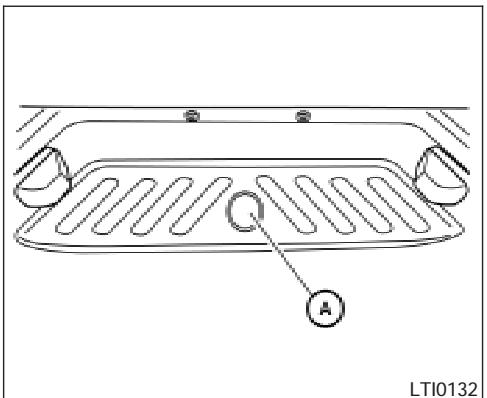
Bumper towing
The genuine NiSSAN step bumper has provisions to install a trailer hitch ball and is designed to tow trailers of a maximum weight of 3,500 lb (1,588kg)
To install a trailer hitch ball cut out the circle in the center of the step bumper A, then remove it to install the trailer hitch ball.
Weight carrying hitches
A weight carrying or "dead weight" ball mount is one that is designed to carry the whole amount of tongue weight and gross weight directly on the ball mount and on the receiver.
Weight distribution hitch
This type of hitch is also called a "load-leveling" or "equalizing" hitch. A set of bars attach to the ball mount and to the trailer to distribute the tongue weight (hitch weight) of your trailer. Many vehicles can't carry the full tongue weight of a given trailer, and need some of the tongue weight transferred through the frame and pushing down on the front wheels. This gives stability to the tow vehicle.
Another reason to have a weight distributing ball mount is to comply with the rating on your receiver. Most receivers have a weight carrying rating of 5,000 lbs. gross weight, 500 lbs. tongue weight and a weight distribution rating of 10,000 lbs. gross weight, 1,000 lbs. tongue weight. This means that without using a weight distributing ballmount, the receiver is only designed to carry 5,000 lbs.
When hooking up a trailer using a weight distributing hitch, always refer to the hitch manufacturer's instructions.
-
Park unloaded vehicle on a level surface. With the ignition on and the doors closed, allow the vehicle to stand for several minutes so that it can level.
-
Measure the height of a reference point on the front and rear bumpers at the center of the vehicle.
- Attach the trailer to the vehicle and adjust the hitch equalizers so that the front bumper height is within 0 - .5 inches (0 - 13 mm) of the reference height measured in step 2. The rear bumper should be no higher than the reference height measured in step 2.
WARNING
Properly adjust the weight distributing hitch so the rear of the bumper is no higher than the measured reference height when the trailer is attached. If the rear bumper is higher than the measured reference height when loaded, the vehicle may handle unpredictably which could cause a loss of vehicle control and cause serious personal injury or property damage.
Class I hitch
Class I trailer hitch equipment (receiver, ball mount and hitch ball) can be used to tow trailers of a maximum weight of 2,000 lb (909 kg).
Class II hitch
Class II trailer hitch equipment (receiver, ball mount and hitch ball) can be used to tow trailers of a maximum weight of 3,500 lb (1,510 kg).
The genuine NiSSAN step bumper is considered a Class II ball mount.
Class III hitch
Class III trailer hitch equipment (receiver, ball mount and hitch ball) can be used to tow trailers of a maximum weight of 5,000 lb (2,272 kg).
Class IV hitch
Class IV trailer hitch equipment (receiver, ball mount and hitch ball) can be used to tow trailers of a maximum weight of 10,000 lb (4,545kg) . A weight distributing hitch should be used to tow trailers that weigh over 5,000 lb (2,272kg)
Your vehicle may be equipped with Class IV trailer hitch equipment that has a 10,000 lb (4,545kg) maximum weight rating, but your vehicle is only capable of towing the maximum trailer weights shown in the "Towing Load/Specification" chart earlier in this section.
CAUTION
- Special hitches which include frame reinforcements are required for towing above 2,000 lb (907 kg). Suitable genuine NISSAN hitches, ball mounts and hitch balls for pickup trucks and sport utility vehicles are available at a NISSAN dealer.
- The hitch should not be attached to or affect the operation of the impact-absorbing bumper.
- Do not use axle-mounted hitches.
- Do not modify the vehicle exhaust system, brake system, etc. to install a trailer hitch.
- To reduce the possibility of additional damage if your vehicle is struck from the rear, where practical, remove the hitch and/or receiver when not in use.
- Regularly check that all trailer hitch mounting bolts are securely mounted.
- When towing with the hitch ball mounted to the rear bumper, do not make sharp turns. The trailer may contact the bumper and cause damage to the bumper or trailer.
Tire pressures
- When towing a trailer, inflate the vehicle tires to the recommended cold tire pressure indicated on the Tire and Loading Information label.
- Trailer tire condition, size, load rating and proper inflation pressure should be in accordance with the trailer and tire manufacturer's specifications.
Safety chains
Always use suitable safety chains between your vehicle and the trailer. The safety chains should be crossed and should be attached to the hitch, not to the vehicle bumper or axle. The safety chains can be attached to the bumper if the hitch ball is mounted to the bumper. Be sure to leave enough slack in the chains to permit turning corners.
Trailer lights
CAUTION
When splicing into the vehicle electrical system, a commercially available power-type module/converter must be used to provide power for all trailer lighting. This unit uses the vehicle battery as a direct power source for all trailer lights while using the vehicle tail light, stoplight and turn signal circuits as a signal source. The module/converter must draw no more than 15 milliamps from the stop and tail lamp circuits. Using a module/converter that exceeds these power requirements may damage the vehicle's electrical system. See a reputable trailer dealer to obtain the proper equipment and to have it installed.
Trailer lights should comply with federal and/or local regulations. For assistance in hooking up trailer lights, contact a NiSSAN dealer or reputable trailer dealer. Vehicles equipped with the optional trailer tow package are equipped with a 7-pin trailer harness connector. If your trailer is equipped with a flat 4-pin connector, an adapter will be needed to connect the trailer lights to the vehicle. Adapters are available at NiSSAN dealers as well as auto parts stores and hitch retailers.
Trailer brakes
If your trailer is equipped with a braking system, make sure it conforms to federal and/or local regulations and that it is properly installed.
WARNING
Never connect a trailer brake system directly to the vehicle brake system.
Pre-towing tips
- Be certain your vehicle maintains a level position when a loaded and/or unloaded trailer is hitched. Do not drive the vehicle if it has an abnormal nose-up or nose-down condition; check for improper tongue load, overload, worn suspension or other possible causes of either condition.
Always secure items in the trailer to prevent load shift while driving. - Keep the cargo load as low as possible in the trailer to keep the trailer center of gravity low.
-
Load the trailer so approximately 60% of the trailer load is in the front half and 40% is in the back half. Also make sure the load is balanced side to side.
-
Check your hitch, trailer tire pressure, vehicle tire pressure, trailer light operation, and trailer wheel lug nuts every time you attach a trailer to the vehicle.
- Be certain your rearview mirrors conform to all federal, state or local regulations. If not, install any mirrors required for towing before driving the vehicle.
- Determine the overall height of the vehicle and trailer so the required clearance is known.
Trailer towing tips
In order to gain skill and an understanding of the vehicle's behavior, you should practice turning, stopping and backing up in an area which is free from traffic. Steering stability and braking performance will be somewhat different than under normal driving conditions.
Always secure items in the trailer to prevent load shift while driving.
- Lock the trailer hitch coupler with a pin or lock to prevent the coupler from inadvertently becoming unlatched.
- Avoid abrupt starts, acceleration or stops.
- Avoid sharp turns or lane changes.
Always drive your vehicle at a moderate speed.
- When backing up, hold the bottom of the steering wheel with one hand. Move your hand in the direction in which you want the trailer to go. Make small corrections and back up slowly. If possible, have someone guide you when you are backing up.
Always block the wheels on both vehicle and trailer when parking. Parking on a slope is not recommended; however, if you must do so:
CAUTION
If you move the shift selector lever to the P (Park) position before blocking the wheels and applying the parking brake, transmission damage could occur.
- Apply and hold the brake pedal.
- Have someone place blocks on the down hill side of the vehicle and trailer wheels.
- After the wheel blocks are in place, slowly release the brake pedal until the blocks absorb the vehicle load.
- Apply the parking brake.
-
Shift the transmission into P (Park).
-
Make sure the indicator light (if so equipped) indicates the transfer case is in 4H, 4L, or 2H and that the ATP light is off. If the indicator light is flashing, or the ATP light is ON, make sure the transmission is in P (Park) (AT) and turn the 4WD switch to 2WD or 4H. See "Automatic transmission park warning light" in the "Instruments and controls" section and "Using four wheel drive" in the "Starting and driving" section.
-
Turn off the engine.
To drive away:
- Start the vehicle.
- Apply and hold the brake pedal.
- Shift the transmission into gear.
- Release the parking brake.
- Drive slowly until the vehicle and trailer are clear from the blocks.
- Apply and hold the brake pedal.
- Have someone retrieve and store the blocks.
- When going down a hill, shift into a lower gear and use the engine braking effect. When going up a long grade, downshift the transmission to a lower gear and reduce speed to reduce chances of engine overloading and/or overheating. However, for
long steep grades, do not stay in 1st gear when driving above 35 MPH (56 km/h) or 2nd gear when driving above 58 MPH (93 km/h).
- If the engine coolant rises to an extremely high temperature when the air conditioner system is on, turn off the air conditioner. Coolant heat can be additionally vented by opening the windows, switching the fan control to high and setting the temperature control to the HOT position.
- Trailer towing requires more fuel than normal circumstances.
- Avoid towing a trailer for your vehicle's first 500 miles (805 km).
- For the first 500 miles (805 km) that you do tow, do not drive over 50 MPH (80 km/h).
- Have your vehicle serviced more often than at intervals specified in the recommended Maintenance Schedule in the "NISSAN Service and Maintenance Guide".
-
When making a turn, your trailer wheels will be closer to the inside of the turn than your vehicle wheels. To compensate for this, make a larger than normal turning radius during the turn.
-
Crosswinds and rough roads will adversely affect vehicle/trailer handling, possibly causing vehicle sway. When being passed by larger vehicles, be prepared for possible changes in crosswinds that could affect vehicle handling.
Do the following if the trailer begins to sway:
- Take your foot off the accelerator pedal to allow the vehicle to coast and steer as straight ahead as the road conditions allow. This combination will help stabilize the vehicle - Do not correct trailer sway by steering or applying the brakes.
- When the trailer sway stops, gently apply the brakes and pull to the side of the road in a safe area.
- Try to rearrange the trailer load so it is balanced as described earlier in this section.
- Be careful when passing other vehicles. Passing while towing a trailer requires considerably more distance than normal passing. Remember, the length of the trailer must also pass the other vehicle before you can safely change lanes.
-
Down shift the transmission to a lower gear for engine braking when driving down steep or long hills. This will help slow the vehicle without applying the brakes.
-
To maintain engine braking efficiency and electrical charging performance, do not use overdrive.
- Avoid holding the brake pedal down too long or too frequently. This could cause the brakes to overheat, resulting in reduced braking efficiency.
- Increase your following distance to allow for greater stopping distances while towing a trailer. Anticipate stops and brake gradually
- Do not use cruise control while towing a trailer.
- Some states or provinces have specific regulations and speed limits for vehicles that are towing trailers. Obey the local speed limits.
- Check your hitch, trailer wiring harness connections, and trailer wheel lug nuts after 50 miles (80 km) of travel and at every break.
- When stopped in traffic for long periods of time in hot weather, put the vehicle in the P (Park) position.
- When launching a boat, don't allow the water level to go over the exhaust tail pipe or rear bumper.
- Make sure you disconnect the trailer lights before backing the trailer into the water or the trailer lights may burn out.
When towing a trailer, final drive gear oil should be replaced and transmission oil/fluid should be changed more frequently. For additional information, see the "Maintenance and do-it-yourself" section earlier in this manual.
FLAT TOWING
Towing your vehicle with all four wheels on the ground is sometimes called flat towing. This method is sometimes used when towing a vehicle behind a recreational vehicle, such as a motor home.
CAUTION
- Failure to follow these guidelines can result in severe transmission damage.
- Whenever flat towing your vehicle, always tow forward, never backward.
- DO NOT tow any automatic transmission vehicle with all four wheels on the ground (flat towing). Doing so WILL DAMAGE internal transmission parts due to lack of transmission lubrication.
- For emergency towing procedures refer to "Towing recommended by NISSAN" in the "In case of emergency" section of this manual.
UNIFORM TIRE QUALITY GRADING
Automatic Transmission
To tow a vehicle equipped with an automatic transmission, an appropriate vehicle dolly MUST be placed under the towed vehicle's drive wheels. Always follow the dolly manufacturer's recommendations when using their product.
Manual Transmission
- Always tow with the manual transmission in Neutral.
- On four-wheel drive vehicles, place the transfer case in the 2H range. Failure to do so will cause the powertrain to bind up.
- After towing 500 miles (805 km), start and idle the engine with the transmission in Neutral for two minutes. Failure to idle the engine after every 500 miles (805 km) of towing may cause damage to internal transmission parts.
DOT (Department of Transportation) Quality Grades: All passenger car tires must conform to federal safety requirements in addition to these grades.
Quality grades can be found where applicable on the tire sidewall between tread shoulder and maximum section width. For example:
Treadwear 200 Traction AA Temperature A
Treadwear
The treadwear grade is a comparative rating based on the wear rate of the tire when tested under controlled conditions on a specified government test course. For example, a tire graded 150 would wear one and one-half (1 1/2) times as well on the government course as a tire graded 100. The relative performance of tires depends upon the actual conditions of their use, however, and may depart significantly from the norm due to variations in driving habits, service practices and differences in road characteristics and climate.
Traction AA, A, B and C
The traction grades, from highest to lowest, are AA, A, B, and C. Those grades represent the tire's ability to stop on wet pavement as measured under controlled conditions on specified government test surfaces of asphalt and concrete. A tire marked C may have poor traction performance.
WARNING
The traction grade assigned to this tire is based on straight-ahead braking traction tests, and does not include acceleration, cornering, hydroplaning, or peak traction characteristics.
Temperature A, B and C
The temperature grades are A (the highest), B, and C, representing the tire's resistance to the generation of heat, and its ability to dissipate heat when tested under controlled conditions on a specified indoor laboratory test wheel. Sustained high temperature can cause the material of the tire to degenerate and reduce tire life, and excessive temperature can lead to sudden tire failure. The grade C corresponds to a level of performance which all passenger car tires must meet under the Federal Motor Safety Standard No. 109. Grades B and A represent higher levels of performance on the laboratory test wheel than the minimum required by law.
WARNING
The temperature grade for this tire is established for a tire that is properly inflated and not overloaded. Excessive speed, under-inflation, or excessive loading, either separately or in combination, can cause heat build-up and possible tire failure.
EMISSION CONTROL SYSTEM WARRANTY
Your NISSAN vehicle is covered by the following emission warranties:
For USA
- Emission Defects Warranty
- Emissions Performance Warranty
Details of these warranties may be found with other vehicle warranties in your Warranty Information Booklet which comes with your NISSAN vehicle. If you did not receive a Warranty Information Booklet, or it is lost, you may obtain a replacement by writing to:
- Nissan North America, Inc.
Consumer Affairs Department
P.O. Box 191
Gardena, CA 90248-0191
For Canada
Emission Control System Warranty
Details of these warranties may be found with other vehicle warranties in your Warranty Information Booklet which comes with your NISSAN vehicle. If you did not receive a Warranty Information Booklet, or it is lost, you may obtain a replacement by writing to:
Nissan Canada Inc. 5290 Orbitor Drive Mississauga, Ontario, L4W 4Z5
REPORTING SAFETY DEFECTS (US only)
If you believe that your vehicle has a defect which could cause a crash or could cause injury or death, you should immediately inform the National Highway Traffic Safety Administration (NHTSA) in addition to notifying NISSAN.
If NHTSA receives similar complaints, it may open an investigation, and if it finds that a safety defect exists in a group of vehicles, it may order a recall and remedy campaign. However, NHTSA cannot become involved in individual problems between you, your dealer, or NISSAN.
To contact NHTSA, you may call the Vehicle Safety Hotline toll-free at 1-888-327-4236 (TTY: 1-800-424-9153); go to http://www.safercar.gov; or write to: Administrator, NHTSA, 400 Seventh Street, SW., Washington, D.C. 20590. You can also obtain other information about motor vehicle safety from http://www.safercar.gov.
You may notify NISSAN by contacting our Consumer Affairs Department, toll-free, at 1-800-NISSAN-1.
READINESS FOR INSPECTION/ MAINTENANCE (I/M) TEST
Due to legal requirements in some states and Canadian Provinces, your vehicle may be required to be in what is called the "ready condition" for an Inspection/Maintenance (I/M) test of the emission control system.
The vehicle is set to the "ready condition" when it is driven through certain driving patterns. Usually, the ready condition can be obtained by ordinary usage of the vehicle.
If a powertrain system component is repaired or the battery is disconnected, the vehicle may be reset to a "not ready" condition. Before taking the I/M test, check the vehicle's inspection/maintenance test readiness condition. Turn the ignition switch ON without starting the engine. If the Malfunction Indicator Light (MIL) comes on steady for 20 seconds and then blinks for 10 seconds, the I/M test condition is "not ready". If the MIL does not blink after 20 seconds, the I/M test condition is "ready." If the MIL indicates the vehicle is in a "not ready" condition, drive the vehicle through the following pattern to set the vehicle to the ready condition. If you cannot or do not want to perform the driving pattern, a NISSAN dealer can conduct it for you.
WARNING
Always drive the vehicle in a safe and prudent manner according to traffic conditions and obey all traffic laws.
- Start the engine when the engine coolant temperature gauge needle points to C. Allow the engine to idle until the gauge needle points between the C and H (normal operating temperature).
- Accelerate the vehicle to 55 MPH (88 km/h), then quickly release the accelerator pedal completely and keep it released for at least 10 seconds.
- Quickly depress the accelerator pedal for a moment, then drive the vehicle at a speed of 53 - 60 MPH (86 - 96 km/h) for at least 9 minutes.
- Stop the vehicle.
- Accelerate the vehicle to 35 MPH (55 km/h) and maintain the speed for 20 seconds.
- Repeat steps 4 through 5 at least 10 times.
-
Accelerate the vehicle to 55 MPH (88 km/h) and maintain the speed for at least 3 minutes.
-
Stop the vehicle. Place the transmission selector lever in the P (Park) or N (Neutral) position.
- Turn the engine off.
- Repeat steps 1 - 8 at least one more time.
If steps 1 through 7 are interrupted, repeat the preceding step. Any safe driving mode is acceptable between steps. Do not stop the engine until step 7 is completed.
Your vehicle is equipped with a variety of computers that monitor and control a number of systems to optimize performance and help service technicians with diagnosis and repair. Depending on the equipment on your vehicle, some of the computers monitor emission control systems, braking systems, engine systems, transmission systems, tire pressure systems, and airbag systems. Some data about vehicle operation may be stored in the computers for use during servicing. Other data may be stored if a crash event occurs. For example, air bag readiness, air bag performance, and seat belt use by the driver or passenger may be recorded, depending on vehicle equipment. These types of systems are sometimes called Event Data Recorders.
Special equipment can be used to access the electronic data that may be stored in the vehicle's computers (sounds are not recorded). NISSAN and NISSAN dealers have equipment to access some of this data; others may also have this equipment. The data may be retrieved during routine vehicle servicing or for special research. It might also be accessed with the consent of the vehicle owner or lessee, in response to a request by law enforcement, or as otherwise required or permitted by law.
OWNER'S MANUAL/SERVICE MANUAL ORDER INFORMATION
A genuine NISSAN Service Manual is the best source of service and repair information for your vehicle. Filled with wiring diagrams, illustrations and step-by-step diagnostic and adjustment procedures, this manual is the same one used by the factory-trained technicians working at NISSAN dealerships. Also available are genuine NISSAN Owner's Manuals, and genuine NISSAN Service and Owner's Manuals for older NISSAN models.
For USA
For current pricing and availability of genuine NISSAN Service Manuals for the 2000 model year and later contact:
Tweddle Litho Company
1-800-450-9491
www.nissan-techinfo.com
For current pricing and availability of genuine NISSAN Service Manuals for the 1999 model year and prior, see a NISSAN dealer, or contact:
Resolve Corporation
20770 Westwood Road
Strongsville, OH 44136
1-800-247-5321
For current pricing and availability of genuine NISSAN Owner's Manuals for this model year and prior, see a NISSAN dealer, or contact:
Resolve Corporation
20770 Westwood Road
Strongsville, OH 44136
1-800-247-5321
For Canada
To purchase a copy of a genuine NISSAN Service Manual or Owner's Manual please contact your nearest NISSAN dealer. For the phone number and location of a NISSAN dealer in your area call the NISSAN Information Center at 1-800-387-0122 and a bilingual NISSAN representative will assist you.
Also available are genuine NISSAN Service and Owner's Manuals for older NISSAN models.
IN THE EVENT OF A COLLISION
Unfortunately, accidents do occur. In this unlikely event, there is some important information you should know.
Many insurance companies routinely authorize the use of non-genuine collision parts in order to cut costs, among other reasons.
Insist on the use of genuine NISSAN collision parts!
If you want your vehicle to be restored using parts made to NISSAN's original exacting specifications - if you want to help it to last and hold its resale value, the solution is simple. Tell your insurance agent and your repair shop to only use Genuine NISSAN Collision Parts. NISSAN does not warrant non-NISSAN parts, nor does NISSAN's warranty apply to damage caused by a non-genuine part.
Using Genuine NISSAN Parts can help protect your personal safety, preserve your warranty protection and maintain the resale value of your vehicle. And if your vehicle was leased, using Genuine NISSAN Parts may prevent or limit unnecessary excess wear and tear expenses at the end of your lease.
NISSAN designs its hoods with crumple zones to minimize the risk that the hood will penetrate the windshield of your vehicle in an accident. Nongenuine (imitation) parts may not provide such built-in safeguards. Also, non-genuine parts often show premature wear, rust and corrosion.
Why should you take a chance?
In over 40 states, the law says you must be advised if non-genuine parts are used to repair your vehicle. And some states have enacted laws that restrict insurance companies from authorizing the use of non-genuine collision parts during the new vehicle warranty. These laws help protect you, so you can take action to protect yourself.
It's your right!
If you should need further information visit us at: www.nissanusa.com.
10 Index
4WD warning light .2-15
A
Active brake limited slip (ABLS) system
(if so equipped). 5-30
Active head restraint. 1-7
Air bag
(See supplemental restraint system) 1-48
Air bag system
Front (See supplemental front impact air bag system) 1-56
Air bag warning labels 1-64
Air bag warning light. 1-64, 2-16
Air cleaner housing filter .8-19
Air conditioner
Air conditioner operation. 4-5
Air conditioner service. 4-9
Air conditioner specification label . . . . .9-11
Air conditioner system refrigerant and oil recommendations .9-6
Heater and air conditioner controls. . . . .4-2
Servicing air conditioner. 4-9
Air flow charts 4-6
Alarm system
(See vehicle security system) 2-21
Anchor point locations 1-38
Antenna .4-26
Anti-lock brake system (ABS) 5-29
Anti-lock brake warning light. 2-13
Audible reminders. 2-21
Audio system . 4-10
Compact Disc (CD) changer 4-23
Compact disc (CD) player 4-19
FM-AM radio with compact disc (CD)
player . . . . . . . . . . . . . . . . . . . . . . . . . . . . . . . . . . . . . . . . . . . . . . . . . . . . . . . . . . . . . . . . . . . . . . . . . . . . . . . . . . . .
4-16, 4-20
Radio 4-10
Steering wheel audio control switch. . . .4-26
Autolight switch. .2-26
Automatic
Automatic power window switch 2-46
Automatic transmission position indicator light. 2-17
Driving with automatic transmission. . . .5-11
Transmission selector lever lock release. .5-13
Automatic anti-glare inside mirror 3-13
B
Battery. .8-15
Charge warning light. 2-14
Before starting the engine. .5-9
Belts (See drive belts) 8-18
Booster seats. 1-42
Brake
Anti-lock brake system (ABS) 5-29
Brake booster. .8-24
Brake fluid. .8-14
Brake light (See stop light). 8-29
Brake pedal . 8-23
Brake system .5-28
Brake warning light. 2-13
Brake wear indicators. 2-21, 8-23
Parking brake check .8-23
Parking brake operation 5-17
Self-adjusting brakes. .8-23
Break-in schedule. .5-19
Brightness control Instrument panel .2-28
Bulb check/instrument panel. 2-12
Bulb replacement. .8-29
C
Capacities and recommended fuel/lubricants. .9-2
Car phone or CB radio. 4-27
Cargo light switch 2-30
Cargo (See vehicle loading information) 9-12
CD care and cleaning 4-25
CD changer (See audio system). 4-23
CD player (See audio system). 4-19
Child restraint with top tether strap .1-36
Child restraints. 1-14, 1-15, 1-21, 1-34
Precautions on child restraints .1-21, 1-42
Top tether strap anchor point locations . .1-38
Child safety rear door lock. .3-6
Chimes, audible reminders. 2-21
Cleaning exterior and interior .7-2
Clock 4-17
Clutch Clutch fluid .8-14
Clutch interlock (clutch start) switch 2-33
C.M.V.S.S. certification label. 9-10
Cold weather driving. .5-33
Compact disc (CD) player 4-19
Compass display. 2-9
Console box. 2-38
Controls Audio controls (steering wheel) . . . . . .4-26 Heater and air conditioner controls . . . . . .4-2
Coolant Capacities and recommended fuel/lubricants. .9-2
Changing engine coolant . . . . . . . . . . . . . . . . . . . . . . . . . . . . . . . . . . . . . . . . . . . . . . . . . . . . . . . . . . . Checking engine coolant level. .. .. .. .. .. .. .. .. .. .. .. .. .. Engine coolant temperature gauge .. .. .. .. .. .. .. .. .. .. .. .. .. .. .. .. .. .. .. .. .. .. .. .. .. .. .. .. .. ...
Corrosion protection. 7-5
Cruise control. 5-18
Cup holders. 2-41
Curtain side-impact and rollover air bag . . .1-61
D
Daytime running light system (Canada only). 2-27
Defroster switch Rear window and outside mirror defroster switch .2-24
Dimensions and weights. 9-8
Dimmer switch for instrument panel. . . . . .2-28
Door locks 3-3
Door open warning light .2-14
Drive belts. .8-18
Driving Cold weather driving . . . . . . . . . . . . . . . . . . . . . . . . . . . . . . . . . . . . . . . . . . . . . . . . . . . . . . . . . . . . . . . . . . . . . . . . . . . . . . . . . . . . . . . . Driving with automatic transmission. .. 5-11
Driving with manual transmission . . . . . .5-14
Precautions when starting and driving . . .5-2
E
Economy-fuel .5-20 Electronic locking rear differential (E-Lock) system. .5-25
Electronic locking rear differential (E-Lock) system switch. .2-32
Emission control information label. .9-11
Emission control system warranty .9-37
Engine Before starting the engine. .5-9
Capacities and recommended fuel/lubricants. .9-2
Changing engine coolant .8-9
Changing engine oil .8-10
Changing engine oil filter. .8-12
Checking engine coolant level. .8-8
Checking engine oil level .8-9
Engine compartment check locations. . . .8-8 Engine coolant temperature gauge . . . .2-6
Engine cooling system. .8-8
Engine oil . .8-9
Engine oil and oil filter recommendation . .9-5
Engine oil pressure warning light 2-14
Engine oil viscosity. 9-5
Engine serial number. .9-10
Engine specifications. .9-7
Starting the engine .5-10
Engine oil pressure gauge. .2-8 Event data recorders .9-39
Exhaust gas (Carbon monoxide) 5-2
F
First aid kit .6-2
Fl flashers (See hazard warning flasher switch). 2-29
Flat tire .6-2
Floor mat positioning aid. 7-4
Fluid Brake fluid. .8-14
Capacities and recommended fuel/lubricants. .9-2
Clutch fluid .8-14
Engine coolant .8-8
Engine oil .8-9
Power steering fluid. .8-13 Window washer fluid .8-15
F.M.V.S.S. certification label .9-10
Fog light switch. 2-28
Front air bag system (See supplemental restraint system) 1-56
Front seats 1-2
Fuel Capacities and recommended
fuel/lubricants. .9-2
Fuel economy. .5-20
Fuel gauge 2-7
Fuel octane rating 9-4
Fuel recommendation 9-3
Fuel-filler cap .3-10
Fuel-filler door and cap. 3-10
Fuel-filler lid. .3-10
Fuses .8-24
Fusible links. .8-25
G
Garage door opener, HomeLink® Universal
Transceiver 2-50
Gas cap .3-10, 3-10
Gauge
Engine coolant temperature gauge. 2-6
Engine oil pressure gauge. 2-8
Fuel gauge 2-7
Odometer. 2-4
Speedometer. 2-4
Tachometer. 2-6
Trip computer. 2-5
Trip odometer. 2-4
Voltmeter .2-8
General maintenance .8-2
Glovec. 2-38
H
Hazard warning flasher switch. 2-29
Head restraints. 1-6
Active head restraint 1-7
Headlight and turn signal switch. 2-25
Headlight control switch. .2-25
Headlights. .8-28
Heated seats 2-30
Heater
Heater and air conditioner controls. . . . .4-2
Heater operation 4-4
Hill descent control (HDC) switch. 2-31
Hill descent control (HDC) system 5-32
Hill start assist (HSA) system 5-32
HomeLink Universal Transceiver 2-50
Hood release. 3-9
Horn. 2-29
1
Ignition switch .5-7
Immobilizer system. 2-22, 3-2, 5-9
Important vehicle information label. . . . . . .9-10
In-cabin microfilter .8-20
Increasing fuel economy . 5-20
Indicator lights and audible reminders
(See warning/indicator lights and audible
reminders). 2-12
Inside automatic anti-glare mirror . . . . . .3-13
Inside mirror. 3-13
Instrument brightness control 2-28
Instrument panel .0-6, 2-2
Instrument panel dimmer switch. 2-28
Interior light 2-48
ISOFIX child restraints .1-34
J
Jump seat. 1-6
Jump starting. 6-8
K
Key .3-2
Keyfob battery replacement .8-27
Keyless entry system
(See remote keyless entry system) 3-6
L
Labels
Air conditioner specification label . . . . .9- 11
C.M.V.S.S. certification label. 9-10
Emission control information label. . . . .9-11
Engine serial number. 9-10
F.M.V.S.S. certification label . . . . . . .9-10
Vehicle identification number (VIN) plate . .9- 9
Warning labels (for SRS). 1-64
LATCH (Lower Anchors and Tethers
for CHildren) System. 1-34
License plate
Installing the license plate .9-12
Light
Air bag warning light. 1-64, 2-16
Brake light (See stop light). 8-29
Bulb check/instrument panel. 2-12
Bulb replacement. .8-29
Charge warning light. 2-14
Fog light switch. 2-28
Headlight and turn signal switch. 2-25
Headlight control switch .2-25
Headlights. .8-28
Interior light 2-48
Light bulbs. 8-28
Low tire pressure warning light 2-15
Low washer fluid warning light. 2-16
Passenger air bag and status light. 1-58
Personal lights 2-50
Security indicator light 2-19
Warning/indicator lights and audible
reminders .2-12
Lights
Map lights. 2-50
Lock
Child safety rear door lock. .3-6
Door locks 3-3
Power door locks. .3-4
Low fuel warning light .2-15
Low tire pressure warning light 2-15
Low washer fluid warning light. .2-16
Luggage rack (see roof rack) 2-43
Luggage (See vehicle loading information). .9-12
M
Maintenance
General maintenance .8-2
Inside the vehicle. .8-3
Maintenance precautions .8-5
Outside the vehicle. .8-2
Seat belt maintenance. 1-21
Under the hood and vehicle . . . . . . . . .8-4
Malfunction indicator light 2-18
Manual front seat adjustment 1-2
Manual windows 2-46
Map lights. 2-50
Map pocket 2-39
Meters and gauges. 2-3
Instrument brightness control 2-28
Mirror
Automatic anti-glare inside mirror . . . . .3-13
Inside mirror. 3-13
Outside mirrors. 3-14
Vanity mirror. .3-12
Multi-remote control system
(See remote keyless entry system) 3-6
N
NISSAN vehicle immobilizer
system 2-22,3-2,5-9
0
Octane rating (See fuel octane rating) 9-4
Odometer. 2-4
Oil
Capacities and recommended
fuel/lubricants. .9-2
Changing engine oil .8-10
Changing engine oil filter. .8-12
Checking engine oil level .8-9
Engine oil . 8-9
Engine oil and oil filter recommendation . .9-5
Engine oil viscosity 9-5
Outside mirrors 3-14
Overdrive switch .5-14
Overheat
If your vehicle overheats .6-10
Owner's manual order form .9-39
Owner's manual/service manual order
information. 9-39
P
Parking
Parking brake check .8-23
Parking brake operation 5-17
Parking/parking on hills. .5-27
Personal lights 2-50
Power
Front seat adjustment 1-4
Power door locks. .3-4
Power outlet. 2-34
Power steering fluid. .8-13
Power steering system. .5-28
Power windows. 2-44
Rear power windows. 2-45
Precautions
Maintenance precautions .8-5
On-pavement and off-road driving precautions . .5-5
Precautions on child restraints . .1-21, 1-42
Precautions on seat belt usage 1-12
Precautions on supplemental restraint system. 1-48
Precautions when starting and driving . . .5-2
Pre-tensioner seat belt system. 1-62
Push starting .6-10
R
Radio
Car phone or CB radio. .4-27
Compact Disc (CD) changer 4-23
FM-AM radio with compact disc (CD)
player . . . . . . . . . . . . . . . . . . . . . . . . . . . . . . . . . . . . . . . . . . . . . . . . . . . . . . . . . . . . . . . . . . . . . . . . . . . . . . . . .
4-16, 4-20
Steering wheel audio control switch. 4-26
Readiness for inspection maintenance (I/M)
test. 9-38
Rear power windows. 2-45
Rear sliding window 2-46
Rear window and outside mirror defroster switch .2-24
Recorders Event data. .9-39
Refrigerant recommendation 9-6
Registering your vehicle in another country. . .9-9
Remotekeylessentrysystem.3-6
Reporting safety defects (US only) 9-37
Roof rack 2-43
S
Safety Child safety rear door lock. .3-6
Child seat belts 1-21, 1-42
Reporting safety defects (US only) 9-37
Seat Jump seat. 1-6
Seat adjustment Front manual seat adjustment 1-2 Front power seat adjustment .1-4
Seat belt Child safety . .1-14 Infants and small children .1-15
Injured Person. 1-16
Larger children 1-15
Precautions on seat belt usage . . . . . .1- 12
Pregnant women 1-16
Pre-tensioner seat belt system. 1-62
Seat belt extenders. 1-20
Seat belt maintenance. 1-21
Seat belts . 1-12
Shoulder belt height adjustment. 1-20
Three-point type with retractor. 1-16
Seat belt warning light. 2-16
Seatback pockets. 2-40
Seats Adjustment 1-2
Front seats 1-2
Heated seats .2-30
Manual front seat adjustment 1-2
Security indicator light 2-19
Security system (NISSAN vehicle immobilizer system), engine start. 2-22, 3-2, 5-9
Self-adjusting brakes. .8-23
Service manual order form. 9-39
Servicing air conditioner. .4-9
Shift lock release .5-13
Shifting Automatic transmission. .5-11
Manual transmission . . . . . . . . . . . . . . . . . . . . . . . . . . . . . . . . . . . . . . . . . . . . . . . . . . . . . . . . . . . . . . . . . . . . . . . . . . . . . . . . . . 5-15
Shoulder belt height adjustment. 1-20
Side air bag system (See supplemental side air bag, curtain and rollover air bag systems). .1-61
Spark plug replacement .8-19
Speedometer. 2-4
SRS warning label 1-64
Starting Before starting the engine. .5-9
Jump starting. 6-8
Precautions when starting and driving . . .5-2
Push starting .6-10
Starting the engine .5-10
Steering Power steering fluid. .8-13
Power steering system. .5-28
Tilting steering wheel. .3-11
Steering wheel audio control switch. 4-26
Stop light 8-29
Storage 2-35
Storage tray 2-35, 2-36
Sunvisors. .3-12
Sunglasses case 2-38
Sunroof 2-47
Supplemental air bag warning labels . . . . .1-64
Supplemental air bag warning light. . .1-64, 2-16
Supplemental front impact air bag system . .1-56
Supplemental restraint system Information and warning labels. . . . . .1-64
Precautions on supplemental restraint system. 1-48
Supplemental restraint system (Supplemental air bag system). 1-48
Switch Autolight switch. .2-26
Automatic power window switch 2-46
Clutch interlock (clutch start) switch 2-33
Electronic locking rear differential (E-Lock) system switch. .2-32
Fog light switch. 2-28
Hazard warning flasher switch. .2-29
Headlight and turn signal switch. 2-25
Headlight control switch .2-25
Hill descent control (HDC) switch. 2-31
Ignition switch .5-7
Overdrive switch .5-14
Power door lock switch .3-4
Rear window and outside mirror defroster switch .2-24
Turn signal switch. .2-28
Vehicle dynamic control (VDC) off switch .2-31
Windshield wiper and washer switch . . .2-23
T
Tachometer. 2-6
Tailgate latch 3-15
Temperature gauge Engine coolant temperature gauge . . . . .2- 6
Theft (NISSAN vehicle immobilizer system), engine start. 2-22, 3-2, 5-9
Three-way catalyst. .5-2
Tiedown hooks. .3-17
Tilting steering wheel. 3-11
Tire Flat tire .6-2
Spare tire . 6-4
Tire chains. .8-40
Tire placard .9-11
Tire pressure .8-32
Tire rotation .8-40
Tires of 4-wheel drive. .8-42
Types of tires .8-39
Uniform tire quality grading. 9-36
Wheels and tires .8-32
Wheel/tire size .9-8
Tire pressure Low tire pressure warning light . . . . . .2- 15
Tire pressure monitoring system 5-3
Top tether strap child restraint. 1-36
Towing 2-wheel drive models. .6-12
4-wheel drive models. .6-13
Flat towing. 9-35
Tow truck towing .6-11
Towing load/specification .9-29
Trailer towing 9-25
Transceiver HomeLink Universal Transceiver. . . . .2-50
Transmission Driving with automatic transmission. . . .5-11
Driving with manual transmission . . . . . .5-14
Selector lever lock release. .5-13
Travel (See registering your vehicle in another country). .9-9
Trip computer. 2-5
Trip odometer. 2-4
Truck -camper loading. .9-22
Turn signal switch. 2-28
U
Uniform tire quality grading. 9-36
V
Vanity mirror. .3-12
Vehicle dimensions and weights 9-8
Vehicle dynamic control (VDC) off switch. .2-31
Vehicle dynamic control (VDC) system . . . .5-30
Vehicle identification. 9-9
Vehicle identification number (VIN) (Chassis number). .9-9
Vehicle identification number (VIN) plate . . . .9-9
Vehicle loading information. .9-12
Vehicle recovery. .6-14, 7-2
Vehicle security system. 2-21
Vehicle security system (NISSAN vehicle immobilizer system), engine start .2- 22, 3- 2, 5- 9
Ventilators. 4-2
Visors .3-12
Voltmeter .2-8
W
Warning
4WD warning light. 2-15
Air bag warning light. 1-64, 2-16
Anti-lock brake warning light. 2-13
Battery charge warning light. 2-14
Brake warning light. 2-13
Door open warning light .2-14
Engine oil pressure warning light 2-14
Hazard warning flasher switch. 2-29
Low fuel warning light 2-15
Low tire pressure warning light 2-15
Low washer fluid warning light. 2-16
Passenger air bag and status light. 1-58
Seat belt warning light .2-15
Vehicle security system. 2-21
Warning labels (for SRS). 1-64
Warning/indicator lights and audible reminders .2-12
Warning lights. 2-12
Washer switch Windshield wiper and washer switch . . .2- 23
Weights (See dimensions and weights) 9-8
Wheels and tires . .8-32
Wheel/tire size .9-8
When traveling or registering your vehicle in another country. .9-9
Window washer fluid. .8-15
Windows
Locking passengers' windows. 2-45
Manual windows .2-46
Power windows. 2-44
Rear power windows. .2-45
Rear sliding window 2-46
Windshield wiper and washer switch . . . . .2-23
Wiper
Windshield wiper and washer switch . . .2-23
Wiper blades .8-21
MEMO
MEMO
MEMO
GAS STATION INFORMATION
RECOMMENDED FUEL:
For 2.5L engine.
Use unleaded regular gasoline with an octane rating of at least 87 AKI (Anti-Knock Index) number (Research octane number 91).
For 4.0L engine.
Use unleaded regular gasoline with an octane rating of at least 87 AKI (Anti-Knock Index) number (Research octane number 91).
For improved vehicle performance, NISSAN recommends the use of unleaded premium gasoline with an octane rating of at least 91 AKI number (Research octane number 96).

CAUTION
- Using a fuel other than that specified could adversely affect the emission control system, and may also affect the warranty coverage.
-
Under no circumstances should a leaded gasoline be used, because this will damage the three-way catalyst.
-
Do not use E-85 fuel in your vehicle. Your vehicle is not designed to run on E-85 fuel. Using E-85 fuel can damage the fuel system components and is not covered by the NISSAN vehicle limited warranty.
For additional information, see "Capacities and recommended fuel/lubricants in the "Technical and consumer information" section.
RECOMMENDED ENGINE OIL:
QR25DE Engine
- API Certification Mark
- API grade SG/SH Energy Conserving I & II or API grade SJ or SL Energy Conserving
- ILSAC grade GF-I, GF-II or GF-III
5W-30 Viscosity preferred
See "Engine oil and oil filter recommendation" in the "Technical and consumer information" section of this manual.
VQ40DE Engine
- API Certification Mark
- API grade SL, Energy Conserving
ILSAC grade GF-III
5W-30 Viscosity preferred
See "Engine oil and oil filter recommendation" in the "Technical and consumer information" section of this manual.
TIRE COLD PRESSURE:
See Tire and Loading Information label.
RECOMMENDED NEW VEHICLE BREAK-IN PROCEDURE:
During the first 1,200 miles (2,000km) of vehicle use, follow the recommendations outlined in the "BREAK-IN SCHEDULE" information found in the "Starting and driving" section of this manual. Follow these recommendations for the future reliability and economy of your new vehicle. Failure to follow these recommendations may result in vehicle damage or shortened engine life.
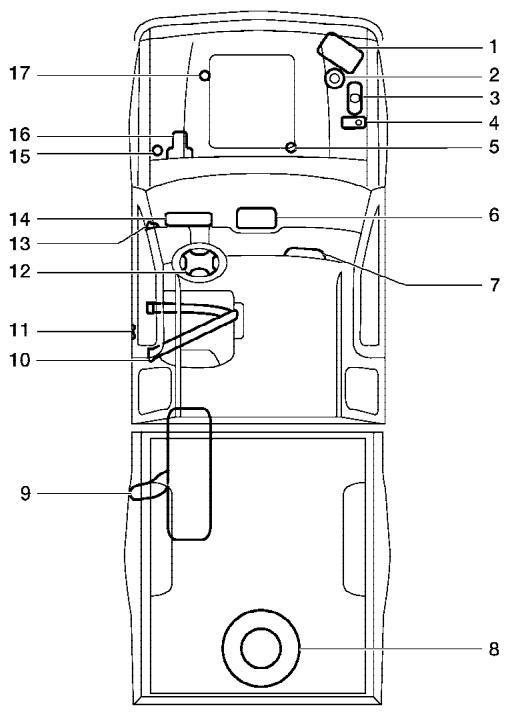
WGS0025
- Battery 8-15
- Power steering fluid 8-13
- Engine coolant 8-8
- Window washer fluid 8-15
- Automatic transmission fluid 8-13
- Heater and air conditioner 4-2; Audio system 4-10
- Passenger supplemental air bag1-48
- Spare tire 6-2
- Fuel-filler cap 3-10; Fuel recommendations 9-3
- Seat belts 1-12
- Door locks 3-3
- Driver supplemental air bag 1-48
- Hood release 3-9
- Meters and gauges 2-3
- Clutch fluid 8-14
- Brake fluid 8-14
- Engine oil 8-9
- WARNING
- IMPORTANT SAFETY INFORMATION REMINDERS FOR SAFETY!
- ON-PAVEMENT AND OFF-ROAD DRIVING
- MODIFICATION OF YOUR VEHICLE
- WHEN READING THE MANUAL
- IMPORTANT INFORMATION ABOUT THIS MANUAL
- CAUTION
- CALIFORNIA PROPOSITION 65 WARNING
- NISSAN CUSTOMER CARE PROGRAM
- NISSAN CARES...
- Table of Contents
- Illustrated table of contents
- AIRBAGS, SEAT BELTS AND CHILD RESTRAINTS
- EXTERIOR REAR
- PASSenger COMPARTMENT
- ENGINE COMPARTMENT CHECK LOCATIONS
- QR25DE engine
- VQ40DE engine
- WARNING/INDICATOR LIGHTS
- Safety—Seats, seat belts and supplemental restraint system
- FRONT MANUAL SEAT
- ADJUSTMENT (if so equipped)
- Forward and backward
- Reclining
- Operating tips
- ACTIVE HEAD RESTRAINT (front seats)
- ARMREST
- FLEXIBLE SEATING
- Folding the rear bench seat
- Folding the rear bench seat down
- PRECAUTIONS ON SEAT BELT USAGE
- CHILD SAFETY
- Infants
- Small Children
- Larger children
- PREGNANT WOMEN
- INJURED PERSONS
- THREE-POINT TYPE SEAT BELT WITH RETRACTOR
- Unfastening the seat belts
- Checking seat belt operation
- SEAT BELT EXTENDERS
- CHILD RESTRAINTS
- SEAT BELT MAINTENANCE
- PRECAUTIONS ON CHILD RESTRAINTS
- Rear Facing - step 5
- LATCH system anchor point locations rear bench seat (Crew cab models only)
- TOP TETHER STRAP CHILD RESTRAINT
- Anchor point label
- Top tether strap routing (King cab models only - front passenger's seat)
- Anchor point locations (Crew cab models only)
- Front Facing - step 5
- BOOSTER SEATS
- PRECAUTIONS ON BOOSTER SEATS
- BOOSTER SEAT INSTALLATION ON PASSENGER'S SIDE JUMP SEAT ONLY (King cab, if so equipped)
- Outboard position
- Center position
- BOOSTER SEAT INSTALLATION ON FRONT PASSENGER SEAT
- SUPPLEMENTAL RESTRAINT SYSTEM
- PRECAUTIONS ON SUPPLEMENTAL RESTRAINT SYSTEM
- NISSAN Advanced Air Bag System (front seats)
- Front passenger air bag and status light
- Status light
- Front passenger air bag
- Supplemental side-impact air bag and curtain side-impact and rollover air bags system (if so equipped)
- SUPPLEMENTAL AIR BAG WARNING LABELS
- SUPPLEMENTAL AIR BAG WARNING LIGHT
- Repair and replacement procedure
- Instruments and controls
- METERS AND GAUGES
- SPEEDOMETER AND ODOMETER
- Speedometer
- Odometer/Twin trip odometer
- With twin trip odometer
- Changing the display:
- With trip computer
- Resetting the trip odometer:
- TRIP COMPUTER (if so equipped)
- Distance to empty (dt-e mile or km)
- NOTE:
- Average speed (MPH or km/h)
- Average fuel consumption (Mpg or I/100km)
- Journey time
- Trip computer reset
- TACHOMETER
- ENGINE COOLANT TEMPERATURE GAUGE
- FUEL GAUGE
- ENGINE OIL PRESSURE GAUGE (if so equipped)
- VOLTMETER (if so equipped)
- COMPASS AND OUTSIDE TEMPERATURE DISPLAY (if so equipped)
- OUTSIDE TEMPERATURE DISPLAY
- COMPASS DISPLAY
- Zone variation change procedure
- Inaccurate compass direction
- WARNING/INDICATOR LIGHTS AND AUDIBLE REMINDERS
- CHECKING BULBS
- 2-12 Instruments and controls
- WARNING LIGHTS
- Anti-lock brake warning light
- If the light comes on while you are driving, contact a NISSAN dealer for repair.
- Automatic transmission oil temperature warning light (if so equipped)
- Parking brake indicator
- Low brake fluid warning light
- Charge warning light (if so equipped)
- Door open warning light
- Engine oil pressure warning light (if so equipped)
- 4WD
- 4WD warning light (4x4 model)
- Low fuel warning light
- Low tire pressure warning light
- Low tire pressure warning:
- TPMS malfunction:
- Low windshield washer fluid warning light
- Seat belt warning light and chime
- INDICATOR LIGHTS
- Automatic transmission position indicator light
- Cruise main switch indicator light (if so equipped)
- Cruise set switch indicator light (if so equipped)
- Electronic locking rear differential (E-Lock) system on indicator light (if so equipped)
- 4WD shift indicator light ( model)
- Front passenger air bag status light
- High beam indicator light (Blue)
- Hill descent control (HDC) system on indicator light (if so equipped)
- SERVICE ENGINE SOON
- Malfunction indicator light (MIL)
- Operation
- Security indicator light (if so equipped)
- Slip indicator light for models with ABLS (if so equipped)
- Slip indicator light for models with VDC (if so equipped)
- Transfer 4LO position
- indicator light (4x4 model)
- The indicator light may blink while shifting from one drive mode to the other.
- Turn signal/hazard indicator lights
- Vehicle dynamic control off indicator light (if so equipped)
- SECURITY SYSTEMS (if so equipped)
- AUDIBLE REMINDERS Brake pad wear warning
- Key reminder chime
- Light reminder chime
- VEHICLE SECURITY SYSTEM (if so equipped)
- How to arm the vehicle security system
- Vehicle security system activation
- NISSAN VEHICLE IMMOBILIZER SYSTEM (if so equipped)
- Security indicator light
- WINDSHIELD WIPER AND WASHER SWITCH
- SWITCH OPERATION
- REAR WINDOW AND OUTSIDE MIRROR DEFROSTER SWITCH (if so equipped)
- HEADLIGHT AND TURN SIGNAL SWITCH
- HEADLIGHT CONTROL SWITCH
- Lighting
- Autolight system (if so equipped)
- Headlight beam select
- Battery saver system
- DAYTIME RUNNING LIGHT SYSTEM (Canada only)
- INSTRUMENT BRIGHTNESS CONTROL
- TURN SIGNAL SWITCH
- Turn signal
- Lane change signal
- FOG LIGHT SWITCH (if so equipped)
- HAZARD WARNING FLASHER SWITCH
- HORN
- CARGO LAMP SWITCH
- HEATED SEAT (if so equipped)
- VEHICLE DYNAMIC CONTROL (VDC) OFF SWITCH (if so equipped)
- HILL DESCENT CONTROL (HDC) SWITCH (if so equipped)
- ELECTRONIC LOCKING REAR DIFFERENTIAL (E-Lock) SYSTEM SWITCH (if so equipped)
- CLUTCH INTERLOCK (clutch start) SWITCH (if so equipped)
- STORAGE
- STORAGE TRAYS
- CUP HOLDERS
- ROOF RACK (if so equipped)
- To adjust:
- To remove:
- WINDOWS
- POWER WINDOWS (if so equipped)
- Driver's side power window switch
- Locking passengers' windows
- Automatic operation
- MANUALWINDOWS
- REAR SLIDING WINDOW (if so equipped)
- SUNROOF (if so equipped)
- AUTOMATIC SUNROOF
- Sliding the sunroof
- Tilting the sunroof
- When closing:
- When tilting down:
- Sunshade
- If the sunroof does not close
- INTERIOR LIGHTS
- PERSONAL LIGHTS (if so equipped)
- MAP LIGHTS (if so equipped)
- HOMELINK® UNIVERSAL TRANSCEIVER (if so equipped)
- PROGRAMMING HOMELINK®
- PROGRAMMING HOMELINK® FOR CANADIAN CUSTOMERS
- PROGRAMMING TROUBLEDIAGNOSIS
- CLEARING THE PROGRAMMED INFORMATION
- REPROGRAMMING A SINGLE HOMELINK® BUTTON
- IF YOUR VEHICLE IS STOLEN
- FCC Notice:
- MEMO
- Pre-driving checks and adjustments
- NISSAN VEHICLE IMMOBILIZER SYSTEM KEYS (if so equipped)
- Never leave these keys in the vehicle.
- 3-2 Pre-driving checks and adjustments
- LOCKING WITH KEY
- Power (if so equipped)
- LOCKING WITH INSIDE LOCK KNOB
- LOCKING WITH POWER DOOR LOCK SWITCH (if so equipped)
- Lockout protection
- CHILD SAFETY REAR DOOR LOCK (Crew Cab models only)
- REMOTE KEYLESS ENTRY SYSTEM (if so equipped)
- Be sure to remove the key from the vehicle before locking the doors.
- The panic alarm will not activate when the key is in the ignition switch.
- HOW TO USE REMOTE KEYLESS ENTRY SYSTEM
- Locking doors
- Unlocking doors
- Auto relock
- Using the panic alarm
- Silencing the horn beep feature
- HOOD
- FUEL-FILLER CAP
- STEERING WHEEL
- TILT OPERATION (if so equipped)
- 3-12 Pre-driving checks and adjustments
- Vanity MIRRORS
- REARVIEW MIRROR (if so equipped)
- AUTOMATIC ANTI-GLARE REARVIEW MIRROR (if so equipped)
- OUTSIDE MIRRORS
- Manual control type
- Heated mirrors (if so equipped)
- TRUCK BOX
- Removing the tailgate
- Installing the tailgate
- Locking the tailgate
- TIE DOWN HOOKS (if so equipped)
- Heater, air conditioner and audio systems
- VENTILATORS
- HEATER AND AIR CONDITIONER (manual)
- CONTROLS
- Fan control dial
- Air flow control dial
- Temperature control dial
- Air recirculation button
- ON position:
- OFF position:
- Air conditioner button (if so equipped)
- The air conditioner cooling function operates only when the engine is running.
- Rear window defroster switch
- HEATER OPERATION
- Heating
- Ventilation
- Defrosting or defogging
- Bi-level heating
- Heating and defogging
- AIR CONDITIONER OPERATION (if so equipped)
- Cooling
- Dehumidified heating
- Dehumidified defogging
- AIR FLOW CHARTS
- SERVICING AIR CONDITIONER
- This refrigerant does not harm the earth's ozone layer.
- AUDIO SYSTEM
- RADIO
- Using a cellular phone in or near the vehicle may influence radio reception quality.
- Radio reception
- FM RADIO RECEPTION
- AM RADIO RECEPTION
- SATELLITE RADIO RECEPTION (if so equipped)
- PUSH EJECT:
- UNPLAYABLE:
- Compact Disc with MP3
- Terms:
- Playback order:
- FM-AM RADIO WITH COMPACT DISC (CD) PLAYER (if so equipped)
- PWR/VOL control knob
- Adjusting tone quality and speaker balance
- Clock set
- FM-AM radio operation
- SEEK tuning
- Manual tuning
- SCAN tuning
- Station memory operations
- Compact disc (CD) player operation
- CD button
- Track up/down, FF/REV (rewind) buttons
- MENU
- CD EJECT button
- DISC indicator light
- FM-AM-SAT RADIO WITH COMPACT DISC (CD) CHANGER
- Audio main operation
- POWER/VOLUME control:
- AUDIO knob (BASS, MIDRANGE, TREBLE, FADE, BALANCE and SSV if so equipped):
- DISP (display) button:
- CD display mode
- MP3 display mode
- Display satellite radio display mode (if so equipped)
- FM/AM/SAT radio operation
- FM/AM/SAT band select:
- CAT FOLDER (Tuning):
- SEEK tuning:
- SCAN RPT tuning:
- PRESET A-B-C (Station memory operations):
- Radio data system (RDS):
- LOAD button:
- CD button:
- SEEK/TRACK:
- CAT FOLDER:
- CD select buttons:
- SCAN/RPT:
- CD EJECT:
- CD IN indicator:
- CD CARE AND CLEANING
- STEERING WHEEL SWITCH FOR AUDIO CONTROL (if so equipped)
- POWER on/off switch
- "MODE" select switch
- Memory change (radio):
- Seek tuning (radio):
- Next/Previous track (CD):
- Change disc (CD) (if so equipped):
- ANTENNA
- CAR PHONE OR CB RADIO
- Starting and driving
- PRECAUTIONS WHEN STARTING AND DRIVING
- THREE-WAY CATALYST
- TIRE PRESSURE MONITORING SYSTEM (TPMS)
- Additional information:
- ON-PAVEMENT AND OFF-ROAD DRIVING PRECAUTIONS
- Utility vehicles have a significantly higher rollover rate than other types of vehicles.
- DRINKING ALCOHOL/DRUGS AND DRIVING
- DRIVING SAFETY PRECAUTIONS
- IGNITION SWITCH
- AUTOMATIC TRANSMISSION
- MANUAL TRANSMISSION
- KEY POSITIONS
- NISSAN VEHICLE IMMOBILIZER SYSTEM
- BEFORE STARTING THE ENGINE
- STARTING THE ENGINE
- Starting the vehicle
- Shifting
- P (Park):
- R (Reverse):
- N (Neutral):
- D (Drive):
- (Third gear):
- (Second gear):
- (Low gear):
- Shift lock release
- Accelerator downshift
- in D position
- Overdrive switch
- Suggested upshift speeds
- Suggested maximum speed in each gear
- 2-wheel drive models
- 4-wheel drive models
- To release:
- CRUISE CONTROL (if so equipped)
- PRECAUTIONS ON CRUISE CONTROL
- Do not use the cruise control when driving under the following conditions:
- BREAK-IN SCHEDULE
- INCREASING FUEL ECONOMY
- 4x4 USING FOUR WHEEL DRIVE (4WD)
- TRANSFER CASE SHIFTING PROCEDURES
- 4WD shift switch operations
- ELECTRONIC LOCKING REAR DIFFERENTIAL (E-Lock) SYSTEM (if so equipped)
- Automatic transmission models:
- POWER STEERING
- BRAKE SYSTEM
- BRAKE PRECAUTIONS
- Using the brakes
- Wet brakes
- Parking brake break-in
- Using the system
- Normal operation
- Self-test feature
- ACTIVE BRAKE LIMITED SLIP (ABLS) SYSTEM (if so equipped)
- VEHICLE DYNAMIC CONTROL (VDC) SYSTEM (if so equipped)
- HILL DESCENT CONTROL (HDC) SYSTEM (if so equipped)
- HILL START ASSIST (HSA) SYSTEM (if so equipped)
- COLD WEATHER DRIVING
- FREEING A FROZEN DOOR LOCK
- ANTI-FREEZE
- BATTERY
- DRAINING OF COOLANT WATER
- TIRE EQUIPMENT
- SPECIAL WINTER EQUIPMENT
- DRIVING ON SNOW OR ICE
- ENGINE BLOCK HEATER (if so equipped)
- In case of emergency
- FIRST AID KIT (if so equipped)
- FLAT TIRE
- TIRE PRESSURE MONITORING SYSTEM
- 6-2 In case of emergency
- CHANGING A FLAT TIRE
- Stopping the vehicle
- Blocking wheels
- For King Cab models:
- For Crew Cab models:
- All models:
- JUMP STARTING
- Do not stop the engine.
- TOWING YOUR VEHICLE
- Two-wheel drive models
- Four-wheel drive models
- Appearance and care
- CLEANING EXTERIOR
- WASHING
- 7-2 Appearance and care
- WAXING
- REMOVING SPOTS
- UNDERBODY
- GLASS
- ALUMINUM ALLOY WHEELS
- CHROME PARTS
- TIRE DRESSINGS
- CLEANING INTERIOR
- FLOOR MATS
- CORROSION PROTECTION
- SEAT BELTS
- MOST COMMON FACTORS CONTRIBUTING TO VEHICLE CORROSION
- ENVIRONMENTAL FACTORS INFLUENCE THE RATE OF CORROSION
- Moisture
- Relative humidity
- Temperature
- Air pollution
- TO PROTECT YOUR VEHICLE FROM CORROSION
- In winter, the underbody must be cleaned periodically.
- Maintenance and do-it-yourself
- MAINTENANCE REQUIREMENTS
- Scheduled maintenance
- General maintenance
- 8-2 Maintenance and do-it-yourself
- Where to go for service
- EXPLANATION OF GENERAL MAINTENANCE ITEMS
- Outside the vehicle
- Under the hood and vehicle
- 8-4 Maintenance and do-it-yourself
- MAINTENANCE PRECAUTIONS
- ENGINE COOLING SYSTEM
- CHECKING ENGINE COOLANT LEVEL
- CHANGING ENGINE COOLANT
- ENGINE OIL
- CHECKING ENGINE OIL LEVEL
- VQ40DE
- CHANGING ENGINE OIL
- QR25DE
- Drain plug tightening torque: 22 - 29 ft-lb (29 - 39 N·m)
- CHANGING ENGINE OIL FILTER
- Be careful not to burn yourself. The engine oil may be hot.
- POWER STEERING FLUID
- BRAKE FLUID
- CLUTCH FLUID
- WINDOW WASHER FLUID RESERVOIR
- VARIABLE VOLTAGE CONTROL SYSTEM
- DRIVE BELTS
- REPLACING SPARK PLUGS
- Platinum-tipped spark plugs
- AIR CLEANER
- Type A
- IN-CABIN MICROFILTER
- WINDSHIELD WIPER BLADES
- CLEANING
- REPLACING
- 8-22 Maintenance and do-it-yourself
- CHECKING BRAKE PEDAL
- Self-adjusting brakes
- Brake pad wear indicators
- FUSES
- BRAKE BOOSTER
- ENGINE COMPARTMENT
- Fusible links
- Type B
- LIGHTS
- HEADLIGHTS
- Removing the headlight bulb
- Replacing the headlight bulb
- WHEELS AND TIRES
- TIRE PRESSURE
- TIRE LABELING
- P215/65R15 95H
- Example
- DOT XX XX XXX XXXX
- Other Tire-related Terminology
- TYPES OF TIRES
- All season tires
- Summer tires
- Snow tires
- TIRE CHAINS
- Tire chains must be installed only on the rear wheels and not on the front wheels.
- CHANGING WHEELS AND TIRES
- Wheel nut tightening torque:
- ft-lb (133 N·m)
- Replacing wheels and tires
- 4x4 Four-wheel drive models
- Wheel balance
- Care of wheels
- Technical and consumer information
- CAPACITIES AND RECOMMENDED FUEL/LUBRICANTS
- 9-2 Technical and consumer information
- FUEL RECOMMENDATION
- Gasoline specifications
- Reformulated gasoline
- Gasoline containing oxygenates
- ENGINE OIL AND OIL FILTER RECOMMENDATION
- Selecting the correct oil
- Oil additives
- Oil viscosity
- Selecting the correct oil filter
- Change intervals
- RECOMMENDED SAE VISCOSITY NUMBER
- AIR CONDITIONER SYSTEM REFRIGERANT AND OIL RECOMMENDATIONS
- WHEN TRAVELING OR REGISTERING YOUR VEHICLE IN ANOTHER COUNTRY
- VEHICLE IDENTIFICATION
- TERMS
- VEHICLE LOAD CAPACITY
- Steps for determining correct load limit
- SECURING THE LOAD
- Channel End Stoppers (if so equipped)
- LOADING TIPS
- TRUCK-CAMPER LOADING INFORMATION
- CREW CAB MODELS
- KING CAB MODELS
- SPECIAL BODY vehicles
- LOCATION FOR CENTER OF GRAVITY
- VEHICLE LOAD WEIGHT CAPACITY
- TOWING A TRAILER
- MEASUREMENT OF WEIGHTS
- MAXIMUM LOAD LIMITS Maximum trailer loads
- Tongue load
- Maximum Gross Vehicle Weight (GVW)/maximum Gross Axle Weight (GAW)
- Example:
- Trailer frontal area
- TOWING SAFETY Trailer hitch
- Hitch ball
- Ball mount
- Bumper towing
- Weight carrying hitches
- Weight distribution hitch
- Class I hitch
- Class II hitch
- Class III hitch
- Class IV hitch
- Tire pressures
- Safety chains
- Trailer lights
- Trailer brakes
- Pre-towing tips
- Trailer towing tips
- FLAT TOWING
- UNIFORM TIRE QUALITY GRADING
- Treadwear 200 Traction AA Temperature A
- EMISSION CONTROL SYSTEM WARRANTY
- For USA
- For Canada
- REPORTING SAFETY DEFECTS (US only)
- READINESS FOR INSPECTION/ MAINTENANCE (I/M) TEST
- Always drive the vehicle in a safe and prudent manner according to traffic conditions and obey all traffic laws.
- OWNER'S MANUAL/SERVICE MANUAL ORDER INFORMATION
- IN THE EVENT OF A COLLISION
- Insist on the use of genuine NISSAN collision parts!
- Why should you take a chance?
- It's your right!
- Index
- A
- B
- C
- D
- E
- F
- G
- H
- 1
- J
- K
- L
- Labels
- Lock
- M
- N
- 0
- P
- Power
- Precautions
- R
- S
- T
- U
- V
- W
- GAS STATION INFORMATION
- RECOMMENDED FUEL:
- RECOMMENDED ENGINE OIL:
- TIRE COLD PRESSURE:
- RECOMMENDED NEW VEHICLE BREAK-IN PROCEDURE:
Brand : NISSAN
Model : FRONTIER 2006
Category : Light commercial vehicle