
GPS Personal Watch - Smartwatch THOMSON - Free user manual and instructions
Find the device manual for free GPS Personal Watch THOMSON in PDF.
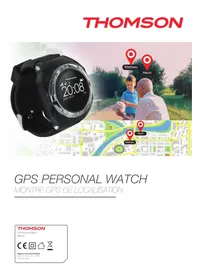


| Product Type | GPS Smartwatch |
| Brand | Thomson |
| Model | GPS Personal Watch |
| Dimensions | 45 x 45 x 12 mm (case only) |
| Weight | 52 g (including band) |
| Display | 1.3-inch TFT LCD, 240x240 pixels |
| Battery Type | Lithium-ion, 300 mAh |
| Charging Method | USB charging cable (magnetic pogo pins) |
| Battery Life | Up to 7 days normal use, 10 hours GPS on |
| Water Resistance | IP67 (splash proof and dust resistant) |
| Connectivity | Bluetooth 4.2, GPS + GLONASS |
| Sensors | Accelerometer, heart rate monitor |
| Functions | Step counter, distance, calories, heart rate, sleep monitoring, GPS tracking, notifications, sedentary reminder |
| Compatibility | Android 4.4+ and iOS 8.0+ |
| Materials | Plastic case, silicone strap |
| Care and Cleaning | Wipe with a soft, damp cloth; avoid harsh chemicals |
| Safety | Not a medical device; consult a doctor for health data interpretation |
| Spare Parts Availability | Charging cables and straps available via Thomson service |
| Warranty | 2 years limited warranty |
| Manufacturer | Thomson, France |
Frequently Asked Questions - GPS Personal Watch THOMSON
User questions about GPS Personal Watch THOMSON
0 question about this device. Answer the ones you know or ask your own.
Ask a new question about this device
Download the instructions for your Smartwatch in PDF format for free! Find your manual GPS Personal Watch - THOMSON and take your electronic device back in hand. On this page are published all the documents necessary for the use of your device. GPS Personal Watch by THOMSON.
USER MANUAL GPS Personal Watch THOMSON
THOMSON Personal Watch
Thank you for purchasing this THOMSON product. In case of a malfunction, please refer to the support information at the end of this manual. We highly appreciate any feedback which helps us to improve our products. Please keep this instruction manual for future reference.
WARRANTY
This product bearing the THOMSON trademark is guaranteed by the manufacturer for a period of 1 year from the date of purchase. During this period, it will be replaced with the same or a similar model, at our option, free of charge, if there is a defect due to faulty material or workmanship. This guarantee does not cover defects arising from accidental damage, misuse, or wear and tear, and is available only to the original purchaser of the product. This does not affect your statutory rights.
CONTENTS OF THE PACKAGE
• GPS Personal Watch Unit - USB Charging cable - Screwdriver - Quick start manual
PERSONAL WATCH ELEMENTS

- Speaker
- Charging socket
- Mic
- SOS dialing / answer
- Display screen
CHARGING YOUR PERSONAL WATCH
- Your THOMSON Personal Watch features a built-in rechargeable battery. To charge it, use the charging cable supplied with the device. Plug the USB connector into an AC adaptor (maximum rating 1A output) with a USB AC adaptor (e.g., the one that came with your smartphone) or directly into the USB socket of your computer.
- Open the USB connection on the right side of the watch and attach the cable. Attach the opposite end of the cable to a power source and allow 2 hours for charging.

NOTE: Please note that the Personal Watch needs to be charged using the supplied cable as most other USB cables will not fit.
INSTALLING A SIM CARD
Your THOMSON Personal Watch relies on GPS technology and modern mobile devices. In order for these to work it requires a Micro SIM card with a 2G data, talk and text plan included. 20MB and 200 texts per month should be sufficient for normal use. Make sure that the card is already registered with your operator and take careful note of the sim card phone number.
Make sure the SIM card, which you intend to use, does not require a PIN code to work, since the Personal Watch will not function correctly.
- Slide the sim card holder down and fold up so you can fit the sim card. Insert the sim card, fold the holder down and slide the holder up so it locks into position.

- Insert the battery and close the cover. Take care that the thin membrane is correctly fitted otherwise the watch will not be waterproof. Refit the 4 screws.

- Now press the SOS button for 3 seconds to switch on the watch. The Thomson name will appear and after a few seconds the Hours / date / day / Battery life and Network status, will be displayed.

NOTE: The first time you use your watch the information on the screen is not correct. You may need to wait a few minutes for the time to reset to your time zone.
You now need to set-up your watch with the application. Please follow these steps:
GPS P WATCH APP
• Installing the GPS P WATCH application
Look for the "GPS P WATCH" app in the Apple store/Google Play store and download it to your mobile device.


- Registering an account
For your Personal Watch to work you will need to register an account first. This is required so you can use your mobile device to connect to the THOMSON server that the Personal Watch is sending its data to. The first time you open the app or when you've logged out of your account, you will see the login screen which allows you to register new accounts.
01. Press `Registration' to start

- Fill in all the requested information in every field, then press `Register'.
Note: Make sure you also read and agree to the user agreement.

- You can log in using your phone number and password.

- Registering your Personal Watch
You now need to register your Personal Watch on your account. During the initial setup, the app will prompt you to add a new device.
- Press `Add devices now'.
- Manually enter the device's serial number or scan the barcode. You can find this on the last page or the back of the instruction booklet. This code is also located on the inside of the watch.

You will need to enter your account password twice to bind the watch to your account.

![3G 12:22. Nick name: Raben (K Anish Phermission Modify). ID: BMW 70020 [L9020]. Phermission Press only. Binding device. Enter password. Reenter password. OK Cancel.](/content/2026/06/1303962/images/e9b208fb3feaf5078e0d75712d923bfb177964e66ba78830e78bcdbe32010aff.jpg)
- Your Personal Watch is now synchronized with your device and added to your account.
THE MAIN SCREEN
After logging in, you will see the main screen. This screen displays your added device along with information such as your device name, date, time, and the precise location of the Personal Watch.
To activate the GPS function, you will need to go outside, as GPS does not work indoors.
To set up the Personal Watch, press the person icon in the top right corner of the screen. This will take you to the `Manage' screen.


Press on the `Account name' and it will take you to the setup options.
• PHOTO
The first option allows you to add a photo. You can take a new photo with your mobile device or select an image from your existing library.
- DEVICE NUMBER
This is the number of your Personal Watch that you scanned earlier.
- PRODUCT ID
You can rename the watch with this option.
• SIM CARD NUMBER
This is the number on the SIM card inside the watch.
- SET EMERGENCY NUMBER
Add numbers that your child can call in the event of an emergency. This will also allow you to call this number.
- SET FRIEND NUMBER
This allows you to enter up to 5 other permitted numbers that can call the watch.
- SET MONITOR NUMBER
These numbers allow you to call the watch and listen without the watch being answered.
- SET GEO-FENCE
This allows you to set-up a perimeter from any set area. If your child wanders outside the geo-fence you will receive a notification on your mobile device. You can set from 200M to 500M.


- SET DAYS
You can set the days that you want alarms to be set, i.e., reminders.


- SET WI-FI
If you are in a Wi-Fi zone, you can pair to this Wi-Fi signal to allow indoor tracking.


- SET ALARM
Input the time and date for an alarm on the watch. You can also name the alarm type.

- Change password
This allows you to change the login password.

Press 'Done' at the top of the screen, but make sure your watch is switched on; otherwise, it will not be updated. To activate the Map Tracking function, press on the information/icon area.

THOMSON
MAP TRACKING PAGE
On this page, you have some options such as:
- MAP setting: You can choose if you prefer the standard map or satellite view.
- Compass button: Which indicates North position.
- Zoom buttons: Enlarge or reduce the map view. You can touch the screen to enlarge or reduce.


POSITION
Click on this option to show the current location of your Personal Watch, date and time, battery level, and signal type (e.g., GPS or GSM). If you press the position button, the tracker is checked every 40 seconds for the next 30 minutes.


CALL
There are 2 options available:
a) To make a two-way call, simply call the SIM card from your contact list on your device. (Make sure you have added your number as one of the emergency numbers on the setup page).
b) Press the call button (at the top of the page). This allows you to make a 'monitor' call to hear what is happening without activating the call alert on the watch. This could be useful in an emergency. Make sure you have added your phone number in the Set Monitor number section in the Setup section.

TRACE
Input a date and check all the movement of the tracker for that day.

FENCE
A "Fence" is a virtual boundary for a zone which the Personal Watch is not supposed to leave. For example, if you use the Personal Watch device on your child, you could set up a geo-fence around your house or property to get an alert if your child leaves the area.
To set up a geo-fence, you need to press the "Fence" icon and then press "Add".
01. Enter the name of the Fence zone. 02. Choose if you want to receive a notification when the watch enters or leaves the set area. 03. To add a geo-fence, simply add an area on your map.


- Press 'Done' to add the fence.
- NOTE: The default radius is set at 200m.
- Press the back arrow (in the top left corner) twice to go back to the main page.

Note that the geofence will only work on an outdoor GPS signal, so the wearer will have to be in an outside location to activate the geofence alarm.
MENU PAGE
Press the menu icon in the top left corner to go to the menu page.
On this page, you have access to your Device, Notification, Settings, Help section, and information about the Personal Watch.

Press these buttons to return to the main screen.
NOTIFICATION
Pressing Notifications takes you to the notifications list, showing all notification alerts.

SETTINGS
Pressing Settings takes you to the settings page.

- On this page:
- You can add a photo
- Change the name
- Indicate male or female
- Select if you want to receive notifications
- Choose the type of notifications: Sound or vibration
- Modify your password
- Log out.
Note: Make sure you press 'save settings' when you make any adjustments.
Pressing Help takes you to the help page.
Press on full instructions to be directed to the help page link where you can find these instructions.


Pressing About takes you to the about page for information about Thomson. Press on the link to be directed to the Thomson consumer website. This website also displays the APP version number.

ADDING ADDITIONAL TRACKERS
Press the 'Person' icon in the top right hand corner of the main page, and then press the 'Add' button on the Manage page. If you have more than one tracker, you can add it to the same account.
- Press 'Add devices now'.

- Manually add the serial number of the device or scan the barcode.

- If you are adding a watch that is assigned to another account, the APP will ask you for a password which you will have to obtain from the master account holder. You can then track multiple watches on your account. NOTE: You cannot make adjustments to the watch if you are not the master account holder.


If there is an issue with the registration, you will see the below screen and the reason for the problem is listed.

TROUBLESHOOTING
- Ensure you have followed the full registration process.
- Check if your SIM card is inserted correctly. Make sure the tracker is switched on. Make sure that all the settings are OK.
I'M NOT RECEIVING ANY NOTIFICATIONS OR MESSAGES
- Make sure you have sufficient credit on your SIM card.
- Ensure you have the push alert settings switched on in the settings.
- Make sure that you have used the correct SIM card numbers in the app.
- Make sure the watch is switched on and has power.
THE TRACKER IS NOT PROVIDING ITS POSITION
- Press on the location icon in the map screen to increase the tracking frequency.
RECYCLING

This symbol on the product or on its packaging indicates that this product shall not be treated as household waste. Instead it should be taken to an applicable collection point for the recycling of electrical and electronic equipment. By ensuring that this equipment is disposed of correctly you will help prevent potential negative consequences for the environment and human health, which could otherwise be caused by inappropriate waste
handling of this product. The recycling of materials will help to conserve natural resources.
For more information please contact your local council or waste disposal service.
IMPORTANT SAFEGUARDS & PRECAUTIONS:
- Read this user's manual carefully before using the THOMSON Personal Watch and keep this manual in a safe place for future reference.
- Avoid exposing the THOMSON Personal Watch to extreme conditions for an unreasonable time.
- Avoid rough use or severe impacts on the THOMSON Personal Watch.
- Keep the device away from magnets or appliances which contain magnetic components such as speakers or motors as these items may ruin the sensors.
- Clean the device with a soft cloth after outdoor usage.
- DO NOT expose the device to strong chemicals such as gasoline and alcohol as they will damage the device.
- DO NOT dispose the THOMSON Personal Watch into fire as the battery inside the main unit may explode.
- Do not immerse the Watch in water or liquids.
TECHNICAL SPECIFICATION:
- Dimensions (L x W x H): 75mm x 34mm x 7mm
- Weight: 40g • Positional accuracy: 15m
- Battery: 3.7V ~ 4.2V, 500mAh Li-Polymer
- Standby current: ~200mA
- Charging current: ~600mA
- Charge duration: ~2h
- Endurance time: ~Up to 72h (battery life depends on GPS tracking frequency)
Customer Support:
For UK support contact: support@bigben.fr
Legal lines:
iOS® and iPhone® are trademarks of Apple Inc., registered in the U.S. and other countries. Android™ and Google Play™ are trademarks of Google Inc. All other trademarks are the property of their respective owners.
| Country MCC | MNC Network APN User Name Password bands | |||||
| Albania 276 | 02 Vodafone Twa NULL NULL 900/1800 | |||||
| Argentina CTI internet.ctimovil. | com.ar | guest guest | ||||
| Argentina | 722 10 | Movistar | internet.gors.unifon.com.ar | |||
| internet.unifon.wap | wap 850/1900 | |||||
| Argentina | 722 34 | Personal | gprs.personal.com | [mobile number] | adgj | 850/1900 |
| Australia | 505 02 | Optus | internet | NULL | NULL | 900/1800 |
| Australia | 505 01 | Telstra | telstra.internet | NULL | NULL | 900/1800 |
| Australia | Telstra | |||||
| (data bundles) | telstra.cetapock | [blank] | Telstra | Telstra | ||
| Australia | Telstra | |||||
| (pay by time) | telstra.pcpack | [blank] | Telstra | Telstra | ||
| Australia | Three | 3notaccess | a | a | a | |
| Australia | 505 03 | Vodafone | vfinternetau | NULL | NULL | 900/1800 |
| Austria | Drei | drei.at | guest | guest | guest | |
| Austria | Max Online | gprsinternet | GPRS | [blank] | [blank] | |
| Austria | Max Online | |||||
| (Business) | business.gprsinternet | GPRS | [blank] | [blank] | ||
| Austria | Max Online | |||||
| (Metro) | gprsmetro | GPRS | [blank] | [blank] | ||
| Austria | 232 01 | Mobilkom A1 | a1.net | ppx@a1plus.at | ppp | 900/1800 |
| Austria | OneNet | web.one.at | web | web | web | |
| Austria | 232 07 | telering 07 | web | web@telering.at | web | 1800 |
| Azerbaijan | 400 01 | Azercol 01 | internet | NULL | NULL | 900/1800 |
| Bangladesh | 470 01 | Crameen Phone | gpinternet | NULL | NULL | 900 |
| Belarus | 257 01 | VELCOM 01 | web.velcom.by | |||
| unlim.velcom.by | web | |||||
| unlim web | ||||||
| unlim web | ||||||
| unlim | ||||||
| Belgium | 206 10 | Mobistar | ||||
| (personal) | internet.be | mobistar | mobistar | 900/1800 | ||
| Belgium | Mobistar | |||||
| (business) | web.pro.be | mobistar | mobistar | mobistar | ||
| Belgium | Orange orange internet guest guest guest | |||||
| Belgium | 206 01 Proximus | |||||
| (Internet) | internet.proximus.be | NULL | NULL | 900/1800 | ||
| Belgium | Proximus | |||||
| (intranet) | intraprox.be | guest guest guest | ||||
| Botswana | 652 01 | Mascom Wireless | internet.mascom | NULL | NULL | 900 |
| Brazil | 724 05 | Claro | claro.com.br | claro | claro | claro |
| Brazil | 724 16/24 | Oi | gprsoi.com.br | NULL | NULL | 900/1800 |
| Brazil | Oi (WAP) | wapgprs ROI.com.br | owap | oicioi | oicioi | |
| Brazil | 724 02/03/04 | TIM | tim.br | tim | tim | 900/1800 |
| Brazil | Velox | wap.telcel.com | iesgprs | iesgprs2002 | iesgprs2002 | |
| Bulgaria | 284 05 | GoBul | internet.glooul.bg | globul | NULL | 900/1800 |
| Bulgaria | 284 01 | M-Tel | mms-gprs.mte1.bg | mtel | mtel | 900/1800 |
| Cameroon | 624 01 | MTN Cameroon | INTERNET | NULL | NULL | 900 |
| Canada | 302 KORE Wireless apn. | zerogravitywireless.com | NULL NULL | [blank] | ||
| Canada | 302 370 | Microcell | ||||
| (Fido) | internet.fido.ca | fido | fido | 850/1800 | ||
| Canada | 302 720 | Rogers AT&T | internet.com | wapuser1 | wap | 850/1800 |
| Chile | 730 01 | Entel PCS | imovilentelpcs.cl | entelpcs | entelpcs | 1900 |
| Chile | 730 02 | Telefonica | ||||
| Movil | web.tmovil.cl | web | web | 850/1800 | ||
| China 460 00/02/07 China Mobile | 00/02/07 | cmnet NULL NULL 900/1800 | ||||
| China 460 01/06 China Unicom [none] | NULL NULL 900/1800 | |||||
| Croatia 219 01 T-Mobile web.htgpr 38591 38591 900/1800 | ||||||
| Croatia | 219 10 | VIPNET START | gprs0vionet.hr | 38591 | 38591 | 900/1800 |
| Croatia | VIPNET PRO | gprs5vionet.hr | 38591 | 38591 | 38591 | |
| Croatia | VIPNET 3G | 3gvip.hr | 38591 | 38591 | 38591 | |
| Colombia | 732 102/123 | Movistar | internet.movstar.com.co | movstar.movstar | 850/1800 | |
| Congo | Vodacom | vodanet | vodalve | [blank] | 1800 | |
| Costa Rica | 712 01 | IceCelular | icecelular | NULL | NULL | 1800 |
| Czech | ||||||
| Republic | 230 | |||||
| Cesky Mobil | ||||||
| (contract) internet NULL guest | ||||||
| Czech | ||||||
| Republic | ||||||
| Cesky Mobil | ||||||
| (CM Prepay) | cinternet | guest | guest | guest | ||
| Czech | ||||||
| Republic | 230 02 Telefonica | |||||
| (contract) internet NULL 900/1800 | ||||||
| Czech | ||||||
| Republic | ||||||
| Telefonica | ||||||
| (Go) | gointernet | guest | guest | guest | ||
| Czech | ||||||
| Republic | 230 03 Vodafone | |||||
| (contract) internet NULL 900/1800 | ||||||
| Czech | ||||||
| Republic | ||||||
| Vodafone | ||||||
| (pre-pay) | cinternet | guest | guest | guest | ||
| Czech | ||||||
| Republic | 230 01 | T-Mobile | internet1-mobile.cz | NULL | NULL | 1800/1900 |
| Denmark | 3 | [none] | guest | guest | guest | |
| Denmark | Orange | web.orange.dk | guest | guest | guest | |
| Denmark | Sonoton | [none] | guest | guest | guest | |
| Denmark | 238 01 | TDC | internet | NULL | NULL | 900/1800 |
| Dominican | ||||||
| Republic | ||||||
| Orange | orangonet.com.co | guest | guest | guest | ||
| Egypt | 602 02 | Click Vodafone | internet.vodafone.net | internet | internet | 900/1800 |
| Egypt | 602 01 | MobNII | mobilweb | NULL | NULL | 900/1800 |
| Estonia | 248 01 | EMT | internet.eml.ee | NULL | NULL | 900/1800 |
| Estonia | RLE | internet | guest | guest | guest | |
| Finland | 244 03 | Dna | internet | NULL | NULL | 1800 |
| Finland | 244 05 | Elisa | ||||
| (Radiolinja) | internet | rinet | internet | 900/1800 | ||
| Finland | Saunalahti | internet.saunalahti | guest | guest | ||
| Finland | 244 91 | internet | NULL | NULL | 900/1800 | |
| Finland | Song | internet.song.fi | song@internet | songnet | ||
| France 208 | 208 20/21 | cbouygtol.com | NULL | NULL | 900/1800 | |
| France | Bouygues | |||||
| (B2Bouygtel) | b2bouygtel.com | guest | guest | guest | ||
| France | 208 00/01/02 | Orange | ||||
| (contract) | orange.fi | orange | orange | 900/1800 | ||
| France | Orange MIB | orange.mib | importail | mib | mib | |
| France | Orange | |||||
| Mobicarte orange | -acte orange orange orange | |||||
| France France SFR 10 web:fr NULL NULL 900/1800 | ||||||
| Germany 262 | 02 D2 Vodafone web:vodafone.de NULL NULL 900/1800 | |||||
| Germany 262 | 03 E-Plus internet:oplus.de opius | gprs 900/1800 | ||||
| Germany | O2 (G) | suro2 | guest | guest | guest | |
| Germany | 262 07/08/11 | O2 (GPRS) | internet | NULL | NULL | 900/1800 |
| Germany | Quam | quam.de | quam | quam | quam | |
| Germany | 262 01/06 | T-Mobile D1 | internet:t-mobile | internet:t-d1.de | t-mobile | 900/1800 |
| Ghana | Arocha | |||||
| (formerly Spacefon) | internet:spacefon.com | guest | guest | guest | ||
| Greece | 202 01 | Cosmote | internet | NULL | NULL | 900/1800 |
| Greece | Telestel | gnet:b-online.gr | MSISDN, a.g. | |||
| 3093XXXXXXX | 24680 | 24680 | ||||
| Greece | TIM | gintb-online.gr | web | web | web | |
| Greece | 202 05 | Vodafone | internet:vodafone.gr | NULL | NULL | 900/1800 |
| Guatemala | 704 02 | Comcel 02 | Wap.tgo.gt | Wap | Wap | 850/1800 |
| Guatemala | PCS Digital | ideasalo | guest | guest | guest | |
| Guyana | 738 02 | GT&T Cellink Plus | wap.cellinkgy.com | test | test | 900 |
| Hong Kong | 454 10 | New World | internet | NULL | NULL | 1800 |
| Hong Kong | 454 15 | Orange | web.orangehk.com | NULL | NULL | |
| Hong Kong | 454 12 | People | Internet /people.net | NULL | NULL | 850/1800 |
| Hong Kong | 454 06/17 | Smartore | Internet/smartone | NULL | NULL | 850/1800 |
| Hong Kong | 454 19 | Sunday | internet | NULL | NULL | 900/1800 |
| Hong Kong | 454 03/04 | Three | web-g.three.com.hk | NULL | NULL | 900/1800 |
| Hungary | 216 01 Pannon | |||||
| (normal) | net | NULL NULL 900/1800 | ||||
| Hungary | Pannon | |||||
| (flat rate) | notx | guest | guest | guest | ||
| Hungary | Pannon | |||||
| (compressed) | snet | guest | guest | guest | ||
| Hungary | 216 30 T-Mobile | |||||
| (subscription) | internet NULL NULL 900/1800 | |||||
| Hungary | T-Mobile | |||||
| (non-sub.) | internet | wap | Wap | Wap | ||
| Hungary | T-Mobile | |||||
| (MMS) | mms-westel | mms | [supplied] | [supplied] | ||
| Hungary | ||||||
| 216 70 | Vodafone | |||||
| (contract) | ||||||
| (compr.) | internet:vodafone.net | NULL | NULL | 900/1800 | ||
| Hungary | Vodafone | |||||
| (contract) | ||||||
| (un-comp.) | standardnet:vodafone.net | guest | guest | guest | ||
| Hungary | Vodafone | |||||
| (pre-pay) | ||||||
| (comp.) | vitamaxinternet.vodafone.net | guest | guest | guest | ||
| Hungary | Vodafone | |||||
| (pre-pay) | ||||||
| (un-comp.) | vitamaxsnet:vodafone.net | guest | guest | guest | ||
| India | 404 02/03/31/49 | AirTel | airtolgprs.com | NULL | NULL | 900 |
| India | 404 21/27/43/44 | BPL | bplgprs.com | bplmobile | NULL | 900/1800 |
| India | 404 51-66. | BSNL | celoneportal | NULL | NULL | 900/1800 |
| India 404 13 | Hutch | |||||
| (normal) | www | NULL | NULL | 900 | ||
| India | Hutch | |||||
| (Gujarat) web guest guest | ||||||
| India 404 04dea Cellular internet NULL 850/1800 | ||||||
| India MTNL Mumbai mmsmtnlmum mtn mtn 123 mtnl123 | ||||||
| India 404 68/69 MTNL Mumbai | ||||||
| (Plan 2) | gprsminimum | mlnl | mlnl123 | 900/1900 | ||
| Indonesia | 510 11 | Excelcomindo | www.xlgprs.net | xlgprs | proxl | 900 |
| Indonesia | 510 21 | IM3 | www.indosat-m3.net | |||
| wap.indosat-m3.net | gprs | im3 900/1800 | ||||
| Indonesia 510 01 Indosat 01 | ||||||
| (Matrix) | setelindogprs.com | |||||
| indosatgprs NULL NULL 900/1800 | ||||||
| Indonesia | 510 10 | Telkomsel 10 | internet | |||
| telkomsel | wap | wap123 | 900/1800 | |||
| Ireland | 272 03 | Meteor 03 | isp.mymeteorie | my | meteor | 900/1800 |
| Ireland | 272 02 | Digifone 02 | ||||
| (contract) | open.internet | gprs | gprs | 900/1800 | ||
| Ireland | O2 | |||||
| (pre-pay) | pp.internet | gprs | gprs | gprs | ||
| Ireland | 272 01 | Vodafone | ||||
| (contract) | isovodafone.ie | vodafone | vodafone | 900/1800 | ||
| Ireland | Vodafone | |||||
| (pre-pay) | livewodafone.com | vodafone | vodafone | vodafone | ||
| Israel | 425 02 | Cellcom | internetg | NULL | NULL | 850/1800 |
| Israel | MTC-Vodafone | apn01 | guest | guest | guest | |
| Israel | 425 01 | Orange | orangeinternet | NULL | NULL | 900/1800 |
| Italy | 222 98 | Blu | INTERNET | NULL | NULL | 1800 |
| Italy | H3G | tre.it guest guest | guest | |||
| Italy | 222 01 | TIM | box.tim.it | NULL | NULL | 900/1800 |
| Italy | 222 10 Vodafone | |||||
| (Omnitel) | web.omnitellit NULL NULL 900/1800 | |||||
| Italy | 222 88 | Wind | internetwind | |||
| internet.wind.biz | Wind | Wind | 1800 | |||
| Jamaica | 338 180 | Cable & Wireless | wap | NULL | NULL | 850/1900 |
| Jamaica | 338 50 | Digicel | web.digicejamaica.com | wapuser | wap03jam | 900/1800 |
| Japan 440 | Vodafone | |||||
| (j-Phone) | vodafone | airqyodafone | vodafone | 900/1800 | ||
| Jersey | (See UK) | |||||
| Kazakhstan | 401 01 | Beeine | internet.beeline.kz | internet.beeline | NULL | 900/1800 |
| Kenya | 639 02 | Safericom | web.safaricom.com | web | web | 900/1800 |
| Laos 457 02 BTL | amnet NULL NULL 900/1800 | |||||
| Latvia | 247 01 | LMT | internet.mtlv | NULL | NULL | 900/1800 |
| Latvia | 247 02 | Tele2 | internet.tele2.lv | gprs | internet | 900/1800 |
| Lebannon | 415 32/33/34/35 | Cellis FTML | internet.fmlt.com.lb | plugged | plugged | 900 |
| Lebannon | 415 03 | MTC Touch | gprs.mtctouch.com.lb | NULL | NULL | 900 |
| Lithuania | 246 02 | Bite GSM | banga | NULL | NULL | 900/1800 |
| Lithuania | 246 01 | Omnitel | ||||
| (contract) | gprs.omnitel.net | NULL | NULL | 900/1800 | ||
| Lithuania | Omnitel | |||||
| (no contract) | gprs.starlas.It | omni | omni | omni | ||
| Luxembourg | ||||||
| 270 01 | LUXGSM | web.pt.u | NULL | NULL | 900/1800 | |
| Luxembourg | 270 77 | Tango | internet | tango | tango | 900/1800 |
| Luxembourg | VOXmobile | voxlu | guest | guest | guest | |
| Macau | 455 01 | CTM | ctm-mobile | NULL | NULL | 900/1800 |
| Macau | Macau Hutchison | |||||
| Telecom (Internet) | web.hutchisonmacau.com | hutchison | 1234 | 1234 | ||
| Macau Macau Hutchison | ||||||
| Telecom (MMS) mms.hutchisonmacau.com | hutchison 1234 1234 | |||||
| Malaysia 502 10 DIG diginat NULL NULL | ||||||
| Malaysia 502 13 Cecom celcom.net.my NULL NULL 900/1800 | ||||||
| Malaysia 502 13 Maxis 2G | ||||||
| (contract) internetgprs.maxis | NULL NULL 900/1800 | |||||
| Malaysia | Maxis 3G | |||||
| (contract) | unet | maxis | wap | wap | ||
| Malaysia | Maxis | |||||
| (pre-pay) | net | maxis | net | net | ||
| Malaysia 502 17 Timecel timenet.com.my | ||||||
| (timenet.com.my?) | NULL NULL 900/1800 | |||||
| Malaysia | 502 13 | TM Touch | internet | NULL | NULL | |
| Malta 278 278 21 Go Mobile | ||||||
| (contract) | gosurfing | NULL | NULL | |||
| Malta | Go Mobile | |||||
| (pre-pay) | rigsurfing | guest | guest | guest | ||
| Mexico | 334 20 | Telcel | internettelcel.com | webgprs | webgprs2002 | 900/1800 |
| Moldavia | 259 02 | Moldcell | internet | gprs | gprs | 900 |
| Morocco 604 | 604 01 | Maroc Telecom | iam | wac | 1987 | 900 |
| Morocco | 604 00 | Medi Telecom | wap.meditelma | MEDIWAP | MEDIWAP | 900/1800 |
| Netherlands | 204 08/10 | KPN Mobile | internet | KPN | gprs | 900/1800 |
| Netherlands | 02 | internet | guest | guest | guest | |
| Netherlands | 204 16/20 | T-Mobile (Ben) | ||||
| active | internet | NULL NULL | ||||
| Netherlands | 204 12 | Telfort | internet | telfortnl | password | 900/1800 |
| Netherlands | 204 04 Vodafone | |||||
| (normal) | webvodafone.nl | vodafone | vodafone | 900/1800 | ||
| Netherlands | Vodafone | |||||
| (business) | officevodafone.nl | vodafone | vodafone | vodafone | ||
| New Zealand | 530 01 | Vodafone | ||||
| (unrestricted) | internet | NULL NULL | ||||
| New Zealand | Vodafone | |||||
| (restricted) | www.vodafone.netnz | guest | guest | guest | ||
| Nicaragua | 710 | Alo Pcs | internetideasaloi.ni | internet | internet | |
| Nigeria | 621 50 | Glozecom | glosecure | wap | wap | 900/1800 |
| Nigeria | 621 30 | MTN Nigeria | webgprs.mtnmigeria.net | web | web | 900/1800 |
| Nigeria | 621 60 | ETISALAT | etisalat | NULL | NULL | 900/1800 |
| Nigeria | Vmobile | wapvmobile | wap | wap | wap | |
| Nigeria | Zain | internetlng.zain.com | internet | internet | internet | |
| Nigeria 621 20 Airtel interne ng.airtel.com | ||||||
| wap | wap | |||||
| Norway | 621 02 | Netcom | internet.netcom.no | netcom | netcom | 900/1800 |
| Norway | TalkMore | (same as Netcom) | ||||
| Norway 621 01 Tolanor Mobil | ||||||
| (Vodafone) Internet | ||||||
| internet.vodafone.net | NULL NULL | |||||
| Pakistan | 410 03 | UFone | ufone.internet | ufone | ufone | 900/1800 |
| Panama | 714 01 | Cable & Wireless | apn01.cwpanama.com.pa | xxx | xxx | 850 |
| Paraguay | 744 | CTI | internet.ctimovil.com.py | ctigprs | ctigprs999 | |
| Peru | 716 10 | Claro (TIM) | tim.pe | tim | tulibertad | |
| Philippines | 515 02 | Globe Telecoms | ||||
| (Web) | internet.globe.com.ph | globe globe | ||||
| Philippines | Globe Telecoms | |||||
| (WAP) | www.globe.com.ph | globe | globe | globe | ||
| Philippines 515 | 03 Smart internet witsductoor banony | ||||
| Philippines 515 | 05 Sun Cellular mintem: NULL NULL | ||||
| Poland 260 02 ERA erainternet erainternet erainternet | |||||
| Poland Heyah hoyan.pl hoyah hoyah | |||||
| Poland | 260 03 | Orange | internet | internet | internet |
| Poland | 260 01 | Polkomtel | www.plusgsm.pl | NULL | NULL |
| Portugal | 268 03 | Optimus | internet | NULL | NULL |
| Portugal | 268 06 | TMN | internet | NULL | NULL |
| Portugal | 268 01 Vodafone | ||||
| (Telecel) | internetvodafone.pl | NULL | NULL | 850 | |
| Russia | 250 28 | Beeline | internet.beeline.ru | beeline | beeline |
| Romania | 226 01 | Connex | |||
| (Vodafone) | internetconnex.ro | internetconnex.ro | connex | ||
| Romania | 226 10 | Orange | internet | NULL | NULL |
| Russia | 250 02 | Megafon | |||
| internet | NULL NULL | ||||
| Russia | Megafon | ||||
| (kvk) | internet.kvk | guest | guest | guest | |
| Russia | Megafon | ||||
| (Itmsk) internet | Itmsk guest | guest guest | |||
| Russia | Megafon | ||||
| (Moscow) | internet.msk | gdata | gdata | gdata | |
| Russia | Megafon | ||||
| (mc) | internet.mc | guest | guest | guest | |
| Russia | Megafon | ||||
| (NWGSM) | internetnw | guest | guest | guest | |
| Russia | Megafon | ||||
| (Siberia) internet | sib guest | guest guest | |||
| Russia | Megafon | ||||
| (UGSM) internet | ugsm guest | guest guest | |||
| Russia | Megafon | ||||
| (usi) | internet.usiru | guest | guest | guest | |
| Russia | Megafon | ||||
| (Volga) | internet.volga | guest | guest | guest | |
| Russia 250 35 | Motiv | ||||
| (uses BeeLine) | internet.bacline.ru | bedine | bedine | 900 | |
| Russia | 250 01 | MTS internet.mts.ru | |||
| internet.kuban mts | mts 900/1800 | ||||
| Russia | 250 03 | NCC | internet | ncc | NULL |
| Russia | 250 16 | NTC | internet.ntc | NULL | NULL |
| Russia | 250 92 | PrimTel | internet.printel.ru | NULL | NULL |
| Saint Lucia | 358 110 | Cable & Wireless | internet | NULL | NULL |
| Saint Vincent & the Grenadines | 360 070 | ||||
| Digicel | wap.djgiceloecs.com | wapoecs | wap03oecs | ||
| Saudi Arabia | 420 01 | STC | jawainet.com.sa | NULL | NULL |
| Senegal | |||||
| 608 02 | Tigo | wap.senteigsm.com | NULL | NULL | 900/1800 |
| Serbia- | |||||
| Montenegro | 220 01 | Mobtel Srbija | internet | mobtel | gprs. |
| Serbia- | |||||
| Montenegro | 220 03 | ||||
| Telekom Srbija | gprsinternet mts | 064 | |||
| Serbia- | |||||
| Montenegro | Terekom Srbija | ||||
| (WAP service) | gprswep | mts | 064 | 064 | |
| Singapore | 525 03 | M1 | mobleret | NULL | NULL |
| Singapore | 525 02 | SingTel | internet | NULL | NULL |
| Singapore 525 05 Starhub shwapint NULL NULL 900/1800 | ||||||
| Slovakia 231 07 Eurotel internet NULL NULL 900 | ||||||
| Slovakia Globe Internet guest guest guest | ||||||
| Slovakia 231 01 Orange internet jusemajm pasvord 900/1800 | ||||||
| Slovenia 293 11 Mobitel | ||||||
| (Internet) | internet | mobitel | internet | 900/1800 | ||
| Slovenia | Mobitel | |||||
| (Internet Pro) | internetpro | mobitel | internet | internet | ||
| Slovenia | 293 40 | Simool | [none] | NULL | NULL | 900 |
| South Africa | 655 07 | Cell-C | internet | NULL | NULL | 850 |
| South Africa | 655 10 | MTN | internet | NULL | NULL | 900/1800 |
| South Africa | 655 01 | Vodacom | internet | NULL | NULL | 850 |
| South Africa | Virgin Mobile vdata | guest guest guest | ||||
| Spain | 214 03 | Amena | internet | CLIENTE | AMENA | 900/1800 |
| Spain | 214 07 | Telefonica | ||||
| (Movistar) | movistar.es | movistar | movistar | 900 | ||
| Sri Lanka | 413 02 | Dialog GSM | ||||
| (contract) | www.dialogsi.com | NULL | NULL | 900/1800 | ||
| Sri Lanka | Dialog GSM | |||||
| (pre-pay) | powap | guest guest guest | ||||
| Sri Lanka 634 01 | Mobitel isp | NULL NULL | ||||
| Spain | 214 01 | Vodafone | ||||
| (Airtel) | artenetes | vodafone | vodafone | 900/1800 | ||
| Sweden | 240 07 | Tele2, Cornviq | isplnk1.swip.net | gprs | internet | 900 |
| Sweden | Telo2 (3G) | internet.tele2.se | wap | wap | wap | |
| Sweden | 240 08 Telenor | |||||
| (GPRS) | internet.vodafone.net | NULL | NULL | 900/1800 | ||
| Sweden | Telenor | |||||
| (3G) | servicesvodafone.net | guest | guest | guest | ||
| Sweden | 240 01 | Telia | online.eteiase | NULL | NULL | 850 |
| Sweden | Tro (3G) | data.tro.se | void | void | void | |
| Switzerland | 228 03 | Orange | internet | NULL | NULL | |
| Switzerland | 228 02 | Sunrise | internet | internet | internet | 900/1800 |
| Switzerland | 228 01 | Swisscom | gprs.swisscom.ch | NULL | NULL | |
| Taiwan | 466 11 Chunghwa | |||||
| Telecom omome or | ||||||
| internet | NULL NULL 900/1800 | |||||
| Taiwan | 466 01 | Far EasTone | fetnet01 | NULL | NULL | |
| Taiwan | 466 88 | KG Telecom | internet | NULL | NULL | |
| Taiwan | Taiwan Cellular | internet | guest | guest | guest | |
| Thailand | 520 01 | AIS | internet | ais | ais | |
| Thailand | 520 18 | DTAC | www.dtac.co.th | NULL | NULL | |
| Turkey | 286 04 | Aycell | aycell | NULL | NULL | |
| Turkey | 286 02 | Telsim | telsim | telsim | telsim | 900/1800 |
| Turkey | 286 01 | Türkcel | internet | gprs | gprs | |
| UAE | 424 02 | Etisalat | mnet | mnet | mnet | |
| UK | 3 | three.co.uk | guest | guest | guest | |
| UK | 234 50 | Jersey | ||||
| Telecom | pepper | abc | abc | |||
| UK 234 02 | 02 | |||||
| (contract) | mobile.o2.co.uk | web | password | 900/1800 | ||
| UK | UK | 02 | ||||
| (contract) | ||||||
| -faster- | mobile.o2.co.uk | faster | password | |||
| UK | 02 | |||||
| (pre-pay) | payandgo.o2.co.uk | payandgo | payandgo | payandgo | ||
| UK | 234 33/34 | Orange (Pay Monthly) | orangeinternet | user | pass | |
| UK | Orange | |||||
| (Pay and Go) orangewap Multimedia Orange | ||||||
| UK 234 30 T-Mobile generalt-mobileu | ||||||
| UK 234 31/32 Virgin Mobile gotovirginmobile.com user NULL 900/1800 | ||||||
| UK 234 15 Vodafone | ||||||
| (contract) | internet | web | webs | |||
| UK | Vodafone | |||||
| (pre-pay) | pp.vodafone.co.uk | wap | wap | wap | ||
| Ukraine | Djuice | www.djuice.com.ua | igprs | igprs | igprs | |
| Ukraine | Jeans | www.joans.ua | guest | guest | guest | |
| Ukraine | 255 03 | Kyivstar | www.kyivstar.net | igprs | internet | |
| Ukraine | Mobi-GSM | interneturs | guest | guest | guest | |
| Ukraine | 255 01 | UVC 01 | www.umc.ua | NULL | NULL | |
| Uruguay | 748 01/03 | ANCEL | gors.ancel | NULL | NULL | |
| Uruguay | 748 10 | CTI | internet.ctimovil.com.uy | ctiweb | ctiweb999 | |
| Uruguay | 748 07 | Movistar | webaon.movistar.com.uy | movistar | movistar | |
| USA | Cingular | |||||
| (ex AT&T) proxy guest guest guest | ||||||
| USA | Cingular | |||||
| (With acceleration) ISP.CINGULAR ISPDAQ | ||||||
| CINGULARGPRS | ||||||
| .COM | CINGULAR1 CINGULAR1 | |||||
| USA | Cingular | |||||
| (NO acceleration) | ISPCINGULAR | ISPQ | ||||
| CINGULARGPRS | ||||||
| .COM | CINGULAR1 CINGULAR1 | |||||
| USA | 310 41 Cingular | |||||
| (non-contract) | WAPCINGULAR | WAPQ | ||||
| CINGULARGPRS | ||||||
| .COM | CINGULAR1 | 900/1800 | ||||
| USA | T-Mobile (Internet) | internet2.voicestream.com | guest guest guest | |||
| USA | T-Mobile (VPN) | internet3.voicestream.com | guest guest guest | |||
| USA 310 26 T-Mobile | ||||||
| (non-contract) | wap.voicestream.com | NULL | NULL | 900/1800 | ||
| Uzbekistan | 434 07 | Uzdunrobita | neturduz | user | pass | |
| Venezuela | 734 02 | Digital TIM | gprsweb.digitelve | NULL | NULL | |
bigben® interactive




- THOMSON PERSONAL WATCH
- WARRANTY
- CONTENTS OF THE PACKAGE
- PERSONAL WATCH ELEMENTS
- CHARGING YOUR PERSONAL WATCH
- INSTALLING A SIM CARD
- GPS P WATCH APP
- PRESS `REGISTRATION' TO START
- THE MAIN SCREEN
- SET ALARM
- CHANGE PASSWORD
- THOMSON
- MAP TRACKING PAGE
- POSITION
- CALL
- TRACE
- FENCE
- MENU PAGE
- ADDING ADDITIONAL TRACKERS
- TROUBLESHOOTING
- I'M NOT RECEIVING ANY NOTIFICATIONS OR MESSAGES
- THE TRACKER IS NOT PROVIDING ITS POSITION
- RECYCLING
- IMPORTANT SAFEGUARDS & PRECAUTIONS
- TECHNICAL SPECIFICATION
- CUSTOMER SUPPORT
- LEGAL LINES
- BIGBEN® INTERACTIVE
Brand : THOMSON
Model : GPS Personal Watch
Category : Smartwatch