 ManualGo.com
 FA3722X - Fridge FAGOR - Free user manual and instructions
Find the device manual for free FA3722X FAGOR in PDF.


Download the instructions for your Fridge in PDF format for free! Find your manual FA3722X - FAGOR and take your electronic device back in hand. On this page are published all the documents necessary for the use of your device. FA3722X by FAGOR.
USER MANUAL FA3722X FAGOR
Panel de control Led
SISTEMA DOUBLE FRESH
Fig. 2 Dobradiça central
1. SAFETY INFORMATION AND GENERAL INSTRUCTIONS. ..
Please read these instructions carefully before use. Keep this manual for future reference
1. SAFETY INFORMATION AND GENERAL INSTRUCTIONS RECYCLING:
INFORMATION FOR THE CORRECT DISPOSAL OF ELECTRICAL AND ELECTRONIC APPLIANCES (RAEE) When the appliance reaches the end of its service life, you should not dispose of it with the general domestic waste. It can be taken free of charge to the local administrations’ specific selective collection centres, or to distributors who provide this service. Separating a domestic appliance before disposing of it means you will prevent possible negative consequences for the environment and health which may be given rise to by incorrect disposal, and it means the materials making it up can be treated and recycled, obtaining important savings on energy and resources. To remind you that you must collaborate with a selective collection scheme, there is a symbol on the product warning you not to dispose of it in traditional refuse containers. For further information, contact your local authority or the shop where you bought the product.
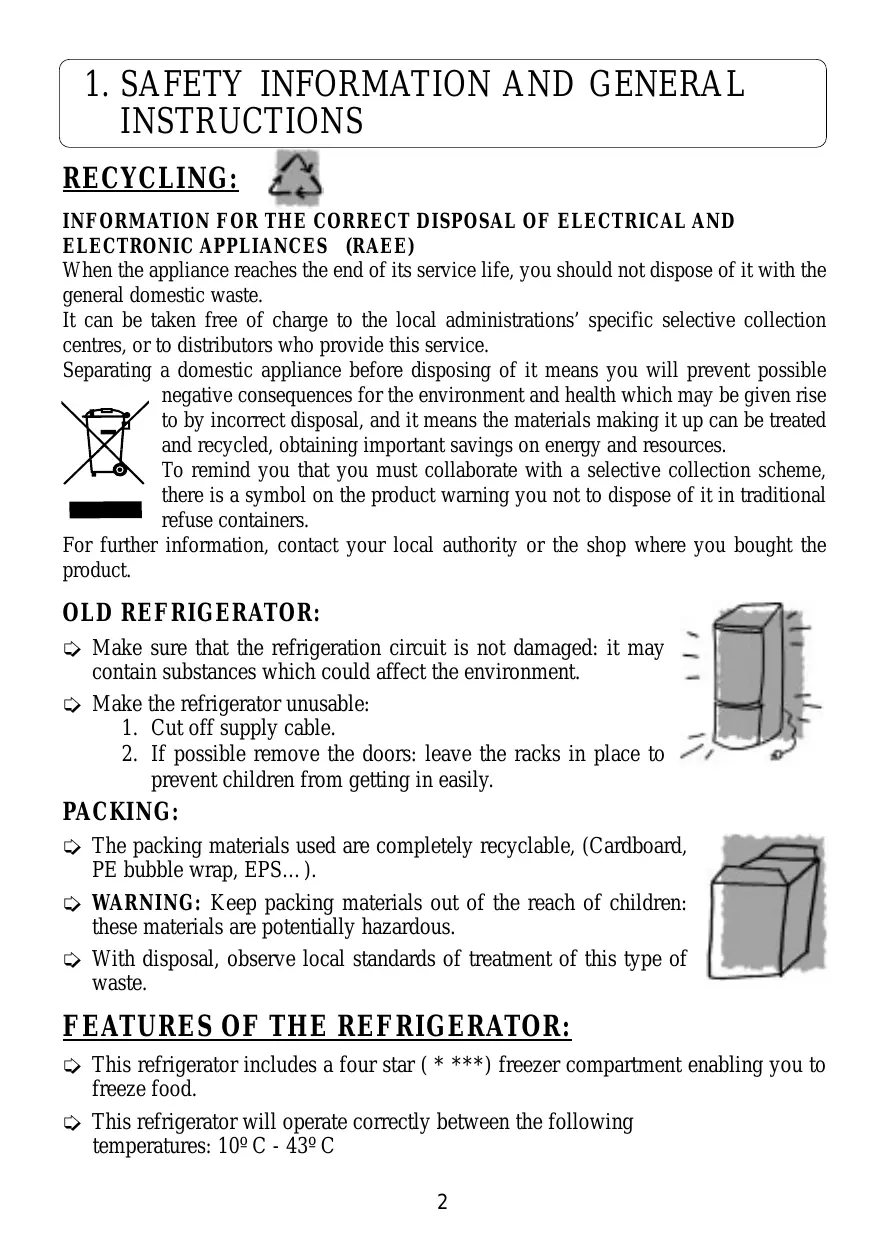
➭ Make sure that the refrigeration circuit is not damaged: it may contain substances which could affect the environment. ➭ Make the refrigerator unusable: 1. Cut off supply cable. 2. If possible remove the doors: leave the racks in place to prevent children from getting in easily.
➭ The packing materials used are completely recyclable, (Cardboard, PE bubble wrap, EPS…). ➭ WARNING: Keep packing materials out of the reach of children: these materials are potentially hazardous. ➭ With disposal, observe local standards of treatment of this type of waste.
FEATURES OF THE REFRIGERATOR:
➭ This refrigerator includes a four star ( * ***) freezer compartment enabling you to freeze food. ➭ This refrigerator will operate correctly between the following temperatures: 10º C - 43º C 2
2. DESCRIPTION OF THE REFRIGERATOR Control and temperature regulation panel
Cheese, butter, medicines
ENGLISH Tins, conserves, jam
MULTIFRESH Meat and fish
DOUBLE FRESH Fruits and vegetables
Frozen food and ice cubes
This diagram may not correspond exactly to your refrigerator.
➭This model refrigerator is commercialised with R600a coolant. Points to note: • This coolant does not affect the environment. • It is inflammable, so the cooling circuit must be in perfect condition. If damaged in any way, consult your distributor before switching on. ➭This refrigerator must be repaired only by the technical assistance service, using original spares. ➭ Do not use flame-producing equipment or electrical apparatus inside the refrigerator. ➭ Do not allow children to play with the refrigerator. ➭ Do not introduce volatile liquids or inflammable products.
3. INSTALLATION LOCATION:
➭ Ensure that the refrigerator is located away from heat sources (stoves, radiators, etc.) and protected from direct sunlight, which increases consumption. ➭ Allow air flow around the rear of the refrigerator. Do not cover the space between the refrigerator and the floor or the top of the refrigerator with any object. ➭ The refrigerator must not be installed outdoors, or exposed to rain. ➭ To ensure better energy efficiency, a 20 mm space is recommended between the back of the refrigerator and the wall. ➭ On certain occasions, relative humidity and room temperature may generate condensation on the inside and outside of the refrigerator.
To avoid vibrations and noise, ensure that the refrigerator is stable and level.
Plug specifications: 220-240V with earth.
Do not use adaptors or extension cables. Ensure that the cable is not in contact with the motor. Ensure that the cable is not caught under the refrigerator. 4
CHANGING THE DOOR-OPENING DIRECTION:
TOOLS REQUIRED: ➭ A Phillips screwdriver.
1. Unplug the refrigerator and take everything from the compartment. 2. Remove the cover from the top hinge. (Fig.1) 3. Loosen the top hinge screws. (Fig.1) 4. Take the door off with an upward movement.
5. Remove the cover of the central hinge screws, and loosen the two screws holding it in place. (Fig.2)
7. Lastly, remove the screws and take out the lower hinge.
(Fig.3) 8. Change the position of the
bottom hinge shaft, placing it on the opposite side.
(Fig.3) 9. If fitted, change the lateral handles to the other side. Fig. 3
10. Reverse this procedure to refit the doors.
BEFORE SWITCHING THE REFRIGERATOR ON:
➭ Clean the inside with warm water and bicarbonate of soda. Rinse and dry carefully. ➭ Wait for 2 hours before starting, to ensure that the motor lubricants have stabilised. ➭ If the refrigerator has been switched off, wait 4 hours after restarting before placing food inside. 5
6. With the screws loose, move the freezer door upward to release it.
4. REFRIGERATOR OPERATION AND USE TEMPERATURE REGULATION:
➭ In normal conditions, the recommended approximate temperature is 4ºC in the refrigerator and about –19ºC in the freezer. ➭ To regulate the temperature, use the temperature selection controls: temperatures are indicated in ºC. WARNING: The inside refrigerator temperature depends on: Room temperature. The location of the refrigerator. Door-opening frequency
CONTROL PANEL Your fridge will have one of the following three types of control panel:
• Single digital control panel: for appliances with 1 adjustment. • Digital control panel: for appliances with 2 adjustments and No-Frost. • LED control panel: for appliances with 2 adjustments.
Single digital control panel
Refrigerator Temperature Selection or Fridge
ON/OFF ALARM SUPER FREEZING Refrigerator Display
Single digital control panel
"ON/OFF" The fridge is switched on and off using the refrigerator temperature selection buttons. If the refrigerator display is lit up, the fridge will be running. To switch off the fridge, press + or – repeatedly until the display switches off.
"Temperature selection"
The refrigerator temperature in ºC can be selected by pressing the + and – buttons. While the number displayed flashes, choose the temperature required. Once this is done the temperature in the compartment will be shown on the display and will gradually move to the level chosen. If the fridge is not cool (the first time it is started up, for example), when the desired temperature is selected no value will appear on the display until the fridge has cooled down sufficiently.
"SUPER FREEZING" ➡ With this function running, the freezer temperature is automatically adjusted to maximum cold. This is to facilitate freezing of food and it is recommended that it is turned on 24 hours before introducing a large amount of food. The function will turn off automatically, and can also be switched off manually.
"Alarm" ➡ When the refrigerator door is left open for more than 120 seconds, an alarm will sound intermittently. This alarm will be switched off by closing the door.
Digital control panel
Refrigerator Temperature Selection or Refrigerator ON/OFF or Holiday
Fridge ON/OFF SUPER FREEZING ALARM Freezer
Digital control panel
"ON/OFF" The fridge is switched on and off using the freezer temperature selection buttons. If the freezer display is lit up, the fridge will be running. To switch off the fridge, press + or – repeatedly until the displays switch off.
The refrigerator can also be switched on and off leaving the freezer running, using the refrigerator temperature selection buttons. To switch off the refrigerator, press the + or – button repeatedly until the refrigerator display switches off. The door must be left open. If the door is closed when the refrigerator display is switched off, the holiday function will be activated.
"TEMPERATURE SELECTION"
The refrigerator and freezer temperatures can be selected by pressing the + or – buttons. After selection they will remain on the Control Panel display. To determine the real temperatures inside the refrigerator, press the corresponding + or – button for each compartment and hold it down for at least 5 seconds.
ENGLISH REFRIGERATOR The real temperature in the comportment will begin to flash on each display and will gradually reach the selected temperature. When the + or – button is released, the Control Panel will show the temperature selected for each compartment.
Used when you want the freezer to work normally and the refrigerator to be switched off when you do not plan to use it for a long period of time, such as, for example, during the holiday period. Before enabling this option, empty the refrigerator and clean it. Then activate this function to ensure that your refrigerator is maintained in optimum conditions to avoid generating unpleasant odours. When you come back from your holidays, simply deactivate the function and the temperature in the refrigerator will drop once again to pre-selected level. To activate or deactivate the holiday function: press the + or – refrigerator temperature selection button repeatedly until the refrigerator display switches off. When the refrigerator display switches off, close the refrigerator door. "SUPER COOLING" ➡ With this function running, the refrigerator temperature is regulated automatically to maximum cold for six hours. It switches off automatically but can also be turned off automatically before the 6 hours is up. "SUPER FREEZING" ➡ With this function running, the freezer temperature is automatically adjusted to maximum cold. This is to facilitate freezing of food and it is recommended that it is turned on 24 hours before introducing a large amount of food. The function will turn off automatically, and can also be switched off manually. "Alarm" ➡ A light and audio signal is activated if the freezer temperature is abnormally low. The audio alarm can be turned off manually using the SUPER FREEZING function. ➡ When the refrigerator door is left open for more than 120 seconds, an alarm will sound intermittently. This alarm will be switched off by closing the door. "Cold level" ➡ The number of lights on indicate freezer cold level. The more lights on, the colder the freezer.
Refrigerator ON/OFF or Holiday
Temperature Selection
SUPER COOLING Freezer
Temperature Selection
SUPER FREEZING ALARM Cold level
REFRIGERATOR Fridge ON/OFF Led control panel
"ON/OFF" The fridge is switched on and off using the "Fridge ON/OFF" button. The refrigerator may also be switched on or off leaving the freezer running, using the "Refrigerator ON/OFF" button. The door must be left open. If the door is closed after the "Refrigerator ON/OFF" button is pressed, the holiday function will be activated. "Temperature selection" The refrigerator and freezer temperatures in ºC can be selected by turning the dials. The coldest temperature is obtained by turning the dial clockwise as far as it will go.
Used when you want the freezer to work normally and the refrigerator to be switched off when you do not plan to use it for a long period of time, such as, for example, during the holiday period. Before enabling this option, empty the refrigerator and clean it. Then activate this function to ensure that your refrigerator is maintained in optimum conditions to avoid generating unpleasant odours. When you come back from your holidays, simply deactivate the function and the temperature in the refrigerator will drop once again to pre-selected level.
"SUPER COOLING" ➡ With this function running, the refrigerator temperature is regulated automatically to maximum cold for six hours. It switches off automatically but can also be turned off automatically before the 6 hours is up.
"SUPER FREEZING" ➡ With this function running, the freezer temperature is automatically adjusted to maximum cold. This is to facilitate freezing of food and it is recommended that it is turned on 24 hours before introducing a large amount of food. The function will turn off automatically, and can also be switched off manually. "Alarm" ➡ A light and audio signal is activated if the freezer temperature is abnormally low. The audio alarm can be turned off manually using the SUPER FREEZING function. ➡ When the refrigerator door is left open for more than 120 seconds, an alarm will sound intermittently. This alarm will be switched off by closing the door. "Cold level" ➡ The number of lights on indicate freezer cold level. The more lights on, the colder the freezer.
ENGLISH To activate or deactivate the holiday function: Press the holiday function button and close the refrigerator door.
CORRECT USE OF THE APPLIANCE:
REFRIGERATOR ➭ Leave enough space between food items to let air to flow around them. ➭ Do not place food in contact with the cold wall at the back of the refrigerator. The racks have a stop which should not be exceeded. ➭ Do not leave the door open longer than necessary. ➭ Do not put hot food in the refrigerator.
Models with ventilator ➭ Your refrigerator is designed for even cold distribution, provided by the ventilator in the back at the top of the cabinet.
If your refrigerator has a Multifresh compartment:
➭ This guarantees ideal conservation of fresh food such as meat and fish, and also vegetables, allowing these items to be conserved for longer periods of time without having to freeze them. ➭ This area has the coldest temperatures in the refrigerator and is also the area least affected by frequent opening. ➭ For meat and fish, an intermediate refrigerator temperature is recommended. ➭ For greater capacity in the refrigerator, remove the top rack and cover, and store directly on the tray. This area loses the benefits outlined above.
If your refrigerator is fitted with this system, the top rack covering the fruit and vegetable baskets has a membrane filter maintaining a high level of humidity in the baskets. The humidity level provided is ideal to ensure that vegetables do not dry, out, ensuring that they retain all their texture, flavour and nutritional properties.
The refrigerator may be equipped with a filter that absorbs any unpleasant smells produced by the food, and retains microorganisms (mould and bacteria) from the circulating air.
The HYGIENIZER only maintains its properties for a certain time (approx. 6 months), after which it should be replaced. Spares can be purchased in the shop where you bought your refrigerator. The filter reference code is printed on the cartridge.
➭ The amount of food to be frozen at once must not exceed the freezing power indicated on the specifications plate. ➭ Ensure that your food to be frozen is in good conditions. ➭ Observe the best-by date. ➭ To prevent the food from drying out, wrap it in aluminium foil or plastic film. ➭ Do not put food to be frozen in contact with food already frozen. ➭ Never refreeze thawed food. ➭ Freeze in daily servings. ➭ Do not store bottles with carbonated drinks or glass bottles containing liquids in the freezer. They may burst. ➭ Do not eat very cold ice-cream or food: this may burn the mouth. ➭ Label the wrapping, indicating the content and the freezing date. ➭ For maximum freezing capacity, we recommend that you remove the central basket and place the food on the freezer shelf. ➭ For maximum volume, we suggest that you remove the ice tray. ➭ For best energy yield, keep the ice-cube holder full, along with the ice holder on the upper basket tray.
➭ Fill the trays in the freezer up to three quarters, with water.
➭ Place the trays in the freezer. ➭ Once the water has frozen, the cubes can be removed by twisting the tray slightly. Store the cubes in the ice compartment.
DEFROSTING REFRIGERATOR:
➭ The refrigerator’s defrosting system is automatic, no manual defrosting is required. ➭ The refrigerator back wall is usually covered in small drops of water, or ice. This is completely NORMAL and is part of the automatic defrosting process. ➭ These drops are collected in a container over the motor and are evaporated by the heat of the motor.
➭ With the passage of time, a layer of frost or ice forms on the freezer walls. If this is excessive, it will cause your refrigerator to consume more energy. We recommend that this layer of ice be removed at least twice yearly. ➭ No-Frost refrigerators do not produce this layer of frost or ice and so manual operation is required. ➭ Defrosting must be done as quickly as possible; if the temperature of the food rises, the period of conservation is reduced.
➭ PROCEDURE FOR DEFROSTING:
1. Choose a time when there is not much food in the freezer. 2. Empty the freezer and place the frozen food in thermal bags in a cool place. 3. Unplug the freezer and wait for the ice to melt. 4. To speed up the process, a plastic spatula can be used: never use sharp metal or pointed objects (knives, forks, metal spatulas …) which may damage the refrigerating circuit.
DEFROSTING FOOD Not all food should be defrosted in the same way
➭ If you have bought frozen food, follow the instructions on the pack. ➭ Vegetables should be cooked directly. ➭ In general, prepared or pre-cooked foods can be cooked directly. ➭ Meat and fish must be defrosted slowly in the refrigerator over several hours. If you have a microwave, this can speed this considerably.
5. CLEANING AND MAINTENANCE CLEANING:
➭ Before starting cleaning, switch the refrigerator off using the switches ON/OFF. ➭ Clean the interior with water or bicarbonate of soda, with the help of a sponge or cloth: this will prevent the formation of odours. ➭ Never use steam cleaning machines, solvents or abrasive detergents, which may damage the inside of your refrigerator. Do not place the inside fittings in the dishwasher. ➭ From time to time clean the water trap and drain, using warm water with a few drops of bleach. ➭ It is recommended that the rear grill be cleaned once year using a vacuum cleaner: if it is dusty and dirty, that reduces the refrigerator’s performance and increases its consumption.
➭ Turn the light switch off. ➭ Press the inside lip to remove the light reflector cover. ➭ Remove the bulb which has failed and replace it with another of the same sort, screw type E14, 220-240V, with a maximum of 15 W.
WHAT TO DO IN CASE OF A POWER OUTAGE:
➭ If possible, do not open the refrigerator doors. ➭ When power is restored, check to see if the food has unfrozen. ➭ Consume any defrosted food immediately. Do not re-freeze!
WHAT TO DO IF THE REFRIGERATOR IS NOT TO BE USED FOR A LONG PERIOD OF TIME:
➭ Empty the refrigerator. ➭ Unplug and clean the unit as described above, and turn the light off at the switch. ➭ Leave the doors open to prevent formation of unwanted odours. ➭ HOLIDAY function: If your refrigerator is not going to be used for a long period but you wish to keep food frozen in the freezer, you can turn the refrigerator section off and leave it closed: the appliance will continue to function with very low consumption, without causing odours inside.
6. NORMAL REFRIGERATOR NOISE
➭ The refrigerating gas may produce bubbling sounds as it flows through the circuits. ➭ The compressor may buzz and/or produce slight knocking, which may be more marked on starting. ➭ Cracking sounds produced by expansion and contraction of the materials used. ➭ If your apparatus has a ventilator, you will hear a whispering sound caused by the air flowing inside the refrigerator.
➭ The insulation used amplifies sound levels.
If your refrigerator is a "NET Comp@tible" range model and has the the following in mind:
Fridges bearing the NET comp@tible logo are ready for connection to the Fagor Digital Home or any other home automation system, with advanced features such as remote control by telephone call, telediagnosis, etc.
NET comp@tible fridges have a serial port for connection to a home automation carrier current communications network system. To connect a NET comp@tible fridge to the home automation system, you need to purchase and connect an optional communications module that is sold separately, and your home must have a Maior-Domo® Fagor home automation manager. The connection of the optional communications module to the domestic appliance must be made exclusively by Fagor’s Technical Service. For further information, contact your usual distributor or call our customer service on 902 10 50 10. Connectivity with automated home networks is available for the Spanish market only.
➭ In the freezers of No-Frost refrigerators, the effect will be noted of the ventilator running to cool the whole of the freezer evenly.
8. TROUBLESHOOTING PROBLEM SOLUTION CAUSE not • It is not plugged in.
• There is no electrical current to the plug because the fuse has blown or the automatic power limiter has activated. • The connection controls are not on.
• Change the fuse or reset the automatic power limiter.
The refrigerator vibrates.
• The refrigerator incorrectly levelled.
• Level it, with the leveller bases.
The refrigerator or freezer is not very cold
• Temperature selection is set too hot.
• The door is not properly closed or is opened very frequently. • The space between the refrigerator and floor or the top of the refrigerator has been covered. • The refrigerator is exposed to direct sunlight or a heat source.
• Set temperature selection to maximum cold.
• Ensure that the door does not remain open too long.
• A large amount of food has been introduced.
• Consult the section on
"operation and use of the refrigerator".
• The doors are not properly closed.
• The doors are opened often.
• Close the door properly.
• The food was introduced recently.
• Wait for the appliance to return to normal.
• Temperature selection in a high position.
• Set the temperature switch to less cold.
The refrigerator operate
The motor runs permanently.
• Switch the controls on.
• Keep these areas free as described in the
"Installation" section in this manual. • Relocate the refrigerator or protect it from these heat sources.
• Avoid opening the door frequently.
The door does not close.
• The refrigerator is not correctly levelled.
• The door was closed violently. • It is prevented from closing by a product inside.
• Level the refrigerator correctly.
• Close the doors gently.
Drops of water or ice on the • Automatic refrigerator cycle. refrigerator back wall.
Water in the bottom of the refrigerator.
• Drain ducting blocked.
• Food in contact with the back wall.
• Put this product in a suitable place.
• Do not worry: this completely normal.
• Clean the water ducting as explained in the section on cleaning.
• Do not place food or containers in contact with the back wall.
• Check to see if food is preventing the door from being closed.
• The door has been opened often.
• Ensure that the door does not remain open for too long.
Odour in the refrigerator.
• Some food is transmitting odours to the refrigerator.
• Wrap the food or cover it correctly, or replace the
HYGIENIZER in models which have this function.
• The food is not properly wrapped.
• Wrap the food or cover it correctly.
The refrigerator light does not come on.
• The light is loose.
• Screw it in properly.
• Change the light as explained in the manual. • Plug in.
A lot of ice forms on the freezer walls or on the back wall of the refrigerator.
• The plug is not connected to the power takeoff.
• There is no electrical current to the plug because the fuse has blown or the automatic power limiter has activated. • The light switch is off.
• Change the fuse or reset the automatic power limiter.
• Set the switch so that the red point is visible.
9. TECHNICAL SERVICE CALLS
➭ Read the manual carefully and, if you are unable to resolve the problem, call the technical assistance service. ➭ The address and telephone number closest to your address appear in the index of official technical service offices we supply with the refrigerator, or in your city telephone directory. ➭ To facilitate the work of the technical assistance service, please provide them with the following details. • The refrigerator model. • The refrigerator reference. • Date of purchase. • A description of the problem. • Your home address and telephone number.