
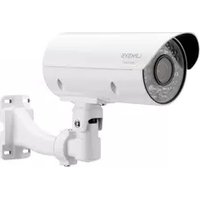
LCAD03VLNOD - Surveillance Camera LINKSYS - Free user manual and instructions
Find the device manual for free LCAD03VLNOD LINKSYS in PDF.


Pick your language and provide your email: we'll send you a specifically translated version.
| Product Type | Surveillance Camera |
| Brand | Linksys |
| Model | LCAD03VLNOD |
| Dimensions | 7.2 x 7.2 x 12.5 cm |
| Weight | 0.3 kg |
| Power Supply | DC 5V 1A (micro USB) |
| Resolution | 1080p Full HD |
| Night Vision | Up to 10 meters |
| Field of View | 130 degrees |
| Connectivity | Wi-Fi 802.11 b/g/n |
| Audio | Two-way audio with built-in microphone and speaker |
| Motion Detection | Yes, with push notifications |
| Storage | Cloud storage and microSD up to 128 GB |
| Mounting | Tabletop or wall mount |
| Indoor/Outdoor | Indoor use only |
| Operating Temperature | 0°C to 40°C |
| Maintenance | Clean lens with a soft, dry cloth. Avoid water. |
| Safety | Keep away from heat sources and liquids. Use only included adapter. |
| Spare Parts | Power adapter, mounting screws, USB cable |
| Repairability | Limited; contact Linksys support for service |
| Compatibility | Linksys App (iOS/Android), Alexa, Google Assistant |
Frequently Asked Questions - LCAD03VLNOD LINKSYS
How do I set up the Linksys LCAD03VLNOD camera?
Download the Linksys App from your app store, create an account, and follow the in-app instructions. Connect the camera to power and wait for the LED to blink amber. The app will guide you through Wi-Fi setup.
What should I do if the camera goes offline?
Check your Wi-Fi network and ensure the camera is within range. Restart the camera by unplugging it for 10 seconds. If the issue persists, reset the camera using the pin hole and reconfigure it in the app.
Can I use the camera outdoors?
No, the LCAD03VLNOD is designed for indoor use only. Exposure to rain or extreme temperatures may damage the device.
Does the camera support night vision?
Yes, it has built-in infrared LEDs for night vision up to 10 meters in complete darkness. The image switches to black and white automatically in low light.
How do I enable motion detection alerts?
Open the Linksys App, go to the camera settings, and turn on Motion Detection. You can adjust sensitivity and set activity zones. You'll receive push notifications when motion is detected.
What storage options are available?
The camera supports microSD cards up to 128 GB for local recording. You can also subscribe to Linksys Cloud storage for remote access and backup.
How do I reset the camera to factory settings?
Locate the reset pinhole on the back of the camera. Insert a paperclip and hold for about 10 seconds until the LED flashes red. The camera will restart and be ready for setup.
Can I view the camera remotely?
Yes, via the Linksys App on your smartphone or tablet. You can view live footage, play back recordings, and adjust settings from anywhere with an internet connection.
Does the camera work with smart home devices?
Yes, it is compatible with Amazon Alexa and Google Assistant. You can use voice commands to view the camera feed on compatible displays.
How do I clean and maintain the camera?
Use a soft, dry cloth to gently wipe the lens and body. Do not use water or cleaning solvents. Keep the camera away from dust and direct sunlight to ensure optimal performance.
User questions about LCAD03VLNOD LINKSYS
0 question about this device. Answer the ones you know or ask your own.
Ask a new question about this device
No questions yet. Be the first to ask one.
Download the instructions for your Surveillance Camera in PDF format for free! Find your manual LCAD03VLNOD - LINKSYS and take your electronic device back in hand. On this page are published all the documents necessary for the use of your device. LCAD03VLNOD by LINKSYS.
USER MANUAL LCAD03VLNOD LINKSYS
Manual assistant
Powered by Anthropic
Waiting for your message
Product information
Brand : LINKSYS
Model : LCAD03VLNOD
Category : Surveillance Camera