
Series 9000 BT9290 - Beard trimmer PHILIPS - Free user manual and instructions
Find the device manual for free Series 9000 BT9290 PHILIPS in PDF.


| Product type | Beard trimmer |
| Brand | Philips |
| Model | Series 9000 BT9290 |
| Dimensions (L x W x H) | 5 cm x 4 cm x 19 cm |
| Weight | 200 g |
| Power source | Rechargeable Li-Ion battery |
| Battery life | 60 minutes |
| Charge time | 1 hour |
| Length settings | 40 settings (0.5 mm to 20 mm) |
| Blade material | Stainless steel |
| Cutting head | Self-sharpening |
| Cordless use | Yes |
| Washable | Yes |
| Cleaning | Under running water, regular lubrication |
| Water resistance rating | IPX7 (submersible up to 1 m) |
| Spare parts available | Blades, adjustable comb, power adapter |
| Warranty | 2 years |
Frequently Asked Questions - Series 9000 BT9290 PHILIPS
User questions about Series 9000 BT9290 PHILIPS
0 question about this device. Answer the ones you know or ask your own.
Ask a new question about this device
Download the instructions for your Beard trimmer in PDF format for free! Find your manual Series 9000 BT9290 - PHILIPS and take your electronic device back in hand. On this page are published all the documents necessary for the use of your device. Series 9000 BT9290 by PHILIPS.
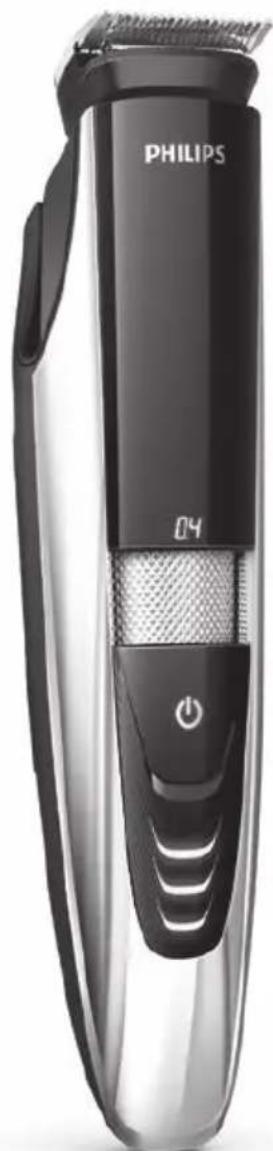
USER MANUAL Series 9000 BT9290 PHILIPS
Always here to help you
Register your product and get support at www.philips.com/welcome

BT9295
BT9290
BT9280
natural_image
Black and white photo of a Philips 3-brick hairbrush with a power button (no text or symbols visible on the brush itself)User manual
PHILIPS

natural_image
Simple line drawing of an open book with a grid on the left and a closed page on the right (no text or symbols)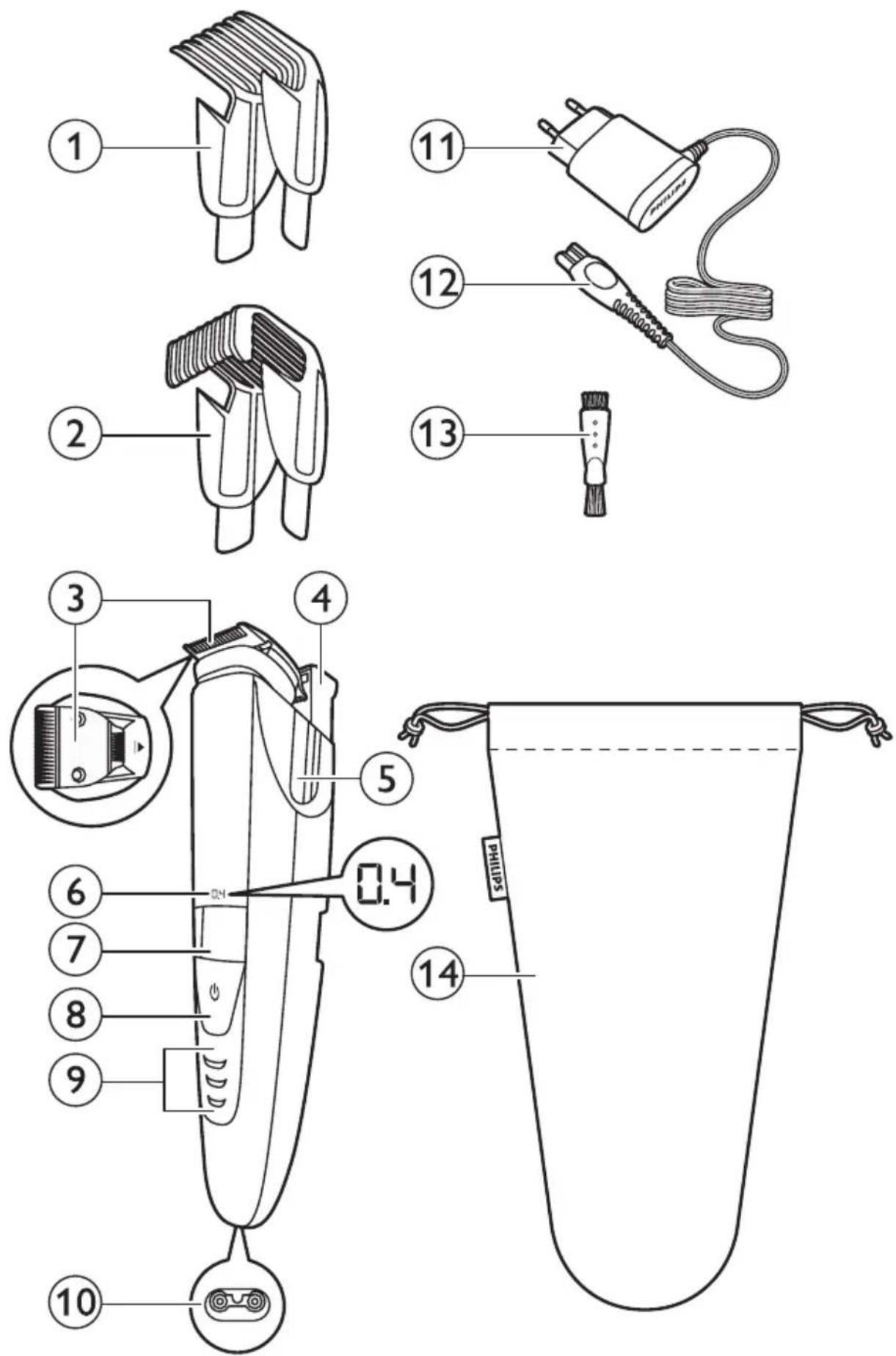
ENGLISH 6
ESPAÑOL 17
FRANÇAIS 28
FRANÇAIS (CANADA) 39
INDONESIA 50
한국어 61
BAHASA MELAYU 71
PORTUGUÊS 82
ภาษาไทย 93
TIÊNG VIÊT 103
繁體中文 113

132

142
Introduction
Congratulations on your purchase and welcome to Philips! To fully benefit from the support that Philips offers, register your product at
www.philips.com/welcome.
General description (Fig. 1)
1 Precision trimming comb
2 Standard trimming comb
3 Turnable trimming head
4 Laser guide
5 Guiding groove for trimming comb
6 Length setting display
7 Zoom wheel for length setting
8 On/off button
9 Battery lights
10 Socket for small plug
11 Adapter
12 Small plug
13 Cleaning brush
14 Storage pouch (BT925/BT9290 only)
Important
Read this user manual carefully before you use the appliance and save it for future reference.
Danger
- Keep the adapter dry.
Warning
- Check if the voltage indicated on the adapter corresponds to the local mains voltage before you connect the appliance.
- The adapter contains a transformer. Do not cut off the adapter to replace it with another plug, as this causes a hazardous situation.
- This appliance is not intended for use by persons (including children) with reduced physical, sensory or mental capabilities, or lack of experience and knowledge, unless they have been given supervision or instruction concerning use of the appliance by a person responsible for their safety.
- Keep the appliance and its cord out of the reach of children.
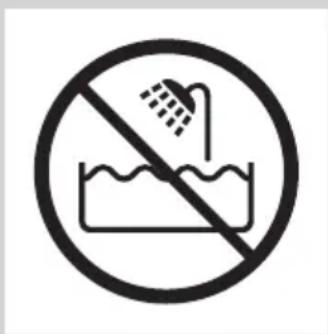
- Do not use the appliance in the bath or in the shower.

natural_image
Prohibition sign showing a faucet without a shower, enclosed in a circle (no text or symbols)
Caution
- Always check the appliance before you use it. Do not use the appliance if any of its parts is damaged or broken, as this may cause injury.
- Only use this appliance for its intended purpose as shown in the user manual.
- Use, charge and store the appliance at a temperature between 5^ C and 35^ C.
- Only use the adapter supplied to charge the appliance.
- Make sure the appliance is switched off and disconnected from the mains before you clean it under the tap.

- If the appliance is subjected to a major change in temperature, pressure or humidity, let the appliance acclimatise for 30 minutes before you use it.
- If the adapter is damaged, always have it replaced with one of the original type in order to avoid a hazard.
- Never use compressed air, scouring pads, abrasivecleaning agents or aggressive liquids such as petrol or acetone to clean the appliance.
- Noise level: Lc= 65dB(A)
Compliance with standards
- The appliance complies with the internationally approved IEC safety regulations and can be safely cleaned under the tap.
- This Philips appliance complies with all applicable standards and regulations regarding exposure to electromagnetic fields.
Class 1 laser product
- The product contains a class 1 laser guide which complies with IEC60825-1.
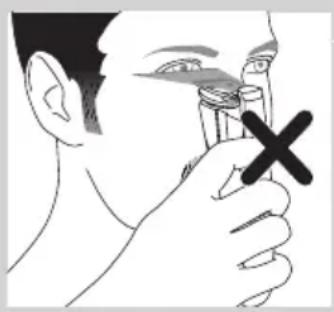
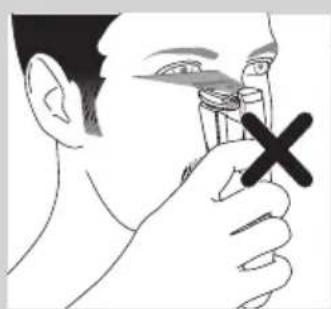
- To avoid all risks, point the laser beam away from your eyes and do not stare directly into the laser beam.
Preparing for use
Charging
Charge the appliance fully before you use it for the first time and after a long period of disuse.
Charging takes about 60 minutes if the appliance is completely empty.
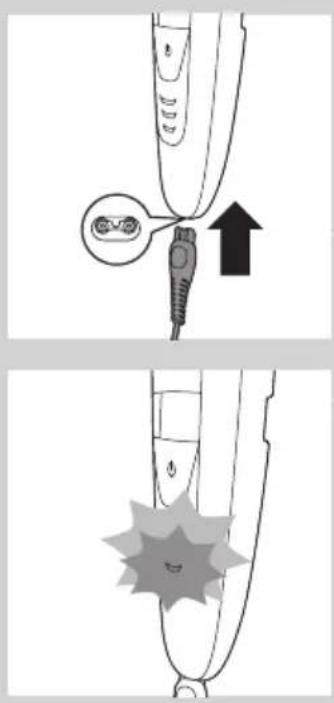
1 Make sure the appliance is switched off and the laser guide is in 'off position.
2 Insert the small plug into the appliance and put the adapter in the wall socket.
First the bottom battery light flashes orange and white alternately.
ENGLISH8

natural_image
Simple line drawing of a mechanical component with a starburst shape and a curved base (no text or symbols)After about 3 minutes the bottom battery light flashes white only. At this point the battery contains enough energy for one cordless trimming session.
When the charging process continues, more lights start flashing to show that the charge level of the battery increases.

natural_image
Simple line drawing of a curved object with a circular overlay containing three crescent-like symbols (no text or labels)When the appliance is fully charged, all battery lights light up solid white.
If the appliance is still connected to the mains when it is fully charged, the battery lights go out after 30 minutes.
natural_image
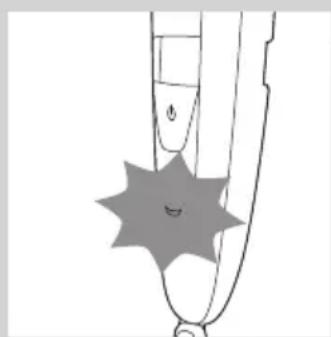
Simple line drawing of a mechanical component with a star-shaped feature and a small circular symbol (no text or labels)Battery low and battery empty signals
When the battery is almost empty, the bottom battery light starts flashing orange. When you switch off the appliance, the bottom battery light continues to flash orange for a few seconds.
The battery light at the bottom of the appliance flashes orange at a higher frequency when the battery is empty and if you:
- press the on/off button
- turn the zoom wheel
- activate the laser guide
Corded trimming
You can also operate the appliance from the mains.
1 Insert the small plug into the socket of the appliance.
2 Put the adapter in a wall socket.

natural_image
Diagram showing a medical device interacting with a connector, with an arrow indicating upward motion (no text or symbols present)3 Press the on/off button to switch on the appliance.

Using the appliance
You can use the appliance to trim facial hair (beard, moustache and sideburns). This appliance is not intended for trimming lower body parts or scalp hair.
Trimming with the laser guide
natural_image
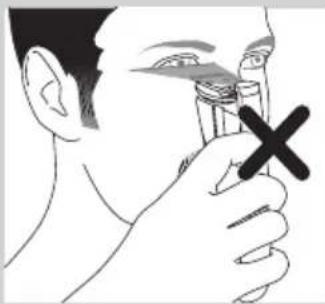
Illustration of a person using a nasal swab with a black X mark (no text or symbols)You can use the laser guide to define the edges of your beard, sideburns and moustache. The laser guide can be used with the 32mm (1.25in) side as well as the 15mm (0.6in) side of the trimming head.
Note: The laser guide can only be used when you trim without comb.
Note: Although the light from the laser guide is not harmful to the eyes, we advise you not to stare into the light and to avoid shining the light into your eyes.

1 Press the on/off button to switch on the appliance.

natural_image
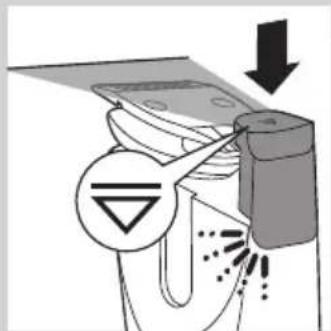
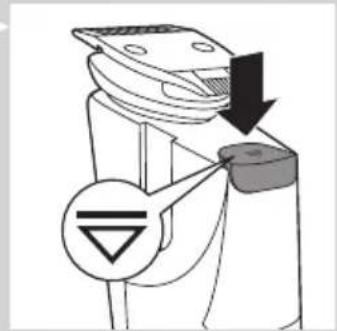
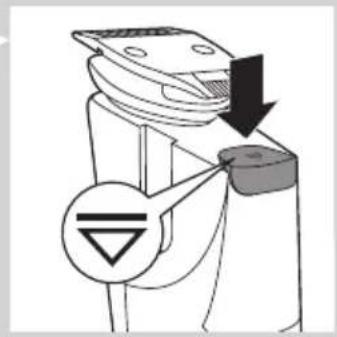
Mechanical component diagram showing a lever mechanism with a downward arrow and a symbol (no text or labels)2 To trim with the laser guide, press the top of the laser guide to switch it on.
The laser guide pops up and its light shines over the top of the trimming head.

natural_image
Diagram showing a hairpin being inserted into a device, with no visible text or symbolsNote: If you trim with the laser guide, make sure you push the laser guide to 'off' position before you turn the trimming head. You may damage the laser guide if you try to turn the trimming head while the laser guide is still popped up.

natural_image
Illustration of a person applying a toothbrush to their face, no text or symbols present

3 Start trimming where you want to define the edges of your beard and use the laser guide to guide you during trimming.
Tip: Hold the appliance so that the laser light shines exactly on the edge you want to trim and then place the trimming head on your skin.
4 When you are finished, press the on/off button to switch off the appliance.
Tip: When the motor of the appliance is not operating, the laser guide switches off automatically within 3 minutes. In the 3 minutes before the automatic switch-off of the laser guide, you can use the laser guide to check if the contours of your beard are symmetrical or straight.
5 Push down the top of the laser guide to lock it in 'off' position ('click').
Trimming without comb

natural_image
Illustration of a hand gripping a device with an upward arrow indicating motion (no text or symbols)
natural_image
Diagram showing a device being inserted into a cylindrical component, with no visible text or symbols.If you trim without comb, your hair is cut off close to the skin. The trimming head has a 32mm (1.25in) side and a 15mm (0.6in) side. The 15mm (0.6in) side of the trimming head allows more precise styling and contouring than the 32mm (1.25in) side.
1 If one of the combs is still on the trimming head, pull it off. Never pull at the flexible top of the comb. Always pull at the sides.
2 Turn the trimming head until the side you want to use points to the front of the appliance.

3 Press the on/off button to switch on the appliance.
4 Hold the appliance in the position that is most convenient for the area you want to trim and make strokes in the desired direction.
Tip: For a comfortable trim close to your skin, place the flat side of the trimming head against your skin and make strokes in the desired direction.
5 When you are finished, press the on/off button to switch off the appliance.
Trimming with comb

natural_image
Illustration of a person applying a hair product to their face (no text or symbols)The appliance comes with two combs: a standard comb and a precision comb. These combs keep the trimming head at a certain distance from your skin. This distance determines the remaining hair length and can be adjusted by turning the zoom wheel.
- Use the standard comb to trim your beard.

natural_image
Line drawing of a person applying a toothbrush to their lower face (no text or symbols)- Use the precision comb to trim hard-to-reach areas, for instance under your nose.

natural_image
Illustration of a hand holding a tool with a downward arrow and sparkles, no text or symbols present1 Slide the comb into the guiding grooves on both sides of the appliance ('click').
Note: The comb does not fit on the trimming head when the 15mm (0.6in) side is pointing towards the front of the appliance. If this is the case, turn the trimming head before you slide the comb onto the trimming head.

2 Turn the zoom wheel to select a length setting.
- The length setting selected lights up on the front of the appliance. - You can select a length from 0.4mm to 7mm (see table in section 'Length settings' below).

3 Press the on/off button to switch on the appliance.
4 To trim your beard, move the trimming comb through the hair slowly.

5 When you are finished, press the on/off button to switch off the appliance.
Tips
- Always make sure that the tips of the trimming comb point in the direction in which you move the appliance.
- Make sure that the flat part of the trimming comb is always in full contact with the skin to obtain an even hair length result.
- Since hair grows in different directions, you need to move the appliance in different directions (upward, downward or across).
- Trimming is easier when skin and hair are dry.
Length settings
mm
0.4 0.6 0.8 1.0 1.2
1.4 1.6 1.8 2.0 2.5
3.0 3.5 4.0 4.5 5.0
6.0 7.0
Cleaning and maintenance
Clean the appliance after every use.
Never use compressed air, scouring pads, abrasive cleaning agents or aggressive liquids such as petrol or acetone to clean the appliance.
Note: The trimming head does not need any lubrication.
Cleaning the appliance and the combs
1 Switch off the appliance.
natural_image
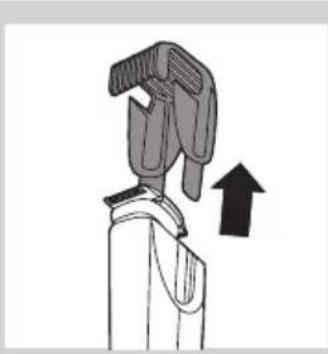
Diagram of a hand holding a tool with an upward arrow indicating motion (no text or symbols)2 Pull the comb off the trimming head.
natural_image
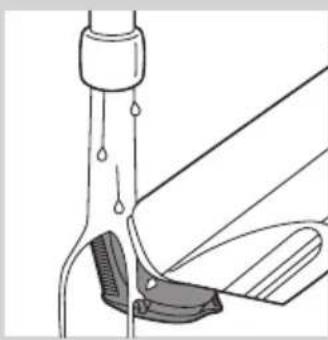
Diagram of a mechanical device with liquid and lever components (no text or symbols)3 Clean the trimming head under the tap with lukewarm water or clean it with the cleaning brush supplied.

natural_image
Mechanical assembly diagram showing a lever mechanism with no visible text or symbols4 Clean the trimming combs under the tap or clean them with the cleaning brush supplied.
Tip: To make sure that the appliance is dry before you store it in the pouch, let it dry in a well-ventilated room with the laser popped up.
Cleaning the trimming head connector
Note: Make sure you clean the trimming head connector at least once every three months.
natural_image
Illustration of a mechanical device with an upward arrow indicating motion (no text or symbols)1 Switch off the appliance.
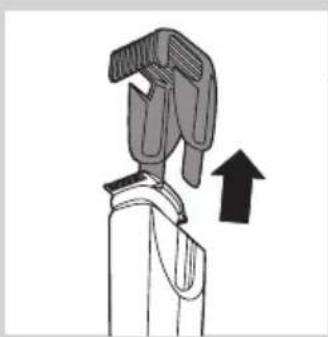
2 Pull the comb off the trimming head.
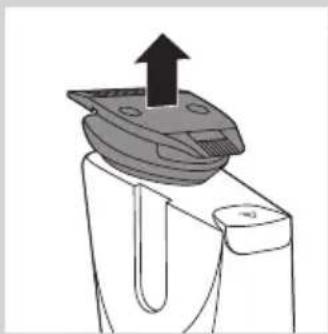
natural_image
Diagram of a mechanical component with an upward arrow indicating force or direction (no text or symbols present)3 Pull the trimming head off the appliance.
Note: To prevent damage to the laser guide, put the laser guide in 'off' position before you remove the trimming head.

natural_image
Hand using a tool to apply a component to a small electronic component (no text or symbols visible)4 Clean the trimming head connector with the cleaning brush supplied.

natural_image
Illustration of a hand using a pipette to apply liquid into a digital device (no text or symbols visible)5 Clean the inside of the trimming head with the cleaning brush supplied.
6 After cleaning, put the trimming head back onto the appliance.
Ordering accessories
To buy accessories or spare parts, visit www.shop.philips.com/service or go to your Philips dealer. You can also contact the Philips Consumer Care Centre in your country (see the worldwide guarantee leaflet for contact details).
Guarantee and support
If you need information or support, please visit the Philips website at www.philips.com/support or read the worldwide guarantee leaflet.
Environment

natural_image
Symbol of a waste bin with crossed lines indicating no waste, and a solid black rectangle below (no text or labels)- Do not throw away the appliance with the normal household waste at the end of its life, but hand it in at an official collection point for recycling. By doing this, you help to preserve the environment.

- The built-in rechargeable battery contains substances that may pollute the environment. Always remove the battery before you discard and hand in the appliance at an official collection point. Dispose of the battery at an official collection point for batteries. If you have trouble removing the battery, you can also take the appliance to a Philips service centre. The staff of this centre will remove the battery for you and will dispose of it in an environmentally safe way.
Frequently asked questions
Question Answer
| Is the laser light harmful to my eyes? | No, it is not. The appliance has been thoroughly tested for home use. Nevertheless, we advise you not to stare into the light and to avoid shining the light directly into your eyes. |
| I cannot turn the trimming head. Why? | You have to push the laser guide to 'off' position before you can turn the trimming head. |
| Can I clean this appliance under a running tap? | The appliance is watertight and you can clean it under a running tap with lukewarm water. |
| Tip: To prevent condensation on the laser window of the laser guide, we advise you not to rinse the appliance under the tap. | |
| Why doesn't the comb fit on the trimming head? | The combs can only be used when the wide side of the trimming head points towards the front of the appliance. If the comb does not fit: |
| 1) you may have tried to fit it onto the trimming head when the narrow side of the trimming head points towards the front of the appliance. Turn the trimming head to normal trimming position and then slide the comb onto it. | |
| 2) The laser guide is still on. To trim with one of the combs, you first have to push the laser guide to 'off' position. | |
| What is the difference between the combs? | The standard comb is most suitable for trimming your beard to an even length. The precision comb is especially suitable for trimming hard-to-reach areas, for instance beneath your nose. |
| Why can't I see the laser light? | The laser guide is in 'off' position. Switch on the laser guide by pressing the top of the laser guide. |
| You switched off the appliance with the laser guide still popped up. After 3 minutes, the laser guide switches off automatically. Switch on the laser guide by pressing the top of the laser guide. | |
| You are using the appliance in a room or area where the light is very bright. Move to a room or area where the light is less bright. | |
| Why can't I see the hairs when I use the laser guide? | You are probably using the appliance in a room or area that is too dark. Switch on the light in the room or go to a room or area where there is more light. |
| How long does it take to charge the appliance for just one trimming session? | This appliance has a quick-charge function. When the appliance starts charging, the bottom light flashes orange and white alternately. After 3 minutes the bottom light stops flashing orange and only flashes white. At this point, the battery contains enough energy for one trimming session. |
Question Answer
| Why don't I see a straight uninterrupted laser line? | The laser light from the laser guide may be interrupted because: |
| The laser window of the laser guide is dirty. Pop up the laser guide and wipe the laser window clean with a cloth. | |
| There is condensation behind the laser window. Pop up the laser guide and let it dry in a well-ventilated room. The laser guide switches off automatically after 3min. | |
| You did not assemble the trimming head correctly. Push down the trimming head to make sure it is assembled correctly. |
Introducción
Precaución
natural_image
Simple line drawing of a mechanical component with a starburst shape and a small circular mark (no text or symbols)natural_image
Simple line drawing of a curved object with a circular label containing three crescent shapes (no text or symbols)natural_image
Simple line drawing of a mechanical component with a starburst shape and a small circular mark (no text or symbols)natural_image
Diagram of a medical device with a connector inserted into a socket, showing an upward arrow (no text or symbols present)Uso del aparato
natural_image
Illustration of a person holding a small object with a 'X' mark, no text or symbols presentnatural_image
Mechanical component diagram showing a lever mechanism with a downward arrow and a symbol (no text or labels)natural_image
Diagram showing a device being inserted into a container, with no visible text or symbols.natural_image
Illustration of a person applying a toothbrush to their face, no text or symbols presentnatural_image
Illustration of a mechanical device with an upward arrow indicating motion (no text or symbols)natural_image
Diagram of a hairbrush and its connector, showing internal components (no text or labels)natural_image
Illustration of a person applying a hair product to their face (no text or symbols)natural_image
Line drawing of a person applying a toothbrush to their lower face (no text or symbols)natural_image
Illustration of a hand holding a tool with a downward arrow and sparkles, no text or symbols presentnatural_image
Illustration of a mechanical device with an upward arrow indicating motion (no text or symbols)natural_image
Diagram of a laboratory procedure showing liquid transfer from a beaker to a pipette (no text or labels)natural_image
Mechanical component diagram showing a lever and base assembly (no text or symbols)natural_image
Illustration of a mechanical device with an upward arrow indicating motion (no text or symbols)natural_image
Diagram of a mechanical component with an upward arrow indicating force or direction (no text or symbols present)
natural_image
Hand using a screwdriver to adjust a mechanical component (no text or symbols visible)natural_image
Illustration of a hand using a tool to apply a small electronic component (no text or symbols visible)natural_image
Symbol of a trash bin crossed with no text or labels, accompanied by a black rectangular block below (no readable text or symbols)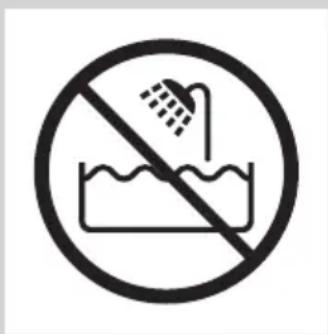
Attention
natural_image
Simple line drawing of a mechanical component with a starburst shape and a curved base (no text or symbols)natural_image
Simple line drawing of a curved object with a circular label containing 'DDD' (no text or symbols on the object itself)natural_image
Simple line drawing of a mechanical component with a starburst shape and a small smile (no text or symbols)natural_image
Diagram of a medical or electronic device with a connector and an upward arrow, no text or symbols present.natural_image
Illustration of a person applying nasal or oral pressure to their mouth, with a black X mark indicating the pressure point (no text or symbols present)natural_image
Mechanical component diagram showing a lever mechanism with a downward arrow and a symbol (no text or labels)natural_image
Diagram of a mechanical device with a magnified inset showing internal components (no text or symbols)natural_image
Illustration of a person applying a toothbrush to their face, no text or symbols present

natural_image
Illustration of a mechanical device with an upward arrow indicating motion (no text or symbols)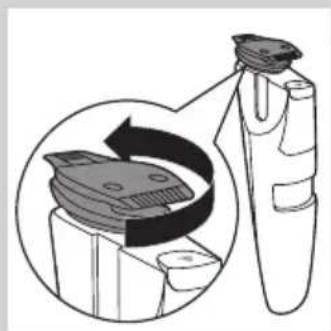
natural_image
Diagram showing a device being processed into a cylindrical container, with no visible text or symbols.natural_image
Illustration of a person applying a hair product to their face (no text or symbols visible)natural_image
Line drawing of a person applying a toothbrush to their lower face (no text or symbols)natural_image
Illustration of a hand holding a tool with a downward arrow and sparkles, no text or symbols presentnatural_image
Hand using a screwdriver to insert a cylindrical component (no text or symbols visible)natural_image
Illustration of a hand using a tool to apply a small electronic component (no text or symbols visible)natural_image
Prohibition sign of a faucet without any text or symbols
Avertissement

natural_image
Simple line drawing of a mechanical component with a starburst shape and a small circular mark (no text or symbols)natural_image
Simple line drawing of a curved object with a circular annotation showing 'D' and 'D' symbols (no text or labels)natural_image
Simple line drawing of a mechanical component with a starburst shape and a small circular mark (no text or symbols)natural_image
Illustration of a medical or dental device with a connector and an upward arrow, no text or symbols present.natural_image
Illustration of a person using a nasal swab with a black X mark indicating pressure point (no text or symbols present)natural_image
Mechanical component diagram showing a lever mechanism with a downward arrow and a symbol (no text or labels)natural_image
Diagram showing a device being inserted into a container, with no visible text or symbols.natural_image
Illustration of a person applying a toothbrush to their face, no text or symbols presentnatural_image
Illustration of a mechanical device with an upward arrow indicating motion (no text or symbols)natural_image
Diagram of a hairbrush and its connector, showing internal components (no text or labels)natural_image
Illustration of a person applying a hairdryer to their face (no text or symbols present)natural_image
Line drawing of a person applying a toothbrush to their lower face (no text or symbols)natural_image
Illustration of a hairdryer with a downward arrow indicating compression or damage (no text or symbols)natural_image
Diagram of a mechanical device with a lever and upward arrow, no text or symbols presentnatural_image
Diagram of a mechanical device with a lever and handle, showing no text or symbolsnatural_image
Diagram of a mechanical device with internal components and fluid flow indicators (no text or symbols)natural_image
Illustration of a mechanical device with an upward arrow indicating motion (no text or symbols)natural_image
Diagram of a mechanical component with an upward arrow indicating force or direction (no text or symbols present)natural_image
Hand using a screwdriver to adjust a mechanical component (no text or symbols visible)natural_image
Illustration of a hand using a tool to apply a small electronic component (no text or symbols visible)natural_image
Symbol of a trash bin crossed out by a diagonal line, representing no waste or elimination (no text or labels)
Perhatian
natural_image
Simple line drawing of a mechanical component with a starburst shape and a curved base (no text or symbols)natural_image
Simple line drawing of a curved object with a circular overlay containing three crescent-like symbols (no text or labels)natural_image
Simple line drawing of a mechanical component with a star-shaped feature and a small circular symbol (no text or labels)natural_image
Diagram showing a medical device interacting with a connector, with an arrow indicating upward motion (no text or symbols present)Menggunakan alat
natural_image
Illustration of a person applying nasal or oral pressure to their mouth, with a black X mark indicating the pressure point (no text or symbols present)natural_image
Mechanical component diagram showing a lever mechanism with a downward arrow and a symbol (no text or labels)natural_image
Diagram of a mechanical device with a magnified inset showing internal components (no text or symbols)natural_image
Illustration of a person applying a toothbrush to their face, no text or symbols presentnatural_image
Illustration of a mechanical device with an upward arrow indicating motion (no text or symbols)natural_image
Diagram of a hairbrush and its connector, showing internal components (no text or labels)natural_image
Illustration of a person applying a hair product to their face (no text or symbols)natural_image
Line drawing of a person applying a toothbrush to their lower face (no text or symbols)natural_image
Illustration of a hand holding a tool with a downward arrow and sparkles, no text or symbols presentnatural_image
Hand using a screwdriver to insert a cylindrical component (no text or symbols visible)natural_image
Illustration of a hand using a tool to apply a small electronic component (no text or symbols visible)natural_image
Symbol of a trash bin crossed with no text or numbers, representing waste sorting or restriction (no text present)natural_image
Prohibition sign of a faucet crossed out by a diagonal line, indicating no leakage or disinfection (no text present)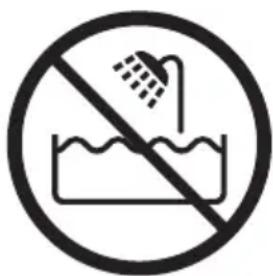

natural_image
Black and white icon of a faucet with raindrops, no text or symbols present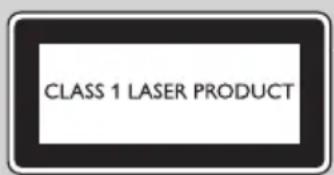
natural_image
Illustration of a person holding a small object with a black X mark, no text or symbols presentnatural_image
Diagram showing a medical device with an inserted connector and a separate plug, no text or symbols present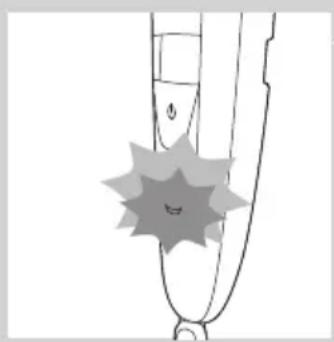
natural_image
Simple line drawing of a shoe with a starburst pattern on the chest (no text or symbols)natural_image
Simple line drawing of a stylized pen tip with a starburst shape and a small circular mark on the base (no text or symbols)natural_image
Simple line drawing of a curved object with a circular annotation labeled 'D D' (no text or symbols beyond the label)natural_image
Simple line drawing of a stylized pen tip with a starburst shape on the base (no text or symbols)배터리 부족 및 배터리 방전 신호
natural_image
Diagram showing a medical device with a connector inserted into a plug, with an arrow indicating upward motion (no text or symbols present)제품 사용
natural_image
Line drawing of a person holding a small object with a black X mark, no text or symbols presentnatural_image
Mechanical component diagram showing a lever mechanism with a downward arrow and a symbol (no text or labels)natural_image
Diagram of a mechanical device with a magnified inset showing internal components (no text or symbols)natural_image
Illustration of a person applying a toothbrush to their face, with no text or symbols presentnatural_image
Illustration of a mechanical device with an upward arrow indicating motion (no text or symbols)natural_image
Diagram showing a device being processed into a circular component, with no visible text or symbols.natural_image
Illustration of a person applying a hairdryer to their face (no text or symbols present)natural_image
Line drawing of a person applying a toothed product to their lower jaw (no text or symbols)natural_image
Illustration of a hand holding a tool with a downward arrow and radiating lines indicating motion or force (no text or symbols)natural_image
Diagram of a mechanical device with an upward arrow indicating motion or force (no text or symbols present)natural_image
Diagram of a mechanical device with a lever and clamped parts, no text or symbols presentnatural_image
Mechanical assembly diagram showing a valve or pump mechanism with no visible text or symbolsnatural_image
Symbol of a waste bin with crossed lines indicating no waste, and a solid black rectangle below (no text or labels)natural_image
Prohibition sign showing a faucet without shower, enclosed in a circle (no text or symbols)
Awas
natural_image
Simple line drawing of a mechanical component with a starburst shape and a small circular mark (no text or symbols)natural_image
Simple line drawing of a curved object with a circular annotation showing 'D' and 'D' symbols (no text or labels)natural_image
Simple line drawing of a mechanical component with a starburst shape and a small circular mark (no text or symbols)natural_image
Illustration of a medical or dental device with a connector and an upward arrow, no text or symbols present.natural_image
Illustration of a person using a nasal swab with a black X mark (no text or symbols)
natural_image
Mechanical component diagram showing a lever mechanism with a downward arrow and a symbol (no text or labels)natural_image
Diagram showing a device being inserted into a container, with no visible text or symbols.natural_image
Illustration of a person applying a toothbrush to their face, no text or symbols presentnatural_image
Illustration of a mechanical device with an upward arrow indicating motion (no text or symbols)natural_image
Diagram of a hairbrush and its connector, showing internal components (no text or labels)natural_image
Illustration of a person applying a toothbrush to their face (no text or symbols present)natural_image
Line drawing of a person applying a toothbrush to their lower face (no text or symbols)natural_image
Illustration of a hand holding a tool with a downward arrow and radiating lines indicating motion or force (no text or symbols)natural_image
Hand using a screwdriver to adjust a mechanical component (no text or symbols visible)natural_image
Illustration of a hand using a tool to apply a small electronic component (no text or symbols visible)natural_image
Symbol of a waste bin with crossed lines indicating no waste, and a solid black rectangle below (no text or labels)natural_image
Prohibition sign showing a faucet crossed out by a diagonal line, indicating no pollution or barrier (no text present)
Cuidado
natural_image
Simple line drawing of a mechanical component with a starburst shape and a curved base (no text or symbols)natural_image
Simple line drawing of a curved object with a circular overlay containing three crescent shapes (no text or symbols)natural_image
Simple line drawing of a mechanical component with a starburst shape and a small smile (no text or symbols)natural_image
Illustration of a medical or dental procedure showing a tool tip interacting with a connector (no text or symbols present)natural_image
Illustration of a person applying nasal or oral pressure to their mouth, with a black X mark indicating the pressure point (no text or symbols present)natural_image
Mechanical component diagram showing a lever mechanism with a downward arrow and a symbol (no text or labels)natural_image
Diagram of a mechanical device with a magnified inset showing internal components (no text or symbols)natural_image
Illustration of a person applying a toothbrush to their face, no text or symbols present
natural_image
Illustration of a hand gripping a device with an upward arrow indicating motion (no text or symbols)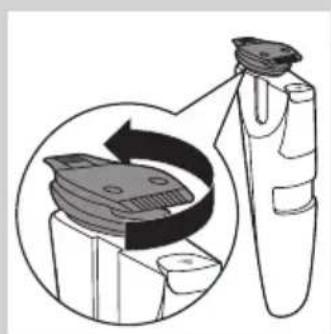
natural_image
Diagram of a hairbrush and its connector, showing internal components (no text or labels)natural_image
Illustration of a person applying a hairdryer to their face (no text or symbols present)natural_image
Illustration of a person brushing their neck with a toothbrush (no text or symbols)natural_image
Illustration of a hand holding a tool with a downward arrow and sparkles, no text or symbols presentnatural_image
Diagram of a mechanical device with a lever and upward arrow, no text or symbols presentnatural_image
Diagram of a mechanical device with a lever and clamping mechanism (no text or symbols)natural_image
Mechanical assembly diagram showing a lever mechanism with no visible text or symbolsnatural_image
Illustration of a mechanical device with an upward arrow indicating motion (no text or symbols)natural_image
Diagram of a mechanical component with an upward arrow indicating force or direction (no text or symbols present)natural_image
Hand using a screwdriver to insert a cylindrical component (no text or symbols visible)natural_image
Illustration of a hand using a tool to apply a small electronic component (no text or symbols visible)Encomendar acessórios
natural_image
Symbol of a waste bin with crossed lines indicating no waste, and a solid black rectangle below (no text or labels)natural_image
No smoking sign with faucet symbol (no text)
ข้อควรระวัง
natural_image
Black and white icon of a faucet with raindrops falling (no text or symbols)
natural_image
Illustration of a person holding a test tube with a 'X' mark, no text or symbols presentnatural_image
Illustration of a medical device with a magnified inset showing a connector (no text or symbols)
natural_image
Simple line drawing of a curved object with a starburst pattern and a small circular mark (no text or symbols)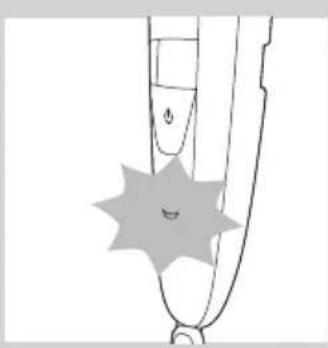
natural_image
Simple line drawing of a mechanical component with a starburst shape and a smile (no text or symbols)natural_image
Simple line drawing of a curved object with a circular label containing three crescent shapes (no text or symbols)natural_image
Simple line drawing of a mechanical component with a starburst shape and a small circular mark (no text or symbols)natural_image
Illustration of a medical device with a connector inserted into a cable, showing an upward arrow (no text or symbols)การใช้งาน
natural_image
Illustration of a person holding a small object with a black X mark, no text or symbols presentnatural_image
Diagram of a mechanical device with a downward arrow and a symbol (no readable text or labels)natural_image
Diagram showing a device being inserted into a container with a magnified inset illustrating the process (no text or symbols present)natural_image
Illustration of a person applying a toothbrush to their face, showing the tooth being brushed (no text or symbols present)natural_image
Illustration of a mechanical device with an upward arrow indicating motion (no text or symbols)natural_image
Diagram of a hairbrush with a magnified inset showing internal components (no text or symbols)natural_image
Illustration of a person applying a hairdryer to their face (no text or symbols present)natural_image
Illustration of a person applying a toothbrush to their lower face (no text or symbols)natural_image
Illustration of a hairdryer with a downward arrow indicating compression or damage (no text or symbols)natural_image
Illustration of a mechanical device with an upward arrow indicating motion (no text or symbols)
natural_image
Technical line drawing of a mechanical assembly with no visible text or symbols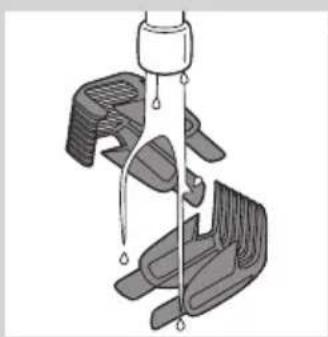
natural_image
Mechanical assembly diagram showing a lever mechanism with multiple blades and a central hub (no text or symbols)natural_image
Illustration of a mechanical device with an upward arrow indicating motion (no text or symbols)natural_image
Diagram of a mechanical component with an upward arrow indicating motion (no text or symbols)natural_image
Hand using a tool to adjust or install a component (no text or symbols visible)natural_image
Hand holding a pen tip over a small electronic component (no text or symbols visible)natural_image
Symbol of a waste bin with crossed lines indicating no waste, and a solid black rectangle below (no text or labels)natural_image
No sign depicting a faucet prohibition symbol (no text present)
Chú y
natural_image
Black and white icon of a faucet with raindrops, enclosed in a rounded square (no text or symbols)

natural_image
Illustration of a person holding a small object with a black X mark, no text or symbols presentnatural_image
Diagram showing a medical device with a connector inserted into a plug, accompanied by an upward arrow (no text or symbols present)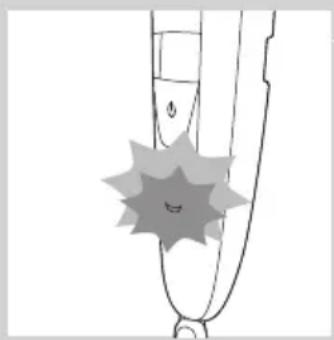
natural_image
Simple line drawing of a device with a starburst symbol on the handle (no text or symbols present)natural_image
Simple line drawing of a stylized garment sleeve with a star-shaped mark and a small smile (no text or symbols)natural_image
Simple line drawing of a curved object with a circular annotation containing 'D D D' (no text or symbols on the object itself)natural_image
Simple line drawing of a mechanical component with a starburst shape and a curved base (no text or symbols)natural_image
Diagram of a medical or dental device with an arrow pointing to a connector detail (no text or symbols present)natural_image
Line drawing of a person holding a small object with a 'X' mark, no text or symbols presentnatural_image
Diagram of a mechanical device with a downward arrow and a symbol (no readable text or labels)natural_image
Diagram showing a hairbrush cleaning a device with a magnified inset illustrating the process (no text or symbols present)natural_image
Illustration of a person applying a toothbrush to their face, with no text or symbols presentnatural_image
Diagram showing a device with warning symbols and an arrow indicating downward motion (no text or labels)natural_image
Diagram of a mechanical device with an upward arrow indicating motion or force (no text or symbols present)natural_image
Diagram of a hairbrush and its connector, showing internal components and a magnified view (no text or symbols)natural_image
Illustration of a person applying a hairdryer to their face (no text or symbols present)natural_image
Line drawing of a person applying a toothed product to their lower jaw (no text or symbols)natural_image
Illustration of a hand holding a tool with a downward arrow and radiating lines indicating motion or impact (no text or symbols)natural_image
Diagram of a mechanical component with an upward arrow indicating motion (no text or symbols)
natural_image
Diagram of a mechanical device with an upward arrow indicating motion or force (no text or symbols present)
natural_image
Diagram of a mechanical assembly with a lever and clamping mechanism (no text or symbols)
natural_image
Diagram of a mechanical device with a lever and clamped parts (no text or symbols)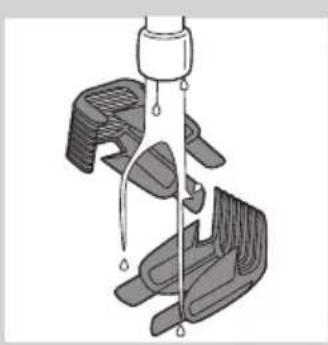
natural_image
Diagram of a mechanical device with multiple clamps and a central shaft, showing internal components (no text or symbols)natural_image
Diagram of a mechanical device with an upward arrow indicating motion or force (no text or symbols present)natural_image
Diagram of a mechanical component with an upward arrow indicating motion or force (no text or symbols present)natural_image
Hand using a tool to adjust or install a component (no text or symbols visible)
natural_image
Hand holding a pipette over a small mechanical component (no text or symbols visible)natural_image
Symbol of a waste sorting machine crossed with no text or labelsnatural_image
Prohibition sign showing a faucet without a shower, enclosed in a circle (no text or symbols)

natural_image
Black and white icon of a faucet with raindrops falling (no text or symbols)

natural_image
Illustration of a person holding a small object with a 'X' mark, no text or symbols present符合標準
natural_image
Diagram of a medical device with a connector and an upward arrow, no text or symbols present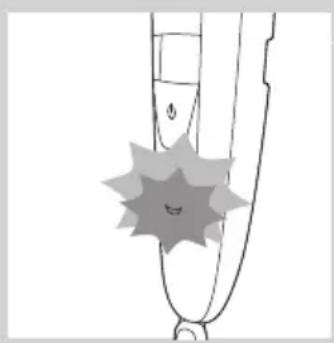
natural_image
Simple line drawing of a stylized object with a starburst shape at the base (no text or symbols)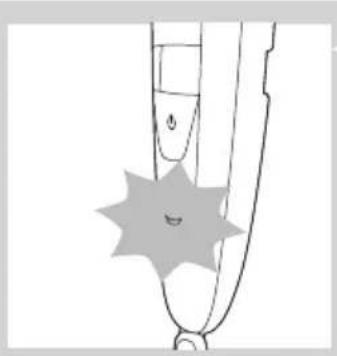
natural_image
Simple line drawing of a stylized pen tip with a starburst shape and a small circular mark on the base (no text or symbols)natural_image
Simple line drawing of a curved object with a circular annotation labeled 'D D' (no text or symbols beyond the label)natural_image
Simple line drawing of a mechanical component with a starburst shape and a small circular mark (no text or symbols)電池電量不足及電量耗盡指示
natural_image
Diagram showing a medical device with a connector inserted into a socket, with an arrow indicating upward motion (no text or symbols present)使用本產品
natural_image
Illustration of a person holding a small object with a 'X' mark, no text or symbols presentnatural_image
Mechanical component diagram showing a lever mechanism with a downward arrow and a symbol (no text or labels)natural_image
Diagram of a hairbrush and its connector, showing internal components and alignment (no text or symbols)natural_image
Illustration of a person applying a toothpaste to their face (no text or symbols)natural_image
Illustration of a hand holding a device with an upward arrow indicating motion (no text or symbols)natural_image
Diagram showing a device being processed into a circular component, with no visible text or symbols.natural_image
Illustration of a person applying a hairdryer to their face (no text or symbols present)natural_image
Illustration of a person applying a toothed product to their lower face (no text or symbols)natural_image
Illustration of a hand holding a tool with a downward arrow and radiating lines indicating motion or force (no text or symbols)natural_image
Illustration of a mechanical device with an upward arrow indicating motion (no text or symbols)每次使用後均需清潔本產品。
natural_image
Diagram of a medical procedure showing a catheter inserted into a tube with liquid droplets (no text or labels)繁體中文120

natural_image
Diagram of a mechanical device with multiple clamps and a central shaft, showing internal components (no text or symbols)natural_image
Diagram of a mechanical device with an upward arrow indicating motion or force (no text or symbols present)5 使用隨附的清潔刷清潔修整刀頭內部。
6 清潔後,將修整刀頭裝回本產品。

natural_image
Diagram of a mechanical component with an upward arrow indicating motion or force (no text or symbols present)
natural_image
Hand using a tool to adjust or install a component (no text or symbols visible)
natural_image
Hand holding a pen tip touching a small electronic component (no text or symbols visible)訂購配件
natural_image
Symbol of a trash bin crossed with no visible text or labelsnatural_image
Diagram of a mechanical device with multiple arms and a central shaft, showing internal components (no text or symbols)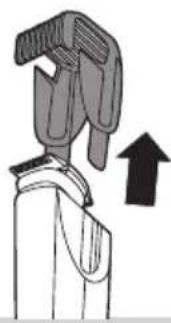
natural_image
Illustration of a mechanical device with an upward arrow indicating motion (no text or symbols)natural_image
Diagram of a mechanical component with an upward arrow indicating motion (no text or symbols)natural_image
Hand using a tool to apply a component to a small cylindrical object (no text or symbols visible)natural_image
Illustration of a hand using a pipette to apply liquid into a digital device (no text or symbols visible)سفارش دادن لوازم
تنظيمات طول
natural_image
Illustration of a robotic arm with a black upward arrow indicating motion (no text or symbols)natural_image
Diagram of a mechanical device with lever and handle, showing fluid flow (no text or symbols)
natural_image
Diagram showing a device with a warning symbol and downward arrow, no readable text or labels present.
natural_image
Illustration of a mechanical device with an upward arrow indicating motion (no text or symbols)
natural_image
Diagram of a mechanical device with a magnified inset showing internal components (no text or symbols)
استفاده ازدستگاه
natural_image
Illustration of a person using a handheld device to interact with a device (no text or symbols present)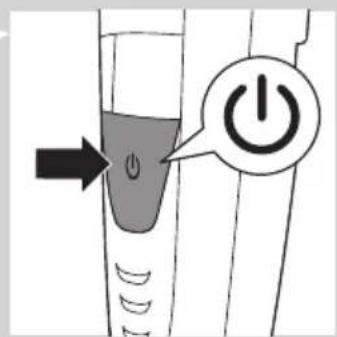
natural_image
Diagram of a robotic arm with a downward arrow and a symbol (no text or labels)
natural_image
Diagram of a mechanical device with a magnified inset showing internal components (no text or symbols)
natural_image
Illustration of a person applying a toothbrush to their face, showing the tooth and beard (no text or symbols present)natural_image
Illustration of a medical or dental device with a connector inserted into a socket, showing an upward arrow (no text or symbols present)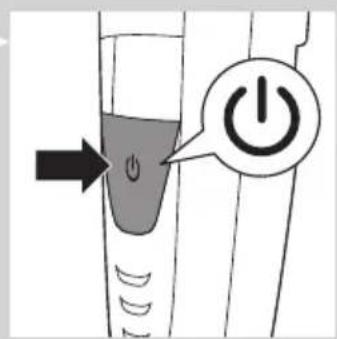
natural_image
Simple black-and-white icon of a faucet with raindrops (no text or symbols)

natural_image
Illustration of a person holding a test tube with a black X mark, no text or symbols presentnatural_image
Diagram showing a medical device with an inserted connector and a cable, no text or symbols present
natural_image
Simple line drawing of a shoe with a starburst pattern and no text or symbolsمقدمه
The image is too blurry to recognize any text content.
natural_image
Prohibition sign showing a faucet without a shower, enclosed in a circle (no text or symbols)
natural_image
Symbol of a waste bin with crossed lines indicating no waste, and a solid black rectangle below (no text or labels)natural_image
Illustration of a hand holding a tool with an upward arrow, no text or symbols present
natural_image
Diagram of a mechanical component with an upward arrow indicating motion (no text or symbols)
natural_image
Hand holding a pen inserted into a cylindrical component (no text or symbols visible)
natural_image
Illustration of a hand using a pipette to apply liquid onto a mechanical component (no text or symbols visible)طلب المлечاقات
إعدادات الطول
natural_image
Diagram of a mechanical device with an upward arrow indicating motion or force (no text or symbols present)
natural_image
Diagram of a laboratory procedure showing a pipette inserted into a container with liquid, and a partially assembled tube with a stopper (no text or labels)
natural_image
Mechanical device diagram showing a lever mechanism with multiple arms and a central shaft (no text or symbols)natural_image
Illustration of a person applying a hairdryer to their face (no text or symbols)
natural_image
Illustration of a person applying a toothbrush to their face (no text or symbols present)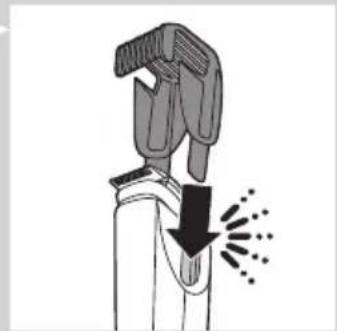
natural_image
Illustration of a hairdryer with a downward arrow indicating compression or damage (no text or symbols)


natural_image
Illustration of a mechanical device with a bracket and upward arrow, no text or symbols present
natural_image
Diagram showing a device being processed with a circular arrow indicating rotation (no text or symbols present)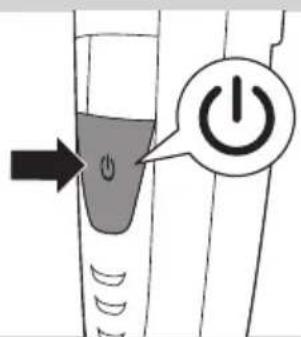
استخدام الجهاز
natural_image
Line drawing of a person holding a small object with a black X mark, no text or symbols present
natural_image
Diagram of a mechanical device with a downward arrow and a symbol (no text or labels)
natural_image
Diagram of a mechanical device with a magnified inset showing internal components (no text or symbols)
natural_image
Illustration of a person applying a toothpaste to their face, showing tooth and mouth (no text or symbols)natural_image
Diagram of a medical or dental procedure showing a tool tip interacting with a connector and a cable, with an arrow indicating upward motion (no text or symbols present)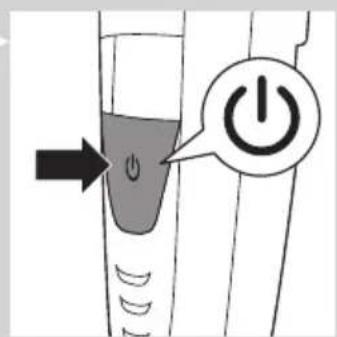
مطابقة المعابير
natural_image
Simple black-and-white icon of a faucet with raindrops (no text or symbols)

natural_image
Illustration of a person applying nasal or oral pressure to their mouth, with a black X mark indicating the pressure point (no text or symbols present)التجهيز للاستخدام
الشحن
natural_image
Diagram of a dental tool with an attached connector and an upward arrow, no text or symbols presentnatural_image
Simple line drawing of a shoe with a starburst pattern on the foot (no text or symbols)مقدمة
natural_image
Prohibition sign showing a faucet crossed out by a diagonal line, indicating no fire or water discharge (no text present)

- Always here to help you
- User manual
- PHILIPS
- Introduction
- General description (Fig. 1)
- Important
- Danger
- Warning
- Caution
- Compliance with standards
- Class 1 laser product
- Preparing for use
- Charging
- ENGLISH8
- Battery low and battery empty signals
- Corded trimming
- Using the appliance
- Trimming with the laser guide
- Trimming without comb
- Trimming with comb
- Tips
- Length settings
- mm
- Cleaning and maintenance
- Cleaning the appliance and the combs
- Cleaning the trimming head connector
- Ordering accessories
- Guarantee and support
- Environment
- Frequently asked questions
- Introducción
- Precaución
- Uso del aparato
- Attention
- Avertissement
- Perhatian
- Menggunakan alat
- 배터리 부족 및 배터리 방전 신호
- 제품 사용
- Awas
- Cuidado
- Encomendar acessórios
- ข้อควรระวัง
- การใช้งาน
- Chú y
- 符合標準
- 電池電量不足及電量耗盡指示
- 使用本產品
- 繁體中文120
- 訂購配件
- استفاده ازدستگاه
- مقدمه
- The image is too blurry to recognize any text content.
- طلب المлечاقات
- استخدام الجهاز
- مطابقة المعابير
- التجهيز للاستخدام
- الشحن
- مقدمة
Brand : PHILIPS
Model : Series 9000 BT9290
Category : Beard trimmer