
Naruto Shippuden: Ultimate Ninja Storm 4 - Deluxe Edition - Video game Namco Bandai Games - Free user manual and instructions
Find the device manual for free Naruto Shippuden: Ultimate Ninja Storm 4 - Deluxe Edition Namco Bandai Games in PDF.


| Product Type | Video Game |
| Platform | PlayStation 4, Xbox One, PC |
| Genre | Fighting, Action |
| Developer | CyberConnect2 |
| Publisher | Bandai Namco Entertainment |
| Edition | Deluxe Edition |
| Release Year | 2016 |
| Number of Players | 1-2 players (local), online multiplayer (up to 8) |
| ESRB Rating | T (Teen) – Fantasy Violence, Mild Language, Suggestive Themes |
| Languages | English, Japanese, French, German, Italian, Spanish, Portuguese, Russian, Arabic |
| Storage Required | 40 GB |
| Online Play | Yes – requires internet and subscription (varies by platform) |
| Additional Content | Includes Season Pass, exclusive costumes, and early character unlocks |
| Manual Format | PDF (49 pages) |
Frequently Asked Questions - Naruto Shippuden: Ultimate Ninja Storm 4 - Deluxe Edition Namco Bandai Games
User questions about Naruto Shippuden: Ultimate Ninja Storm 4 - Deluxe Edition Namco Bandai Games
0 question about this device. Answer the ones you know or ask your own.
Ask a new question about this device
Download the instructions for your Video game in PDF format for free! Find your manual Naruto Shippuden: Ultimate Ninja Storm 4 - Deluxe Edition - Namco Bandai Games and take your electronic device back in hand. On this page are published all the documents necessary for the use of your device. Naruto Shippuden: Ultimate Ninja Storm 4 - Deluxe Edition by Namco Bandai Games.
USER MANUAL Naruto Shippuden: Ultimate Ninja Storm 4 - Deluxe Edition Namco Bandai Games
This video game carries a warranty conforming to the laws of the country in which it was purchased, and valid for a duration of not less that 90 (ninety) days following the date of purchase - (proof of purchase required).
The warranty is not valid in the following cases:
1/ the video game was purchased for commercial or professional use (all such uses are strictly forbidden)
2/ the video game is damaged due to incorrect handling, accident, or improper use by the consumer.
For further information concerning this warranty, the consumer is invited to contact the retailer that sold the game, or the hotline at the video game publisher in the country the game was purchased.
2
WARNING Before playing this game, read the Xbox One™ system, and accessory manuals for important safety and health information. www.xbox.com/support.
Important Health Warning: Photosensitive Seizures
A very small percentage of people may experience a seizure when exposed to certain visual images, including flashing lights or patterns that may appear in video games. Even people with no history of seizures or epilepsy may have an undiagnosed condition that can cause "photosensitive epileptic seizures" while watching video games. Symptoms can include light-headedness, altered vision, eye or face twitching, jerking or shaking of arms or legs, disorientation, confusion, momentary loss of awareness, and loss of consciousness or convulsions that can lead to injury from falling down or striking nearby objects. Immediately stop playing and consult a doctor if you experience any of these symptoms. Parents, watch for or ask children about these symptoms—children and teenagers are more likely to experience these seizures. The risk may be reduced by being farther from the screen; using a smaller screen; playing in a well-lit room, and not playing when drowsy or fatigued. If you or any relatives have a history of seizures or epilepsy, consult a doctor before playing.
Thank you for purchasing NARUTO SHIPPUDEN: Ultimate Ninja STORM 4 by Bandai Namco Entertainment for your Xbox One console. Please read this manual to learn how to play the game and read and understand the warnings before you begin playing.
* This software uses fonts from Fontworks Japan Co., Ltd. Fontworks, the Fontworks Japan name, and all font names are trademarks or registered trademarks of Fontworks Japan Co., Ltd.
Table of Contents
■ Basic Controls....04
■ Starting the Game 06
■ Battle....08
■ Story....21
■ Adventure 24
■ Collection....31
■ Online Battle.... 34
■ Free Battle 42
■ Options 48
■ Customer service support......49
* Do not attempt any of this game's action moves in real life. Doing so is dangerous and may cause an accident or serious injury.
× while moving: Shuriken while moving
Phase 1 Phase 2
Selecting/confirming
| left stick/D-pad Select option | |
| B button | Cancel/Back |
| A button | Confirm/Skip messages |
| Menu button Skip movies | |
Battle
| left stick Move | |
| D-pad Use battle items | |
| B button | Strike Attack |
| A button | Jump (press again in mid-air to Double Jump) |
| X button | Shuriken |
| Y button | Chakra Load (hold for Chakra Charge) |
| right stick Change Leader | |
| LB | Support Ninjutsu |
| RB | Support Ninjutsu |
| LT | Substitution Jutsu |
| RT | Guard |
| Menu button Pause Menu | |
| Adventure (free adventure mode) | |
| left stick Move | |
| B button | Action (talk, break, examine, etc.) |
| right stick Move camera | (if available in the area) |
| RS | Reset camera (if available in the area)*RS = push down on right stick |
| Menu button Main Menu | |
*All buttons not shown here are unused.
*Buttons shown are in-game defaults.
SELECTING A GAME MODE
Press the Ⓐ button on the title screen to select a game mode. Once you choose a mode to play, the game will begin. You can also use the buttons in the guide at the bottom of the screen to save game data or adjust options.
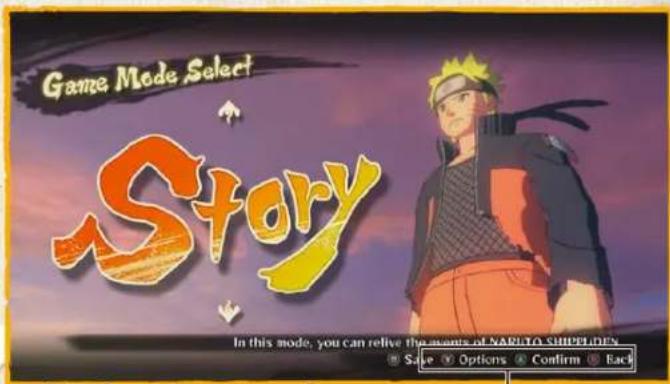
Button Guide
STARTING THE GAME
Game Modes
| Story | Play through the events of the Naruto Shippuden story. |
| Adventure | Adventure through the world of Naruto Shippuden in a story that takes place after the main story. |
| Collection | View the items you've obtained and other gameplay data. |
| Online Battle | Battle against opponents all over the world via your network connection. |
| Free Battle | Create and play the battle of your choice. |
SAVING
Your game data will automatically be saved at the end of a story. You can also save at the Game Mode Select screen, as well as at Save Points in Adventure mode.
This game supports autosave. While saving or loading, an icon will be displayed. Do not turn off the power during this time.
Skip
*You must have at least 150KB of free space to save.
STARTING THE GAME
Manual Save
Game Mode Select screen
Press Menu button in the Game Mode Select screen to save.
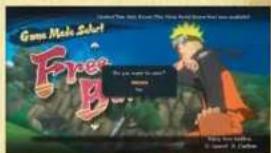
Adventure
You can save your game at the Save Points found in Adventure.
Caution when Saving
You'll see an icon onscreen while the game saves your data. Do not turn off the power while this icon is shown.

This section describes the basic controls when fighting in the Story, Adventure, Online Battle, or Free Battle modes.

Battle Rules

■ If you bring your foe's Health to 0 within the time limit, you win.
If both fighters' Health is the same after time expires, or they KO each other simultaneously, the round is a tie.
■ If time expires, whichever fighter has more Health wins.
Pause Menu
Press the Menu button during battle to bring up the Pause Menu. The options available depend on which game mode you're in.
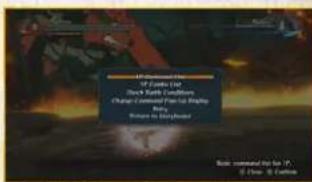
In addition to basic combat, some battles have additional gameplay elements to work with.

Weapon Break
You may trigger an animation that destroys your foe's weapon.
Armour Break

Strike your foe under the right conditions, and you may damage their costume, lowering their defense but boosting their attack.
Boss Battles
Onscreen buttons or afterimages show you what to do in these interactive action sequences.
Mob Battles
You may find yourself facing off against a mob of foes during the game story.
PREPARING FOR BATTLE
9
BATTLE
Character Select
Select a leader Customize Selection
Select the character you want to use in battle. Press LB or RB to page through the character list.
Select Support Character
In a Team Match, you'll select a Support Character to go with your leader.
*Press LT or RT to change character costumes in this screen, if any other ones are available.
Press the ✗ button to select a player character that you've previously customized.

Battle Settings

Adjust the battle options, if the current game mode lets you. Press the Menu button in the Character Select screen to access. Use the left stick or D-pad to change settings.
Ninjutsu Customization Select Stage
Change the ninjutsu you'll bring to battle. Select "Settings Complete" to go on.

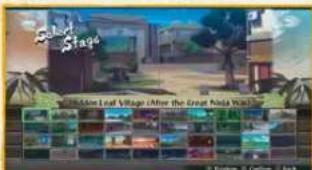
Select the stage to fight in, if the current game mode lets you. In stages with a "Drop! Watch out!" icon, you'll take damage if you fall into a pit.
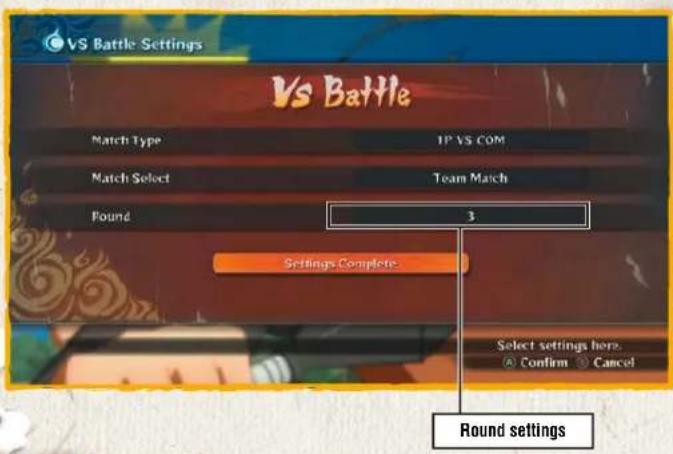
ROUND SETTINGS
You can set the number of rounds in a Online Battle or Free Battle. If you opt for three rounds, whoever wins two rounds first is the winner. You can also move around and change leaders between rounds.
10
BATTLE
Gauges at Start of Next Round
| Round Winner | Round Loser | |
| Life Gauge | Retained from end of last round | Refilled to MAX |
| Chakra Gauge | Refilled to MAX | |
| Substitution Gauge | Refilled to MAX | |
| Storm Gauge | Reset to zero | |
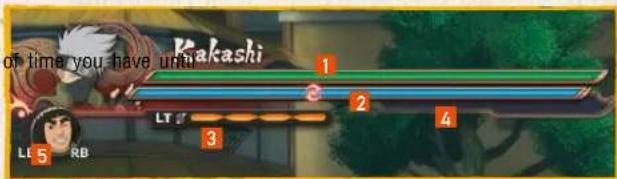
BATTLE SCREEN
1 Life Gauge
Displays your current Health. The amount
2 Chakra Gauge
Displays your current chakra level.
3 Substitution Gauge
Required to use your Substitution Jutsu. This fills over time, among other ways.
4 Storm Gauge
This fills as you call for support or use moves that consume chakra. When it's maxed out, you can perform a Linked Secret Technique.
5 Support Gauge
Displayed around your Support Character's icon. Consumed when you use Support Ninjutsu or change leaders.
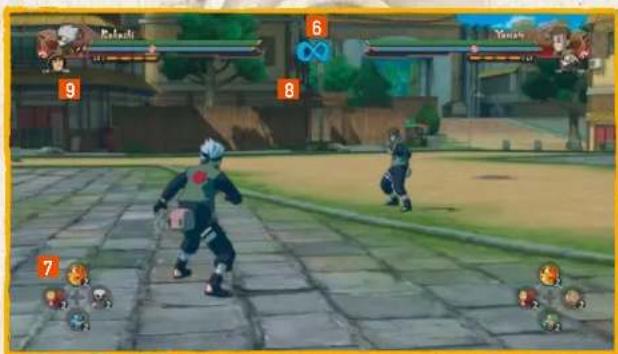
BATTLE
6 Time limit
the end of battle.
7 Ninja Tools
The types and quantities of Ninja Tools at your disposal.
8 Battle Round
The count of rounds in the battle.
9 Ninja Treasure Notice
Notifies you when you earn Ninja Treasures, special items earned by fulfilling certain conditions in battle. Ninja Treasures can be traded for Collection Items at the General Store Bandai, the shop accessible from Collection or Online Battle mode.
MOVEMENT
Jump
Leap into the air.

A button
Double Jump
Press the Ⓐ button to jump, then press it again to execute a Double Jump.

A button while jumping

button Ninja Dash
Ninja Move
Execute some fancy footwork in the direction you move the left stick to keep your foe flat-footed. Keep the Ⓐ button held to execute a chain of Ninja Move sidesteps.
Make a high-speed dash toward your foe. During a Ninja Dash, you'll automatically deflect any kunai, shuriken, or other flying objects.
BATTLE
left stick + Ⓐ button while jumping
ATTACK
Strike Attack
Execute a strike move.
C B button

Combo
Execute a combo. Press the left stick in certain directions to change the type of combo. See the 1P (or 2P) Combo List in the Pause Menu to see what's available.
* Some characters perform combos with the ✗ button
C B button rapidly

13
Throw
Throw your enemy. Throws cannot be guarded against.
Guard + B button
× button
Shuriken
Throw a shuriken or kunai.
DEFENSE
BATTLE
Guard

Guard against enemy attack. Guard too many attacks in a row, and your foe will trigger a Guard Break and knock you out for a period of time. Move the left stick back and forth and press the buttons repeatedly to recover a little faster.
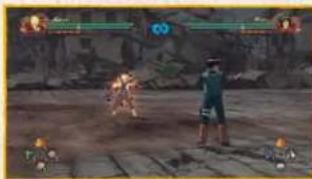
Counterattack
RT + ✗ button just when an attack lands
Get the timing just right, and you'll counter your foe's attack and send them flying.
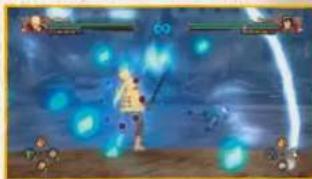
Substitution Jutsu

Substitution Jutsu lets you dodge enemy attacks. One notch will be taken off your Substitution Gauge every time you perform one.
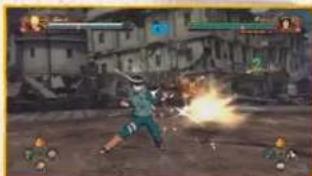
Rebound
Hold down A when sent flying
Make a safe landing from a blow, letting you avoid losing any Chakra Spheres.
NINJA TOOLS
Use Ninja Tool

D-pad
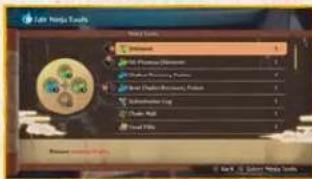
Use the Ninja Tool assigned to each D-pad (↑↓←→). You can change your Ninja Tools just before battle starts, or at the Main Menu in Adventure mode.
15
BATTLE

Edit Ninja Tools

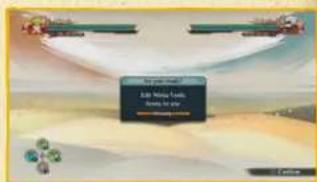
Select the Ninja Tool you want to use from the list, use the D-pad to select where to assign it to, then press the A button to place the Ninja Tool in your Item Palette. Ninja Tools can be purchased at the shop, as well as awarded after battle.
CHAKRA
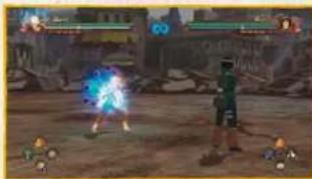
Chakra Load
Release your chakra to surround yourself in a blue aura, letting you unleash assorted Chakra Load moves.

Y button

Refilling the Chakra Gauge
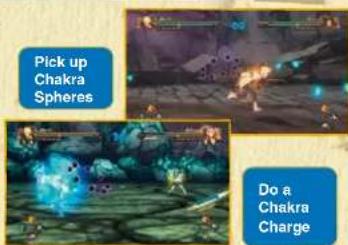
You can fill up the Chakra Gauge in two different ways: Hold down the Y button to perform a Chakra Charge, or pick up the Chakra Spheres dropped by foes when they hit the ground.

Chakra Load Actions

Chakra Shuriken
Chakra Load + Ⓧ button
Fire a shuriken that's stronger than normal ones. Some characters might throw different weapons as well.

Chakra Dash
Chakra Load + A button
Dash towards your foe, automatically deflecting any kunai, shuriken, or other flying objects. This has more range and speed than a normal Ninja Dash. Hold the left stick back to execute a Chakra Back Dash with this move.

Charged Chakra Dash
Chakra Load + hold A button
Dash along the ground with more range and speed than a Chakra Dash.

Ninjutsu
Chakra Load + Ⓑ button
Perform your character's unique ninjutsu. Some fighters have air-based ninjutsu which change depending on how long you hold the button down.
SUPPORT
Support Ninjutsu

LB/RB
Use a Support Ninjutsu when your support character's Support Gauge is at MAX.

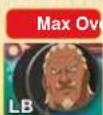
Support Gauge
The Support Gauge is used when unleashing a Support Ninjutsu or changing leaders. It gradually refills over time.
Change Leader

right stick←→
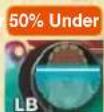
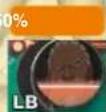
If your support character's Support Gauge is over 50% full, this lets you change control to that character. You can also do this during combos to connect the combo to the other character.
BATTLE

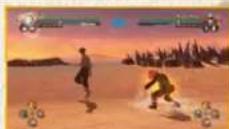
Support Actions
Once your Storm Gauge is full enough, your character will glow yellow and automatically launch a Support Action. Each character has their own Support Actions they can unleash.

Strike Back
Add an extra strike to moves that blow the enemy away. If your foe executes a Strike Back, press LB or RB to execute a Counterattack Substitute, regardless of how full your Storm Gauge is.
Cover Fire
Attack alongside your player when using Chakra Shurikens.
Charge Assist
Boosts the speed of a Chakra Charge.
Charge Guard
When a Guard Break triggers, your support character appears to guard for you.
Dash Cut
When your foe executes a Ninja Dash or Chakra Dash, your support character
appears to guard for you.
Secret Technique Substitution
When your foe executes a Secret Technique, your support character takes the strike, leaving you undamaged. The support character will not be available for a period of time afterward.
Falling Substitute
When you fall into a pit, your support character falls in for you and puts you back in the field. The support character will not be available for a period of time afterward. All characters can do this, regardless of how full their Storm Gauge is.
SECRET TECHNIQUES AND AWAKENINGS
18
BATTLE
Secret Technique

Y Y B button
Perform your character's unique Secret Technique.

Awakening

Hold 📎 button until Awakening Lamp lights up
Once your Life Gauge goes below a certain level, the Awakening Lamp will appear next to your Chakra Gauge. Keep charging chakra to light the Awakening Lamp and unlock this move.
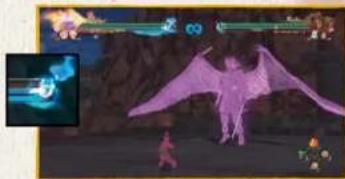
Linked Secret Technique

Y Y Y B button
This becomes available if your Storm Gauge is maxed out. Using it brings the gauge back down to zero. Depending on who's in your team, the final move launched might be a Combination Secret Technique.

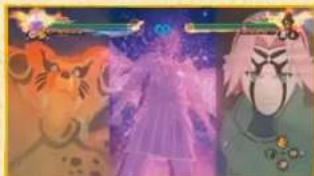
Awakening Combo
X
Perform an Awakening when your Storm Gauge is maxed out, and everyone on your team will Awaken at once. Depending on your team's makeup, this could trigger an Awakening combo.
ELEMENTAL AND STATUS EFFECTS
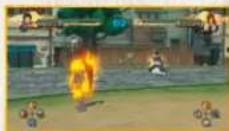
Elemental Effects
If you're hit by a Fire, Lightning, or WaterStyle move, you'll get an Elemental Effect. Once you do, your body will take continual damage. Elemental Effects go away quickly if you execute a Ninja Move.
Status Effects
Your character's status may change after being hit by certain attacks, using certain Ninja Tools, or going out of an Awakening. When this happens, you'll see a Status Effect icon underneath the Substitution Gauge.
Status Effect Icons
 | Strength Up | Defense Up | Movement Speed Up |
 | Strength Down | Defense Down | Movement Speed Down |
 | Better Chance of Guard Break | Life Gauge Drain | Cannot Take Action |
 | Cannot Use Chakra | Automatic Subs-titution Jutsu | Awakened Can't Awaken (Post-Awakening) |
 | Cannot Move | Recovery Speed Up | Chakra Recovery Speed Up Deflecting Enemy Shuriken |
 | Easier to Build Chakra Gauge Easier to Build Substitution Gauge | ||
END OF BATTLE
20
BATTLE
Results
If you win the battle, you'll see your battle score and money earned on this screen. Press the Ⓧ button to view the requirements needed to earn bonuses.

Battle Score Screen
Mini-Results
After boss battles in Story, you'll see your battle score in a simplified results screen.
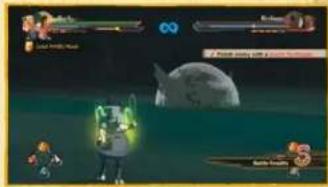
Auto-Save
After battle, the game will auto-save your progress and continue forward. Do not turn off the power while the auto-save icon is onscreen.
Bonus Requirements Screen
Auto-Save Icon
PLAYING THROUGH STORY
STORY
Story Game Flow
Summary
Select Story, and you'll see a summary of the story so far. In subsequent plays, the game will move on to the Storyboard afterward.
Event Scene
You'll then view an event scene.

* Some episodes consist of nothing but event scenes.

Battle
Satisfy the requirements of the battle, and you'll finish the stage and move on in the game. Story contains a variety of battles for you to challenge.
New Episode Unlocked
After viewing the Episode Results, a new episode will be unlocked and you'll view a preview movie. Select the unlocked episode from the Storyboard to move on in the game.

The Storyboard
Select an episode from the Episode Board, then choose a chapter to play.
Episode Board
Finish an episode, and the next episode will be unlocked.
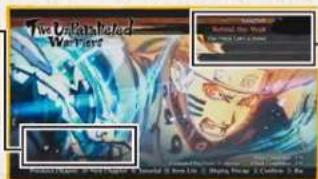
Chapter List
The battle icons show you what kind of battle this is. Top scores are also shown for previously-beaten chapters.

Chapter List Battle Icons


Boss Battle

Free Battle

Mob Battle

Dramatic Battle
Select a chapter, and a confirmation screen will appear. Make any selection to start the game.
BOSS BATTLES
Boss battles usually involve more than basic fighting. Other gameplay elements will also show up, depending on the situation.
Interactive Actions
During battle, press the buttons or inputs displayed onscreen to successfully trigger the action.
Afterimage Actions Gigantic Foes
If an afterimage appears in battle, use the left stick to match its moves and successfully trigger the action.
STORY
Weapon Destroying
If a weapon appears in the battlefield, go into the circle and hold down the ⑧ button until the gauge is maxed out to pick it up. Once you deal enough damage, your foe's
weapon will also be broken.
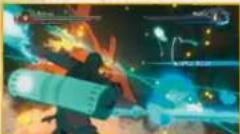


At times you'll find yourself toe to toe with huge foes, such as beasts and summons. The controls here are the same as in regular battle. You'll also see Secret Actions and Afterimage Actions trigger.

MOB BATTLES
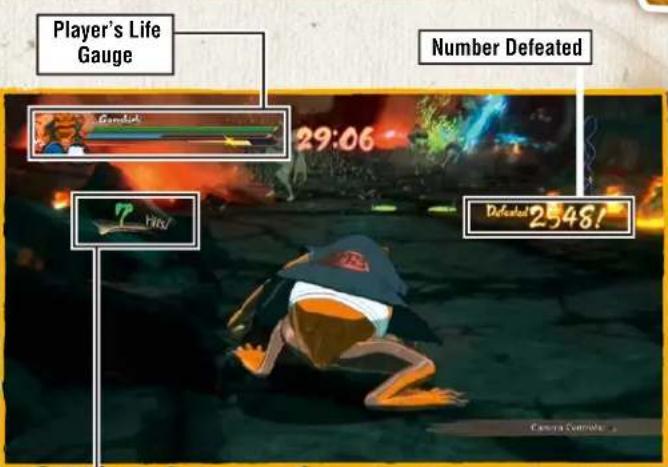
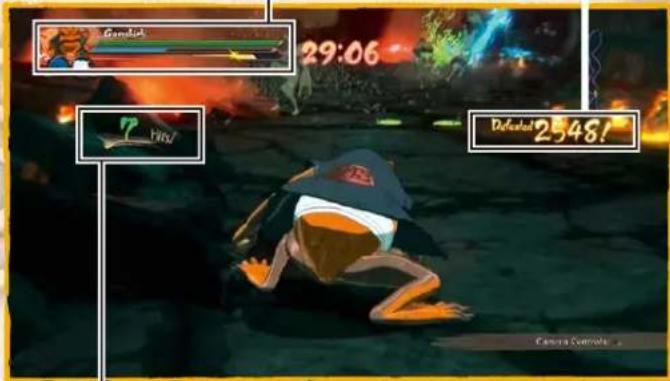
Mob Battles involve fighting a large number of foes at once. The controls are the same as in regular battle, but you'll also be able to trigger Interactive Actions by pressing the onscreen buttons or inputs.
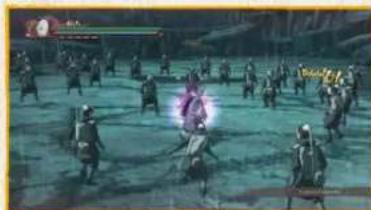
Number of Attacks
23
STORY
Player's Life Gauge
Number Defeated
FREE ADVENTURE
Free Adventure lets you take on assorted missions and explore the world of Naruto Shippuden in a tale that takes place after the main story.
The Free Adventure Screen
While in Free Adventure, you'll see assorted onscreen displays to help you along.
Target Display
This shows the destination you must reach to proceed with the story.
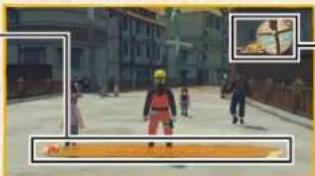
Mini-Map
Your current position and surrounding area. Press the Ⓨ button to view the Area Map.

Event Details
In Free Adventure, press RB to view your current progress and information on the current event.
![graph TD A["Input"] --> B{Decision} B -->|Yes| C["Process"] B -->|No| D["End"] C --> E["Output"] D --> E E --> F["Feedback Loop"] F --> G["Final Output"]](/content/2026/06/1287828/images/35989f83339cf3494c06af6714da3fc029ae7289d4fbecbd06d77abeba088fdf.jpg)
ADVENTURE
Free Adventure Controls
Move
Push the left stick a little to walk and all the way to run.
Perform Action
Approach a target and press the Ⓑ button to engage in actions like talking, breaking, picking up, saving, wall running, and so on.
View Tutorial
If a tutorial's shown under the Mini-Map, press D-pad to view it. You can also view tutorials off the Main Menu.
Open Main Menu
Click the Menu button to bring up the Main Menu.
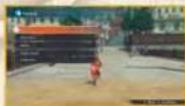
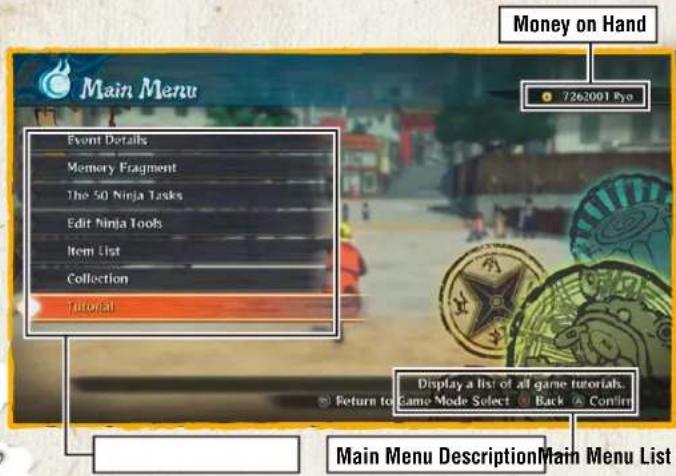
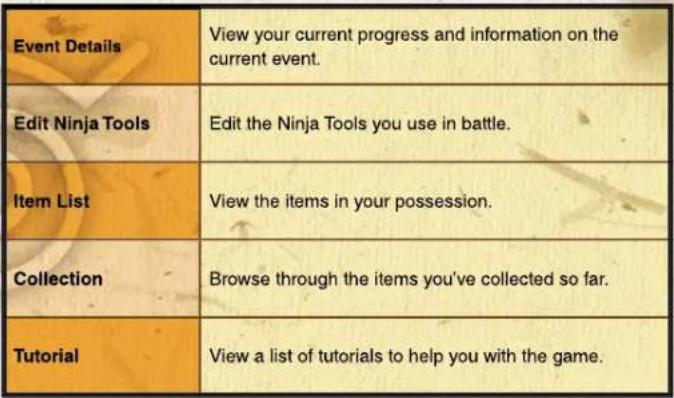
MAIN MENU
Press the Menu button in Free Adventure to bring up the Main Menu. Select the action you want from the options available.
*More options will be added as the game goes on.
Free Adventure Controls
 |
CONVERSATION
26
ADVENTURE
Talking
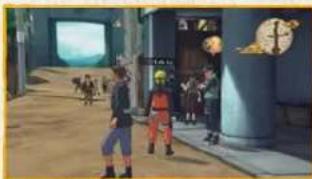
You can talk to characters with word-balloon icons above their heads. Approach the character, and when the color of the word balloon changes, press the B button.

Navigating Conversations

Press the Ⓐ button to move on in the conversation. Some conversations allow you to press the Menu button to skip them.

Word Balloon Icons
| Shown over townspeople you can talk to. | |
 | Shown over characters involved with main story events. |
 | Shown over characters involved with sub-events. |
 | Shown over characters involved with side quests. |
 | Indicates the end of a sub-event. Talk to this person to earn a reward. |
 | Talk to this person to shop for items. |
MAPS
ADVENTURE
Area Map
In Free Adventure, press the ⬤ button to open the Area Map, which shows your position, places where events are triggered, and Save Point. Press the ⬤ button again to switch to the Full Map.
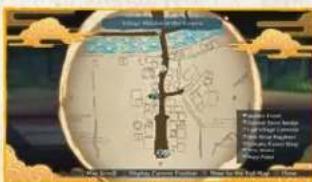
Full Map
In the Area Map, press the Ⓨ button and select an area from the list to teleport there instantly.
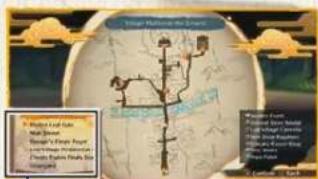
Location list
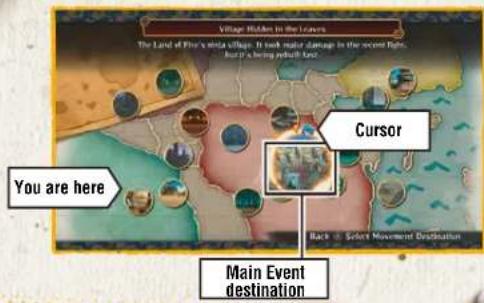
World Map
Go to a Warp Point and press Ⓑ button to view the World Map.
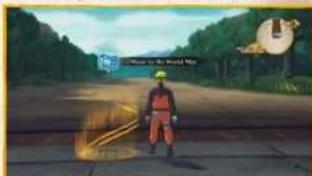
Move the cursor to where you want to go and confirm your selection to go there instantly.
EVENT DETAILS
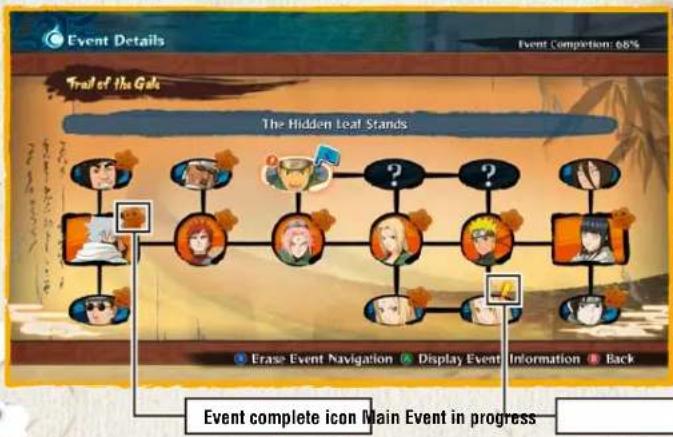
This shows you the events you've accepted, both now and in the past. Bring the cursor to an event and press the Ⓐ button to view details on that event. Press the ✗ button to turn Event Navigation on and off.
28
ADVENTURE

Event Navigation
Event Navigation can only be used with sub-events. Turn it on, and you'll see target destinations pointed out for you on the map.
![graph TD A["User"] --> B{Not Rated Network} B -->|Yes| C["Yes Animal Event Navigation for"] B -->|No| D["No Animal Event Navigation for"] C --> E["Next Step"] D --> E E --> F["Next Step"]](/content/2026/06/1287828/images/aa0067df7134be8609725c3aeaadd10413c1b8117cdae30ccc352db5f0c87206.jpg)
ITEM LIST
View and use the consumable and story-related key items in your inventory.
Consumable Items
These items help you along in battle and throughout the game. You can purchase them at stores or discover them in Free Adventure.
Key Items
These items are used in sub-events and other areas.
29
ADVENTURE

Using Items

Use the cursor to navigate through the lists and select an item to use it.
* Some items, such as those used during battle, cannot be used from your Item List.


Shopping

Talk to a store owner, then choose whether to purchase or sell items. Select an item or its price, use the left stick or D-pad to change the quantity, then confirm your selection.
TUTORIAL
This lets you browse through the tutorials shown when you press the directional button during a Free Adventure or while you proceed through the game.
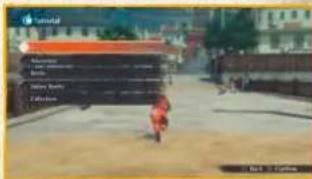
Tutorial Top Menu
The top menu displays a list of tutorial categories. Select the one you want and confirm to move on.
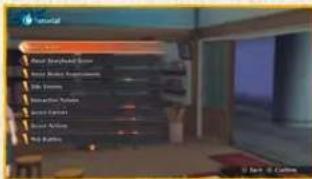
Tutorial Sub-Menu
Select the tutorial you want from the list and confirm to view it.
30
ADVENTURE

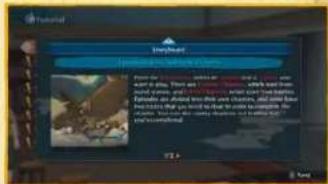
Viewing Tutorial Pages

If a tutorial spans multiple pages, press the A button to move to the next page, or use LB/RE, the left stick, or the D-pad to flip through pages.
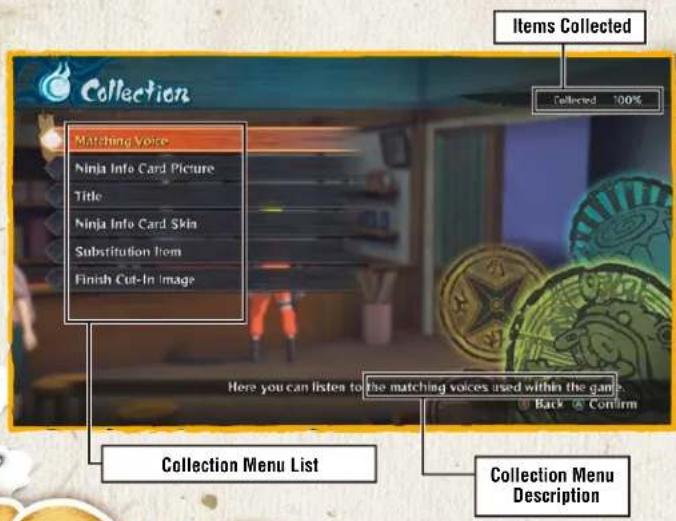
THE COLLECTION MENU
This menu lets you buy, sell, or exchange Collection Items, as well as view and edit the items you've acquired up to now. Select the action you want from the Collection options available.
31
COLLECTION
Collection Menu
| General Store Bandal | Buy, sell, or exchange Collection Items. |
| Matching Voice | Listen to the Matching Voices used in the game. |
| Ninja Info Card Picture | View the images you can put on your Ninja Info Card. |
| Title | View the titles you can put on your Ninja Info Card. |
| Ninja Info Card Skin | View the frames available for your Ninja Info Card. |
| Substitution Item | View the Substitution Items you can equip on characters. |
| Finish Cut-In Image | View the Finish Cut-In Images of the game's characters. |
GENERAL STORE BANDAI/MATCHING VOICE/NINJA INFO CARD IMAGE
32
COLLECTION
General Store Bandai
From the shop menu, you can opt to Purchase or Sell, as well as Exchange Ninja Treasures for Collection Items. Make a selection to move on to the item selection screen.
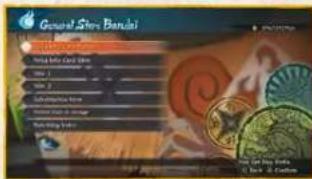
Matching Voice
Select the Matching Voice you'd like to hear from the list. Press the ✗ button to listen to it.


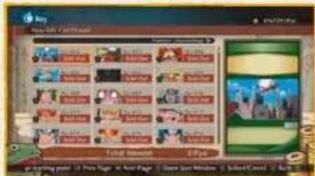
Bulk Purchase/Exchange

Press the RT and Y buttons to select a range of items. Move the cursor to select the items you want to purchase or exchange in bulk, press the RT and Y buttons again, then press the A button.

Ninja Info Card Picture
Use the cursor to select a Ninja Info Card Image. You'll see a preview of your Ninja Info Card with the image on the right side of the screen. Press the ✗ button to open a sort window that lets you change the order of the list.
TITLE/NINJA INFO CARD SKIN/SUBSTITUTION ITEM/FINISH CUT-IN IMAGE
33
COLLECTION
Title
Move the cursor to scroll through the available titles. Press the 📄 or 📃 to change Title 1 and Title 2.

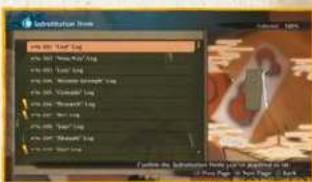
Substitution Item
Move the cursor to scroll through the available items. Bring the cursor over a Substitution Item, and you'll see it on the right side of the screen.
Ninja Info Card Skin
Use the cursor to select a Ninja Info Card Skin. You'll see a preview of your Ninja Info Card with the skin on the right side of the screen.

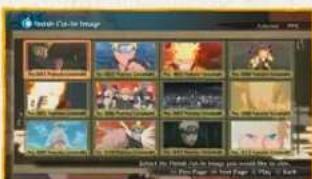
Finish Cut-In Image
Select the Finish Cut-In Image you want to see from the list and press the Ⓐ button to play it.
Select the game type you want to play from the Online Battle Top Menu. Follow the button guide on the bottom of the screen to view your battle record and Play Matching Voice.
*You must have a Xbox Live Gold account to play online.
* Once you complete online authorization, you can receive a Login Bonus for logging in once per day.
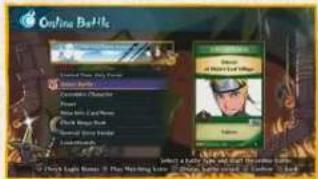

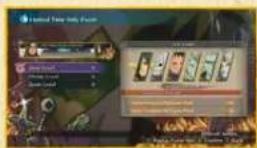
Limited Time Only Events

If a limited-time-only event is underway, select the banner shown on the top menu to play it.
Online Battle Top Menu Options
| Online Battle | Select a game mode and battle online. |
| Customize Character | Add or remove character accessories and make various edits. |
| Preset | Save the characters you want to use in battle in advance. |
| Ninja Info Card Menu | View your available Ninja Info Card parts, customize your own card, and look at cards you've traded with others. |
| Check Bingo Book | View your Bingo Book. |
| General Store Bandai | Purchase Collection Items.Go here for details |
| Leaderboards | View the current Leaderboards. |
ONLINE BATTLE
Select the Battle Mode you want from the options available in the Battle Menu. You'll then configure your session in the next sub-menu.

Battle Menu Options
| Ranked Match | Battle with players worldwide for Leaderboard fame. |
| Player Match | Fight a one-on-one battle using whatever settings you want. |
| League | Fight against other players in a round-robin championship. |
| Tournament | Fight against other players in a tournament-style championship. |
| Endless | Fight an endless line of opponents and try to build the longest win streak possible. |
Session Settings
Quick Search
Search for available sessions without defining any conditions.
Session Search
Search for available sessions that match your given conditions. Search conditions available depend on the battle type you selected.
Create Session
Define settings, create a session, and wait for opponents. You can also invite friends to your session unless you went for a Ranked Match.

Search Sessions

You will join a session automatically that matches your given conditions.
THE LOBBY
Select the action you want from the Room Menu options available. The lobby screen provides assorted data for your convenience.
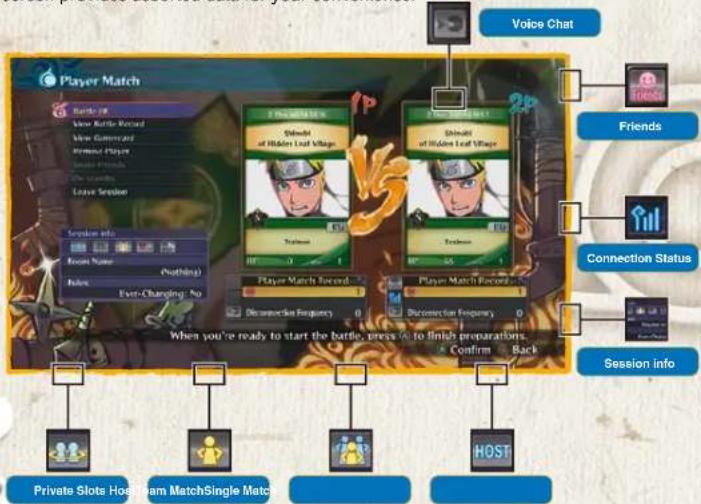

Number of Rounds
36
ONLINE BATTLE
Room Menu Options
| Battle OK | Prepare for battle. In Endless mode, battle begins once the top two players select Battle OK. |
| View Battle Record | View your foe's battle record. |
| Remove Player | Kick the player out of the lobby, if you're the host. |
| View Gamercard | View the enemy player's information. |
| Invite Friend | Invite your friends to join the battle. |
| Leave Session | Leave the lobby. |
BATTLE FLOW
ONLINE BATTLE

Character Select
Select your character before time runs out.
Select Stage
Select the stage to play in, if you're the host.
If you're playing a League or Tournament, the host can adjust the matchup table.
Battle
Fight out the battle.
End of Battle
What happens after battle depends on which mode you chose.
End of Battle
 |
CUSTOMIZE CHARACTER/PRESET
38
ONLINE BATTLE
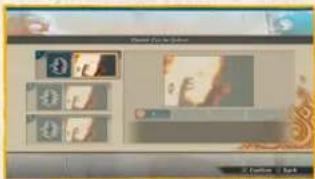
Customize Character Preset
You can create and save up to three customizations per character.
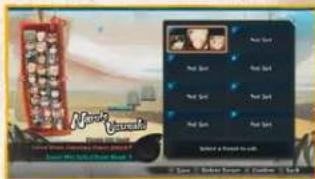
You have the option of creating a team before starting play. Select the leader and support members you want from the character list.

Customize Types

Substitution Select
Select the item to swap in for during a Substitution Jutsu. *Not available for all characters.
Finish Cut-In
Select a Finish Cut-In Image for the character.
NINJA INFO CARD MENU
This lets you view the Ninja Info Cards you've traded for, as well as edit your own card.
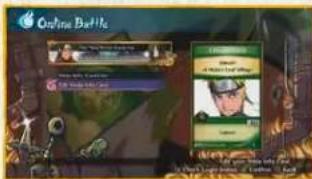
View Ninja Info Cards
View the Ninja Info Cards you've collected from online opponents. Select the card you want to view. Press the LB and RB to page through.
* You can keep up to 300 Ninja Info Cards Once you go past that, your oldest cards will be overwritten with the new ones.
* You can lock Ninja Info Cards to prevent them from being overwritten. Up to 100 cards can be locked.
Edit Ninja Info Card
Edit Ninja Info Card Image
Select the image you want to put on your Ninja Info Card.
Edit Title
Select the titles you want to put on your Ninja Info Card. Press the ☐ or ☑ to switch between the Title 1 and Title 2 tabs.

Edit Ninja Info Card Skin
Select the skin you want to put on your Ninja Info Card.
Edit Matching Voice
Select the Matching Voice you want to use.

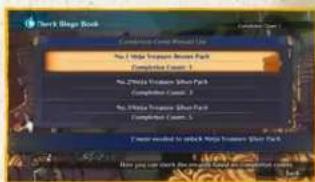
BINGO BOOK
You can earn rewards for battling Bingo Book characters online. Your Bingo Book is updated once per day.

Check Bingo Book
View the characters you're asked to battle today. Select a character to view the rewards you can earn for battling them.

ONLINE BATTLE
Check Completion Count Rewards
View the available rewards, which change depending on your completion count.
LEADERBOARDS
This lets you view the Leaderboards, determined by the Battle Points (BP) earned in Ranked Match. Press the A button to change Leaderboard display conditions.
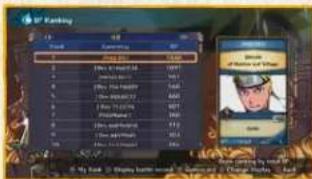
Types of Leaderboards
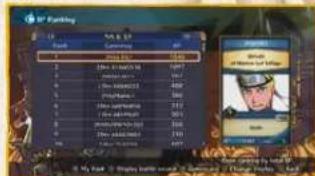
Press the LB and RB to switch between sorting the leaderboard by overall stats, stats by area, or friends only.
ONLINE BATTLE
Options Available on Leaderboard Screen

View Your Ranking
Press the Menu button to jump to your place in the Leaderboard. If you're out of the Leaderboard entirely, nothing will happen.
Display Battle Record
Select a player from the Leaderboard and press the ✗ button to view that player's battle record.
View Profile
Select a player from the Leaderboard and press the Ⓥ button to view that player's Gamercard. Once you make a selection, you'll be able to friend the player and send a message.
FREE BATTLE MENU
FREE BATTLE
Select the battle mode you want to play from the Free Battle Menu.
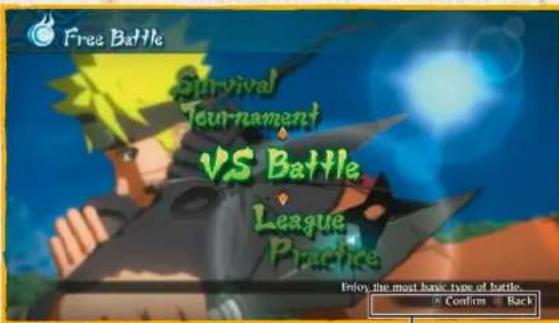
Button Guide
Free Battle Menu Options
| VS Battle | A normal match between two opponents. |
| Tournament | A tournament-style championship held with four to eight people. |
| League | A round-robin style championship. |
| Survival | An elimination championship where your health isn't refilled after battle. |
| Practice | Practice fighting under any conditions you like. |
| Customize Character | Edit Substitution Items and Finish Cut-In Images. |
| Preset | Save the characters you want to use in battle in advance. |
VS BATTLE
FREE BATTLE
VS Battle Game Flow
VS Battle Settings
Move the cursor and use the left stick or D-pad to change settings.
Preparing for Battle
Select the characters and stage to use.


Battle Start Screen
View your battle records up to this point. Once loading is complete, the battle will begin.

End of Battle
The game shows the results, then displays the End of Battle Menu. Select the action you want from the options available.
TOURNAMENT
FREE BATTLE
Tournament Game Flow
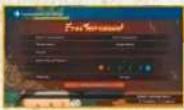
Tournament Settings
Move the left stick or D-pad to change settings.
Tournament Table Controls
Press the ✗ button to switch between PLAYER and COM. Press RB and select two players to swap their positions in the table.
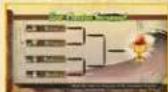
Ever-Changing Tournament
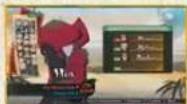
Preparing for Battle
Select Ever-Changing Tournament from the Tournament Settings, and the conditions of battle will change with each fight. Player one selects characters (starting with 1P), the game shows the tournament table. You'll then choose a stage to play in.

Battle Start Screen
Once loading is complete, the battle will begin. If this is an Ever-Changing Tournament, loading will begin after the next battle conditions are set.

End of Battle

The game shows the results, then applies them to the tournament table. If the tournament is over, a final results screen appears. Press the A button to return to the Free Battle Menu.
LEAGUE
FREE BATTLE
League Battle Game Flow
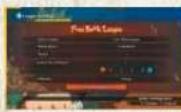
League Settings
Move the cursor and use the left stick or D-pad to change settings.
Free Battle League
Ever-Changing League
Challenge League
Select Free Battle League from the League Settings to stage a normal round-robin championship.
Select Ever-Changing League from the League Settings, and the conditions of battle will change with each fight.
Select Challenge League from the League Settings, and you'll be asked to select a rank and course. New ranks are unlocked after winning each course.

Preparing for Battle
Once character selection is complete (starting with 1P), the game shows the league table. You'll then choose a stage to play in.
League Table Controls
Press the ✗ button to switch between PLAYER and COM. Press RA and select two players to swap their positions in the table.
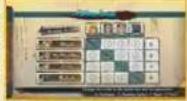

Battle Start Screen
Once loading is complete, the battle will begin. If this is an Ever-Changing League, loading will begin after the next battle conditions are set.

End of Battle

The game shows the results, then applies them to the league table. If the league is over, a final results screen appears. Press the A button to return to the Free Battle Menu.

SURVIVAL
FREE BATTLE
Survival Game Flow
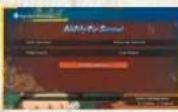
Survival Settings
Move the cursor and use the left stick or D-pad to change settings.
Ability Cap Survival
Select Ability Cap Survival from the Survival Settings, and you'll be asked to select a rank and course. Beat all the courses to unlock new ranks.
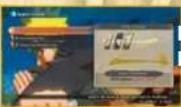
Battle Start Screen
Once loading is complete, the battle will begin. If this is Ultimate Survival, loading will begin after the next battle conditions are set.

End of Battle

your Life Gauge hits zero if you defeat all opponents in Ability Cap Survival
Win a battle in Survival, and you'll regain Health depending on the battle results.
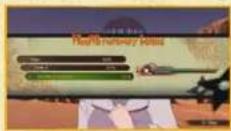
Preparing for Battle
Select the characters.

PRACTICE
FREE BATTLE
Practice Game Flow
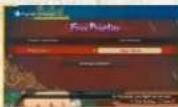
Practice Settings
Move the cursor and use the left stick or D-pad to change settings.
Battle Practice
Select Battle Practice from the Practice Settings, and you'll see a training list. Select the type of training you want, and you'll move to the Battle Start screen.
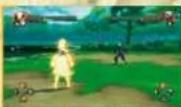
Free Practice
Practice fighting as you adjust assorted conditions. Settings can be changed by opening the Pause Menu and selecting Practice Settings. Use the cursor to choose the option you want to change, then use the left stick or D-pad to change it.
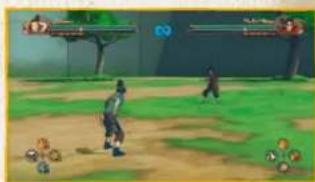
Battle Practice
Battle Start Screen
Once loading is complete, the battle will begin.
Practice the basics of battle. Perform the moves displayed onscreen to proceed through practice. Once you've completed practice, you'll see an End of Practice Menu.
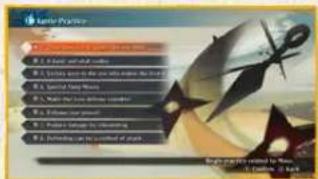
OPTIONS MENU
This allows you to adjust the game's options. Select the options you want to customize. Press the View button to restore the option to its default setting. Once you're done, select "Settings Complete".
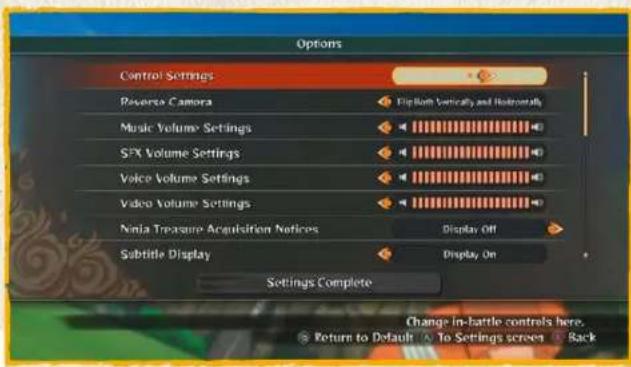
OPTIONS
Option Controls

Control Settings
Change the buttons used during battle and elsewhere. Select the control you want to change, then press the button you'd like to associate with that action. Use the left stick or D-pad to change your vibration settings.
Reverse Camera
Select this with the cursor and use the left stick or D-pad to select between four camera control types.
Volume Settings
Select a volume type with the cursor and use the left stick or D-pad to adjust the volume.
Subtitle Display
Select this with the cursor and use the left stick or D-pad to select whether or not to display subtitles.

CUSTOMER SERVICE SUPPORT
| Australia | 1902 26 26 28 | 32.48min (may change without notice) | au,support@bandsamcoert.com.au |
| Belgie | Support on French support in English | fr.support@bandsamcoert.eu customerservice@bandsamcoert.eu | |
| Deutschland | Technische: 0905-1-771 882 Sportelsche: 0905-1-771 883 | 1,244km aus dem st. Festplatz Montag - Samstag: 14.00-19.00 Uhr | de.support@bandsamcoert.eu |
| España | +34 802 10 18 67 | Lunes a junus: 09:00 - 18:00 Vienna: 09:00 - 14:00 | es.support@bandsamcoert.eu |
| Ελλάδα | +30 210 80 18 805 | Amand, Xylum! Brandy: - Tapamacuk: 08.00-12.00 | gr.support@bandsamcoert.eu |
| France | 0825 15 80.00 0,194km Land-Sarwell: 10.00-20.00 non stop | Support Technische C580276 30M2 GEESTAS | fr.support@bandsamcoert.eu |
| Italia | l.support@bandsamcoert.eu | ||
| Nederland | Support in English | customerservices@bandsamcoert.eu | |
| New Zealand | 0903 54263 | $1.08min (may change without notice) | es.support@bandsamcogames.eu |
| Nordic Countrie Nederland | Sweden Markag Finland Germany | Support in English | customerservices@bandsamcoert.eu |
| Österreich | Technische: 0905-000 654 Sportelsche: 0905-006 655 | €1,350min Montag-Sanlag: 14.00 - 18.00 Uhr | de.support@bandsamcoert.eu |
| Portugal | +34 802 10 18 67 | Segunda a Gérale: 09:00 - 18:00 Seada Pern: 09:00 - 14:00 | pt.support@bandsamcoert.eu |
| Schweiz | Technische: 0905-0029300 Sportelsche: 0905-070780 | 2.00 Ch'filmin Montag - Samstag: 14.00-19.00 Uhr | de.support@bandsamcoert.eu |
| Singapore | +05 6538 5724 | support@bandsamcoert.asie | |
| United Kingdom | Monday - Friday: 09:00 - 18:00 GMT | customerservices@bandsamcoert.eu |
Please visit www.bandainamcoent.eu For the full list of support contacts





- 2
- IMPORTANT HEALTH WARNING: PHOTOSENSITIVE SEIZURES
- TABLE OF CONTENTS
- SELECTING A GAME MODE
- STARTING THE GAME
- SAVING
- MANUAL SAVE
- GAME MODE SELECT SCREEN
- ADVENTURE
- CAUTION WHEN SAVING
- BATTLE RULES
- PAUSE MENU
- WEAPON BREAK
- ARMOUR BREAK
- BOSS BATTLES
- MOB BATTLES
- PREPARING FOR BATTLE
- BATTLE
- CHARACTER SELECT
- SELECT A LEADER CUSTOMIZE SELECTION
- SELECT SUPPORT CHARACTER
- BATTLE SETTINGS
- NINJUTSU CUSTOMIZATION SELECT STAGE
- ROUND SETTINGS
- BATTLE SCREEN
- MOVEMENT
- JUMP
- DOUBLE JUMP
- NINJA MOVE
- ATTACK
- STRIKE ATTACK
- C B BUTTON
- COMBO
- C B BUTTON RAPIDLY
- 13
- THROW
- GUARD + B BUTTON
- × BUTTON
- SHURIKEN
- DEFENSE
- GUARD
- COUNTERATTACK
- SUBSTITUTION JUTSU
- REBOUND
- NINJA TOOLS
- USE NINJA TOOL
- 15
- EDIT NINJA TOOLS
- CHAKRA
- CHAKRA LOAD
- REFILLING THE CHAKRA GAUGE
- CHAKRA LOAD ACTIONS
- CHAKRA SHURIKEN
- CHAKRA DASH
- CHARGED CHAKRA DASH
- NINJUTSU
- SUPPORT
- SUPPORT NINJUTSU
- SUPPORT GAUGE
- CHANGE LEADER
- SUPPORT ACTIONS
- STRIKE BACK
- COVER FIRE
- CHARGE ASSIST
- CHARGE GUARD
- DASH CUT
- SECRET TECHNIQUE SUBSTITUTION
- FALLING SUBSTITUTE
- SECRET TECHNIQUES AND AWAKENINGS
- SECRET TECHNIQUE
- AWAKENING
- LINKED SECRET TECHNIQUE
- AWAKENING COMBO
- ELEMENTAL AND STATUS EFFECTS
- ELEMENTAL EFFECTS
- STATUS EFFECTS
- STATUS EFFECT ICONS
- END OF BATTLE
- 20
- RESULTS
- MINI-RESULTS
- AUTO-SAVE
- PLAYING THROUGH STORY
- STORY
- STORY GAME FLOW
- SUMMARY
- EVENT SCENE
- NEW EPISODE UNLOCKED
- THE STORYBOARD
- EPISODE BOARD
- CHAPTER LIST
- CHAPTER LIST BATTLE ICONS
- INTERACTIVE ACTIONS
- AFTERIMAGE ACTIONS GIGANTIC FOES
- WEAPON DESTROYING
- 23
- FREE ADVENTURE
- THE FREE ADVENTURE SCREEN
- TARGET DISPLAY
- MINI-MAP
- EVENT DETAILS
- FREE ADVENTURE CONTROLS
- MOVE
- PERFORM ACTION
- VIEW TUTORIAL
- OPEN MAIN MENU
- MAIN MENU
- CONVERSATION
- TALKING
- NAVIGATING CONVERSATIONS
- WORD BALLOON ICONS
- MAPS
- AREA MAP
- FULL MAP
- WORLD MAP
- 28
- EVENT NAVIGATION
- ITEM LIST
- CONSUMABLE ITEMS
- KEY ITEMS
- 29
- USING ITEMS
- SHOPPING
- TUTORIAL
- TUTORIAL TOP MENU
- TUTORIAL SUB-MENU
- 30
- VIEWING TUTORIAL PAGES
- THE COLLECTION MENU
- GENERAL STORE BANDAI/MATCHING VOICE/NINJA INFO CARD IMAGE
- 32
- COLLECTION
- GENERAL STORE BANDAI
- MATCHING VOICE
- BULK PURCHASE/EXCHANGE
- NINJA INFO CARD PICTURE
- TITLE/NINJA INFO CARD SKIN/SUBSTITUTION ITEM/FINISH CUT-IN IMAGE
- 33
- TITLE
- SUBSTITUTION ITEM
- 1.7M PAGE 6.7M PAGE 6.6M PAGE
- NINJA INFO CARD SKIN
- FINISH CUT-IN IMAGE
- LIMITED TIME ONLY EVENTS
- ONLINE BATTLE
- SESSION SETTINGS
- QUICK SEARCH
- CREATE SESSION
- SEARCH SESSIONS
- THE LOBBY
- BATTLE FLOW
- SELECT STAGE
- CUSTOMIZE CHARACTER/PRESET
- CUSTOMIZE CHARACTER PRESET
- CUSTOMIZE TYPES
- NINJA INFO CARD MENU
- VIEW NINJA INFO CARDS
- EDIT NINJA INFO CARD
- EDIT NINJA INFO CARD IMAGE
- EDIT NINJA INFO CARD SKIN
- BINGO BOOK
- CHECK BINGO BOOK
- CHECK COMPLETION COUNT REWARDS
- LEADERBOARDS
- TYPES OF LEADERBOARDS
- OPTIONS AVAILABLE ON LEADERBOARD SCREEN
- VIEW YOUR RANKING
- DISPLAY BATTLE RECORD
- VIEW PROFILE
- FREE BATTLE MENU
- FREE BATTLE
- VS BATTLE
- VS BATTLE GAME FLOW
- VS BATTLE SETTINGS
- BATTLE START SCREEN
- TOURNAMENT
- TOURNAMENT GAME FLOW
- TOURNAMENT SETTINGS
- EVER-CHANGING TOURNAMENT
- LEAGUE
- LEAGUE BATTLE GAME FLOW
- LEAGUE SETTINGS
- FREE BATTLE LEAGUE
- CHALLENGE LEAGUE
- LEAGUE TABLE CONTROLS
- SURVIVAL
- SURVIVAL GAME FLOW
- SURVIVAL SETTINGS
- ABILITY CAP SURVIVAL
- YOUR LIFE GAUGE HITS ZERO IF YOU DEFEAT ALL OPPONENTS IN ABILITY CAP SURVIVAL
- PRACTICE
- PRACTICE GAME FLOW
- PRACTICE SETTINGS
- BATTLE PRACTICE
- FREE PRACTICE
- OPTIONS MENU
- OPTIONS
- OPTION CONTROLS
- CONTROL SETTINGS
- VOLUME SETTINGS
- CUSTOMER SERVICE SUPPORT
Brand : Namco Bandai Games
Model : Naruto Shippuden: Ultimate Ninja Storm 4 - Deluxe Edition
Category : Video game