
ED-CA-04 - Surveillance Camera DIO - Free user manual and instructions
Find the device manual for free ED-CA-04 DIO in PDF.


| Product type | Surveillance camera |
| Brand | DiO |
| Model | ED-CA-04 |
| Resolution | Full HD 1080p (1920 x 1080 pixels) |
| Night vision | Yes, up to 10 meters with infrared LED |
| Viewing angle | 90° horizontal |
| Power supply | Mains 5V / 1A via USB adapter (included) |
| Connectivity | Wi-Fi 2.4 GHz (IEEE 802.11 b/g/n) |
| Storage | microSD card up to 128 GB or cloud (optional subscription) |
| Dimensions | 7.5 x 6.5 x 12 cm |
| Weight | 250 g |
| Main features | Motion detection, push alerts, two-way audio, scheduled recording |
| Protection rating | IP65 (rain and dust resistant) |
| Operating temperature | -10°C to 50°C |
| Maintenance and cleaning | Clean with a soft, dry cloth. Avoid chemicals. |
| Security | AES encryption, two-factor authentication, secure access |
| Spare parts and repairability | Power adapter, USB cable, mounting bracket. Limited repairability (parts not available separately). |
| General information | 2-year warranty. Compatible with Alexa and Google Assistant. |
Frequently Asked Questions - ED-CA-04 DIO
User questions about ED-CA-04 DIO
0 question about this device. Answer the ones you know or ask your own.
Ask a new question about this device
Download the instructions for your Surveillance Camera in PDF format for free! Find your manual ED-CA-04 - DIO and take your electronic device back in hand. On this page are published all the documents necessary for the use of your device. ED-CA-04 by DIO.
USER MANUAL ED-CA-04 DIO
natural_image
Line drawing of a desktop computer with a speaker and stand (no text or symbols)ED-CA-02

natural_image
Line drawing of a mechanical device with a dome-shaped top and two vertical pins (no text or symbols)ED-CA-03

natural_image
Line drawing of a vintage megaphone with a tripod base (no text or symbols)ED-CA-04


ED - CA - 02
1x

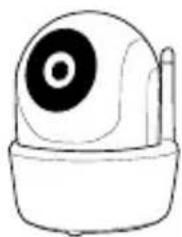
natural_image
Simple line drawing of a stylized camera or remote control unit (no text or symbols)ED - CA - 02
1x
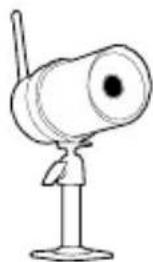
natural_image
Simple line drawing of a cartoon character with a megaphone and antenna (no text or symbols)ED - CA - 02
1x




RJ45 5V 1,5A
1x
1x
2x 2x
1x




|
□INSTRUMENT
Activate your warranty
To activate your warranty, fill in the online form at www.getdio.com/warranty.
Configurer la caméra
natural_image
Three technical diagrams showing a device with light bulb, a close-up of its internal components, and a final circular component with a light bulb (no text or symbols present)3a. Connexion sans fil directe.
natural_image
Pure mechanical assembly diagram without any text, numbers, or symbols
natural_image
Diagram of a mechanical device with springs and pulleys, no text or symbols present
natural_image
Mechanical assembly diagram showing a shaft and housing with alignment arrows (no text or labels)
natural_image
Technical line drawing of a mechanical device with dimension lines and screw placements (no text or symbols)

natural_image
Simple line drawing of a mechanical assembly with a lever and shaft (no text or symbols)
natural_image
Mechanical assembly diagram showing a lever mechanism mounted on a vertical wall (no text or symbols)Direct / Instantané / Lecture
Direct
Instantané



natural_image
Blurred grayscale photo of a vehicle in motion, no visible text or symbolsliste d'événements.
Télécharger
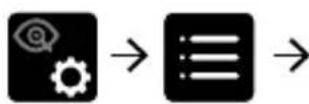
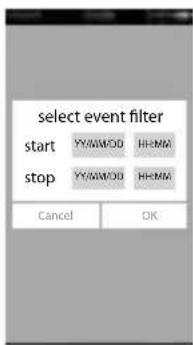


listed'événements.
natural_image
Hand interacting with a touchscreen interface displaying a grayscale scene (no text or symbols visible)

natural_image
Hand interacting with a touchscreen display showing a location pin (no text or symbols visible)

natural_image
Diagram of a device with an antenna, switch, and warning symbol (no text or labels)
natural_image
Illustration of a light bulb inside a device with a circular icon on top, no text or symbols present.

natural_image
Cross-sectional diagram of a mechanical component with internal components and a light bulb symbol (no text or labels)3a. Draadloze verbinding.

natural_image
Pure mechanical assembly diagram without any text, numbers, or symbols
natural_image
Diagram of a mechanical device with springs and wheels, no text or symbols present
natural_image
Mechanical assembly diagram showing a shaft and housing with alignment guides (no text or labels)

natural_image
Technical line drawing of a kitchen sink with screw base and measurement arrows (no text or symbols)

natural_image
Pure mechanical diagram showing a lever and shaft assembly without any text, numbers, or symbols
natural_image
Mechanical assembly diagram showing a lever mechanism with pivot and pivot point (no text or labels)Snapshot




natural_image
Blurred grayscale image of a vehicle with no visible text or symbolsDownloaden


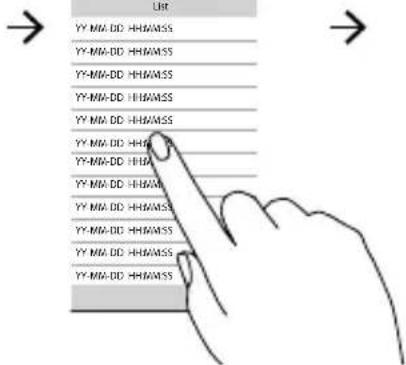

toestel te downloaden.

natural_image
Hand interacting with a touchscreen display showing a blurred rural scene (no text or symbols visible)

natural_image
Hand interacting with a touchscreen display showing a location pin (no text or symbols visible)
natural_image
Pure electrical circuit lines without any symbols

natural_image
Illustration of a light bulb inside a device with a speech bubble (no text or symbols)

natural_image
Cross-sectional diagram of a mechanical component with a light bulb symbol (no text or labels)natural_image
Pure mechanical assembly diagram without any text, numbers, or symbols
natural_image
Technical line drawing of a mechanical device with pulleys and a motor (no text or symbols)
natural_image
Mechanical assembly diagram showing a shaft and housing with alignment guides (no text or labels)
natural_image
Technical line drawing of a mechanical device with dimension lines and screw placements (no text or symbols)

natural_image
Simple line drawing of a mechanical assembly with a shaft and housing (no text or symbols)
natural_image
Mechanical assembly diagram showing a lever and pivot mechanism (no text or labels)Instantánea

natural_image
Hand interacting with a touchscreen interface displaying a grayscale scene (no text or symbols visible)

natural_image
Hand interacting with a touchscreen display showing a location pin (no text or symbols visible)


natural_image
Illustration of a light bulb inside a device with a circular icon on the screen (no text or symbols)
natural_image
Cross-sectional diagram of a mechanical component with a light bulb symbol (no text or labels)natural_image
Pure mechanical assembly diagram without any text, numbers, or symbols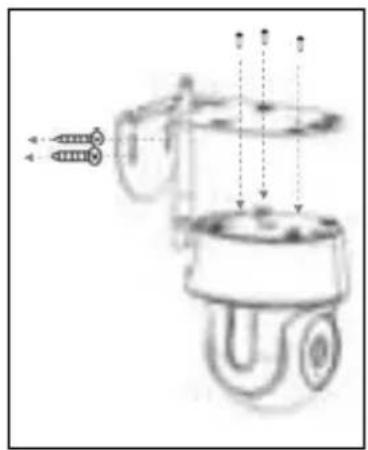
natural_image
Diagram of a mechanical device with springs and wheels, no text or symbols present
natural_image
Mechanical assembly diagram showing a shaft and housing with alignment arrows (no text or labels)
natural_image
Technical line drawing of a kitchen appliance with screw base and height dimension lines (no text or symbols)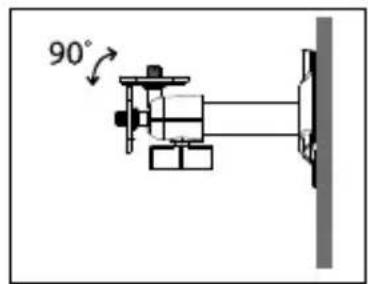

natural_image
Simple line drawing of a mechanical assembly with a lever and shaft (no text or symbols)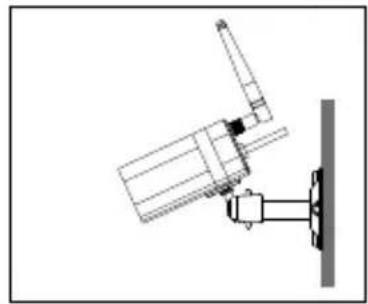
natural_image
Mechanical assembly diagram showing a lever mechanism mounted on a vertical wall (no text or symbols)Instantâneo

Toque para captar imagens de ecrã.

natural_image
Hand interacting with a touchscreen interface displaying a grayscale scene (no text or symbols visible)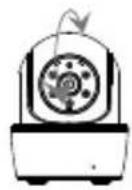

natural_image
Hand interacting with a touchscreen display showing a location pin (no text or symbols visible)

natural_image
Simple line drawing of a device with a light bulb icon and a speech bubble (no text or symbols)

natural_image
Cross-sectional diagram of a mechanical component with internal components and a light bulb symbol (no text or labels)natural_image
Pure mechanical assembly diagram without any text, numbers, or symbols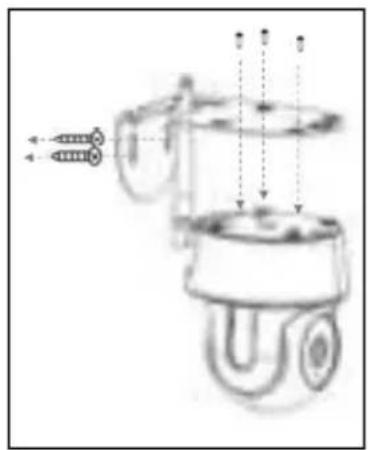
natural_image
Diagram of a mechanical device with springs and pulleys, no text or symbols present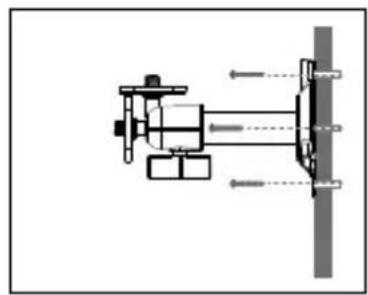
natural_image
Mechanical assembly diagram showing a shaft and housing with alignment arrows (no text or labels)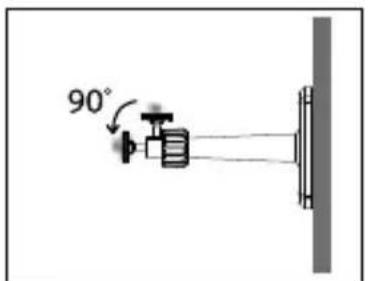

natural_image
Technical line drawing of a mechanical device with dimension lines and screw placements (no text or symbols)

natural_image
Simple line drawing of a mechanical assembly with a lever and shaft (no text or symbols)
natural_image
Mechanical assembly diagram showing a lever mechanism mounted on a vertical wall (no text or symbols)Snapshot

flowchart
graph LR
    A["Input Gear Icon"] --> B[" gears Icon"]
    B --> C[" Avanzate "]
    C --> D[" Final Output Image with Grid Labels"]
Riproduzione

flowchart
graph LR
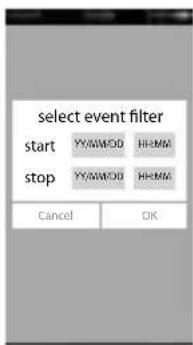
    A["Start"] --> B["Select event filter"]
    B --> C["List"]
    C --> D["Playback video"]
dell'elenco eventi.
Télécharger

flowchart
graph LR
    A["Start"] --> B["Select event filter"]
    B --> C["File List"]
    C --> D["Video Download"]
    D --> E["Cancel"]
dell'elenco eventi.
natural_image
Hand interacting with a touchscreen display showing a blurred rural scene (no text or symbols visible)

natural_image
Hand interacting with a touchscreen display showing a location pin (no text or symbols visible)
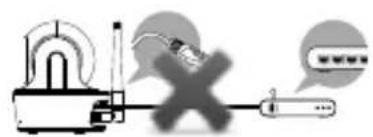
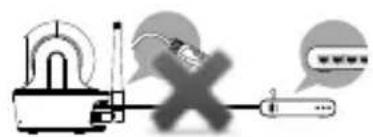
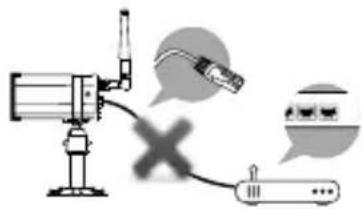
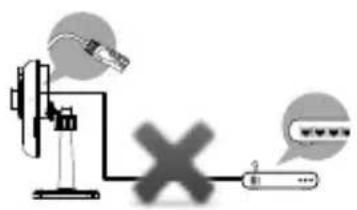
2. Power up the camera.
Plug in power adapter. do NOT plug in Ethernet cable!
EC-CA-02 EC-CA-03 EC-CA-04


natural_image
Illustration of a light bulb inside a device with a circular head (no text or symbols)

natural_image
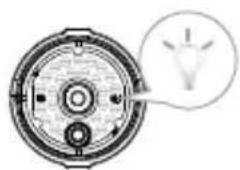
Cross-sectional diagram of a mechanical component with a light bulb symbol (no text or labels)3a. Direct Wireless Connection.
(xxxxxx=Camera ID numbers).

established. You'll see the camera view right now. Please go on to Step
3b. Connection via Ethernet cable.
EC-CA-02 EC-CA-03 EC-CA-04
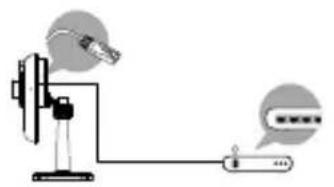

natural_image
Diagram of a smart speaker with an antenna and connector, accompanied by two speech bubbles showing connected devices (no text or symbols present)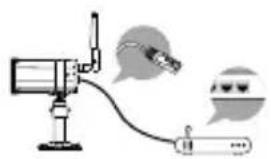


Note :
you complete the settings.

4. Wi-Fi Setting

flowchart
graph LR
    A["Gear Icon"] --> B["Gear Icon"]
    B --> C["Avancés"]
    C --> D["Entrez le mot de passe admin (par défaut 123456)"]
    D --> E["OKT Setting"]
not, manually assign to it.
updated.
Note :
(!@#\$%, etc) will not be accepted.
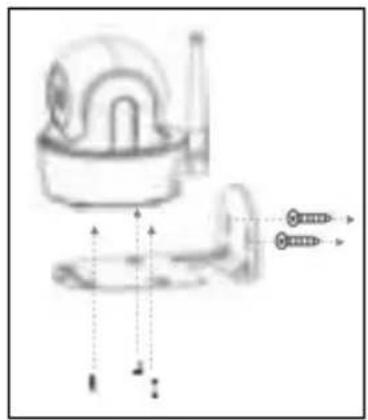
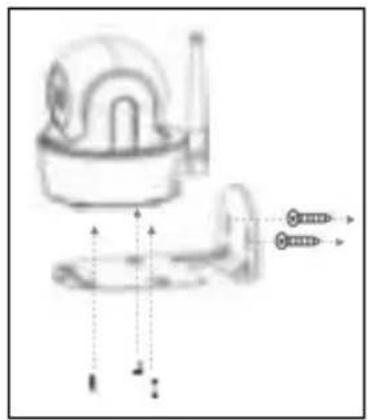
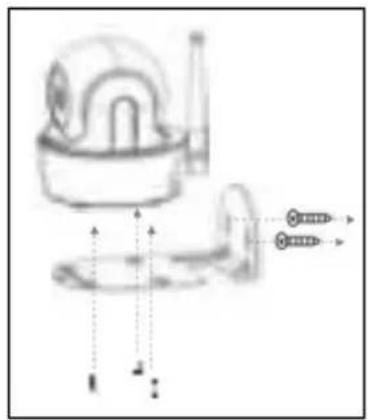
Camera installation
ED-CA-02 ED-CA-03 ED-CA-04
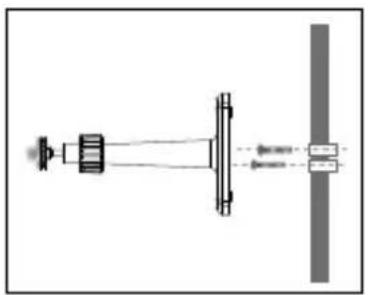
natural_image
Pure mechanical assembly diagram without any text, numbers, or symbols
natural_image
Diagram of a mechanical device with springs and wheels, no text or symbols present
natural_image
Mechanical assembly diagram showing a shaft and housing with alignment arrows (no text or labels)

natural_image
Technical line drawing of a kitchen appliance with screw base and height dimension lines (no text or symbols)
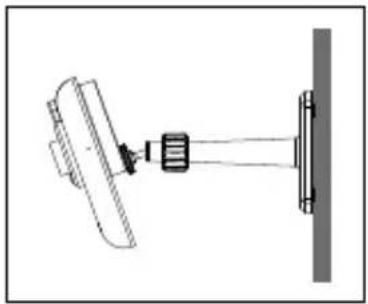
natural_image
Simple line drawing of a mechanical assembly with a lever and shaft (no text or symbols)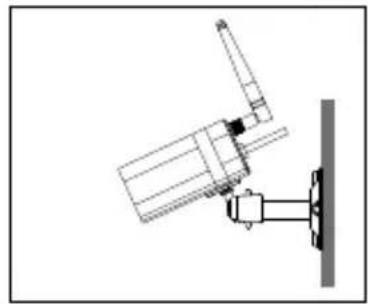
natural_image
Mechanical assembly diagram showing a lever mechanism mounted on a vertical wall (no text or symbols)Live view / Snapshot / Playback
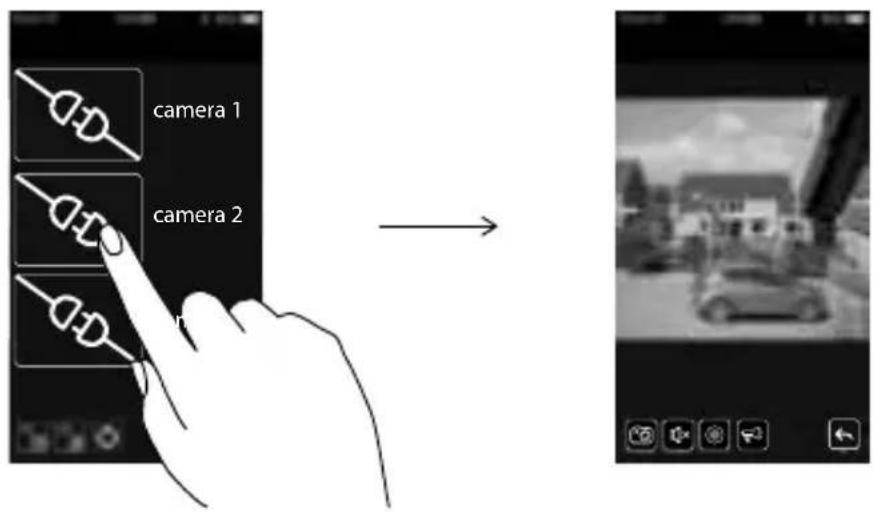
Live view

Snapshot

Tap to capture screen images.

Tap to turn on/off the volume in Live View mode.
Tap to record video in device memory card.
Tap to set or return preset point.

Tap and hold the icon to talk in both direction (Push to Talk).

Tap to return to the main page.
Image Tone Adjustment
the image.

flowchart
graph LR
    A["Gear Icon"] --> B["Gear Icon"]
    B --> C["Advanced"]
    C --> D["Output Panel"]
Playback


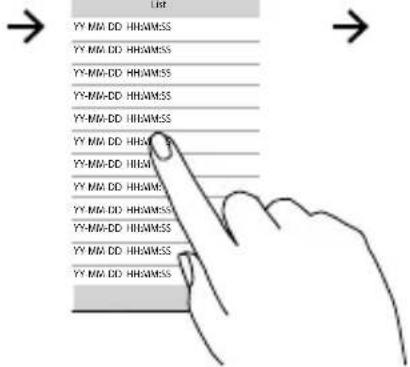

natural_image
Blurred grayscale image of a vehicle with no visible text or symbolsDownload



device.

iOS user: use Oplayer Lite app to playback.

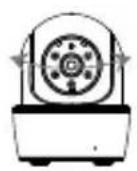
Pan & Tilt (ED-CA-03)

natural_image
Hand pointing at a small button on a device screen, with blurred architectural background (no text or symbols visible)

natural_image
Hand interacting with a touchscreen display showing a location pin (no text or symbols visible)
set or return preset point.
Factory default setting
Hotline

www.getdio.com

BE + 32 900 51 100
FR + 33 1 57 32 48 12
ES + 34 911 899 443
PT + 351 221 450 250
(Tarif nat. / Nat. tarif : 0,45€/min)
(Prix communication nationale)
FCC Compliance Statement: This device complies with Part 15 of the FCC rules. Operation is subjected to the following two conditions: (1) this device may not cause harmful interference, and (2) this device must accept any interferencereceived, including interference that may cause undesired operation.

CHACON declares that the ED-CA-02, ED-CA-03, ED-CA-04 device is compliant with the essential requirements and other relevant provisions of Directive 1999/5/EC: EN61000-3-2:2006+A2:2009; EN61000-3-3:2013 EN55022:2010; EN55024:2010; EN301489-1 V1.9.2; EN301489-17 V2.2.1; ETSI EN300328 V1.8.1 EN 60950-1:2006+A11:2009+A1:2010+A12:2011+A2:2013 EN300328 V1.8.1 (2012-06)

If the camera system no longer functions or can no longer be repaired, it must be disposed of according to the valid statutory regulations. Disposal of spent batteries/accumulators:
You are required by law (Battery Ordinance) to return all spent batteries and accumulators. Disposing of spent batteries/accumulators with common household waste is prohibited! Batteries/accumulators that contain hazardous substances are marked with the symbols on the side. These symbols indicate that it is prohibited to dispose of these batteries/accumulators in the household waste. The abbreviations for the respective heavy metals are: Cd=cadmium, Hg=mercury, Pb=lead. You can return spent batteries and accumulators that can no longer be charged to the designated collection points in your community, outlets or wherever batteries or accumulators are sold. Following these instructions will allow you to fulfill the legal requirements and contribute to the protection of our environment!
Brice Dessain, Marketing Manager





- Activate your warranty
- Configurer la caméra
- 3a. Connexion sans fil directe.
- Direct / Instantané / Lecture
- Instantané
- Télécharger
- Snapshot
- Downloaden
- Instantánea
- Instantâneo
- Riproduzione
- Power up the camera.
- 3a. Direct Wireless Connection.
- Note :
- Wi-Fi Setting
- Camera installation
- Live view / Snapshot / Playback
- Image Tone Adjustment
- Playback
- Download
- Pan & Tilt (ED-CA-03)
- Factory default setting
Brand : DIO
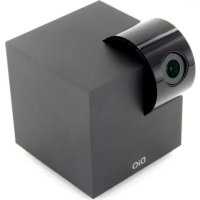
Model : ED-CA-04
Category : Surveillance Camera